A growing number of users are paying closer attention to digital identity, online trust, and account security. But online identity is not always easy to verify. Emails, phone numbers, websites, IP addresses, and browser signals can all be copied, changed, or faked. This is where the idea of a spoofer comes in.
Spoofing can appear in many forms. A fake login page may steal passwords. A fake caller ID may make a scam call look real. A changed browser signal may hide the real device behind a session. In this guide, we explain what a spoofer is, how spoofing works, the main risks in 2026, and how users and teams can protect their accounts more safely.
What Is a Spoofer?
A spoofer is a person, tool, or method that pretends to be a trusted identity by faking digital signals. These signals may include an email sender, phone number, website URL, IP address, device information, or browser fingerprint.
The main purpose of spoofing is to make something false look real. For example, a scammer may send an email that looks like it comes from your bank. A fake website may copy a real login page. A browser spoofer may change browser details to make a session look like it comes from another device or environment.
What Is Browser Spoofing?
Browser spoofing is the practice of changing or faking browser-related data. This may include user agent, screen resolution, time zone, language, WebRTC, Canvas, fonts, and other browser fingerprint details. These signals help websites understand what browser, device, and online environment a user may be using.
In some privacy or testing scenarios, browser spoofing may be used to control what information a website can read. But in harmful cases, spoofers may use browser spoofing to hide suspicious activity, imitate trusted users, or make a fake session look more normal. That is why browser spoofing can be both a privacy-related topic and a security risk, depending on how it is used.
Why Are Spoofers a Growing Concern in 2026?
People trust emails, phone numbers, URLs, IP locations, device details, and browser identities every day. When these signals are faked, users and systems may make the wrong decision.
Spoofing is growing because attackers have more ways to make fake identities look real. A fake bank email may look professional. A fake delivery text may feel urgent. A spoofed browser session may appear similar to a normal user environment. That short moment of trust is what makes spoofing dangerous in 2026.
What makes spoofing attacks more prevalent today?
Spoofing works because people act fast online. A fake bank email may say your account is locked. A fake delivery text may ask you to click a link. At first, the message may look normal. That short moment of trust is what attackers use.
How advancements in technology have enabled spoofing tactics
New tools make spoofing easier to hide. CISA warns that attackers can use VoIP to spoof caller ID and abuse people’s trust in phone calls. AI can also help fake messages sound more real. In some cases, attackers may use browser spoofing to change browser or device signals, which can make fraud harder to detect.
Why are individuals and businesses at risk from spoofers?
Individuals may lose passwords, money, or personal data. Businesses may face larger losses. For example, in business email compromise, criminals send emails that look like they come from a trusted person or vendor. The FBI says these scams often target people who handle payments. This is why spoofing is not only a tech problem. It is a trust problem.
How Does Spoofing Work Across Different Platforms?
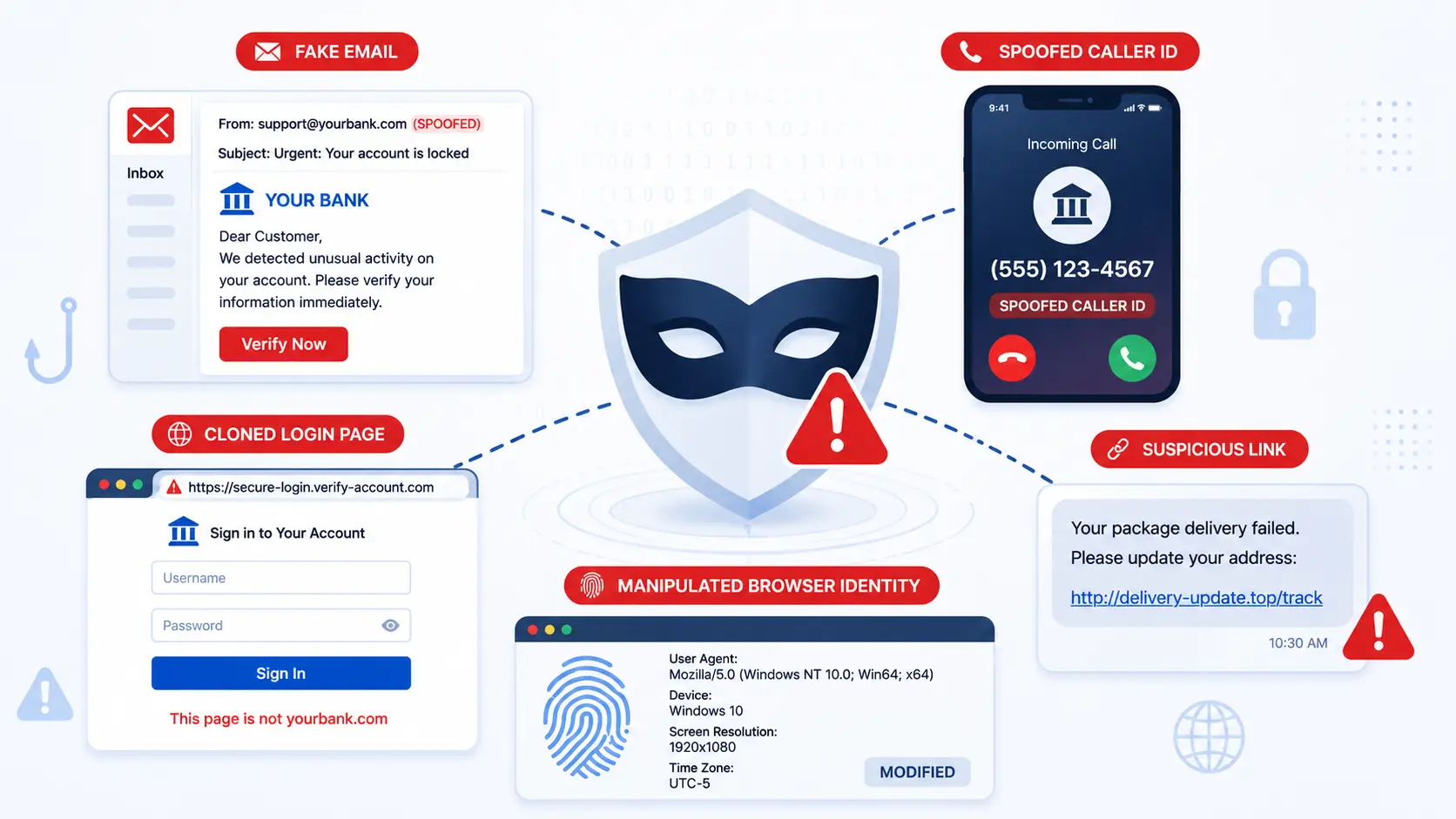
After knowing what is a spoofer, it helps to see how spoofing works in real life. A spoofer does not use only one trick. It can appear in email, phone calls, websites, apps, ads, and even browser settings. The goal is often the same. It tries to make a fake identity look safe.
What are the common methods spoofers use to deceive targets?
Spoofers often copy things people already trust. A fake email may use a company logo. A fake website may copy a real login page. A phone scam may show a local number, even when the caller is far away. CISA warns that attackers can use VoIP to spoof caller ID and abuse people’s trust in phone services.
How do spoofers exploit vulnerabilities in digital systems?
Spoofers look for weak points in both systems and people. They may use old software, weak passwords, fake links, or poor email security. Microsoft’s 2025 Digital Defense Report also notes that attackers are using AI, phishing, and multi-stage attack chains to get around defenses. In some cases, browser spoofing may be used to change browser signals, such as device type or user agent. This can make a fake session look more normal than it really is.
What Are the Most Common Types of Spoofing?
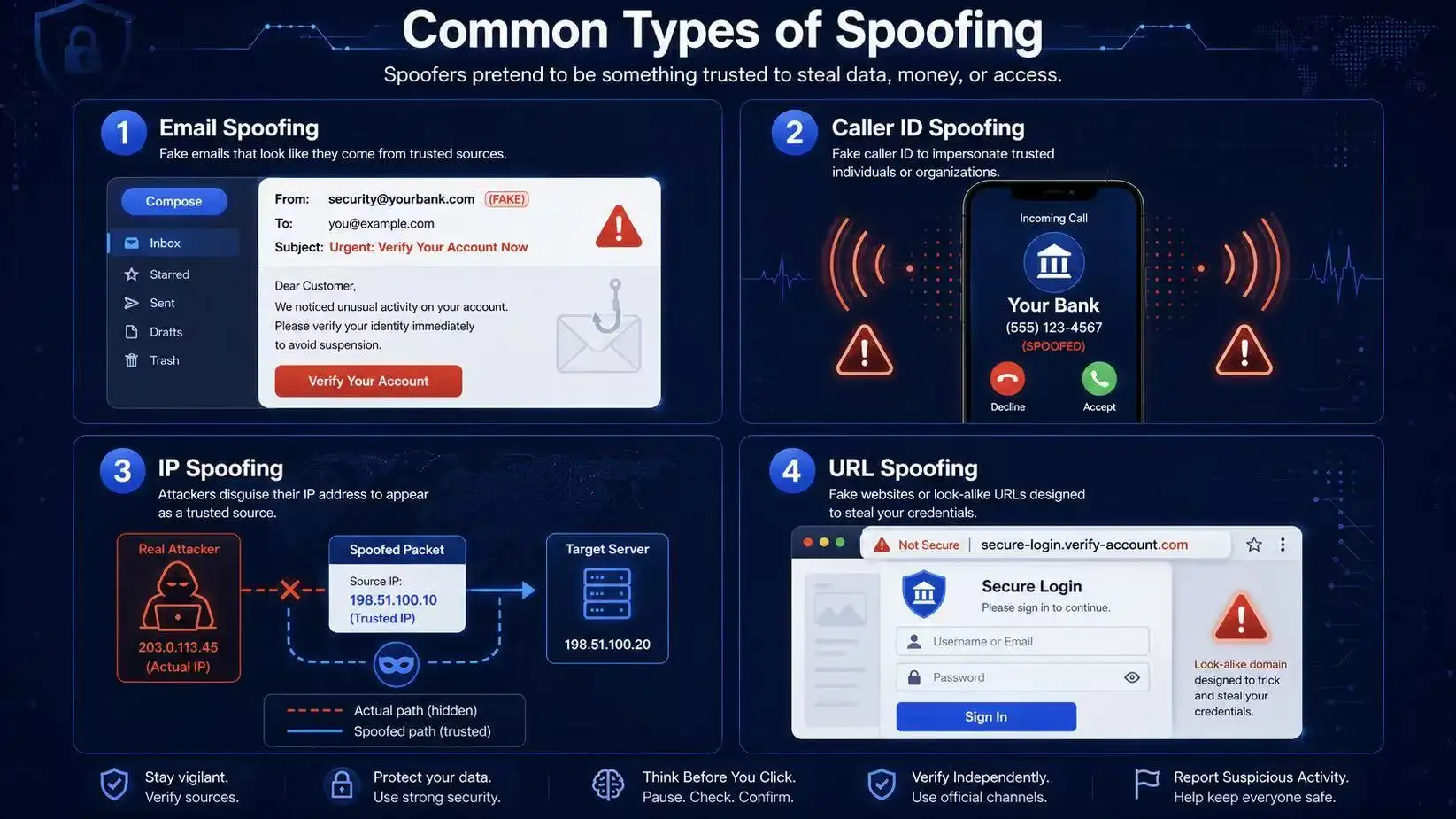
Now that we know what is a spoofer and how it hides across platforms, we can look at the main types. Each one uses a different “mask.” But the goal is still the same. The attacker wants you to trust the wrong thing.
How does email spoofing trick users into sharing sensitive data?
Email spoofing makes a message look like it came from a real person or company. For example, a fake invoice may seem to come from a vendor. The FBI says business email compromise often uses emails that appear to come from a known source. This can lead workers to send money or private files by mistake.
What is caller ID spoofing, and how does it work?
Caller ID spoofing hides the real phone number. The call may look like it comes from your bank, local office, or delivery company. CISA notes that attackers can use VoIP to spoof caller ID and abuse trust in phone services.
How do IP address spoofers bypass security measures?
IP spoofing makes traffic look like it comes from another address. This can help attackers hide their source or test weak systems. It is different from browser spoofing, which changes browser signals like user agent or device type. Both can make a fake identity look more normal.
What is URL spoofing, and why is it dangerous?
URL spoofing uses fake links or look-alike domains. A page may copy a real login screen and ask for your password. The FTC says scammers often use emails or texts to trick people into giving personal or financial information. That is why one wrong click can become a serious risk.
How to Protect Yourself from Spoofers Effectively
After seeing the main types, the next step is protection. When people ask what is a spoofer, they often focus on the attacker. But the safer question is this: how can you stop a fake identity before you trust it?
What tools can help detect and block spoofing attempts?
Use security tools that check links, files, calls, and logins before you act. The FTC suggests using security software and automatic updates to protect against phishing threats. For businesses, email filters, DNS checks, firewall rules, and phishing reports can help stop attacks early. CISA also recommends stronger controls to reduce successful phishing attacks.
How to secure your email, phone, and online accounts
Start with simple habits. Do not click urgent links from unknown texts or emails. Go to the real website by typing the address yourself. For phone calls, remember that caller ID can be faked. The FCC says caller ID spoofing happens when a caller falsifies the number shown on your screen. Use strong passwords and MFA for key accounts. If you manage many accounts, watch for odd login signals, including risky browser spoofing or unknown device changes.
What Are the Risks of Ignoring Spoofing Threats?
Protection matters because spoofing damage can grow fast. After learning what is a spoofer, it is clear that the risk is not only a fake message. A spoofer can open the door to stolen money, leaked data, and lost trust.
How spoofing can lead to financial losses and identity theft
A spoofed email or text may ask for a password, payment, or bank code. If the victim trusts it, the attacker can steal money or enter private accounts. The FBI said phishing and spoofing were the top cybercrime complaint type in 2024. Older adults also reported nearly $5 billion in losses across internet crimes.
What are the long-term consequences of data breaches?
A data breach can last long after the first attack. Stolen names, emails, passwords, or payment details may be sold or reused. IBM’s 2025 report found the global average cost of a data breach was $4.44 million. This shows why one weak click can become a large cleanup job.
How businesses can suffer reputational damage from spoofing
For businesses, spoofing can hurt customer trust. A fake invoice, fake support email, or risky browser spoofing session may make users question the company’s security. The FBI says business email compromise is one of the most financially damaging online crimes because it abuses normal business email trust.
How to Report and Respond to a Spoofing Attack
Spoofing can cause real loss, but a fast response can limit the damage. Once you understand what is a spoofer, you should treat any fake email, call, link, or login as evidence. Do not panic. Save details, stop contact, and act step by step.
What to do immediately after identifying a spoofing attempt
Do not click more links or reply to the sender. Take screenshots. Save the email, phone number, URL, or login alert. If you entered a password, change it from the real website right away. Turn on MFA. If money was sent, call your bank fast. For suspected browser spoofing, check unknown devices, sessions, and browser activity.
How to report spoofing to authorities and service providers
Report the attack to the right place. The FBI says spoofing and phishing can be reported to IC3. The FTC also accepts fraud and scam reports through ReportFraud.ftc.gov. For phishing emails, the FTC says users can forward them to the Anti-Phishing Working Group. Also report fake emails, calls, or pages to your bank, email provider, or platform support team.
Why educating others about spoofing is crucial for prevention
Spoofing spreads because one person’s trust can open the door. A team member may click a fake invoice. A parent may answer a fake bank call. A new employee may trust a fake login page. Short warnings, simple examples, and regular reminders help people pause before they act. That pause can stop the next attack.
After learning what is a spoofer, it is important to separate malicious spoofing from privacy-focused identity control. Spoofers often fake signals to deceive users, steal data, or bypass trust. DICloak Antidetect Browser is different. It helps users and teams build cleaner browser profiles for privacy protection and multi-account management.
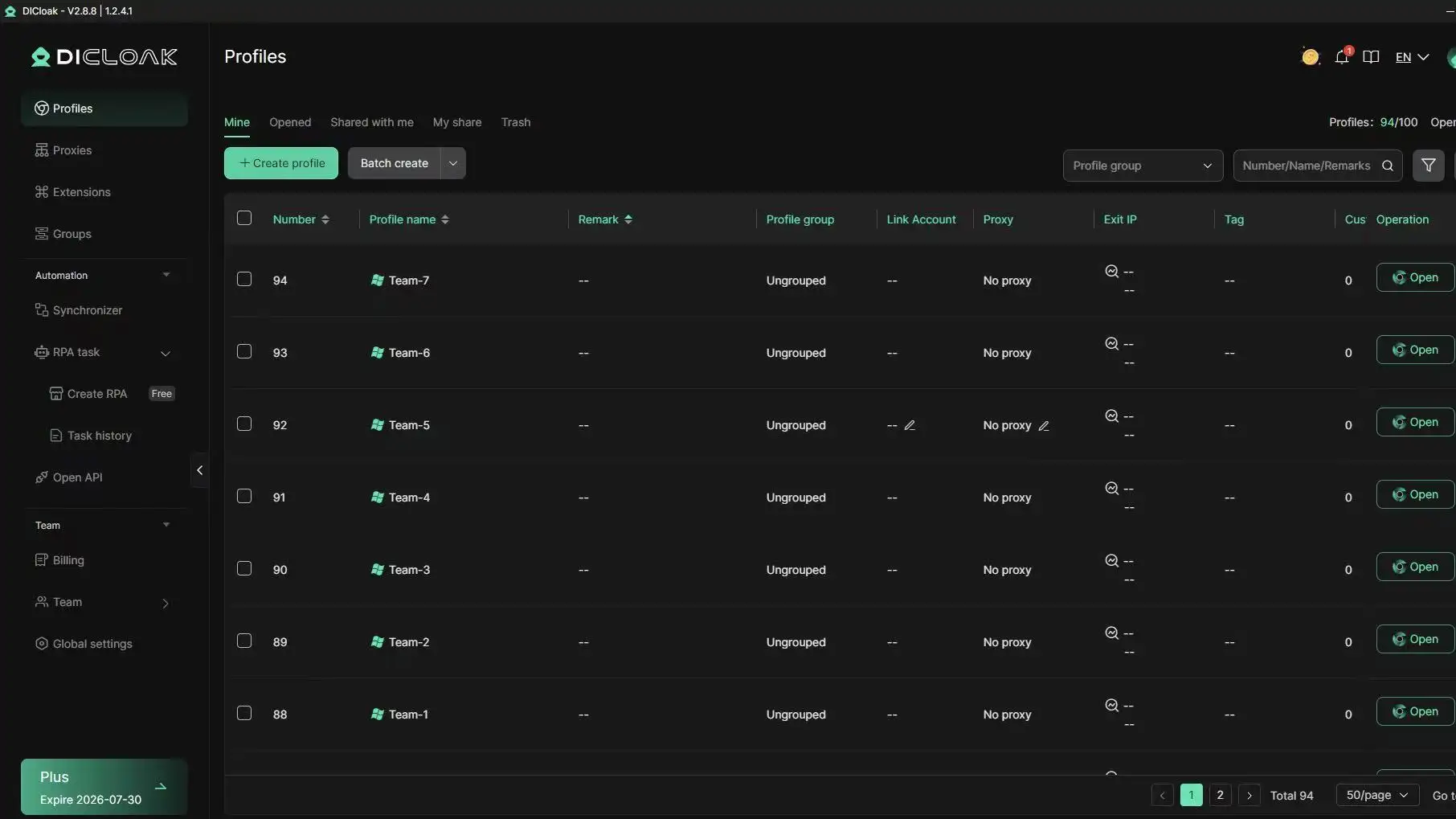
With DICloak, users can create separate browser profiles instead of mixing many accounts in one normal browser. Each profile can keep its own cookies, local storage, fingerprint settings, and proxy configuration. This helps reduce session mixing, account confusion, and risky shared-device behavior.
Protecting privacy with separated browser profiles
A normal browser often keeps many sessions in the same environment. This may expose repeated browser signals, mixed cookies, and overlapping account activity. With DICloak, users can create isolated browser profiles for different accounts, projects, or team members. Each profile works like a separate browser profile, which helps users manage online identities in a more organized and private way.
Reducing shared-account risks for teams
Team account sharing can create security problems when many people log in from different devices, locations, or browsers. Passwords may be exposed. Sessions may be mixed. Admins may also lose control over who accessed which account.
DICloak helps reduce these risks with profile sharing, permission settings, hidden passwords, and operation logs. Admins can let team members use needed accounts without directly revealing login details. They can also review usage activity when something looks unusual. This is useful for teams that manage tools, ad accounts, social media accounts, e-commerce stores, or other shared work platforms.
Keeping login environments more consistent
Sudden changes in IP, device signals, language, time zone, or browser settings may make account activity look unusual. With DICloak, users can configure custom proxies for each browser profile and keep key browser settings more consistent. This helps users build a cleaner working environment for each account.
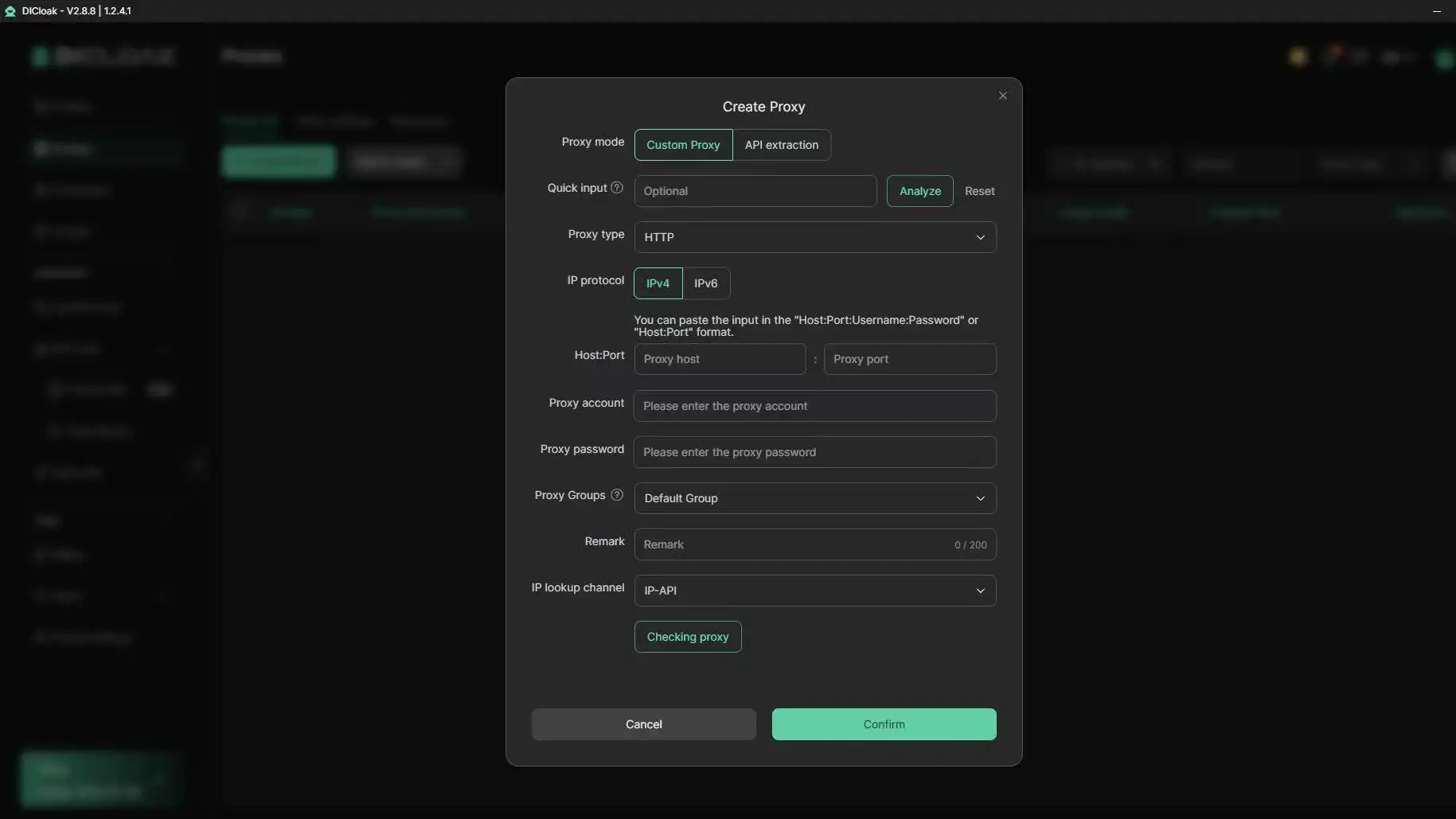
DICloak does not provide proxies directly, and it should not be seen as a tool that removes all security risks. Users still need clean account habits, reliable proxies, secure passwords, MFA, and careful team workflows. But when used properly, DICloak can help improve privacy, reduce account overlap, and make multi-account management safer and easier to control.
FAQ
Can spoofing attacks happen on social media platforms?
Yes. Spoofing can happen on social media platforms. A fake account may copy a real brand, creator, seller, or support team. It may send messages with links that ask users to verify an account, reset a password, or claim a reward. When people ask what is a spoofer, this is a simple example. A spoofer is someone or something that pretends to be a trusted identity to trick others.
What is the difference between phishing and spoofing?
Spoofing is about the fake identity. Phishing is the trick used to steal information. For example, a fake bank email that looks real is spoofing. If that email sends you to a fake login page and asks for your password, that is phishing. So when asking what is a spoofer, remember that the spoofer creates the false trust, while phishing often uses that trust to collect data.
Are there legal consequences for spoofing?
Yes. Spoofing can lead to legal consequences when it is used for fraud, data theft, financial scams, or harmful activity. Some forms of spoofing, such as caller ID spoofing or fake business emails, may be investigated when they cause loss or deceive users. This is why understanding what is a spoofer matters. Spoofing is not just a technical trick. In many cases, it can become a serious legal and security issue.
How can businesses train employees to recognize spoofing?
Businesses should train employees with real examples. Show fake invoices, fake login pages, fake support emails, and fake boss messages. Teach workers to pause before clicking links or sending money. A good training session should also explain what is a spoofer in simple words. Employees need to know that a spoofer may copy names, logos, phone numbers, email addresses, or browser signals to look trusted.
Is it possible to recover from a spoofing attack completely?
Sometimes, but it depends on the damage. If you only received a fake email or call, reporting and deleting it may be enough. If you entered a password, sent money, or shared private data, recovery may take longer. You may need to change passwords, turn on MFA, contact your bank, report the scam, and check account activity. After learning what is a spoofer, the key lesson is clear: fast action can reduce the damage, but prevention is always safer.
Conclusion
Spoofing is not just a technical issue. It is a trust problem. A fake sender, number, link, IP, or browser signal can lead to stolen data, lost money, or blocked accounts. The best protection is to slow down, verify suspicious activity, use MFA, and keep account environments clean. For teams managing many accounts, isolated browser profiles, permissions, logs, and stable proxy settings can make online identity management safer and easier to control.
 Web Proxy Tools
 Free Tools
 Cookie Plugin
 UA Generator
 MAC Address Generator
 IP Generator
 IP Address List
 2FA Code Generator
 World Clock
 Anonymous Check
 WebRTC Leak Test
 UUID Generator
 Free Web Proxy Site
 Proxy Checker
 FB Ad Checker
 AI Web Scraping
 Free SMM Tools
 Twitter Shadowban Checker
 Instagram Name Checker
 UTM Generator
 Username Generator
 AI Hashtag Generator
 LinkedIn Headline Generator
 Social Media Image Resizer