From a technical perspective, the "stream" is the real-time data delivery pipeline that transmits tokens from OpenAI’s inference servers to your client interface. Unlike traditional web applications that utilize standard HTTP GET/POST requests for discrete data packages, ChatGPT relies on persistent connections—typically WebSockets—to push data continuously.
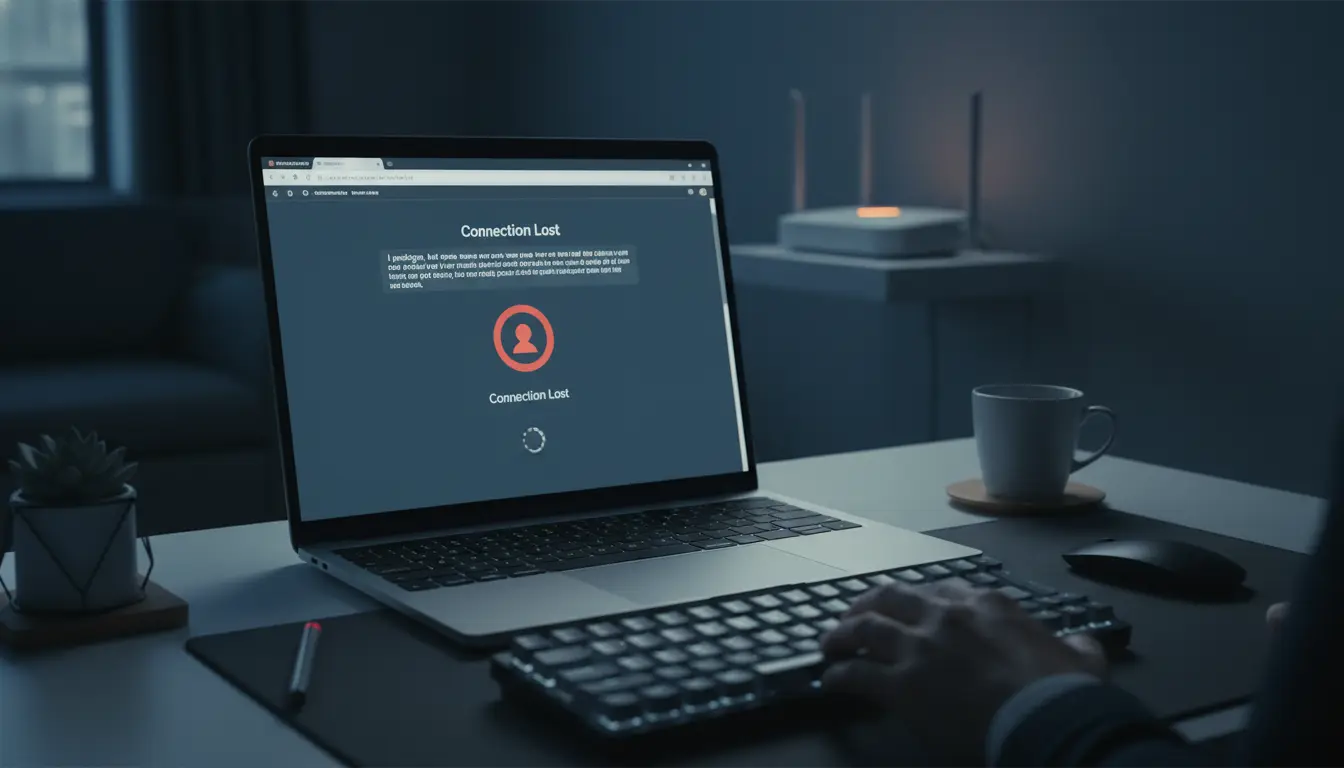
An "Error in Message Stream" is a specific diagnostic signal indicating that the connection was severed during the response phase. While the server successfully received and began processing your request, the telemetry link failed before the payload was fully delivered. This differs fundamentally from a "Network Error," which is a failure at the request phase—meaning the handshake never completed in the first place.
| Error Type |
Protocol-Level Meaning |
Diagnostic Focus |
| Error in Message Stream |
Failure during the response phase; WebSocket interrupted mid-generation. |
Packet loss, payload size, or routing instability. |
| Network Error |
Failure during the request phase; connection blocked before reaching the server. |
Local DNS, firewall, or ISP-level blocking. |
| Bad Error |
A general failure resulting from session identifier conflicts or corrupted routing paths. |
Browser session isolation and cookie integrity. |
| Something Went Wrong |
Temporary server-side inference failure or request processing spike. |
Server load; requires a retry delay. |
| Blank Page / Not Loading |
Client-side failure to initialize essential JavaScript or WebSocket channels. |
Script-blockers, cache corruption, or ISP throttling. |
Why does ChatGPT keep failing mid-conversation?
AI streaming is uniquely sensitive to network conditions because it requires a persistent state. Standard web browsing can tolerate "micro-outages," but AI responses cannot.
Unstable WebSocket connections and packet loss
Because AI services use long-lived connections to stream tokens, even a momentary dip in signal or a minor packet loss event will cause the WebSocket handshake to desynchronize. While a standard website would simply pause and resume, the ChatGPT stream protocol often treats a lost heart-beat as a terminal error, resulting in an immediate break.
Sending prompts that are too large for the system to process
Every prompt has a specific "payload size" that correlates to its complexity. Massive prompts increase the "Time to First Token" (TTFT) and the total duration of the stream. As the processing window widens, the probability of hitting a 504 Gateway Timeout or a connection threshold increases. Larger payloads essentially make the connection more brittle.
Interference from browser extensions and script-blockers
Security extensions and aggressive ad-blockers often monitor long-running background scripts. If an extension misidentifies the persistent WebSocket telemetry as a data-mining script or an unauthorized background process, it will terminate the data stream. This is a common cause of "silent" failures where the response just stops without an obvious network drop.
How to fix the "Error in Message Stream" immediately
When the stream breaks, you need to reset the connection logic without necessarily nuking your entire session.
Why "Regenerate Response" is your first line of defense
This is the primary recovery protocol. Clicking "Regenerate" forces a brand-new handshake and initiates a fresh routing path to the server. This often clears temporary routing glitches or "stale" WebSocket states that were causing the previous stream to hang.
Refreshing the session without losing your progress
If regeneration fails, you must clear the client-side state. Perform a hard reload (Ctrl+F5 on Windows; Cmd+Shift+R on Mac). This forces the browser to re-download all necessary scripts and bypass the local cache. Crucially, this does not affect server-side inference—your conversation history remains intact on OpenAI's servers.
Testing alternate routing paths and regions
If errors persist, the issue may be a congested routing node. Manually switching your proxy region (e.g., moving from a US-East node to SG, JP, or US-West) can bypass localized network congestion or ISP-specific throttling that targets the streaming endpoint.
Solving "Network Error" and "Something Went Wrong" messages
These errors typically point to deeper configuration issues in your network stack or browser profile.
Resetting DNS for better routing stability
Unstable DNS resolution can lead to failed handshakes. Switching to a public DNS provider (Google at 8.8.8.8 or Cloudflare at 1.1.1.1) often provides a cleaner path to OpenAI’s infrastructure. * Action: Flush your local DNS cache by opening a command prompt and running ipconfig /flushdns to clear potentially broken records.
Clearing browser cache and session cookies
A "corrupted browser state" is the primary driver of "Bad Error" messages. Over time, session identifiers and auth tokens can collide. Clearing cookies and performing a clean login ensures that your session identifiers are fresh and not conflicting with previous, failed connections.
Why browser fingerprints cause ChatGPT access issues
OpenAI utilizes sophisticated defensive heuristics to identify bot-like behavior and unauthorized access by monitoring browser telemetry.
The risk of using multiple accounts on one browser
Operating multiple ChatGPT accounts within a single browser session leads to fingerprint collisions. When OpenAI’s security layers detect identical Canvas, WebGL, and WebRTC fingerprints across different accounts, it triggers defensive blocks. This manifests as interrupted streams or the "Something Went Wrong" error.
How ISP throttling impacts AI service delivery
Some ISPs throttle persistent, high-bandwidth data streams, particularly those involving WebSockets. This often results in the "Blank Page" issue where the browser is physically prevented from initializing the scripts required to start the chat interface.
Creating a More Stable Workflow with DICloak to Help Reduce Stream Interruptions
For users who want a more stable setup, using DICloak can help make account environments easier to manage and reduce some of the common factors that may lead to session interruptions during use.
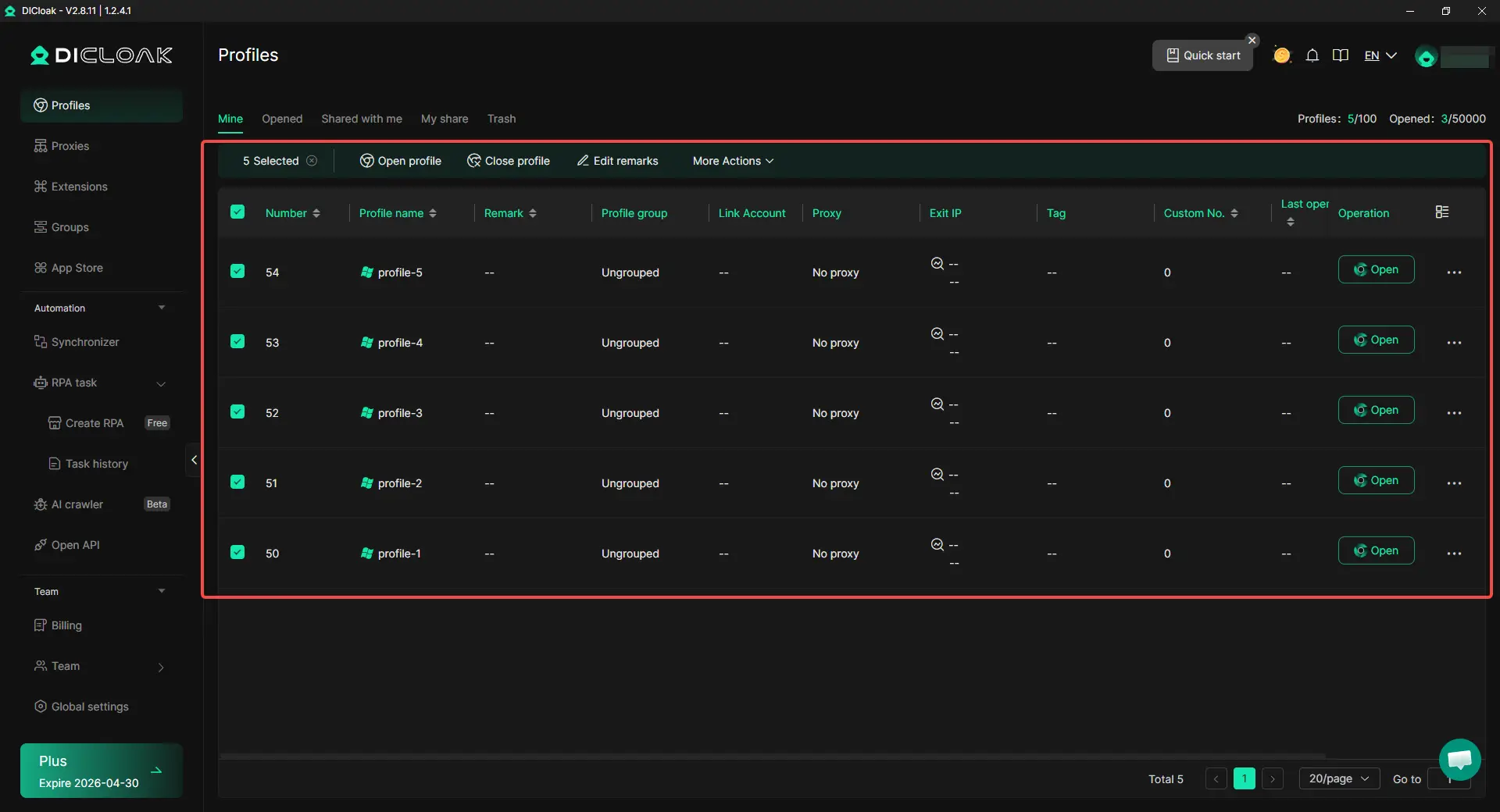
Isolating browser profiles
With DICloak, users can create separate browser profiles for different tasks or accounts. Each profile keeps its own cookies, local storage, and other session data, which can help reduce cross-profile interference. Keeping accounts in independent environments can also make sessions more consistent over time and reduce problems caused by mixed login states or overlapping activity.

Configuring proxies for each profile
With DICloak, users can set up a custom proxy for each browser profile based on their own workflow needs. This makes it easier to keep the network environment aligned with a specific profile and may help reduce mismatches caused by frequently changing connection settings.

Managing multiple accounts more carefully
With DICloak, users can organize different accounts in isolated profiles instead of running them in the same browser profile. This can help reduce confusion, avoid accidental overlap between sessions, and support a steadier day-to-day workflow when handling multiple accounts.
How to Reduce the Risk of ChatGPT errors long-term
A "pro-user" workflow shifts from reactive troubleshooting to proactive environment management.
Splitting complex tasks into smaller prompts
Adopt a "prompt chunking" strategy. By breaking large tasks into sequential, smaller prompts, you keep the server's attention window shorter. This significantly reduces the risk of hitting a 504 Gateway Timeout and ensures the response stays within the stable stream window.
Maintaining isolated browser profiles
Keep your AI-specific workflows entirely separate from casual browsing. Utilizing tools like DICloak keeps that your AI sessions aren't being compromised by extension interference, cache buildup, or fingerprint collisions from other web activities.
Frequently Asked Questions
What is the "Bad Error" in ChatGPT?
This is a general failure usually caused by session conflicts or broken routing. The primary fix is to clear session cookies or use an isolated browser profile to reset the authentication and routing state.
Why does ChatGPT stop responding mid-answer?
This occurs when the WebSocket connection is interrupted. The most common culprits are micro-outages in your network, aggressive script-blocking extensions, or ISP-level throttling of persistent connections.
Can my VPN cause message stream errors?
Yes, particularly due to "double-proxying." If you have a system-level VPN active while also using a proxy within your browser, the resulting latency and packet loss will frequently break the stream. Maintain a single, clean routing layer for best results.
How do I fix a ChatGPT blank page?
This usually indicates a failure to load initialization scripts. Disable any script-blocking extensions and clear your browser cache. If it persists, check if your ISP is blocking the WebSocket endpoints used by the site.
Is "Error in Message Stream" a problem with my internet or OpenAI?
Verify status via OpenAI’s official status page or Downdetector. If those show "Green," the failure is almost certainly local—check your routing paths, extensions, or ISP stability.
Does splitting my prompt really help?
Yes. Smaller payloads reduce the "Time to First Token" and lower the demand on the connection. Shorter generation times significantly decrease the window for a connection timeout to occur.
Summary
While "Regenerate" and "Hard Reload" are effective for one-off glitches, recurring "Error in Message Stream" failures indicate an unstable environment. Stability in 2026 is achieved through environment isolation, clean routing paths, and maintaining a consistent browser fingerprint. Rely on a diagnostic-first approach: isolate the session, verify the routing path, and minimize the payload. Professional uptime requires environment stability, not luck.
 Web Proxy Tools
 Free Tools
 Cookie Plugin
 UA Generator
 MAC Address Generator
 IP Generator
 IP Address List
 2FA Code Generator
 World Clock
 Anonymous Check
 WebRTC Leak Test
 UUID Generator
 Free Web Proxy Site
 Proxy Checker
 FB Ad Checker
 AI Web Scraping
 Free SMM Tools
 Twitter Shadowban Checker
 Instagram Name Checker
 UTM Generator
 Username Generator
 AI Hashtag Generator
 LinkedIn Headline Generator
 Social Media Image Resizer