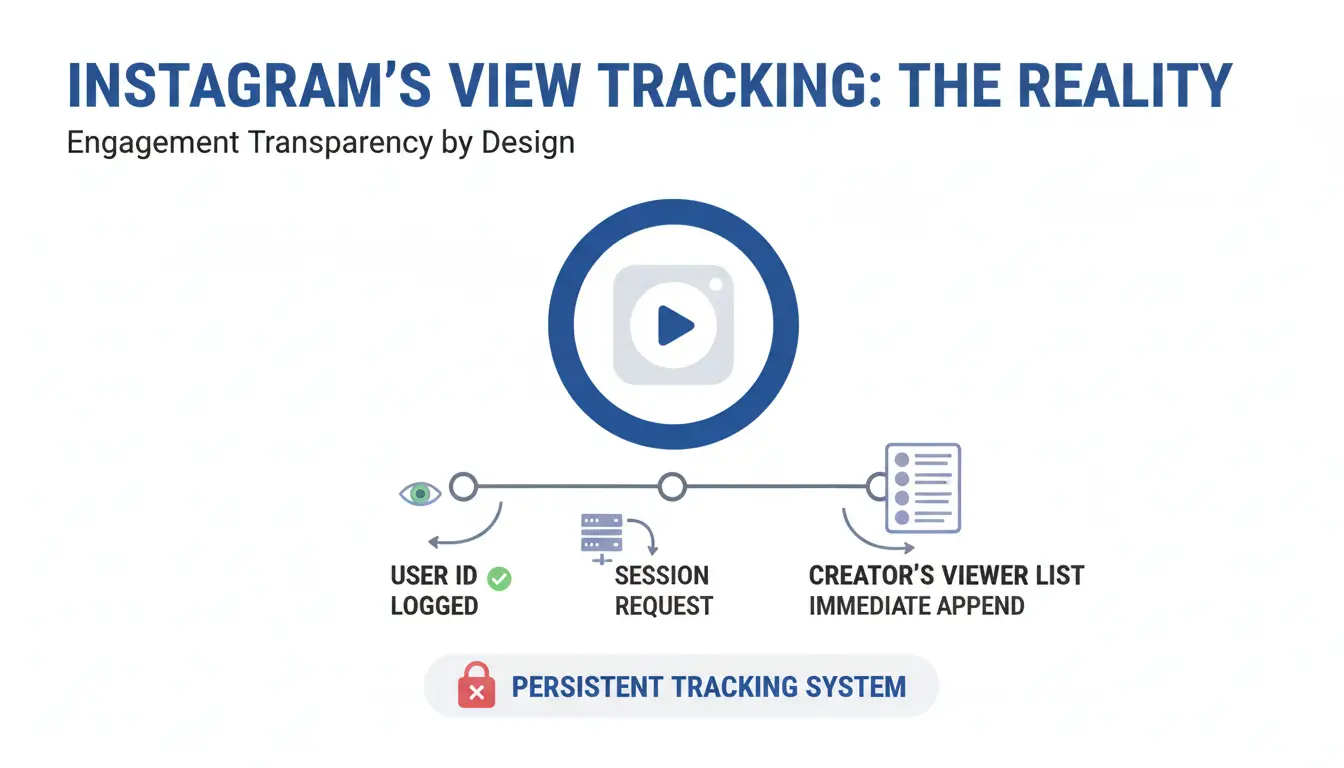
Instagram is architected to prioritize engagement transparency. By default, the platform is designed to log every interaction; as soon as a user opens a Story asset, the system executes a session request that immediately appends the user's ID to the creator’s viewer list. This persistent tracking serves as a barrier for competitor researchers, security-conscious individuals, and privacy advocates. Achieving true anonymity requires moving beyond the app’s intended UI and exploiting the technical ways the platform handles data and device identification.
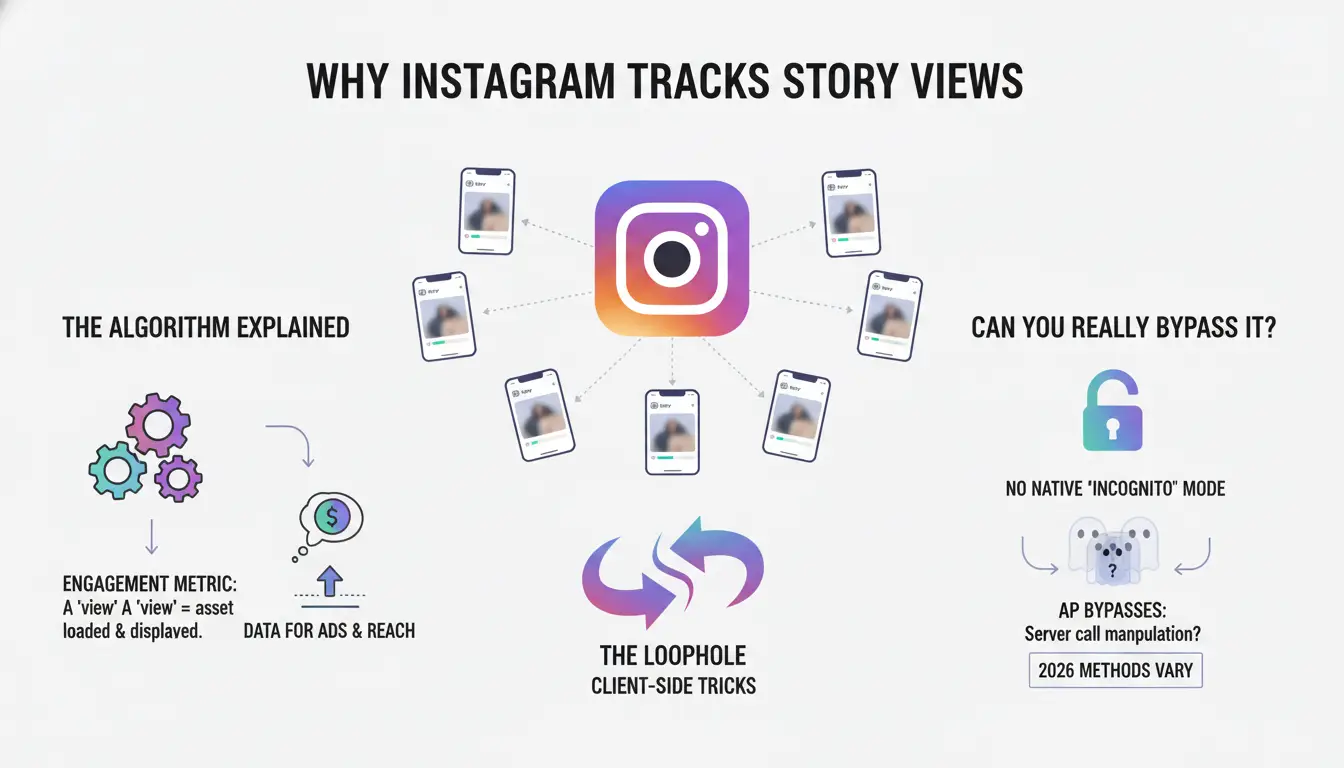
Why does Instagram track Story views and can you really bypass it?
View tracking is the core metric for Instagram's engagement algorithm. Technically, a "view" is recorded when a specific Story asset is successfully called from the server and displayed on a client device. While Instagram offers no native "incognito" mode, bypasses are possible because of how the application manages content delivery.
To ensure a seamless user experience, Instagram uses aggressive "pre-loading" or caching. The app downloads content to your device's local memory before you even tap on it. Anonymity is achieved by accessing this cached data without triggering the "viewed" receipt back to the server, or by utilizing third-party intermediaries that fetch the data using independent session tokens.
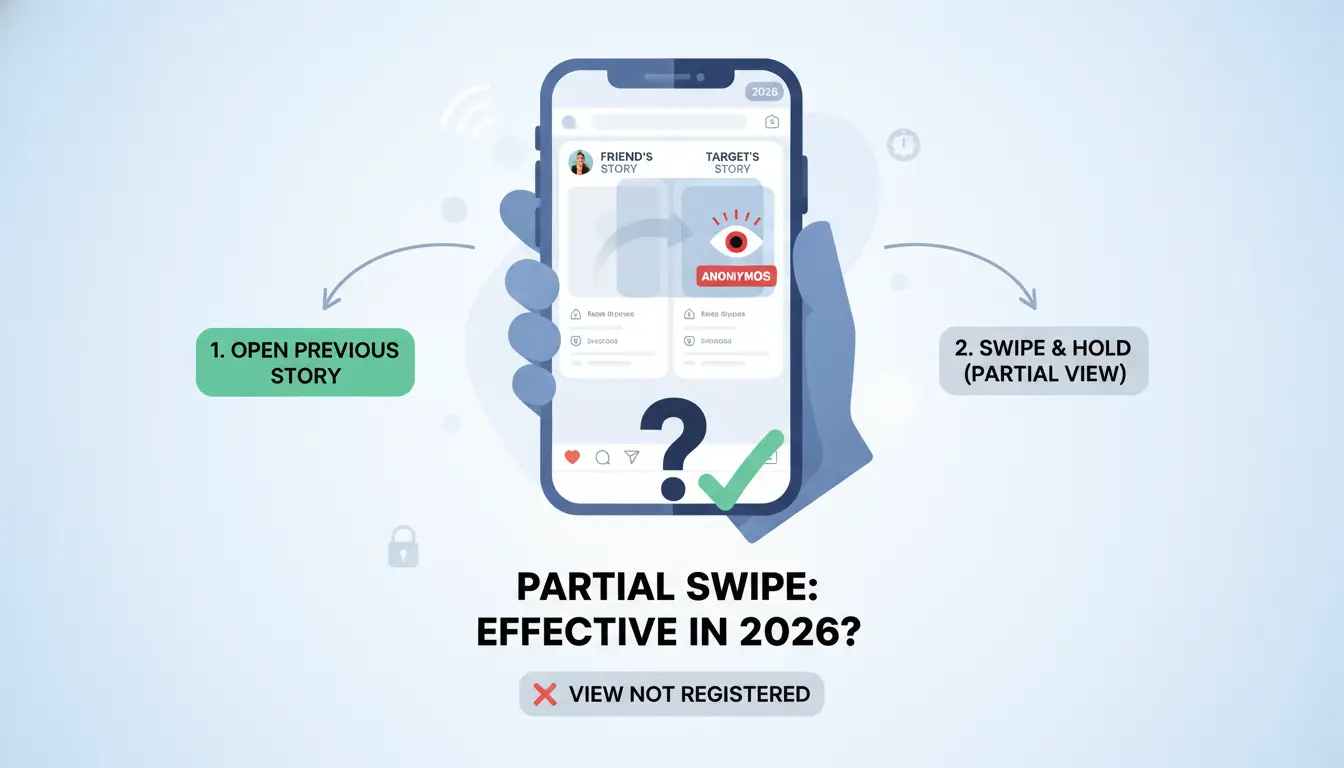
Is the "Partial Swipe" trick still effective for anonymous viewing?
The "Partial Swipe" is a manual exploitation of the app's view-trigger threshold. Instagram typically registers a view only when the Story is fully transitioned into the active frame.
How to execute the swipe correctly:
- Open the Story immediately preceding the target user's Story.
- Maintain a firm press on the screen to "pause" the current Story.
- Slowly swipe toward the target Story, stopping at approximately the 50% mark.
- Preview the content, then carefully swipe back to the original Story before releasing your finger.
The risk of accidental exposure:
As a security specialist, I categorize this method as high-risk. The margin for error is razor-thin; a minor finger slip or a slight swipe past the midpoint threshold will immediately log your account in the viewers list.
Limitations of partial viewing:
This method only provides a static preview of the first Story in a sequence. It is technically impossible to use this method for multi-slide Stories or to view video content in its entirety.
Does Airplane Mode actually hide your Story views in 2026?
Airplane Mode leverages the device's local cache to provide a temporary "air gap" between your activity and Instagram’s servers.
The role of device cache:
When the app is open, it pre-fetches the media files for several upcoming Stories to prevent buffering. By disconnecting the internet, you can view these locally stored assets while the app is unable to send the "viewed" signal back to the platform.
Proper execution sequence:
- Open the Instagram app and wait 60 seconds to allow the feed to populate the cache.
- Enable Airplane Mode to kill all cellular and Wi-Fi connections.
- View the pre-loaded Stories.
- Critical Step: Force-close the app (kill the background process) before disabling Airplane Mode.
The synchronization risk:
The primary failure point of this method is the reconnection phase. If the app remains active in the background when the internet is restored, it may batch-upload your activity logs, including the "viewed" timestamps, effectively de-anonymizing you retroactively.
Why using a "Burner" account is the standard for professional anonymity
For recurring monitoring, professional users move away from app-based tricks toward dedicated "Ghost" profiles.
Creating a "Ghost" profile:
By using a secondary account with a fictional identity, you create a layer of separation. The creator will see a view, but the data point is useless to them as it cannot be tied to your personal or corporate brand.
The risk of account linking:
Modern tracking goes beyond usernames. Meta utilizes device fingerprinting and IP tracking to link "burner" accounts to a primary profile. If you switch between accounts on the same device without additional security, Instagram's backend identifies both profiles as belonging to the same hardware ID.
Avoiding the "Multi-Account" ban:
Automated systems flag devices that manage multiple accounts if their behavior is deemed "bot-like." Frequent anonymous viewing from several accounts on one device can trigger a "shadowban" or a permanent hardware-level block.
Scaling privacy: How to use DICloak for secure Instagram monitoring
Professional-grade anonymity requires an anti-detect environment that helps prevent Meta from linking accounts through hardware identifiers.Users can create a separate browser profile for each Instagram account, with its own cookies, session data, fingerprint settings, and custom proxy configuration.
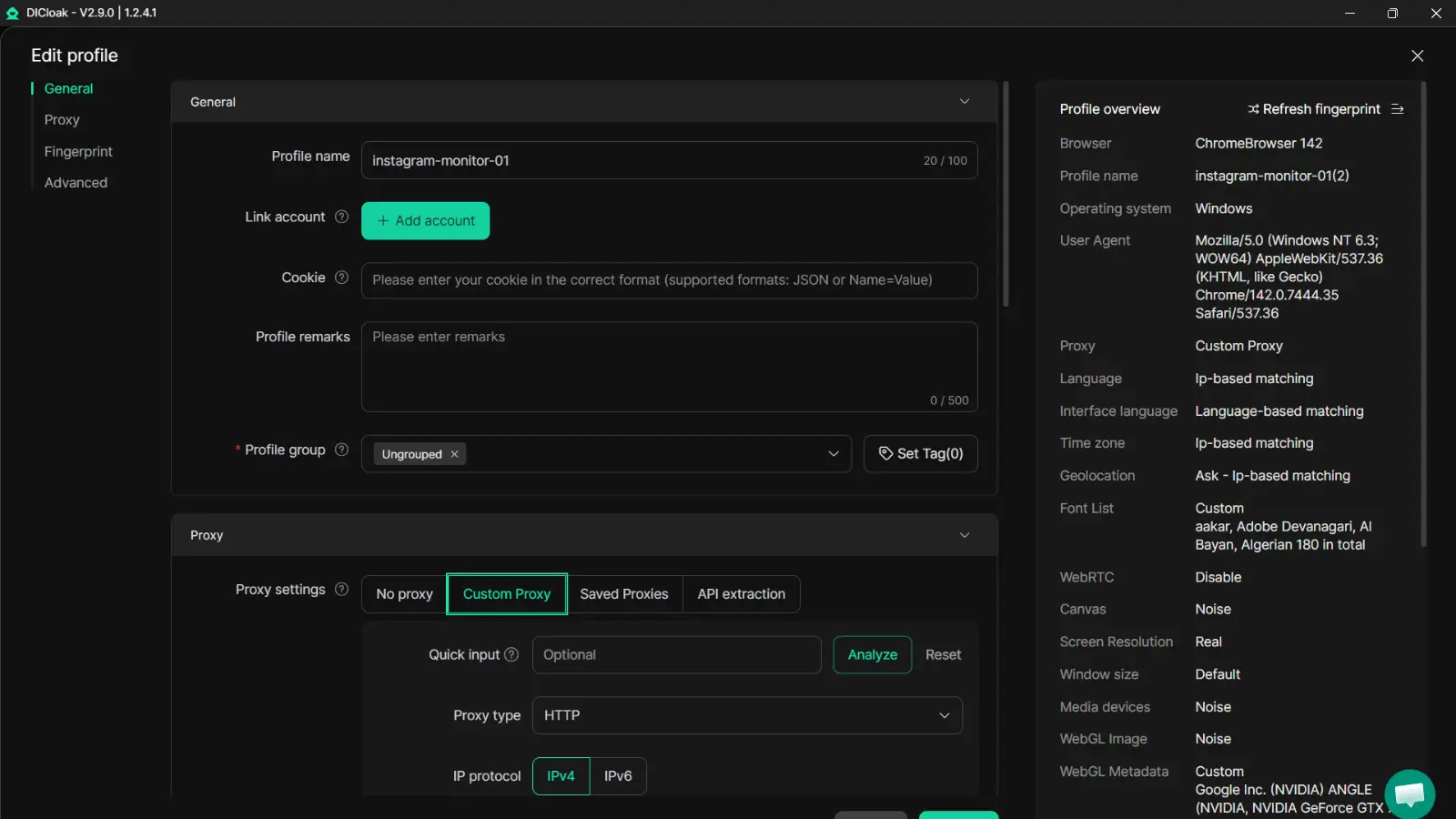
Key Features for Instagram Anonymity:
- Isolated Virtual Profiles: Each profile appears to Instagram as a unique device (including specialized iOS profiles for mobile-specific tracking).
- Integrated Proxy Management: DICloak supports the integration of user-configured proxies to help ensure each account operates from a different IP address.
- Anti-Fingerprinting Technology: The browser masks hardware-level data such as Canvas, WebGL, and Media Device IDs, helping to prevent Instagram from identifying the "master" machine.
The DICloak Setup Workflow:
- Initialize Profile: Create a new profile within the DICloak dashboard using the "Quick Profile" setup.
- Configure Network: Assign a dedicated proxy (SOCKS5 or HTTP) to help ensure the account has a clean, unique IP address.
- Establish Identity: Launch the browser profile, navigate to Instagram, and create or log into your burner account to monitor Stories with full hardware isolation.
Which third-party Instagram Story viewers are safe to use?
Web-based services act as intermediaries, fetching the content using their own servers so your personal data never touches the platform.
Available web-based services:
- StoriesIG: A registration-free tool for viewing and downloading public Story assets.
- Storysaver.net: Optimized for downloading Reels and Stories; requires "non-bot" verification.
- Anon Stories: A streamlined interface for viewing current Stories and highlights by username.
- Peekviewer: Unlike most tools, Peekviewer offers specialized monitoring and claims the ability to track both public and private account updates with notification alerts.
- Insta Stories Viewer: Provides high-level account statistics alongside the media content.
The "Public vs. Private" barrier:
While most web-based services are restricted to public profiles, high-tier tools like Peekviewer claim broader access. However, for most private accounts, these tools will fail unless they have an active session with an approved follower.
Can you view "Close Friends" Stories without being detected?
The "Close Friends" list (the Green Ring) is a high-scrutiny environment where anonymity is at its lowest.
The Green Ring Limitation:
Creators specifically curate this list. Because the pool of viewers is smaller, any "unknown" view stands out immediately.
The "Ghosting" myth:
The idea that certain app versions omit names from the Close Friends viewer list is a technical fallacy. While a "one of your close friends viewed this" message may appear during server lag, the full username is almost always revealed once the data syncs. If the list is small, the creator can easily deduce your identity even if the name is partially obscured.
Common mistakes that reveal your identity when viewing Stories
- The "Reaction" slip-up: Tapping an emoji or the "Send Message" box instantly transmits your identity to the creator’s inbox.
- Linked Meta Accounts: Shared logins via Facebook or the Meta Accounts Center allow Instagram to bridge your "anonymous" activity to your real-world identity.
- Algorithm "Suggestions": Viewing a story—even via Airplane Mode—can sometimes trigger the "People You May Know" algorithm, causing your profile to be recommended to the person you are monitoring.
Frequently Asked Questions
Q1: Can I see who viewed my Instagram Story if they used a third-party viewer?
No. These services do not typically register a view on the creator's list, or they appear as an unidentifiable bot account.
Q2: Does Instagram notify people if you screenshot a Story in 2026?
As of 2026, Instagram does not notify creators of standard Story screenshots. However, notifications are sent for screenshots taken of "disappearing" photos or videos sent via Direct Message (DM).
Q3: Is it possible to watch Stories of a private account anonymously?
This requires an active "follow" relationship. Web-viewers generally cannot bypass privacy settings. Your only viable options are the "Burner Account" (if the follow request is accepted) or the "Partial Swipe" method.
Q4: Will using an antidetect browser like DICloak get my account banned?
It is designed to help reduce ban risk. By isolating profiles and using unique fingerprints, it helps prevent the "linked account" chain reactions that can lead to mass bans.
Q5: Do I need an Instagram account to use online Story viewers?
No. Most reputable web-based services allow you to enter a username and view content without a login.
Anonymous viewing is not just about choosing one tool. It depends on your account setup, browser profile, and how often you need to monitor content. Casual users may only need a web-based viewer for public accounts, while professional researchers often need a cleaner way to separate monitoring work from their main identity. With DICloak, users can create separate browser profiles, configure custom proxies, and keep fingerprints isolated for a more organized long-term workflow. Tty DICloak For Free
 Web Proxy Tools
 Free Tools
 Cookie Plugin
 UA Generator
 MAC Address Generator
 IP Generator
 IP Address List
 2FA Code Generator
 World Clock
 Anonymous Check
 WebRTC Leak Test
 UUID Generator
 Free Web Proxy Site
 Proxy Checker
 FB Ad Checker
 AI Web Scraping
 Free SMM Tools
 Twitter Shadowban Checker
 Instagram Name Checker
 UTM Generator
 Username Generator
 AI Hashtag Generator
 LinkedIn Headline Generator
 Social Media Image Resizer