Getting started on YouTube isn’t just about hitting “upload.” More than 38 million channels compete for attention, but most never reach even 100 subscribers, because they skip the basics that actually make a channel work YouTube official stats. Too often, beginners rush to film without thinking through their channel setup, miss small steps in their profile, or forget simple rules that make their content discoverable. For creators who ask how to start a youtube channel, the biggest mistake is ignoring the details that matter most for growth: channel branding, content planning, and making sure your setup matches what viewers search for.
Starting a YouTube channel isn’t just about posting videos, it’s about building a channel that shows up in search, keeps viewers interested, and avoids the pitfalls that trip up new creators. You’ll learn how to choose a channel name that stands out, set up your branding, handle the YouTube channel setup process step-by-step, and avoid common errors like skipping descriptions or using weak thumbnails. This beginner YouTube channel guide covers the real steps that help you get found, keep viewers, and start growing from day one.
Ready to see what actually works for new creators? Here’s how to set up your channel the right way.
What Should You Prepare Before Starting a YouTube Channel?
Jumping into YouTube without a plan is a fast way to stall out. Before you even pick up a camera, you need to know what your channel is about, who you want to reach, and what will keep you on track when things get tough. These steps set the stage for strong growth and help you avoid wasting time on videos that go nowhere.
Clarifying Your Channel Purpose and Audience
Most new creators focus on making cool videos, but that’s not enough. Start by asking yourself why you want to make this channel. Is it to teach a skill, share a story, or review products? Pick a niche you care about and can stick with for months. If you try to cover everything, your channel will be hard to find and harder to grow.
Next, get clear on your target viewers. Are you making content for high school students, gamers, parents, or busy workers? Look at the comments and community tabs of channels you admire, see what questions viewers ask and what topics get the most response. When your videos speak to a real group, you’ll get more watch time and better YouTube search results.
Planning Content Themes and Video Ideas
Even before your YouTube channel setup, you want a plan for what you’ll post. The easiest way is to choose 2–3 main themes, called “content pillars.” These should match what your audience searches for and what you enjoy making. For example: tutorials, product reviews, and reaction videos.
Next, sketch out your first 5 video ideas under each pillar. Search similar videos on YouTube, notice what gets views, how thumbnails look, and what titles grab attention. If you’re following a beginner YouTube channel guide, you’ll see that planning topics early helps you stay consistent even when motivation dips. A clear plan means you waste less time and hit publish faster.
When you know how to start a YouTube channel with a focused plan, your videos have a much better shot at getting seen and bringing in your first real subscribers.
How Do You Create a YouTube Channel Step by Step?
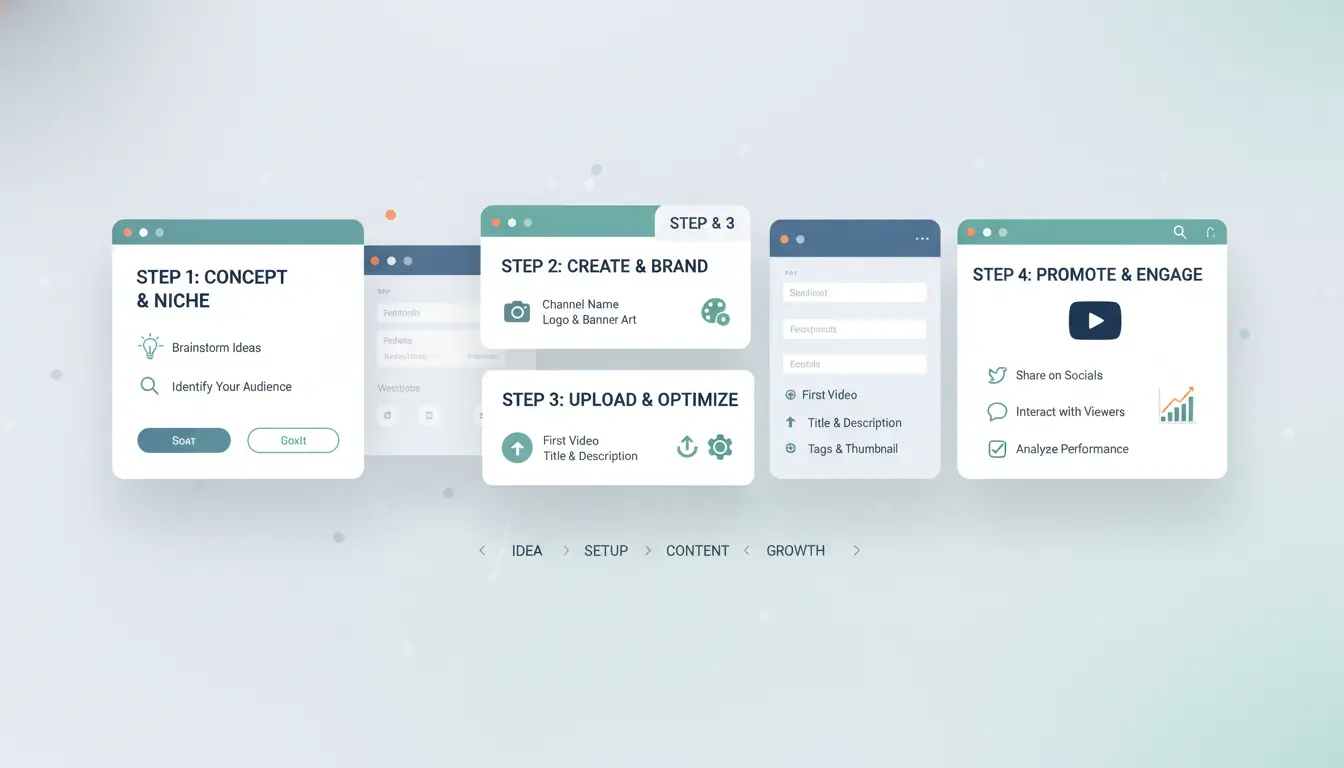
YouTube doesn’t make you jump through hoops, but missing a small step at the start can hold your channel back later. Here’s how to start a YouTube channel the right way, with each stage spelled out for beginners.
Setting Up Your Google Account and Accessing YouTube
You need a Google account to create any YouTube channel. This account links all your YouTube activity, uploads, comments, and subscriptions. If you already use Gmail or other Google services, you can use that login. Otherwise, go to Google’s sign-up page, fill in your details, and verify your new account. Once you’re set, sign in at YouTube.com. Click your profile icon in the top right to access channel creation options.
Creating the Channel and Choosing Your Channel Name
After logging in, click your profile icon and choose “Create a channel.” You’ll get prompted to pick a channel name. The best names are short, easy to remember, and match the type of content you want to make. Avoid names with numbers, odd spellings, or long strings, those get forgotten or look spammy. If you want a brand account (for team access later), choose “Use a custom name” during setup. This makes it easier to add managers or switch control in the future.
Customizing Channel Branding and Profile
A blank channel won’t draw subscribers. Upload a clear profile picture, faces or logos work best at small sizes. Add a banner image that fits YouTube’s dimensions (2048 x 1152 pixels). Write a channel description that tells viewers what to expect and uses words people might search for, like “beginner YouTube channel guide” or your video topics. Don’t skip these, YouTube uses them to recommend your channel in search and on homepages.
Skipping the basics in your YouTube channel setup means you’ll miss out on search traffic and early subscribers, get these details right from the start.
What Are the Key Settings to improve for Your YouTube Channel?
Getting your YouTube channel settings right is a direct shortcut to getting found, staying safe, and building steady growth. Even if your videos are strong, missing these steps can hide your channel from search or trigger problems later. Here’s where to focus as you work through the YouTube channel setup.
Privacy, Visibility, and Channel Permissions
The most basic choice is whether your channel is public or private. A public channel means anyone can find and watch your videos, this is what most creators want when starting a YouTube channel. If you’re still learning or testing, a private setting keeps everything hidden until you’re ready.
Channel permissions let you control who can access your YouTube Studio. Add team members or managers if you have them, but only give them the rights they need. Don’t share your main Google account, use YouTube’s own role system instead. This limits mistakes and keeps your channel secure.
Setting Up Channel Keywords and Custom URL
Channel keywords help YouTube understand what your channel is about. Use keywords that match what your ideal viewers search for, like “tech reviews” or “travel vlogs.” Don’t stuff keywords, pick a few that fit your content and update them as your focus changes. This is a core step in any beginner YouTube channel guide.
Once you have 100 subscribers and your channel is 30 days old, you can claim a custom URL. This makes your channel easier to share and looks more professional (for example, youtube.com/yourname instead of a random string). Claim it as soon as you qualify.
Configuring Notifications and Community Guidelines
Turning on notifications lets your subscribers know when you post. Remind viewers to hit the bell icon, but also check your own notification settings so you get alerts about comments, mentions, or issues.
Before uploading, read through YouTube’s community guidelines. Channels that break these rules can get demonetized or banned, often with no warning. The fastest way to lose a new channel is skipping the rules that YouTube enforces.
How Do You Upload Your First Video and Make It Stand Out?
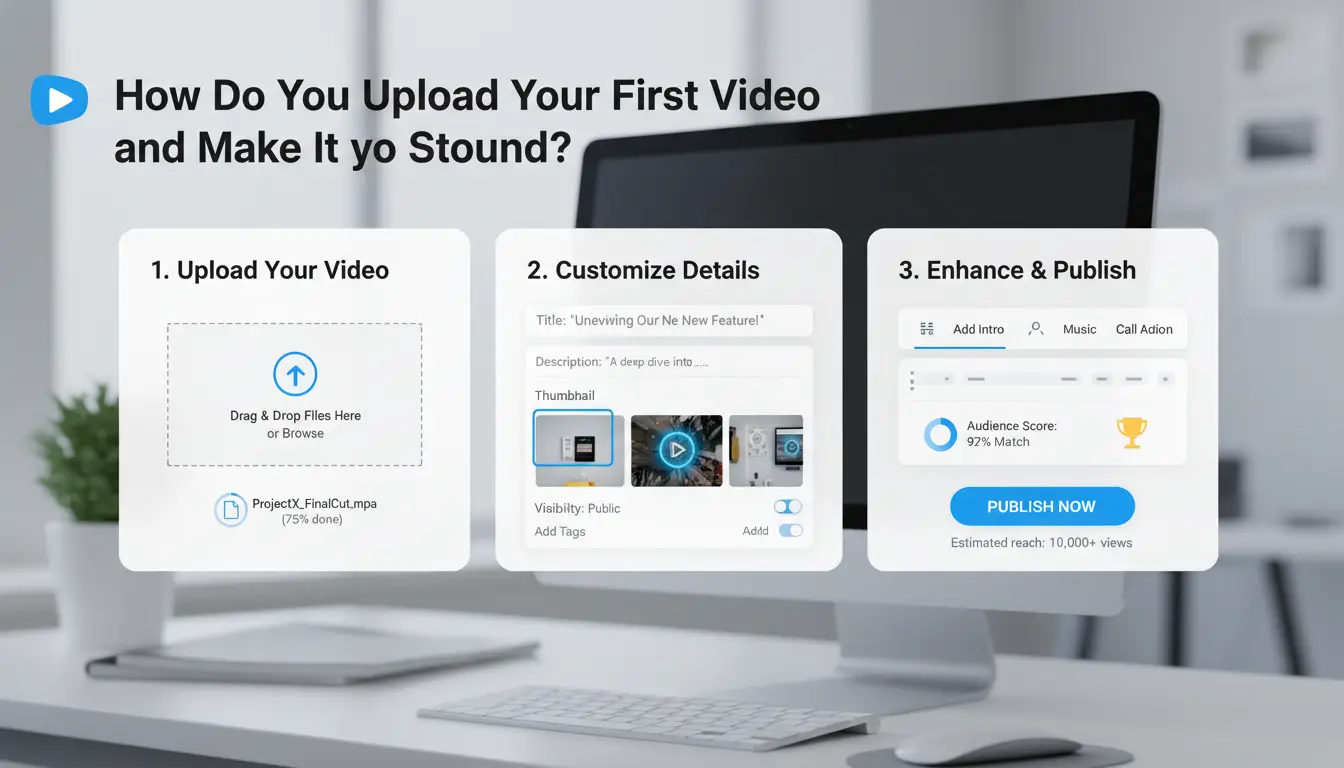
Uploading your first video is where your channel actually starts. The way you handle this step shapes how viewers and the YouTube algorithm see your content from day one. If you want your channel to get noticed, you need to nail both the technical setup and the creative choices. Here’s how to start a YouTube channel with a video that stands out, not just another upload lost in the crowd.
Preparing Your Video File and Thumbnail
YouTube accepts most common video formats, but MP4 with H.264 encoding is the safest choice. Aim for at least 1080p quality, pixels matter, especially since blurry videos turn viewers away fast. Your file shouldn’t be over 256GB and must be under 12 hours long. For thumbnails, use a 1280x720 pixel PNG or JPG. The thumbnail is what viewers see before they click, so avoid clutter. Instead, pick a clear, high-contrast image that highlights the main topic. If your video is a tutorial, show the end result or a close-up of what viewers will learn.
Writing Titles, Descriptions, and Tags for SEO
Titles are your first chance to grab attention. Write a title that’s both clear and clickable, “How to Start a YouTube Channel: Step-by-Step for Beginners” works better than vague phrases. Include your main keyword naturally, but don’t try to stuff it in. In your description, add a short summary (1-2 sentences) that answers what the video covers and why it matters. Add 3-5 relevant tags like “YouTube channel setup,” “beginner YouTube channel guide,” or your topic-specific keywords. Always check what similar videos use by searching on YouTube’s Creator Academy for real-world examples.
Publishing and Sharing Your Video
You can publish instantly or schedule for later. Scheduling lets you build hype, but for your first video, instant publishing usually works best, no need to wait. After posting, share your video link on Twitter, Instagram, or Facebook. Ask friends to watch, comment, and share. This early boost signals activity to YouTube, helping your video show up in search. The most critical step is making your video easy to find and click, not just uploading and hoping for views.
What Mistakes Do New YouTubers Usually Make, and How Can You Avoid Them?
Starting a YouTube channel means more than uploading random videos. Most beginners fall into patterns that actually slow their growth. If you’ve searched “how to start a youtube channel,” you’ll notice advice is everywhere, but the real challenge is avoiding common mistakes that make your channel harder to find and less likely to keep viewers.
Ignoring Branding and Consistency
YouTube is crowded. If every video uses different colors, fonts, or channel art, viewers won’t remember you. Inconsistent visuals cause confusion and make it harder for your channel to stand out. Even a small audience expects a certain look, thumbnails, banners, and video intros should match. A recognizable style builds trust and helps your videos show up as a group in recommendations.
To start, pick two or three colors, a simple logo, and a banner that fits your topic. Stick with this across every upload. Using templates for thumbnails speeds up your workflow and keeps your YouTube channel setup feeling professional. A clear, consistent look is the fastest way to make your channel memorable. 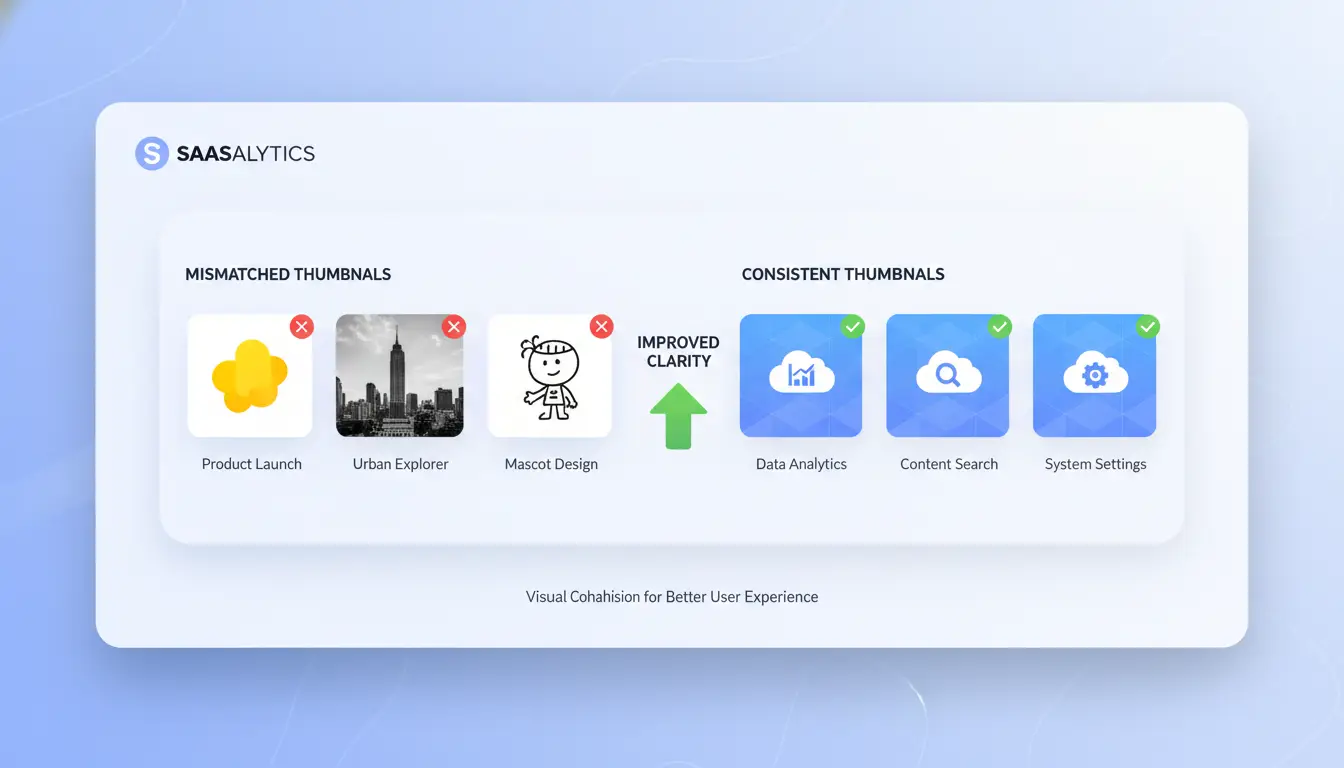
Neglecting Audience Engagement and Feedback
Most new creators skip responding to comments or ignore community tools. But viewers notice. Replying to questions, liking good comments, and running polls in your community tab signal that you care. This leads to better audience retention and more shares. Use polls to ask what topics viewers want next, that data directly shapes your content plan.
Community posts are easy to start with. You can share behind-the-scenes photos, updates, or quick questions. The more you engage, the more the YouTube algorithm favors your channel.
Overlooking YouTube Policies and Copyright
Using music or clips without checking copyright rules is risky. YouTube’s Content ID system scans uploads and can flag your video, remove it, or even issue a strike. Too many strikes can block you from monetizing. Before you post, review YouTube’s copyright basics at YouTube Help. Stick to royalty-free music or use the YouTube Audio Library. If you’re unsure, ask in creator forums or check Wikipedia’s copyright guide. Proper setup protects your channel from sudden takedowns.
How Can You Manage Multiple YouTube Channels or Accounts Safely?
Managing more than one YouTube channel from a single device opens up real risks. If you’re starting a YouTube channel and plan to run several, YouTube can spot when accounts share the same browser data, fingerprint, or IP address. When that happens, bans or forced logouts aren’t rare, especially if one account triggers a problem. It’s easy to lose track of which account is linked where, which can lead to confusion, lost work, or even channel shutdowns.
Risks of Managing Multiple Channels on One Device
YouTube tracks cookies, browser fingerprint, and IP address each time you log in. If you’re running multiple channels from the same setup, their systems may link your accounts. This can result in all your channels being flagged if one faces an issue. Even careful creators trip up by forgetting which profile they’re in or by mixing up login sessions.
Using Proxies and Browser Profiles for Account Isolation
Assigning a separate browser profile and YouTube proxies to each channel breaks this link. For a smooth YouTube channel setup, treat each account like its own workspace. Use different browser profiles and proxies to keep cookies and history separated. This makes it harder for YouTube to connect your channels.
How DICloak Helps Social Media Marketers Manage Multiple YouTube Accounts
Tools like DICloak let you create isolated browser profiles, each with its own fingerprint and proxy, for every channel.
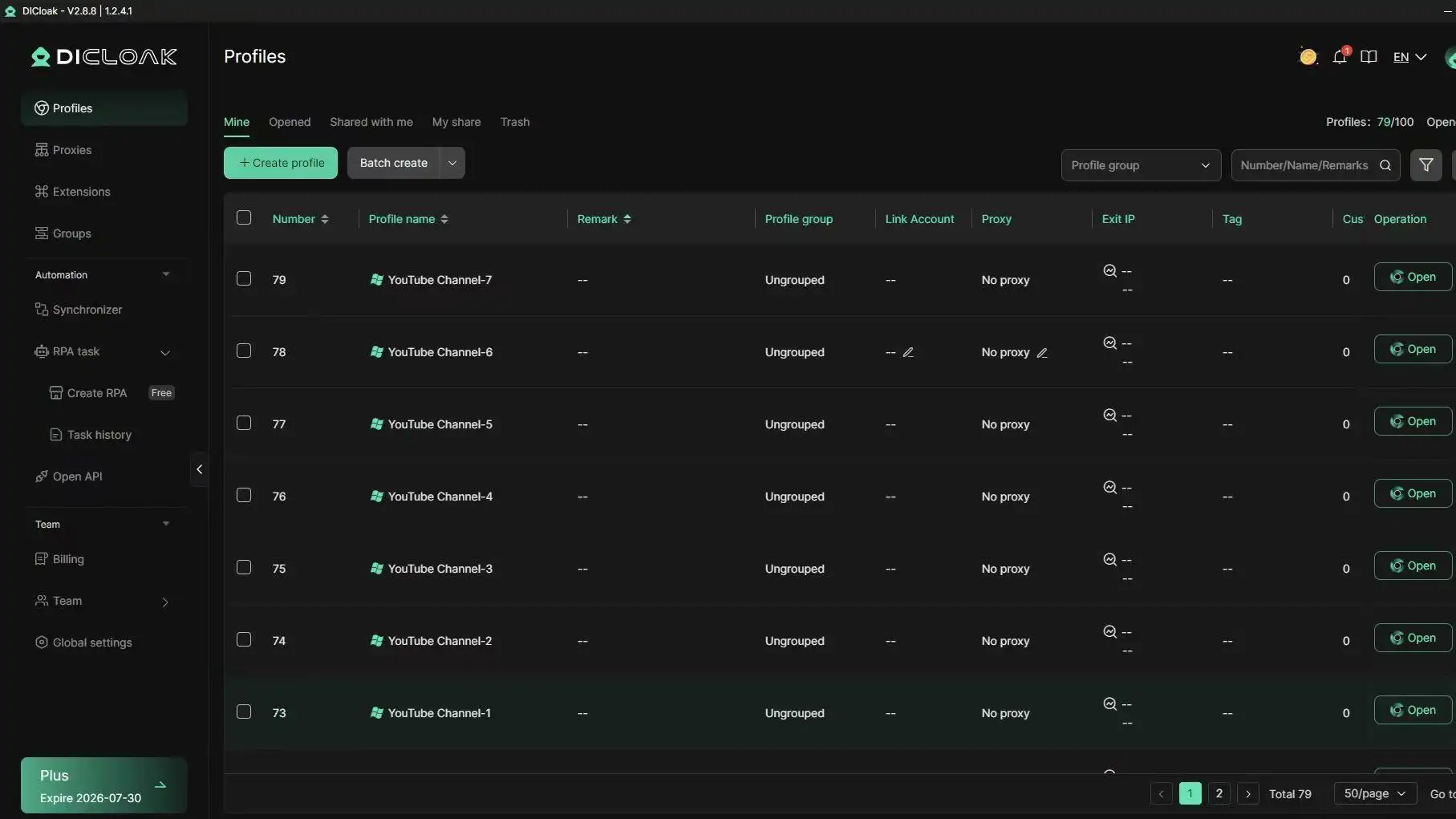
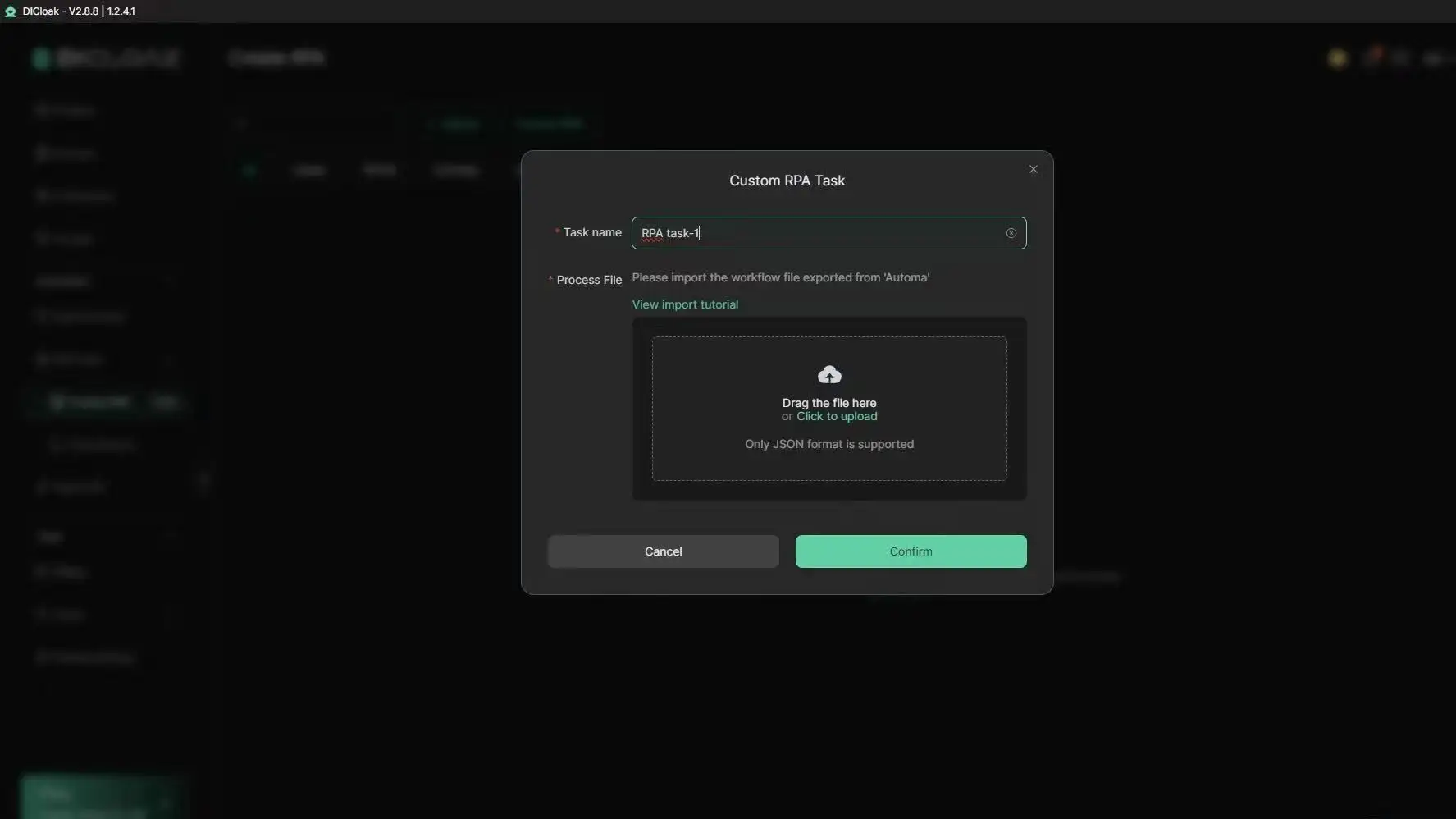
You can use DICloak’s automated workflows to log into, post, and manage content without mixing sessions. For teams, DICloak supports sharing browser profiles with set permissions, so everyone works on the right channel without risking cross-account leaks. Using separate, automated environments is the key to running multiple channels safely. For more on browser fingerprinting risks, see Wikipedia’s guide. Learn about DICloak’s features at dicloak.com.
When Should You Consider Monetizing Your YouTube Channel, and What Are the Requirements?
Getting paid for your channel sounds great, but jumping into monetization too soon can backfire. Before you even think about money, focus on content, branding, and understanding what viewers actually want. If you’re searching “how to start a YouTube channel,” you need to know what counts for monetization, and what usually trips up beginners.
YouTube Partner Program Eligibility
YouTube requires at least 1,000 subscribers and 4,000 valid public watch hours in the past 12 months for the Partner Program. Your channel must also follow all of YouTube’s policies and have two-step verification turned on. When you hit these numbers, you can apply in your YouTube Studio under “Monetization.” YouTube reviews your channel and emails the result, sometimes this takes days or even weeks. For full details, check the official YouTube Partner Program page.
Other Monetization Options
You don’t have to wait for Google AdSense. Many creators use brand sponsorships, add affiliate links in descriptions, or sell their own merchandise. Crowdfunding sites like Patreon let fans support you directly. These options often work even for small channels, especially if you have a niche audience.
Common Monetization Mistakes
The biggest mistake is trying to monetize before you have a real audience. Breaking YouTube’s rules, like using copyrighted music, gets channels blocked from earning. Pushing ads or sponsors too early can turn off viewers and hurt growth. Build trust first; the money comes next.
What Are the Best Practices for Growing Your YouTube Channel Over Time?
Building a channel that lasts means thinking beyond just uploading videos. To see real results with how to start a YouTube channel, you need a plan that covers content, feedback, and connections.
Consistent Content Scheduling
Upload at least once a week, YouTube’s algorithm favors channels that post regularly. Use YouTube Studio analytics to spot when your viewers are most active, then set your uploads to match those hours. This boosts early engagement and helps your videos show up more often in search.
Leveraging Analytics and Feedback
Check your watch time, click-through rate, and retention stats after every upload. If you see viewers dropping off early, update your intros or edit out slow parts. Read comments and use polls to ask what your audience wants next. Adapting based on this feedback is key for a beginner YouTube channel guide.
Collaborating and Networking
Find creators in your niche and propose collaborations, joint videos or shoutouts help both sides get new subscribers. Joining YouTube community events or online creator groups increases your reach and can spark fresh content ideas.
Frequently Asked Questions
How much does it cost to start a YouTube channel?
Starting a YouTube channel is free, anyone can create an account and upload videos without paying. However, you might need to buy equipment like a camera, microphone, or lighting. Many beginners use a smartphone and free editing software. As your channel grows, you may want to invest more for better video quality.
Can I start a YouTube channel without showing my face?
Yes, you can start a YouTube channel without ever appearing on camera. Many channels use voiceovers, screen recordings, slideshows, or animations instead. For example, gaming, tutorial, and storytime channels often use these formats. Focus on clear audio and engaging visuals to keep viewers interested.
How many channels can I create with one Google account?
With one Google account, you can create up to 50 separate YouTube channels. Each channel should have a unique focus and branding. If you’re planning to manage multiple channels, keep track of their logins and settings to avoid mix-ups or unwanted linking between personal and business projects.
What equipment do I need for YouTube channel setup?
For basic YouTube channel setup, most beginners only need a smartphone with a good camera, a simple microphone, and free or low-cost editing software like iMovie or Shotcut. As you learn how to start a YouTube channel, you may want to add tripods, lights, or upgraded mics to improve your videos.
How long does it take to grow a beginner YouTube channel?
Most beginner YouTube channels start to see growth after a few months of posting consistent, high-quality videos. Channels that upload at least once a week and focus on a clear topic often build subscribers faster. Learning how to start a YouTube channel includes patience, success usually comes with time and regular uploads.
Conclusion
Building a successful YouTube channel comes down to choosing your niche, creating consistent content, and engaging with your audience thoughtfully. With dedication and a willingness to learn from analytics, anyone can carve out their own space on the platform.
Try DICloak For Free
 Web Proxy Tools
 Free Tools
 Cookie Plugin
 UA Generator
 MAC Address Generator
 IP Generator
 IP Address List
 2FA Code Generator
 World Clock
 Anonymous Check
 WebRTC Leak Test
 UUID Generator
 Free Web Proxy Site
 Proxy Checker
 FB Ad Checker
 AI Web Scraping
 Free SMM Tools
 Twitter Shadowban Checker
 Instagram Name Checker
 UTM Generator
 Username Generator
 AI Hashtag Generator
 LinkedIn Headline Generator
 Social Media Image Resizer