Managing a few accounts is simple. Managing 50 or 100 means dealing with separate sessions, proxies, repeated tasks, and team access every day. That is where the choice between DICloak and GoLogin starts to affect both workflow and cost.
On monthly billing, a 100-Profile plan starts at $28.80 with DICloak Plus, compared with $79 for GoLogin Professional. The DICloak plan also includes built-in RPA and Synchronizer, which can reduce manual work across large Profile groups. This DICloak vs GoLogin comparison looks beyond fingerprint claims to compare automation, team features, device support, pricing, and the work required to manage multiple accounts in 2026.
Why Use an Antidetect Browser for Multi-Account Management?
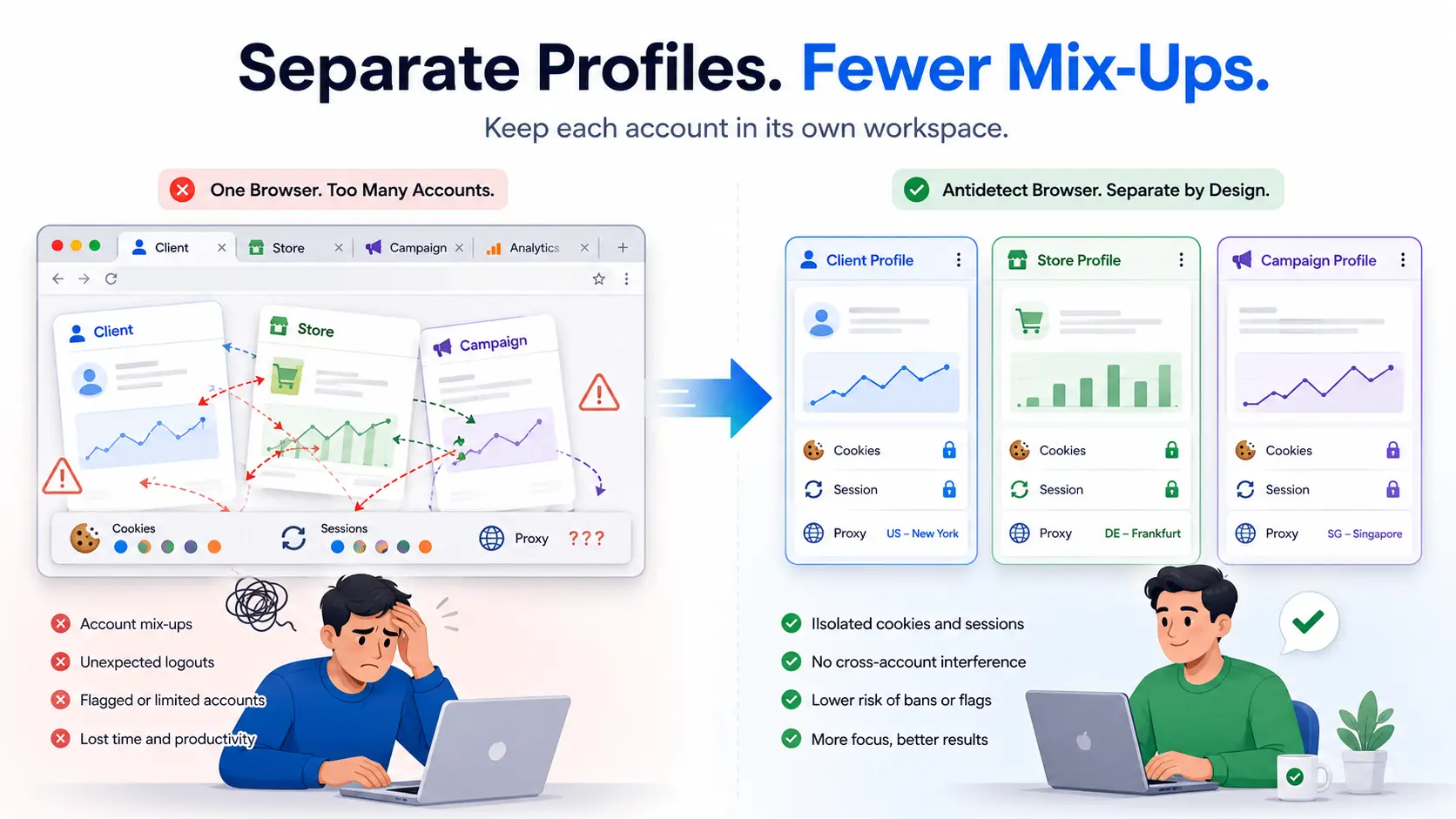
A normal browser is not built for managing many accounts over time. Cookies, local storage, saved logins, browser settings, and session data can become mixed when users keep switching between accounts. This can lead to practical mistakes, such as opening the wrong client account, using the wrong session, or changing the wrong settings. An antidetect browser gives each account its own Profile, so every client, store, or campaign stays in a separate workspace with its own login data and proxy configuration. The more accounts a team manages, the more important this separation becomes.
Which Features Matter Most When Managing Multiple Accounts?
The best multi-account browser should do more than create separate Profiles. It should keep account data consistent, reduce repeated work, support team access, and remain affordable as the number of Profiles grows. More features do not always mean a better workflow.
Profile Isolation and Fingerprint Consistency
Each Profile should keep its own cookies, local storage, login session, browser settings, and proxy configuration. The browser core should also stay updated, while the language, time zone, and fingerprint settings should remain consistent with the proxy location. More fingerprint settings do not automatically make a browser better for daily multi-account work; stable and consistent Profiles matter more.
Bulk Work and Automation
Managing a few Profiles one by one is simple, but the same process becomes slow with dozens of accounts. Bulk tools should help users create, import, filter, group, and edit Profiles without repeating every step. A Synchronizer is useful for controlling several windows at once, while RPA can run repeated workflows and an Open API can support custom automation.
A multi-account browser becomes more useful when it reduces the work required after the Profiles are created. For agencies, e-commerce teams, and social media operators, this often matters more than another long list of technical settings.
Team Access, Device Support, and Cost
Teams need control over who can open, share, or edit each Profile. Useful features may include Profile assignment, permission controls, operation logs, and a quick way to remove access when a member changes roles or leaves the team. Device support also matters, especially for users who need Windows, macOS, Linux, Android, or cloud browser access.
Price should be judged by what the plan actually includes. The cheapest plan is not always the best value if team seats, automation, or extra Profiles cost more later. These are the main points to compare when looking at DICloak and GoLogin.
What Are the Differences Between DICloak and GoLogin?
The biggest difference appears after the browser profiles are created. Here are the differences between DICloak and Gologin.
DICloak
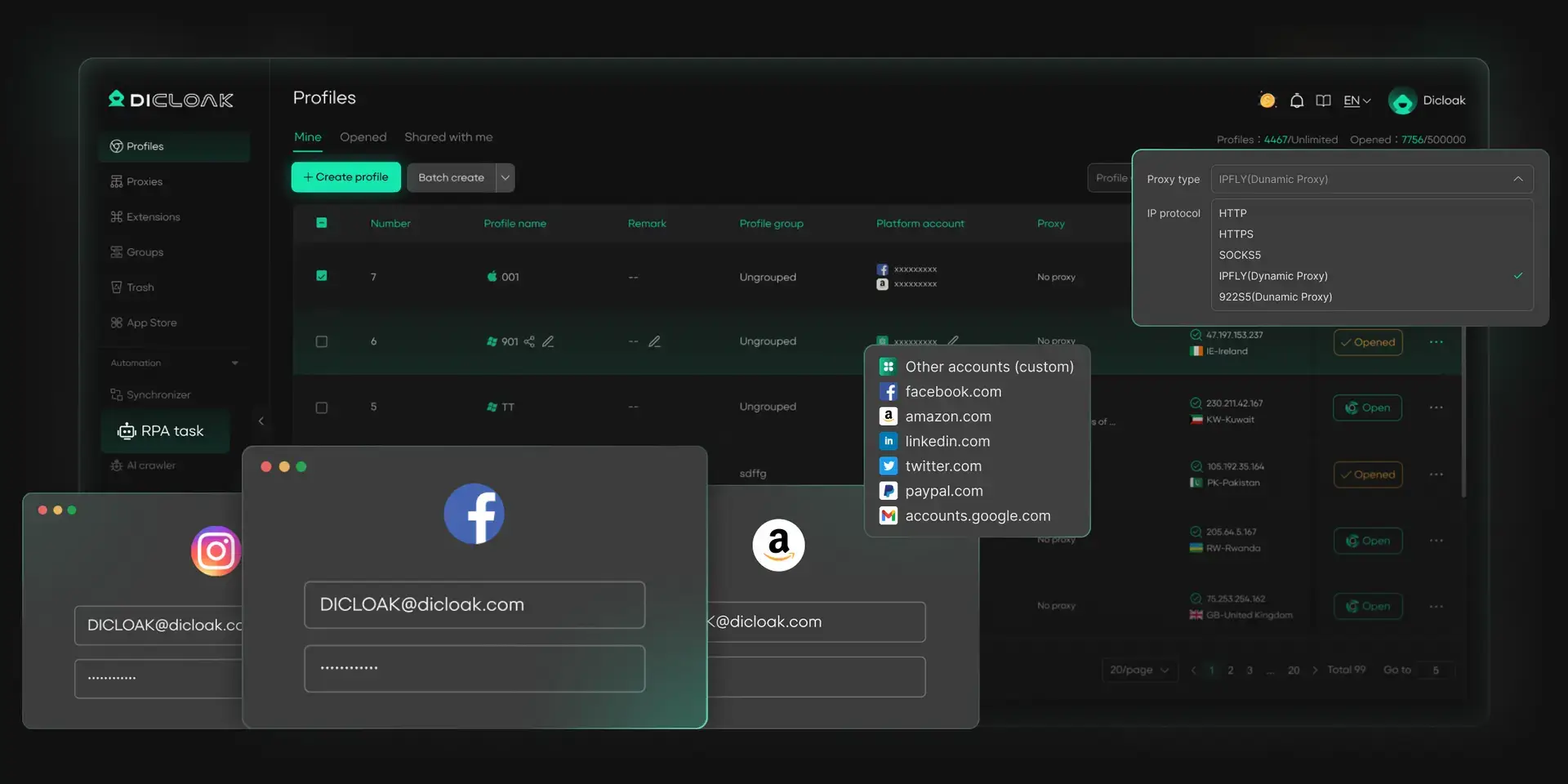
For agencies and operations teams, creating separate profiles is only the first step. With DICloak, users can also create, import, filter, and update Profiles in batches. The Plus plan includes RPA and Window Synchronization, which can repeat workflows or copy clicks, text input, and scrolling across selected windows.
Team controls are another clear strength. Profiles can be assigned to members, permissions can limit what they can change, and operation logs help admins review team activity. This is useful when several people manage accounts for different clients, stores, or campaigns.
Pros
- Strong batch tools for larger Profile lists
- Built-in RPA and Window Synchronization
- Detailed member permissions and operation logs
- Better suited to desktop teams with repeated workflows
Cons
- Currently supports Windows, macOS, and Linux
Price
The Free plan includes one member, five Profiles, and 15 daily Profile openings. Base starts at $8 per month, while Plus starts at $28.80 per month and includes RPA, Window Synchronization, and broader feature access. Share+ starts at $138 per month and includes unlimited seats. Annual billing currently reduces these listed monthly rates by 40%.
For users comparing 100-Profile plans, Plus includes 100 Profiles by default. This makes it a strong value when batch operations and built-in automation are part of the daily workflow, rather than optional extras.
GoLogin
GoLogin also creates isolated Profiles with separate fingerprints, cookies, local storage, and proxy settings. Profile data can sync to the cloud, so users can continue a saved session from another supported device or share it with a teammate. Its main advantage is access flexibility. GoLogin supports desktop systems, an Android app, and cloud browser launches. The Android version is useful for mobile work, though it currently opens only one Profile at a time, has fewer settings, and may not retain desktop sessions between launches.
Automation is more developer-focused. The paid plans include REST API access, while cloud sessions can be controlled through the Cloud Browser API.
Pros
- Android app and cloud browser access
- Cloud Profile synchronization
- REST API support on paid plans
- Clear Profile, folder, and workspace sharing options
Cons
- No comparable built-in multi-window Synchronizer
- Repeated automation often depends more on APIs or custom development
- Team member seats begin on Business plans
- The Android app has fewer controls than the desktop and cloud versions
Price
The Forever Free plan includes three Profiles but excludes API access, team members, cloud launches, and bulk Profile creation. Professional offers 10, 50, or 100 Profiles. The 100-Profile tier is currently $79 per month. Team member seats begin with Business plans, although Professional users can still share a limited number of individual Profiles.
For teams that mainly work on desktop and need built-in RPA, synchronized actions, and detailed access control, DICloak usually provides more useful tools at a lower 100-Profile entry price.
DICloak vs GoLogin Comparison
| Area |
DICloak |
GoLogin |
| Separate browser Profiles |
Yes |
Yes |
| Fingerprint and proxy settings |
Per-Profile settings with user-configured proxies |
Per-Profile settings with third-party or built-in proxies |
| Bulk Profile work |
Batch creation, import, filtering, and updates |
Bulk tools available, with limits on the free plan |
| Built-in RPA |
Available |
Automation centers more on APIs |
| Window synchronization |
Built-in Synchronizer |
No comparable main feature |
| Team access |
Member groups, permissions, Profile assignment, and logs |
Profile, folder, and workspace roles |
| Android app |
No |
Yes, with some limits |
| Desktop support |
Windows, macOS, Linux |
Windows, macOS, Linux |
| 100-Profile monthly price |
$28.80 on Plus |
$79 on Professional |
| Best use |
Desktop teams, bulk work, and built-in automation |
Mobile, cloud, and API-focused workflows |
Why DICloak Is the Better Choice for Most Multi-Account Teams
For most desktop-based multi-account operations, using DICloak provides a more complete workflow and better overall value. The advantage becomes clear when a team needs to manage many Profiles, repeat the same tasks, and control who can access each account.
Bulk Profile management helps teams create, edit, group, and organize many Profiles without handling them one by one. Built-in RPA and the Synchronizer can also reduce repeated work across accounts, which is useful for agencies, e-commerce teams, and social media operators managing daily tasks at scale.
Team permissions add another practical benefit. Admins can assign profiles to specific members and control what they are allowed to access or change. This makes account handoffs easier and reduces problems when several people work across different clients, stores, or campaigns.
DICloak is the stronger choice for users:
- Manage many Profiles from desktop computers
- Need batch creation, editing, and organization
- Repeat similar tasks across several accounts
- Prefer built-in automation instead of custom scripts
- Need different access levels for team members
What Mistakes Should You Avoid When Choosing or Using an Antidetect Browser?
The biggest mistakes usually come from comparing headline features instead of real daily work. A browser may look strong on paper but still create more manual work, higher costs, or a harder team workflow.
- Choosing based only on fingerprint numbers: More fingerprint parameters do not automatically mean better multi-account management. Browser updates, setting consistency, proxy matching, and stable sessions matter more than a long feature list.
- Looking only at the Profile limit: A plan that supports 100 Profiles may still require users to manage them one by one. Check whether bulk editing, automation, team seats, opening limits, and permissions are included.
- Using the same setup for every Profile: Copying the same proxy, language, time zone, and browser settings across every Profile may not match the real account setup. Each Profile should fit the account’s location and business use.
- Automating an untested workflow: Test RPA or synchronized actions with a small Profile group first. Review the results before expanding the task.
- Moving every important account at once: Start with a few non-critical Profiles. Check sessions, extensions, proxies, and daily use before moving the rest.
The best choice is not the browser with the biggest numbers. It is the one that fits your account volume, team structure, and daily workflow.
Frequently Asked Questions About DICloak vs GoLogin
Is DICloak or GoLogin better for managing more than 100 accounts?
DICloak is usually the better choice for managing more than 100 accounts because it combines batch Profile management, built-in RPA, window synchronization, and team permissions. These tools help users organize and operate large Profile groups without handling every account one by one. GoLogin focuses more on basic Profile management, mobile access, and API-based workflows.
Which is easier for beginners, DICloak or GoLogin?
DICloak is easier for many non-technical users who need more than separate browser Profiles. Built-in RPA, batch tools, and the Synchronizer reduce the need to write scripts or build custom automation. This makes DICloak Antidetect Browser a more practical choice for beginners who plan to manage several accounts or work with a team.
Do DICloak and GoLogin include proxies?
Both tools support proxy configuration, but users should check whether proxy traffic is included in the selected plan or must be purchased separately. With DICloak, users can connect their own proxies and manage proxy settings across Profiles. Proxy location, stability, protocol, and cost should be checked before using important accounts.
Can I move browser Profiles from GoLogin to DICloak?
Users can move from GoLogin to DICloak, but some Profile data may need to be exported, imported, or configured again. Start with a small group of non-critical Profiles and check cookies, proxies, extensions, and login sessions before moving the rest. This makes it easier to confirm that the new workflow is ready for daily use.
Which Tool Is Better for Team-Based Multi-Account Management?
DICloak is usually the better fit for teams because it combines Profile assignment, team permissions, Profile sharing, operation logs, and bulk management in one workspace. Admins can control which Profiles each member can access and reduce confusion when accounts are handed between team members.
Conclusion
DICloak and GoLogin both provide separate browser Profiles for managing multiple accounts, but they serve different workflows. GoLogin covers the basic needs of Profile isolation and offers Android and cloud access. DICloak goes further for desktop-based operations with bulk Profile management, built-in RPA, window synchronization, team permissions, and operation logs.
For most agencies, e-commerce teams, and social media operators, DICloak offers better overall value because it reduces repeated work after Profiles are created. The clearest conclusion is that DICloak is the better choice for teams that need to manage, automate, and share many accounts.
 Web Proxy Tools
 Free Tools
 Cookie Plugin
 UA Generator
 MAC Address Generator
 IP Generator
 IP Address List
 2FA Code Generator
 World Clock
 Anonymous Check
 WebRTC Leak Test
 UUID Generator
 Free Web Proxy Site
 Proxy Checker
 FB Ad Checker
 AI Web Scraping
 Free SMM Tools
 Twitter Shadowban Checker
 Instagram Name Checker
 UTM Generator
 Username Generator
 AI Hashtag Generator
 LinkedIn Headline Generator
 Social Media Image Resizer