Video is now a core part of marketing, not an optional extra. In 2026, 91% of businesses use video as a marketing tool, while 49% of marketers say short-form video delivers the highest ROI among content formats. As teams create more clips for social media, ads, and creative testing, the real challenge is often turning ideas into visual drafts fast enough for everyone to review.
Joyfun AI helps teams create short videos and visual effects from prompts, images, and existing clips directly in a browser. Basic generation does not require a traditional login, which makes it easy to start but less clear when several people need to continue the same project. This guide explains how to share Joyfun AI with your team without sharing passwords, while keeping project access, browser sessions, and team responsibilities easier to manage.
What Is Joyfun AI and How Does It Work?
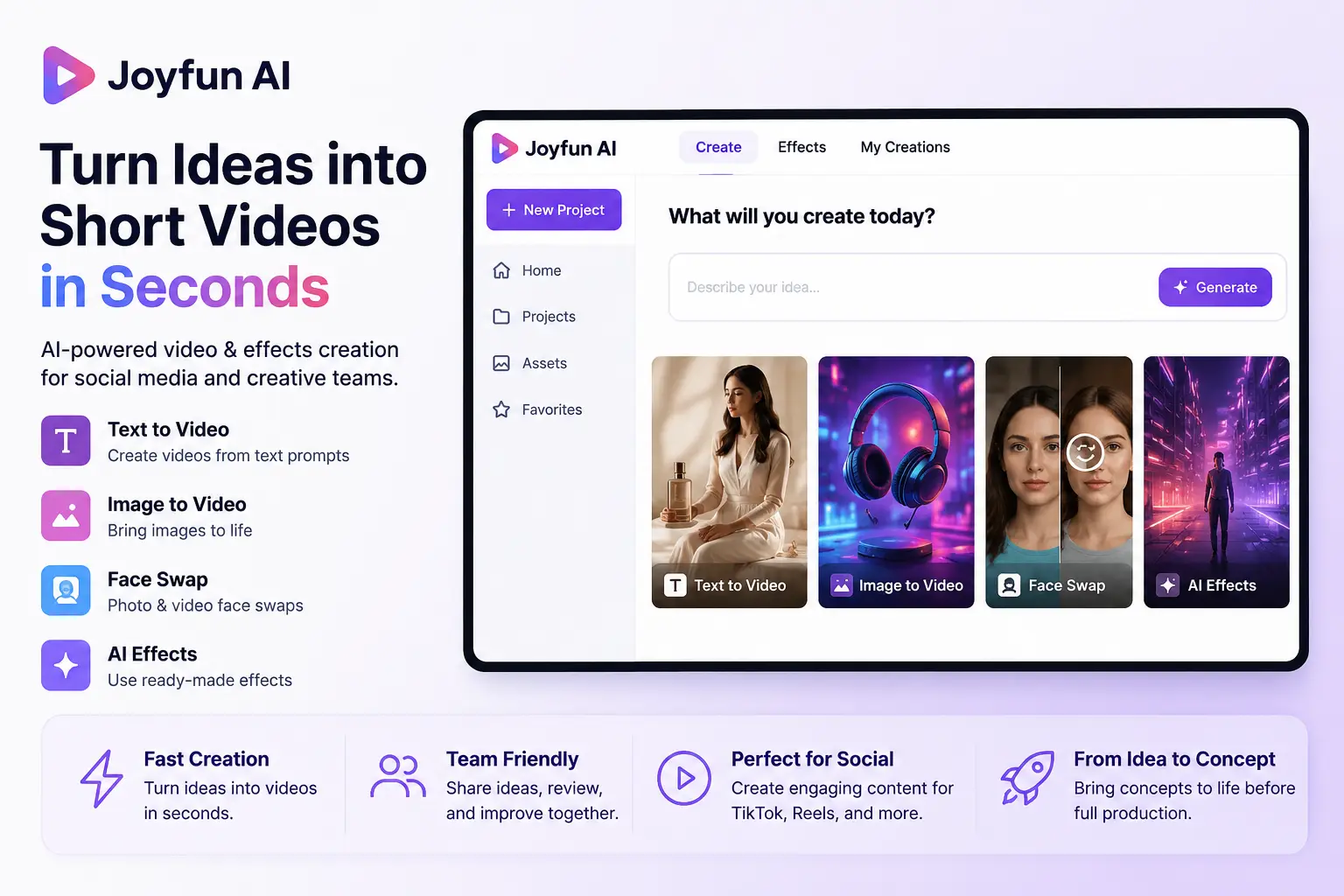
Joyfun AI is a browser-based platform for creating short videos and visual effects from text prompts, images, and existing clips. It is mainly used for social media content, creative drafts, and early concept testing. Users can start creating without learning complex video editing software.
The platform supports text-to-video, image-to-video, photo and video face swaps, and ready-made effects. A marketer can turn a product image into a short motion concept. A social media manager can also use a preset effect to test an idea for TikTok, Instagram Reels, or another short-form channel.
Joyfun is most useful when a team needs to create and review visual ideas quickly. It can help turn a written concept or static image into something the team can watch, discuss, and improve before spending more time on full production.
Why Is Joyfun AI Useful for Creative Teams?
Joyfun AI helps teams turn rough ideas, prompts, or static images into short visual drafts before starting full production. It gives marketers, social media managers, and designers something they can review together instead of discussing an idea only through text.
- Turn ideas into visual drafts faster. A social media manager can provide a campaign theme or scene idea, while a designer turns the prompt or source image into a short video concept. The team can then review the motion, mood, and direction before spending more time or budget on production.
- Let non-editors join the early creative process. Marketers and social media managers may understand the offer, audience, and platform style without knowing professional editing software. Joyfun lets them test visual ideas early, while editors remain responsible for timing, sound, branding, and the final version.
- Test social and ad concepts before full production. A team can animate a product image, compare several short-form video ideas, or create references for TikTok, Instagram Reels, and ad campaigns. Early drafts can reveal when the product is unclear, the scene feels too slow, or the creative direction needs to change.
Joyfun AI is most useful before a team invests in full video production. The workflow becomes harder to manage when several people need to continue the same project or paid setup.
What Are the Limitations of Sharing Joyfun AI with a Team?
Joyfun AI can support team-created content, but shared use can become difficult when several people work in the same setup. The main issues are access control, credit tracking, and project handoff.
- Team access is not easy to organize. Joyfun does not appear to offer clear member roles, seats, or project-based permissions. A team may find it difficult to give one designer access to a specific project without also exposing other work in the same environment.
- Paid usage is harder to track. When several people use the same paid workflow, the team may not know who started a generation, used the Credits, or created a duplicate task. One person should still own the budget and decide who can generate final content.
- Activity and access are harder to review. Teams may struggle to confirm who uploaded a file, generated a video, or downloaded an output. When a contractor leaves or a project ends, access to the browser profile, shared folders, and project files may also need to be removed separately.
The main limitation is not content creation. It is keeping shared work, paid usage, and member access clear as more people join the workflow.
With DICloak, a dedicated browser Profile lets team members use the same Joyfun AI setup without copying browser data or sharing an entire computer. Access can also be assigned, reviewed, and removed when needed.
1. Download DICloak and Choose a Plan
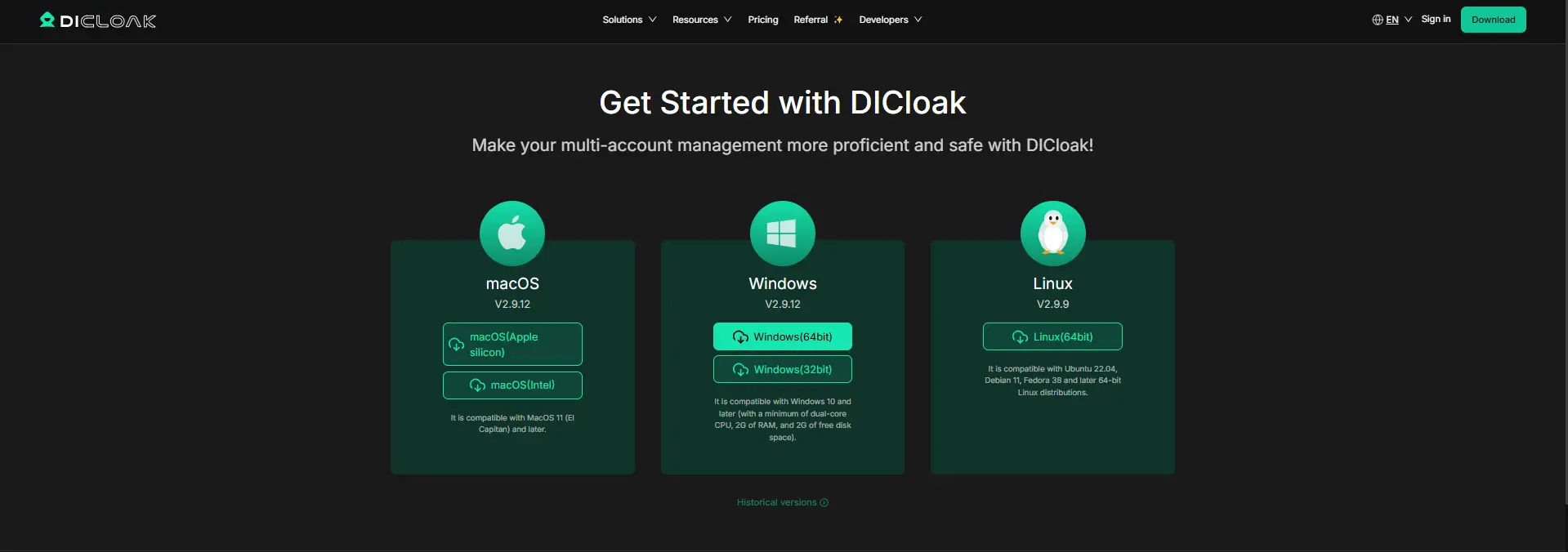
Install DICloak, create a DICloak account, and choose a plan based on your team size and the number of Profiles you need.
2. Create a Joyfun Browser Profile
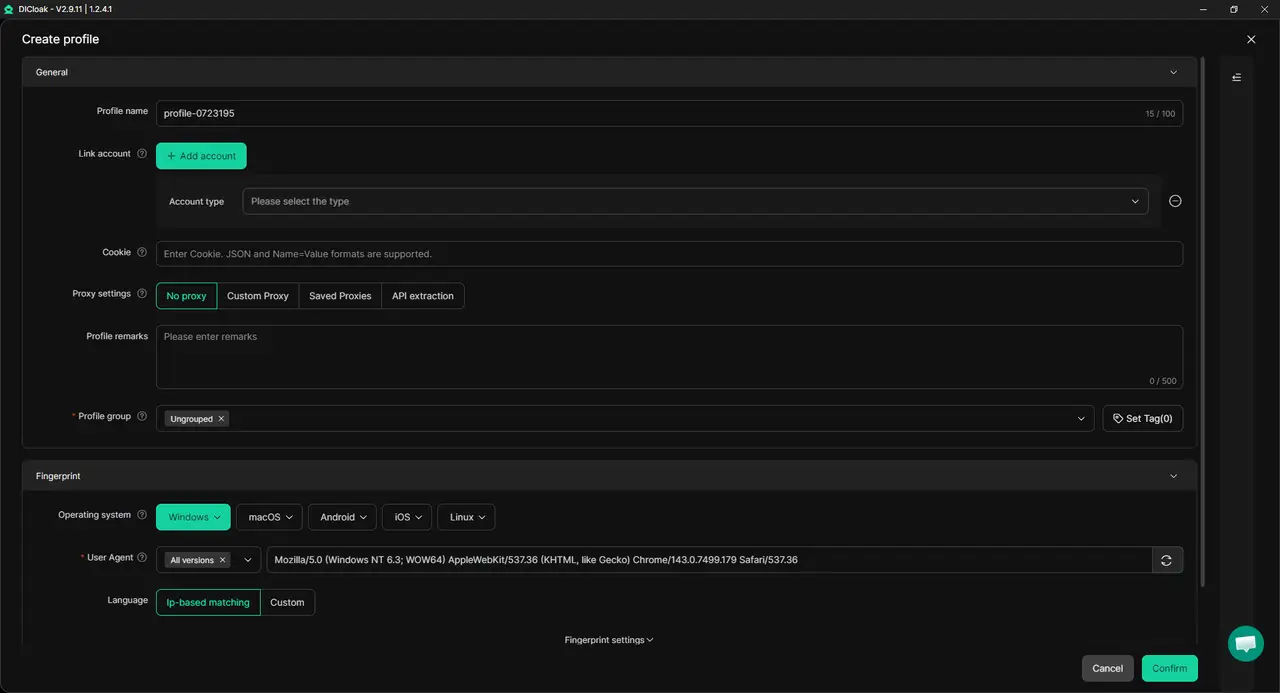
Inside DICloak, create a separate Profile for Joyfun AI and give it a clear project name, such as Joyfun_ClientA. Configure the browser fingerprint and add your own proxy if the project requires one. Keeping Joyfun in its own DICloak Profile helps prevent its session and local data from mixing with other client work.
3. Enable Multiple Sessions
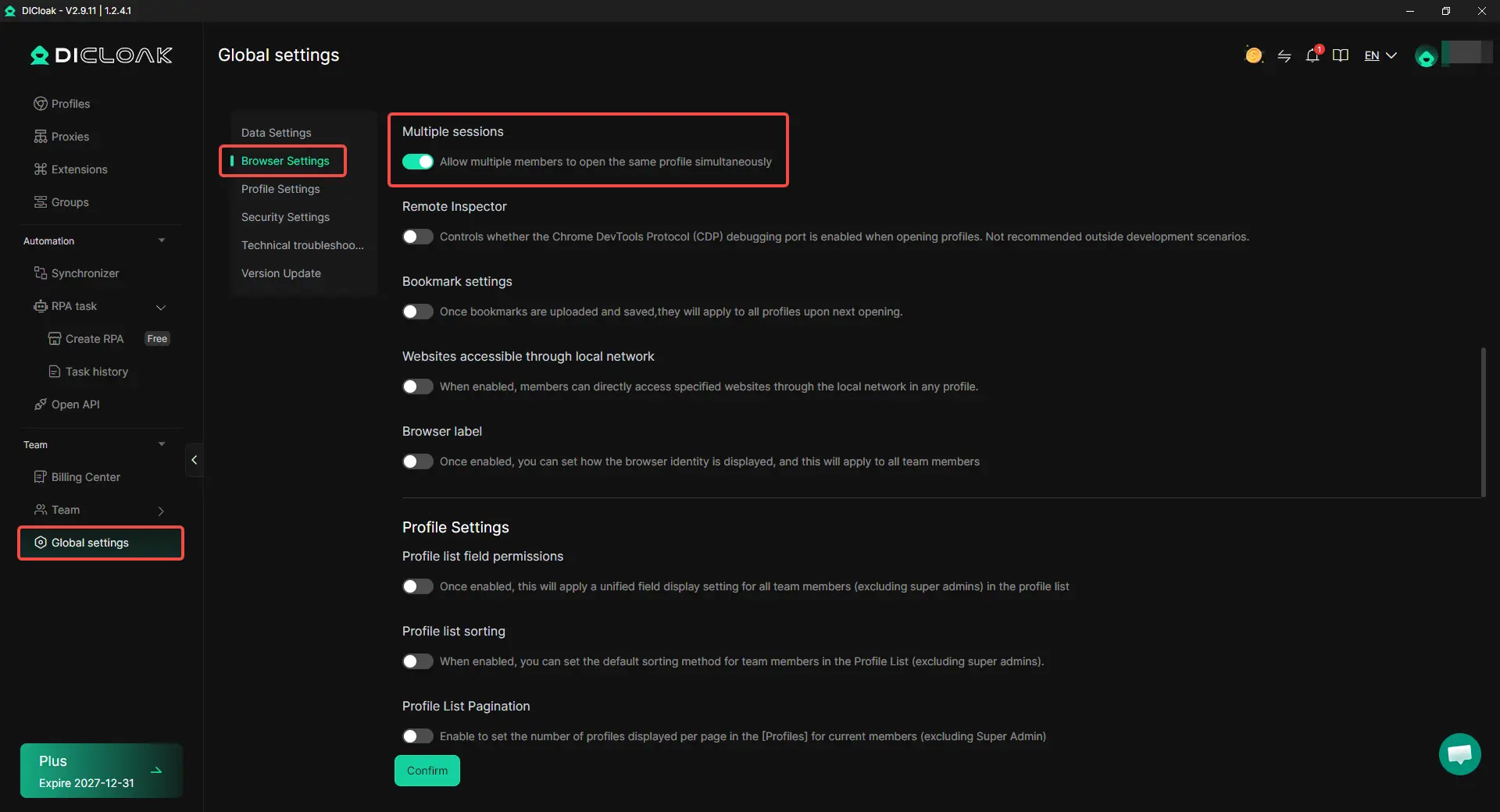
In DICloak Global Settings, enable Multiple sessions when more than one team member needs to open the Profile at the same time. For simple project handoffs, one-at-a-time access is usually easier to manage.
4. Prepare the Joyfun Setup
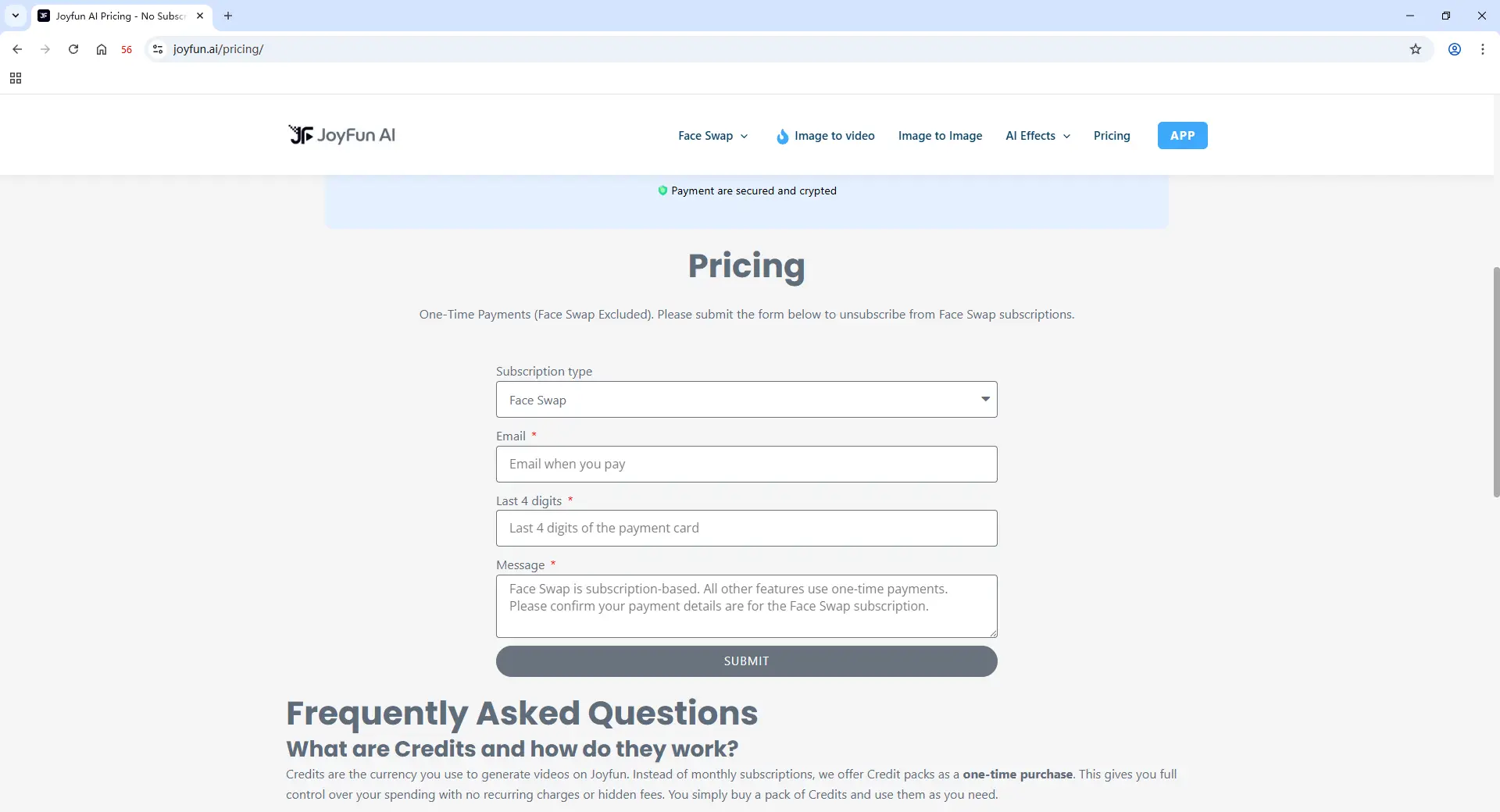
Open Joyfun AI inside the DICloak Profile. The administrator can complete the required purchase or project setup, then enable the needed data sync settings.
5. Add Members and Share the Profile
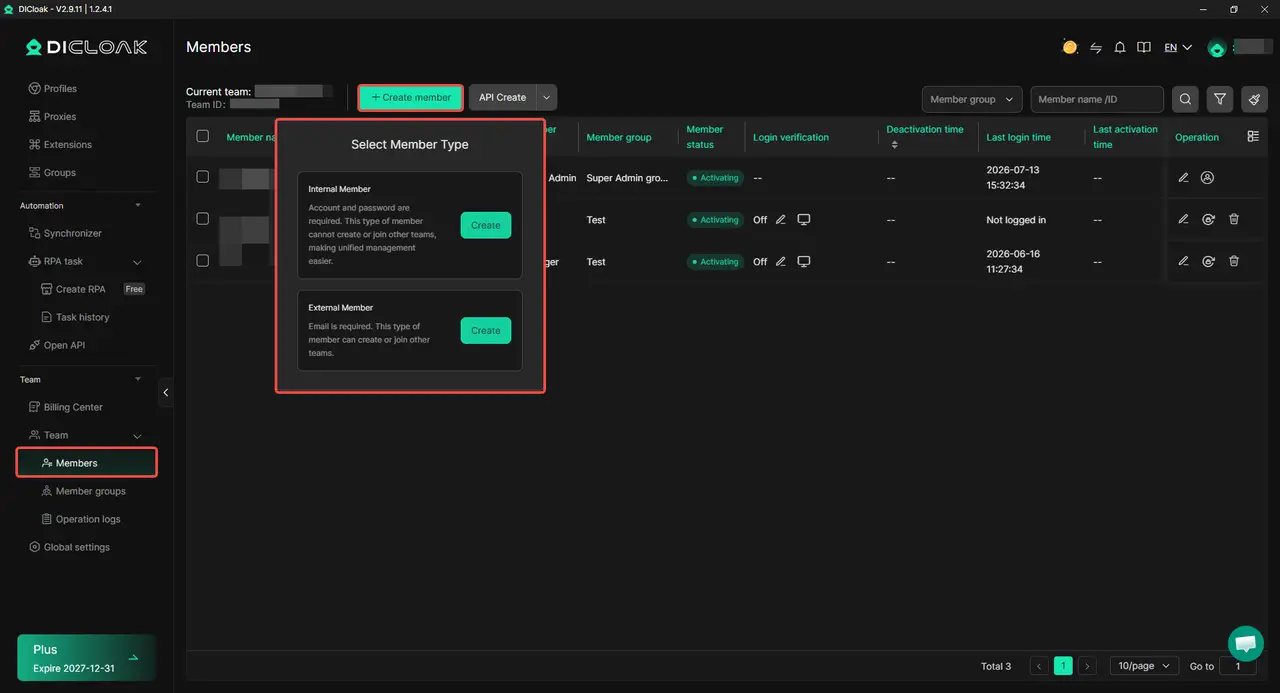
Add the team members who need direct access, then assign the Joyfun Profile through the DICloak team settings. Share the Profile only with people who actively work inside Joyfun.
6. Open, Review, and Revoke Access
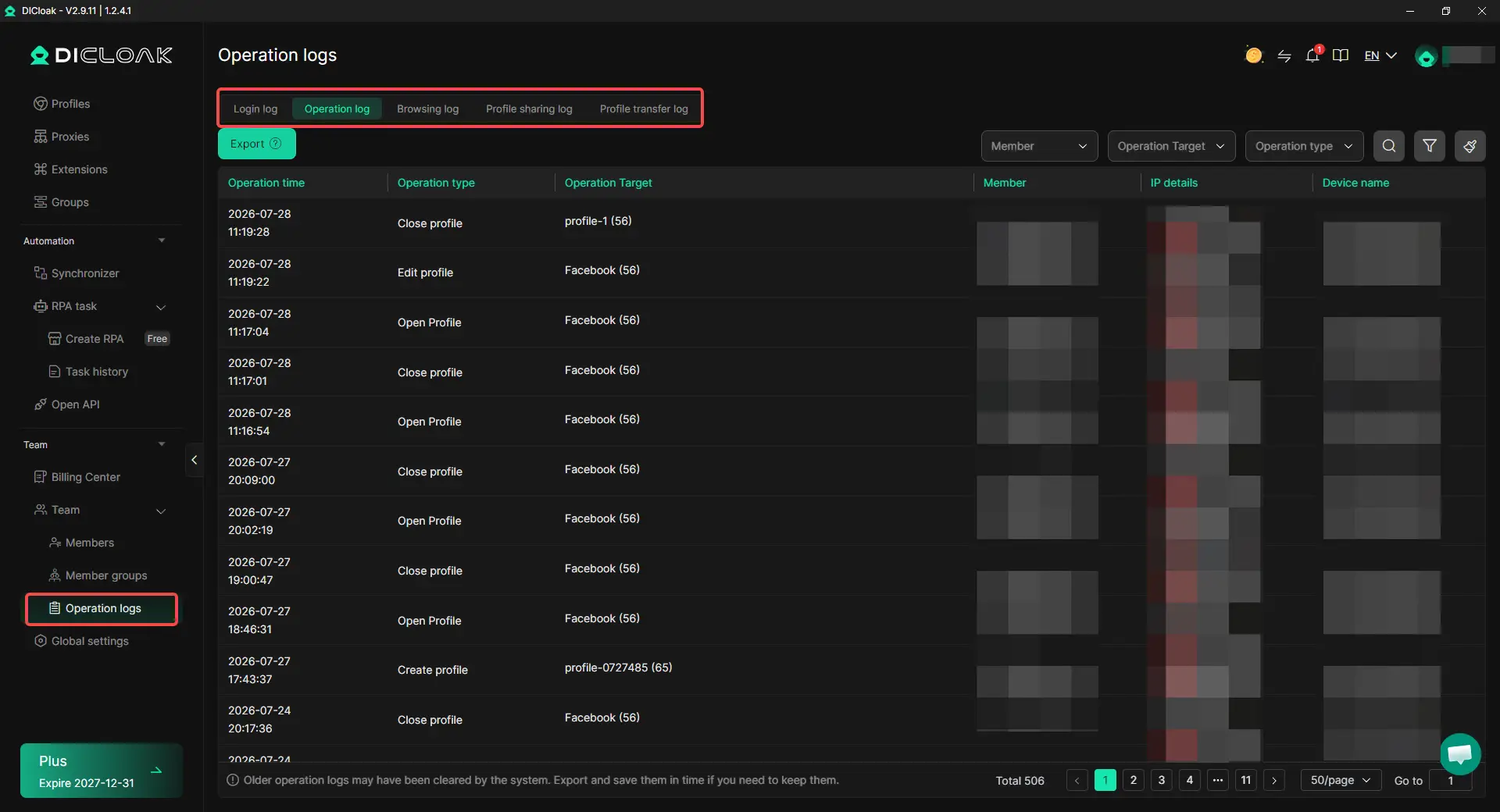
Assigned members can open the Profile from their own DICloak workspace and continue using the same Joyfun setup. Operation Logs in DICloak help managers check who opened or used the Profile. When a project ends or a contractor leaves, their access can be removed without rebuilding the setup for everyone else.
What Do Teams Often Get Wrong When Sharing Joyfun AI?
The biggest mistakes happen when teams share Joyfun AI before deciding who should use it, who owns the paid setup, and how project access will end. These problems often appear later, after Credits are used, files are mixed, or a team member leaves.
- Giving access to everyone. Not every person on the project needs to open Joyfun AI. A designer may need to generate videos, while a manager may only need to review the final files. Giving the same access to both roles makes the setup harder to control.
- Letting several people work at the same time without clear roles. Two team members may start similar generations or change the same project setup. This can create duplicate work and make it harder to tell which version should be reviewed.
- Mixing different client projects. Agencies may handle several brands at once. Using the same browser setup for every client can mix sessions, project files, and active work. Each client should have a clearly separated setup and project folder.
- Failing to record who owns the paid setup. One person should be responsible for purchases, Credits, and final generations. Without a clear owner, the team may not know why Credits were used or who should contact support if the paid access stops working.
- Removing someone from the project but not from the shared setup. A contractor may leave the campaign but still keep access to the browser profile or project files. Access should be removed from every place where the work was shared.
The main mistake is treating shared access as a one-time setup. It needs clear roles, project separation, and a simple handoff plan from the start.
Frequently Asked Questions About Sharing Joyfun AI with Your Team
Does Joyfun AI require a shared password?
Joyfun AI does not appear to use a traditional username-and-password system for basic access. In a team setting, people are more likely to share the same browser setup, paid access, or project environment rather than a password. Teams should first confirm what needs to remain available before choosing a sharing method.
Can a team share Joyfun AI Credits?
Teams should not assume that Joyfun AI Credits can be freely shared between separate users or devices. Before making a large purchase, test how the paid setup behaves after closing the browser, reopening it, or using another device. Keep the purchase email and order details with one team owner so support issues are easier to handle.
Can multiple team members use Joyfun AI at the same time?
Several members may need to access the same Joyfun setup, but simultaneous use can create duplicate tasks or unclear ownership. When sharing a browser Profile with DICloak Antidetect Browser, teams can enable Multiple sessions when parallel access is necessary. For simple handoffs, one-at-a-time use is usually easier to manage.
Should every team member have direct access to Joyfun AI?
No. Direct access should be limited to people who generate or manage content inside Joyfun. A designer may need the shared Profile, while a manager who only approves videos can review exported files instead. Giving each role only the access it needs keeps the project setup clearer.
How can a team remove Joyfun AI access when someone leaves?
Remove the former member from the shared browser Profile and revoke access to related folders, prompts, and project files. With an antidetect browser like DICloak, Profile permissions can be removed without rebuilding the setup for the remaining team. Operation Logs can also help managers review recent Profile activity before completing the handoff.
Conclusion
Joyfun AI can help creative teams turn prompts, images, and early ideas into short visual drafts without starting a full production process. The challenge begins when several people need to use the same setup, manage paid access, keep projects separate, and remove access after a handoff.
The clearest approach is to use one dedicated browser Profile for each Joyfun project, share it only with the people who need direct access, and review activity when roles change. With DICloak Antidetect Browser, teams can keep the Joyfun setup in one controlled environment without sharing passwords or an entire computer.
 Web Proxy Tools
 Free Tools
 Cookie Plugin
 UA Generator
 MAC Address Generator
 IP Generator
 IP Address List
 2FA Code Generator
 World Clock
 Anonymous Check
 WebRTC Leak Test
 UUID Generator
 Free Web Proxy Site
 Proxy Checker
 FB Ad Checker
 AI Web Scraping
 Free SMM Tools
 Twitter Shadowban Checker
 Instagram Name Checker
 UTM Generator
 Username Generator
 AI Hashtag Generator
 LinkedIn Headline Generator
 Social Media Image Resizer