You can mask your IP, clear cookies, and still get flagged, browser fingerprinting catches people off guard because it pulls together dozens of tiny details your browser leaks every time you log in. For anyone managing multiple accounts, running affiliate campaigns, or scraping data, Browser Fingerprint Spoofing isn’t just a technical trick; it’s the line between keeping your accounts or watching them get restricted overnight.
But browser fingerprint evasion isn’t simple copy-paste work. The risk comes when your setup looks “almost right” but not quite, one mismatch in WebGL, timezone, or audio context, and automated systems spot the fake. Many tools claim to offer browser fingerprint masking, but a missed parameter or inconsistent proxy leaves a trail that gets your profiles linked.
The real challenge is knowing where spoofing helps and where it breaks down. Doing it wrong creates a false sense of safety, your accounts last a week, then the bans hit all at once. The safer approach is understanding which browser fingerprinting spoofing techniques still work in 2026, which ones raise red flags, and how to spot leaks before they cost you time or money.
So what actually happens when you try to spoof your browser fingerprint, and which mistakes do experienced operators avoid? Here’s what separates a flagged profile from a stable one.
What Does Browser Fingerprint Spoofing Actually Mean in 2026?
Spoofing a browser fingerprint in 2026 means going beyond changing your user agent or switching proxies, sites now check dozens of signals and cross-reference them in real time. The goal is to make your browser look like a unique, consistent device that doesn’t get flagged or linked to other accounts. But as detection has evolved, every parameter matters. A single mismatch between your cookies, screen resolution, or hardware ID can tip off automated systems and ruin your attempt.
How Browser Fingerprinting Works Today
Modern browser fingerprinting pulls from a wider set of signals than it did five years ago. Sites now check:
- WebGL, WebGPU, AudioContext, and device memory, these hardware-level parameters are hard to fake without glitches.
- Cross-session cookies, timezone, and language settings, these are tracked across visits and compared for consistency.
- Real-time checks for proxy and network anomalies, if your IP changes without matching your device fingerprint, you get flagged.
Operators used to get away with swapping user agents and clearing cookies. Now, the system can catch mismatches in seconds, and even minor inconsistencies can result in account bans.
What Counts as Spoofing vs. Evasion vs. Masking
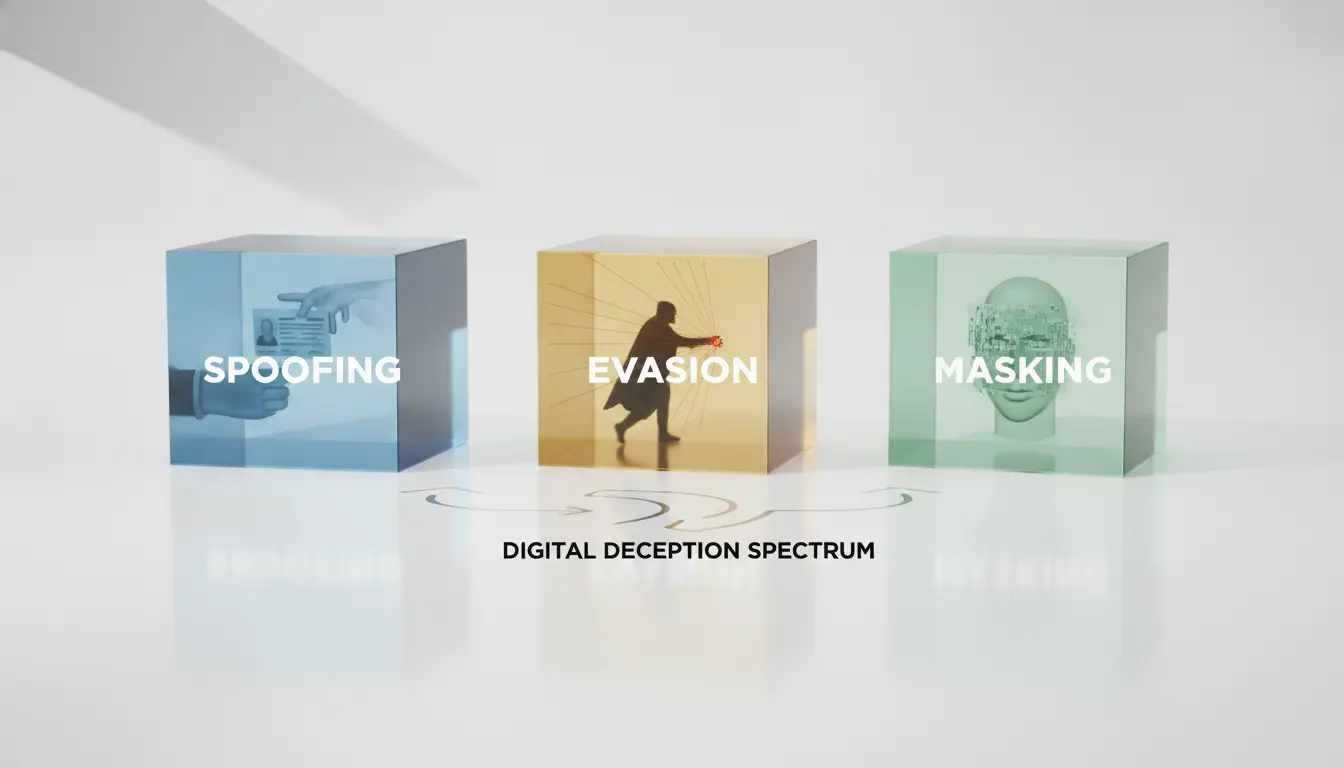
Spoofing means actively changing your browser’s fingerprints to mimic another device or user. Masking, on the other hand, tries to hide or blur the signals, think generic fingerprints or randomized values. Evasion is more about slipping past detection, often by blending in with normal traffic.
The real risk is in misunderstanding these terms, if you treat masking as spoofing, you might use randomized values that look suspicious, making your profile stand out instead of blending in. For example, a spoofed fingerprint that perfectly mimics a popular device may pass initial checks, but if your proxy, cookies, and device memory don’t match up, detection systems flag you as fake. Masking can backfire when you randomize everything, sites now expect consistent fingerprints, and too much variation is a red flag.
What changed in 2026 is the need for precision. Operators who succeed focus on matching every parameter, not just the obvious ones. Failure usually looks like accounts getting linked, banned, or flagged for review. If you shortcut the process, your profiles get burned in batches, a pattern that detection teams spot and act on fast.
The next question is why spoofing matters at all, and when the risks outweigh the benefits.
Why Do People Spoof Browser Fingerprints, and When Does It Backfire?
Browser fingerprint spoofing isn’t just a technical trick, it’s a move to avoid account bans, bypass platform restrictions, or keep data collection under the radar. Operators want control, but getting it wrong means accounts flagged, assets lost, and workflows disrupted. The main risk is not the spoofing itself, but the mistakes that trigger automated detection.
Common Use Cases: Multi-Account, Privacy, Scraping
Most users spoof fingerprints when running dozens of accounts from one device, scraping large datasets, or trying to stop ad trackers from profiling them. They need each profile to look like a unique user, otherwise, platforms link the accounts and lock them all at once.
When Spoofing Triggers Red Flags Instead
Problems start when the spoofed fingerprint doesn’t match real-world patterns. For example, if you set a browser profile to look like a Mac user but the underlying hardware is Windows, platforms can spot the mismatch. Today’s anti-fraud systems combine device fingerprints with behavioral signals. If your profile jumps between rare screen resolutions, odd language settings, or proxy IPs linked to abuse, the risk goes up fast. One common failure is when operators reuse the same fingerprint across accounts, platforms now cluster these and treat them as bot networks. Another pitfall is rapid switching: logging into 100 profiles in an hour with identical cookies or browser setups is a pattern that stands out. The biggest practical insight, spoofing only works if every parameter fits together realistically. A single mismatch can get all your accounts flagged, not just one.
Why Some Spoofing Methods Fail in Practice
- User agent and OS mismatch: Setting a Chrome user agent on a device running Linux, but claiming MacOS, gets flagged.
- Too-frequent changes: Switching fingerprints every session looks unnatural and triggers platform suspicion.
- Rare or impossible fingerprints: Picking device settings that almost never appear in real user data (like 5000x3000 resolution or odd WebGL configs) draws attention.
The real cost comes when platforms link your profiles based on these oddities. If you skip careful setup, bans often hit every profile linked to your operation.
Knowing these risks, operators should pause before spoofing and check for hidden inconsistencies. The next step is figuring out what to review before launching a new profile, otherwise, you’re flying blind.
What to Check Before You Try Browser Fingerprint Spoofing
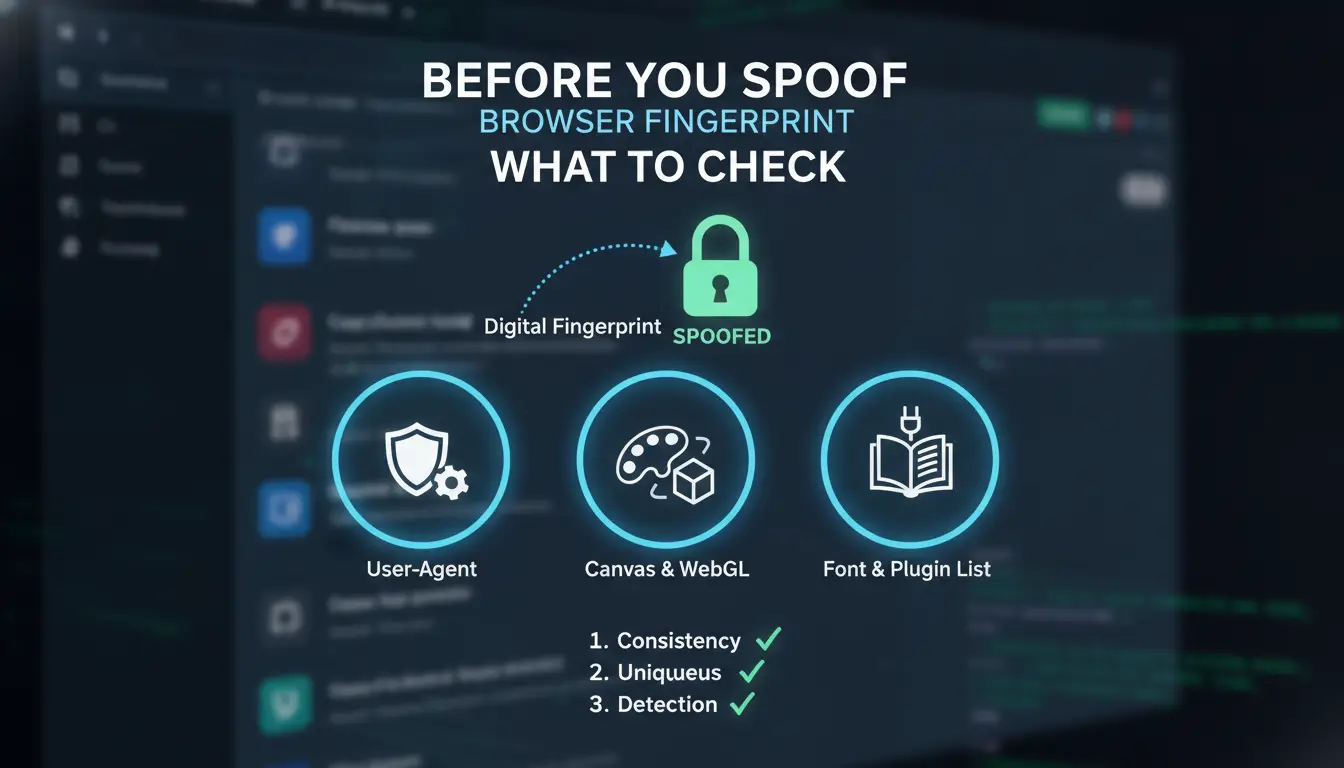
If you skip the basics, spoofing your browser fingerprint leaves a gap that gets flagged right away. The real difference between lasting profiles and instant bans is doing these checks up front, don't start until you've handled them.
Matching Fingerprint Parameters for Realism
Profiles only survive if every fingerprint parameter matches and makes sense. That means your user agent, operating system, language, and timezone all need to line up, not just look random, but actually fit together. Hardware signals matter even more now: mismatched WebGL, canvas, or audio context fields get picked up by newer detection scripts. Spoofing fails fast when you overlook these, since platforms compare dozens of values for consistency.
Proxy and IP Hygiene: Avoiding Obvious Links
You can lose accounts just by getting sloppy here. Proxies are not just about hiding your IP, they have to match your browser's fingerprint geography or your setup gets flagged as fake. Overused or public proxies leave traces platforms recognize.
- Use a proxy with a fresh, non-blacklisted IP for every profile.
- Match your proxy's country and city to your browser's fingerprint settings.
- Avoid proxies that rotate too often or have visible history on abuse databases.
Cookie, Storage, and Session Isolation
Any leftover session data ruins your spoofing attempt. Platforms link accounts by catching old cookies or local storage objects that don't fit new fingerprints. Even a stray session ID can connect two profiles.
- Clear all cookies and local storage before launching a spoofed profile.
- Run each account in a fully isolated browser profile.
- Check for hidden session artifacts, auto-fill data, service workers, or indexedDB entries.
The most common failure is mismatched fingerprint and proxy parameters, platforms spot these instantly and block access.
Once you've tackled these checks, you can actually start spoofing step by step. If you cut corners, expect to get caught fast. Next up: breaking down the setup process so you can spoof with fewer mistakes.
How to Spoof Your Browser Fingerprint Step by Step (2026 Edition)
Spoofing browser fingerprints in 2026 means matching dozens of parameters, not just the basics. Missing one detail, like an odd WebGL config or mismatched timezone, can trigger instant detection. Here’s the practical sequence operators follow to keep profiles stable.
Step 1: Choose the Right Browser Environment
- Skip browser extensions, use a dedicated antidetect browser. Extensions often only mask a few traits and leave gaps.
- Check if the browser supports full profile isolation. Shared sessions or overlapping cookies can link accounts even if the fingerprint looks clean.
- Avoid manual tweaks unless you’re handling low-risk targets; most platforms now auto-check for patched browser builds.
Antidetect browsers with built-in fingerprint controls cut false positives and make spoofing safer.
Step 2: Configure Fingerprint Parameters Carefully
- Match hardware, OS, and screen resolution to your proxy’s likely geography. For example, don’t pair a German IP with US device settings.
- Set common screen resolutions, rare combos like 1366x768 on a high-end Mac raise flags.
- Tune WebGL, WebGPU, and audio context to look normal for your device.
- Avoid impossible setups, like Android user agents on desktop hardware. Detection scripts look for these mismatches.
If you skip these steps, platforms may run extra checks or shadow-ban your accounts.
Step 3: Set Up Proxy and Network Settings
- Pick a proxy type that matches your browser profile, HTTP, HTTPS, or SOCKS5.
- Make sure the proxy IP location fits your device fingerprint.
- Rotate proxies only between similar profiles. If you suddenly switch a profile from a Paris IP to a Tokyo IP, detection tools often trigger.
- Test your setup with a fingerprint checker before logging in. Leaks happen when the IP and device details don’t match.
Step 4: Isolate Cookies and Storage Per Profile
- Use tools that separate cookies and local storage for every browser profile.
- Never share storage across profiles. If you do, trackers can link your accounts even if everything else looks unique.
- Export and import only with encrypted containers.
- Check for leftover session data after closing a profile.
Failing to isolate storage almost always leads to cross-account linking. Even well-masked fingerprints get caught if session cookies overlap.
Next, it’s time to see why detection is getting tougher, and what most spoofers miss when platforms upgrade their fingerprinting logic.
How Detection Works: Why Most Fingerprint Spoofing Fails in 2026
Sites don’t just check if your browser fingerprint looks random, they compare your actions, timing, and fingerprint consistency across sessions. One mismatch, and detection systems link your accounts or flag you as a bot.
Behavioral and Consistency Checks
Major platforms run behavioral logic that spots mismatched parameters or unnatural activity. If your spoofed fingerprint doesn’t match your browsing style, or you switch devices and the fingerprint doesn’t change, you get flagged. Even a tiny inconsistency, like a timezone mismatch, can trigger account review.
Cross-Session and Cross-Account Linkage
Risk: Reusing similar fingerprints or proxies across accounts gets you caught fast.
- Platforms log cross-session activity; matching device details or IPs across accounts means instant linkage.
- Safer move: Rotate fingerprints and proxies for every session, never reuse details across profiles.
Real-World Examples of Detection in 2026
Anti-fraud systems flag browser fingerprinting spoofing when they spot repeated device IDs, inconsistent geolocation, or rare combinations like Linux with iOS fonts. When spoofing fails, you’ll see instant restrictions, mass bans, or forced verification prompts, sometimes all within hours of the mismatch. Skipping proper fingerprint checks is the fastest way to lose every account in your group.
How Teams and Multi-Account Users Can Manage Fingerprint Spoofing More Safely with DICloak
Why Manual Spoofing Breaks Down at Scale
Manual browser fingerprint spoofing falls apart in team setups, shared devices and human error often cause fingerprint overlap, and without permission control, anyone can accidentally link profiles.
How DICloak Supports Safer Multi-Account Workflows
Teams can use DICloak to set up isolated browser profiles, each with a unique fingerprint and a user-provided proxy. This structure makes accidental cross-linking far less likely, even when handling hundreds of accounts on one device.
Best Practices for Teams Using DICloak
- Share profiles only with clear permission settings
- Assign a separate proxy to each profile
- Regularly review and update fingerprint parameters
Done right, this approach cuts the risk of obvious leaks, miss one step, and detection teams spot you fast.
Common Mistakes and Red Flags That Get Fingerprint Spoofers Caught
Bad fingerprint spoofing creates a pattern that detection systems spot within days. The biggest mistakes almost always come down to settings that look fake, reusing data, or leaking info between accounts.
Mismatched or Impossible Fingerprint Combinations
Mixing a Windows user agent with a Mac screen size, or pairing a mobile device profile with desktop-only fonts, stands out right away. Real browsers don’t show these combos, so platforms flag them as bot behavior. Always double-check that your profile choices match a real-world device, if you skip this, bans often hit within hours.
Reusing Fingerprints or Proxies Across Accounts
- Use a new fingerprint for every account, never clone settings.
- Assign a unique proxy; don’t share one IP between different profiles.
- Rotate your proxies and fingerprints if you manage large batches.
Neglecting Cookie and Storage Isolation
Sharing cookies or local storage across profiles lets platforms link accounts in seconds. Even a stray session token can connect what should be isolated users.
- Wipe cookies and storage before switching profiles.
- Store data in encrypted, profile-specific folders.
- Never import browser data from another account, even by mistake.
Safer Alternatives and Smarter Practices for Fingerprint Management in 2026
When to Use Realistic, Stable Fingerprints Instead of Constant Spoofing
Switching fingerprints for every session usually backfires, platforms flag inconsistent data. Stable, realistic fingerprints last longer and keep accounts off detection lists. Rotate only if the platform expects device changes.
Combining Fingerprint Management with Proxy Best Practices
- Match proxy location to fingerprint timezone and language.
- Avoid reused proxies, shared IPs connect accounts fast.
- Check proxy speed and reliability before new profile use.
Using Profile Isolation and Automation Tools
Isolation stops accidental cross-linking, even if you spoof browser fingerprints. Automation prevents human errors, like reusing cookies or opening too many sessions.
- Keep each account in its own isolated profile.
- Use automation for repetitive login and posting actions.
- Audit profiles monthly for leaks or mismatches.
Frequently Asked Questions About Browser Fingerprint Spoofing
Is browser fingerprint spoofing legal in 2026?
The legality of browser fingerprint spoofing depends on your country and why you use it. In some places, it’s not clearly illegal, but using it for fraud or breaking website rules can get you in trouble. Always read site terms and local laws. Intent matters, a privacy tool is different from committing fraud.
Can websites still detect me if I spoof my fingerprint?
Yes, advanced sites use new scripts and cross-check many details. Even with fingerprint spoofing, websites may spot patterns, changes, or mistakes in your setup. Spoofing helps but is not foolproof. Sites may combine different tracking methods or notice if your fingerprint changes too often.
What is the safest way to manage multiple accounts without getting banned?
Keep each account in a separate browser profile or container. Use realistic browser fingerprints that match your setup. Always use clean, private proxies for each session. Tools like session managers can help isolate cookies and avoid mixing data. Don’t rush actions, sudden changes can trigger flags.
How often should I change my browser fingerprint?
Frequent fingerprint changes can look suspicious to websites. For browser fingerprinting evasion, keep each session stable and only rotate fingerprints when needed, like if you detect tracking or bans. Sudden or random changes are a red flag for most anti-fraud systems.
Do free fingerprint spoofing tools work in 2026?
Most free browser fingerprint masking tools are outdated and easy for websites to detect. They may leave obvious signs or lack key features, putting your accounts at risk. Paid or regularly updated solutions offer better privacy and lower your chance of being flagged or banned.
Assess your privacy needs and determine whether advanced fingerprint masking tools are necessary for your online activities. Taking proactive steps now can help safeguard your identity and minimize unwanted tracking. Try DICloak For Free
 Web Proxy Tools
 Free Tools
 Cookie Plugin
 UA Generator
 MAC Address Generator
 IP Generator
 IP Address List
 2FA Code Generator
 World Clock
 Anonymous Check
 WebRTC Leak Test
 UUID Generator
 Free Web Proxy Site
 Proxy Checker
 FB Ad Checker
 AI Web Scraping
 Free SMM Tools
 Twitter Shadowban Checker
 Instagram Name Checker
 UTM Generator
 Username Generator
 AI Hashtag Generator
 LinkedIn Headline Generator
 Social Media Image Resizer