Many users think they need a new Gmail address before they can start another YouTube channel. But that is not always true. In many cases, you can create a new YouTube channel under the same Google Account by using a Brand Account. This gives creators, businesses, and teams a simple way to manage different content goals without adding another email login. In this guide, you will learn how to create new YouTube account with same email, understand the difference between personal and Brand Accounts, and see how to manage multiple channels in a safer and more organized way.
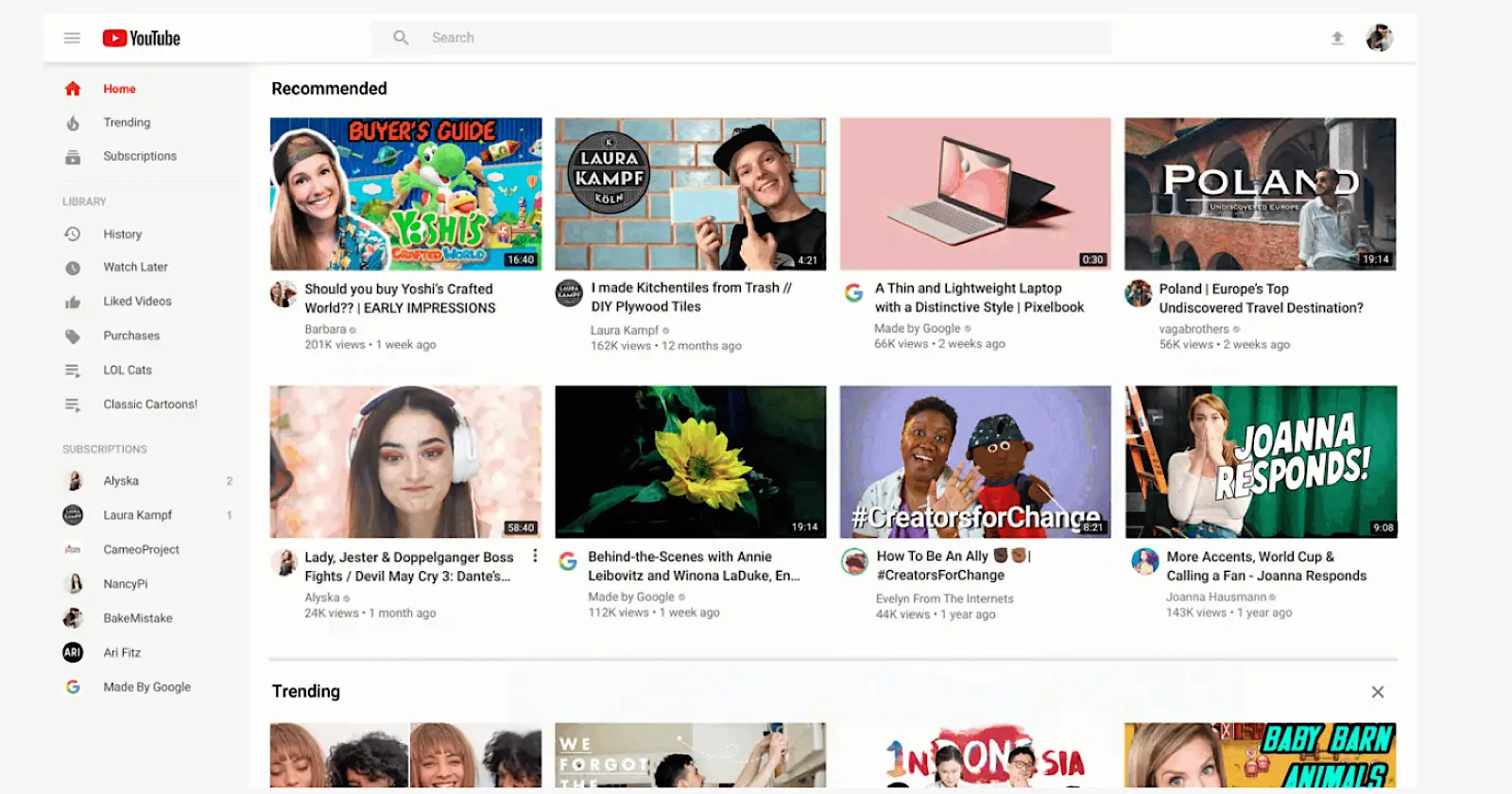
How To Create New YouTube Account With Same Email: Understanding YouTube Accounts
Definition of Personal Accounts vs. Brand Accounts
Before learning how to create new YouTube account with same email, you need to know the difference between these two account types.
Definition of Personal Accounts:A personal account is linked directly to your Google Account. It is best for one person who watches videos, comments, subscribes, and uploads content under their own name.
Brand Accounts:A Brand Account lets you create a separate YouTube channel under the same Google email. It can use a different channel name and profile image. This is why many users can have 2 YouTube accounts with same email without creating a new Gmail address.
In simple terms, a personal account is for individual use, while a Brand Account is better for a separate content identity. This is the key to understanding how multiple YouTube channels can work under one email.
Advantages of Brand Accounts
One of the biggest benefits of a Brand Account is team access. YouTube and Google both explain that a Brand Account can have multiple owners and managers. This is useful for a small business, media team, or creator group. For example, one person can upload videos, another can handle channel settings, and the main owner can control access. That setup is much safer and easier than sharing one Gmail password with everyone.
Brand Accounts also make channel management easier when your content has different goals. A creator might run one channel for personal vlogs and another for product reviews, all under the same Google login. YouTube also says users can switch between channels managed by the same Google Account, which saves time and keeps work organized. So when people search how to create new YouTube account with same email, they are usually trying to create another YouTube channel through a Brand Account, not a brand-new Google account.
How To Create New YouTube Account With Same Email: Benefits of Having Multiple YouTube Channels
After understanding account types, it is easier to see why many people search how to create new youtube account with same email. The main reason is simple. Multiple channels help keep content clear and make channel growth easier to manage.
Content Organization
Multiple channels help separate different content types. For example, one creator may post tutorials on one channel and gaming videos on another. This keeps each channel focused and helps viewers know what to expect. It also helps users who want 2 YouTube accounts with same email without managing different Gmail accounts.
Performance Monitoring
Multiple channels also make performance tracking easier. In YouTube Studio, creators can check views, watch time, subscribers, and audience activity for each channel. This makes it easier to see what content works best. For example, if one channel grows faster than another, the creator can quickly spot which topic gets more attention and engagement.
In short, having multiple channels is not only about opening another account. It is a better way to organize content, reach different viewers, and track results more clearly.
How To Create New YouTube Account With Same Email: Creating Multiple YouTube Channels With One Email
After seeing why multiple channels are useful, the next step is learning the setup. When people search how to create new youtube account with same email, they usually do not need a new Gmail address. In most cases, they create another YouTube channel under the same Google Account through a Brand Account. YouTube’s help pages explain that one Google Account can manage multiple channels and switch between them easily.
Step-by-Step Process
First, sign in to YouTube and open your channel list. Then choose Create a channel and enter the new channel details. In practice, this creates another channel tied to a Brand Account under the same email. For example, a creator can keep one channel for personal viewing and open another for tutorials, reviews, or business videos. That is how many users end up with 2 YouTube accounts with same email while using one Google login.
If the new channel is for work, this setup is often better than mixing everything in one place. A small team can keep the main channel separate from the owner’s personal account, which makes the channel look more professional and easier to manage.
Alternative Methods
You can also create a Brand Account if you want a separate channel name and a more independent channel identity. This is often useful for creators, sellers, marketers, and small teams. As the number of channels grows, account switching, login management, and environment separation can become more complex. That is why many advanced users start looking at anti-detect browsers to manage multiple account setups more safely and with better control.
In simple terms, you do not need a new Gmail each time. You can create extra YouTube channels under the same email, and this also builds the foundation for more professional multi-account management later.
How To Create New YouTube Account With Same Email: Alternatives to Creating Multiple Channels
After learning how to add another channel, it is also smart to ask whether you really need one. In some cases, the answer is no. YouTube gives creators other ways to organize content, so how to create new youtube account with same email is not always the only solution.
Using Playlists for Content Organization
Playlists are a simple option when your videos still fit one main topic. YouTube lets you create playlists, set privacy, edit titles and descriptions, and reorder videos. For example, a cooking creator can keep one channel but sort videos into “Quick Meals,” “Desserts,” and “Meal Prep.” In a case like that, playlists may work better than opening 2 YouTube accounts with same email, because the audience is still similar and the channel stays easier to grow.
When to Consider Separate Google Accounts
A separate Google Account may make more sense when the work needs full separation. For example, one account may be for a personal brand, while another is for a client company or a different business team. YouTube says one Google Account can manage multiple Brand Account channels, and Brand Accounts can also have multiple owners and managers, so that is usually the first option. But if two projects should not share the same login identity at all, a separate Google Account can be cleaner. Google also supports signing in to multiple Google accounts at once, which helps users switch between fully separate setups.
Managing Multiple YouTube Channels Securely with DICloak
Why Multi-Channel Management Gets Hard
Managing multiple YouTube channels can get messy fast. A creator may run one channel for personal content, one for tutorials, and one for business videos. A team may also split work across uploads, comments, and analytics. As more channels are added, it becomes easier to log into the wrong account or mix personal and work activity. This is common for users managing 2 YouTube accounts with same email or more.
Security is also important. If several people manage one channel, sharing one password is risky. YouTube supports channel permissions and Brand Account access, but teams still need a cleaner way to separate daily work. So after learning how to create new youtube account with same email, the next challenge is keeping every channel secure and organized.
How DICloak Helps with Security and Team Management
This is where DICloak can help. Users can place different YouTube workflows in different browser profiles. For example, one profile can be for a personal channel, another for a client channel, and another for a business account. This helps reduce login mix-ups and keeps daily work more organized.
DICloak can also support safer teamwork. Separate profiles and permission-based workflows are much cleaner than sharing one browser profile. In simple terms, YouTube gives you the channel structure, while DICloak helps you manage it in a safer and more organized way.
Best Practices for Account Security
Each channel should be treated like its own work space. If a channel is important for business, tutorials, or client work, the owner should review who has access and limit that access to the right people. YouTube now supports channel permissions for Brand Accounts, which lets channel owners invite users with different access levels instead of sharing one login. For example, a small team can let one person upload videos while the primary owner keeps higher-level control. That is much safer than passing one password around in chat.
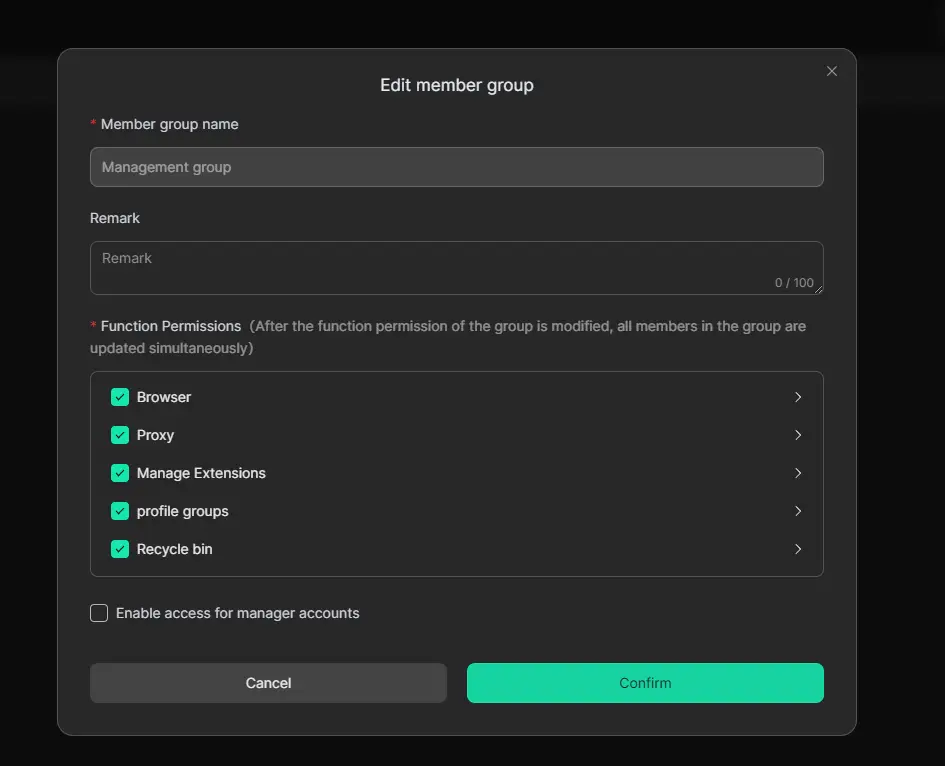
Dedicated browser profiles can also help keep work cleaner. For example, one profile can be used for a personal channel, while another is used for a client or brand channel. This lowers the chance of opening the wrong account, uploading from the wrong identity, or mixing sessions during daily work. In more advanced setups, some teams use tools like DICloak to separate browser profiles and set member permissions by profile group. Based on DICloak’s public materials, these features are aimed at keeping shared account workflows more organized.
Compliance with YouTube Policies
Good management also means staying within YouTube’s rules. YouTube’s Community Guidelines ban spam, scams, impersonation, fake engagement, and other deceptive behavior. If a channel breaks these rules, YouTube may issue strikes, and three Community Guidelines strikes in 90 days can lead to channel removal.
This matters even more for connected channel setups. YouTube says that if a channel is terminated, the user is not allowed to use, own, or create other YouTube channels to get around that termination. YouTube also says a channel can be terminated if it has three active copyright strikes, or if channels linked to it have three active copyright strikes. In simple words, linked channels do not always live in total isolation. For example, if one business runs several channels under one broader system, policy problems on one side can create bigger risks across the setup.
So, while learning how to create new youtube account with same email is useful, long-term success depends on two things: secure account structure and careful policy compliance. When both are handled well, managing multiple YouTube channels becomes much safer and much easier to scale.
Conclusion
Now the answer is much clearer. When people search how to create new youtube account with same email, they usually do not need a new Gmail address. In most cases, they can create another YouTube channel under the same Google Account by using a Brand Account.
This is why many users can manage 2 YouTube accounts with same email for different goals. For example, one channel can be for personal use, while another can be for tutorials, business content, or client work. This setup is simpler and easier to manage.
As your channels grow, good management becomes more important. You need clear content planning, safe account access, and a clean workflow. If you manage several channels or work with a team, DICloak can help you keep different account environments separate and more organized.
In short, creating multiple YouTube channels with one email is possible, practical, and useful. And if you want to manage them more smoothly, DICloak can be a smart next step.
FAQ About How To Create New YouTube Account With Same Email
Can I really create another YouTube channel with the same email?
Yes. This is usually what people mean when they ask how to create new youtube account with same email. YouTube says you can create a new channel from your channel list, and this creates a new Brand Account for that channel.
Can I have 2 YouTube accounts with the same email?
Yes. Many users have 2 YouTube accounts with same email by managing more than one YouTube channel under one Google Account. YouTube also says you can switch between channels connected to the same Google Account.
What is the safest way to manage multiple channels?
The safest way is to avoid sharing one password and use channel permissions or Brand Account access instead. YouTube says multiple people can be given different permission levels, which is safer than sharing sign-in details. For example, one team member can upload videos while the owner keeps full control.
 Web Proxy Tools
 Free Tools
 Cookie Plugin
 UA Generator
 MAC Address Generator
 IP Generator
 IP Address List
 2FA Code Generator
 World Clock
 Anonymous Check
 WebRTC Leak Test
 UUID Generator
 Free Web Proxy Site
 Proxy Checker
 FB Ad Checker
 AI Web Scraping
 Free SMM Tools
 Twitter Shadowban Checker
 Instagram Name Checker
 UTM Generator
 Username Generator
 AI Hashtag Generator
 LinkedIn Headline Generator
 Social Media Image Resizer