You try to open Facebook Marketplace, but the tab is missing or you see an access denied message, this happens to thousands of users each month, even on accounts that meet all basic requirements. Some users on Reddit's Facebook help forum report Marketplace vanishing overnight with no warning, while others find every device locked out after an update. If you’re searching for why can't i access facebook marketplace, you’re not alone, and the real reasons are rarely as obvious as Facebook’s help docs suggest.
Losing access isn’t always about breaking rules or having a new account. Facebook’s automated systems flag accounts for things like logging in from unfamiliar devices, using the wrong proxy, or even posting too quickly. Sometimes, Marketplace not showing up means your account region, age, or past activity triggers a silent block, something not explained on the official help page. Other times, a simple browser bug or cookie issue is to blame.
The real headache is figuring out what triggered the block. Did your account trip a hidden filter? Is Facebook rolling out new restrictions in your country? Or did you just miss a simple browser step? This guide breaks down every common cause, what actually fixes Marketplace access (for both personal and business accounts), and how to avoid getting locked out again. Here’s where the real troubleshooting starts.
What Usually Blocks Access to Facebook Marketplace?
Getting blocked from Facebook Marketplace often feels random, but most cases follow a pattern. If you're searching "why can't I access Facebook Marketplace?", the answer usually comes down to account trust or policy issues. Sometimes, it’s a technical glitch, but more often, Facebook flags something about your account or your recent activity.
Account Age and Trust Signals: Are You Too New?
New accounts and profiles with little activity are the main targets for Marketplace restrictions. Facebook wants to stop scams, so they make Marketplace available only after an account builds some trust. If your account is less than a few months old or has very few friends and no regular posts, you’re more likely to see "Facebook Marketplace not showing" or "can't use Facebook Marketplace" messages.
Building trust signals helps. This means adding a real profile photo, connecting with friends, posting regularly, and avoiding sudden changes like logging in from a new country. Facebook may also check if your account has been reported, or if you’ve ignored required verifications. Sometimes, older accounts that have been inactive for a long time get flagged the same way as brand new ones.
Policy Violations and Suspicious Activity
Policy violations are a major reason for "Facebook Marketplace access denied." Selling banned items, posting misleading ads, or even getting too many rejected listings can trigger a lockout. Facebook uses automated systems and reports from other users to scan for risky behavior. For example, posting the same item in different locations too quickly, using copy-paste text, or linking out to suspicious sites can all get you flagged.
Even if you haven't broken the rules, sudden changes, like using a proxy that makes it look like you’re logging in from a different city every time, can trip Facebook’s filters. Their help pages give a basic overview, but real-world triggers often include things like using fake names, setting up multiple accounts from the same device, or sharing too much account info in public posts.
The single biggest trigger is a mismatch between your profile’s history and your latest actions, Facebook watches for anything that doesn’t look "normal" for your account type. Fixing access means building trust over time and avoiding shortcuts that raise red flags.
Why Does Facebook Marketplace Disappear or Say 'Not Available'?
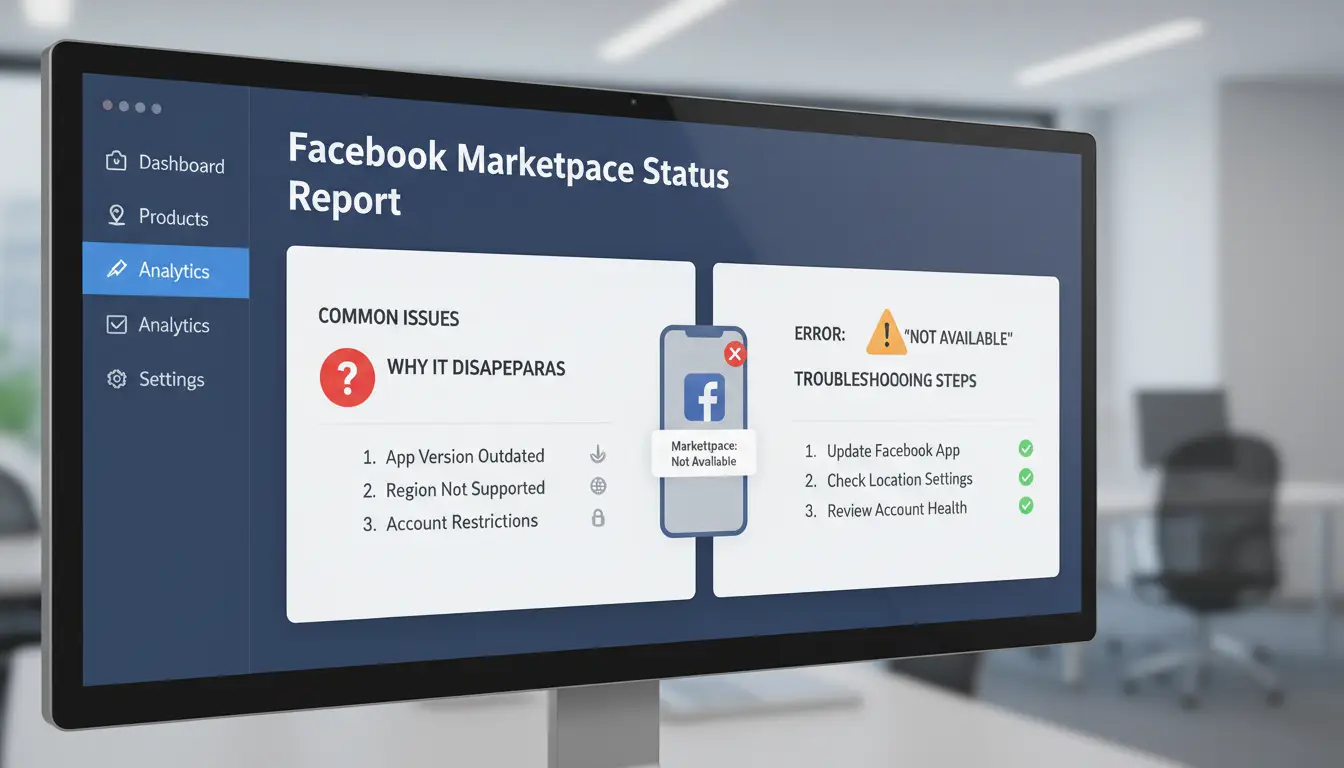
Facebook Marketplace can vanish or show “not available” for reasons that are rarely clear at first. If you’re searching “why can't I access Facebook Marketplace,” you’re not alone, access issues often link back to your location, device, or Facebook’s own silent filters. Here’s what usually causes it and what you can do next.
Location Restrictions: Are You in a Supported Country?
Marketplace is not open everywhere. Facebook checks your country by looking at your IP address, phone number, and sometimes even your device’s language. If you’re in a place where Marketplace isn’t supported, you’ll see “Marketplace not available.” This is common in new accounts created outside North America, Western Europe, or Australia. Even long-term users can lose access if Facebook thinks they’ve moved to a blocked country.
If you’re facing “Facebook Marketplace not showing” after moving or while using a foreign SIM card, try switching to a local network and checking your account’s listed region in your Facebook settings. Sometimes, Facebook takes days to update your location, so patience does matter.
Travel, IP Changes, and Device Switching
Traveling or changing your IP can make Marketplace vanish without warning. Facebook’s system may see you logging in from a new country, then flag your account for review or block Marketplace until you “prove” you’re not a bot or scammer. Even something as routine as switching to a mobile hotspot or using a proxy can trigger these checks.
To fix “Facebook Marketplace access denied” after travel, log in from your usual device and local network. If you used a proxy that’s now blocked, switch to a clean, local IP. Sometimes, waiting 24-48 hours and refreshing your account triggers a review and restores access.
Browser, App, and Device Glitches
Sometimes, the answer is simple, your browser or app is the problem. Outdated Facebook apps and browsers often fail to load Marketplace, especially after a Facebook update. Clearing cookies, logging out and back in, or updating your app can bring Marketplace back.
If you still can’t use Facebook Marketplace, try switching devices or browsers. Facebook’s help page lists basic steps, but real fixes often come from direct device troubleshooting.
What to Do If Your Facebook Marketplace Access Is Restricted or Banned
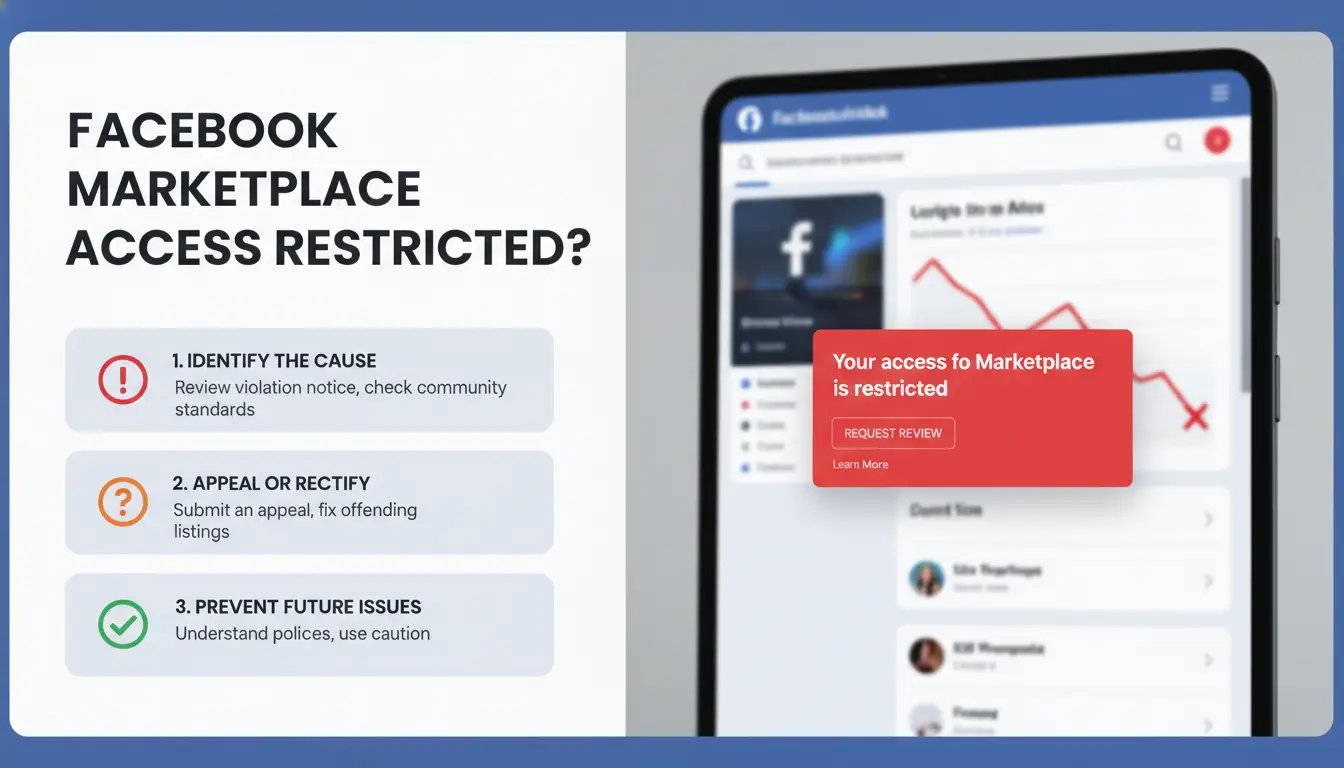
Getting locked out of Facebook Marketplace throws off your plans fast. Whether you see a “Facebook Marketplace access denied” message or Marketplace just vanishes from your menu, the real question is: why can’t I access Facebook Marketplace, and what steps actually work to get back in? Here’s how to check your account, appeal any ban, and safely recover access without making things worse.
How to Check If You’re Restricted or Banned
Start by looking for a clear warning. Most Marketplace restrictions show up as a notification in your Facebook feed or in the Support Inbox. Sometimes, you’ll get an in-app message saying you can’t use Facebook Marketplace, but other times, Marketplace just disappears, no warning at all.
If you’re missing Marketplace, check your account’s Account Quality page. This page lists any policy violations, fake name flags, or recent reports that could trigger Marketplace to stop showing up. If you see a specific restriction, note the reason and date. Some bans are temporary (7–30 days), while others are permanent. For business accounts, also check if your page status is “restricted” or “under review.”
Appealing a Marketplace Ban or Restriction
If you think the block is a mistake, you can submit an appeal directly through the notification or via the Marketplace Appeal Form. Be clear, explain what happened, mention if you fixed the problem (like removing a flagged post), and attach screenshots if possible. Appeals move faster if you avoid generic messages and focus on the real issue. Evidence helps, show you’ve read the Facebook Commerce Policies and that you’re not a repeat offender.
Steps to Regain Access Safely
Before you try to use Marketplace again, clear your browser cookies and cache, then log out of all sessions. If you use different devices or proxies, stick to your main device for now, switching too much can trigger more reviews. Wait for the ban period to end if there’s a set date. Rushing to create a new account often backfires; Facebook tracks device and behavior patterns. Give it time, retrying too soon usually leads to another block. If you manage multiple accounts, you can use DICloak to keep browser fingerprints and logins separate, lowering the chance of new restrictions.
How Managing Multiple Facebook Accounts Can Trigger Marketplace Issues
Managing several Facebook accounts on one device can quickly lead to Marketplace problems. Many users search “why can't I access Facebook Marketplace” after noticing that Marketplace has vanished or access is denied. This isn’t always an obvious bug, it’s often a direct result of how Facebook flags unusual activity. Mixing business and personal accounts, logging in from new devices, or sharing IP addresses can trigger hidden filters. Here’s where the trouble starts and what you can actually do about it.
Why Facebook Flags Multiple Accounts or Shared Devices
Facebook tracks account links using cookies, device fingerprints, and IP addresses. If several accounts log in from the same phone, computer, or even browser, Facebook’s system may group them as “related.” This matters because Marketplace bans often hit entire clusters at once, not just one account.
Sharing devices or IP addresses is risky, especially for Marketplace. If you run your business and personal Marketplace profiles from the same laptop, Facebook can connect your activity. This makes “why can't i access Facebook Marketplace” a common issue for teams, family, or anyone who manages multiple logins. Marketplace access denied can happen if even one account in your group trips a restriction.
Common Mistakes That Lead to Marketplace Loss
Switching between too many accounts is a classic mistake. Facebook’s algorithm sees rapid logins and logouts as suspicious, especially if those accounts share a device or browser fingerprint. Another frequent error is mixing business and personal Marketplace activity. For example, posting listings for both your store and your own garage sale from the same profile or device can trigger a silent block. This is why “Facebook Marketplace not showing” is more than just a tech glitch, it’s often a sign of account mixing.
How to Reduce Risk When Managing Multiple Accounts
To avoid Marketplace headaches, keep accounts separated. Use dedicated browsers for each profile and assign unique proxies for every account. Isolated environments mean Facebook can’t easily link your logins. You can use DICloak to run multiple accounts safely with independent browser profiles and separate proxy settings. This setup helps prevent “can’t use Facebook Marketplace” errors and reduces account bans.
How Social Media Marketers Can Safely Manage Multiple Marketplace Accounts with DICloak
Running several Facebook Marketplace accounts is risky because Facebook is quick to block, limit, or link accounts showing unusual patterns. A quick search for "why can't I access Facebook Marketplace" reveals just how often users get locked out, even when rules seem followed. Here’s how DICloak helps marketers avoid these traps, keep accounts live, and work faster without getting flagged.
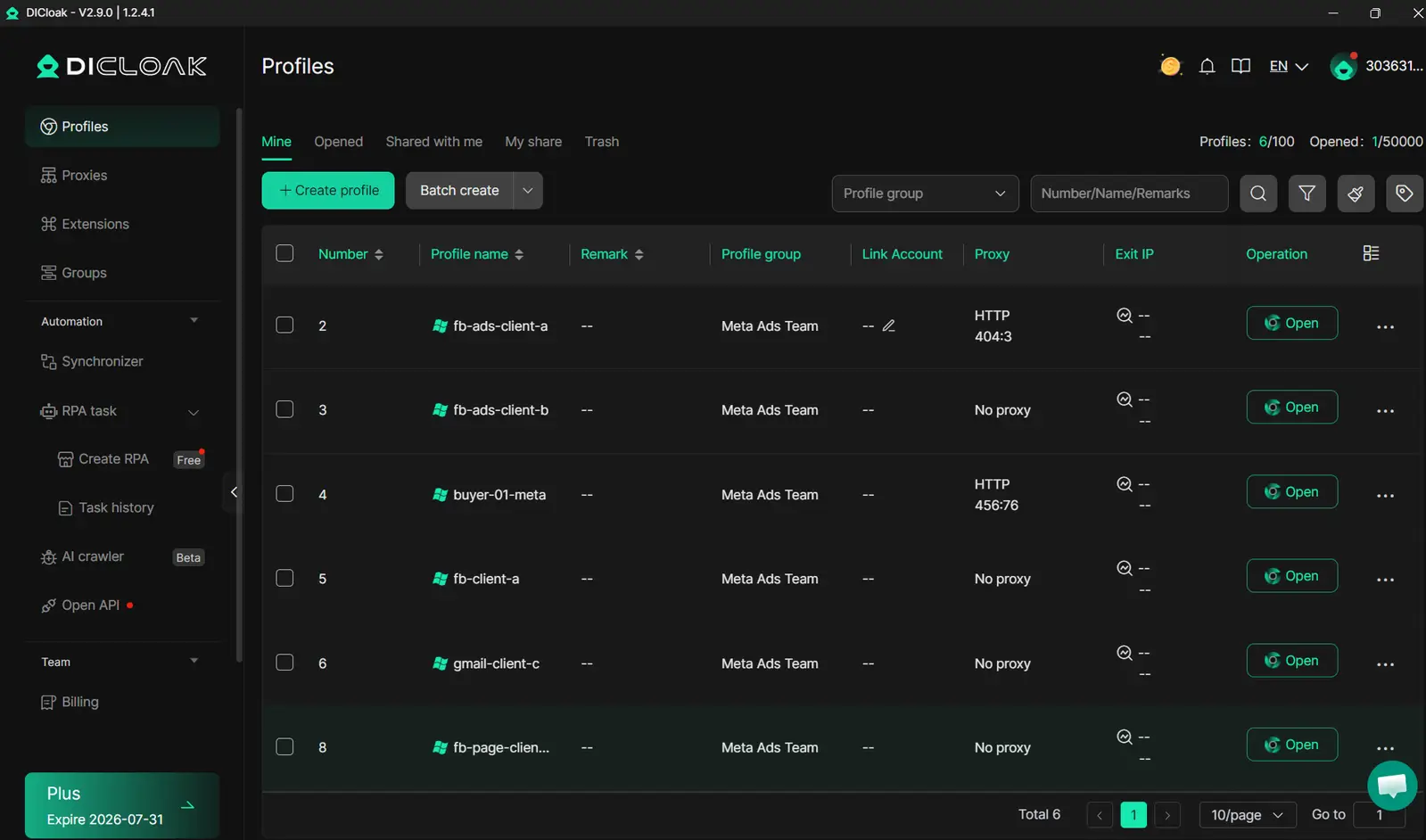
Why Traditional Multi-Account Methods Fail
Most marketers try using browser profiles, manual proxies, or device switching to manage multiple Marketplace accounts. These “DIY” methods sound safe but usually break down in practice. Facebook tracks more than just login locations, it reads browser fingerprints, cookies, fonts, and even how you scroll. If two accounts share a fingerprint or proxy, Facebook can link them in seconds.
Even if you clean cookies or use different browsers, Marketplace may still disappear. Many users report "Facebook Marketplace not showing" after switching devices or sharing a Wi-Fi connection. The problem is, Facebook’s system is built to spot even tiny overlaps. Manual setups leave small traces that add up to access denied warnings or silent bans.
How DICloak Keeps Marketplace Accounts Isolated and Safe
DICloak creates a truly separate browser profile for every account. Each Marketplace profile gets a unique fingerprint, down to the fonts, device details, and screen size. This stops Facebook from linking accounts, even if they’re used on the same computer. You can also set a different proxy for each account, making sure location signals match the account’s region every time.
When someone asks, "why can't I access Facebook Marketplace," the fix often isn’t just about changing IPs or clearing cookies, it’s about isolation. DICloak does this by design, so you don’t have to guess what’s leaking through. 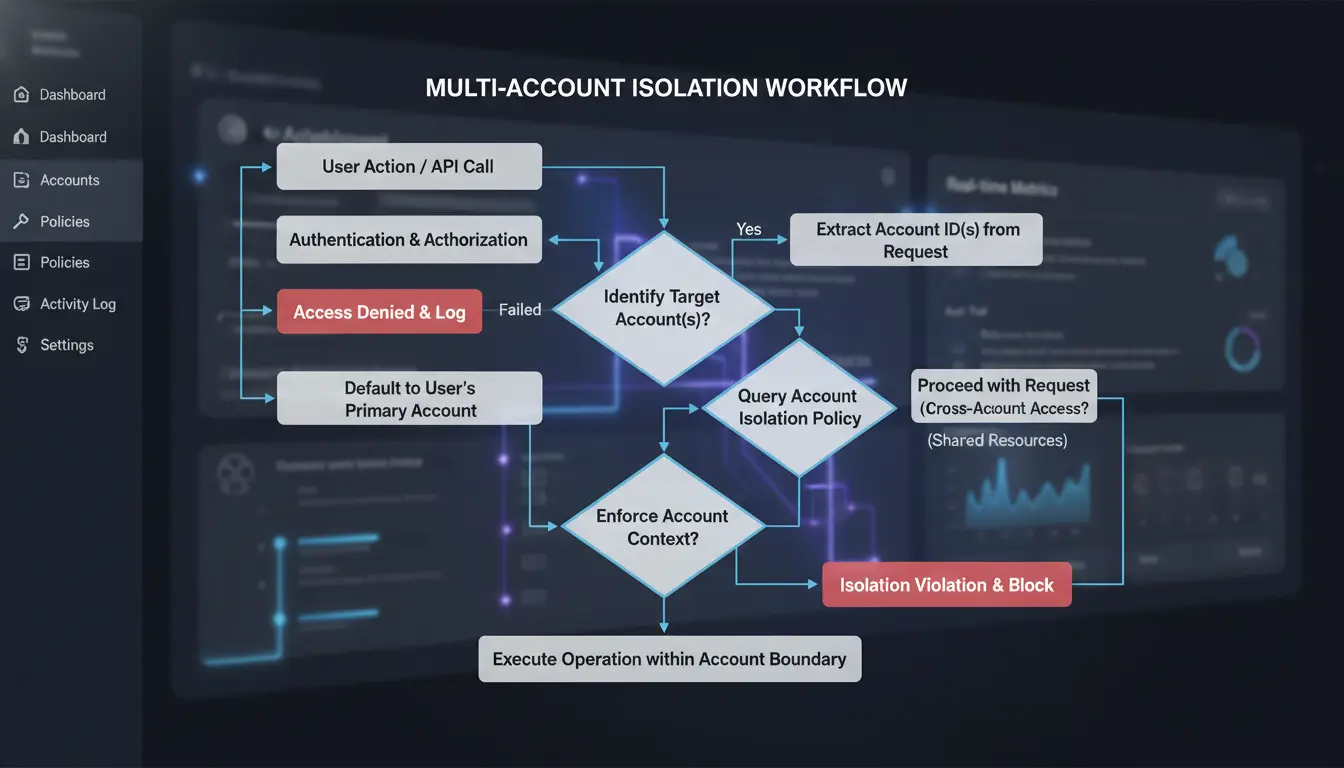
Boosting Efficiency with DICloak’s Automation and Team Tools
Dealing with daily Marketplace tasks, like posting, messaging, or refreshing listings, gets old fast. With DICloak’s built-in automation, you can describe tasks in plain language and run them safely across all accounts. Teams can set permissions so only trusted people touch certain profiles. Every action is logged, so you know exactly who did what, reducing mistakes and keeping Marketplace access steady. Learn more about DICloak’s team tools.
What to Check Before Trying to Access Facebook Marketplace Again
Getting locked out of Facebook Marketplace isn’t always about a rule break. Sometimes, “why can't I access Facebook Marketplace” means a hidden issue with your account or browser. Here’s a focused checklist to avoid repeat blocks and keep Marketplace working.
Reviewing Account Security and Profile Info
Check that your name, photo, birthday, and contact info are up to date. Add a clear profile photo and real details, blank or fake profiles often get flagged. Verify your phone and email in Facebook settings. If you skip this, Facebook Marketplace access denied errors can keep coming back.
Cleaning Up Device, Browser, and App Issues
Clear your browser cache and cookies. If you use the app, reinstall or update it through the App Store or Google Play. This solves simple cases where Facebook Marketplace not showing is caused by old data or bugs.
Ensuring Consistent Location and Network Signals
Marketplace blocks can trigger if your device, proxy, or IP changes too often. You can use tools like DICloak to run each account in its own isolated browser profile with a stable proxy, this stops Facebook from linking your accounts or flagging risky moves.
Testing Marketplace Access Step-by-Step
Try from a different device or browser. If Marketplace still isn’t available, wait a few days or contact Meta support.
When to Seek Help: Contacting Facebook Support and Alternative Solutions
Sometimes, no matter how many browser fixes or device changes you try, Facebook Marketplace stays missing or access stays denied. If you’ve checked all the usual account issues and still wonder “why can't I access Facebook Marketplace,” it may be time to escalate. Here’s how to contact support, what to do if they can’t help, and how to avoid getting blocked again.
How to Contact Facebook Support for Marketplace Issues
Direct support for Marketplace problems isn’t always easy to find, but there are a few channels that work better than others. The quickest way is the Facebook Help Center, where you can search for “Marketplace” and use the “Report a Problem” button at the bottom of related help pages. For business accounts, the Meta Business Help Center offers chat support during business hours.
When you reach out, give clear details: your account type, what device and browser you use, and exactly how “Facebook Marketplace not showing” or “Marketplace access denied” appears. Include screenshots if possible. If your problem is urgent, like a sudden loss of selling access, short, specific messages get faster replies. Avoid repeating the same request, as Facebook’s system may flag multiple tickets as spam.
What to Do If Facebook Support Can’t Help
If support can’t restore access, don’t waste weeks waiting. Sellers often switch to alternatives like eBay, Craigslist, or OfferUp to keep business moving. Each platform has different listing rules and audience reach, see the table below:
| Platform |
Fees |
Audience Size |
Mobile App |
| Facebook |
Free\\\\\\\* |
2B+ |
Yes |
| eBay |
Varies |
Global |
Yes |
| Craigslist |
$5-10 |
Local |
Yes |
| OfferUp |
Varies |
US-focused |
Yes |
*May charge for shipping or ads. Source: Official platform pages, 2026
For long-term fixes, review account status and appeal if you see policy violations. If you manage many listings or accounts, you can use browser tools like DICloak to isolate sessions and avoid triggering Facebook’s filters again.
Staying Compliant to Avoid Future Marketplace Problems
Getting blocked often links back to policy slips or unusual activity detected by Facebook’s automated systems. Stay updated on Facebook’s Commerce Policies, and avoid sharing accounts or posting from suspicious devices. Build a steady record, consistent activity and positive reviews help prevent future “can’t use Facebook Marketplace” issues. If you’ve had repeated trouble, consider starting fresh with a new account and better security habits.
Frequently Asked Questions
Why can't I access Facebook Marketplace on my phone but can on my computer?
If you’re asking “why can't I access Facebook Marketplace” on your phone, but it works on your computer, you likely have a device-specific issue. Try updating or reinstalling the Facebook app. Also, check your device’s language and region settings. If you use a browser, clear cache and cookies, then restart your device before trying again.
Is Facebook Marketplace available in every country?
No, Facebook Marketplace is not available in every country. If Facebook Marketplace is not showing for you, it could be that your region isn’t supported yet. Check Facebook’s official help page to see the list of supported countries. Using Facebook in an unsupported country will prevent access to Marketplace features.
How long does a Facebook Marketplace restriction last?
A Facebook Marketplace restriction can last anywhere from a few days to a permanent ban, depending on the reason. For example, repeated rule violations may lead to longer or permanent restrictions. If you believe your restriction is a mistake, you can appeal the decision within your Facebook account.
Can using proxies help prevent Marketplace bans?
Using proxies might help keep your location consistent, which can reduce the risk of Marketplace access denied errors. However, Facebook detects suspicious activity, like frequent location changes or unusual logins. Using proxies carelessly may make things worse, so only use trusted, stable connections that match your actual location.
What should I do if my Marketplace access is denied after traveling?
If your Facebook Marketplace access is denied after traveling, Facebook may need to verify your new location. Wait a few days, and log in from a familiar device. Clear your app or browser data to refresh your account. This can help fix “why can't I access Facebook Marketplace” issues linked to location changes.
Access to Facebook Marketplace can be restricted for several reasons, including account age, location limitations, or policy violations. Understanding these factors and exploring secure, alternative browsing solutions can help you regain access or find similar platforms to meet your needs. Try DICloak For Free
 Web Proxy Tools
 Free Tools
 Cookie Plugin
 UA Generator
 MAC Address Generator
 IP Generator
 IP Address List
 2FA Code Generator
 World Clock
 Anonymous Check
 WebRTC Leak Test
 UUID Generator
 Free Web Proxy Site
 Proxy Checker
 FB Ad Checker
 AI Web Scraping
 Free SMM Tools
 Twitter Shadowban Checker
 Instagram Name Checker
 UTM Generator
 Username Generator
 AI Hashtag Generator
 LinkedIn Headline Generator
 Social Media Image Resizer