Opening a Linkvertise link should be simple, but it often turns into extra waiting, redirects, and browser checks before the real page appears. That is why so many users now search for a Linkvertise skipper in 2026. Some want a faster way to reach one file or page. Others want to know which tools still work, which ones are risky, and whether a bypass is even worth it anymore.
This guide looks at the best Linkvertise skipper tools and methods for 2026 in a practical way. It covers why users look for them, which options are more reliable, what risks to watch for, and when a different solution may make more sense. If you want a clearer way to compare tools without wasting time on hype or unsafe shortcuts, this article will help.
Why Do Users Look for a Linkvertise Skipper?
Many people search for a Linkvertise skipper for one simple reason. They want to reach the real page faster. In many cases, the final destination sits behind ads, redirects, browser checks, or a short waiting period. When someone clicks a file link, a creator resource, or a download page, those extra steps can feel annoying very quickly. If the page does not load as expected, people often start searching for terms like linkvertise bypass, linkvertise bypasser, or how to skip Linkvertise because they want a cleaner path to the content.
What makes Linkvertise links frustrating for users?
The frustration usually comes from friction, not from one single ad. A small task can turn into several steps. A user may click one link and then get asked to wait, allow scripts, disable an ad blocker, or reload the page before the real page opens. If one part of that chain fails, the whole visit can stop. Access may also be marked as invalid when ad blockers, browser scripts, or blocked JavaScript interrupt the page flow. That is one reason some users start looking for a linkvertise bypass extension even when they only wanted to open one normal link.
For example, someone may open a Linkvertise URL from a YouTube description, a Reddit thread, or a shared Discord post on mobile. The user expects a quick jump to the final page, but instead gets stuck on a check screen or an error message. At that point, the problem feels more annoying than it should. The person is not trying to study how the system works. They just want to finish a simple action. That gap between expectation and experience is one reason a Linkvertise skipper feels appealing.
How do skippers solve the problem of wait times?
Most skipper tools try to solve one problem: too many steps between the click and the destination. A linkvertise bypass tool or linkvertise bypasser usually promises to reduce waiting, skip redirect layers, or avoid repeated page loads. That promise is what makes these tools attractive. For users who open many gated links in one day, even a short delay on each one can start to feel tiring.
Still, faster does not always mean better. Public bypass tools often break when the platform changes its checks or page behavior. Some methods work for a while, then stop. That is also why search interest keeps shifting between phrases like how to skip Linkvertise, linkvertise bypass extension, and linkvertise bypasser. Many users are not looking for one perfect method. They are looking for something that still works right now.
Are there legitimate reasons to bypass Linkvertise?
Yes. Sometimes the goal is not to avoid supporting creators. Sometimes the user simply wants access to a page that is not opening smoothly. When ad blockers, scripts, or JavaScript settings interrupt the visit, the normal route may stop working. In that situation, people start looking for another way through. That does not always come from bad intent. Often it comes from impatience, confusion, or a broken page flow.
There is also a clear sign that smoother access is a real user need. Linkvertise offers a Premium option for users who want to open Linkvertise links without ads and extra ad tasks. That does not make every bypass tool a good idea, but it does show why the demand exists. People want less waiting and fewer interruptions. So when someone searches for a Linkvertise skipper, the motivation is often practical. They want the destination page, and they want the path to feel easier than it does now.
Risks of Using Linkvertise Skippers
The appeal of a Linkvertise skipper is easy to understand, but the risk often sits inside the tool itself. A random linkvertise bypasser or linkvertise bypass extension may ask for broad browser access, including permission to read or change data on websites. That means a bad tool may see far more than one Linkvertise page.
Can bypassing Linkvertise harm your device?
Yes, it can. The biggest risk is not the timer. It is the unknown code behind the shortcut. For example, a user may install an extension that claims to skip Linkvertise in one click, then approve access to all sites without noticing. At that point, the tool may reach email pages, creator dashboards, or payment logins opened in the same browser.
What are the legal implications of using skippers?
For most people, the bigger problem is platform rules. Linkvertise already offers a Premium option for ad-free access, which shows that direct access is meant to go through an approved paid route. So a linkvertise bypass tool may not sound serious, but it can still work against the platform’s intended flow and the way creators earn from links.
How to identify unsafe or malicious bypass tools?
Start with the permission screen. If a tool asks to read your data on all websites, track browsing activity, or push extra downloads, that is a bad sign. The safer choice is usually the one that asks for less, explains more, and comes from a clear publisher. This matters even more when someone is searching how to skip Linkvertise in a hurry, because rushed clicks are where unsafe tools often win.
How to Skip Linkvertise Links Safely
After looking at the risks, the safer question is not just how to skip Linkvertise, but how to avoid turning one blocked link into a bigger security problem. The safest option is usually the one that asks for the least trust. In real use, that often means using the normal access flow, fixing browser settings that block the page, or choosing the official ad-free route instead of installing a random Linkvertise skipper. Linkvertise currently offers Premium for direct ad-free access, and its access checks can fail when ad blockers, scripts, or JavaScript settings interrupt the page flow.
What are the safest methods for bypassing Linkvertise?
The lowest-risk method is usually the simplest one. First, try opening the link with JavaScript enabled and fewer blocking tools active. If the page still fails, the next safer option is an approved direct-access route rather than an unknown linkvertise bypass site. This matters because many bypass pages promise speed, but they do not always explain what they collect or how they work. By contrast, the paid ad-free option is clear about what it does.
How to use browser extensions for skipping Linkvertise?
If someone still wants a linkvertise bypass extension, the safest approach is to treat it like any other browser software. Check who published it, read recent reviews, and look closely at the permissions before installing it. A tool that claims to skip one page should not need broad access to all websites unless there is a very clear reason. Permission warnings exist because some extensions can read or change data across pages, and that is a real trade-off.
For example, if an extension asks to read your data on every site, but the only job it claims to do is handle Linkvertise redirects, that mismatch is a warning sign. A safer linkvertise bypasser is one that asks for less, explains more, and is easy to remove if something feels off.
Are manual methods better than automated tools?
In many cases, yes. Manual methods are slower, but they are often easier to understand and easier to control. Waiting through the normal flow, checking JavaScript, or reopening the page in a cleaner browser setup may feel less convenient than a one-click Linkvertise skipper, but it also reduces the chance of handing your browser to an unknown tool. That trade-off is why manual options are often the better choice for people who only deal with these links once in a while.
Comparing Popular Linkvertise Skipper Tools in 2026
Once people move past the basic question of how to skip Linkvertise, they usually start comparing options. In 2026, most tools still fall into three groups: web-based bypass sites, browser add-ons, and the official paid ad-free route. Public tools often focus on speed and convenience, while the official option focuses on direct access inside the normal Linkvertise system.
Which tools are the most reliable this year?
In 2026, there is no single Linkvertise skipper that stays best all year. Most public tools try to resolve the redirect chain and pull out the final URL. That is why one tool may work this month and fail after a platform update, while another still works. In practice, the most reliable choice depends on whether the user wants speed, repeat use, or lower risk.
1. Bypass.vip
Bypass.vip is a web-based linkvertise bypass tool. Users paste a Linkvertise URL into the site, and the service tries to return the destination link directly. It also says it supports other ad-link services, not just Linkvertise.
Pros: It is free, simple, and does not require an install. That makes it easy for one-time use. It also supports multiple shorteners, which is helpful for users who do not only deal with Linkvertise.
Cons: It depends on its own bypass logic, so results can change when Linkvertise updates its flow. It also gives limited outside reassurance beyond its own website claims.
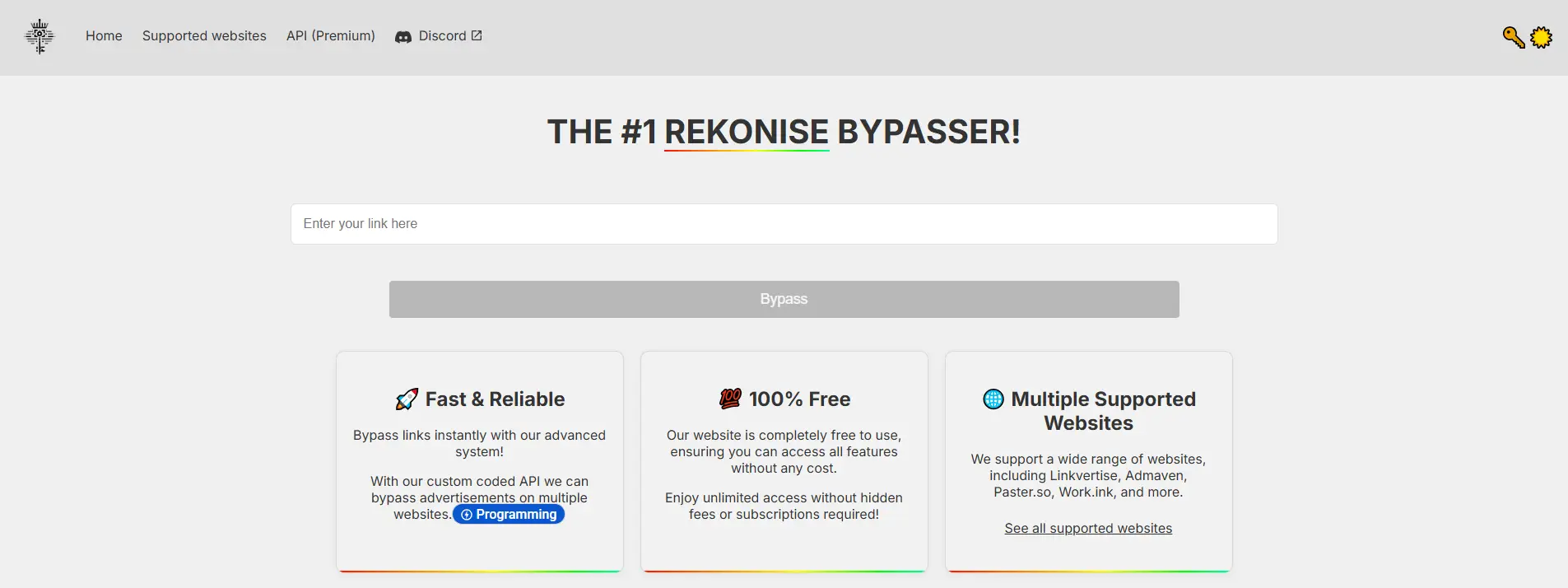
2. Bypass.city
Bypass.city is another public Linkvertise skipper. It offers both a web app and a userscript route. Users can paste links manually or use a faster repeat workflow through script-based use.
Pros: It is fast, supports more than one ad-link platform, and gives users more flexibility than a basic paste-only site. That makes it useful for people who handle these links more often.
Cons: Because it offers a broader workflow, users need to pay more attention to trust and browser behavior. It may feel less predictable to cautious users than a very simple web-only tool.

3. Bypass.link
Bypass.link is a web-based linkvertise bypasser that presents itself as a clean, updated service for Linkvertise and other ad-link platforms. It focuses on fast access and regular updates.
Pros: Its interface is cleaner than many similar tools, and it clearly promotes ongoing updates as part of its value. That can make it attractive to users who care about simplicity.
Cons: Like other public web tools, its reliability still depends on whether those updates keep pace with changes on the Linkvertise side. A clean design does not always mean stable performance over time.

4. KeyBypass
KeyBypass is another public tool often grouped with sites like Bypass.vip and Bypass.link when users search how to skip Linkvertise. It positions itself as a quick-access bypass service across ad-link systems.
Pros: It fits the same appeal as other free web tools: fast to try, no heavy setup, and easy for short-term use.
Cons: It has the same core weakness as similar public tools. Long-term reliability can shift, and users still need to judge trust, maintenance, and consistency carefully.

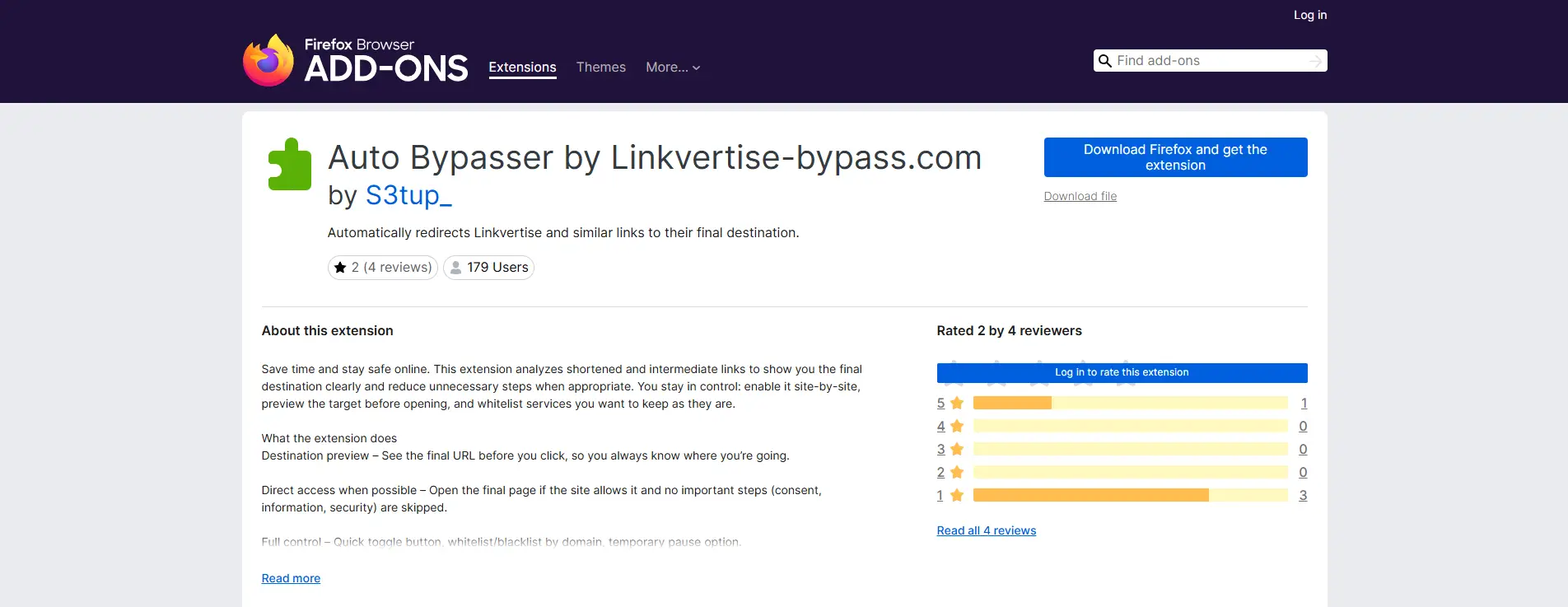
5. Auto Bypasser by Linkvertise-bypass.com (Firefox add-on)
This Firefox add-on automatically redirects Linkvertise and similar links to their final destination. It is aimed at users who want a more automatic workflow instead of opening a separate bypass page each time.
Pros: It is more convenient for repeated use. For someone who opens these links often, automation can feel much smoother than manual copy-paste tools.
Cons: Like any linkvertise bypass extension, it adds another trust layer. Users still need to check permissions, update history, and publisher clarity. Convenience is useful, but it is not the same as low risk.
6. Userscript route (such as Tampermonkey-based bypass scripts)
Some users rely on userscripts instead of full extensions. These scripts usually run through a manager like Tampermonkey and can be updated by the community when Linkvertise changes.
Pros: This route gives more flexibility and can sometimes recover faster after platform changes because scripts are easier to edit than fixed browser add-ons. It also appeals to more technical users who want control.
Cons: Setup is harder for casual users, and script quality varies a lot. A script may work well on one kind of link and fail on another. It also asks the user to trust code more directly.
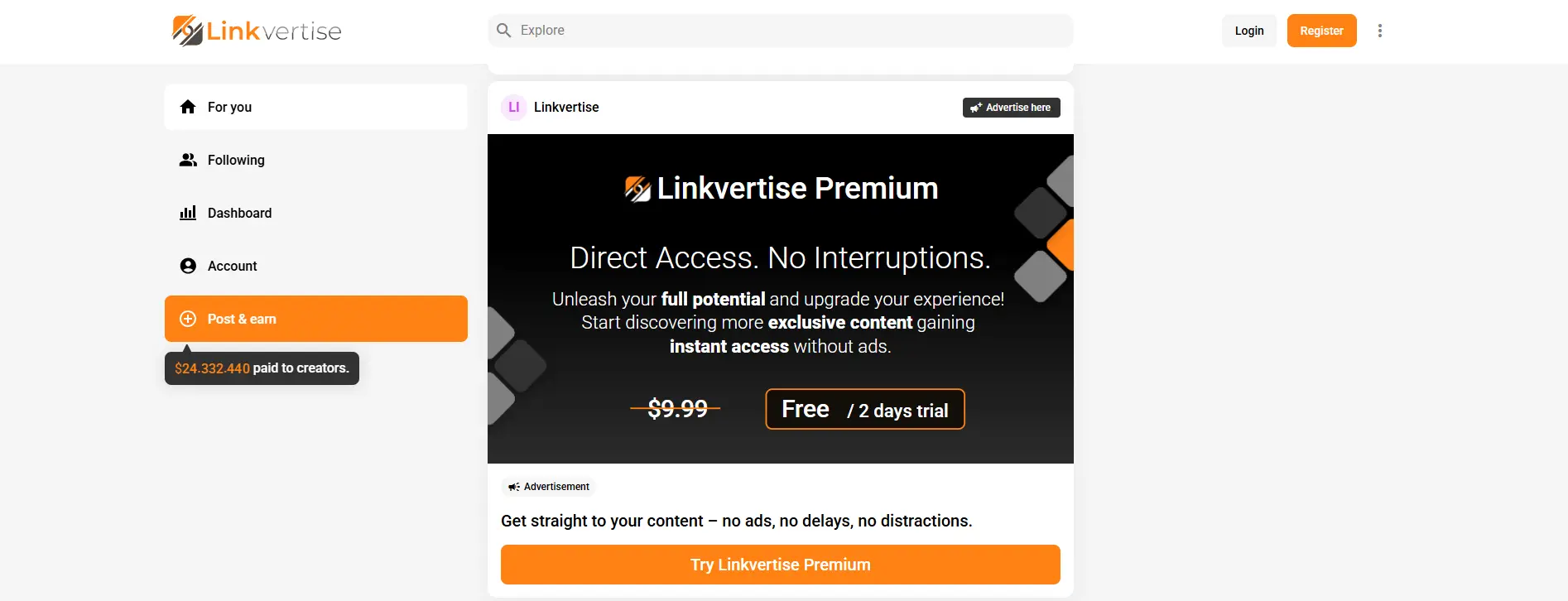
7. Linkvertise Premium
Linkvertise Premium is the official paid ad-free access route. It is not a linkvertise bypass tool in the usual sense. Instead, it gives direct access inside the platform’s intended system.
Pros: It is the clearest option in terms of trust and expected behavior. Because it does not depend on unofficial bypass logic, it is the most predictable choice for users who care more about stability than about finding a free shortcut.
Cons: It is paid, so it will not appeal to users who only need a one-time workaround. It also does not satisfy people who are specifically searching for a free Linkvertise skipper.
After seeing these tools one by one, the bigger difference becomes easier to spot. Some are better for quick one-time use. Others make more sense for repeat use, technical users, or people who care more about trust than speed. The table below makes that easier to compare at a glance.
| Scenario |
Better choice |
Why it fits |
Main risk |
| One-time use |
Bypass.vip / Bypass.link |
Fast to try, no heavy setup, easy for a quick task |
Results may stop working after Linkvertise updates |
| Frequent use |
Bypass.city / Auto Bypasser |
Better for repeated use and faster workflow |
More trust is needed, especially with scripts or extension permissions |
| Technical users |
Userscript route |
Gives more control and can be updated faster by the community |
Harder setup and uneven script quality |
| Lowest-risk option |
Linkvertise Premium |
Official route with clearer behavior and fewer surprises |
Paid access may not suit casual users |
| Users who do not want installs |
Web tools |
No extension or script manager needed |
Less visibility into long-term support and tool reliability |
How do free tools compare to paid options?
Free tools like Bypass.vip, Bypass.city, and Bypass.link are popular because they are easy to try. Most of them let users paste a Linkvertise URL and get the final link without paying or installing much. That makes them appealing for quick, one-time use. The downside is that free tools do not always offer clear support, update history, or stable results when Linkvertise changes its flow.
Paid access works differently. Linkvertise Premium is not a typical linkvertise bypasser. It is the official ad-free option inside the platform. It is less attractive to users looking for a free shortcut, but it is much clearer in terms of trust and expected behavior. In simple terms, free Linkvertise skipper tools focus on convenience, while paid access focuses more on stability.
What features should you look for in a bypass tool?
If someone still wants a public linkvertise bypass extension or web tool, the best signs are simple ones. Look for a clear publisher, recent updates, a narrow purpose, and as few permissions as possible. If the tool asks for broad browser access, pushes extra downloads, or makes big claims without explaining how it works, that is a warning sign. Permission guidance for browser extensions makes clear that broad access can expose far more than one page.
In practice, the best Linkvertise skipper is usually not the one with the boldest promise. It is the one that solves one narrow problem, asks for the least trust, and does not turn a simple link into a much bigger security risk.
Common Mistakes When Using Linkvertise Skippers
After comparing the main options, the next problem is usually not finding a tool. It is using one the wrong way. Many Linkvertise skipper problems happen because users rush, trust the first result they see, or assume every failed bypass means the same thing. In reality, some tools fail because Linkvertise changes its redirect flow, while others fail because browser settings, scripts, or blocked JavaScript interrupt the page before the final step can load.
Why do some skippers fail to work as expected?
A public linkvertise bypass tool may work one week and fail the next. That is common with web-based bypass sites, add-ons, and userscripts that depend on reading the redirect chain correctly. When the page flow changes, older logic may stop working. Some failures also happen on the user side. If JavaScript is blocked, or another browser script interrupts the page, the bypass may not complete even if the tool itself is still active.
For example, someone may test a linkvertise bypasser on one link and think it is broken, when the real problem is that the page check never finished. That is why one tool can seem reliable for one person and useless for another. The issue is not always the same, even when the error looks similar.
How to avoid downloading fake or harmful tools?
The easiest mistake is trusting a tool before checking what it wants from the browser. A fake linkvertise bypass extension may ask to read and change data on all websites, which gives it far more access than most users expect. Firefox’s permission guidance warns that extensions can read or write data entered on webpages, and recent 2026 security reporting shows that malicious Chrome extensions have stolen session data, personal data, and tokens while appearing useful on the surface.
A safer habit is to pause before installing anything. Check who published it, whether it has recent updates, and whether the permissions match the job. If the tool claims to skip one kind of ad link but wants wide browser access or pushes extra downloads, that is a bad sign. For many users, the mistake is not asking “does this work?” first. The better question is “does this ask for more access than it should?”
What to do if a bypass tool doesn't work?
If a Linkvertise skipper does not work, the first step is not to install three more tools at once. Start with the simple checks. Try a different browser, make sure JavaScript is enabled, and remove anything that blocks the page flow. If the goal is only to reach one file or page, it can also help to look for an official mirror, an alternate link, or the creator’s direct page instead of forcing another bypass attempt.
If it still fails, that is usually a sign to stop rather than stack more risky tools. This is where many users make the worst mistake. They begin with how to skip Linkvertise, then end up downloading unknown scripts, extra extensions, or fake helper apps just to solve one small problem. In many cases, the safer move is to switch to a cleaner method or use the official paid route if stable ad-free access matters more than finding a free workaround.
Alternatives to Linkvertise for Link Sharing
After spending so much time on bypass tools, it helps to step back and ask a different question. Sometimes the better answer is not finding another Linkvertise skipper. It is choosing a link-sharing platform that fits the creator and the audience better from the start. In 2026, there are still several services built around link monetization or locked access, but they do not all feel the same to users.
What other platforms offer similar services?
Work.ink is one of the best-known alternatives. It focuses on monetized links, creator growth, and monthly payouts, and it presents itself as a full creator monetization platform rather than just a shortener. ShrinkMe takes a more classic paid-link shortener approach, where users create short links and earn from visits. LootLabs is more niche and leans heavily into gaming content, while Rekonise is a little different because it focuses on unlocking links after an action, such as following, subscribing, or joining a list, rather than only showing ads.
How do alternatives compare in terms of user experience?
The user experience depends a lot on the type of audience. For example, a gaming creator may prefer LootLabs because it is built around gaming traffic and gaming ads. A creator who wants a broader monetized link system may lean toward Work.ink. Someone who cares more about follower growth than ad revenue may find Rekonise easier to use because the unlock action is tied to social growth instead of a long ad flow. This matters because many users who search how to skip Linkvertise are really reacting to friction. If the sharing method feels lighter and more relevant, fewer users start looking for a linkvertise bypass or linkvertise bypasser in the first place.
Are there ethical ways to monetize links without Linkvertise?
Yes. The most ethical route is usually the clearest one. Creators can choose a platform that explains what happens before the final page opens, what action is required, and what value the user gets in return. They can also use supporter-based access, email unlocks, affiliate links, or official ad-free paid options instead of pushing users toward a flow so frustrating that they start searching for a Linkvertise skipper or linkvertise bypass extension. For instance, LootLabs openly mentions skipping ads for existing supporters like Patreon or Ko-fi supporters, which shows there are ways to monetize links without making every visitor go through the same ad-heavy path.
Is It Worth Using a Linkvertise Skipper in 2026?
After looking at the alternatives, the answer depends less on hype and more on context. A Linkvertise skipper can save time, but it does not remove the bigger questions around trust, stability, and how much access you are giving to a tool. In 2026, free web tools like Bypass.vip still market themselves as fast and easy, while Linkvertise still offers an official Premium route for ad-free access. That leaves users choosing between convenience and predictability, not just between free and paid.
When does bypassing Linkvertise make sense?
It can make sense when the goal is practical and limited. For example, someone may be trying to open one file, one creator resource, or one shared page, and the normal flow keeps failing because the page check does not finish correctly. In cases like that, the interest in how to skip Linkvertise often comes from friction, not from trying to game the system. Linkvertise’s own troubleshooting page shows that blocked scripts, ad blockers, or disabled JavaScript can interrupt access, which helps explain why some users start looking for a linkvertise bypass in the first place.
What are the trade-offs of using skippers?
The main trade-off is simple. A faster shortcut can create a bigger security decision. A public linkvertise bypasser may save a few seconds, but browser extensions and scripts can also ask for wide permissions or expose browsing data if they are poorly built or later compromised. OWASP warns about permission overreach in browser extensions, and CrowdStrike notes that excessive permissions are one of the most common browser extension risks. Recent 2026 reporting also found more than 100 malicious Chrome extensions stealing user data while appearing useful on the surface.
There is also a consistency trade-off. Public bypass tools depend on unofficial logic, so one tool may work today and fail after a platform change. Even normal manual access can take only a short wait in some cases, which means the shortcut is not always worth the extra trust it asks from the user. If someone installs a random linkvertise bypass extension just to avoid a brief timer, the cost-benefit picture can look very different after one bad install.
How to decide if a skipper is right for you?
A good way to decide is to ask three plain questions. Do you need this often, or only once? Do you trust the tool enough to give it browser access? And is the time saved worth the added risk? If the answer is “I just need one link,” a clean browser setup or the normal route may be the better choice. If the answer is “I do this all the time and need stable ad-free access,” the official paid route is usually easier to justify than stacking random tools.
In the end, a Linkvertise skipper is worth using only when it solves a real problem without creating a bigger one. For casual users, that often means being more careful than clever. For frequent users, it means choosing the option that asks for the least trust while still doing the job. That is usually a better test than asking which linkvertise bypass tool sounds fastest.
What Tools Help When Link Sharing Is Part of Multi-Account Work?
A Linkvertise skipper can help with one blocked link, but it does not solve the bigger workflow problem behind it. For users who handle many accounts, work across different regions, or open shared links as part of daily account tasks, the harder part is keeping each account separate and stable over time. In that kind of setup, a tool like DICloak fits a different need from a short-term linkvertise bypass method.
- Separate browser profiles for each account: In a DICloak setup, each account can be placed in its own browser profile with separate fingerprint data, cookies, local storage, and browsing environment. That helps reduce the chance that platforms connect accounts through shared device signals. For people managing social media accounts, affiliate pages, or store accounts, this kind of separation is often more useful than finding another Linkvertise skipper for a single link.

- Custom proxy matching for different profiles: With profile-level proxy configuration, users can assign a different proxy to each account instead of forcing every session through the same network path. In DICloak, that makes it easier to keep account environments more consistent, especially when different accounts are tied to different regions or traffic sources. This matters more for long-term account handling than a one-time linkvertise bypasser.

- More organized multi-account work on one device: For users working with DICloak, many accounts can be managed on one device without mixing sessions together. That gives a cleaner way to switch between accounts, keep login states separate, and avoid turning one browser into a shared mess. For marketers, affiliate users, and account operators, this solves a much bigger daily problem than a simple linkvertise bypass extension.
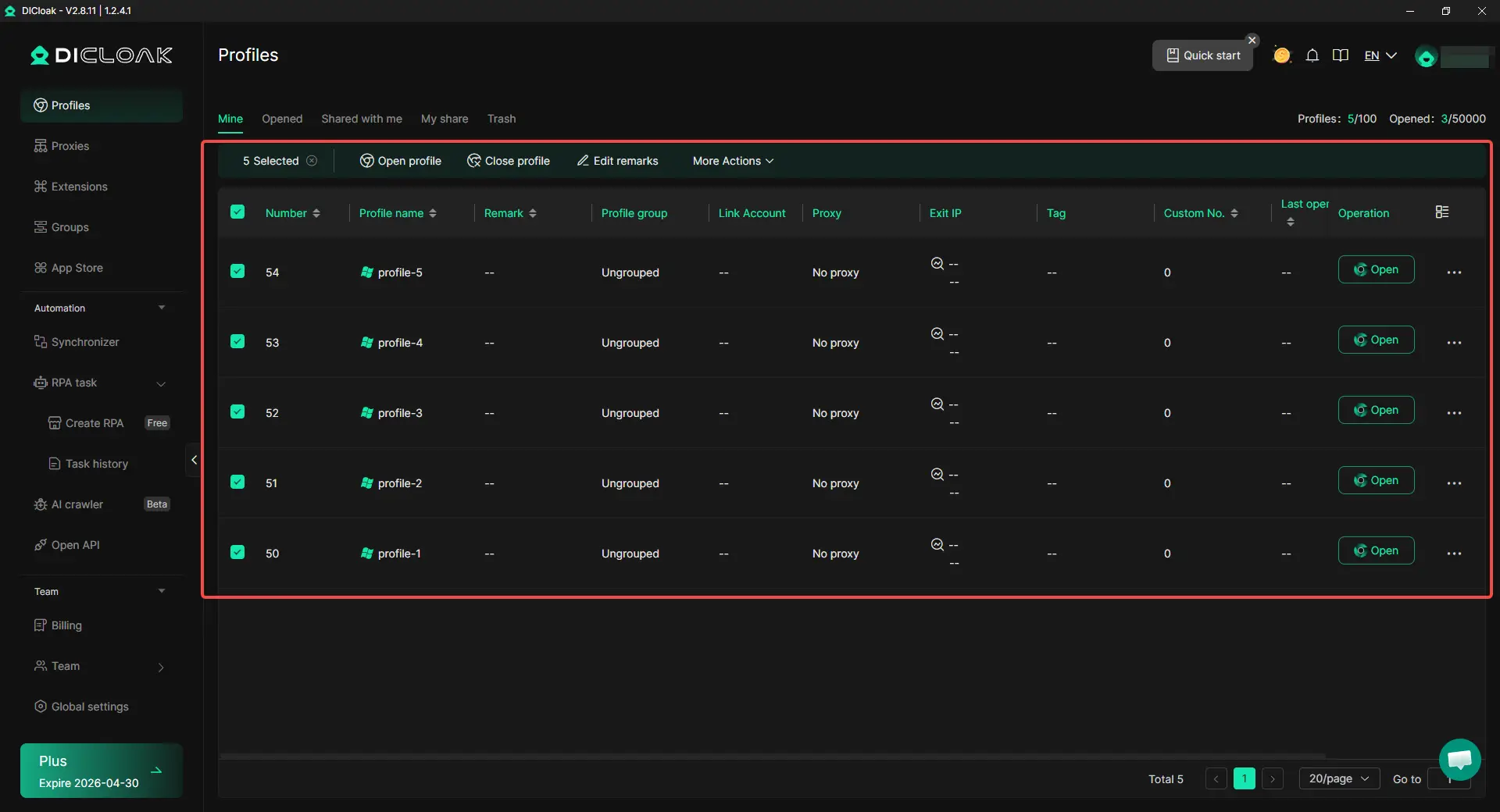
So if the problem is only one locked page, a simple linkvertise bypass method may feel enough. But if link sharing is part of a bigger multi-account workflow, separate environments and profile-level proxy setup usually matter much more than another linkvertise bypass extension.
Frequently Asked Questions about Linkvertise Skipper
Is using a Linkvertise skipper safe in 2026?
It can be safe in a limited sense, but it is not automatically safe just because it works. The main risk usually comes from the tool, not the timer. Web bypass sites may be hard to verify, and browser add-ons can ask for permissions that let them read browsing activity or data on websites. That is why a Linkvertise skipper is safer when it asks for very little access, has a clear publisher, and does not push extra downloads.
What is the best Linkvertise skipper for quick one-time use?
For quick one-time use, most people look at simple web tools first because they do not require much setup. Bypass.vip is one of the most visible examples in 2026, and it presents itself as a free web tool that can instantly bypass Linkvertise and other ad-link services. That makes it appealing for short, casual use, even though results can still vary over time.
Can a Linkvertise skipper stop working after platform updates?
Yes. That is one of the most common problems with any linkvertise bypass or linkvertise bypasser. Many public tools depend on redirect logic, so when Linkvertise changes how a page is verified or redirected, a tool that worked before may stop working. This is one reason users keep moving between web tools, extensions, and userscripts instead of relying on one option forever.
Is a Linkvertise skipper better than using browser extensions or userscripts?
Not always. A web-based Linkvertise skipper is usually easier for one-time use because it avoids a full install. Extensions and userscripts can feel smoother for repeated use, but they also ask for more trust. For example, the Firefox add-on Auto Bypasser by Linkvertise-bypass.com is designed to redirect supported links automatically, which is convenient, but it still adds another layer of browser access that users should review carefully.
When should you avoid using a Linkvertise skipper and choose another method instead?
You should avoid a Linkvertise skipper when the tool asks for broad permissions, tries to install extra software, or looks unclear about who made it. It also makes sense to skip unofficial tools when you need stable ad-free access more than a free shortcut. In that case, the official Linkvertise route may be the better fit, since the platform itself tells users to disable interfering scripts or blockers when access fails and offers an ad-free option for direct access.
Conclusion
A Linkvertise skipper can be useful when a link feels slow or the normal flow does not work well, but it is not always the safest or most stable choice. In 2026, tools like Bypass.vip, Bypass.city, Bypass.link, KeyBypass, extensions, and userscripts all offer faster access in different ways, yet their reliability can change when Linkvertise updates its system.
For many users, the better choice depends on the situation. A quick linkvertise bypass may be enough for one-time use, but repeated use brings more risk around trust, permissions, and broken tools. If link sharing is part of a larger multi-account workflow, environment isolation and custom proxy setup often matter more than another shortcut. In the end, the best option is the one that fits the task without creating a bigger problem than the link itself.
 Web Proxy Tools
 Free Tools
 Cookie Plugin
 UA Generator
 MAC Address Generator
 IP Generator
 IP Address List
 2FA Code Generator
 World Clock
 Anonymous Check
 WebRTC Leak Test
 UUID Generator
 Free Web Proxy Site
 Proxy Checker
 FB Ad Checker
 AI Web Scraping
 Free SMM Tools
 Twitter Shadowban Checker
 Instagram Name Checker
 UTM Generator
 Username Generator
 AI Hashtag Generator
 LinkedIn Headline Generator
 Social Media Image Resizer