eBay allows users to have more than one account, as long as they follow its rules. So a new seller may ask a fair question: if you can create your own accounts, why do some people still choose to buy eBay accounts?
The reason is usually speed. Some sellers want older account history, existing feedback, or a faster way to start selling. But a purchased account can also bring hidden risks, such as fake feedback, weak seller records, payout issues, or failed verification.
This guide will help you understand why people buy eBay accounts, what risks to check before paying, and how to manage a purchased account in a safer and more stable way in 2026.
Why Do People Buy eBay Accounts?
After understanding the risks, it is also important to understand why people still search for ways to buy eBay accounts. Most sellers are not only looking for a shortcut. They are often trying to solve a real business problem, such as low selling limits, no buyer trust, or slow account growth.
Common reasons for purchasing eBay accounts
Many new sellers want to start selling on eBay faster. A new account can list products, but it may not have much sales history yet. eBay also reviews selling limits based on sales volume and buyer feedback, so growth can take time.
For example, a small electronics seller may want to list 80 used phones in the first month. But a new account may not support that pace right away. This is why some sellers look for an aged eBay seller account or a trusted eBay seller account with past activity.
How buying an account can save time for sellers
Time is the biggest reason. Building trust on eBay takes steady sales, good shipping, and positive feedback. A high feedback eBay account may look more useful because buyers often feel safer when they see a seller with a longer history.
Some sellers also search for a ready made eBay account because they do not want to wait through the early setup stage. For example, a seller moving from Amazon or Shopify may already have stock, photos, and a shipping process. They may want an eBay account that is ready for listings, payments, and customer messages.
Legal and ethical considerations when buying accounts
Still, buying an account should not be treated as risk-free. eBay says it may restrict or suspend accounts for policy issues, unpaid selling costs, buyer problems, failed verification, or signs that the account was accessed by a third party.
This matters because an eBay seller account for sale may not come with a clean history. A seller may claim it is a safe account, but the buyer may later find old disputes, weak metrics, or mismatched identity details. For business use, eBay business accounts also need correct owner, tax, payout, and contact details. If these details do not match the real operator, the account can become hard to verify later.
Risks of Buying eBay Accounts You Need to Know

Before learning how to buy eBay accounts safely, you need to know what can go wrong. The biggest danger is not only losing money. You may also lose access to listings, payouts, buyers, and your store data.
Why eBay might suspend purchased accounts
One of the main risks of buying eBay accounts is eBay account suspension. A purchased account can raise risk when its normal pattern changes too fast. This may include a new login device, a new location, a new payout method, a new shipping address, or a sudden change in product category.
For example, a buyer may take over an old account and list 100 high-value electronics on the first day. The account may have sold only small used items before. This kind of sharp change can look unusual. It may lead to selling limits, payout holds, extra checks, or even an eBay account ban.
Hidden account problems behind fake seller claims
Another risk is eBay account scams. Some sellers list “verified” or “aged” accounts, but the account may not be real, clean, or fully controlled by them. Fake eBay account sellers may use stolen screenshots, fake feedback claims, or short test logins to make the deal look safe.
The bigger problem is what buyers cannot see at first. An account may have old buyer disputes, unpaid fees, weak seller performance, payout problems, or past policy warnings. For example, a seller may show a dashboard with good feedback, but hide recent cases or a low seller level. After the account changes hands, those hidden issues can lead to limits, reviews, or lower account trust.
Compliance risks with eBay’s terms of service
The last risk is policy risk. eBay’s rules are not only about what you sell. They also cover account behavior, seller performance, buyer protection, payments, and verification. If the account cannot pass checks, the buyer may face serious eBay account verification risks.
This is why you should review the eBay terms of service and seller rules before buying any account. A purchased account may look useful, but it can become hard to manage if the name, tax details, business address, or payout information does not match the real seller. In that case, the account is not just risky. It may become unusable when eBay asks for proof.
What to Check Before Buying an eBay Account
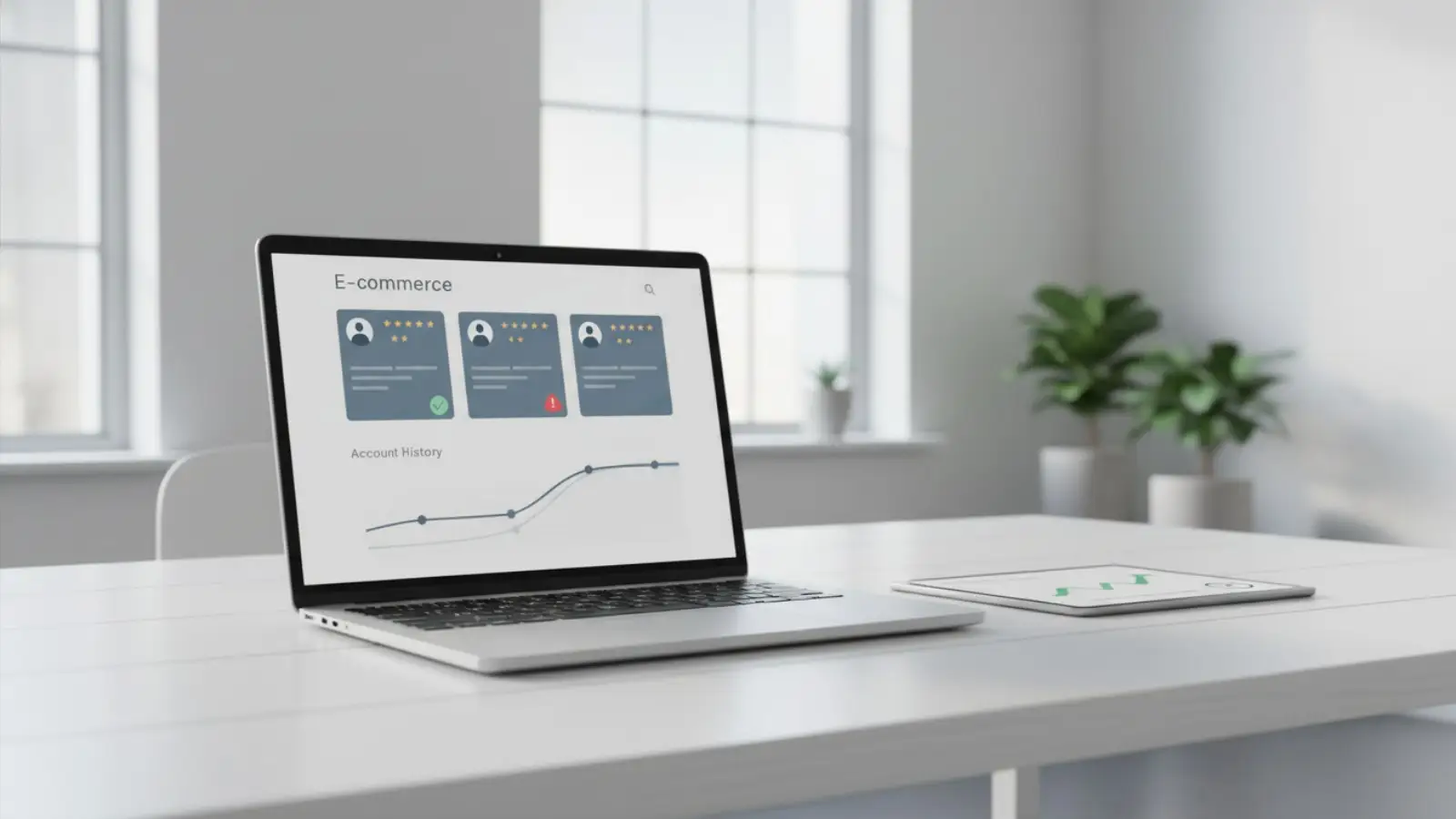
After seeing the risks, the next step is not to rush into a deal. It is to slow down and ask one question first: does this account still make sense for your business? A good-looking account is not always a useful account. Age, feedback, and seller claims only matter when they match your real selling plan.
Does the account match your selling plan?
Before buying an eBay account, check whether it fits the type of store you want to run. An account that used to sell small used items may not be a good fit for a seller who wants to list expensive electronics right away. The gap between old activity and new activity can create problems.
For example, if an account has a history of selling books and home goods, it may be better to start with similar low-risk products first. If you suddenly use it for high-value phones, luxury items, or bulk listings, the account may look very different from its past pattern.
Can the seller explain the account clearly?
A seller should be able to explain the account in plain terms. You need to know when it was created, what it sold before, whether it had recent activity, and why it is being sold. If the answer is vague, that is a bad sign.
Be careful with claims like “fully safe,” “no risk,” or “ready for unlimited sales.” Real eBay accounts still depend on account history, seller behavior, buyer trust, and verification. A serious seller should not promise more than the account can prove.
Is the handover realistic?
The handover is also important. A safe-looking account can still become difficult to use if too many details change at once. The new operator may need to update login details, contact information, payout settings, business records, or selling habits. Each change should be handled carefully.
This is why the best question is not only “Is this account old?” A better question is “Can this account be used in a stable and believable way after the handover?” If the answer is unclear, building your own account may be the safer choice.
What Types of eBay Accounts Are Available for Purchase?
After you know how to check an account before buying, the next step is to understand what type of account you are looking at. Not all aged eBay accounts for sale are the same. Some are personal accounts. Some are business accounts. Some look strong because they have feedback, but they may still carry hidden risk.
Differences between personal and business accounts
Personal eBay accounts are usually used by people who sell a few items or run a small side business. They may be easier to understand, but they may not be the best fit for a growing store. eBay says personal account names should match the name on the linked checking account when registering as a seller.
eBay business accounts are made for sellers who operate as a business. The business name should match the business name on the checking account. For example, if the bank account uses “Joe’s Hobby Shop,” the eBay business account should use the same name.
This matters when buying a verified eBay seller account. If the account name, bank details, tax details, or business owner information does not match your real setup, future checks may become hard. The account may look ready, but it may not be easy to keep.
Accounts with high feedback ratings vs. new accounts
Many buyers look for high feedback eBay accounts because feedback can make buyers feel safer. eBay shows a seller’s feedback score as a percentage. For example, a 99.5% score means 99.5% of buyers who left feedback had a positive experience.
But feedback is not the full story. An old eBay seller account may have good feedback from years ago, but no recent sales. That can still be risky. eBay reviews seller performance and places sellers into levels such as Below Standard, Above Standard, or Top Rated. These levels are based on recent sales and service quality.
For example, a seller may offer an account with 500 old reviews. It sounds strong. But if the account has late shipment issues or open cases, it may not be better than a smaller account with clean recent activity. Always check recent performance, not just age or feedback count.
Managed payment accounts and their benefits
Some sellers also search for managed payment eBay accounts because payment setup is already active. On eBay, buyers can use different payment methods, and sellers receive payouts directly to a checking account or eligible debit card. Sellers can track payouts in the Payments tab in Seller Hub or My eBay.
This can look useful, but it also creates risk. Payout details are tied to identity and bank information. If the account cannot pass payment checks after transfer, the buyer may face payout delays, holds, or account review.
You may also see sellers promote eBay stealth accounts. Be careful with this term. It often means the account was made to hide or separate identity details. That can create serious policy and verification problems. A safer choice is not the account with the boldest claim. It is the account with clear history, clean records, matching details, and proof you can verify before payment.
How to Keep eBay Account Management Clean and Consistent
Once you understand the account type, the next step is safe daily use. A purchased account may look ready, but poor eBay account management can still create problems. The goal is not to “hide” from eBay. The goal is to keep the account stable, honest, and easy to verify.
Setting up secure login practices
Good eBay login safety starts with slow and careful changes. Do not change the password, phone number, payout method, shipping address, and selling category all at once. A sudden full change can look risky.
eBay may restrict an account if it cannot verify account information or if it suspects third-party access. It may also limit buying, selling, listing updates, messages, or payouts during a restriction. This is why strong eBay account security matters from day one.
For example, if you buy an account used in California and log in from another country the same day, then list 100 expensive items, that may look unsafe. A better path is to review the account first, update only needed details, and start with normal seller activity.
Avoiding suspicious activity that triggers eBay’s detection
If you manage multiple eBay accounts, keep each account clean and separate. Do not mix cookies, saved passwords, browser history, and login sessions in one normal browser. Using separate eBay account profiles can reduce confusion and help avoid account mix-ups. For sellers who handle several stores, an antidetect browser can help keep each login environment separate and easier to manage.
Some sellers also use browser fingerprint protection to keep each account’s browser profile more consistent. This may help reduce messy signals from shared devices, but it should not be used to break rules. The real safety comes from stable behavior, real product listings, clear shipping, and honest customer service.
For example, one account may sell used camera gear. Another may sell home items. If both accounts use the same browser, same saved data, and sudden login changes, it becomes harder to manage cleanly. Separate profiles make daily work easier and lower the chance of human error.
Maintaining account health and performance metrics
To avoid eBay suspension, focus on seller health. eBay can restrict accounts for unpaid selling costs, refund issues, buyer problems, missing tracking, policy violations, failed checks, or suspected third-party access.
This means you should watch late shipments, open cases, cancellations, tracking uploads, buyer messages, and payout status. Do not scale too fast after getting the account. Start with a few safe listings. Ship on time. Reply to buyers quickly. Keep records for every order.
The best way to reduce eBay ban risk is not one trick. It is steady account care. A purchased account needs clean login habits, separate workspaces, real business details, and strong seller performance.
Alternatives to Buying eBay Accounts: Building Your Own
After learning how much work it takes to manage a purchased account, building your own account may feel slower. But it is often safer. When you build eBay seller account history yourself, your name, bank details, shipping habits, and customer service records all match. That makes the account easier to trust and easier to verify.
How to grow an eBay account organically
The best way to grow eBay account organically is to start small. List a few simple products first. Choose items you can ship fast, such as phone cases, used books, small home goods, or spare parts. Do not list 100 high-value items on the first week.
eBay reviews selling limits each month. These limits can change based on your sales volume and buyer feedback. So a new seller should focus on clean sales first, not fast scale.
Tips for quickly gaining feedback and trust
If you want to increase eBay feedback fast, give buyers a smooth experience. Use clear photos. Write honest titles. Upload tracking on time. Reply to messages quickly. Pack items well.
For example, a new seller may list 20 low-risk items under $30. If orders arrive on time and buyers are happy, the account starts to build eBay trust and reputation. This is a simple form of eBay account warm up. It may take time, but the trust is real.
Tools to streamline account growth
Good eBay seller tools can make the early stage easier. Seller Hub helps sellers check monthly limits, account performance, listings, orders, and payments. eBay also evaluates seller performance through factors like transaction defects, late shipments, and cases closed without seller resolution.
The most useful new eBay seller tips are simple. Track every order. Avoid late shipping. Keep stock updated. Do not sell items you cannot ship. If one product gets many questions or returns, pause it and fix the listing. This slower path may not feel exciting, but it can build a cleaner account than buying one with unknown history.
How DICloak Helps Manage Multiple eBay Accounts More Cleanly
When sellers manage more than one eBay account, daily work can get messy fast. Different stores may need different login habits, team access, listing tasks, and research workflows. With DICloak, sellers can keep these workflows more organized without putting everything in one normal browser.
Isolating account profiles to reduce ban risks
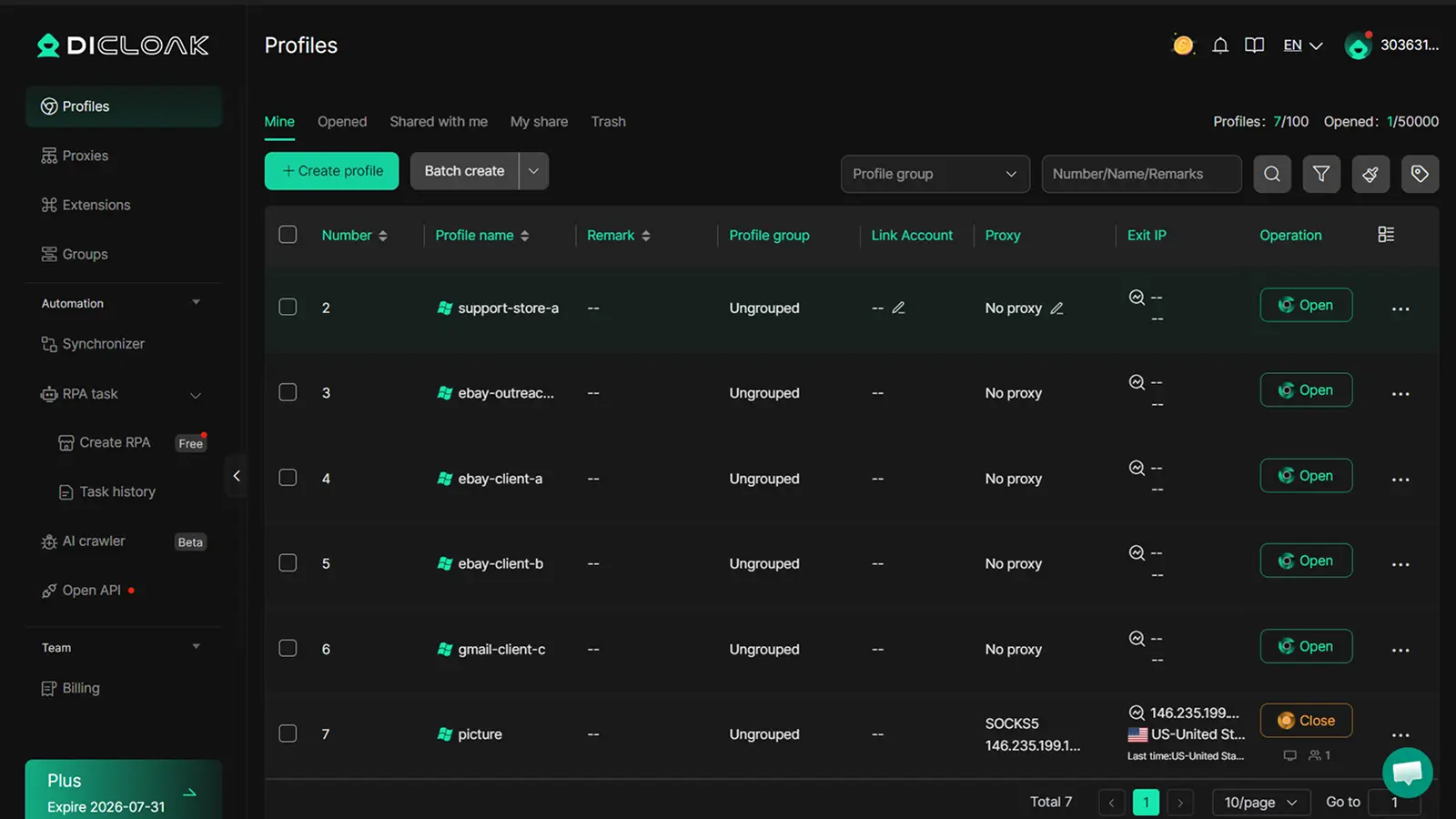
You can use DICloak to create a separate browser profile for each eBay account. Each profile keeps its own cookies, login status, fingerprint settings, and custom proxy configuration. This helps each account stay in a cleaner and more consistent environment.
Sharing access without exposing passwords
For teams, the risk is not just account switching. Passing eBay passwords through chats or spreadsheets can expose login details and make access hard to control. With DICloak, users can share assigned browser profiles instead of raw passwords. Team members can open only the profiles they are allowed to use, while the account owner keeps access more organized.
Using AI tools to monitor competitors and optimize sales
Sellers can also use separate DICloak profiles for daily store work and competitor research. For example, one profile can manage listings, while another checks similar products and prices. AI tools can then help improve titles, compare prices, or draft product descriptions, while the browser sessions stay separated.
Frequently Asked Questions
Is it legal to Buy eBay Accounts in 2026?
It depends on your country, the account details, and how the transfer is handled. But even if a sale is not clearly illegal, it can still create serious platform risk. eBay can restrict or suspend accounts for failed verification, unpaid costs, policy issues, buyer problems, or signs of third-party access. So before you Buy eBay Accounts, check the account history, seller identity, payment setup, and eBay rules carefully.
Can eBay detect if I Buy eBay Accounts?
eBay may not use one single signal to decide this. But sudden changes can raise risk. For example, a new device, new location, new payout method, new selling category, and fast listing growth may all happen at once after a transfer. That can look unsafe. If you Buy eBay Accounts, avoid rushed changes and make sure the account can pass normal verification checks.
What happens if a purchased eBay account gets suspended?
If a purchased account gets suspended, you may lose selling access, active listings, messages, or payouts. eBay says seller payouts may be placed on hold until a restriction or suspension is resolved. In some cases, you may need to fix unpaid costs, policy problems, buyer issues, or verification problems before the account can be reviewed again.
How much does it cost to Buy eBay Accounts?
There is no fixed price. The cost can change based on account age, feedback score, seller level, selling limits, country, payout status, and recent activity. A high-feedback account may cost more, but feedback alone is not enough. eBay also reviews seller performance through metrics like defect rate, late shipments, and cases closed without seller resolution. Always check these details before you Buy eBay Accounts.
Are there safer alternatives to Buy eBay Accounts?
Yes. The safer option is to build your own eBay seller account. It takes more time, but your name, bank details, address, selling history, and customer service records stay consistent. This makes the account easier to verify and manage. You can start with low-risk items, ship on time, reply fast, and grow seller trust step by step. eBay also uses seller standards to measure account health, so steady performance is often safer than buying an account with unknown history.
Managing purchased eBay accounts safely requires more than finding an old account with feedback. You need clean login habits, separate browser profiles, stable account records, and a workflow that keeps cookies and sessions from mixing. With DICloak, sellers can manage different eBay accounts in isolated browser profiles and keep daily operations more organized. Try DICloak For Free
 Web Proxy Tools
 Free Tools
 Cookie Plugin
 UA Generator
 MAC Address Generator
 IP Generator
 IP Address List
 2FA Code Generator
 World Clock
 Anonymous Check
 WebRTC Leak Test
 UUID Generator
 Free Web Proxy Site
 Proxy Checker
 FB Ad Checker
 AI Web Scraping
 Free SMM Tools
 Twitter Shadowban Checker
 Instagram Name Checker
 UTM Generator
 Username Generator
 AI Hashtag Generator
 LinkedIn Headline Generator
 Social Media Image Resizer