Can You See Who Views Your Facebook Profile in 2026? The short answer is NO. Facebook does not provide a feature, setting, or API hook that allows you to see who has viewed your profile. Despite persistent user demand and a decade of rumors, the platform’s architecture remains strictly opaque regarding profile visitation data.
While you cannot identify your viewers, the technical reality is more complex. Facebook tracks your own browsing behavior with extreme precision, and a predatory industry of "profile viewer" scams exists to exploit user curiosity. For professionals requiring true anonymity for competitive research, standard privacy methods are insufficient against Meta’s modern tracking capabilities.
Why Facebook hides this data from you?
Facebook restricts this information based on four critical pillars:
- Privacy Concerns: Identifying viewers would fundamentally alter social dynamics. Casual browsing would cease as users avoid the "stalker" label, leading to a "chilled" environment that reduces overall platform utility.
- Business Model Conflicts: Meta’s revenue is tied to high engagement. If users knew their browsing was being monitored by the profile owners, they would browse less frequently. Decreased session time directly results in fewer ad impressions and lower quarterly revenue.
- Technical Complexity: Processing and storing specific "view" logs for billions of users across trillions of interactions would require an astronomical investment in data infrastructure. The cost-to-benefit ratio for Meta does not justify the expense.
- Legal Liability: Granting users access to viewer lists could facilitate harassment, stalking, or workplace disputes. By withholding this data, Meta mitigates significant legal risks and safety liabilities.
What you can actually see about your profile visitors
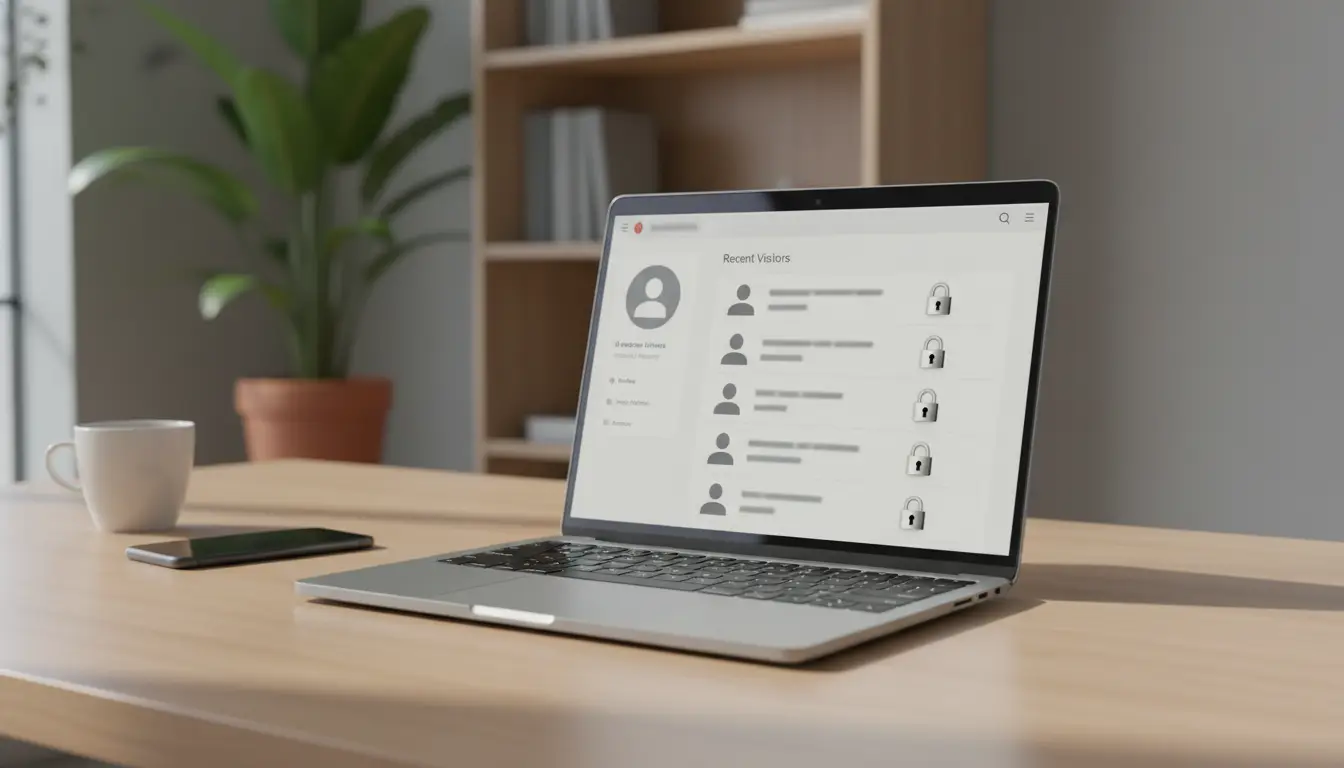
While general profile visits are hidden, Facebook provides limited transparency in specific, high-engagement areas.
Tracking Story and Reels engagement
- Facebook Stories: This is the only native feature that provides a specific list of names. For 24 hours, you can see exactly who viewed your Story. This list includes friends and, depending on your privacy settings, non-friends.
- Facebook Reels: For Reels, visibility is restricted to aggregate data. You can see the total view count—defined as a view of 3 seconds or more—along with likes and comments. You cannot see an individual identity list for simple views.
Using Professional Mode for analytics
Users who enable Professional Mode or utilize Creator profiles gain access to the Professional Dashboard. This tool provides aggregate metrics:
- Profile visit counts: The number of times your profile was loaded.
- Follower demographics: Age, gender, and top locations.
- Content reach: The total number of unique accounts that saw your posts.
- Technical Reality: Even in Professional Mode, Meta never reveals the specific identities of individual profile visitors.
Why profile viewer apps and extensions are dangerous scams
Any advertisement or application claiming to reveal your profile viewers is a fraudulent operation. Because Facebook’s API does not expose this data, these tools have no technical means of fulfilling their promises.
Common types of viewer traps
- Browser Extensions: Often hosted on the Chrome Web Store, these claim to add a "Viewers" tab to your Facebook UI. In reality, they are designed to harvest login credentials and session cookies.
- Mobile Apps: These require you to "Log in with Facebook," granting developers full access to your account to scrap personal data or distribute spam.
- Website Scams: These sites request your profile URL and then subject you to phishing attempts or malware downloads under the guise of "generating your list."
- Facebook App Scams: Internal platform apps that request excessive permissions to access your private messages and friend lists.
Signs you are looking at a scam
Instantly disqualify any tool that exhibits the following red flags:
- Requests for your Facebook login credentials or password.
- Requests for permissions to "Post on your behalf" or "Access private messages."
- Prompts for payment to unlock "premium" viewer identities.
- Displays of generic or random names from your friend list to simulate legitimacy.
How Facebook tracks activity even if you cannot see who viewed your profile
The "Privacy Paradox" dictates that while Facebook will not tell you who viewed you, they track exactly who you view. This data is the primary engine for their ad-targeting algorithms.
Understanding device fingerprinting
Facebook employs sophisticated fingerprinting to identify your device even if you are not logged in. Logging out only hides your username; it does not hide your hardware identity from Meta's servers. They analyze:
- Hardware Specifications: Screen resolution, GPU capabilities, and battery status.
- Browser Environment: OS version, installed fonts, and language settings.
- Sensor Data: Touch support, accelerometer, and gyroscope data.
- Network Identifiers: IP address, timezone, and ISP.
Behavioral and network analysis
Meta monitors scrolling patterns, the duration of time spent on specific images, and network proximity (friends of friends). This data builds a comprehensive profile of your interests, which dictates the ads you see and the content prioritized in your feed.
Can people see who viewed their Facebook profile or know you visited?
The fear of being "caught" browsing is a persistent myth debunked by technical reality.
The suggested friends phenomenon
Users frequently misinterpret algorithmic coincidences as notifications. The "People You May Know" (PYMK) list is not triggered by a single profile view. PYMK is driven by mutual networks, contact syncing from your mobile device, and shared group memberships. While a view may be one of hundreds of signals, it does not generate a notification or a direct suggestion.
Why coincidences feel like notifications
If you view a profile and that person appears in your feed shortly after, it is the result of confirmation bias or the algorithm identifying a network overlap. Facebook does not notify users when their profile is viewed.
Viewing Facebook profiles anonymously for professional research
In sectors like recruitment, market research, or competitive analysis, viewing profiles without leaving a digital trace is a requirement. Standard methods are technically insufficient.
Limitations of Incognito and VPNs
Incognito mode merely prevents local history storage; it does not mask your device fingerprint or IP address from Meta. Similarly, a VPN only changes your reported location while leaving your unique browser characteristics exposed. To Facebook’s servers, you are still the same identifiable entity.
Professional isolation with DICloak
For researchers who manage multiple Facebook accounts and require total isolation, DICloak offers the only viable technical solution:
- Unique Browser Fingerprints: Create separate sessions with distinct digital identities (including spoofed sensor and GPU data) to prevent Facebook from correlating activity.
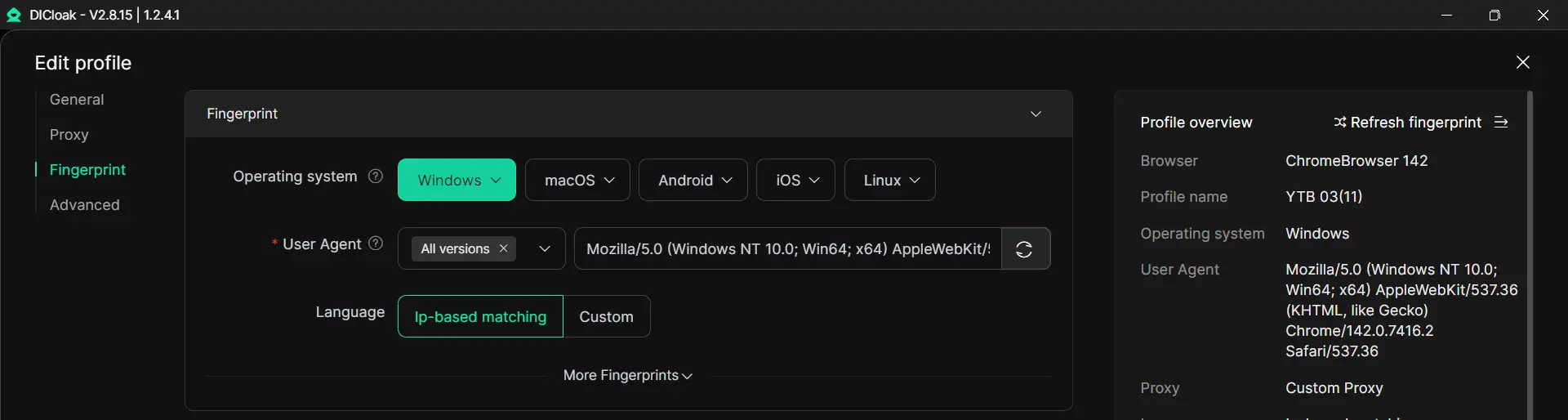
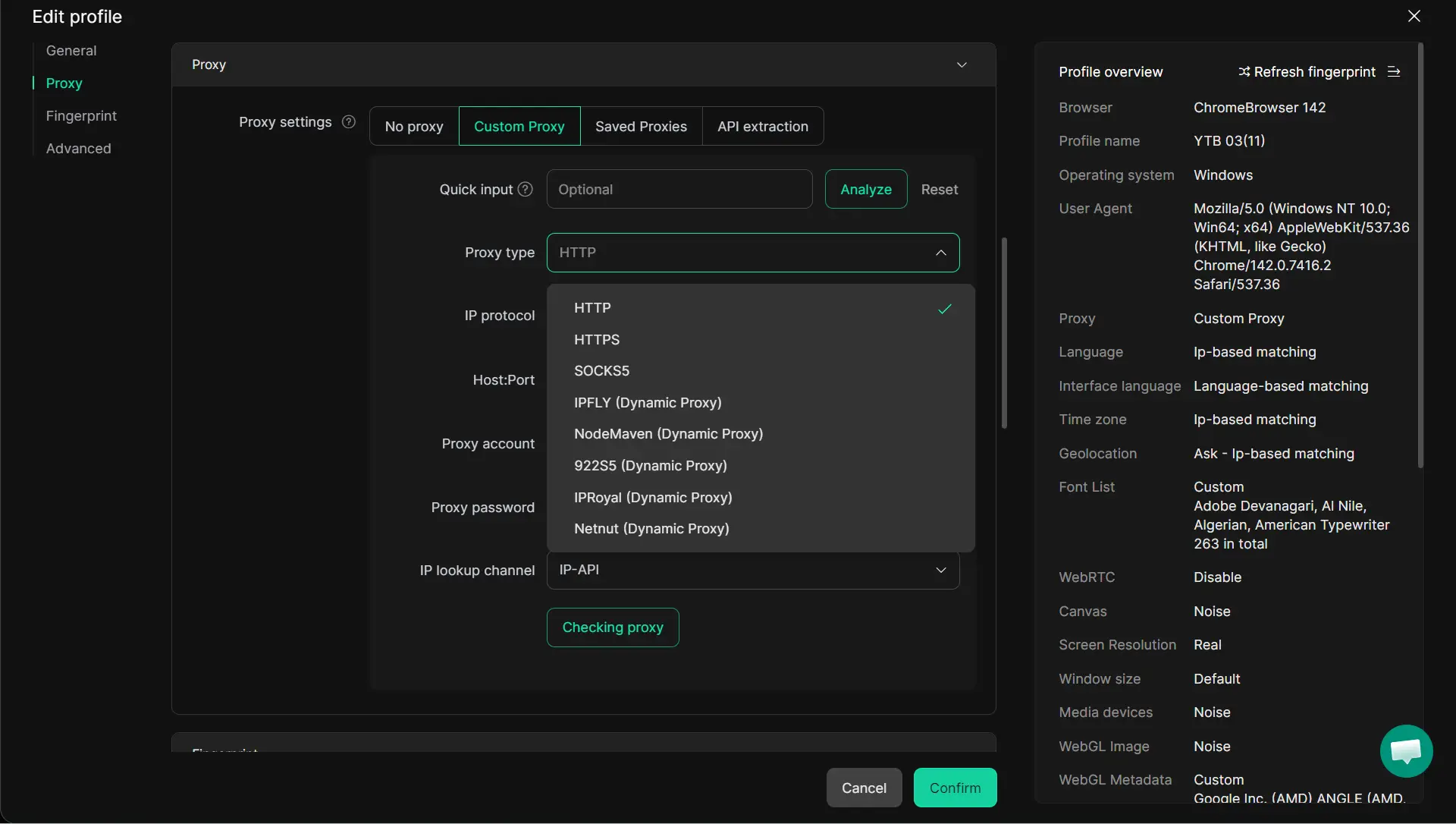
- Residential Proxy Configuration: Match IP addresses to specific locations using residential proxies to bypass location-based tracking and IP-based correlation.
- Complete Session Isolation: Ensure no cookies, cache data, or local storage leak between different research profiles.
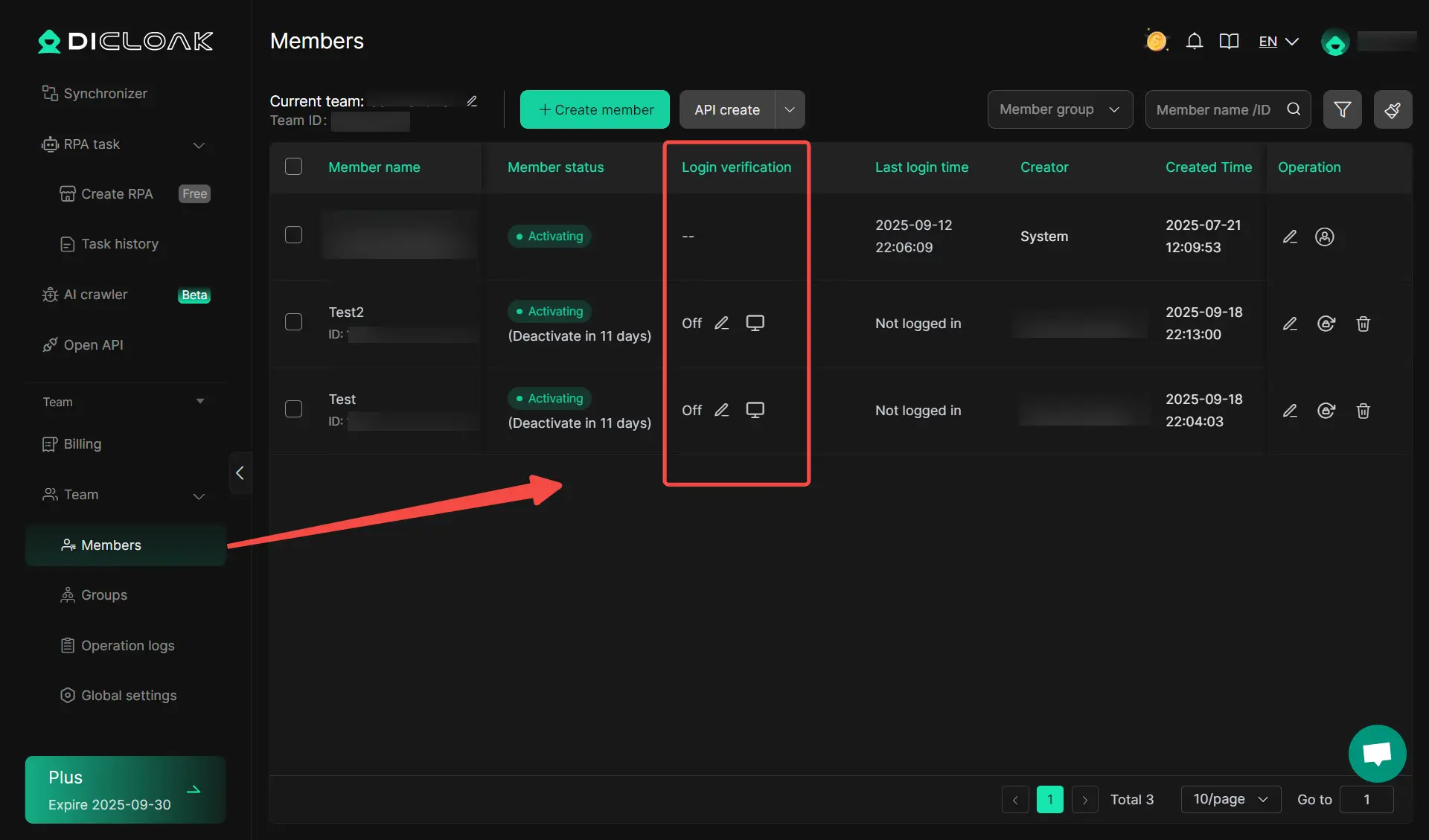
- Team Collaboration: Share access to specific research sessions securely across a marketing or recruitment team without risking account bans.
How to check what other people can see on your Facebook profile
You must periodically audit your own privacy to understand what information you are leaking to the public.
Using the View As feature
- Navigate to your profile.
- Click the three dots (...) near your cover photo.
- Select "View As." Warning: By default, this shows the Public view. To see what a specific person sees (such as a "Friend of a Friend"), you must use the "View as Specific Person" tool if available, as the public view may not reflect restricted audience settings.
Critical privacy settings to audit
Follow this path to tighten your security: Settings & Privacy → Settings → Privacy → Profile and Tagging.
- Limit Past Posts: Use this to bulk-change the audience of all historical posts to "Friends" only.
- Friend List Visibility: Set this to "Only Me" to prevent third parties from mapping your social network.
- Contact Information: Mask your phone number and email address to prevent "search-by-identifier" discovery.
Better ways to measures interest than trying to see who viewed your Facebook
If your goal is to track engagement rather than "stalk" viewers, leverage Meta's native interactive tools.
Focusing on visible engagement
Interactions such as likes, comments, and shares are the only definitive, trackable metrics. Use polls and questions to prompt these visible interactions, which provide the data you seek without violating platform terms.
Improving reach through active story use
Regularly posting to your Story remains the only native method to see a specific list of who is actively interested in your updates.
Conclusion
The technical reality in 2026 is unchanged: Facebook will not implement a profile viewer feature because it would jeopardize the "free browsing" environment that sustains their ad revenue. Users should prioritize auditing their own privacy settings and instantly disqualify any third-party app claiming to offer viewer data. For professional anonymity, rely on antidetect technology rather than the false security of Incognito mode.
Frequently Asked Questions About Facebook Profile Viewers
Can you see who views your Facebook profile?
No. Facebook does not provide this data. Any app claiming to do so is a data-stealing scam designed to harvest your credentials.
Does Facebook notify when you view someone's profile?
No. Profile viewing is private in both directions. Neither you nor the profile owner receives notifications for simple views.
How can I view Facebook profiles anonymously?
For basic public profiles, you may log out (though your IP remains visible). For professional research that requires bypassing device fingerprinting, you must use antidetect technology like DICloak.
Can people tell if I viewed their profile if we aren't friends?
No. While you might appear in "People You May Know," this is due to mutual connections or network overlap, not a direct notification of your visit.
Can you view Facebook profiles without an account?
Only to a very limited extent. You may see a public profile and cover photo, but Meta’s "login wall" typically blocks posts, friend lists, and detailed information from non-users.
 Web Proxy Tools
 Free Tools
 Cookie Plugin
 UA Generator
 MAC Address Generator
 IP Generator
 IP Address List
 2FA Code Generator
 World Clock
 Anonymous Check
 WebRTC Leak Test
 UUID Generator
 Free Web Proxy Site
 Proxy Checker
 FB Ad Checker
 AI Web Scraping
 Free SMM Tools
 Twitter Shadowban Checker
 Instagram Name Checker
 UTM Generator
 Username Generator
 AI Hashtag Generator
 LinkedIn Headline Generator
 Social Media Image Resizer