Interstellar Unblocker is a web-based proxy tool that helps users open blocked websites through a browser. In 2026, it can still be useful for simple access issues, but users should understand how it works, where it fails, and what safety risks to avoid.
What is Interstellar Unblocker
The Interstellar Unblocker is a web-based proxy tool that helps users open websites that are blocked by a network, such as at school, work, or public Wi-Fi.
The tool is often built with modern web proxy technology (commonly using Node.js) and is sometimes available as open-source software. This means some users can host their own version instead of relying on public links.
However, it is important to remember that the Interstellar Unblocker is not a full privacy tool. It may not work on all websites, especially those with strong security checks. Users should also avoid entering passwords or sensitive data when using any web proxy.

Why Do Users Need the Interstellar Unblocker in 2026?
The Interstellar Unblocker is often used when normal browsing is limited by school, work, public Wi-Fi, or regional network rules. It works as a web proxy, which means your browser connects through another server before reaching the target site. The official Interstellar GitHub describes it as a modern web proxy with a clean interface and easy menus. It has also been widely used since 2022. (github.com)
Common restrictions users face when browsing online
Many users run into blocked websites during normal browsing. A school network may block game sites, video platforms, or social media. A workplace may limit entertainment sites to reduce distractions. Public Wi-Fi may block unknown domains or certain content types.
For example, a student may need to open a learning video, but the school filter blocks the whole video platform. A worker may need to check a social media page for marketing research, but the office network blocks it. These cases show why users look for tools like the Interstellar Unblocker.
How the Interstellar Unblocker addresses modern access issues
The Interstellar Unblocker helps by loading websites through a proxy page instead of a direct browser request. This can make some blocked pages easier to access when the restriction is based on domain filters. It is also built as an open-source Node.js web proxy, so users and developers can inspect or deploy it more flexibly than a closed tool. (github.com)
For example, if a network blocks a direct website URL, a proxy may still load the page through a different route. This does not mean it will work everywhere. Some networks also block proxy domains, VPN tools, and bypass services.
Risks of relying on outdated tools for unblocking
Old unblocker tools often fail because filters change. A tool that worked last year may now be blocked, slow, or unsafe. Some old proxy mirrors may also be filled with ads, fake buttons, or copied versions that are not maintained.
For example, if a user opens an outdated Interstellar Unblocker mirror, it may redirect to a broken page or ask for unsafe downloads. A better habit is to check trusted sources, avoid random mirrors, and never enter private logins through a proxy you do not trust.
How Does the Interstellar Unblocker Work?
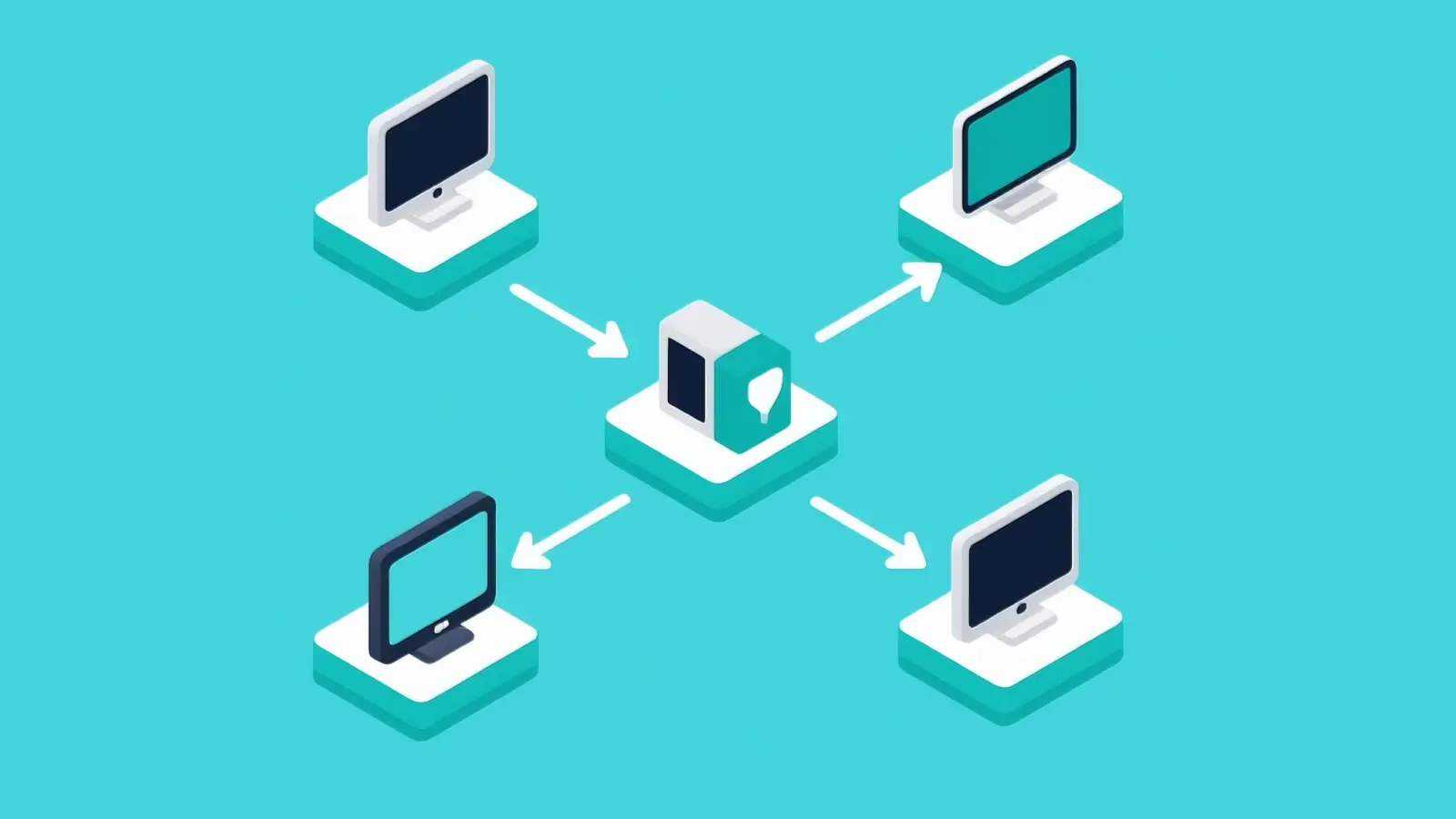
The Interstellar Unblocker works by acting as a web proxy. Instead of connecting to a website directly, your request goes through another server first. That server then loads the page and sends it back to you. This can help bypass simple filters that block certain websites.
Key technologies behind the unblocker's functionality
The Interstellar Unblocker is built using web proxy technology, often based on Node.js. It rewrites web pages so they can load inside the proxy interface. This includes handling links, scripts, and page elements so the site still works.
For example, when you open a blocked site, the unblocker fetches the page and displays it through its own URL. This makes it look like you are visiting a different site, which can bypass basic domain filters.
Differences between proxies and unblockers
A proxy is a general tool that routes your internet traffic through another server. An unblocker is a specific type of proxy designed to access restricted websites through a browser interface.
For example, a VPN changes your entire device connection, while a proxy may only affect one browser session. The Interstellar Unblocker is closer to a web-based proxy, which means it works inside your browser without needing installation.
Why encryption matters for secure access
Encryption helps protect your data when using an unblocker. If the connection is not secure, your activity may be visible to others on the network.
For example, when a site uses HTTPS, your data is encrypted between your browser and the server. But when using a proxy, you also need to trust the proxy itself, because it can see the data it processes.
This is why it is important to use a trusted Interstellar Unblocker source and avoid entering sensitive information like passwords or payment details when using proxy-based tools.
What to Check Before Using the Interstellar Unblocker
Before using the Interstellar Unblocker, it is important to check a few basics. Not every version works the same way, and some copies online may not be safe. A quick check can help you avoid errors, slow performance, or security risks.
Compatibility with your device and browser
The Interstellar Unblocker usually runs in a web browser, so it works on most devices. However, some school or work networks block proxy pages completely, which means the tool may not load at all.
For example, a user may open the unblocker on Chrome and it works fine, but the same link may fail on a restricted school Chromebook. It is also helpful to use an updated browser, because older versions may not support modern web scripts.
Security risks to avoid during setup
Many issues come from using unsafe versions of the tool. Some websites host fake or outdated copies of the Interstellar Unblocker with ads, pop-ups, or hidden scripts.
For example, if a page asks you to download software, install an extension, or enter personal details before use, it is likely unsafe. A real web proxy should not require those steps. Always avoid entering passwords, emails, or payment information through an unblocker.
How to verify the unblocker's legitimacy
The safest way is to use trusted sources, such as official repositories or well-known mirrors. Check if the site uses HTTPS and has a clean interface without excessive ads.
For example, a legitimate Interstellar Unblocker page should load quickly, allow you to paste a URL, and display results without forcing extra actions. If the page redirects you many times or shows unrelated content, it is better to leave and find another source.
Taking a few minutes to verify the tool can help you avoid bigger problems later.
Step-by-Step Guide to Setting Up the Interstellar Unblocker
Setting up the Interstellar Unblocker depends on whether you are using a hosted version or deploying your own copy. For most users, a hosted web version is easier. For developers, self-hosting gives more control, but it also requires safer setup and regular updates.
Preparing your system for installation
Before setup, make sure your browser is updated and your internet connection is stable. If you plan to self-host the Interstellar Unblocker, you will need a basic server environment, Node.js support, and access to the official project files. Avoid random download links or copied versions from unknown sites, because they may include unsafe code.
Configuring settings for optimal performance
For smoother use, keep the setup simple. Use a clean browser session, close heavy tabs, and avoid too many extensions that may block scripts. If you self-host, choose a stable server and keep the project updated. A slow or overloaded server can make pages load poorly, even if the unblocker itself works.
Testing access to restricted content
After setup, test with a safe and simple website first. Check if the page loads, links work, and images display correctly. Then test the content you actually need. If the page keeps loading, breaks, or asks for sensitive login details, stop and check the setup. The Interstellar Unblocker should help with basic access, but it should not be used for private accounts, banking pages, or sensitive personal data.
Common Mistakes When Using the Interstellar Unblocker
The Interstellar Unblocker can help in some cases, but small mistakes often lead to failed access or unstable results. Many problems are not caused by the tool itself, but by how it is used.
Misconfigurations that lead to failed access
One common mistake is using the Interstellar Unblocker in a mixed or unstable setup. For example, switching networks during a session or using multiple proxy tools at the same time can break the connection.
Another issue is trying to open complex sites that require full browser support. Some pages may not load correctly through a web proxy because scripts or login systems fail. Keeping the setup simple usually works better.
Overlooking updates and patches
Many users rely on old versions or outdated mirrors. These versions may be blocked, slow, or no longer maintained. For example, a user may bookmark an old Interstellar Unblocker link that worked months ago, but now it leads to errors or redirects. Using updated and trusted versions can reduce these issues.
Misunderstanding regional restrictions
Some restrictions are not easy to bypass. Certain websites block access based on region, IP reputation, or advanced filtering systems. For example, a streaming platform may require a full location match, not just a proxy page. In these cases, the Interstellar Unblocker may not work as expected. Understanding these limits helps avoid frustration and wasted time.
Comparing the Interstellar Unblocker to Other Tools
The Interstellar Unblocker is a web proxy, so it is different from a full VPN or a paid proxy service. It can be useful for simple browser-based access, but it also has limits. The best choice depends on what you need: quick access, stronger privacy, better speed, or more stable performance.
How it stacks up against free proxies
Compared with many free proxies, the Interstellar Unblocker feels more modern and easier to use. Its GitHub page describes it as a web proxy with a clean interface and easy menus, and it has served millions of users since 2022.
Still, free proxy tools can be unstable. Some may be slow, blocked, or filled with ads. Many free proxy services also raise privacy concerns because users may not know who runs them or how traffic is handled.
Performance differences with paid alternatives
Paid alternatives usually offer better speed, more stable servers, and stronger support. They may also offer more locations and cleaner IP options. This matters if you need consistent access for work, testing, or research.
The Interstellar Unblocker is better for lightweight browser access. A paid proxy or VPN may be better when you need stronger privacy, wider app support, or more reliable performance. For example, a student checking a blocked study page may only need a web proxy. Business testing pages across regions may need a paid, stable setup.
User feedback on reliability and speed
User feedback shows that reliability can vary. The Interstellar project is active, but GitHub issues include reports about white screens, loading problems, and login issues.
This does not mean the tool is bad. It means users should treat it like any proxy tool: useful, but not perfect. If speed, uptime, or login stability matters, test it first before relying on it for important tasks.
How to Troubleshoot Issues with the Interstellar Unblocker
The Interstellar Unblocker can work well for simple access, but it may fail on some networks or websites. Most problems come from restrictions, unstable connections, or outdated setups. A few simple checks can help you fix these issues faster.
What to do if websites remain blocked
If a site still does not load, the network may be blocking the proxy itself, not just the website. This is common in schools or workplaces with stricter filters.
For example, if the unblocker page opens but every target site fails, it may mean the network is blocking proxy traffic. In this case, try a different network or a different version of the tool. If the site requires login or advanced scripts, it may not work through a web proxy at all.
Resolving connection errors and slow speeds
Slow loading or errors often come from unstable servers or heavy traffic. Refresh the page, try another browser, or close extra tabs to improve speed.
For example, if pages keep timing out, the proxy server may be overloaded. Switching to another instance or trying later can help. Also check your internet connection, because a weak signal can make proxy tools feel much slower.
When to seek technical support
If the problem continues, it may be time to look for help. Check official sources, such as project pages or community discussions, to see if others report the same issue.
For example, if many users report the same error after an update, it may be a temporary problem with the tool. In that case, waiting for a fix or using an alternative is often the best option.
Enhance Your Unblocking Experience with DICloak Antidetect Browser
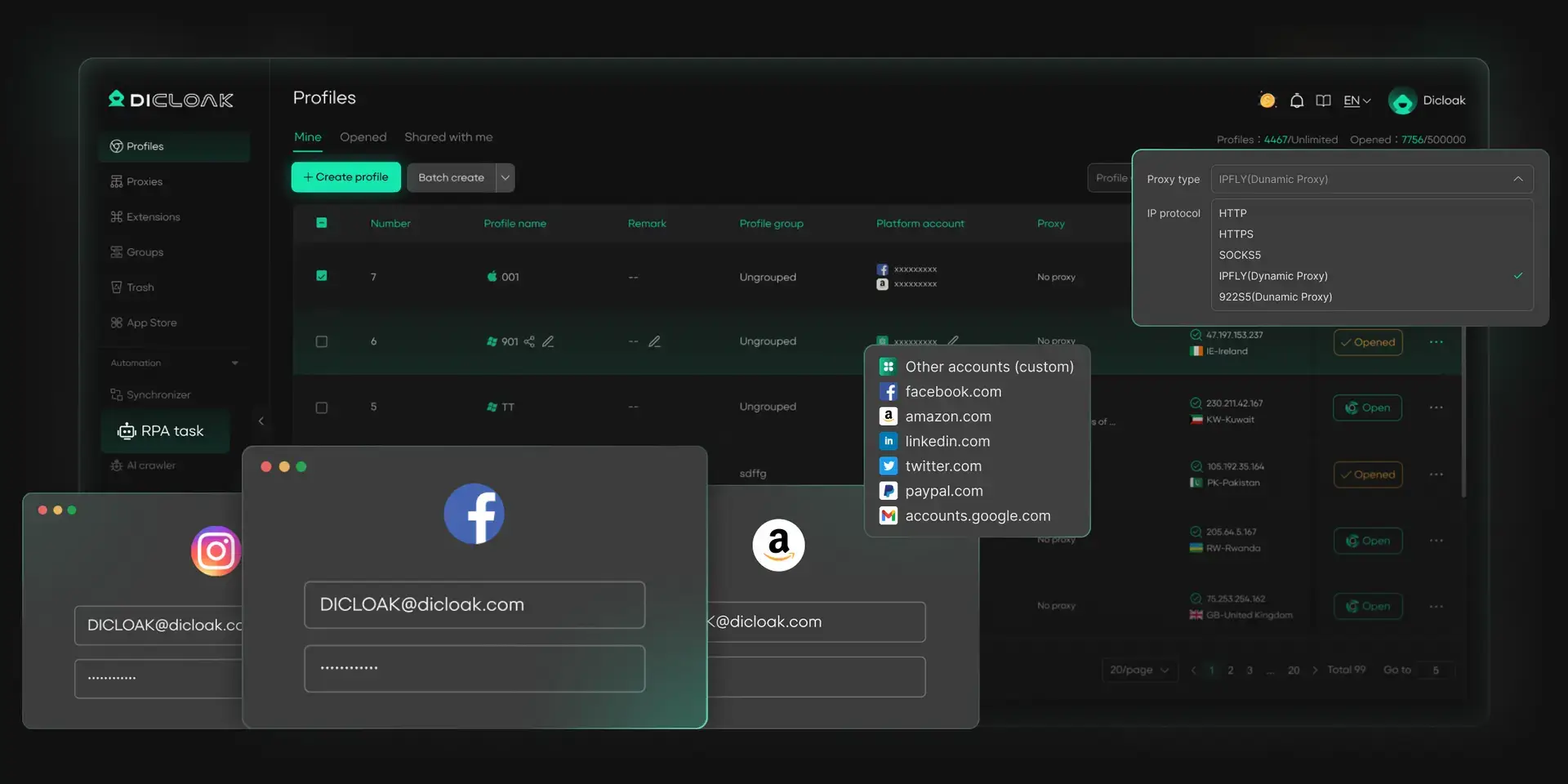
The Interstellar Unblocker can help with simple access issues, but users who manage more accounts or need a cleaner browsing setup may need stronger control. DICloak helps separate browser profiles, protect account sessions, and keep proxy settings more organized.
Managing Multiple Accounts with Ease
With DICloak, users can create separate browser profiles for different accounts or tasks. Each profile keeps its own cookies, cache, and session data. This helps reduce login conflicts and makes account switching much easier. For example, a marketer can keep research accounts, social accounts, and testing accounts in different profiles instead of mixing everything in one browser.
Ensuring Secure and Private Browsing
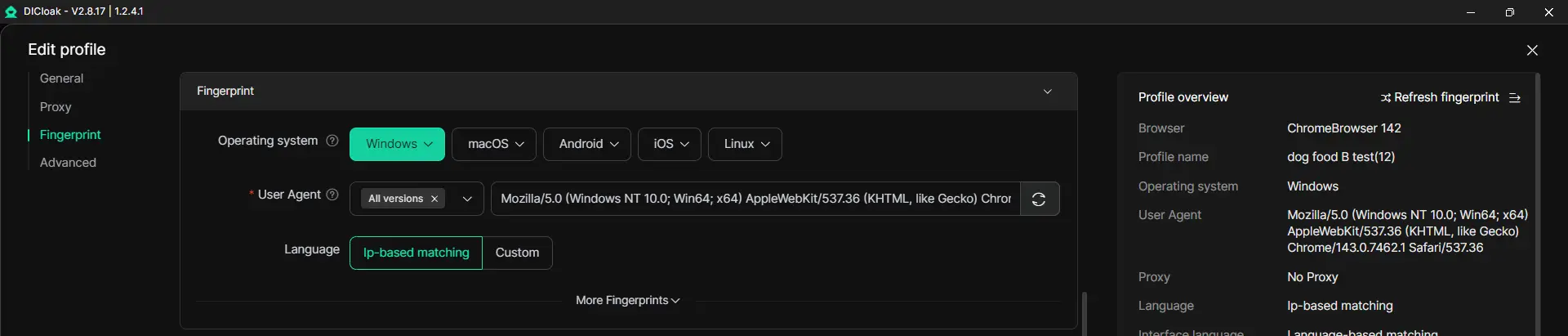
DICloak gives each profile a separate browser fingerprint. This helps keep account environments more independent and reduces unnecessary tracking overlap. For users who often test access across different sites, this setup is cleaner than using one normal browser for every task. It also helps keep browsing data better organized.
Custom Proxy Configuration for Seamless Access
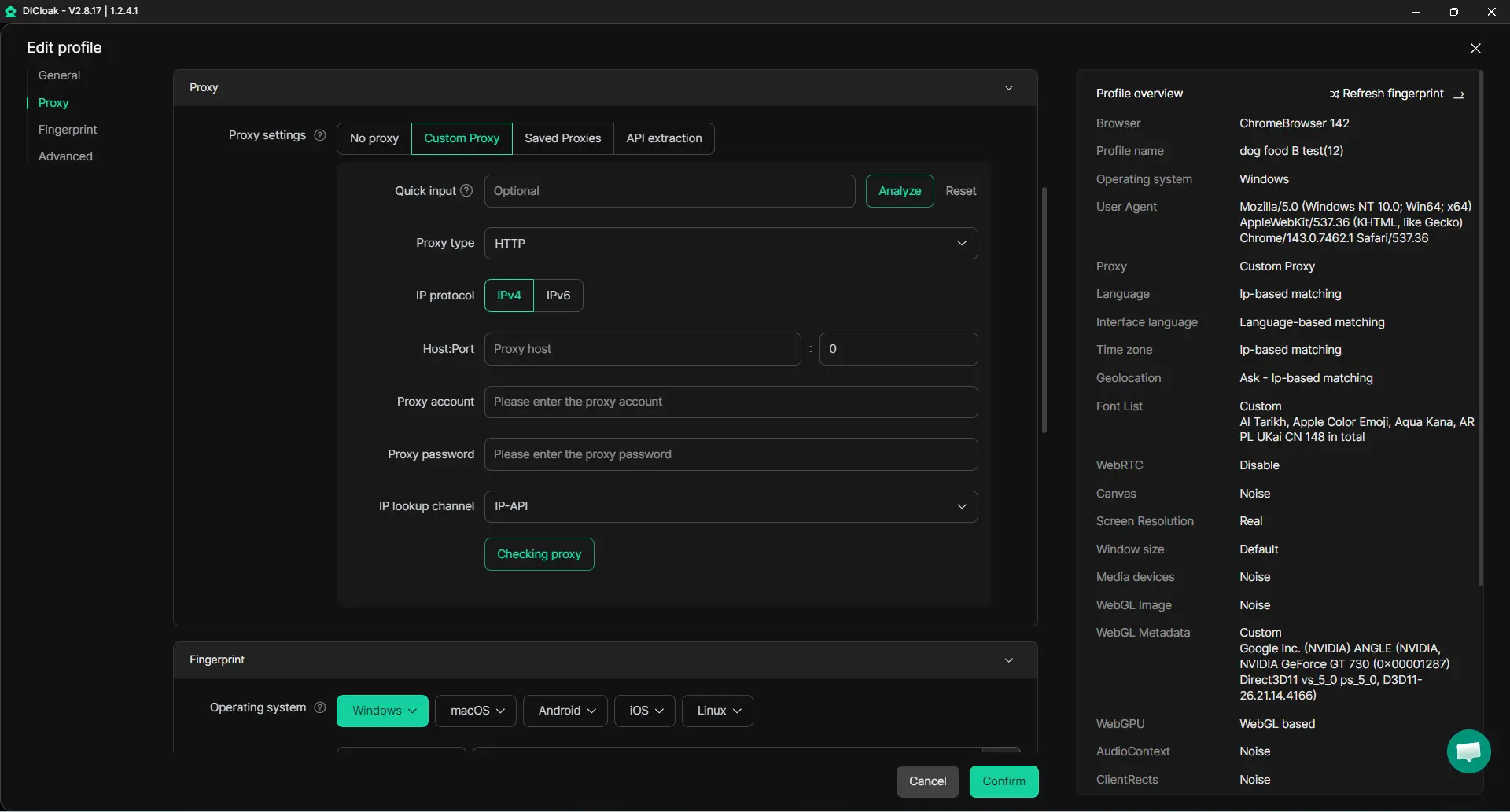
With DICloak, users can configure a custom proxy for each browser profile. This helps keep the network setup stable for each task. For example, one profile can use a proxy for one region, while another profile uses a different proxy for another region. This makes access testing more controlled and reduces errors caused by sudden IP changes.
FAQ About Interstellar Unblocker
Is the Interstellar Unblocker legal to use?
The Interstellar Unblocker itself is not always illegal, but how you use it matters. Do not use it to access paid, private, or restricted content without permission. Also follow school, workplace, and local network rules.
Can it bypass geo-restricted streaming services?
Usually, no. The Interstellar Unblocker may help with simple website blocks, but many streaming services use stronger location checks, account checks, and anti-proxy systems.
Does it work on mobile devices?
Yes, it can work on mobile browsers if the site loads properly. However, some mobile networks, school Wi-Fi, or browser settings may block proxy pages.
How often should I update the unblocker?
If you host your own version, update it whenever the project releases fixes or security patches. Old versions may become slow, blocked, or unsafe.
What are the signs of a fake unblocker tool?
Be careful if the page asks you to download unknown files, install extensions, enter passwords, or click many pop-ups. A fake Interstellar Unblocker may also redirect you to unrelated ads or unsafe pages.
Conclusion
Interstellar Unblocker can help with basic website access, but it is not a full privacy or security tool. Use trusted sources, keep it updated, and avoid entering sensitive information through any proxy. For cleaner account and proxy management, DICloak can also help users keep browsing profiles more organized.
 Web Proxy Tools
 Free Tools
 Cookie Plugin
 UA Generator
 MAC Address Generator
 IP Generator
 IP Address List
 2FA Code Generator
 World Clock
 Anonymous Check
 WebRTC Leak Test
 UUID Generator
 Free Web Proxy Site
 Proxy Checker
 FB Ad Checker
 AI Web Scraping
 Free SMM Tools
 Twitter Shadowban Checker
 Instagram Name Checker
 UTM Generator
 Username Generator
 AI Hashtag Generator
 LinkedIn Headline Generator
 Social Media Image Resizer