A single flagged login can freeze your entire ad operation, one agency lost $12,000 in Facebook ad spend overnight when Facebook detected repeated browser fingerprints across purchased accounts, as discussed in AdLeaks. For anyone who wants to buy facebook accounts for advertising, the risk isn’t just about losing money up front. The real damage comes from buying accounts that get locked, flagged, or pulled back weeks later, often after you’ve already loaded funds or started campaigns. Sellers promise “aged” or “verified” accounts, but if the login history looks suspicious, or recovery info is not changed right, Facebook’s automated checks will block your workflow faster than you can react.
Most buyers focus on price or account age, but miss hidden risks. For example, buying a batch of accounts tied to recycled numbers or reused device fingerprints almost always triggers mass bans. Teams that try to share logins without browser isolation end up banned across all their accounts, one wrong click and every profile is gone. That’s why veteran advertisers split account handover into strict steps, check seller history, and use tools like DICloak for Advertising to isolate fingerprints and track who does what.
This guide walks through what to check before you pay, which red flags matter most, and safer ways to handle Facebook ad accounts, so you don’t burn your ad budget on rookie mistakes.
What Should You Check Before Buying a Facebook Account for Advertising?
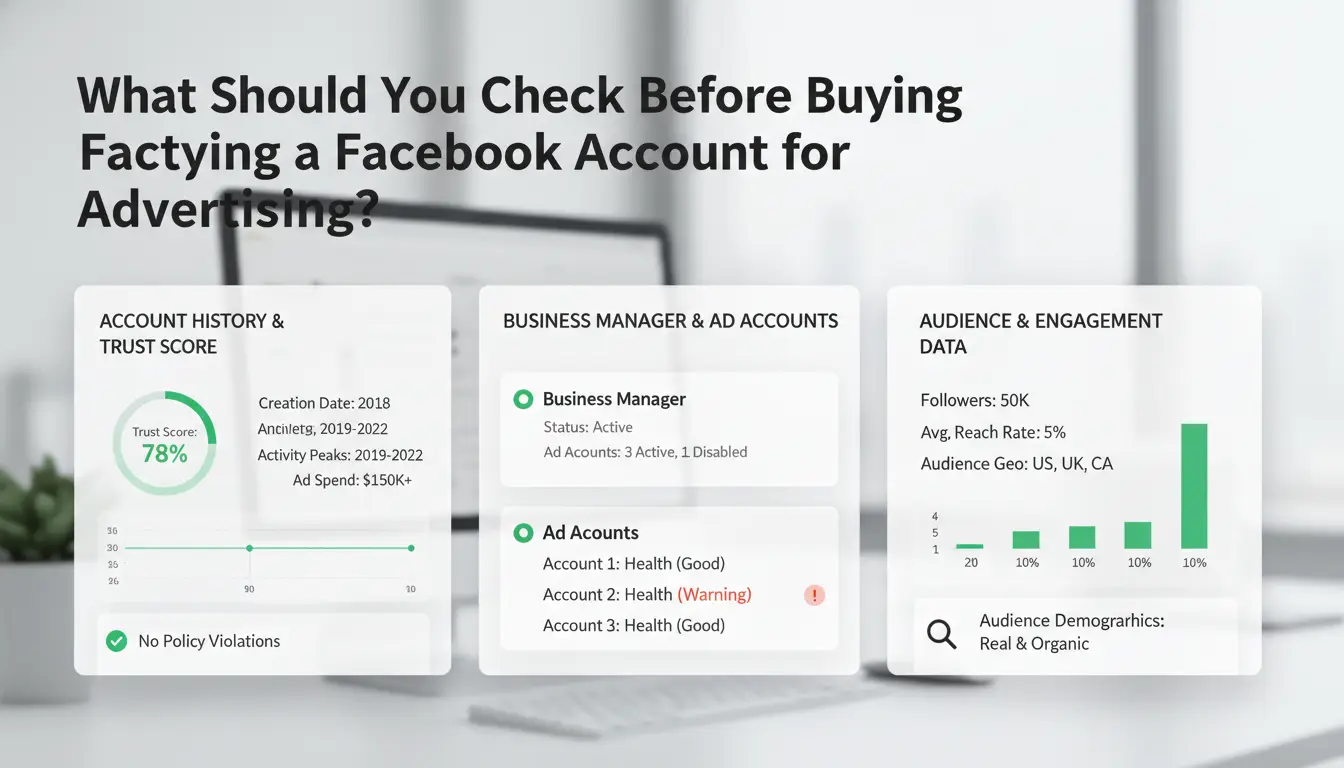
When you buy facebook accounts for advertising, the biggest trap is paying before you know the real account quality and seller reliability. One quick ban can wipe out your campaign and budget. Instead of rushing, start with a strict checklist, this is how experienced advertisers avoid instant bans and wasted spend.
How to Assess Account Age, Activity, and Trust Signals
Aged accounts are prized in advertising because new profiles almost always trigger review or ban when running ads. But age alone is not enough. You need to check for steady activity: real posts, likes, comments, and signs of regular login over months. If an account has sudden bursts of activity, generic profile info, or no history, it’s likely recycled or automated, these fail on ad launch.
Account trust signals matter. Look for consistent friend lists, natural interactions, and no mass changes in profile details. If you see the same device fingerprint or IP used across many accounts, that’s a red flag, platforms like Facebook detect these patterns quickly. Teams use tools like DICloak for Advertising to isolate browser fingerprints and reduce detection risk.
What to Verify About Seller Reputation and Guarantees
Seller reputation makes or breaks your deal. Ignore sellers with only generic reviews or no account handover details. Some sellers inflate ratings with fake feedback or offer “guaranteed” accounts that vanish after payment.
What matters: clear refund or replacement policy for banned accounts, proof the seller controls the account, and real support after purchase. Ask for demo access or video walkthrough to confirm ownership. If the seller avoids showing active sessions or refuses to update recovery info, walk away, these are classic scam signals.
The biggest mistake is assuming price or account age alone will keep your ad campaign safe. Always check both account signals and seller guarantees before you pay.
Why Some Bought Facebook Accounts Get Restricted or Banned So Quickly
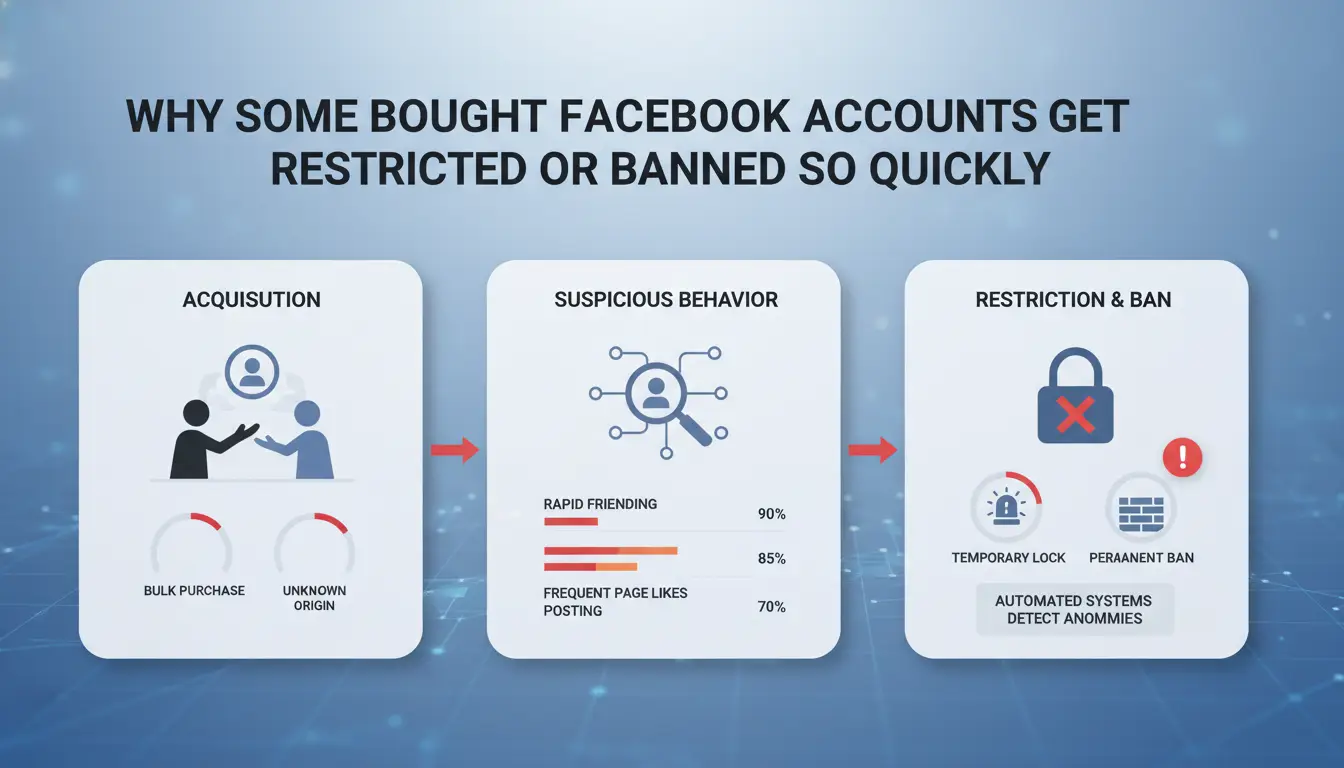
Buying Facebook accounts for advertising might look simple, but most buyers lose accounts within days. The main reason? Facebook’s detection system looks for signs that ownership changed or someone is trying to hide their real identity. Missing these signals leads to instant bans, wasted money, or even a full account wipe. Before you risk your ad budget, it’s worth seeing how Facebook spots fake activity and where buyers go wrong most often.
How Facebook Detects Ownership Changes and Suspicious Activity
Facebook doesn’t just check your login details, it builds a profile from your device, browser, IP address, and how you use the site. This is called fingerprinting. If you buy an account and log in from a different phone, computer, or network, Facebook’s system flags the change. Sometimes, even switching from Chrome to Firefox is enough to trigger a review.
But it’s not only about the device. Facebook watches for unusual behavior. Logging in from a new country, making big changes fast, or running ads right after getting access all act as red flags. The system compares your actions to the old owner’s patterns. Too much difference, and you get restricted.
Common Mistakes That Lead to Instant Restrictions
Most accounts get banned because buyers rush. One of the biggest mistakes is logging in from a new device or location without warming up the account. Facebook sees this as a possible theft or bot takeover. Changing the account’s name, email, password, and adding payment info all in one session is another classic error, this screams “stolen account” to Facebook’s system.
Trying to share logins across a team without browser isolation spreads the risk. One flagged device can link every account and cause a mass ban. If you buy Facebook accounts for advertising, using a tool like DICloak for Advertising helps isolate fingerprints and assign accounts safely. Skipping these steps almost always ends with a blocked account.
How Facebook Account Pricing Really Works: What Drives Cost and Value
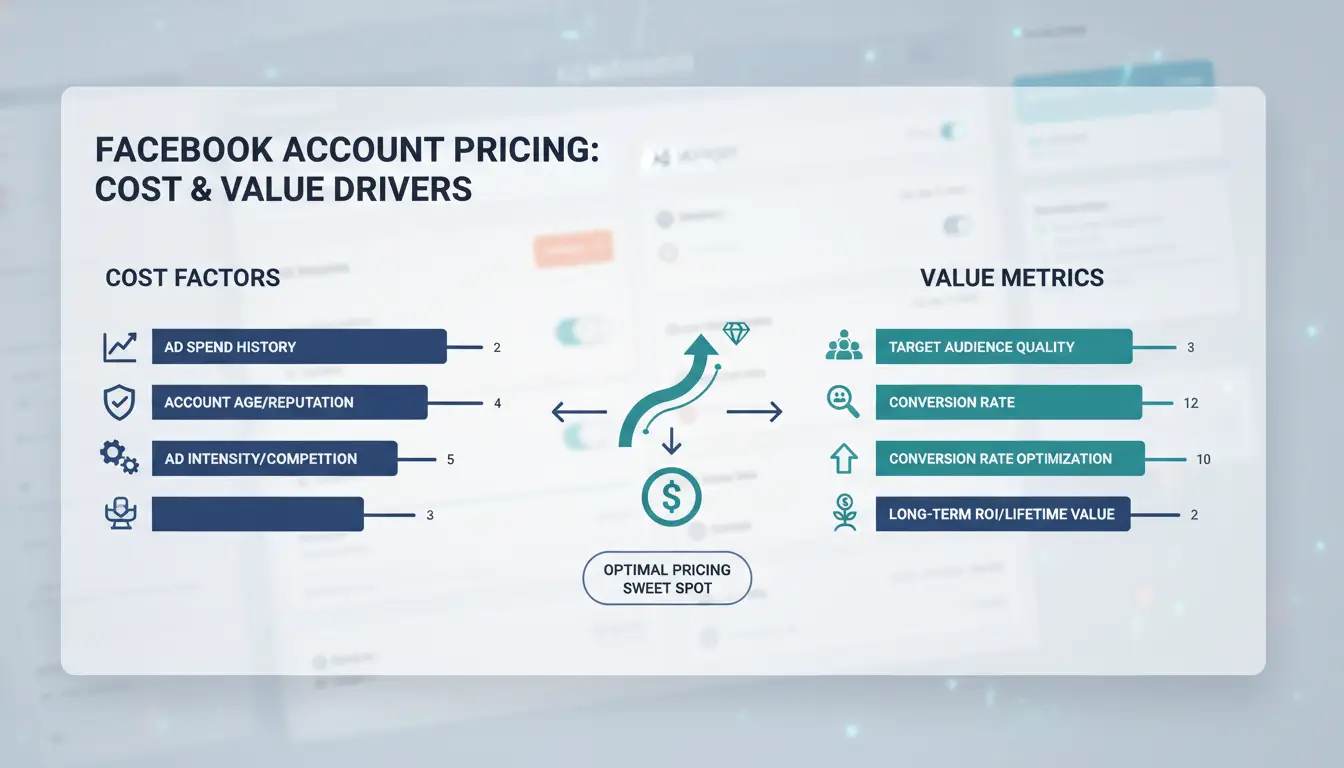
People looking to buy facebook accounts for advertising often focus on the cheapest listing, but price alone rarely tells you if an account is stable or worth it. The real drivers are age, activity, country, and the details behind each account’s verification. A fair price comes down to more than just “aged” or “fresh” labels, one weak spot and the deal can fall apart fast.
Aged vs Fresh Accounts: Why Age and Activity Matter
Aged accounts, those created years ago, almost always cost more than fresh ones. That’s not just because they’re old. Platforms like Facebook trust accounts that have survived longer without bans, so aged profiles get ads live with fewer blocks and higher daily spend limits. For example, a 2016 account with regular posts and friends will usually pass Facebook’s reviews where a 2025 fresh account gets flagged.
But age alone isn’t enough. A “zombie” account that sat unused or failed past checks is usually cheaper, but almost always gets flagged once you launch ads. Sellers who can show login and ad history screenshots, past ad spend, and clean activity logs give you a better chance of getting what you paid for. If you buy facebook accounts for advertising without checking age and activity, you risk losing your spend on day one.
Country, Phone Number, and Verification: What Changes the Price
Country and phone details drive price as much as age. US and EU accounts cost more because Facebook trusts them more and they match ad targeting rules, see Meta’s official ad policies. If an account uses a real SIM card number (not a virtual one), recovery is safer and fewer mass bans happen. Multi-step verification (phone, email, ID) means the seller can’t easily recover the profile after transfer.
| Feature |
Cheaper Accounts |
Higher-Priced Accounts |
| Country |
Asia, Africa |
US, EU |
| Phone Number |
Virtual, reused |
Unique SIM, new |
| Verification |
Basic, 1-step |
Phone + email + ID |
| Activity Log |
Sparse or blank |
Regular posts, friends |
Table: Common factors that change Facebook account price (see official Facebook Help.)
Where Buyers Usually Get Scammed: Red Flags and Common Pitfalls
Most scams hit buyers who rush to buy Facebook accounts for advertising without checking seller history or platform rules. Even experienced teams get caught when they skip these basic checks. Losing money is bad, but ending up with accounts that get banned in hours wastes ad spend and time.
Fake Accounts, Stolen Credentials, and Marketplace Risks
Scammers often sell fake aged accounts, these are accounts created in bulk, sometimes using scripts or recycled phone numbers. They might look "aged" on paper, but Facebook can spot patterns tied to mass registration or reused device fingerprints. The result? The whole batch gets banned at once, sometimes before you even log in.
Stolen accounts are even riskier. Scammers grab real users’ credentials, then sell them as “trusted” accounts. You might get in, but Facebook’s systems flag sudden location or device changes. These accounts get locked or banned quickly. Even worse, the real owner can recover the account while your ad campaign is running.
Marketplaces like PlayerUp or EpicNPC have both legit sellers and scammers. A profile with lots of listings or fast replies doesn’t prove safety. What matters most is traceable deal history and proof the seller controls the account long enough for proper transfer.
Payment and Escrow Mistakes That Cost Buyers
Paying outside trusted platforms is where most buyers lose money. Scammers push for payments in crypto or direct transfers, then disappear after you send funds. If the platform offers no buyer protection, you have little chance of getting money back.
Escrow services and platform guarantees cut risk. Using EpicNPC’s Middleman or PlayerUp’s Escrow means the seller only gets paid after you confirm control. Always check the platform’s rules on disputes. Some sellers use fake escrow links, always confirm you’re on the real site before sending anything.
The biggest mistake is trusting screenshots or promises instead of real proof of control. One quick video call or live login beats any fancy listing or fast-talking seller.
What to Change Right After Account Transfer: Essential Steps for Safer Advertising
Taking over a new Facebook ad account isn’t just about logging in and launching campaigns. If you skip key setup steps, your new account can get flagged, or even banned, before your ads ever run. Buyers searching for “buy facebook accounts for advertising” need a checklist that blocks easy mistakes and keeps ad spend safe. The first 24 hours after transfer matter most.
Updating Recovery Details and Securing Access
Change recovery info before anything else. Update the email address and phone number to accounts you control. Do this using a device and network that match the account’s history, sudden changes in location or device type raise red flags for Facebook’s automated checks. Set a new password that’s long, unique, and never reused between accounts. Turn on two-factor authentication (2FA) right away. Choose app-based 2FA (like Google Authenticator) for better security than text messages, since SIM cards get swapped and phone numbers recycled. If you skip these steps, a seller, or anyone with old access, can reset your account or pull it back later.
How to Warm Up the Account Before Running Ads
Jumping straight into ad buying signals robot behavior. Instead, act like a real user. Log in from a browser profile with a clean fingerprint and a stable proxy, never share the same device or IP across accounts. Spend a day browsing the news feed, liking posts, joining groups, and updating your profile photo. Don’t change everything at once; spread edits over hours. Wait at least 24–48 hours before linking a payment method or creating your first ad. Start with small daily budgets and basic campaigns. You can use DICloak for Advertising to isolate browser profiles and keep team actions separate, which cuts down on mass bans.
Miss any of these steps and you risk losing your ad account before you even spend a dollar.
Operating several Facebook accounts for ads is risky if you cut corners on workflow or skip isolation. Many people who buy facebook accounts for advertising end up banned within days because platforms catch shared fingerprints or repeated IP addresses. That’s why experienced teams build strict routines: each account runs in a separate browser profile, always through a unique proxy, and no passwords are reused.
Why Device Fingerprint Isolation and Proxy Use Matter
A proxy masks your real IP and location, so Facebook can’t link your accounts by network. But that alone isn’t enough, a reused browser fingerprint (like fonts or device info) will still connect your accounts. Fingerprint isolation means each account looks like it’s run by a different person on a different device, making bans much less likely.
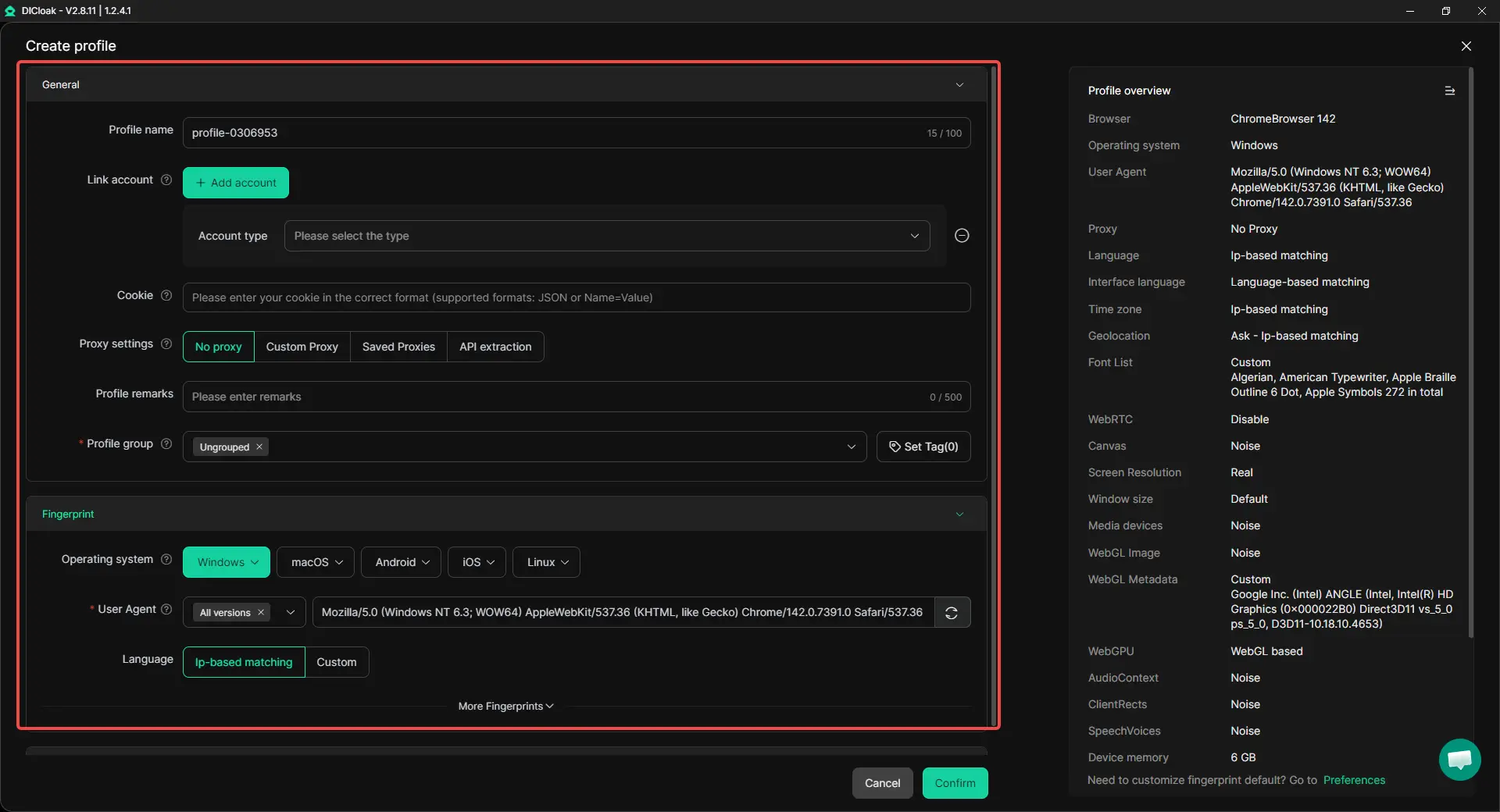
You can use DICloak for Advertising to create an isolated browser profile and proxy for each Facebook account. This setup keeps device fingerprints and cookies fully separated. DICloak also supports team workflows, letting you assign permissions, track changes, and even automate repeat tasks with RPA. Without true isolation, one mistake can wipe out all your accounts.
When Buying Facebook Accounts Is the Wrong Choice: Alternatives and Better Options
Buying Facebook accounts for advertising feels like a shortcut, but it often backfires, especially if you plan to run long-term campaigns or need stable results. Before spending money on bulk accounts, it pays to know when building or warming up your own is actually safer.
Organic Growth vs Buying: Which Is Safer for Advertising?
If you control the account from day one, you control its full history. Creating your own Facebook ad account means you’re not guessing about old owners, flagged devices, or recycled phone numbers. Accounts grown organically, meaning you register, add a real profile, and behave like a normal user, have a far lower chance of sudden bans. Facebook’s Business Help Center makes it clear: inconsistent logins, fast ad launches, or suspicious payment methods often trigger reviews.
Long-term, relying on purchased accounts usually means you’re always one step away from a ban. Facebook’s systems catch reused fingerprints and mass activity patterns, so accounts bought in bulk go down together. If you get locked out, recovery is almost impossible since you don’t own the original recovery info. For most advertisers, building accounts from scratch beats buying unknown-risk profiles.
| Approach |
Control Level |
Ban Risk |
Recovery Options |
| Buy facebook accounts for advertising |
Low |
High |
Almost none |
| Organic build |
High |
Low |
Full (with proof) |
Account Warming, Farming, and Team Workflows
Warming up means acting like a real user: add friends, post, wait days before running ads. Farming goes further, you manage each account on a unique device or browser profile, often with a dedicated proxy. For teams, it’s easy to slip up and cross fingerprints. You can use DICloak for Advertising to assign each member a separate profile and proxy, so one mistake doesn’t get every account banned. For small budgets, start with one organic account and build up, instead of risking everything on a block of bought logins.
Frequently Asked Questions
Is it legal to buy Facebook accounts for advertising?
The legality of buying Facebook accounts for advertising depends on your country’s laws and Facebook’s policies. Some regions see it as fraud, while Facebook’s terms ban fake or bought accounts. Always review local laws and Facebook’s rules before you buy Facebook accounts for advertising to avoid legal issues or bans.
Can I use bought Facebook accounts on the same device?
Using multiple Facebook accounts on one device can trigger security flags. To reduce risk, use isolated browser profiles and dedicated proxies for each account. This helps prevent device fingerprint overlap. If you buy Facebook accounts for advertising, keep each account’s environment separate for better safety.
How many Facebook accounts can I safely run for ads?
Safely running multiple Facebook accounts for ads depends on using unique devices or strong isolation tools like multi-login browsers and proxies. Most advertisers start with 1-3 accounts per device, then scale up slowly. If you buy Facebook accounts for advertising, monitor each account’s activity to avoid detection.
Should I change all recovery details after buying an account?
Update key recovery details like email and phone number, but do it gradually. Sudden changes can trigger Facebook’s security checks, locking the account. Wait a few days between each update. This careful approach helps you secure control without raising red flags on bought accounts.
Do aged Facebook accounts really improve ad performance?
Aged Facebook accounts often have higher trust scores and face fewer initial ad restrictions. However, the account’s quality, verified information, and clean history matter most. If you buy Facebook accounts for advertising, look for aged accounts with good activity and no past policy violations for better results.
Purchasing Facebook accounts for advertising can provide marketers with greater flexibility and access to new audiences, but it is essential to prioritize security and compliance with platform policies. By choosing reputable sources and managing accounts responsibly, advertisers can increase their campaign effectiveness while minimizing risks. Try DICloak For Free
 Web Proxy Tools
 Free Tools
 Cookie Plugin
 UA Generator
 MAC Address Generator
 IP Generator
 IP Address List
 2FA Code Generator
 World Clock
 Anonymous Check
 WebRTC Leak Test
 UUID Generator
 Free Web Proxy Site
 Proxy Checker
 FB Ad Checker
 AI Web Scraping
 Free SMM Tools
 Twitter Shadowban Checker
 Instagram Name Checker
 UTM Generator
 Username Generator
 AI Hashtag Generator
 LinkedIn Headline Generator
 Social Media Image Resizer