Encountering three-digit error codes during high-stakes data collection or infrastructure scaling is a technical interruption that requires immediate diagnostic precision. Rather than viewing proxy errors as mere roadblocks, senior engineers treat them as diagnostic signals—a "handshake" failure occurring at a specific point between the client, the proxy intermediary, and the upstream target server. Identifying the nature of this failure allows for targeted resolution, moving beyond trial-and-error to systematic recovery.
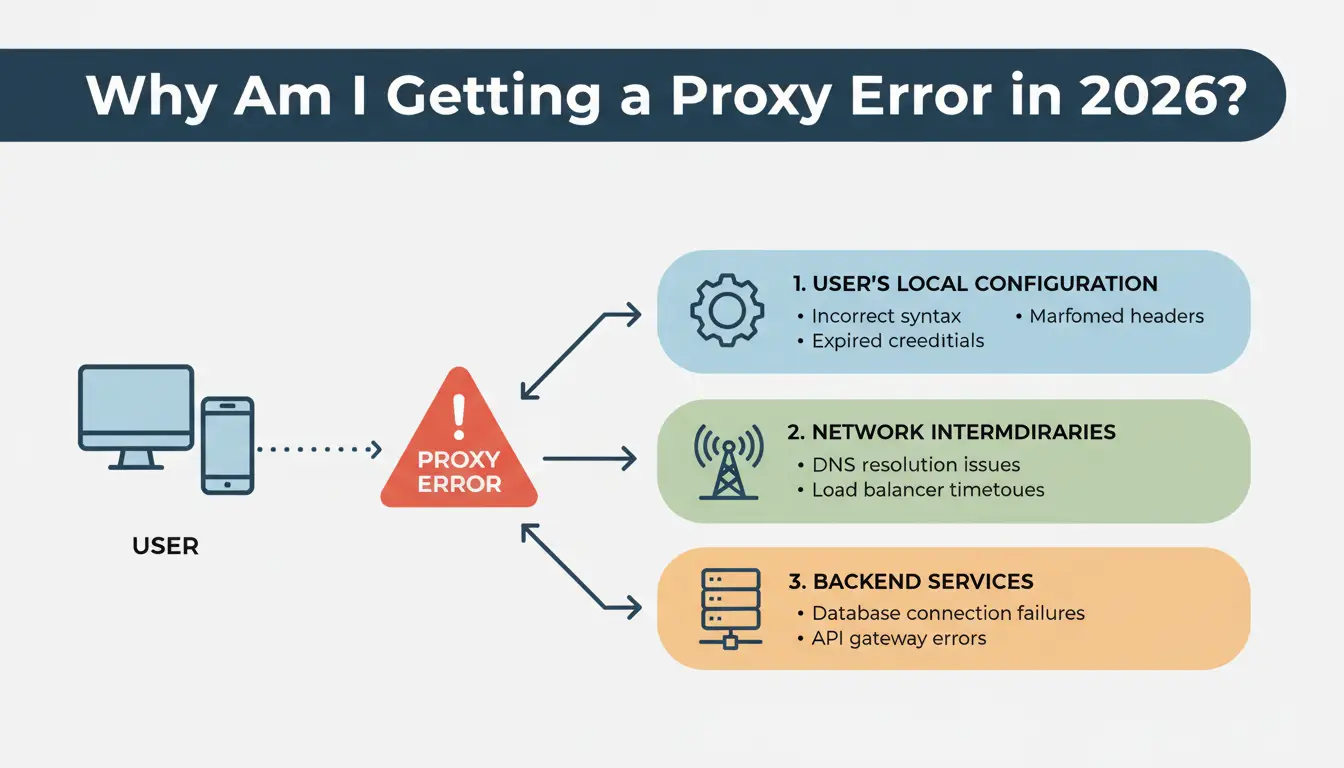
Why Am I Getting a Proxy Error in 2026?
A proxy error is an HTTP status code that identifies the specific layer where a request failed. In modern distributed environments, these failures typically originate from one of three failure points:
- The User’s Local Configuration: Incorrect syntax, malformed headers, or expired authentication credentials.
- The Proxy Provider’s Infrastructure: Issues with the proxy gateway, misconfigured Access Control Lists (ACLs), or server maintenance.
- The Target Website’s Server: The destination server rejecting the request due to sophisticated anti-bot defenses, rate limiting, or backend bugs.
For infrastructure engineers, identifying these errors accurately is critical for:
- Reducing Debugging Time: Mapping codes to specific network layers.
- Pinpointing Blocks: Differentiating between a rotating IP ban and a server-side outage.
- Saving Bandwidth: Implementing conditional requests (e.g.,
If-Modified-Since headers) and preventing redundant failed requests.
The Redirection Gap: Handling 3xx Status Codes
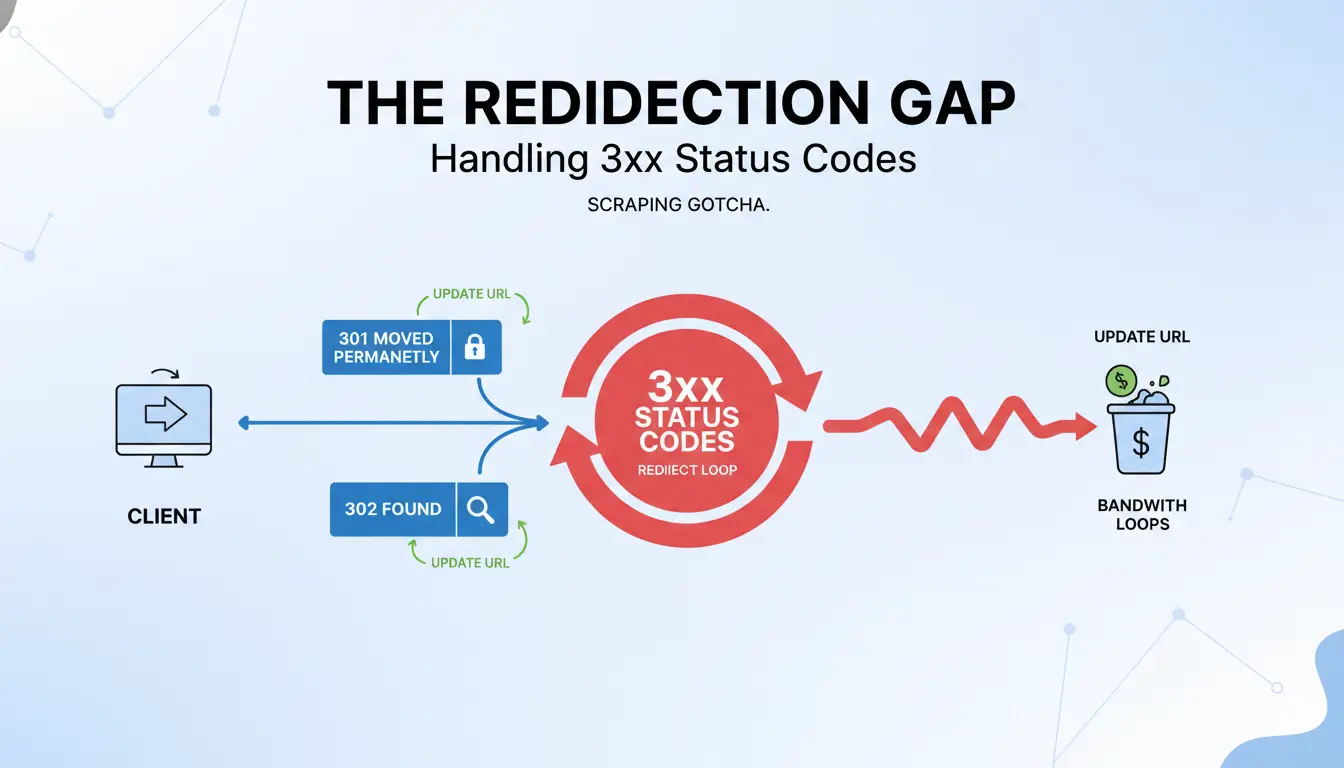
Status codes starting with 3 indicate that your request needs to take a "detour." For scraping and automation, failing to handle these correctly leads to infinite loops and massive bandwidth waste.
- 301 (Moved Permanently) & 302 (Found): These require the client to update the target URL. When a
POST request hits a 301 or 302, many clients automatically convert it to a GET request, stripping the payload.
- 307 (Temporary Redirect) & 308 (Permanent Redirect): These are the "strict" versions of 301/302 that preserve the original HTTP method (e.g., a
POST remains a POST).
- 304 (Not Modified): An efficiency signal. When paired with conditional headers, this tells the client the content hasn't changed, saving data costs. Use advanced scraping APIs to handle method preservation and redirect chains automatically, limiting them to 3–5 hops to avoid traps.
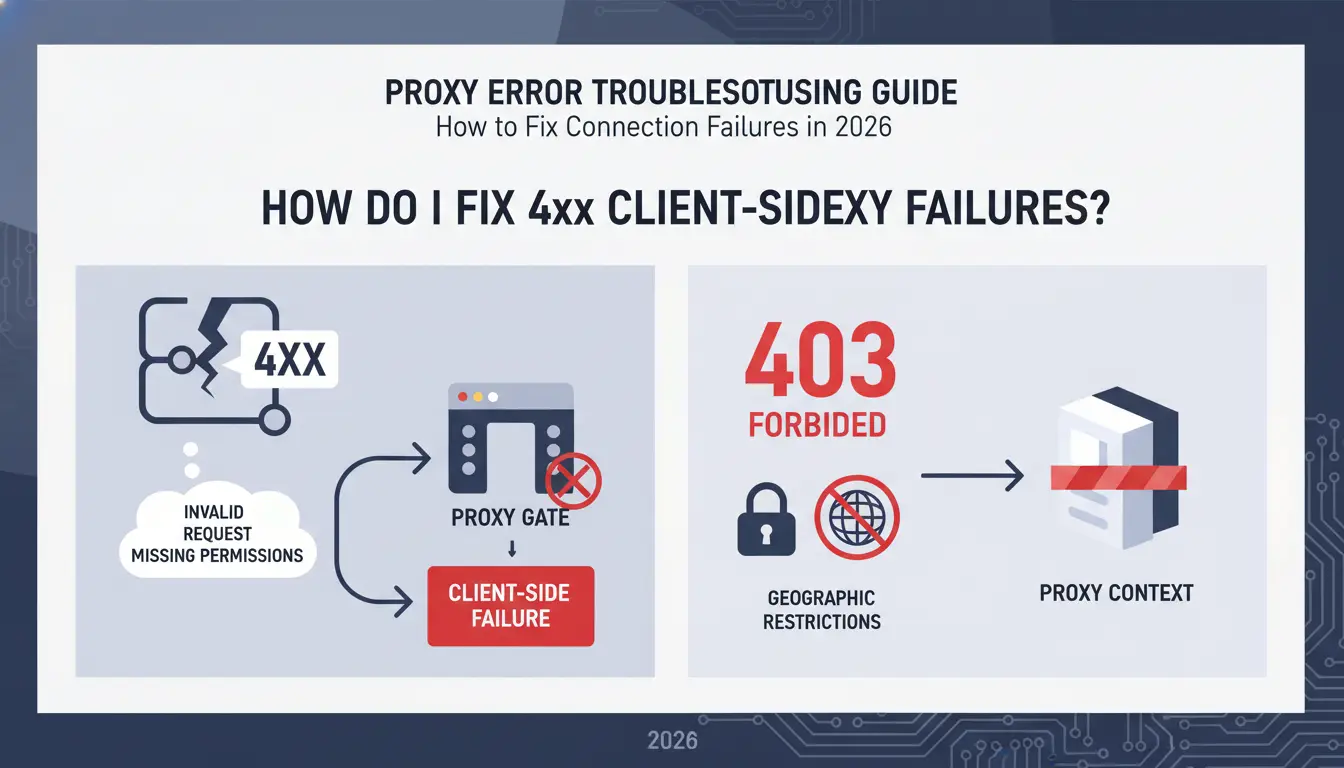
How Do I Fix 4xx Client-Side Proxy Failures?
When a 4xx code appears, the request was typically invalid or lacked the necessary permissions to pass through the proxy gate.
Why does 403 Forbidden keep appearing?
A 403 error means the server identified the client but refused access. In a proxy context, this often stems from geographic restrictions or proxy ACLs blocking the specific target.
Fix: Ensure the proxy location aligns with the target’s allowed regions. If using a custom proxy server, verify that your Access Control Lists (ACLs) are not overly restrictive.
Solving the 407 Proxy Authentication Required loop
This signal indicates the proxy gateway requires valid credentials before it will forward the request.
Fix: Cross-check credentials in your provider’s dashboard. Most 2026 providers support "IP Whitelisting"—authorizing your specific network IP so you can connect without a password. Ensure your current IP is updated in the provider's dashboard if your local network uses dynamic IPs.
Dealing with 429 Too Many Requests
A 429 code is a rate-limiting signal. The target server has detected a request volume that mimics bot behavior rather than human browsing.
Fix: Implement aggressive IP rotation. Switching to a new IP for every session prevents the target from fingerprinting the request volume.
What Should I Do When I See 5xx Server Errors?
A 5xx error indicates that the client’s request was valid, but either the proxy gateway or the final destination server encountered a failure.
Troubleshooting 502 Bad Gateway errors
A 502 occurs when the proxy receives an invalid response from the upstream server. This is frequently triggered when a site detects a datacenter-range IP and terminates the connection.
Fix: Rotate the IP address immediately. If the error persists, switch from datacenter proxies to Residential or ISP (Static Residential) proxies, which offer higher authenticity and are less likely to be flagged as invalid.
Fixing 504 Gateway Timeout
The gateway (proxy) did not receive a timely response from the target server.
Fix: This may require optimizing slow backend responses or increasing the proxy_connect_timeout parameters in your configuration.
Expert Action: Review firewall rules and admin logs to ensure the proxy is not being silently dropped by the target's security layer. Sometimes "routing traffic around the proxy" temporarily can help isolate if the timeout is DNS-related or IP-specific.
Is My Proxy Blocked or Just Misconfigured?
The "Direct Access" Test & Verbose Logging
To isolate the cause, attempt to access the target website directly, bypassing the proxy.
- If the site loads: The issue is the proxy IP (blocked) or the configuration (misconfigured).
- If the site fails: The target server is down, or your local network has a DNS/firewall restriction.
- Expert Tip: Use verbose logging to inspect the full header exchange. Look for
Expect: 100-continue issues or 102 (Processing) codes which indicate the server needs more time for complex WebDAV requests.
Checking User-Agent and Headers
Missing or inconsistent headers (like a mobile User-Agent on a desktop-only endpoint) trigger anti-bot security. Ensure your headers and browser metadata are consistent with the proxy’s exit location.
Which Proxy Type Reduces Errors for Scraping?
Choosing the right infrastructure for 2026 requires balancing cost against the risk of detection.
| Category |
Datacenter Proxies |
Residential Proxies |
ISP (Static Residential) |
| Detection Risk |
High |
Low (Real-user IPs) |
Low |
| Speed |
Maximum |
High |
High |
| Cost |
From $0.02 / IP |
From $2 / GB |
From $0.27 / IP |
| Success Rate |
Moderate |
Very High |
High |
| Special Features |
Bulk Volume |
Continent-level targeting |
Stable sessions |
Note: 2026 standards favor ISP proxies for high-stability, traffic-heavy workflows where datacenter IPs are routinely 502-blocked.
How to Manage Multiple Proxy Profiles Without Errors?
Manual configuration of high-volume proxy lists can increase the risk of 407 and 403 errors, especially when credentials, protocols, or browser data are mixed. A dedicated browser profile setup like DICloak can help make proxy management more organized:
- Isolated Browser Profiles: Each profile keeps its own cookies, cache, and session data, which can reduce the chance of account data mixing and related 403 Forbidden issues.
- Profile-Level Proxy Configuration: Users can set unique proxy credentials and protocols, such as HTTP or SOCKS5, for each profile. This helps lower the risk of 407 authentication errors caused by wrong or reused proxy settings.
- Fingerprint Customization: Browser fingerprint settings such as Canvas, WebGL, WebRTC, language, and timezone can be adjusted to better match the proxy setup. This may help reduce detection-related access issues, including some 429 or temporary blocking problems.
How Do I Fix Proxy Settings on Windows and Mac?
Manual proxy cleanup on Windows 10/11
- Navigate to Settings > Network & Internet > Proxy.
- Under Manual Proxy Setup, verify the Address and Port match your provider's credentials.
- Pro Tip: Clear your browser cache (Chrome/Edge) to remove legacy session tokens that may conflict with new proxy authentication.
Adjusting advanced network settings on macOS
- Navigate to System Preferences > Network.
- Select the active interface and click Advanced > Proxies.
- Ensure the correct protocol is checked (Web Proxy for HTTP, Secure Web Proxy for HTTPS, or SOCKS Proxy). If the protocol doesn't match the proxy type, the handshake will fail immediately.
Frequently Asked Questions
What is the fastest way to fix a 502 error?
Rotate the IP address immediately or switch to a residential proxy pool to bypass IP-level blocks.
Why does my proxy work in the browser but fail in my scraper?
Scrapers often fail to handle redirects correctly (see 301/302 conversion) or miss required User-Agent and Authorization headers. Ensure your scraper mimics a full browser's header stack.
Do I need a different proxy for HTTPS sites?
Most modern proxies support both, but they require specific SSL/TLS configurations. Ensure your client supports the version of the HTTP protocol (HTTP/2 or HTTP/3) the server expects.
Can a slow internet connection cause proxy errors?
Yes. High latency frequently triggers 408 (Request Timeout) or 504 (Gateway Timeout) codes.
What does 'IP Whitelisting' mean?
It is the process of authorizing your network's public IP in the proxy provider's dashboard, allowing you to bypass 407 authentication challenges without using a username and password.
Conclusion
While proxy errors are an inevitable part of complex network operations, they are solvable through disciplined diagnosis. By understanding the nuances of 3xx redirection, maintaining proper authentication headers, and leveraging higher-tier residential or ISP proxies, you can minimize downtime. If errors persist after verifying local configurations and rotating IPs, consult your provider's admin logs or technical support for a deeper infrastructure audit.
 Web Proxy Tools
 Free Tools
 Cookie Plugin
 UA Generator
 MAC Address Generator
 IP Generator
 IP Address List
 2FA Code Generator
 World Clock
 Anonymous Check
 WebRTC Leak Test
 UUID Generator
 Free Web Proxy Site
 Proxy Checker
 FB Ad Checker
 AI Web Scraping
 Free SMM Tools
 Twitter Shadowban Checker
 Instagram Name Checker
 UTM Generator
 Username Generator
 AI Hashtag Generator
 LinkedIn Headline Generator
 Social Media Image Resizer