Running dozens of new Instagram, Facebook, or TikTok accounts and watching them get flagged or banned within days is a common headache for anyone scaling social media operations. Even experienced marketers who buy aged accounts or set up unique proxies often find that skipping the right process to warm up Social Media accounts leads to instant restrictions, low reach, or forced verifications. The real blocker isn’t just getting accounts, it’s making them look and act human enough to pass each platform’s internal checks.
But the usual shortcuts rarely work. Automating too much, logging in from one IP, or blasting out posts right away almost always gets detected by platform algorithms. Safe social media account preparation isn’t just about avoiding bans, it’s about building real session history, natural activity, and trust signals over time. Miss a step, and you’ll lose days of work and possibly entire batches of accounts.
Warming up social media accounts feels like a moving target because platforms constantly change what they flag as suspicious. That’s why the most reliable operators now use a step-by-step workflow, spreading out actions, mixing in human behavior, and tracking every account’s response. This approach isn’t fast, but it keeps more profiles alive and usable for the long haul.
Below, you’ll find the exact steps and warning signs to watch for when starting fresh.
Why Do Social Media Accounts Need a Warm-Up Period?
Trying to use a brand new or freshly reset social account at full speed is the fastest way to lose it. Social platforms watch for suspicious patterns from accounts with little or no history, so jumping straight to posting, mass following, or running ads almost always triggers a review or ban. A careful warm-up builds trust signals that make an account look real, not like another “burner” set up for spam or automation.
How Social Platforms Detect Unnatural Behavior
Social platforms don’t just check what you post, they track dozens of signals that flag new accounts as risky. Here’s what typically sets off their alarms:
- Repetitive or identical actions: Liking, following, or commenting too quickly or in bulk, especially right after account creation.
- Browser and IP mismatches: Logging in from distant locations, changing devices, or using obvious datacenter proxies.
- Missing real user signals: Empty profiles, no profile photo, skipped bio, or ignoring the platform’s “onboarding” steps.
Just logging in from a clean device isn’t enough. Even actions that feel normal, like uploading a profile photo and following a few accounts, can look automated if they’re done in rapid sequence or from the wrong network environment.
What Happens If You Skip Warm-Up
Skip the warm-up and you’ll run into restrictions fast. Platforms like Facebook, Instagram, and TikTok apply automated limits to accounts that act too aggressively out of the gate, think phone verification loops, “suspicious login” warnings, or even instant bans. For example, start by following 50 users and posting a link in your first hour, and you’ll often get hit with a “This action is blocked” message or see your reach throttled to near zero.
Once flagged, recovering an account is a headache. You might need to upload an ID, pass a video verification, or appeal through support, which can take days or leave the account permanently unusable. In team workflows, this means not just losing time but also risking connected profiles or ad assets. Worse, a flagged account can poison a whole batch, since platforms often cross-check for related devices, cookies, or recovery info. Missing the social media account warm-up step doesn’t just waste one login, it can burn your whole operation.
What to Prepare For Next
Understanding why the warm-up period matters is only the first step. Before you even log in, make sure you’ve got the right setup and tools in place, otherwise, even a careful approach can still trigger unwanted attention.
What Should You Prepare Before Warming Up a Social Media Account?
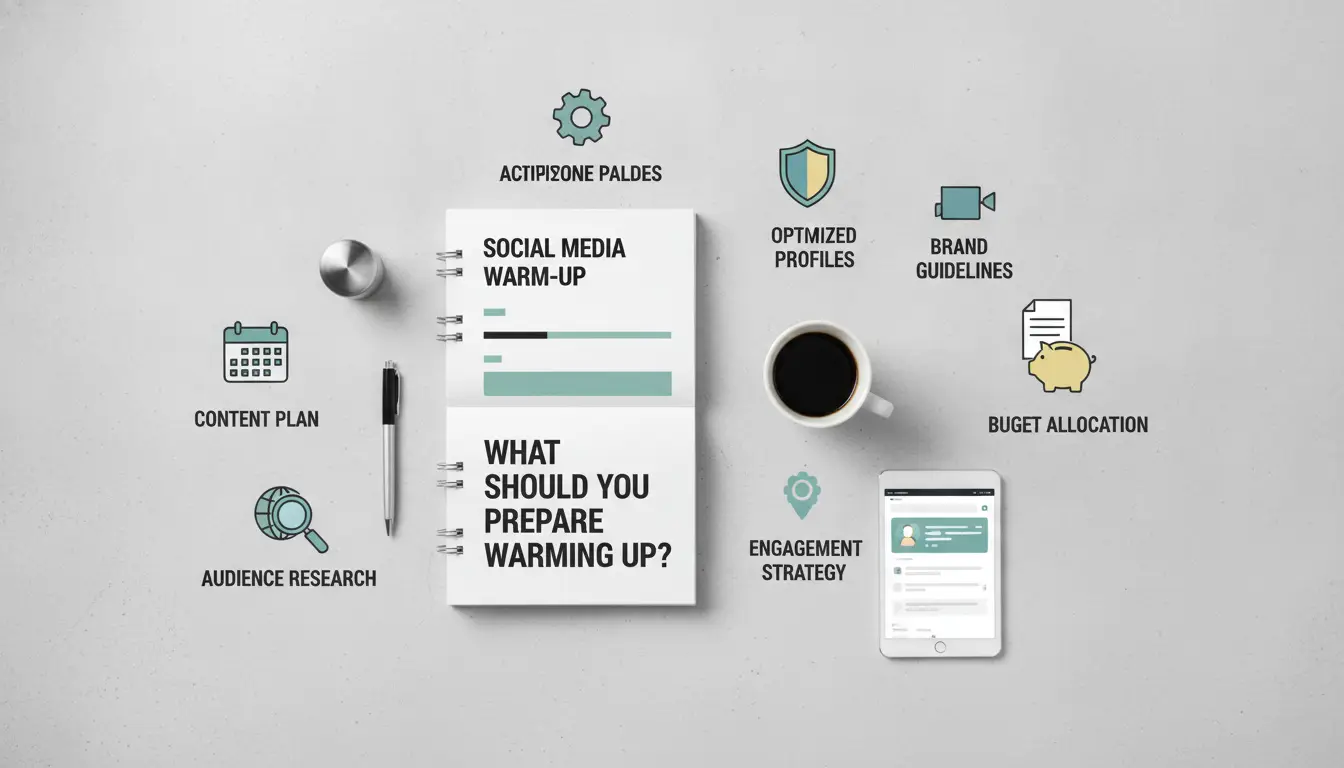
Don’t rush into warming up new accounts, most bans happen because of sloppy setup, not the warm-up steps themselves. The right prep work shields you from early flags that can kill an account before it even gets active.
Choosing a Clean Device and Browser Environment
Platforms track every fingerprint: device IDs, browser plugins, fonts, and even screen size. If you recycle a device or browser profile from an old or banned account, detection risk jumps fast. Accounts cross-linked by shared fingerprints often fall together, so running a “fresh” account in a dirty environment can wipe out your whole batch. The single most reliable way to avoid mass bans is to run each account in a genuinely isolated browser profile that doesn’t overlap cookies, history, or system details with any other active account.
Setting Up Proxies and IP Consistency
A new account from a residential IP looks normal, unless the IP jumps between cities or rotates every few hours. Frequent IP changes are one of the top triggers for social media account reviews. Keep your proxy setup stable and check for leaks before you log in.
- Use a high-quality, static residential proxy tied to the account’s target country.
- Confirm your IP hasn’t been used by flagged accounts (search IP reputation checkers).
- Lock each account to one IP; never multi-account from the same IP at the same time.
Profile Details and Initial Account Settings
Even before you post or follow anyone, your profile setup sends signals. Thin, fake, or mismatched details make accounts look disposable. Verification steps matter too, skipping them can block access to features or get you flagged as a bot.
- Fill in a full name, bio, and profile photo that match your intended persona.
- Complete email and phone verification to unlock all functions right away.
- Double-check recovery info points to an inbox or device you control.
Warming up accounts without these basics covered is like building on sand, small mistakes at this stage can get you locked out before you even start the real work. Once your environment and details are set up right, you’re ready to move on to the step-by-step warm-up process.
How to Warm Up Social Media Accounts: Day-by-Day Steps for 2026
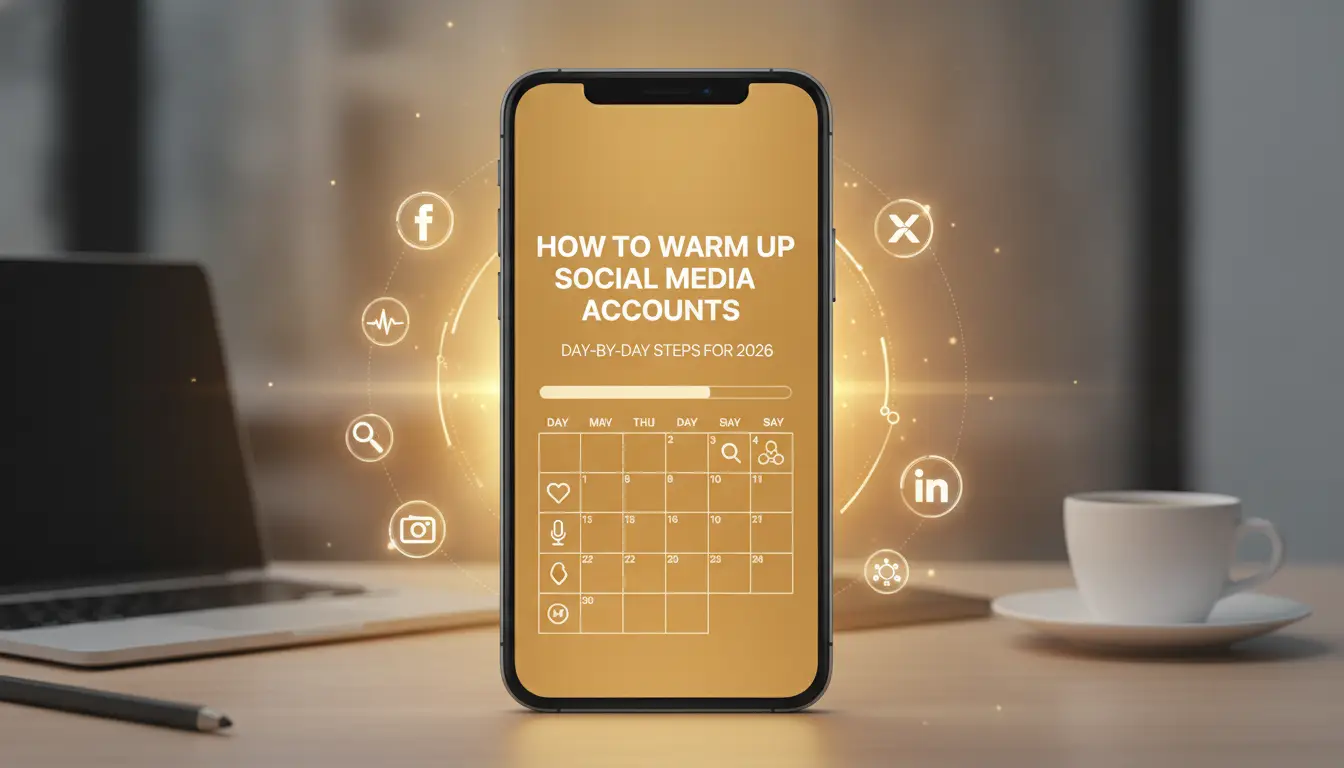
Getting a fresh account past platform filters takes more than just waiting a week. Each day’s actions matter. Below you’ll find a proven, day-by-day plan, skip steps or rush, and you’ll spot warning flags before you ever get to use the account for real work.
Days 1–3: Passive Browsing and Profile Completion
- Log in and complete basic profile details, photo, bio, and location, then stop. Don’t upload a banner or fill everything at once.
- Spend 10–15 minutes per day browsing feeds, scrolling, and clicking into profiles. No likes or comments yet.
- If the platform asks for phone or email verification, handle it right away. Ignoring prompts can freeze progress.
- Avoid logging in and out frequently, more than twice daily looks automated.
Days 4–7: Light Engagement (Likes, Follows, Comments)
- Like 3–5 posts per day, spaced at least an hour apart.
- Follow up to 3 real accounts daily, never all at once.
- Add 1–2 short, natural comments (not copy-paste).
- Watch for any login challenge or warning. If you get one, pause all actions for 24 hours.
Days 8–14: Gradual Content Posting and Interaction
- Post your first piece of content, keep it simple, like a photo or a brief intro.
- Reply to comments on your own post within a few hours, not instantly.
- Increase likes and follows to 5–10 per day, but keep intervals random.
- Keep direct messages low; one per day is enough. If your post gets flagged or hidden, do not delete it, leave it and reduce activity for 48 hours.
Day 15 and Beyond: Scaling Up Activity Safely
- Double-check account health, no new warnings or restrictions in the last week means you can slowly ramp up.
- Add 1–2 posts per week, focusing on real topics or trends (not links or promotions).
- Raise likes and follows by 20–30%, but avoid sudden jumps.
- If engagement drops sharply or you see any action block, stop all new actions for 48 hours and check if your session or proxy changed unexpectedly.
A slow, phased warm-up keeps accounts alive and builds a normal-looking activity trail. Next, you’ll see which mistakes most often get accounts flagged, and how to spot issues before they turn into bans.
What Risks and Mistakes Cause Social Media Accounts to Get Flagged During Warm-Up?
Even a careful social media account warm-up can trip automated detection if you miss a common risk. Most bans during the first week come from simple mistakes, not advanced tactics. Here’s what platforms catch, and how to avoid getting flagged.
Red Flags: What Platforms Monitor Closely
Platforms watch for logins from new devices, rapid location changes, and repeated sign-ins from different IP addresses. Posting the same message across accounts, or dropping links to outside sites too soon, often gets accounts flagged. Use consistent devices and avoid adding links until the account has a clear session history.
Top Mistakes That Trigger Restrictions
Starting bulk actions too early, or copying the same content across profiles, signals automation or spam to review systems.
- Fast mass following, messaging, or posting right after registration gets accounts restricted or even banned for “inauthentic behavior.”
- The safer move: treat each account as unique, spread actions over several days, vary your activity, and write fresh content instead of pasting the same text.
Failing to do this means losing access before you build any reputation. Even accounts that survive may get shadowbanned, so your posts never reach real users. The difference between a live account and a restricted one is usually just a few hasty actions in the first 48 hours.
Next, you’ll see how experienced teams handle batches of accounts safely without triggering these common flags.
How Teams and Agencies Can Warm Up Multiple Social Media Accounts with DICloak

Teams handling batches of new social accounts need more than just a careful warm-up schedule. The real challenge is running dozens, or even hundreds, without tripping platform alarms. Isolation, unique fingerprints, and automated workflows are what separate safe, scalable projects from flagged disasters.
Isolated Browser Profiles for Each Account
Sharing browsers or device environments across accounts almost always gets them linked and flagged. Assigning each account its own isolated profile lets teams keep histories, cookies, and device signals separate, so a problem with one doesn’t drag down the rest.
Proxy and Fingerprint Management for Safe Warm-Up
Assigning a dedicated proxy to each profile is non-negotiable for safe social media account preparation. Relying on a single IP or reusing proxy pools creates obvious patterns. Teams should set up unique device fingerprints for every account, think screen size, timezone, and language settings, so each one looks like a real user. One agency split 50 Facebook accounts across five cities, but recycled the same browser profile template; within two weeks, 40% of those accounts got flagged. The weak spot wasn’t the IP, it was the identical device fingerprints tying them together.
Team Collaboration and Workflow Automation
- Give each operator limited permissions: only access the accounts and actions needed for their role.
- Log every action, when, what, and by whom, so mistakes or risky actions can be traced fast.
- Use automation tools (like RPA) to script warm-up steps, but randomize timing and sequence to mimic human patterns.
The difference between a few accounts surviving and most getting flagged often comes down to these details.
If accounts start showing login challenges or phone verification prompts, that’s an early sign something in your setup isn’t natural. Knowing how to spot these warning signs is just as important as setting up the workflow. The next section breaks down what to look for so you can catch issues before they spread across your project.
How to Tell If Your Social Media Account Warm-Up Is Working (or Failing)
Positive Signals: Signs of Healthy Account Growth
You’ll know your social media account warm-up is on track if engagement builds up at a steady pace and you’re not getting hit with verification prompts or restrictions. If normal actions (viewing, liking, following) don’t trigger extra checks, and you see gradual growth in reach or follower interactions, the warm-up is working. A smooth ramp-up with no warnings means your process fits current platform patterns.
Warning Signs: Early Red Flags to Watch For
A sudden drop in reach or frequent requests for verification often signals the account is being watched.
- Engagement drops overnight or stalls for several days
- Repeated action blocks (like, follow, comment) appear after routine use
- Login triggers extra verification more than once in a week
Teams using DICloak should double-check profiles and proxy assignments if these show up. No setup eliminates all risk, platform rules can shift at any time.
What to Do If Your Social Media Account Gets Flagged or Restricted During Warm-Up
When a social account gets flagged during the warm-up process, you need to act fast and avoid making things worse. Here’s what actually works when you hit a restriction.
Immediate Actions to Take
- Stop all activity, posting or logging in again right now can trigger a permanent block.
- Check your last 24 hours of actions for anything that stands out: sudden spikes in posts, new devices, or odd login locations. These are the usual triggers.
- Make sure you’re not running scripts or automation in the background, as this can keep flagging the account.
How to Appeal or Recover Access
- Use the platform’s appeal form, submit only once, using the official method.
- Wait out the review period. Some accounts recover within 24-72 hours; others take longer.
- If you get a denial, don’t keep resubmitting. Multiple failed appeals lower your chances.
When to Abandon and Start Over
- If you see a “permanently disabled” notice, recovery is almost never possible.
- If the platform denies appeals twice, move on and review your warm-up process for mistakes.
- Don’t reuse phone numbers, emails, or device fingerprints from failed accounts.
Frequently Asked Questions About warm up Social Media accounts
How long does it take to warm up a social media account safely in 2026?
Warming up a social media account usually takes 2 to 4 weeks. Start with simple actions like profile setup, a few posts, and daily logins. Increase activity slowly. Instagram and Facebook may need more patience than Twitter or LinkedIn. Rushing can trigger verification or bans, so go slowly and watch for account warnings.
Can I automate the warm-up process for multiple accounts?
Yes, automation is possible, but you must keep timing and actions natural. Use unique profiles, set random intervals between actions, and avoid posting the same content across accounts. Limit follows, likes, and comments each day. Too much automation or repeated behavior can lead to blocks or permanent restrictions.
Do I need a different proxy for every social media account?
Best practice is to use a unique proxy or IP address for each account. Sharing one proxy across accounts can link them, increasing the risk of mass bans. Choose reliable, private proxies. Rotate proxies only if needed, and always match the proxy location to your target audience or account region.
What should I do if my account is asked for verification during warm-up?
If you get a verification request, stop all activity right away. Complete the verification steps using real information, such as a phone number or email. Do not ignore or bypass these checks. If verification fails, wait before trying again. Too many failed attempts can lock or suspend your account.
Is it safer to buy aged accounts or warm up new ones?
Buying aged accounts can save time, but they still need careful warm-up. Old accounts may have hidden risks like flagged histories. Warming up new accounts lets you control their reputation from the start. No matter the source, slow and steady social media account warm-up is the safest way to avoid bans.
Now that you understand the importance of nurturing new profiles, consider implementing a gradual engagement strategy to build credibility and avoid platform restrictions. Taking these steps early ensures your accounts are primed for authentic interaction and long-term growth. Try DICloak For Free
 Web Proxy Tools
 Free Tools
 Cookie Plugin
 UA Generator
 MAC Address Generator
 IP Generator
 IP Address List
 2FA Code Generator
 World Clock
 Anonymous Check
 WebRTC Leak Test
 UUID Generator
 Free Web Proxy Site
 Proxy Checker
 FB Ad Checker
 AI Web Scraping
 Free SMM Tools
 Twitter Shadowban Checker
 Instagram Name Checker
 UTM Generator
 Username Generator
 AI Hashtag Generator
 LinkedIn Headline Generator
 Social Media Image Resizer