TikTok is still one of the most attractive ad channels for e-commerce sellers, agencies, and affiliate teams in 2026. DataReportal reported 5.79 billion social media user identities worldwide in April 2026, and TikTok’s potential ad reach in the United States grew by 15.2 million from late 2024 to late 2025. That growth is why more teams are opening new TikTok ad accounts, testing new markets, and trying to scale faster.
But a new TikTok ad account is also fragile. If the login environment changes too often, the proxy region does not match the business setup, payment details look inconsistent, or the first campaign is pushed too hard, the account may face review before real testing begins. Warming up a TikTok ad account safely means slowing down the first setup stage, keeping the browser profile stable, and moving from basic account history to low-budget ads step by step.
Can You Warm Up a New TikTok Ad Account Safely in 2026?
Yes, you can warm up a new TikTok ad account in a safer way, but warm-up cannot guarantee that the account will never be restricted. The goal is not to "protect" a new account from every review. Instead, it is to build a stable start by keeping the login environment, business setup, payment behavior, and early ad activity consistent before you begin scaling.
For a TikTok ad account, warm-up is more than watching videos or waiting a few days before running ads. A new account also needs a consistent browser profile, business information, payment setup, and a careful launch strategy. Rushing through these steps or changing too many things at once can create unnecessary risk. A good warm-up process focuses on stability first, then gradually moves to low-budget testing before larger campaigns.
Why Do New TikTok Ad Accounts Get Restricted or Banned?
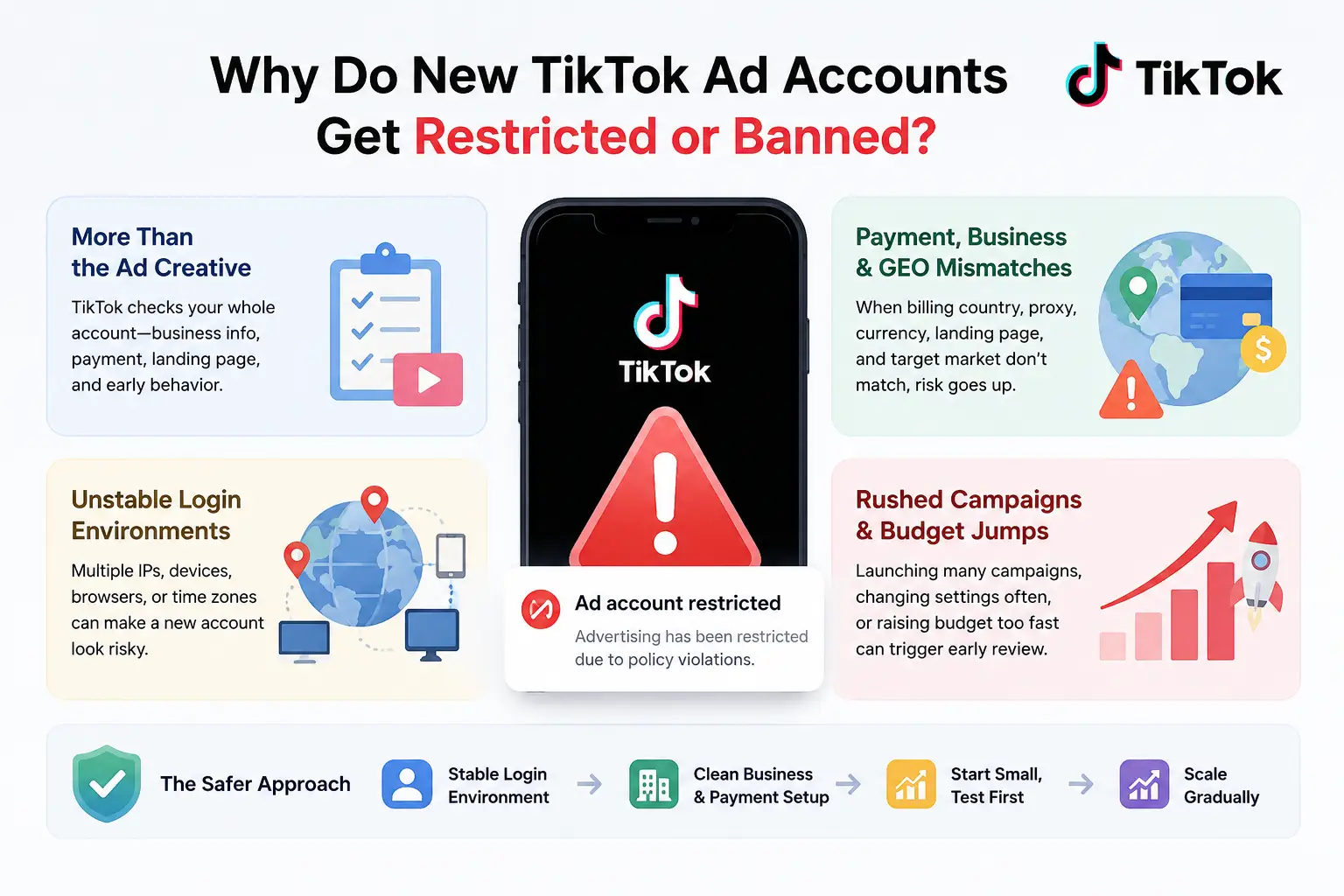
New TikTok ad accounts often get restricted because the account looks risky as a whole, not because of one single ad. The platform may review the login environment, business setup, payment details, landing page, early campaign behavior, and ad creative together before the account builds normal history.
TikTok Checks More Than the Ad Creative
A new ad account can run into problems even when the first ad looks normal. The creative is only one part of the review picture. If the account has no stable history, weak business details, a rushed payment setup, or a landing page that does not match the offer, the account may still face extra checks.
This is why many advertisers feel confused. They may think, “My video did not break any rule, so why was the account limited?” In practice, a cold ad account has to prove more than content quality. It also needs to look like a real business account with a clear setup, normal access pattern, and a reasonable first campaign.
Unstable Login Environments Can Make a New Account Look Risky
A new TikTok ad account needs a steady login pattern. If the same account logs in from different IP regions, changing devices, mixed browser sessions, or unusual time zones, the account may look less stable. This does not mean one login change will always cause a ban, but repeated changes can create avoidable risk.
This often happens when a team shares one account without a clear setup. One person logs in from a home browser, another uses a VPN, and another opens the account from a different country. Even if the team is real, the access pattern can look messy. For a new ad account, clean and consistent access is safer than fast setup.
Payment, Business Center, and GEO Mismatches Can Trigger Review
Payment and business details are sensitive parts of a TikTok ad account. If the billing country, business location, proxy region, currency, landing page market, and campaign target do not make sense together, the account may need extra review. These mismatches are especially risky when the account is new and has no spending history.
For example, a new account may use a US proxy, a business profile from another country, a card with a different billing region, and a landing page written for a third market. That does not create a clear business story. A better setup keeps the account region, billing details, language, landing page, and campaign market as consistent as possible.
Sudden Campaign Launches and Budget Jumps Can Create Early Risk
A cold ad account should not act like a mature account on the first day. Launching several campaigns, testing many creatives, changing settings often, or raising budget too quickly can make the account look rushed. The risk is higher if the account has just added payment details or created a Business Center.
A safer start is to move in stages. First, confirm that the account can log in and save basic settings normally. Then set up business assets and payment with care. After that, run a small test campaign and watch how the account reacts before increasing spend. The point is not to move slowly forever, but to avoid making a brand-new account carry too much risk at once.
Why Use an Antidetect Browser to Warm Up TikTok Ad Accounts?
An antidetect browser helps you keep each TikTok ad account in a separate and stable working environment. It does not make an account risk-free, but it can reduce messy signals caused by shared cookies, changing fingerprints, mixed sessions, and team logins from different places.
Each Ad Account Needs a Separate Browser Profile
Each TikTok ad account should have its own browser profile during warm-up. This keeps cookies, cache, login sessions, and browser storage separate from other accounts. When one account has its own space, it is easier to keep its setup stable from the first login to the first test campaign.
This matters most for agencies, media buyers, and sellers who manage several ad accounts at the same time. Without separate profiles, one person may open two accounts in the same browser, reuse old cookies, or switch between accounts too fast. These mistakes are easy to make during daily work, especially when a team is preparing many accounts for different markets.
Proxy, Timezone, Language, and Fingerprint Settings Should Stay Consistent
A new ad account looks cleaner when its environment details make sense together. The proxy region, timezone, browser language, and fingerprint settings should follow the same business plan. For example, if the account is prepared for a US campaign, the login region, language, and account setup should not point to several unrelated countries.
The goal is not to keep changing fingerprints to look “unique.” A better warm-up setup keeps the same profile stable over time. If the browser profile changes every login, the account may look like it is moving between different devices. For a new TikTok ad account, consistency is usually safer than constant adjustment.
Cookies and Login History Should Not Be Mixed Between Accounts
Cookies help keep a normal session history, but they become a problem when they are mixed between accounts. A TikTok ad account should not share cookies, saved sessions, or browser storage with another ad account. This is especially important if one account has already had payment issues, login checks, or campaign restrictions.
A clean warm-up process keeps each account’s history inside its own profile. The same profile should be used for login, Business Center setup, payment checks, Pixel setup, and early campaign testing. This makes daily work easier because the account has one clear access path instead of a scattered login history.
Teams Need Safer Access Control When Managing Several Ad Accounts
Team work can create risk even when everyone is doing normal tasks. One team member may log in from a personal browser, another may use a different network, and another may change campaign settings without checking the warm-up stage. For a new ad account, these small actions can make the setup look less stable.
A safer team process gives each account a fixed browser profile and limits who can access it. It also helps to keep basic operation records, such as who opened the profile, when the account was changed, and what stage the account is in. This is not just about security. It also prevents wrong-account actions, repeated setup changes, and confused handoffs between team members.
To warm up a TikTok ad account with an antidetect browser, first create one stable browser profile for the ad account, then configure the proxy and fingerprint settings before the first login. After that, build light browsing history, set up business assets carefully, and start with a small test campaign before scaling.
Step 1: Create One Stable Browser Profile for One TikTok Ad Account
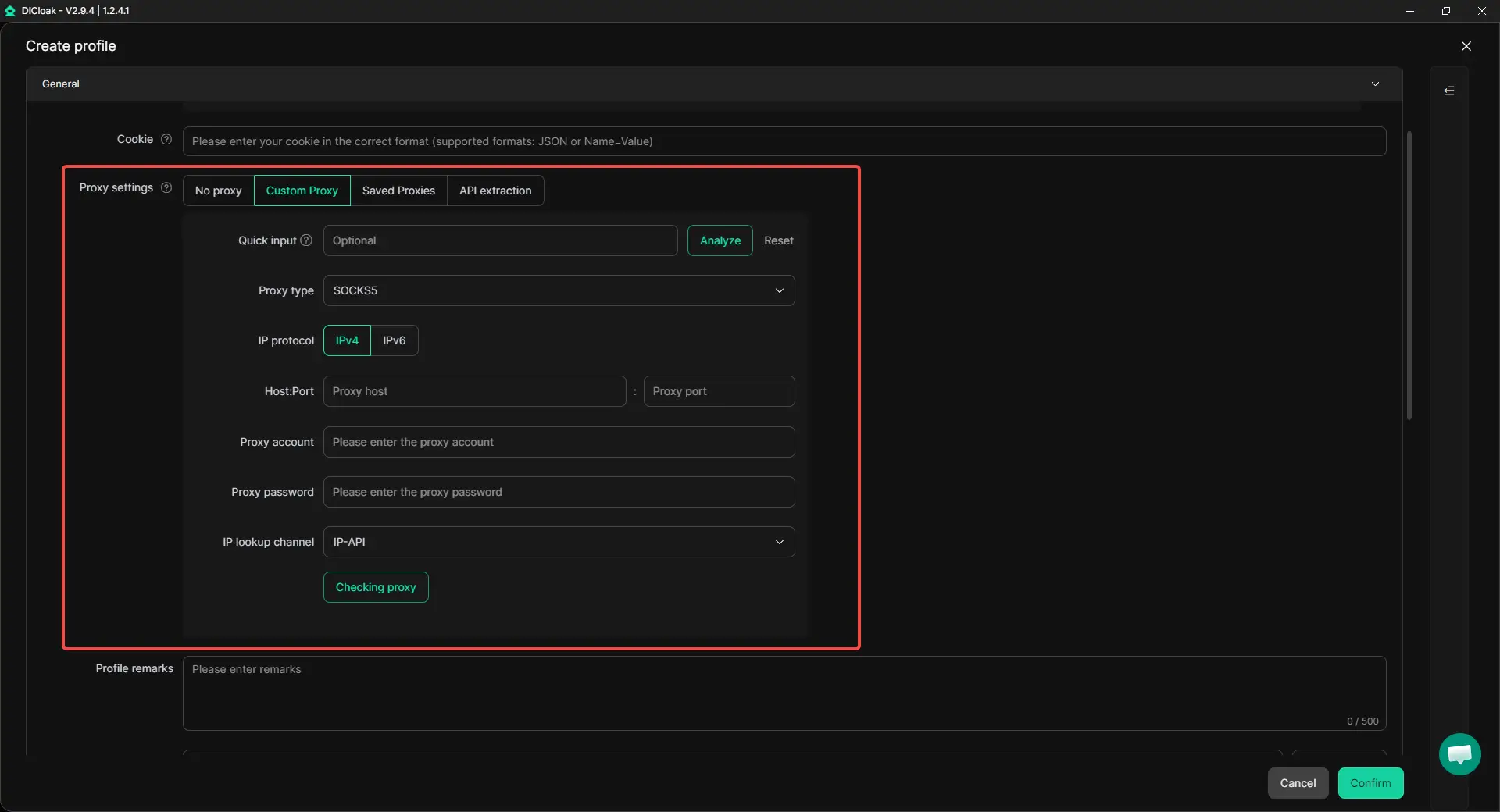
Start by creating a separate browser profile for the TikTok ad account. Do not use one profile for several ad accounts, even if they belong to the same brand or team. Each profile should keep its own cookies, cache, login session, fingerprint settings, and browser data.
When setting up the profile, keep the environment details logical. The proxy region, timezone, browser language, WebRTC, screen, and fingerprint settings should match the account’s business plan as much as possible. For example, if the account is prepared for a US campaign, the browser profile should not look like it keeps moving between unrelated regions.
Step 2: Configure a Stable Proxy Before the First Login
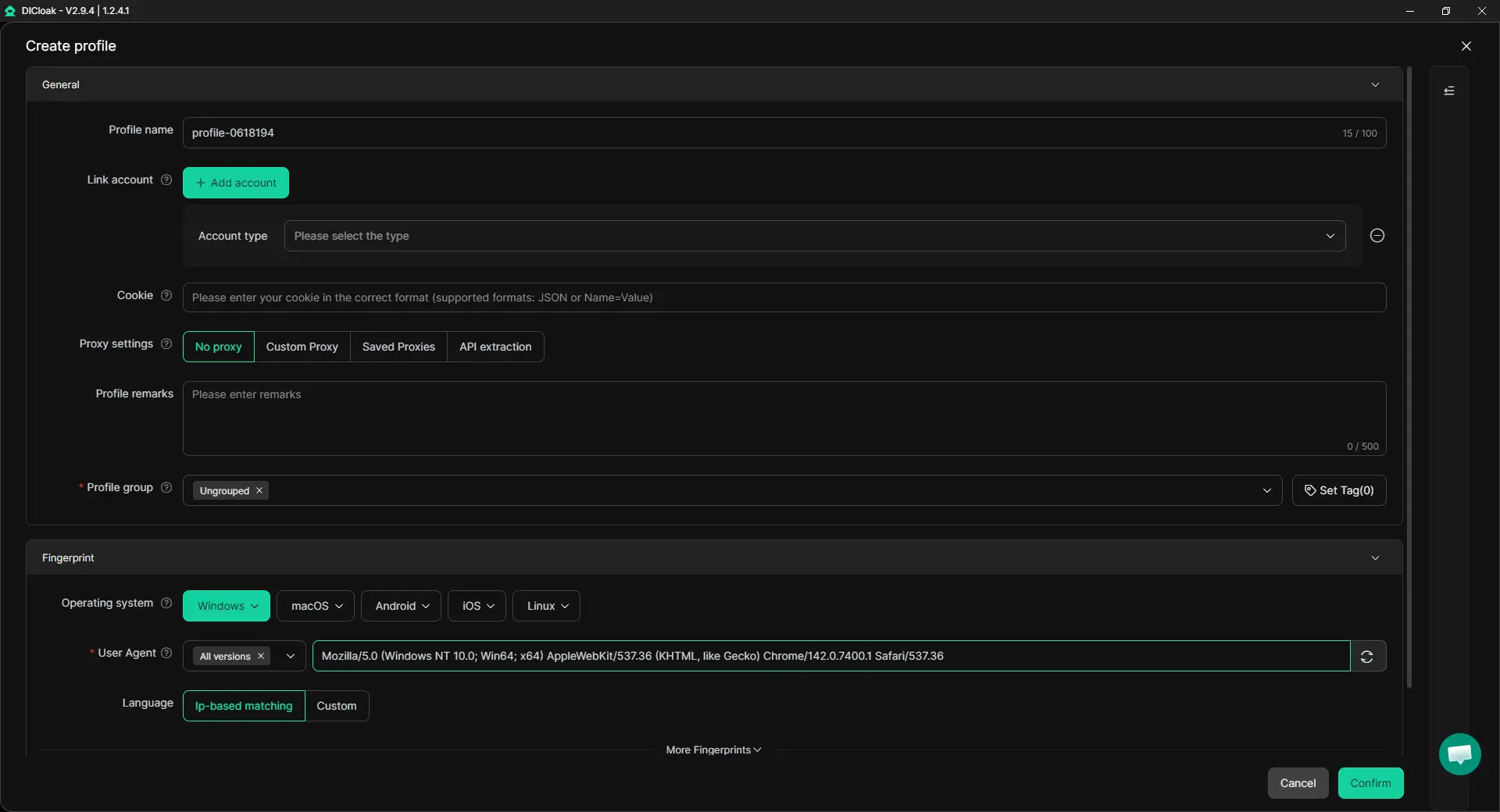
Set the proxy before opening TikTok or TikTok Ads Manager. A stable proxy helps the account build a cleaner login pattern from the start. The proxy location should match the target market, billing plan, and landing page language as closely as possible.
Do not change the proxy every day during warm-up. A new TikTok ad account usually needs a steady access pattern more than constant IP changes. If you switch proxy regions while also changing payment or Business Center details, the setup can look messy very quickly.
Step 3: Log In Gently and Build Basic Account History
Open the DICloak profile and log in to the TikTok account or TikTok Ads Manager from that same profile. If it is a new account, use a unique email and keep access to the recovery method. If it is a purchased or handed-over account, make sure you have access to the linked email before logging in, because login codes may be sent there.
Spend the first sessions checking the account, browsing niche content, and completing basic details slowly. Do not change the email, password, payment method, proxy, and business details all in one session. The goal is to create a normal start, not to finish every setup task as fast as possible.
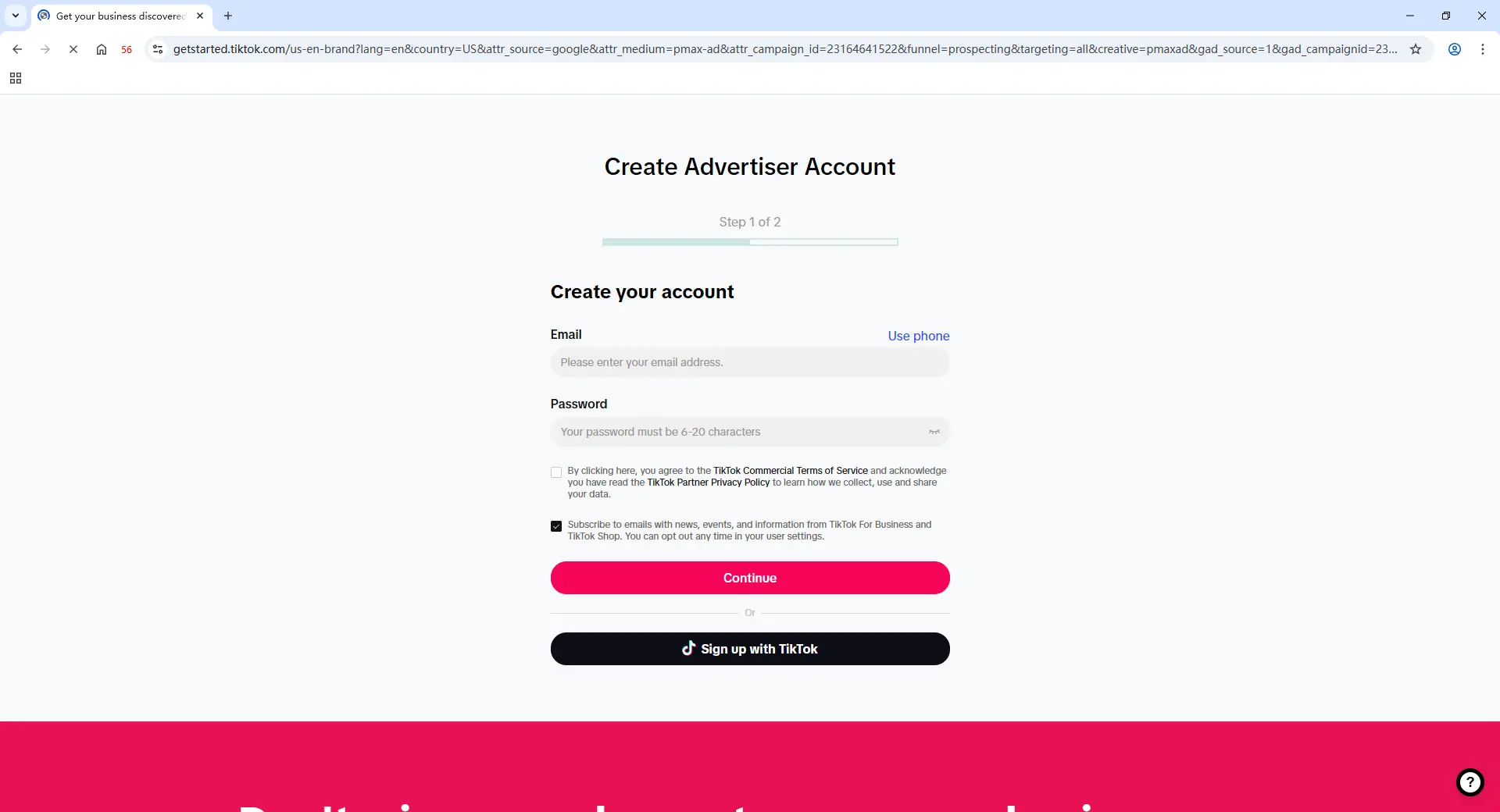
Step 4: Set Up Business Center, Pixel, and Payment Step by Step
Once the account can log in normally, move into the business setup. Check the Business Center details, prepare the landing page, and create or connect the Pixel if you plan to run conversion campaigns later. Keep the business region, billing details, landing page language, and campaign market as consistent as possible.
Add payment only after the account has a stable login pattern. Do not reuse payment details across unrelated accounts without checking the risk. If payment fails, do not keep retrying with several cards in a short time. Pause, check the account setup, and fix the mismatch first.
Step 5: Create a Campaign Draft Before Launching Ads
Before running ads, create a campaign draft and review the setup. Check the objective, target market, landing page, tracking, budget, and creative. This helps you catch basic mistakes before the account enters real review.
For a cold TikTok ad account, avoid launching several campaigns at once. It is better to start with one simple campaign and one clear offer. A rushed setup with many creatives, many ad groups, and frequent edits can create more noise than useful testing data.
Step 6: Start with a Low-Budget Test Campaign
When the setup looks stable, launch a small test campaign. A Traffic or Video Views campaign is often a safer first step than asking a cold account to run full conversion ads immediately. The point is to test whether the account can spend, pass review, and keep running without new warnings.
Watch the account for a few days before scaling. If payment works, the first ads are reviewed normally, and there are no new account warnings, you can increase the workload step by step. Do not jump from a tiny test to a large daily budget in one move.
What Mistakes Should You Avoid When Warming Up TikTok Ad Accounts?
The biggest mistake is treating a new TikTok ad account like an account that already has history. During warm-up, avoid sudden commercial actions, repeated environment changes, reused business assets, and messy team access because these can make a new account look unstable.
Do Not Launch Conversion Ads Too Early
A cold ad account should not be pushed into heavy conversion testing on day one. Conversion campaigns ask more from the account because they involve tracking, landing pages, events, payment, and stronger commercial intent. If the account has no normal setup history yet, this can create more review pressure than needed.
Start with a lighter test when possible. A simple Traffic or Video Views campaign can help you check whether the account can spend, pass review, and stay stable. Once the first campaign runs normally, you can move toward conversion testing with cleaner data and less guesswork.
Do Not Change Proxy, Fingerprint, or Payment Details Too Often
New ad accounts need a steady access pattern. Changing the proxy, browser profile, timezone, or payment method again and again can make the setup look messy. This is especially risky when all these changes happen during the same warm-up window.
If something goes wrong, do not panic-edit everything at once. For example, if payment fails, first check the card, billing region, currency, and account details before changing the proxy or browser profile. Changing too many variables makes it harder to know what caused the problem.
Do Not Reuse the Same Card, Domain, or Landing Page Without Checking Risk
Reusing assets can save time, but it can also connect accounts in ways you did not plan. The same card, domain, landing page, product page, or tracking setup may be normal for one business, but risky if the accounts are unrelated or have different markets. The issue is not reuse alone. The issue is whether the reuse makes business sense.
Before using the same asset across several TikTok ad accounts, check the relationship between them. Are they under the same brand, same Business Center, same market, and same billing setup? If not, using the same payment method or landing page may create confusion during review. Keep each account’s business story clear.
Do Not Let Several Team Members Log In From Different Environments
Team access can break warm-up if it is not controlled. One media buyer may open the account from a personal browser, another may use a VPN, and another may change campaign settings from a different region. Even when the team is real, the account history can look scattered.
Use one clear access path for each ad account during warm-up. Team members should know which account is still warming, which profile should be used, and which settings should not be changed yet. This prevents wrong-account actions, repeated edits, and avoidable login checks.
Frequently Asked Questions About Warming Up TikTok Ad Accounts
How long should you warm up a new TikTok ad account?
A new TikTok ad account usually needs about 7–14 days of careful warm-up before heavier ad testing. The exact time depends on the account’s login stability, payment setup, Business Center status, and first campaign results. Do not judge readiness by days alone. If the account still gets repeated checks, payment errors, or review warnings, it is not ready to scale yet.
Can I run TikTok ads on the first day?
You can set up the account on the first day, but running ads immediately is not always the safest move. A cold ad account has no clear login history, payment history, or campaign history yet. It is better to first check the account settings, build light activity, prepare the Business Center, and then start with a small test campaign. This gives you a better chance to catch setup problems before real spending begins.
Do I need an antidetect browser to warm up one TikTok ad account?
You may not need an antidetect browser if you only manage one TikTok ad account from one stable device and network. But if you manage several ad accounts, work with a team, or need separate browser profiles, an antidetect browser like DICloak can make the setup cleaner. It helps keep cookies, proxy settings, fingerprint settings, and login sessions separated, so accounts are less likely to get mixed during daily work.
What is the safest first campaign for a new TikTok ad account?
For a new TikTok ad account, a low-budget Traffic or Video Views campaign is often a safer first test than a full conversion campaign. This kind of campaign helps you check whether the account can spend, pass review, and run normally. After the first ads are approved and payment works without issues, you can move toward conversion campaigns. Do not jump straight into high budgets or many ad groups at once.
When can I scale the budget on a warmed-up TikTok ad account?
You can consider scaling when the account logs in normally, payment works, ads are approved, and there are no new warnings in the account. Budget scaling should be gradual, not sudden. If a small campaign runs for a few days without issues, increase spend step by step and keep watching review status, payment status, and campaign delivery. A warmed-up ad account is ready when it reacts normally to small changes, not just when a fixed number of days has passed.
Conclusion
Warming up a new TikTok ad account safely in 2026 is not about avoiding every review. It is about giving the account a stable start before real spending begins. A safer warm-up process keeps one ad account in one consistent browser profile, uses a matching proxy and fingerprint setup, builds light account history, and adds Business Center, Pixel, payment, and campaigns step by step.
The main rule is simple: do not make a cold TikTok ad account look rushed or inconsistent. Avoid sudden conversion campaigns, frequent proxy or payment changes, reused assets without checking risk, and messy team logins. When the account can log in normally, pass early review, spend a small budget, and show no new warnings, it is in a better position to scale carefully.
 Web Proxy Tools
 Free Tools
 Cookie Plugin
 UA Generator
 MAC Address Generator
 IP Generator
 IP Address List
 2FA Code Generator
 World Clock
 Anonymous Check
 WebRTC Leak Test
 UUID Generator
 Free Web Proxy Site
 Proxy Checker
 FB Ad Checker
 AI Web Scraping
 Free SMM Tools
 Twitter Shadowban Checker
 Instagram Name Checker
 UTM Generator
 Username Generator
 AI Hashtag Generator
 LinkedIn Headline Generator
 Social Media Image Resizer