Stuck comparing AI tools and not sure which one actually fits your daily workflow? You’ve probably seen people debate is claude better than chatgpt, but most of those arguments skip the details that actually matter once you’re past the hype. Picking Claude or ChatGPT isn’t just about which model scores higher in a benchmark or who launched the latest update, it’s about what happens when you try to get real work done, whether that’s coding, research, or handling sensitive information.
The catch is, both Claude and ChatGPT have strong fans for a reason. Claude vs ChatGPT often comes down to the way you use prompts, the kind of output you need, and which limits or quirks trip you up in practice. Features that sound similar on paper can feel very different when you actually rely on them for long sessions, team workflows, or edge-case tasks.
If you’re tired of generic comparisons and want to know what actually changes when you pick one over the other, where the friction points are, which details become dealbreakers, and how to spot the tradeoffs before you commit, keep reading.
Now let’s get into the real-world differences that people notice after weeks of heavy use.
What Should You Really Compare: Claude vs ChatGPT in 2026?
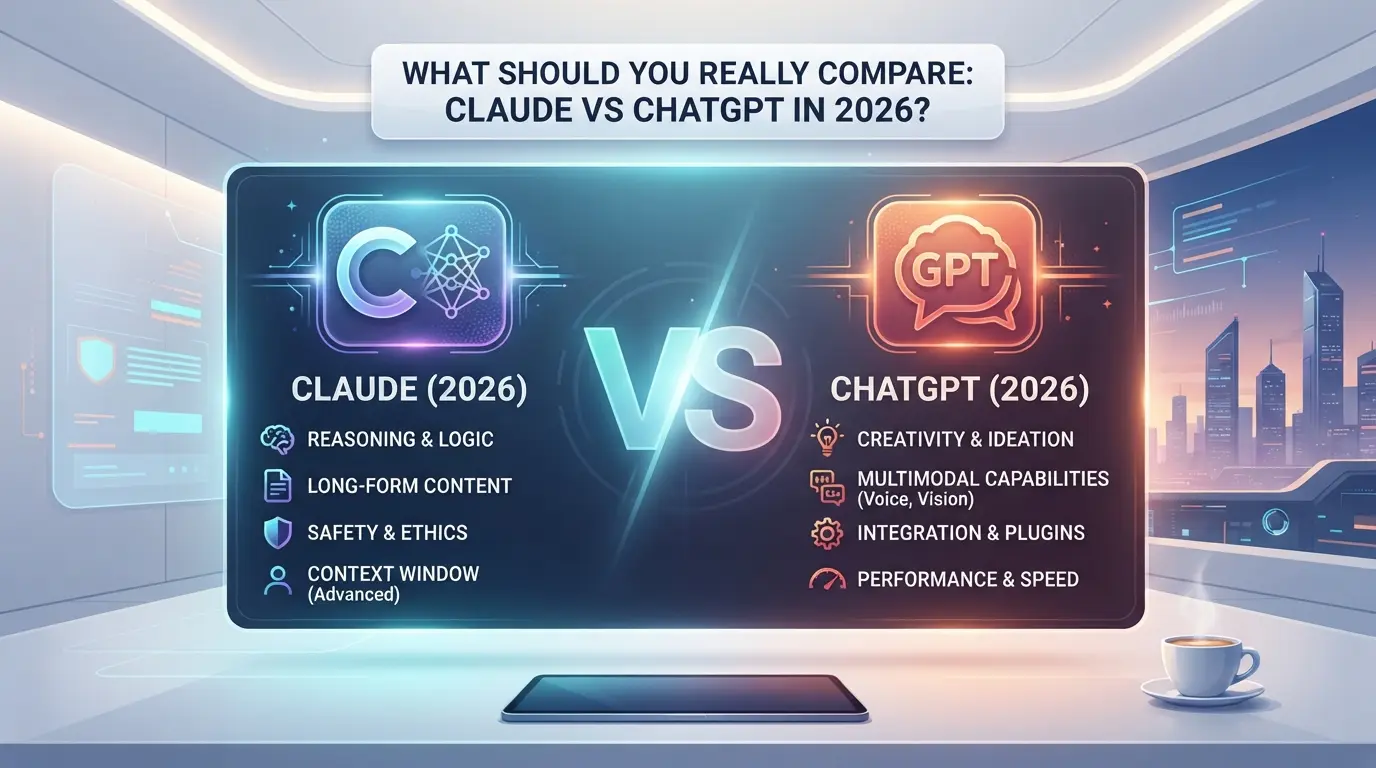
If you’re asking "is Claude better than ChatGPT", the answer isn’t simple, what matters is how each tool handles your real workflow, not just who has the flashiest features. Most people only notice the real differences after several weeks of use, when edge cases, session quirks, and output reliability start showing up.
Why simple feature lists can be misleading
Feature lists look equal on paper, but daily use exposes gaps. Marketing claims rarely match how models behave with messy prompts, odd inputs, or longer sessions. The features that sound similar, like context size or coding ability, can feel totally different when you rely on them for heavy work.
Core decision areas: accuracy, context, privacy, and cost
The practical choice comes down to four areas: output accuracy, context handling, privacy policies, and cost. Claude sometimes gives more consistent answers on complex reasoning, but can miss details in tricky coding tasks. ChatGPT often handles follow-up prompts better in long chats, but can get stuck on repeating mistakes if you don’t reset the context. Privacy is another divider, Claude’s stricter data handling can matter if you’re working with sensitive info, while ChatGPT’s broader integrations suit fast prototyping but can expose more session data. Pricing isn’t just about headline numbers; team use, API limits, and hidden costs can change the math. Here’s a quick table for 2026:
| Area |
Claude |
ChatGPT |
| Accuracy |
Strong on logic, weaker on code |
Solid for code, can slip on logic |
| Context |
Larger window, less prone to loop |
Handles follow-ups well, but limited memory |
| Privacy |
Stricter, less session data stored |
More integration, more data exposure |
| Cost |
Higher for teams, lower for solo |
Flexible plans, extra for API use |
When user workflow matters more than model specs
- If you run longer chats or need deep context, Claude is usually steadier.
- For coding and quick fixes, ChatGPT is often easier to push and reset.
- Team use changes everything: privacy, pricing, and session control become dealbreakers fast.
The next section will break down where Claude really outperforms ChatGPT, and where it doesn’t.
Where Claude Outperforms ChatGPT (and Where It Doesn’t)
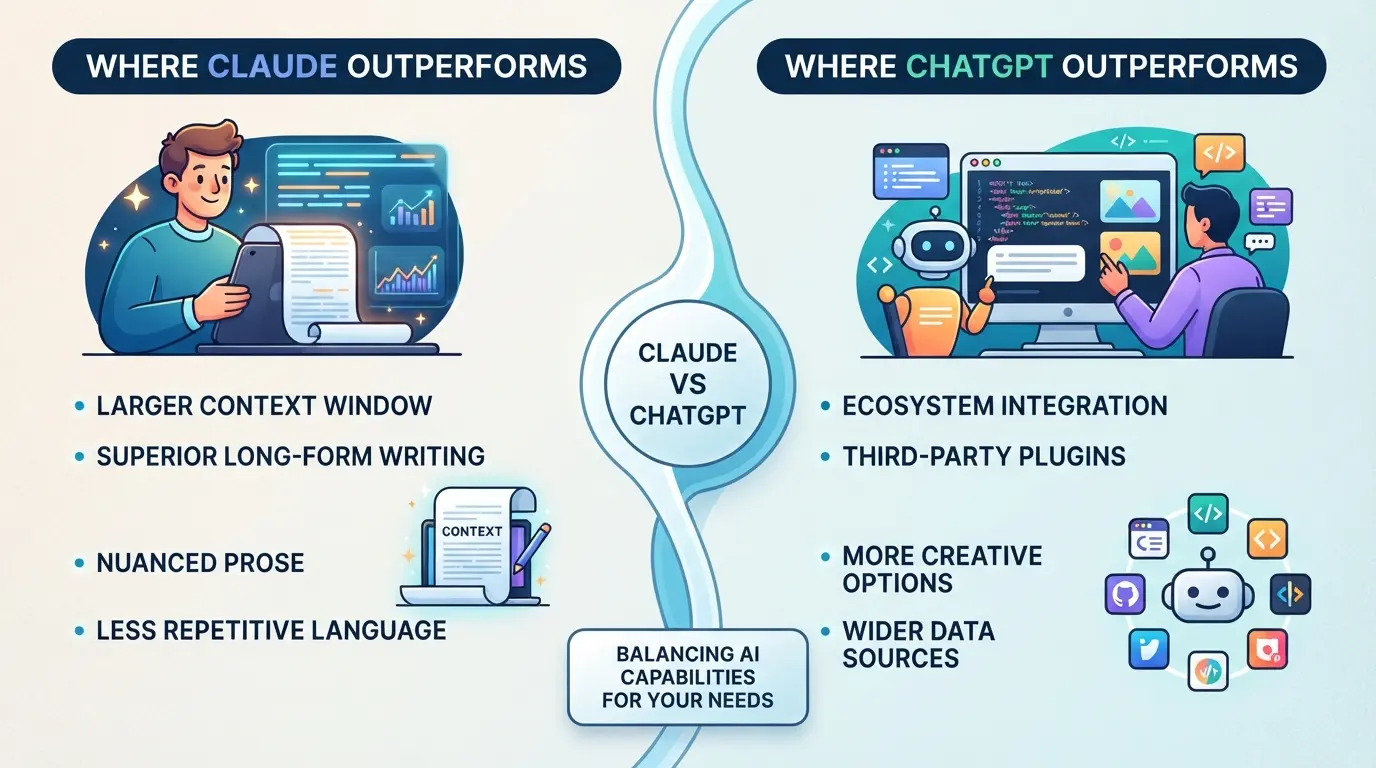
If you want a straight answer: Claude handles long documents and privacy-sensitive work better than ChatGPT, but it can’t match OpenAI’s coding tools or plugin options. The right pick depends on what slows you down most, context limits, weak integration, or something else.
Claude’s strengths: context, summarization, and privacy
| Feature |
Claude 3 (2026) |
ChatGPT-4o (2026) |
| Long-context input |
Up to 200,000 tokens per chat |
128,000 tokens (with GPT-4o) |
| Summarization quality |
Handles multi-source synthesis well |
Consistent but loses nuance on long chains |
| Privacy/enterprise controls |
Clearer privacy docs, region-specific data centers |
US/EU compliance, less transparent per-request |
For teams handling research or sensitive docs, Claude’s longer context and clearer privacy terms remove common roadblocks.
Where Claude lags: coding, plugin ecosystem, and integrations
Claude falls behind if your workflow relies on custom plugins, third-party integrations, or advanced coding help. ChatGPT’s marketplace and developer support cover more languages, frameworks, and direct tool connections. When you need code snippets, API calls, or workflow automation, OpenAI’s ecosystem is usually the faster path.
Real-world examples: When users switch (and when they switch back)
Writers and researchers often switch to Claude for its context window and smoother summarizing, especially when piecing together long reports or evidence threads. But developers and teams that want to run code or connect to external tools usually switch back to ChatGPT once they hit a wall with Claude’s limited integrations.
Next up: why some users still stick with ChatGPT, even when Claude looks better on paper.
Why Some Users Prefer ChatGPT (Despite the Hype Around Claude)
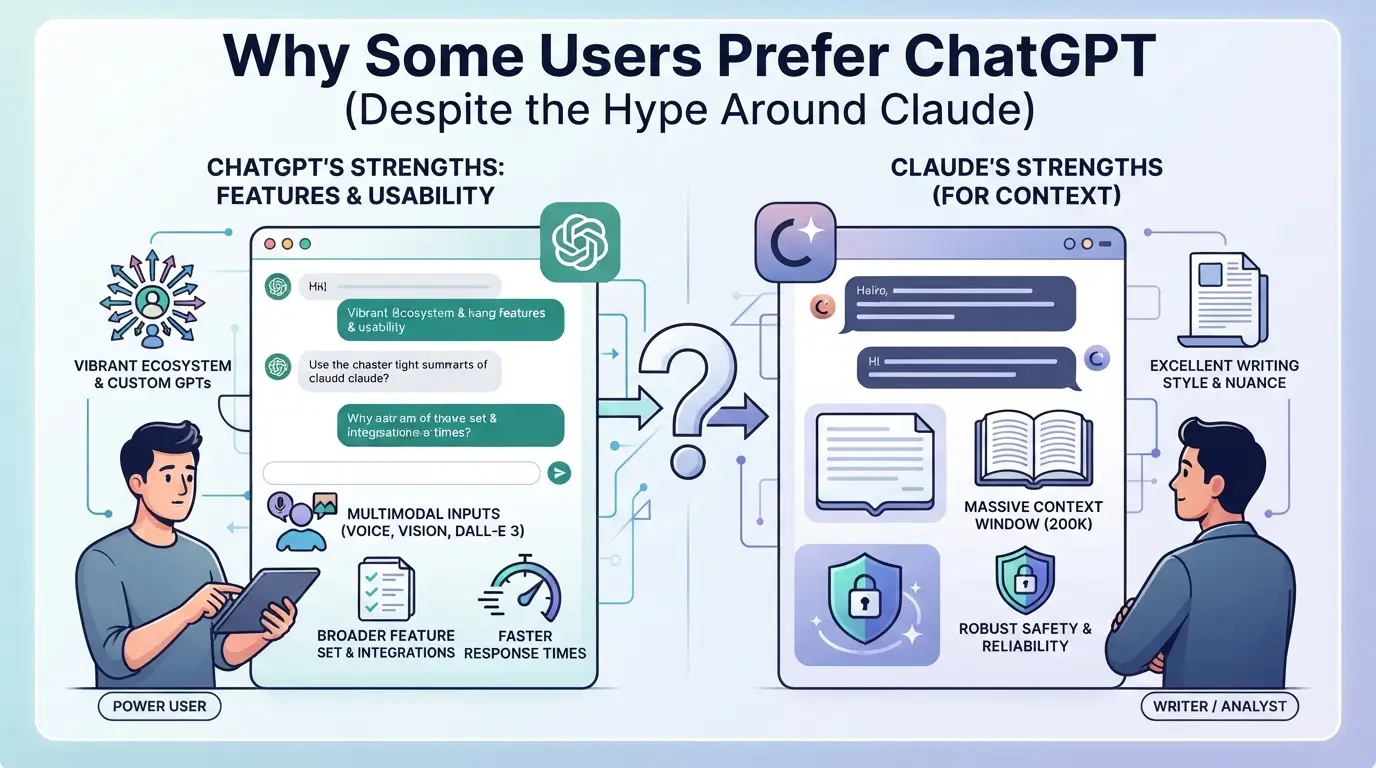
Even as "is claude better than chatgpt" becomes a common question, many users stick with ChatGPT because it fits their habits, tools, and support needs better than Claude does for now.
ChatGPT’s mature ecosystem and integrations
ChatGPT’s plugin marketplace and third-party tool support are hard to match. Many teams already rely on its APIs for workflow automation, quick integrations, and custom solutions, moving to Claude would mean rebuilding parts of these setups.
Familiarity, stability, and support
ChatGPT’s interface and menu structure rarely change overnight. For users who train teams or build repeatable processes, this stability matters more than the latest features. If a workflow breaks, finding help is straightforward, there’s a large, active community posting fixes, and official support answers most basic issues within a day. One operator shared that switching to Claude led to a week of confusion: account roles, UI shortcuts, and even simple export actions were just different enough to slow everyone down.
When ChatGPT’s weaknesses don’t matter for your use case
- You only need to run basic queries, not push language boundaries or process giant files.
- Your data isn’t sensitive, so advanced privacy controls aren’t a must.
- You value reliability over the newest features, stability beats novelty for your daily work.
Plenty of users look at Claude’s new features and still decide the risk and learning curve aren’t worth it, at least for now. For these people, switching tools could mean more hassle than gains, especially if their current setup just works.
How to Decide: Claude or ChatGPT for Your Workflow?
If you’re trying to settle “is claude better than chatgpt” for your actual work, the answer depends on what you automate, how you handle data, and whether the tool fits your daily routine. Most people waste time swapping tools without checking if their main tasks or team setup actually benefit.
Checklist: Questions to ask before picking a tool
- Do you need long-form writing or code generation as your main output?
- Is privacy, like where your data is stored or processed, a priority?
- Will you rely on plugins, browser extensions, or app integrations?
- Are you planning to share account access with coworkers or manage seats?
If you mostly write, Claude’s context window and tone control stand out. But if you depend on plugins or have strict data residency needs, ChatGPT’s integrations and privacy settings may fit better. The core differences are visible when you try to run batch jobs or share accounts for a week straight.
Common mistakes when switching between AI tools
Swapping tools often creates new friction. The biggest headaches come from ignoring workflow compatibility and sharing limits. Here’s what to check:
- Test your key task (not a demo) before switching.
- Check if seat sharing or access resets will block your flow.
- Confirm plugin and integration support for your real apps.
Missing these checks means your team could spend hours fixing avoidable snags. The next section tackles what actually goes wrong when you share AI accounts across users.
What Risks and Limitations Should You Watch for When Sharing AI Tool Accounts?
Sharing Claude or ChatGPT accounts sounds convenient, but teams face real risks, policy violations, account lockouts, and security gaps can cost you more than a lost session.
Policy and compliance risks: what platforms allow (and what they don’t)
Both Anthropic and OpenAI ban sharing a single user account across team members in their terms of service. If detected, you risk sudden account suspension, data loss, and possibly a permanent ban. The only safe route is using official team plans.
Technical pitfalls: detection, lockouts, and inconsistent environments
Account sharing triggers platform security checks fast.
- Logging in from different IPs or browsers can cause forced logouts, multi-factor prompts, or blocked sessions, sometimes without warning.
- The safer move: stick to assigned devices, avoid random location changes, and don’t reuse credentials across public computers.
Best practices for safer account sharing
Set up dedicated team accounts with role-based permissions and audit logs. Avoid “one password for all” setups, these make it impossible to track actions or trace a leak. Teams that skip this step usually get burned by accidental lockouts or messy blame when something goes wrong.
How Teams Can Share Access to AI Tool Accounts More Safely with DICloak
Once you know the risks of sharing AI tool accounts, the next challenge is keeping your team’s workflow smooth without exposing passwords or triggering lockouts. For teams that also need to share access to Claude or ChatGPT accounts, DICloak gives admins more control at the browser profile and session level, without changing any settings inside the AI platforms themselves.
Keep all team access under one unified IP and fingerprint
When multiple users need to access the same Claude or ChatGPT account, admins can set up a shared DICloak browser profile with a user-provided proxy and fixed fingerprint. Anyone opening that profile, even from different devices, uses the same browser profile and network route. This reduces mismatches from switching IPs or browser signatures. Every member must use the shared profile and the configured proxy; using different profiles breaks this consistency. The scope is limited to the environment layer, platforms may still detect other signals.
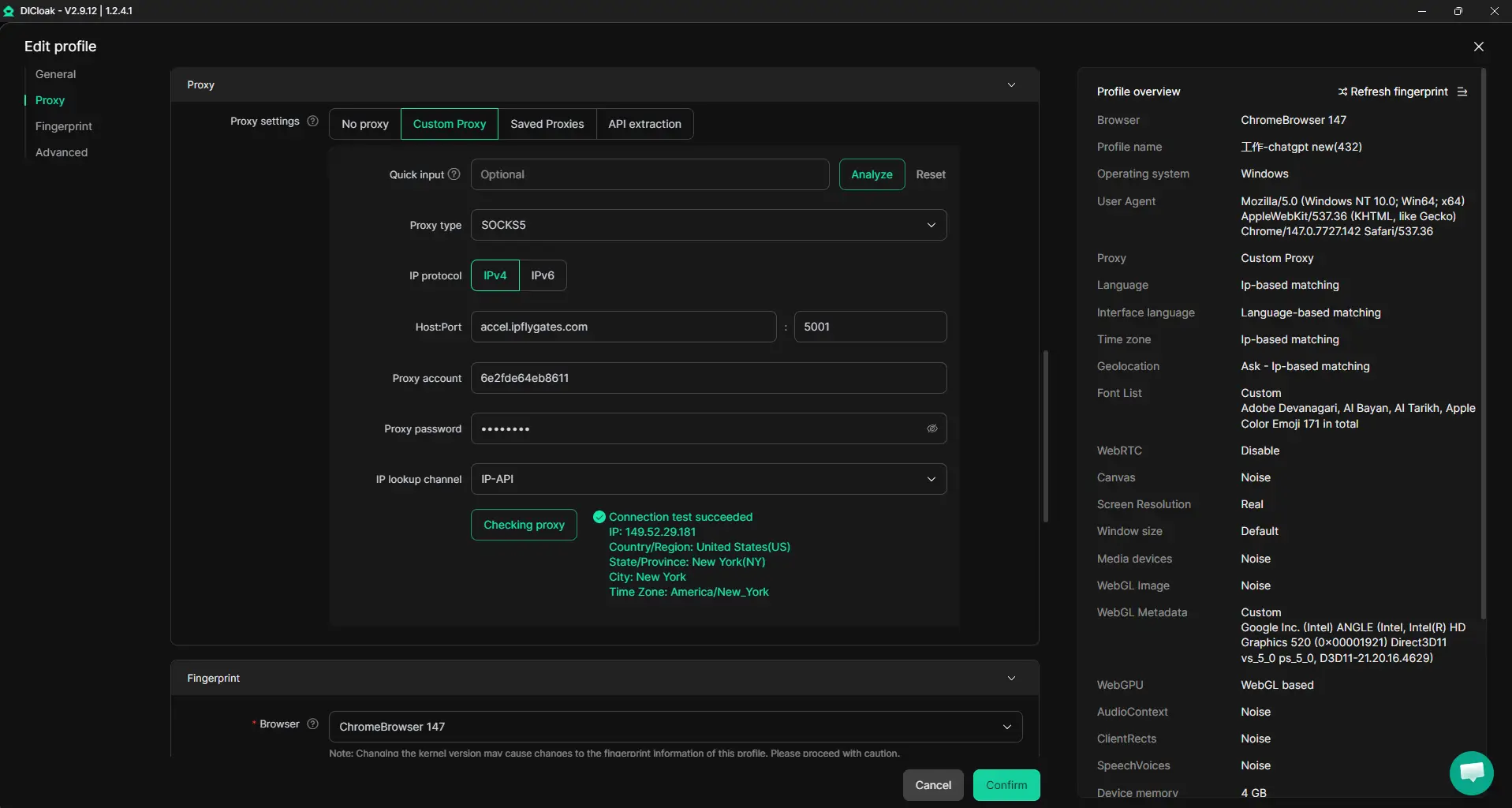
Browser-Profile Access Controls for Shared Account Workflows
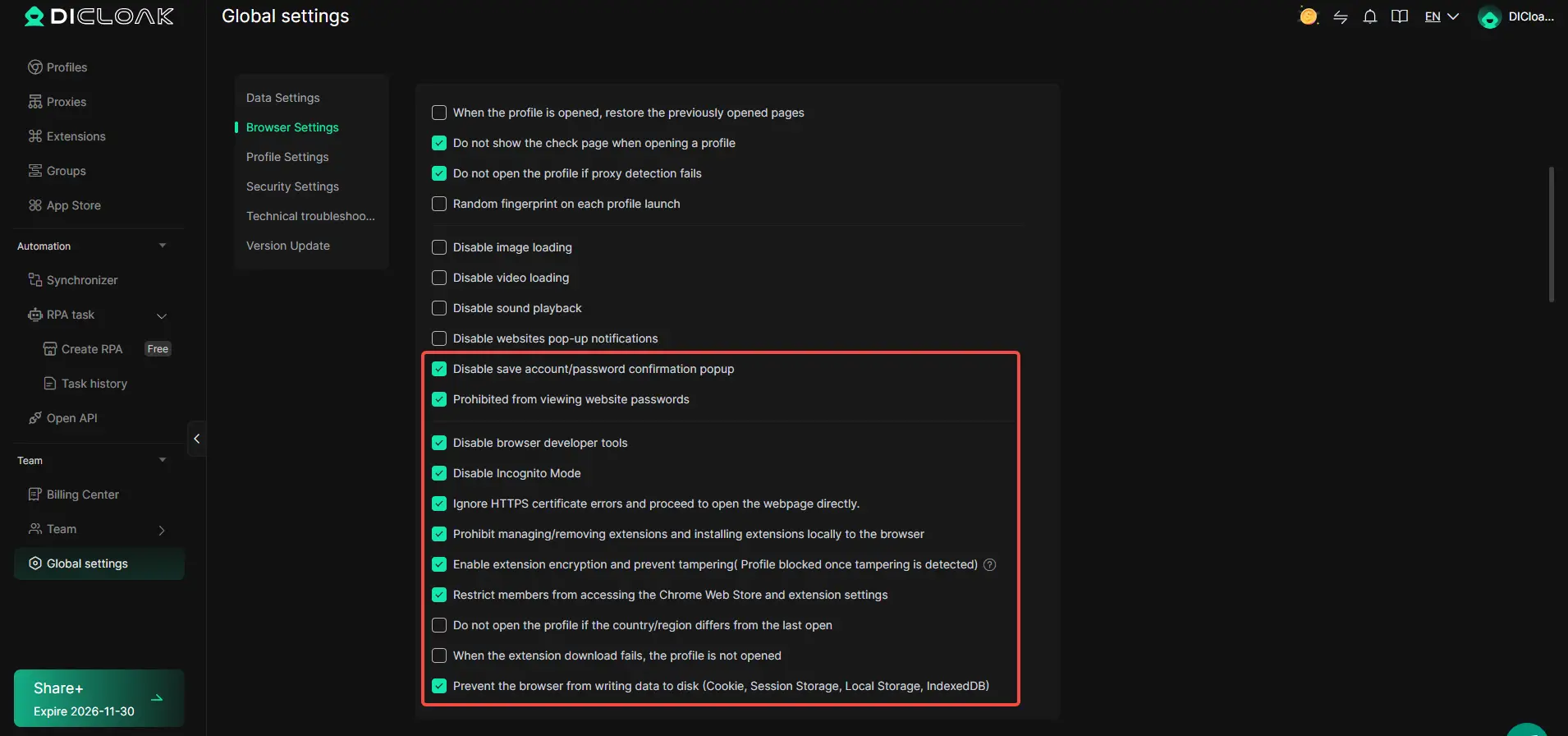
The main risk when sharing accounts isn’t just policy, it’s team members copying cookies, passwords, or session data. Admins can use DICloak security settings to restrict viewing or copying saved passwords, block developer tools, and hide sensitive extension or website elements inside the shared profile. Cookie Encryption is available as an add-on for stronger session-data protection. These controls only cover the browser-profile layer; they don’t change what the AI platform itself exposes.
Assign team permissions for least-privilege access
Not every team member should have full access. DICloak lets admins create member groups, assign profiles only to approved users, and hide sensitive fields in the profile list for everyone except super admins. This keeps each person’s access limited to what their role needs, cutting down on accidental changes or leaks. These permissions apply only inside DICloak, not within Claude or ChatGPT.

With a setup like this, teams can share one account for Claude or ChatGPT with much tighter control and less risk of trouble spreading across members.
When to Use Claude, ChatGPT, or Both: Real-World Scenarios
Solo users: picking the right tool for the job
Writers often find Claude gives more natural long-form drafts, while students or coders may get quicker, more precise answers from ChatGPT. For heavy research, switching between both can cover gaps.
Teams: combining strengths and managing access
A media team uses Claude for first-draft content, then hands off to ChatGPT for fact-checking and formatting. Editors keep control by splitting tasks, writers only access Claude, researchers use ChatGPT, and managers review output. When roles change, shifting access prevents accidental leaks. The main win: dividing work by tool strengths cuts confusion and makes onboarding faster.
Business workflows: compliance, privacy, and automation
Legal teams stick with Claude for sensitive document review since it handles context well, but automate routine client emails through ChatGPT. This setup keeps regulated data safer and speeds up repetitive tasks.
What’s Next: How AI Tool Choices Will Evolve After 2026
The answer to “is Claude better than ChatGPT” will keep shifting as models, rules, and user needs change. Here’s what to watch.
Emerging trends: open models, privacy, and workflow integration
- Open-source AI and local models are getting easier to run, cutting reliance on big providers.
- Privacy rules are tightening, expect stricter data controls and more compliance checks.
- Workflow integration matters more: teams want tools that fit into real systems, not just chat.
Why regular review of your AI tool stack is essential
Features and limits change fast, what works now could break or improve overnight. Make a habit of reviewing your main AI tool choices every quarter, especially after big updates or new policy changes. Staying adaptable beats chasing a single “winner.”
Frequently Asked Questions About is claude better than chatgpt
Is Claude better than ChatGPT for coding tasks?
ChatGPT still has the edge for coding. It supports more programming languages, offers code suggestions, and has a large plugin ecosystem, like Code Interpreter and GitHub Copilot. Claude is getting better at code generation and debugging, but if you need advanced coding help, ChatGPT is usually the better choice.
Which AI tool is safer for handling sensitive data?
Claude is designed with strong privacy controls and gives users options for data retention. However, both Claude and ChatGPT require you to check official data policies and compliance features before handling sensitive data. Always use secure channels and consult your organization’s guidelines for confidential tasks.
Can I use both Claude and ChatGPT in the same workflow?
Yes, you can combine both Claude and ChatGPT for different parts of your workflow. For example, some users draft documents in Claude and then use ChatGPT for code checks or detailed explanations. Using both lets you take advantage of each tool’s strengths and features.
What are the risks of sharing Claude or ChatGPT accounts with my team?
Sharing accounts can lead to account lockouts, policy violations, or accidental data exposure. It’s better to use team or business plans that offer controlled access and permission settings. This way, you reduce risks and keep your team’s work secure.
How often do Claude and ChatGPT update their features?
Both Claude and ChatGPT release updates frequently, sometimes adding new tools or improving performance several times a year. To make sure you get the latest features and security patches, check their official release notes and review your tool choice regularly.
Your ideal AI assistant depends on your unique needs, whether it's nuanced reasoning, creative writing, or coding support. Take some time to test both platforms with your own use cases before settling on the one that best fits your workflow. Try DICloak For Free
 Web Proxy Tools
 Free Tools
 Cookie Plugin
 UA Generator
 MAC Address Generator
 IP Generator
 IP Address List
 2FA Code Generator
 World Clock
 Anonymous Check
 WebRTC Leak Test
 UUID Generator
 Free Web Proxy Site
 Proxy Checker
 FB Ad Checker
 AI Web Scraping
 Free SMM Tools
 Twitter Shadowban Checker
 Instagram Name Checker
 UTM Generator
 Username Generator
 AI Hashtag Generator
 LinkedIn Headline Generator
 Social Media Image Resizer