Trying to get a claude student discount usually means running into one of two problems: either you can't find a real student offer listed, or you get stuck at the sign-up step because the system doesn't accept your school email or ID. Plenty of students want to use Claude for coursework or research, but it's not clear if there's a true Claude education discount, a hidden Claude Pro student offer, or just a handful of unofficial workarounds.
The risk is real, searching forums, you'll see advice to buy discounted accounts from strangers or to share access with friends, but these shortcuts often end with locked accounts or lost money. Even if you find a code or special link, you can't always tell if it's safe or if you actually qualify for the deal.
What actually works is looking at the official eligibility steps, the real sign-up flow, and the safest ways to confirm access without risking your account. Students who skip the verification details often find themselves blocked or missing out on features that paying users get. The details matter, one missed document or a mismatched email can mean a failed application and weeks of wasted time.
Here’s what actually helps students get legitimate access, and how to avoid the traps others fall into.
What Actually Counts as a Claude Student Discount in 2026?
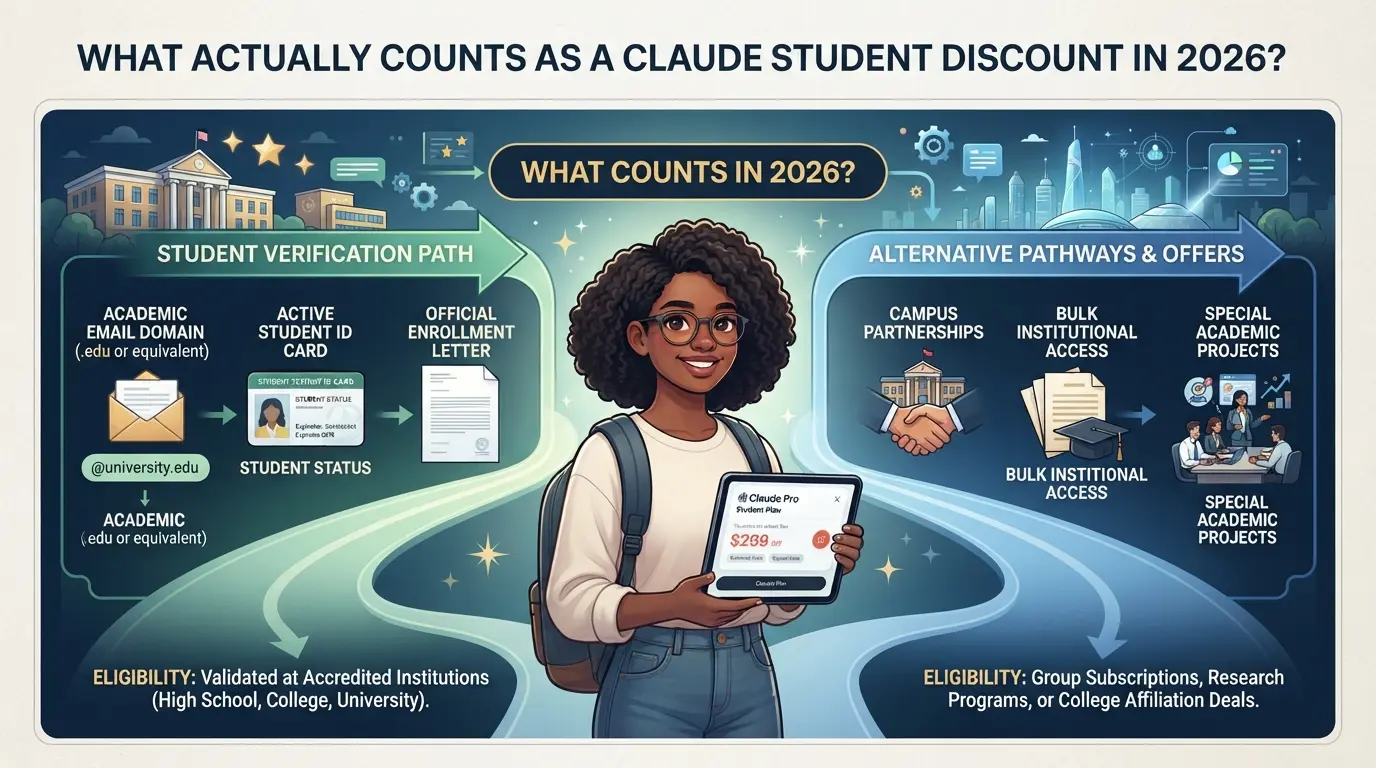
A real Claude student discount in 2026 means an official, school-linked offer, either through a university partnership or a verified education program. Anything else, like random codes or forum deals, isn’t recognized and can easily get your account flagged or blocked.
Does Claude Pro Offer a Public Student Discount?
Anthropic does not give a public Claude Pro student discount. If you don’t see a verified student signup flow on the official Claude website, the deal is not real. Most links that claim a Pro student offer are either expired, limited to specific schools, or simply fake.
What Is Claude for Education and Who Gets It?
Claude for Education is a separate track from Pro, targeting schools and their students. If your university has an active Anthropic partnership, you may get access to Claude for Education, which often includes more API credits and features tailored for coursework. The main difference: Pro is paid, requires individual signup, and is not automatically linked to school status; Education is institution-based and usually needs your .edu email, student ID, or access through a campus portal. For example, a student at a partnered university might log in with their school email and get expanded limits, while a student at a non-partnered school gets only the free tier. The most common failure case is using a generic student email, Anthropic checks against a database of eligible schools, so mismatches lead to rejection or basic access. If your school isn’t in the partner list, you won’t qualify, no matter how many times you apply or which code you find.
Are There Any Free or Trial Routes for Students?
- Free tier: Anyone can sign up for Claude’s basic plan, but limits apply, students get no extra features here.
- Education program: Only official school partners get expanded access; others are out of luck.
- API credits: Some student competitions or events offer API credits, but these are temporary and require separate registration.
Before moving on, check which category fits your situation, most students will need to verify school status before getting any real Claude education discount. The next step is learning how to check eligibility and avoid common traps that waste time or risk your account.
How to Check If You’re Eligible for a Claude Student Discount or Free Access
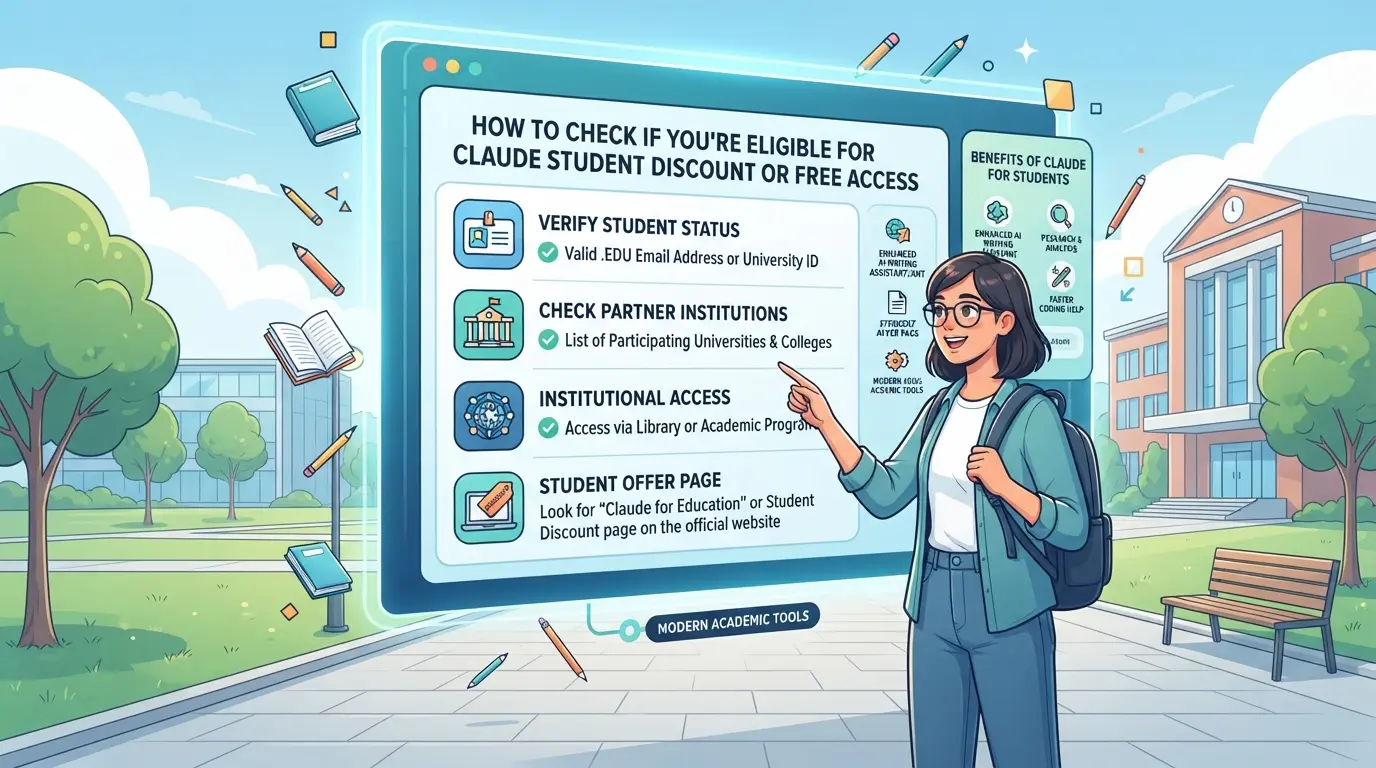
Getting a real Claude student discount starts with confirming your eligibility before you even try to apply. The fastest way to avoid wasting time or getting scammed: follow the exact steps below and double-check every detail. Here’s how students actually get approved, or find out early that they’re out of luck.
Find Out If Your School Is a Claude for Education Partner
- Go to the official Claude for Education partners page and use the search function to look up your school’s name.
- If your institution appears, click it to see the current offer details, some schools get full access, others only a discount.
- Can’t find your school? Don’t assume it’s covered. If it’s missing, you’re not eligible for the main program, and applying under another school’s name will usually fail at verification.
- Before moving forward, screenshot or save proof if your school is listed. If it’s not, skip to the last section here for alternatives.
Understand the Verification Process
- Read the requirements on the partner page, most programs ask for a valid .edu or institutional email and sometimes a student ID upload.
- Use your school email (not Gmail or personal) when you sign up, if you enter the wrong domain, you’ll get an instant rejection or no discount code.
- If asked for a document, make sure it’s current. Outdated student cards or expired enrollment letters almost always cause delays or denials.
- After submitting, check your inbox (and spam folder) for a confirmation email. Most approvals come within 1-3 days, but delays happen if info doesn’t match or the system flags your documentation.
What to Do If Your School Is Not a Partner
- Visit the Claude for Education FAQ to see if there’s a self-nomination form for students at non-partner schools, some years, Anthropic opens a waitlist.
- If no route exists, your only official option is the standard free Claude tier or paying for Claude Pro, there is no general-use student promo code in 2026.
- Avoid buying “discounted” Claude accounts from third-party sellers or Telegram groups. These are often shared logins, can get flagged, and rarely survive a login challenge or password reset.
- If you’re desperate for team use, stick with the free tier or wait for new partner rounds, hacked or “cracked” student offers almost always lead to account loss.
Missing a single step here, like using a personal email instead of your institutional address, can mean an automatic rejection. Next, see what actually goes wrong and how to avoid the most common traps.
Common Mistakes and Risks When Trying to Claim a Claude Student Discount
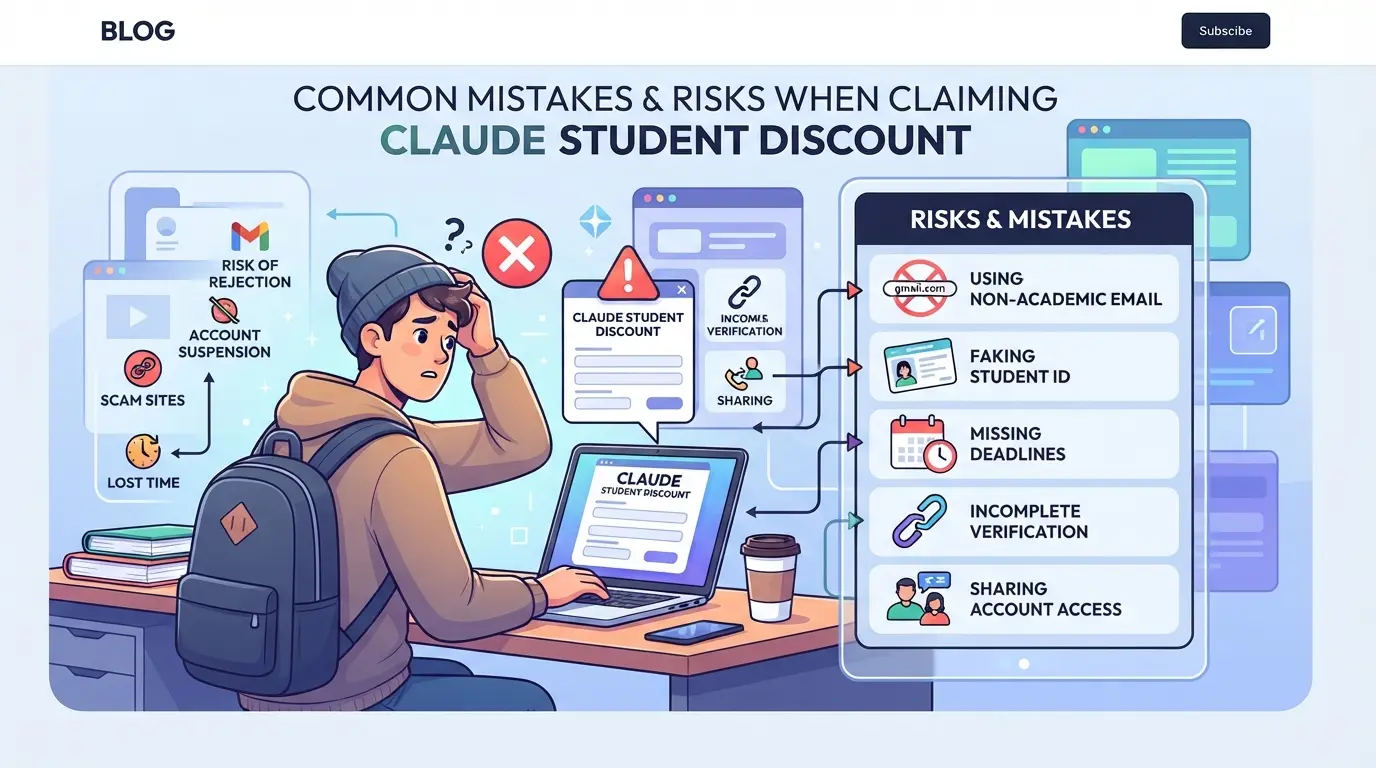
Trying to get the Claude student discount can backfire if you trust the wrong source or rush through the steps, students often lose money, access, or both by making avoidable mistakes.
Falling for Third-Party 'Student Discount' Scams
Sites or sellers offering "guaranteed" discounted Claude accounts are the biggest red flag. Only the official Claude site and recognized campus partners can grant real student access. If someone asks for upfront payment in exchange for a code or login, that’s a classic scam move. Once you pay, you usually get a locked account, reused credentials, or nothing at all.
Assuming a .edu Email Is Enough
- Check if your school is on the approved partner list.
- Make sure your email is active and not just an alumni address.
- Prepare to upload a current student document, Claude often asks for proof beyond your email.
Sharing Accounts Without Security Precautions
It’s easy to get blocked for "unusual access" if you try to split one Claude for students account with friends. Platforms spot access jumps, mismatched device fingerprints, or logins from far-apart locations and may freeze the account.
- Only share when the platform rules allow.
- Log out from all devices before switching users.
- Avoid giving out passwords, use official team-sharing features if offered.
What’s Included in Claude for Education vs. Claude Pro vs. Free Tier?
If you’re weighing Claude for Education against Claude Pro or the free tier, the main differences come down to message caps, model access, API credits, and how long you keep the benefits. Students get more value from the education offer than just picking the free tier, but it’s not unlimited, and Pro still has its own perks.
Feature Comparison Table: Education vs. Pro vs. Free
| Feature |
Claude for Education |
Claude Pro |
Free Tier |
| Daily Messages |
500 |
1000 |
50-100 |
| Model Access |
Claude 3 (full) |
Claude 3 (full) |
Claude 3 (lite/some limits) |
| API Credits |
Included, fixed monthly cap |
Included, higher cap |
Not included |
| Support & Duration |
Email, lasts 1 year |
Priority, monthly renewal |
Community only, ongoing |
Students using the education plan get enough messages for heavy daily use and full model access, but API credits are limited and support is slower than Pro. Free tier users hit limits fast, especially if you try longer chats or uploads.
Which Option Is Best for Your Situation?
If you need full access for coursework or research, Claude for Education covers most needs. Pro is better for advanced projects or if your school isn’t a partner. Free tier works for light use, but you’ll run into caps before the end of the week.
How to Safely Share Claude Access Among Team Members or Study Groups
Sharing Claude access for group projects, study sessions, or team work sounds simple, until someone gets locked out or the account gets flagged. The safest way is to use official group features or stick to clear session management rules.
Why Sharing Claude Accounts Gets Risky
- Platforms track login locations and device fingerprints. If two users log in from different cities within minutes, that triggers security alerts.
- Password sharing can lead to account lockouts. If you both change the password or update security settings, the session can break for everyone else.
- Unexpected logins, like one member using a public computer, can set off fraud detection, leading to restrictions or forced password resets.
- If you use a discount meant for “Claude for students” but mix in non-student access, the account may lose the claude student discount.
Safer Ways to Share Access
- Use official team or group features if available. These let each person sign in without sharing passwords, and logs are kept clean.
- If you must share a single login, only do so with trusted users. Have one person handle account recovery and billing so you don't get locked out.
- Avoid sharing passwords in chat apps or email. These are easy to leak and hard to track, one lost message can lead to a stolen account.
- Skip browser autofill for shared logins. If someone saves the password accidentally, future access can slip out of your control.
What to Change If You Must Share
- Limit device changes. Stick to the same browser and device for each login, random switches are flagged as suspicious.
- Log out before another person logs in. This keeps session data from overlapping, which reduces the chance of forced verification.
- Don’t update account info unless everyone agrees. Changing email or security questions without warning can block other users.
- If you see a “suspicious activity” alert, stop sharing and switch to official group tools. Ignoring these warnings often leads to permanent bans.
As group needs grow, safer account sharing depends on having the right tools, not just luck or shortcuts.
How Teams Can Share Platform Accounts More Safely with DICloak
For teams or study groups who already worked out how to share Claude access, the pain point shifts to managing shared logins without leaking passwords or triggering extra verification. If your group needs to operate one platform account from several devices, informal sharing, sending credentials over chat or copying cookies, quickly turns risky. Here’s how admins can use DICloak to keep account sharing more controlled. The scope is limited to browser-profile access; it does not change the connected SaaS tool.
Keep a Unified IP and Fingerprint for Shared Accounts
When several people need to access a platform account, admins can set up a single shared DICloak browser profile for that account. By configuring a user-provided proxy on the profile, every member who opens it uses the same network path and fingerprint settings, so the environment stays consistent without rebuilding setups on each device. This only works when all members use that exact shared profile and proxy; it doesn’t guarantee the platform will always see everyone as one person or supply the needed proxy.
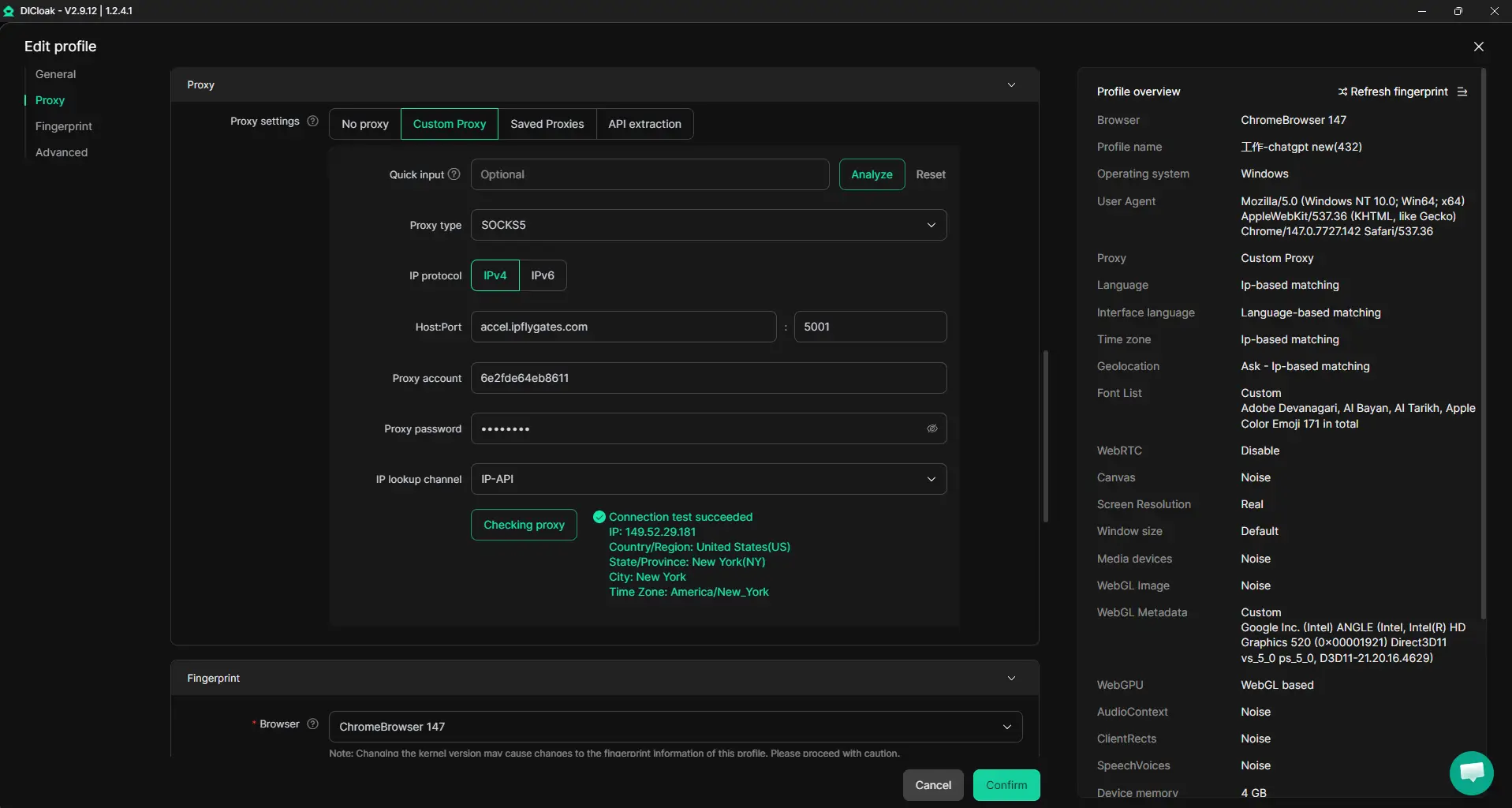
Browser-Profile Access Controls for Shared Account Workflows
Admins can use DICloak security settings to reduce exposure of passwords and cookies during team sharing. For example, enabling password protection hides saved account credentials and blocks prompts to save passwords, while cookie protection can stop members from viewing or copying session data. Restricting access to sensitive pages or browser developer tools adds another layer, but the focus remains on the browser profile, not the connected platform's own systems.
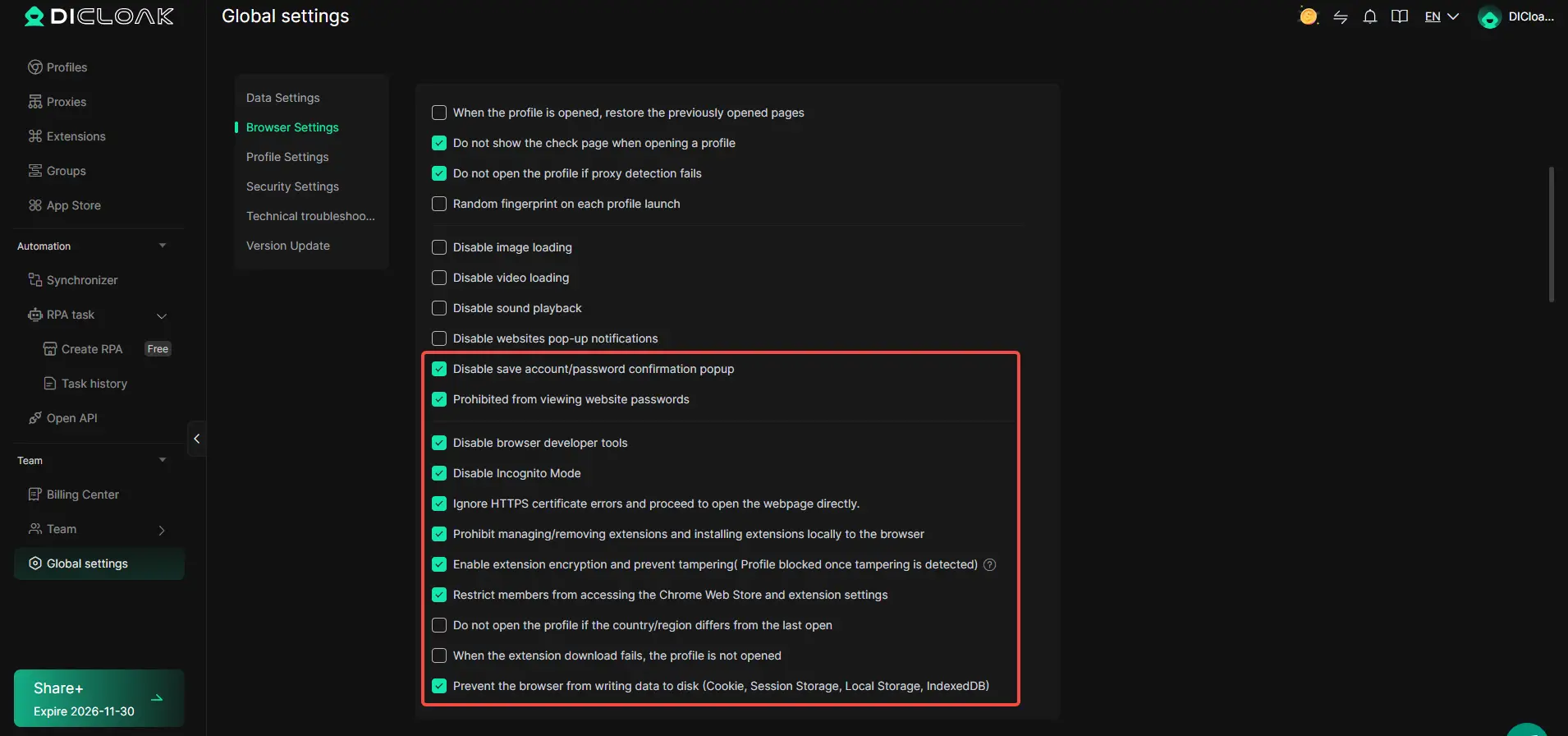
Team Permissions for Assigned Browser Profiles
Not every group member needs full access. Admins can assign permission levels so only selected members can open, view, or manage shared profiles. By putting members in groups with just the right visibility and action rights, the risk of accidental or intentional misuse drops. These controls apply within DICloak, platform-level permissions stay separate.

If Claude’s student discount path doesn’t work for you, the next section covers what to do when your school isn’t a partner or discounts are out of reach.
What to Do If You Can’t Get a Claude Student Discount or Your School Isn’t a Partner
Use the Claude Free Tier Strategically
You can still use Claude’s free plan for basic research or quick drafts, just expect tighter message and usage limits, so save your free prompts for high-priority work.
Look for Other Verified Student Deals
If you’re locked out of the Claude student discount, check programs like Microsoft Copilot’s student access or Google Gemini for students. Stick with official education pages or .edu email signups, fake “student deals” on social media usually lead to lost access or scam charges.
When to Wait or Request Access
- Check if your school is applying for partnership, some get approved mid-semester
- Ask your academic office or IT team to request access from Anthropic
- Watch for updates; new schools and expanded offers often appear each fall
If none of these options fit, skip risky “discounted” account resellers and use the free tier until a real student program opens up.
Quick Reference: Claude Student Discount Routes and Decision Table (2026)
If you’re trying to get a Claude student discount, use this table to pick the right route and avoid dead-ends.
Decision Table: Which Claude Student Route Should You Try?
| Route |
Who Qualifies |
How to Apply |
Real Risks |
| Official Student Plan |
University email, school on partner list |
Apply on Claude’s education portal, verify .edu or approved domain |
Denied if details mismatch or school not listed |
| Free Access via School License |
Only at partner universities |
Get invite from your IT/admin |
May lose access if school drops partnership |
| Promo Codes/Third-Party Offers |
Rare, short-term, not official |
Enter code at signup |
Often expired, fake, or revoked |
Always double-check your school’s eligibility before spending time on sign-up or searching for promo codes.
Frequently Asked Questions About claude student discount
Is there a real Claude student discount in 2026?
As of now, there is no public Claude student discount for individual students in 2026. Official offers include Claude for Education, which schools and universities can join. If your school is not a partner, you won’t get a discount directly. Always check the official Claude website for updates, as offers may change.
Can I get Claude Pro for free as a student?
Claude Pro is a paid plan with extra features. Students can’t get Claude Pro for free unless their school joins Claude for Education. Some schools offer free access if they are partners, but there is no open sign-up for individual students. Free access is only available through school programs or the standard free tier.
What if my school is not a Claude for Education partner?
If your school isn’t a partner, you can use Claude’s free plan or ask your school to apply for Claude for Education. Avoid using unofficial third-party services or buying accounts, as these can lead to scams or bans. Stick to official channels and consider forming study groups to share access responsibly.
Is it safe to buy a Claude student account from third-party sites?
No, it’s not safe to buy Claude student accounts from third-party sites. Most offers are scams or violate Claude’s terms. Using unofficial accounts can result in losing access or getting banned. Only use accounts from official Claude sources or school partners.
How can study groups or teams share Claude access without risking bans?
To share Claude access safely, create a group inside your school’s Claude for Education program or use secure account-sharing tools approved for collaboration. Avoid sharing passwords directly. If you use DICloak, follow its security guidelines and keep your group small to prevent account issues.
If you’re eligible, take a moment to verify your status and unlock access to valuable savings on advanced AI tools designed for students. Getting started is straightforward, and these resources can make a meaningful difference in your academic work. Try DICloak For Free
 Web Proxy Tools
 Free Tools
 Cookie Plugin
 UA Generator
 MAC Address Generator
 IP Generator
 IP Address List
 2FA Code Generator
 World Clock
 Anonymous Check
 WebRTC Leak Test
 UUID Generator
 Free Web Proxy Site
 Proxy Checker
 FB Ad Checker
 AI Web Scraping
 Free SMM Tools
 Twitter Shadowban Checker
 Instagram Name Checker
 UTM Generator
 Username Generator
 AI Hashtag Generator
 LinkedIn Headline Generator
 Social Media Image Resizer