Spotting the right message in the flood of digital ads can feel impossible when every search for a product leads to dozens of lookalike campaigns. Marketers and analysts turn to the meta ad library to cut through the noise, but figuring out how to pull real insights from the Facebook ad library isn’t obvious, especially as Meta keeps changing how ads are archived, filtered, and shown.
Relying on surface-level searches in the meta ads transparency tool often means missing the patterns that matter most. Filters get you partway, but ad variations, regional targeting, and creative trends slip through unless you know exactly what to look for. Even with the official meta ad archive, you’ll notice gaps, some ads disappear faster than expected, and deep-dive research can flag your account if you’re not careful.
The difference comes down to how you actually use the library. Most people just search for a brand name or keyword. What actually works is building a repeatable workflow: tracking changes over time, comparing regions, and backing up results before records vanish. If you need to analyze competitors, spot copycat creatives, or document ad copy for compliance, you’ll need more than a quick search and scroll.
Start with the basics, here’s what you can and can’t really do inside the meta ad library in 2026.
What Should You Know Before Using the Meta Ad Library?
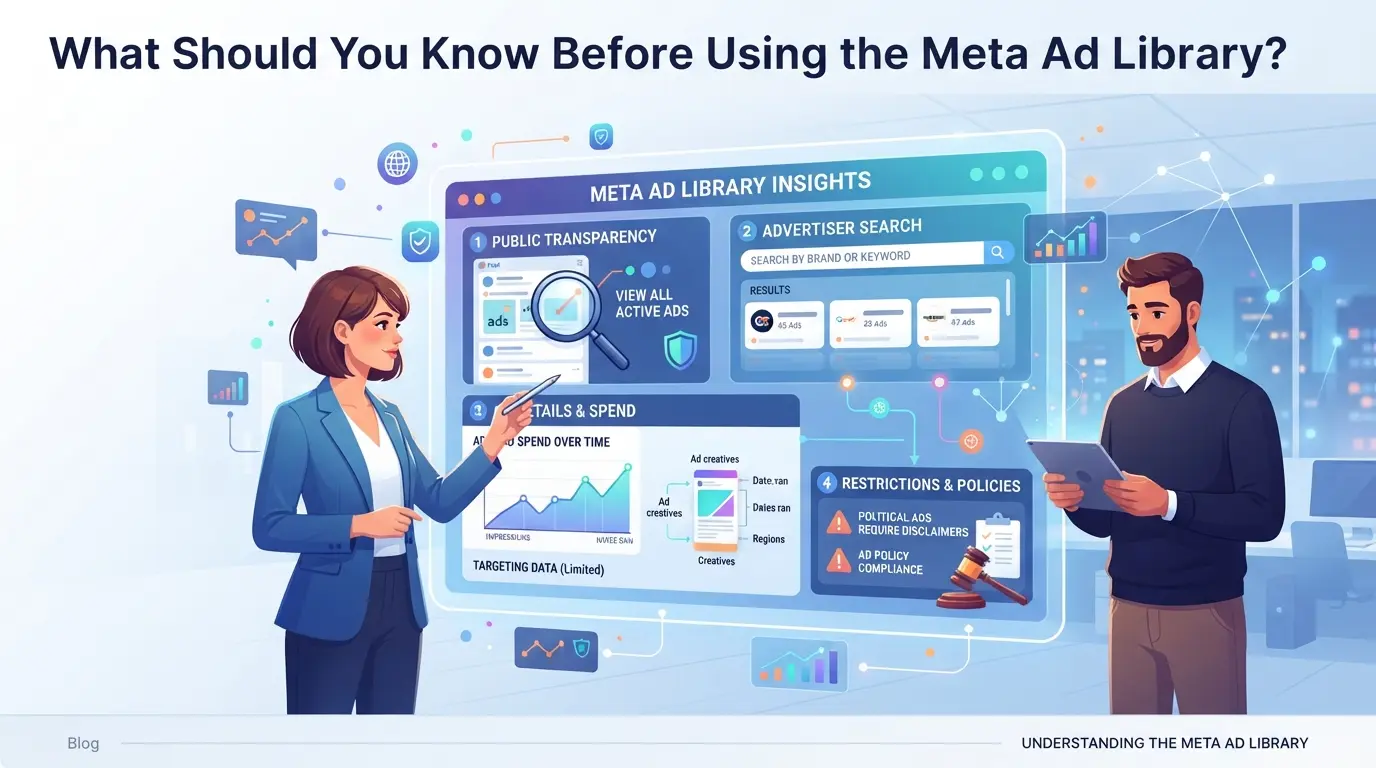
If you want to research ads, track trends, or audit competitors, you’ll need to understand what the meta ad library can actually show, and where it falls short. Skipping this step means you’ll waste time chasing missing data or misreading what’s really public.
How the Meta Ad Library Works in 2026
This library lets anyone see active and past ads across Facebook, Instagram, Messenger, and Audience Network. You can filter by advertiser, keyword, country, and ad status, making it possible to scan campaigns in real time or check historical activity.
What the Meta Ad Library Will Not Show You
You won’t get full targeting details, exact budgets, or user-level data. The archive blocks access to sensitive metrics like audience segments, bid values, and retargeting parameters. For example, you might see that an ad ran in Germany last month, but you won’t know whether it targeted 18-24 year olds or only reached mobile users. If you rely on the library to reveal competitor strategy, you’ll miss hidden placements and custom audiences, this is where most researchers slip up. Sometimes ads vanish before you can screenshot, and region filters can glitch, showing partial results or skipping recent launches. If your workflow depends on catching every live campaign, expect gaps: the library isn’t built for forensic-level tracking.
Why Transparency Matters for Advertisers and Researchers
- Regulators use public ad archives to fight hidden political ads or fraud.
- Agencies track creative trends to avoid copycat campaigns or legal trouble.
- Researchers depend on archived data to spot shifts in policy, spend, or tactics.
If you skip these basics, you’ll likely run into blind spots and misjudge what’s really happening. Next, it’s worth looking closer at the main risks and mistakes when digging through the ad archive, several can trip up even experienced teams.
What Are the Main Risks and Mistakes When Researching with the Meta Ad Library?
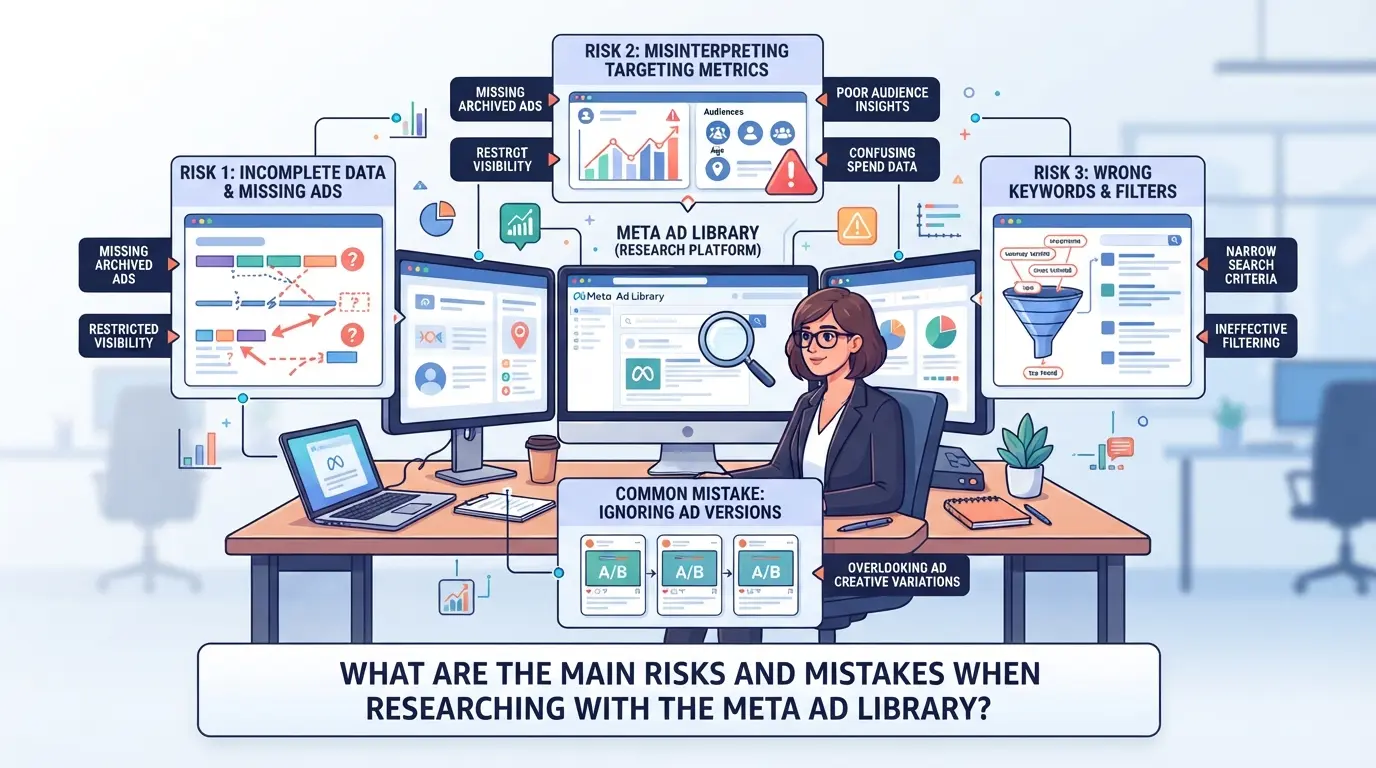
Even experienced users hit problems when running deep ad research. The biggest risks come from how you search, interpret results, and handle data, simple mistakes can ruin your research or even put accounts at risk.
Why Some Research Workflows Get Blocked or Flagged
Repeated scraping, aggressive search patterns, or opening too many ad detail pages in a short window often triggers rate limits or temporary blocks. If you’re logged in, your Facebook account can get flagged for “suspicious activity”, this can mean forced logout, review requests, or even short-term restrictions that stall your work.
How Data Can Be Misinterpreted or Misused
What looks like a full record may not tell the whole story. For example, ad “start dates” only show when the creative first ran in a region, not when it started globally. If you assume every ad you see is still live, you’ll miss the fact that some are paused or restricted, these ads can vanish from the library overnight. Spend and reach numbers are often missing or rounded; tracking exact budget is impossible unless Meta publishes it directly. It’s common to overestimate a competitor’s creative just because it appears in the top results, when in reality, algorithmic sorting and local targeting make some ads look more important than they are. Never base campaign decisions on a single snapshot, store data over time, or you’ll fall for incomplete trends.
When Privacy and Compliance Risks Arise
- Downloading or sharing screenshots that include user info can violate privacy policies.
- Giving team members access through a personal account link risks leaking browsing history.
- Saving raw ad data in shared drives without permissions can expose sensitive research.
Missing these details can create problems that go beyond lost research, account reviews, privacy violations, or compliance headaches. Next, you’ll see how to search and filter ads more effectively without falling into these traps.
How Can You Search and Filter Ads Effectively in the Meta Ad Library?
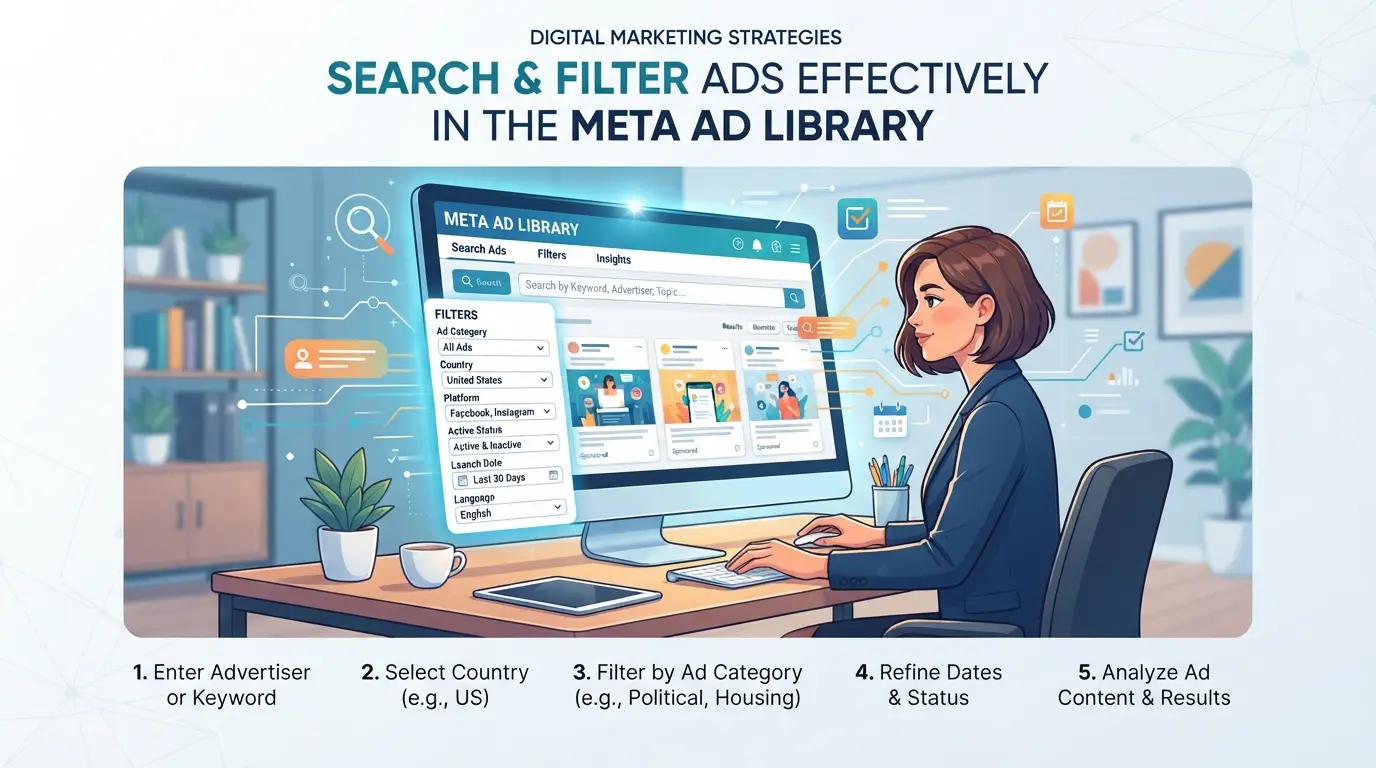
Finding useful ads means more than typing a brand name and scrolling. If you skip proper filters or miss advanced options, you’ll drown in irrelevant results and lose track of trends. The real edge comes from mastering the right search steps, so you spot what matters fast and avoid common traps.
Step 1: Choose the Right Platform, Country, and Ad Category
- Select the main platform: Facebook, Instagram, Messenger, or Audience Network. Stick to one, mixing platforms muddies results.
- Set the country filter. Regional targeting shapes creative and spend; wrong location means you’ll see ads that never reach your market.
- Pick the ad category. If you leave this blank, you’ll get political, social, or unrelated business ads mixed together.
Step 2: Search by Brand, Keyword, or Page
- Enter a brand or page name for direct competitor tracking. Misspellings or partial names return empty or messy lists.
- Use relevant keywords for broader trends, “discount”, “free shipping”, or “summer sale”. General terms like “shop” will flood you with junk.
- Always cross-check results against the official page to avoid spoof ads.
Step 3: Use Advanced Filters for Deeper Insights
- Filter by ad status: active, inactive, or recently launched. That’s how you catch timely campaigns.
- Sort by impressions or spend. High-spend ads often drive the creative direction, low spend can mean test or filler.
- Save findings. Screenshots or spreadsheets help when ads disappear or change overnight.
Step 4: Interpret Ad Creatives and Performance Clues
- Compare creative formats, video, carousel, single image. Shifts in format usually signal new campaigns or testing.
- Watch for copy changes. Sudden tweaks in headline or CTA often mean a failed launch or A/B test.
- Note that public data never shows full performance. Real results are hidden, so trends come from volume and creative shifts, not exact stats.
Top agencies use this workflow to spot patterns and react before ads cycle out. The next section covers how they turn these findings into a real advantage.
How Do Top Advertisers and Agencies Use the Meta Ad Library for Competitive Advantage?
Top advertisers don’t just browse, they build systems for ongoing research. The real edge comes from turning ad transparency data into clear creative, budget, and targeting decisions that others miss.
Creative Inspiration and Trend Spotting
Agencies scan recent ads across their niche, looking for patterns in image style, call-to-action, and layout. When a competitor switches to short-form video or a new visual hook, they test those formats early, often catching trends before they go mainstream.
Competitor Analysis and Benchmarking
Picture a performance marketer at a direct-to-consumer skincare brand. Each Monday, she exports all active ads from three main rivals using the facebook ad library. She logs launch dates, creative types, and headline changes in a spreadsheet. If a rival keeps the same creative running for six weeks, that usually signals it’s converting, so she flags it for a deeper copy breakdown. When a new offer appears, she notes how long it stays live and watches for regional splits. This weekly habit lets her spot when competitors test new messages, ramp budgets, or quietly kill underperformers. The biggest advantage: Comparing ad lifespans and creative shifts over time helps her team avoid wasting spend on ideas that others have already tested and paused.
Market Research and Audience Insights
Media buyers filter for ads running in new countries or languages. If a rival suddenly starts targeting Southeast Asia, it hints at a shift in audience strategy. These insights steer both creative localization and budget planning, especially for fast-moving e-commerce teams.
How Can You Manage Multi-Account Ad Research and Team Access More Safely?
Teams handling multiple client ad accounts risk cross-contamination and bans if they don’t isolate sessions or control access tightly. The real difference comes from structuring your workflow, separation, permission limits, and clear audit steps.
Why Session Separation Matters for Multi-Account Research
Shared browsers and devices blur account boundaries. If two accounts mix cookies or local storage, Meta’s backend often flags both. Keeping sessions fully separate is the single most effective way to lower detection risk. Even a quick login on a shared device can create a trail that links accounts. If you notice unexplained login prompts or sudden session expiry, that’s usually a sign of contaminated browser storage.
Best Practices for Team Access and Permission Control
- Assign each team member their own login for every account, never share credentials.
- Limit access to only what’s needed: restrict ad research accounts from campaign setup.
- Enable activity logs and review them weekly to spot unusual actions.
When to Use Separate Profiles and Proxies
Agencies managing high-value or client accounts need stricter controls. Using unique browser profiles and proxies per account can help prevent accidental linkage. Compliance checks matter most during campaign audits.
- Create a dedicated browser profile for each Meta account.
- Route traffic through a separate proxy for every client or project.
- Document which operator handles which account and proxy pairing.
This structure makes later troubleshooting easier, if a ban hits, you can trace the exposure point without guessing across the whole team.
How to Set Up Safer Multi-Account Ad Research Workflows with DICloak
For teams researching ads or running campaigns across several Meta ad accounts, session overlap and permission sprawl can create real problems. If your agency or in-house team also juggles account logins for ad research, you need workflows that keep browser profiles, network routes, and team access from bleeding into each other. DICloak supports this by letting operators create separate browser profiles, assign user-owned proxies, and fine-tune permissions, without touching the campaign or ad data itself.
How to Create Isolated Browser Profiles and Configure Fingerprints
Operators can create a dedicated browser profile in DICloak for each Meta ad account workflow. Each profile gets its own storage, cache, and set of fingerprint signals, such as OS, browser version, language, and time zone. Teams can adjust these settings to match the working environment of each account, which is especially useful when managing accounts for different clients or regions. The scope is limited to the browser-profile layer; this does not manage connected ad accounts or their data. 
How to Assign User-Owned Proxies for Each Profile
Some workflows require a stable network route for each account session. Operators can enter their own proxy details for any profile, then use the built-in test to confirm the connection before starting work. This setup means each browser profile can use a different network path if needed, but it’s up to the team to choose, verify, and rotate proxies according to compliance needs, DICloak does not supply or guarantee proxy quality. 
How to Control Team Collaboration and Permissions
Admins can restrict team members to only the browser profiles and actions needed for their role. In DICloak, that means setting up member groups, picking which features or profile groups each group can see and use, and hiding profile fields from regular users where needed. Limiting access in this way reduces the risk of accidental data exposure or unauthorized changes by new or rotating team members. 
Missed steps here can lead to mistakes, next, see the common misconceptions about the Meta ad library.
What Are the Most Common Mistakes and Misconceptions About the Meta Ad Library?
Getting ad research wrong usually comes down to three traps: trusting what’s visible, misreading campaign signals, and skipping basic account safety.
Assuming All Ads Are Visible or Up to Date
Ads are often missing because records lag or expire. Some campaigns never show up at all, especially regional tests or short bursts. Relying on the visible archive means you’ll miss trends that vanish before the next crawl.
Confusing Ad Presence with Campaign Success
- Check if long-running ads are actually getting results, not just running on auto-pilot
- Look for fresh creative, not just what’s stayed live for months
- Note that budget, targeting, and off-platform activity are invisible
Overlooking Security and Compliance Risks
Shared logins and careless downloads expose you to bans or leaks.
- Never reuse research accounts for live campaigns
- Store downloaded data securely
- Rotate browser profiles for each research task
Frequently Asked Questions About meta ad library
Is it legal to use the meta ad library for competitor research?
Yes, using the meta ad library for competitor research is generally legal. The tool is public and designed for transparency. However, you must follow local laws and Meta’s terms of service. Avoid using the data for misleading practices or violating privacy rules. Always check your region’s legal requirements before using research for business decisions.
Can I automate Meta Ad Library data collection in 2026?
Automation is technically possible, but risky. Meta’s terms discourage scraping, and they may limit or block your account if you use bots or automation tools. Official APIs are not available for the entire ad library. To avoid penalties, collect data manually or use approved partner solutions for large-scale research.
How often is the meta ads transparency tool updated with new ads?
The meta ads transparency tool updates ads frequently, often several times a day. However, updates are not truly real-time. There may be a short delay, sometimes hours, before new ads appear. In rare cases, you might notice missing data or temporary gaps, especially during platform changes or technical issues.
Do I need a Meta account to view the ad archive?
No, you don’t need a Meta or Facebook account to view the ad archive for basic searches. Anyone can access and browse active ads without logging in. However, you may need to log in for advanced filters, saving searches, or exporting data. Some features are only available to registered users.
How can agencies safely share Facebook Ad Library research with clients?
Agencies should use secure workflows to share findings, such as password-protected documents or client portals. Avoid sharing raw data through public links. Use separate user profiles for different clients, and set permission controls to restrict access. This helps prevent accidental data leaks and keeps agency work compliant with privacy regulations.
Whether you’re aiming to refine your ad strategy or simply monitor competitors more efficiently, leveraging solid tools can simplify the process and uncover new opportunities. Consider integrating solutions that automate research and provide actionable insights for better campaign decisions. Try DICloak For Free
 Web Proxy Tools
 Free Tools
 Cookie Plugin
 UA Generator
 MAC Address Generator
 IP Generator
 IP Address List
 2FA Code Generator
 World Clock
 Anonymous Check
 WebRTC Leak Test
 UUID Generator
 Free Web Proxy Site
 Proxy Checker
 FB Ad Checker
 AI Web Scraping
 Free SMM Tools
 Twitter Shadowban Checker
 Instagram Name Checker
 UTM Generator
 Username Generator
 AI Hashtag Generator
 LinkedIn Headline Generator
 Social Media Image Resizer