Venmo is one of the easiest ways to send money, but many users run into problems when a payment suddenly fails or a transfer gets blocked. In most cases, the issue is not a bug or a mistake. It is the Venmo transfer limit. These limits affect how much you can send, withdraw, or spend, and they are not always easy to understand at first.
If you have ever tried to pay rent, split a large bill, or move money to your bank and saw an error message, you are not alone. Venmo uses different limits for different actions, and many of them follow a rolling schedule that can be confusing. This guide breaks down how Venmo transfer limits work, why they exist, and how you can plan around them to keep your transactions smooth and predictable.
Introduction to Venmo Transfer Limits
Venmo is easy to use, but it does not allow unlimited transfers. Every account has rules about how much money can move in and out. These rules are called transfer limits. Before sending or receiving large payments, it is important to understand how these limits work and why they exist.
What is Venmo?
Venmo is a popular mobile payment app in the United States. It allows people to send and receive money using a smartphone. You can pay friends, split bills, or make online purchases. Venmo is owned by PayPal and is widely used for everyday payments.
For example, after dinner with friends, one person may pay the full bill. Others can quickly send their shares through Venmo. The payment usually goes through in seconds, which makes Venmo very convenient for daily use.
Importance of Understanding Transfer Limits
Understanding your Venmo transfer limit is important for smooth and safe payments. Venmo sets limits on how much money you can send, receive, or transfer within a certain time. These rules are also known as the Venmo transaction limit. They help prevent fraud and protect users.
Imagine you want to send $500 for rent. If your account has a lower weekly limit, Venmo may block the payment. This often happens to users who have not verified their identity. Knowing your Venmo transfer limit ahead of time helps you avoid failed transactions and late payments.
Transfer limits also matter when moving money to your bank. If you plan ahead and understand your limits, you can choose the right transfer method and timing. This makes Venmo more reliable for both small daily payments and larger transactions.

Types of Venmo Transfer Limits
Now that you know why Venmo has transfer limits, it helps to see what kinds of limits the app uses. Venmo does not only have one rule. It sets different Venmo transfer limit rules for different types of activity. These rules decide how much you can send, move to your bank, add to your balance, or use with a debit card. Understanding each type helps you plan your payments without surprises.
Sending Limits
Your Venmo transfer limit for sending money depends on the kind of account you use. Venmo has personal and business accounts, and each has its own caps.
For a personal account that has verified your identity, you can send up to a large amount per week. For example, many verified users can send as much as $60,000 a week to friends or family. There is also a per-transaction cap, such as $10,000 for some transfers. This is part of the broader Venmo transaction limit system that keeps payments safe. If you haven’t verified yet, your weekly send limit is usually much lower (like under $300). This means big payments, like rent or a deposit, might be blocked until you verify your identity.
Business accounts have different sending limits. Verified business profiles often have higher weekly caps, such as around $25,000. This helps sellers and small businesses handle more transactions without hitting a limit.
For example, say you freelance and receive payments from clients. If your Venmo business profile is verified, you can accept larger sums each week than with a personal account.
Bank Transfer Limits
Sending money to your bank account has its own Venmo transfer limit rules. Venmo uses “rolling weekly” limits. This means each transfer you do counts toward a seven-day total.
If you haven’t finished identity verification, your limit for transfers to your bank might be under $1,000 per week. After verification, this weekly cap usually increases greatly — often up to about $19,999.99. There is also usually a per-transaction cap of around $5,000, so if you need to move more, you might need more than one transfer.
A real example: You want to move $12,000 from your Venmo balance to your bank. If your per-transfer limit is $5,000, you might need to make three transfers of $4,000 each over a few days to stay under the per-transaction rules while inside your weekly total.
Adding Money to Venmo Balance
Some users also add money to their Venmo account balance from a bank or debit card. Even this action has a Venmo transfer limit. According to Venmo’s published limits, you may be able to add up to about $3,000 per week from a debit card. Adding from a bank account can usually go higher, sometimes up to $10,000 per week.
For example, if you plan to keep a large balance in Venmo for weekly spending or to pay multiple friends, this deposit cap matters. Knowing it helps you avoid a week where you cannot add enough money when you need it.
Venmo Debit Card Limits
Venmo also offers a Mastercard® debit card that links to your Venmo balance. This card has its own Venmo transfer limit rules for purchases and cash withdrawals. The per-purchase limit can be around $2,999.99, and the weekly total you can spend with the card is usually about $7,000. Each day also has limits, such as around $3,000 for purchases.
For example, if you want to buy a new laptop with your Venmo debit card, you might need to split the purchase into parts if the price is above $2,999.99 or wait until your weekly limit resets.
These specific Venmo transaction limit types help keep the app safe and compliant with financial rules. Knowing them lets you use Venmo more confidently, whether you’re sending money to a friend, moving funds to a bank, or spending with a debit card.
Weekly Rolling Limits Explained
After understanding the different types of limits, many users still get confused by one rule in particular: the weekly rolling limit. This rule affects almost every Venmo transfer limit, especially when you send money or move funds to your bank. Knowing how it works can help you avoid sudden payment blocks.
How Weekly Rolling Limits Work
Venmo does not reset limits on a fixed day, like Monday or Sunday. Instead, it uses a rolling seven-day period. This means Venmo looks at what you have done in the last seven days, hour by hour.
For example, if you send $2,000 on a Tuesday afternoon, that amount counts toward your Venmo transfer limit until the next Tuesday afternoon. It does not reset at midnight or at the start of a new week. This rule applies to many parts of the Venmo transaction limit system, including sending money and bank transfers.
This design helps Venmo reduce fraud. It also explains why users sometimes think they are “under the limit” but still see a payment fail.
Calculating Your Weekly Limits
To understand your remaining Venmo transfer limit, you need to look back seven days from the current time. Add up all the money you sent or transferred during that period. Venmo automatically does this math, but users often forget earlier payments.
Here is a simple example. On Friday, you send $3,000 to a friend. On Sunday, you send another $2,000. If your weekly limit is $5,000, you have now used it all. On Monday, a new payment may fail, even though it feels like a new week. The limit will only open up again when the Friday payment drops out of the seven-day window.
The same logic applies to bank transfers. If you moved $5,000 to your bank three days ago, that amount still counts today. Waiting one more day may free up part of your Venmo transaction limit without doing anything else.
By understanding rolling limits, you can plan payments better. You can space out transfers, avoid failed payments, and use Venmo with more confidence for both small and large transactions.
Increasing Your Venmo Transfer Limits
As you learn how weekly limits work, the next question is how to raise them. If your Venmo transfer limit feels too low, there are clear steps you can take. Venmo allows higher limits when it sees that an account is verified, active, and properly linked.
Steps to Increase Your Limits
There are three main actions that can help increase your Venmo transaction limit.
1. Complete Identity Verification Venmo increases limits after you verify your identity. This usually means sharing your legal name, date of birth, and Social Security number. Venmo uses this to meet financial rules and reduce risk. Once verified, many users see a large jump in their weekly sending limits. For example, a payment that was blocked at $300 may go through after verification.
2. Link a Bank Account Connecting a bank account also helps. A linked bank shows Venmo that your account is backed by real funds. This can make bank transfers smoother and reduce issues when sending larger amounts. It is especially useful when you need to move money out of Venmo after receiving payments.
For instance, if you receive several payments in one week, having a bank linked lets you transfer money out without waiting for limits to reset.
3. Use Venmo on a Regular Basis Normal and steady usage matters. Accounts that show consistent behavior are less likely to trigger temporary restrictions. This does not mean sending large amounts often. Small, regular payments and normal transfers help keep your account stable.
A user who pays friends weekly and transfers money to a bank once or twice a month is less likely to face sudden blocks than someone who sends a large amount after months of inactivity.
Benefits of Increasing Your Limits
A higher Venmo transfer limit makes everyday payments easier. You can handle rent, shared expenses, or large purchases without splitting payments into many parts.
It also helps freelancers and small sellers. Larger client payments can be received and moved to a bank more smoothly, without delays caused by the Venmo transaction limit.
Overall, higher limits reduce friction. You spend less time waiting for resets and more time using Venmo as part of normal money management.
Comparison of Venmo Transfer Limits with Other Platforms
When you compare Venmo transfer limit rules with other payment apps, you see clear differences. Each app has its own limits and rules, and these can affect how you pay friends, split bills, or send larger amounts. Below is an easy table to help you see the differences.
Venmo vs. PayPal
Venmo and PayPal are owned by the same company, but they serve different needs. Venmo focuses on personal, peer-to-peer payments within the U.S., while PayPal supports online shopping, business payments, and international transfers.
PayPal often allows large single payments for verified users, sometimes up to tens of thousands of dollars, depending on currency and account type. In contrast, the Venmo transfer limit is usually based on a rolling weekly total rather than a single payment cap. This means Venmo works better when you send multiple personal payments over time, while PayPal fits one-time large purchases.
For example, paying for an expensive online order may fit PayPal’s structure better, while splitting rent or shared expenses across a week may align more with Venmo’s limits.
Venmo vs. Cash App
Cash App also increases limits after identity verification, but its weekly sending limits are generally lower than Venmo’s. Unverified Cash App users face tight restrictions, often capped over a 30-day period.
Compared to this, a verified Venmo account may allow a higher Venmo transfer limit over a rolling week. This difference becomes noticeable when sending larger payments such as rent or contractor fees, where Cash App users may hit limits sooner.
Venmo vs. Zelle
Zelle works differently from both Venmo and Cash App. Its limits are set by your bank, not by Zelle itself. Some banks allow higher daily transfers, while others apply stricter caps.
For instance, one bank may allow $3,000 per day through Zelle, while another limits users to $500. Unlike Venmo’s rolling weekly system, Zelle usually applies daily or monthly caps. Transfers also move directly between bank accounts and often arrive quickly.
This makes Zelle useful for fast bank-to-bank payments, while Venmo’s Venmo transaction limit structure can be easier to plan around when managing multiple payments across a week.
Venmo Transfer Limit vs Other Payment Apps (Quick Comparison)
| Platform |
Limit Type |
Typical Limit (Verified) |
| Venmo |
Rolling weekly total |
Much higher after verification; unverified ~$299.99/week |
| PayPal |
Single transaction |
Can support large one-time payments; varies by account |
| Cash App |
Weekly total |
Lower than Venmo; unverified tightly limited |
| Zelle |
Bank-set daily/monthly |
Varies by bank, often daily caps |
Key takeaway: The Venmo transfer limit focuses on weekly usage, PayPal favors large single payments, the Cash App has stricter caps, and Zelle limits depend on your bank.
Practical Tips for Managing Venmo Transfer Limits
Understanding your Venmo transfer limit is one thing. Using that knowledge in real life is another. Many people face payment issues not because they don’t know the rules, but because they did not plan their payments well. The tips below are simple and based on real Venmo users’ experiences. They can help you avoid hitting limits and make payments on time.
Planning Your Transactions
One of the best ways to manage your Venmo transfer limit is to think ahead. Know how much you need to send and when. Track your recent payments so you don’t hit a rolling weekly limit.
For example, assume you plan to pay rent, split a phone bill, and send money to family in the same week. If your weekly Venmo limit is $6,000 and you already sent $3,000 on Monday, you have $3,000 left for the rest of the week. If you try to send more than $3,000 at once on Friday, Venmo may block the payment because of the rolling limit rule. Planning ahead helps you space out your payments over several days.
Another user thought they had room to send $4,000 after a $2,000 payment. But the first payment still counted toward the last seven days. They had to wait until the earlier payment fell out of the rolling window before the second payment would go through. This is a good example of why planning helps with your Venmo transaction limit.
Avoiding Unintentional Limit Hits
Sometimes users hit their Venmo transfer limit by accident. This often happens when they forget smaller payments add up too. Small transfers, bank withdrawals, and even adding money from a bank can count toward your limits in certain ways.
One user made $50 payments to friends several times in one week. These small amounts added up to over $300 and triggered a hold on a later payment. Even though each payment was small, the total exceeded the weekly limit for an unverified account. This shows how easy it is to hit a limit unintentionally.
To avoid hits like this:
- Check past transactions before sending a large payment.
- Wait for older payments to clear the seven-day window.
- Verify your identity with Venmo. Verified accounts usually have much higher limits.
Also, link your bank account before making large transfers. This can make bank transfers faster and more reliable if you reach your Venmo transfer limit for sending.
By planning payments and watching your activity, you can use Venmo with fewer surprises. Learning from real user experiences helps you avoid common pitfalls and make smoother transactions.
Using DICloak to Support Safer Venmo Account Management
As discussed throughout this guide, Venmo transfer limit rules apply at the account level, and most payment actions are completed inside the Venmo mobile app. The Venmo web version has limited functionality and is mainly used for viewing activity, managing account settings, and handling account-related checks.
Because of this, many issues related to limits happen before a payment is made. These can include account reviews, login verification requests, or access interruptions. Even when users stay within their Venmo transaction limit, account-level signals may still affect how smoothly transactions work.
Where Isolated Browser Profiles Can Help
For users who manage more than one Venmo account—such as freelancers, agencies, or online sellers—the main goal is to reduce account overlap and keep usage patterns consistent.
Using isolated browser profiles can help lower the risk of shared cookies, fingerprints, or network data across accounts. This may reduce confusion during account access and review processes, especially when managing settings through the Venmo web interface.

With DICloak’s isolated browser profiles, users can:
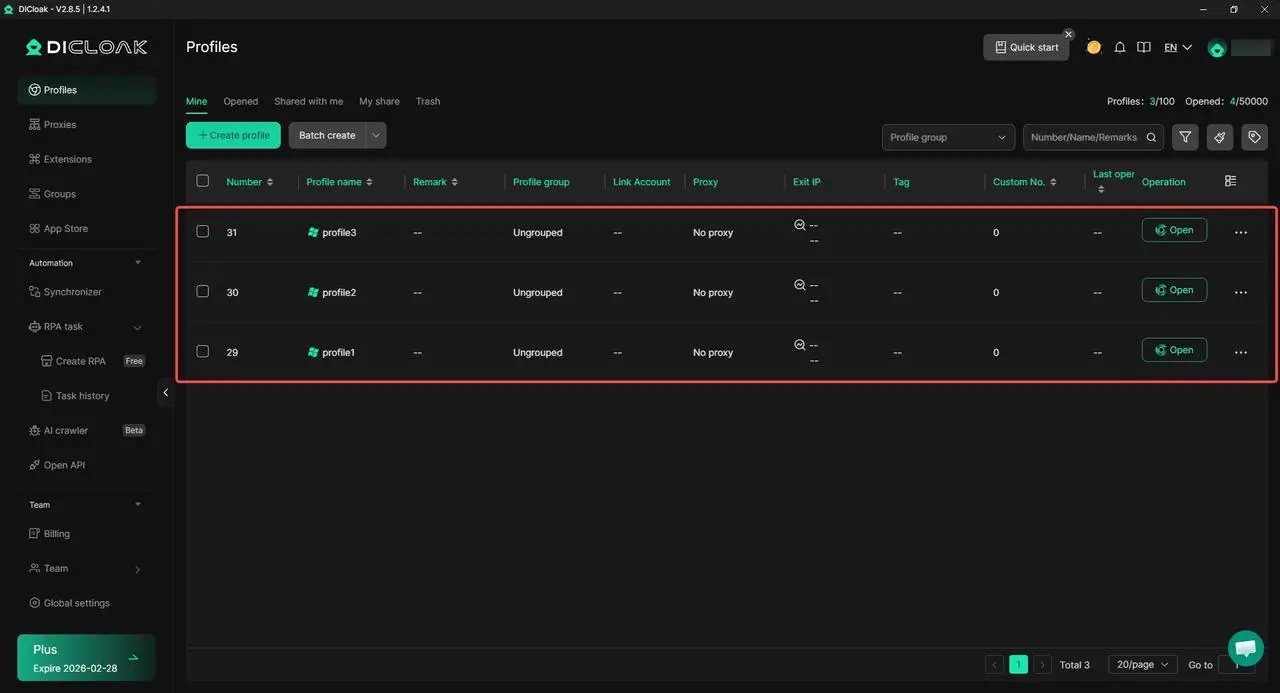
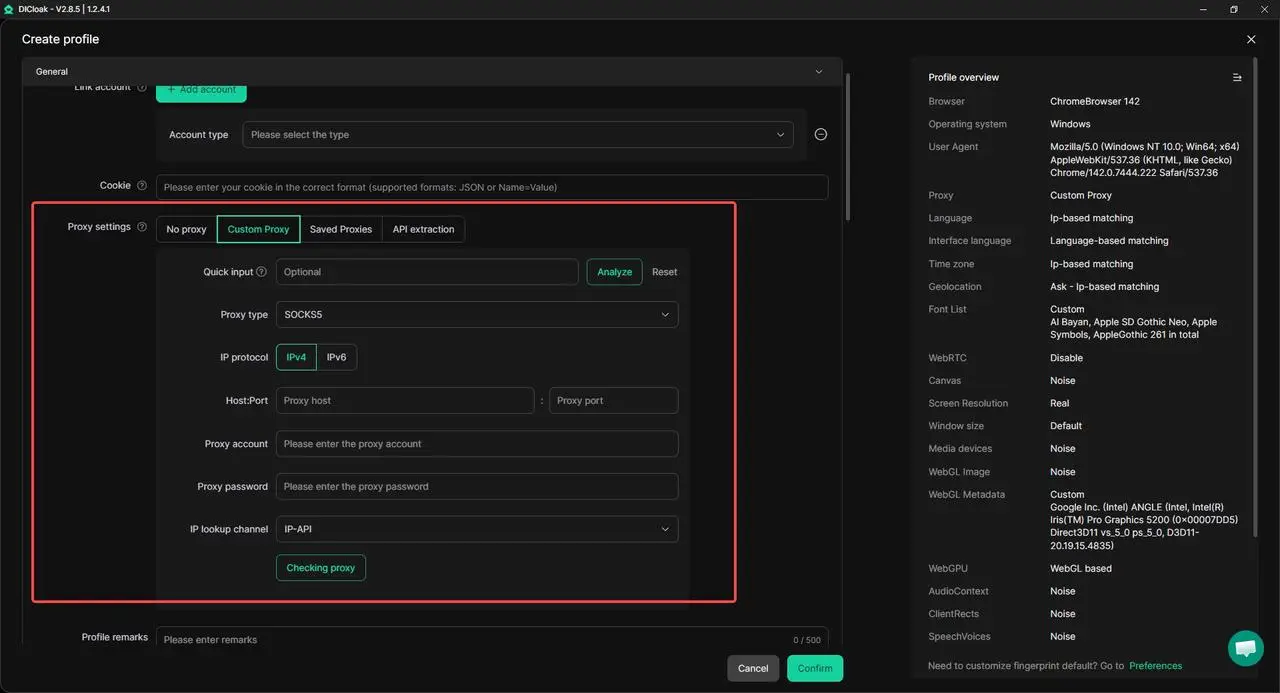
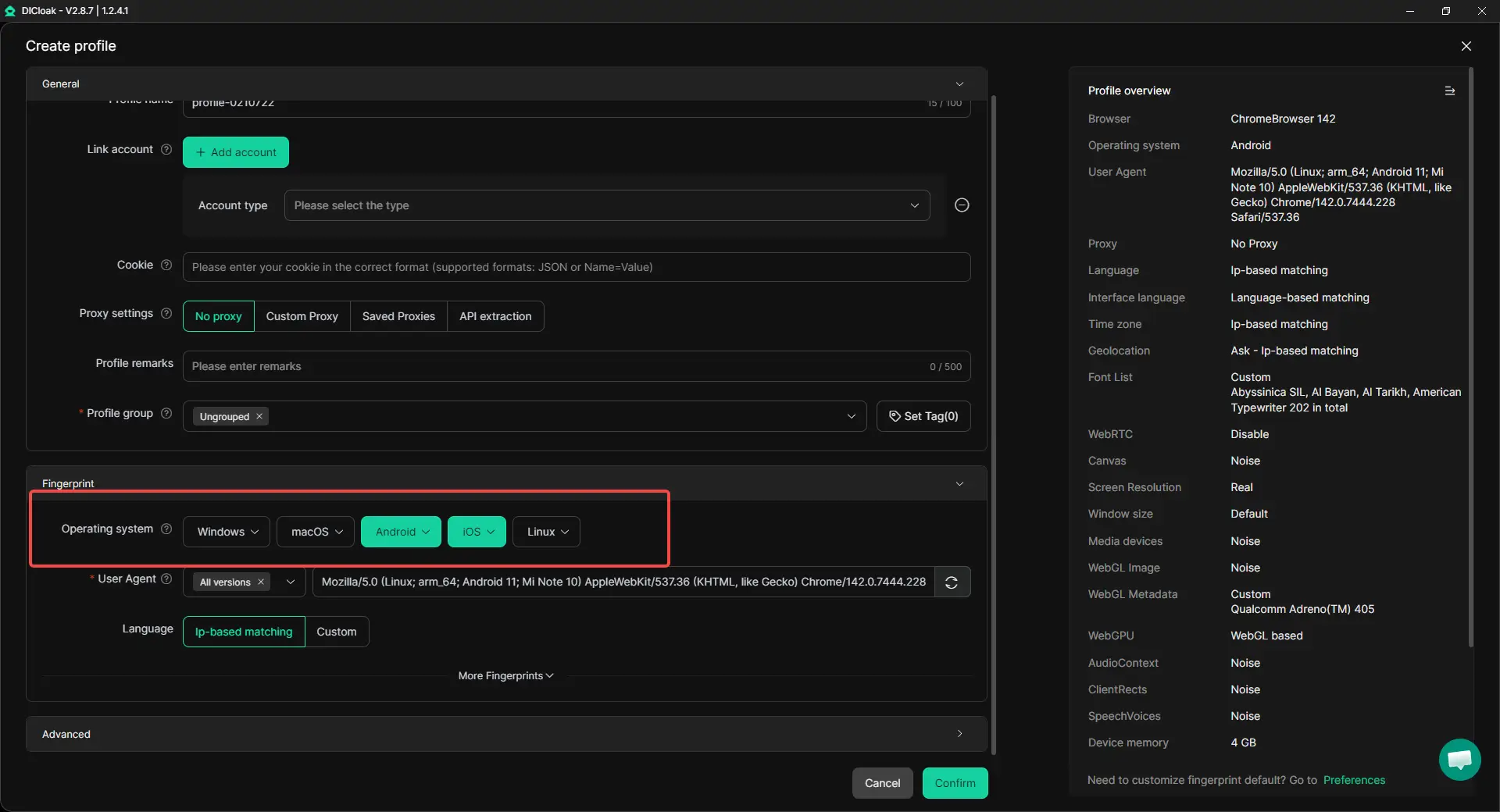
- Simulate mobile browser profiles (Android or iOS) when accessing Venmo’s web pages, which may help align behavior with mobile-first usage
- Organize account logins, verification status checks, and activity reviews without mixing sessions
This setup does not replace the Venmo app for payments. Instead, it can support clean account preparation and management, which plays a role in how limits and reviews are handled over time.
A Practical Example Related to Transfer Limits
Consider a small team that helps manage payments for multiple creators. Each creator has a separate Venmo account, and each account has its own Venmo transfer limit. While payments are completed on mobile devices, tasks like checking limits, reviewing activity, or updating account information often happen on the web.
By using separate browser profiles for each account, the team can reduce the chance of logging into multiple Venmo accounts from the same environment. This may help lower the likelihood of account confusion and reduce friction that could delay future transactions.
Supporting Growth While Managing Risk
For larger operations, tools such as bulk profile creation, permission settings, and synchronized browser actions can make daily work more efficient. When used carefully, these features may help teams manage many accounts while keeping profiles organized and separated.
In the context of safe transactions, this type of setup can help reduce operational risk. Well-organized accounts, combined with an understanding of each Venmo transfer limit, can make it easier to plan payments and avoid unexpected interruptions.
Conclusion
limits control of how much money you can send, transfer to a bank, or spend over time. Many limits follow a rolling seven-day period, so past payments can still affect new transactions. Knowing this helps avoid failed payments and delays.
Different actions have different limits, and verification plays a big role. Users who verify their identity and link a bank account often get higher limits. Planning payments and tracking recent activity can also reduce issues. By understanding how the Venmo transfer limit works, users can manage their transactions more smoothly and with fewer surprises.
Frequently Asked Questions (FAQs) About Venmo Transfer Limits
What is the Venmo transfer limit for new users?
For new users, the Venmo transfer limit is usually low. If you have not verified your identity, Venmo may limit how much you can send or spend each week. This limit often applies to both payments to others and purchases. Once you complete identity verification, your transfer limit can increase a lot.
Does the Venmo transfer limit reset every week?
No. The Venmo transfer limit uses a rolling seven-day period. This means Venmo looks at what you sent or transferred during the last seven days, not a fixed calendar week. A payment only stops counting after it moves out of that seven-day window.
Why did my payment fail even though I stayed under the Venmo transfer limit?
A payment can fail even if you are under your Venmo transfer limit. This may happen because of account reviews, unusual login activity, or bank-related checks. Small payments also add up, so earlier transfers may still count toward your limit without you noticing.
How can I increase my Venmo transfer limit safely?
The most effective way to raise your Venmo transfer limit is to verify your identity in the app. Linking a bank account and using Venmo regularly in a normal way can also help. These steps allow Venmo to better understand your account and may increase allowed transfer amounts over time.
Is the Venmo transfer limit the same for personal and business accounts?
No. Personal and business accounts follow different Venmo transfer limit rules. Business accounts often have different weekly caps because they are used for selling goods or services. The exact limit depends on account type and verification status.
 Web Proxy Tools
 Free Tools
 Cookie Plugin
 UA Generator
 MAC Address Generator
 IP Generator
 IP Address List
 2FA Code Generator
 World Clock
 Anonymous Check
 WebRTC Leak Test
 UUID Generator
 Free Web Proxy Site
 Proxy Checker
 FB Ad Checker
 AI Web Scraping
 Free SMM Tools
 Twitter Shadowban Checker
 Instagram Name Checker
 UTM Generator
 Username Generator
 AI Hashtag Generator
 LinkedIn Headline Generator
 Social Media Image Resizer