The Evolution of Automated Data Extraction
In the 2026 digital landscape, web scraping has transcended simple script-based harvesting to become a sophisticated arms race. As a mechanism, scraping facilitates the extraction of structured data by programmatically accessing HTML structures and API endpoints. However, the modern ecosystem is defined by AI-driven defensive shields and behavioral heuristics.
For growth infrastructure, manual collection is an obsolete vulnerability. It is inefficient for the real-time requirements of market monitoring and dynamic pricing. The primary hurdle is no longer the logic of extraction, but "detection risk"—the likelihood that an automated agent will be identified and purged from the network. To achieve speed, one must architect a system that bypasses these defensive layers without triggering a security response.
Why You Should Learn How to Web Scrape Fast with Power Automate
Microsoft Power Automate Desktop offers a powerful "low-code" value proposition, democratizing high-level automation. It allows non-developers to engineer complex "Desktop Flows" that can monitor social media feeds or aggregate financial data in real-time.
A typical operational scenario involves a user configuring a flow to navigate through a list of competitors to extract pricing. While this is intuitive, standard Robotic Process Automation (RPA) often hits a wall when encountering sophisticated bot protections. Without a hardened environment, these flows leak automation signatures—such as inconsistent browser behaviors—leading to immediate failure when faced with advanced anti-scraping countermeasures.

The Architecture of a High-Speed Scraping Workflow
Scalable infrastructure demands an architecture optimized for high concurrency, low latency, and robust error handling. In Power Automate, speed is governed by the efficiency of "Repetitive Loops." These loops are designed to ingest data from a source—such as an Excel spreadsheet or CSV containing target URLs—and feed them into browser instances for extraction.
To maintain high-velocity throughput, the logic must handle page-load timeouts and unexpected UI shifts without crashing the entire thread.
Pro-Tip: Mitigating Behavioral Signatures When configuring Repetitive Loops, integrate "jitter" by adding randomized wait intervals between actions. Scheduling flows during off-peak hours further reduces the risk of your traffic standing out as a TLS fingerprinting anomaly against typical user patterns.
Technical Barriers: Why Platforms Block Automated Requests
Websites now utilize multi-layered "kill chains" to identify and ban automated traffic. The core of this defense is browser fingerprinting. Platforms don’t just look at your IP; they analyze your User-Agent, Canvas rendering fingerprints, and WebGL hardware signatures to determine if the hardware and software environment is legitimate.
Consider a real-world scenario: an analyst attempts to scrape 50 e-commerce pages from a single device ID. Even with different IPs, the underlying hardware identifiers remain static. This leads to "Account Association," where the platform links multiple profiles to one hardware signature. Once the platform identifies a pattern, it triggers a CAPTCHA or a permanent ban across every associated account, effectively neutralizing the entire scraping operation.
How to Web Scrape Fast with Power Automate Using Browser Isolation
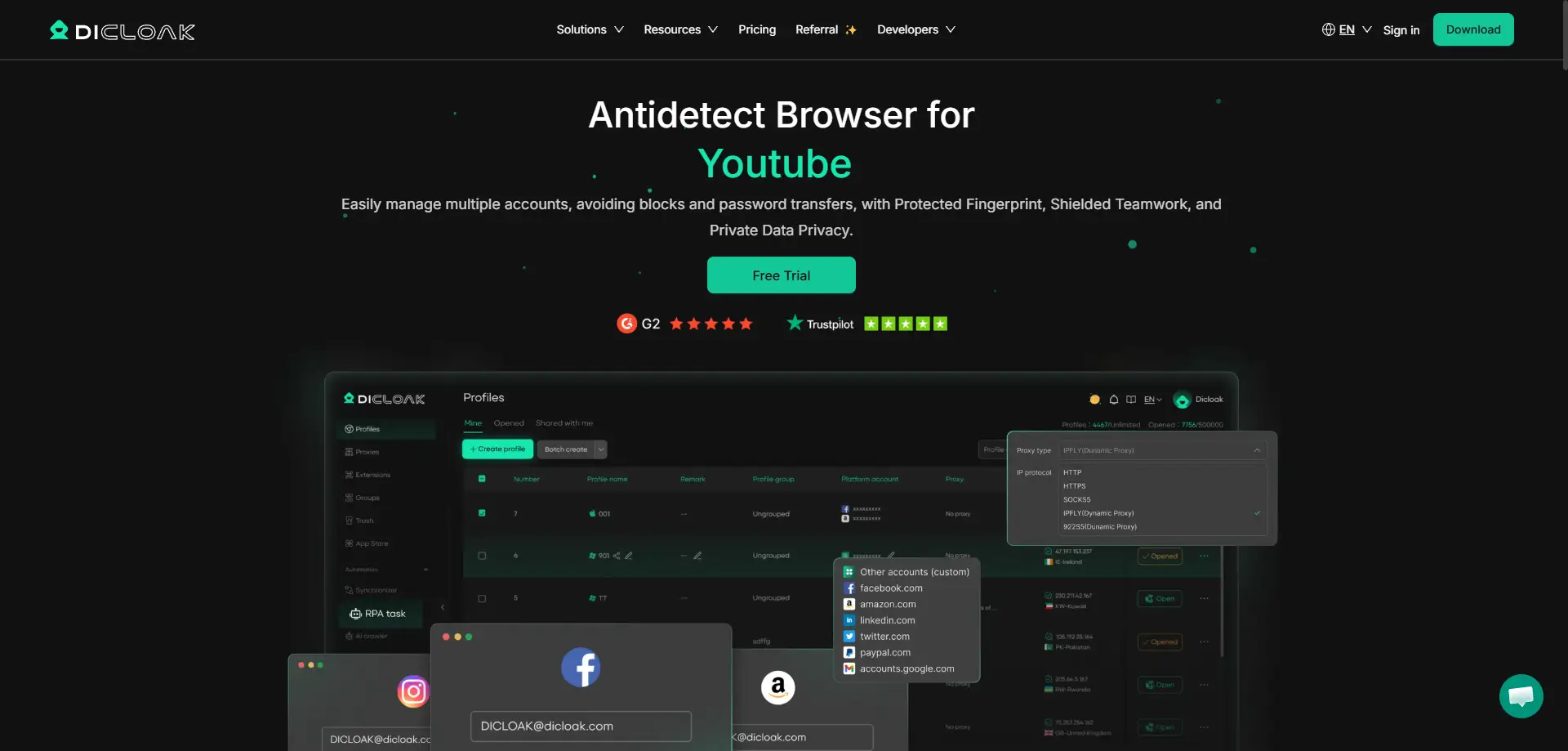
To achieve true scalability, you must implement browser isolation. By using a tool like DICloak, you can generate distinct digital identities for every scraping thread. This allows for the management of 1,000+ accounts on a single physical device, as each profile operates within its own sandbox, completely isolated from the host machine's telemetry.
Managing Fingerprint Entropy
To counter the Canvas and WebGL detection mentioned previously, the infrastructure must manage "fingerprint entropy." DICloak allows you to customize and randomize digital fingerprints to mimic authentic user environments, including Windows, Mac, iOS, Android, and Linux. This ensures that each Power Automate instance appears as a unique, legitimate user.
Network Isolation via Proxy Management
Speed without network isolation is a liability. High-speed scraping requires a robust Proxy Management strategy using HTTP/HTTPS or SOCKS5 protocols. By routing isolated browser profiles through distinct IPs, you ensure that the "kill chain" of account association is broken at the network level.
Comparison: Standard Scraping Methods vs. DICloak-Enhanced Workflows
| Feature |
Standard RPA/Browser Methods |
DICloak Integration |
| Account Limit |
Limited by physical hardware signatures |
1,000+ profiles on a single device |
| Detection Risk |
High; vulnerable to fingerprint leakage |
Low; mitigated via entropy management |
| Proxy Setup |
Manual, inconsistent configuration |
Bulk SOCKS5/HTTP/HTTPS integration |
| Hardware ID |
Static; easy to associate and ban |
Isolated for every individual profile |
| Scalability |
High hardware costs for expansion |
Seamless bulk automation and scaling |
Operational Steps: Implementing Your Scraping Infrastructure
Profile Creation and Bulk Operations
The first step is establishing the environment. Using DICloak’s bulk tools, you can create and launch hundreds of browser profiles with a single click. Each profile comes pre-configured with a unique fingerprint, removing the need for manual setup of individual browser instances.
Integrating Power Automate with DICloak RPA
Power Automate provides the logic, but DICloak provides the secure execution environment. The "Synchronizer" mechanism is the bridge here; it allows the UI automation from Power Automate to be mirrored across multiple DICloak browser windows simultaneously. You record the flow in one "Main" profile, and the Synchronizer replicates those browser-level interactions across the entire cluster in real-time.
Data Export and Management
Within Power Automate Desktop, use the "Extract data from web page" action to target specific CSS selectors or HTML elements. For professional harvesting, configure these actions to output directly into structured formats like CSV or Excel. This allows the extracted data to be immediately processed by downstream analytics tools or databases.
Evaluating the Pros and Cons of Automated Scraping Tools
Pros of Automated Scraping Tools:
- Scalability: Horizontal scaling to 1,000+ accounts without hardware overhead.
- Risk Mitigation: Isolation of fingerprints (Canvas, WebGL) prevents the "kill chain" of account bans.
- Team Collaboration: Permission settings and operation logs allow for secure, multi-user management of scraping clusters.
- Multi-OS Emulation: Ability to simulate diverse environments (Windows, Android, etc.) from a single dashboard.
Cons of Automated Scraping Tools:
- Complexity: Professional infrastructure requires a more rigorous initial configuration than basic scripts.
- Proxy Quality: Effective scraping is dependent on the acquisition of high-quality residential proxies.
- Logic Maintenance: RPA flows require updates if the target website's UI structure or CSS selectors change.
Strategies to Scrape Fast with Power Automate at Global Scale
To operate at a global scale, you must leverage the Synchronizer to mirror actions across dozens of profiles, maximizing the efficiency of a single operator. For industries like traffic arbitrage or affiliate marketing, team collaboration tools—such as operation logs and data isolation—ensure that large-scale operations remain organized and secure.
Pro-Tip: Proxy Type Integrity Maintain strict isolation between proxy types. Avoid mixing residential and datacenter proxies within the same scraping cluster. Consistency in the proxy-to-fingerprint relationship is essential for maintaining profile integrity and avoiding behavioral flags.
Frequently Asked Questions About Scalable Web Scraping
Q1: Is it possible to scrape mobile-only sites from a desktop?
Yes. By using the multi-OS support in DICloak, you can simulate a mobile browser profile (adjusting User-Agent and screen resolution to iOS or Android) while running the automation on your desktop hardware.
Q2: How do I manage 1,000+ accounts without buying 1,000 computers?
Through browser profile isolation. Each profile acts as a unique digital machine with its own fingerprint, allowing a single high-performance computer to host thousands of distinct identities.
Q3: What happens if a site updates its UI?
If a target site changes its CSS selectors, your Power Automate "Extract data from web page" actions may fail. You must update the RPA flow to point to the new selectors to restore data flow.
Final Considerations for Infrastructure Growth
Transitioning from experimental scraping to professional data harvesting is a matter of securing your environment. While Power Automate provides the logic and "low-code" flexibility, the security and scalability of the operation depend on the underlying infrastructure.
Integrating a specialized antidetect environment like DICloak provides the anonymity, fingerprint obfuscation, and bulk management capabilities necessary for a reliable, professional-grade scraping operation. By mitigating detection risk, you ensure that your data collection remains uninterrupted and scalable in a highly defended digital economy.
 Web Proxy Tools
 Free Tools
 Cookie Plugin
 UA Generator
 MAC Address Generator
 IP Generator
 IP Address List
 2FA Code Generator
 World Clock
 Anonymous Check
 WebRTC Leak Test
 UUID Generator
 Free Web Proxy Site
 Proxy Checker
 FB Ad Checker
 AI Web Scraping
 Free SMM Tools
 Twitter Shadowban Checker
 Instagram Name Checker
 UTM Generator
 Username Generator
 AI Hashtag Generator
 LinkedIn Headline Generator
 Social Media Image Resizer





