You try to log in before work, and the platform blocks you with a lock screen, a policy warning, and no clear timeline. If you are dealing with an account suspended notice on Google, Meta, or X, the recovery path usually depends on three things: the trigger, the appeal quality, and what you do in the next 24 hours. Each platform documents different causes, from policy violations to suspicious sign-in behavior and automated abuse checks in Google Account Help, Meta Help Center, and X Help Center.
The hard part is that users often make recovery harder by repeating failed logins, sending weak appeal text, or changing security settings in the wrong order. You need a clean sequence: confirm suspension type, collect evidence, secure access points, submit one strong appeal, then track response windows without triggering extra risk. For teams, this also includes access control and audit trails; tools like DICloak are built for that operational layer when shared account handling is part of the problem. Start with the cause check, since every recovery step depends on that diagnosis.
Why was my account suspended in the first place?
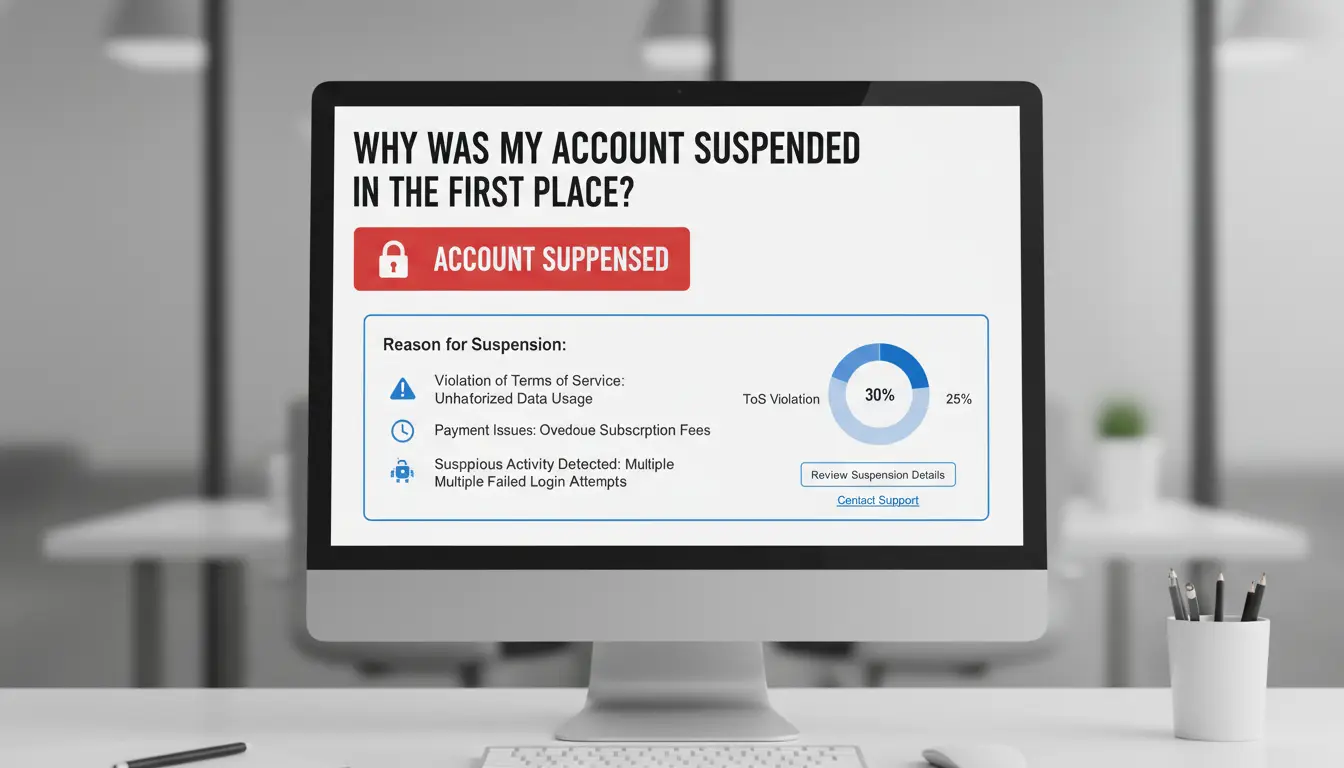
If your account suspended notice appeared without warning, the platform usually saw either a policy break or a risk pattern. The key is that systems score behavior over time, not one action in isolation.
Policy violations that lead to immediate restrictions
Platforms can suspend fast for spam bursts, fake identity signals, harassment, or repeated policy-removed posts. You can see these rule sets in Google policy enforcement, Meta Community Standards, and X Rules.
Single severe events can trigger instant locks. Smaller violations can stack. A few low-quality promo posts, repeated deleted comments, or copied media with no rights claim can move your risk score up until enforcement flips from warning to suspension.
Security signals that look suspicious to platforms
Security systems flag patterns that look like account takeover: sudden country jumps, new device fingerprints, fast session hopping, and repeated failed logins. This is common when people rush recovery and keep retrying passwords.
Automation-like speed also triggers controls. Examples include posting, following, messaging, or liking at machine pace. Even if actions are real, short high-velocity bursts can look scripted. This is why many organizations rely on account takeover protection software to detect suspicious behavioral patterns before they escalate into compromised accounts. Public guidance in Google Account Help and X platform integrity docs reflects this behavior-based review model.
User reports, copyright claims, and trust score impact
Complaint volume changes review speed. A single report may queue review, while clustered reports in a short window can trigger temporary limits pending checks.
History also changes outcomes. Older clean accounts often get warnings before hard locks. Accounts with prior strikes, unresolved copyright complaints, or past abuse actions usually face stricter penalties, including longer lock periods or permanent loss after appeal failure.
How can I tell whether the suspension is temporary, limited, or permanent?
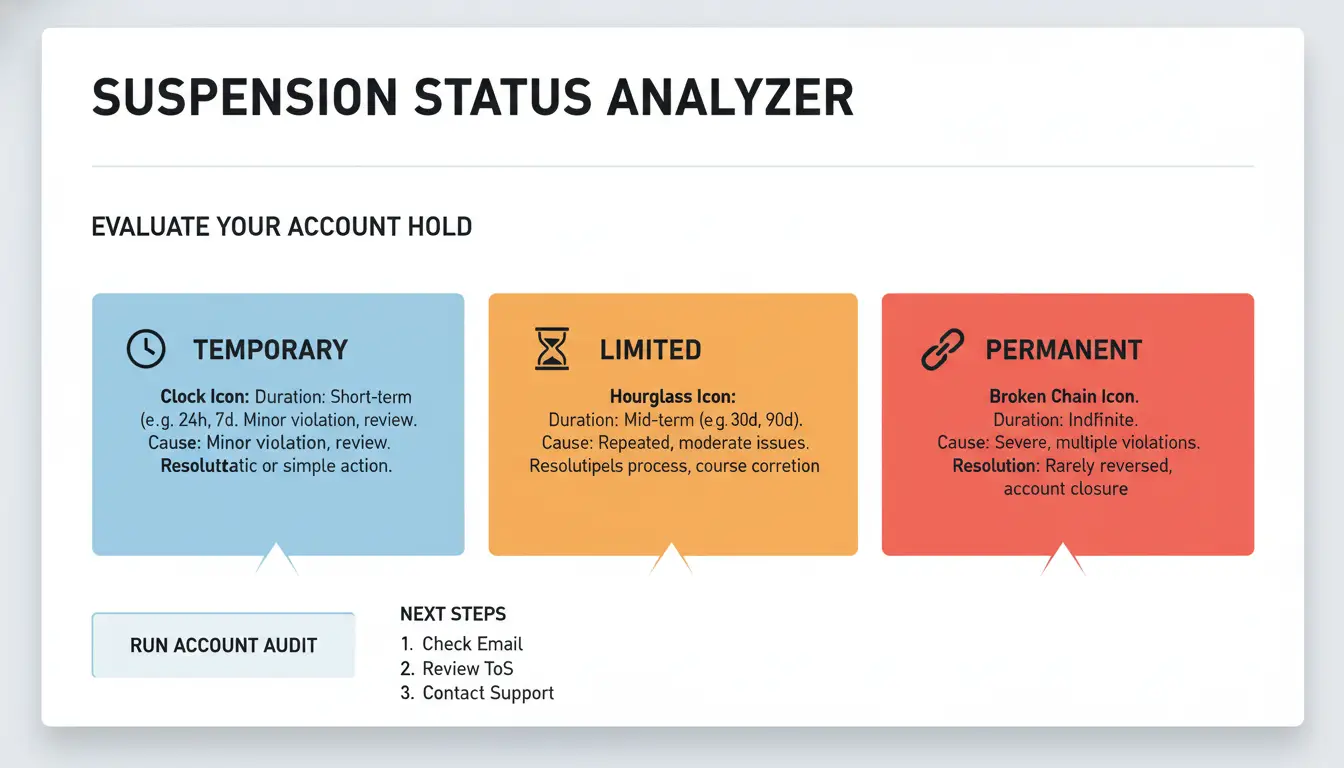
If your account suspended notice is vague, do not guess. Read the exact wording in both the login screen and the email from the platform. Match that text to the status type below before you take action.
Message clues inside login screens and email notices
| Message pattern |
Likely status |
What to check next |
| “Try again later,” “unusual activity,” “temporary lock” |
Temporary lock |
Wait window, device/IP history, security alert time |
| “Some features are unavailable,” “action blocked” |
Limited restriction |
Which feature is blocked and for how long |
| “Account disabled,” “permanently suspended,” “decision final” |
Permanent or near-permanent |
Appeal eligibility, deadline, required ID or documents |
Check your inbox and spam for review windows. Platforms often place deadlines in notice emails, not login popups. See official wording examples in Google Account Help, Meta Help Center, and X Help Center.
Feature-level restrictions vs full account shutdown
A limited account can still log in but loses one area, like posting, ads, messages, or payouts. Full shutdown blocks login or removes core access. Partial limits can escalate into full suspension if you keep triggering the same abuse signal, such as repeated bulk actions after a warning. If your account suspended status started as feature-only, stop the flagged action at once and preserve logs.
When to stop retrying login and start formal recovery
Stop after 2 failed retries in one session. Repeated attempts can look like takeover behavior and extend lock time. Start formal recovery when you see any of these: no countdown timer, “appeal required,” or repeated lock loop after password reset. Use one strong appeal with timestamps, device details, and ownership proof. Then wait for the stated review window before another request.
What should I do in the first 24 hours after seeing 'account suspended'?
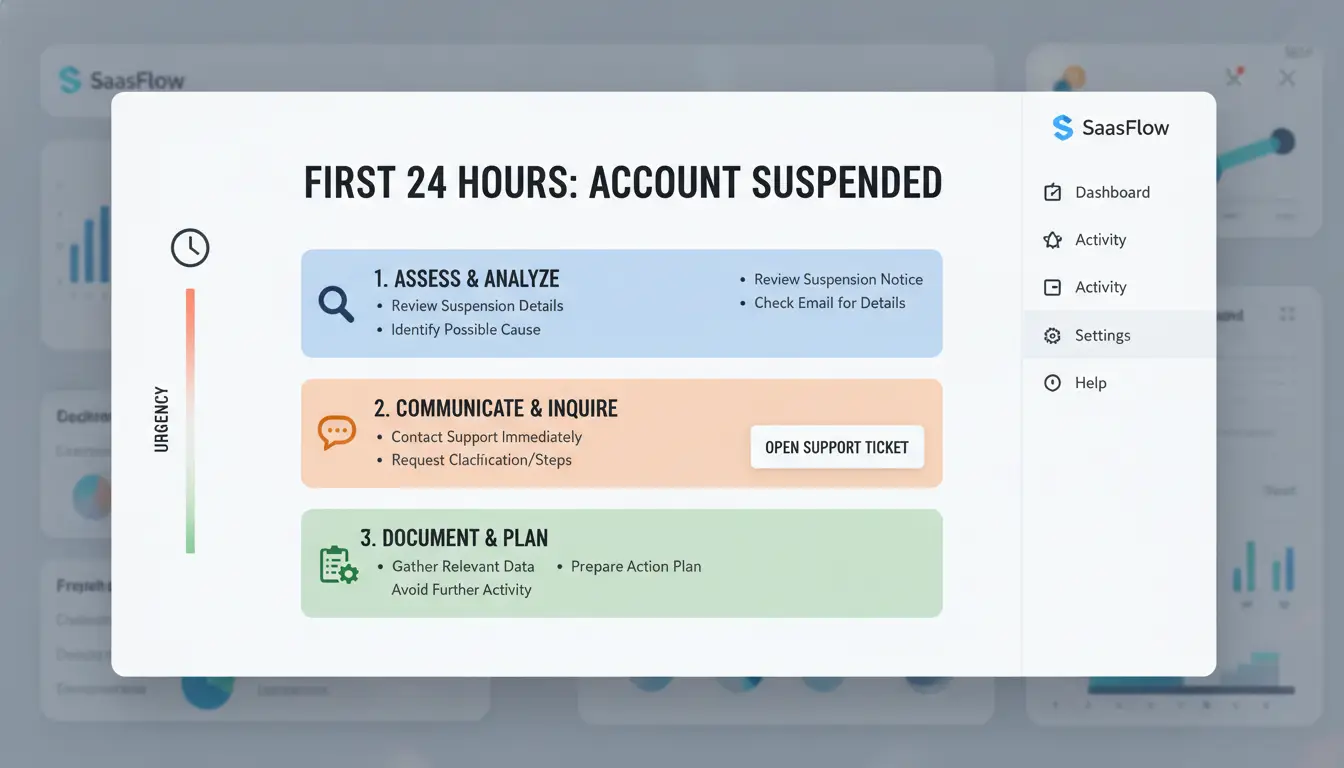
If you see “account suspended,” pause and run a strict order: secure access, collect proof, submit one appeal, then wait inside the platform’s review window. Fast, messy actions often reduce recovery odds.
Secure access points before filing anything
Change the password from a trusted device. Then confirm your recovery email and phone still belong to you. Turn on 2FA right away using platform steps in Google Account Help or the matching support page for your platform.
Next, check active sessions, connected apps, and API tokens. Revoke anything you do not recognize. If this is a team account, freeze shared logins until roles are clear. You can use DICloak to lock account access by member and keep operation logs while recovery is in progress.
Collect evidence to support your case
Take screenshots of the suspension notice, error codes, login alerts, and security emails. Save timestamps in one timezone. Add policy links that match your case, such as the relevant rules in Meta Help Center or X Help Center.
Include ownership proof: original signup email, billing record, admin history, or past successful login location. If you think this is a false positive, document a clear pattern: what action happened, when it happened, and what trigger likely misfired. Keep it short and factual.
Avoid actions that make review harder
Do not send duplicate appeals through multiple forms at the same time. That can create conflicting tickets.
Do not run automated retries, rapid IP or device switching, or repeated failed logins. Submit one clean appeal, then monitor official response windows and ticket updates.
How do I write an appeal that actually gets reviewed?
If your account suspended notice gives a case ID, use it in line one. Keep your appeal under 180 words so a reviewer can scan it fast.
Use a simple appeal structure reviewers can verify fast
Use 4 short parts:
- what happened (date, action, account ID),
- why this may be a mistake (one policy point),
- what you changed (password reset, session logout, removed content),
- what you ask (manual review and restore if compliant). Mirror platform wording from Google Account Help, Meta Help Center, or X Help Center so your claim maps to a rule they check.
What evidence increases approval probability
Attach only proof tied to the suspension reason: government ID for identity, business registration for brand ownership, and original files for content ownership. If compromise is possible, add cleanup proof: password change time, 2FA enabled, unknown sessions removed, and recovery email updated.
Appeal timing, follow-up cadence, and escalation rules
Send one strong appeal. If no reply after the platform’s stated window, send one follow-up in the same thread. Do not open parallel tickets for the same account suspended case. Use official forms and keep one timeline log with submission dates and ticket IDs.
Why do some recovered accounts get suspended again within days?
A reinstated profile is still under extra review. If the same risk signals return, the system can flag it fast and the account suspended state comes back. Most repeat suspensions are not appeal failures; they are behavior or environment signals that never got fixed.
Unresolved behavior patterns after reinstatement
Platforms score behavior bursts. Trouble starts when posting speed, follows, messages, or ad edits jump right after recovery. Repeating the same action pattern that triggered checks before can reopen enforcement.
A safer rewarm plan is simple: keep actions low for 48-72 hours, post at normal human intervals, and avoid bulk changes. Add variety in actions instead of repeating one task in loops.
Linked-risk signals across accounts and devices
Review systems connect sessions through browser data, device traits, IP history, and login overlap. If recovered and restricted accounts share the same operational footprint, chain review can start.
Shared cookies or reused browser sessions are a common miss. So is mixed ownership, where one operator logs into accounts owned by different clients from one environment. That pattern can look like coordinated abuse in Meta Help Center and X Help Center. For team workflows, you can use DICloak to separate browser profiles, bind each profile to its own proxy, and keep access logs for who changed what.
Weak security hygiene that invites takeover flags
Security gaps can trigger protection systems even after reinstatement. Common issues include password reuse, old recovery email access, risky browser extensions, and former collaborators still signed in.
Post-recovery hardening checklist: rotate password, enable 2-Step Verification, remove unknown sessions, clean extension list, update recovery email and phone, and limit editor/admin roles. If those are skipped, suspicious-login alerts can escalate and the account suspended cycle repeats.
How can teams manage multiple social accounts with lower suspension risk?
If your team handles shared accounts, the risk is not just bad content or policy mistakes. A common trigger is inconsistent login behavior that looks like account sharing abuse. That pattern can get an account suspended even when your intent is normal operations. Treat each account as its own controlled environment, not a shared browser tab.
Where team operations usually create suspension risk
Teams get flagged when three people log into one account from mixed devices, changing IPs, and different browser fingerprints in short time windows. Platforms track these patterns through abuse and security systems in Meta Help Center, X Help Center, and Google Account Help.
Risk also grows when everyone has full access. Without permission limits, one person can change recovery email, another can reset 2FA, and no one can prove what happened. Manual copy-paste work adds errors, especially during bulk posting or reply tasks.
Build isolated account environments with DICloak
You can use DICloak to assign one browser profile per account, with separate fingerprint settings for each profile. This reduces cross-account linkage signals.
You can also bind a dedicated proxy to each profile, so network identity stays stable per account session. Keep this mapping fixed over time instead of rotating identities every login.
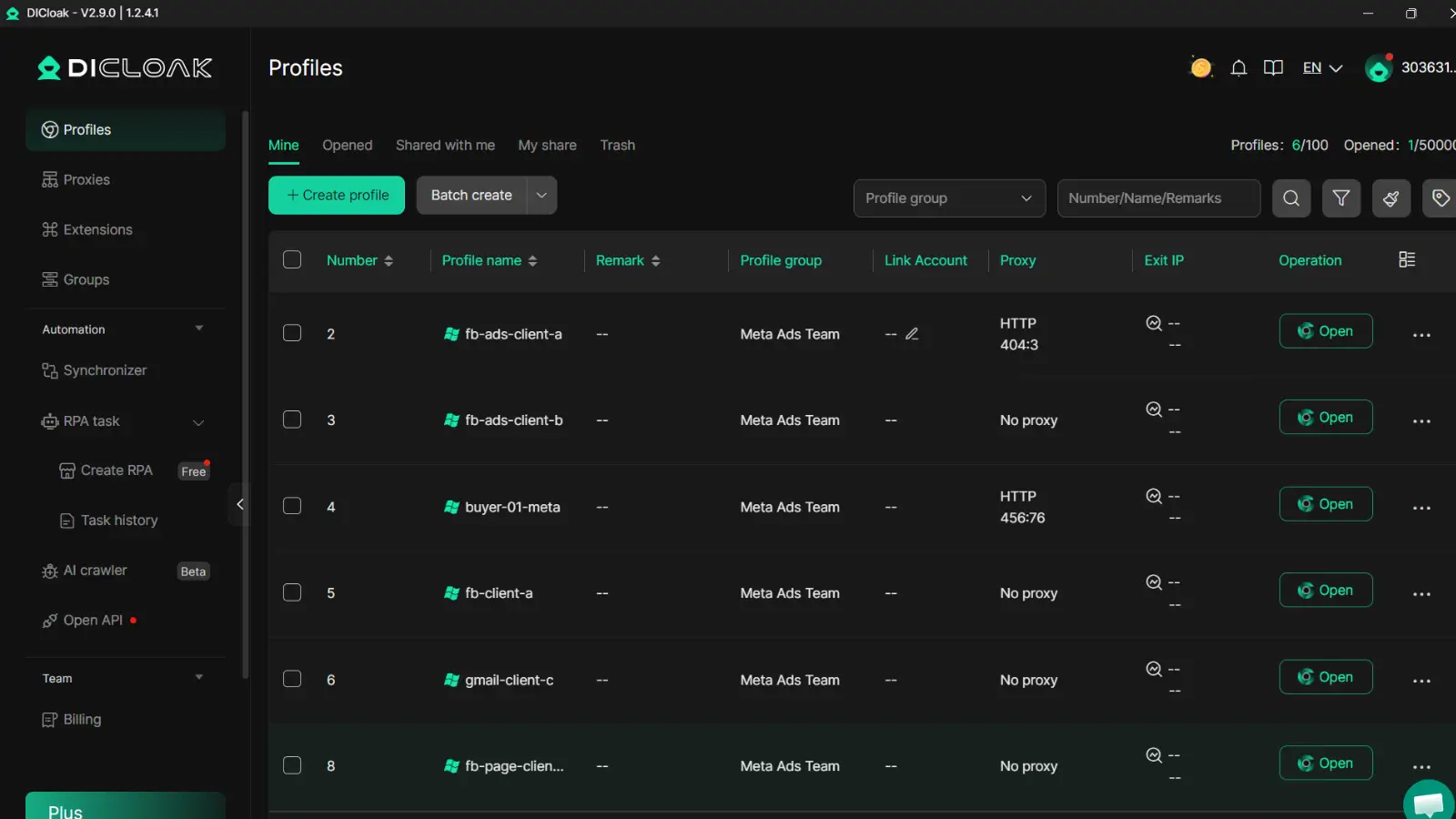
Control team actions using permissions, logs, and automation
Use role-based permissions so editors can post but cannot change security settings. Limit profile sharing by task and shift, not by full account ownership.
Enable operation logs so you can trace who logged in, who changed settings, and when actions happened. For repeated actions, use batch operations and RPA in DICloak to cut manual mistakes that often lead to account suspended cases.
What daily habits help prevent another 'account suspended' notice?
If you already saw an account suspended warning, daily control beats one-time cleanup. Keep behavior steady, document decisions, and lock team access.
Run a weekly compliance and content-risk review
Review planned posts before publishing: risky claims, reused media, spam-like wording, and duplicate links. Use policy pages from the Meta Help Center and X Help Center as your rule baseline. Keep one checklist for all contributors, then log each exception and who approved it.
Normalize activity patterns and growth pacing
Set fixed daily caps for follows, messages, edits, and post volume per account. Sudden jumps often trigger abuse checks. Slow, consistent growth creates cleaner trust signals than burst campaigns.
Strengthen account and device security routines
Use 2FA, rotate credentials on a schedule, and allow logins only from trusted devices. Tools like DICloak let you map one account to one isolated browser profile, attach a dedicated proxy, and keep stable login patterns.
For teams, you can use DICloak permissions, profile sharing controls, and operation logs to prevent uncontrolled access. Batch actions and RPA reduce manual mistakes that can cause another account suspended event.
When is it time to stop recovery attempts and create a new account?
If your account suspended case has no open appeal path, stopping is often the safer move. Keep pushing only when you still have a valid review channel in Google Account Help, Meta Help Center, or X Help Center.
Signals that recovery is unlikely to succeed
Treat recovery as closed when you receive a final enforcement message and the platform shows no new appeal button. Also stop if support replies repeat the same permanent decision text across multiple tickets.
Long inactivity can also lock the outcome. If an account stays disabled for months and every login check shows permanent status, more attempts can raise risk on related accounts. Save all notice emails, case IDs, and timestamps, then move to relaunch planning.
How to relaunch safely without carrying old risks
Start clean. Use a new email, new phone, and new recovery contacts. Review old posting patterns, then remove anything that looked like spam bursts, copied captions, or repeat link drops.
Set access rules before posting: who can log in, who can publish, and who can change security settings. For shared teams, you can use DICloak to separate browser profiles, bind proxies per profile, and keep action logs.
If an account suspended event came from behavior triggers, repeating the same schedule and assets can get the new account flagged fast.
What to migrate and what to leave behind
Move lawful assets only: brand voice guide, approved media library, response templates, and SOP checklists. Keep proof of ownership for logos and content licenses.
Leave behind risky items: flagged automation scripts, bought follower lists, reused banned links, and old team login habits that caused traceable abuse patterns.
Frequently Asked Questions
How long does an account suspended review usually take?
Most reviews finish in 24–72 hours on social apps. Ad, payments, and seller platforms often take 3–10 business days. Complex fraud or legal checks can run 1–3 weeks. Clear appeal notes, correct documents, and one complete submission speed things up. Follow up once after the posted window passes, then wait for a decision.
Can I open a new account while my account suspended appeal is pending?
Opening a new profile during an account suspended appeal can trigger stronger enforcement, especially on platforms that link identity, device, IP, payment card, or tax details. A safer order is: finish the appeal first, keep one clean login environment, and open a new account only if support confirms it is allowed in writing.
Will deleting old posts help recover an account suspended for policy reasons?
Cleanup helps when the platform asks for corrective action, such as removing prohibited listings, spam links, or copied media. First, save evidence: screenshots, URLs, and timestamps for your appeal record. Then edit or delete only items tied to the violation. In your appeal, explain each fix clearly so reviewers can verify compliance fast.
Does a suspended account hurt other accounts I manage?
Yes, linked-risk systems can flag related accounts when they share strong signals: same admin email, phone, device, IP, browser profile, payment method, or business entity. Isolate operations with separate logins, dedicated devices, unique billing profiles, and least-privilege team access. Keep policy logs for each account to show independent, compliant management.
What documents are most useful if my business account is suspended?
Submit a tight packet: government ID for the owner, business registration or license, tax document, recent utility bill for address, and proof of domain ownership. Add authorization proof if an agency manages the account (signed letter or contract). Include matching invoice/payment records and account screenshots so reviewers can connect identity, ownership, and activity.
An account suspension is usually a signal to review platform policies, secure your login activity, and respond through official appeal channels with clear evidence. Acting quickly and methodically can improve your chances of restoring access while helping you prevent future suspensions through stronger compliance and account hygiene.Try DICloak For Free
 Web Proxy Tools
 Free Tools
 Cookie Plugin
 UA Generator
 MAC Address Generator
 IP Generator
 IP Address List
 2FA Code Generator
 World Clock
 Anonymous Check
 WebRTC Leak Test
 UUID Generator
 Free Web Proxy Site
 Proxy Checker
 FB Ad Checker
 AI Web Scraping
 Free SMM Tools
 Twitter Shadowban Checker
 Instagram Name Checker
 UTM Generator
 Username Generator
 AI Hashtag Generator
 LinkedIn Headline Generator
 Social Media Image Resizer