The Invisible Shield: What Does Restrict on Instagram Actually Do?
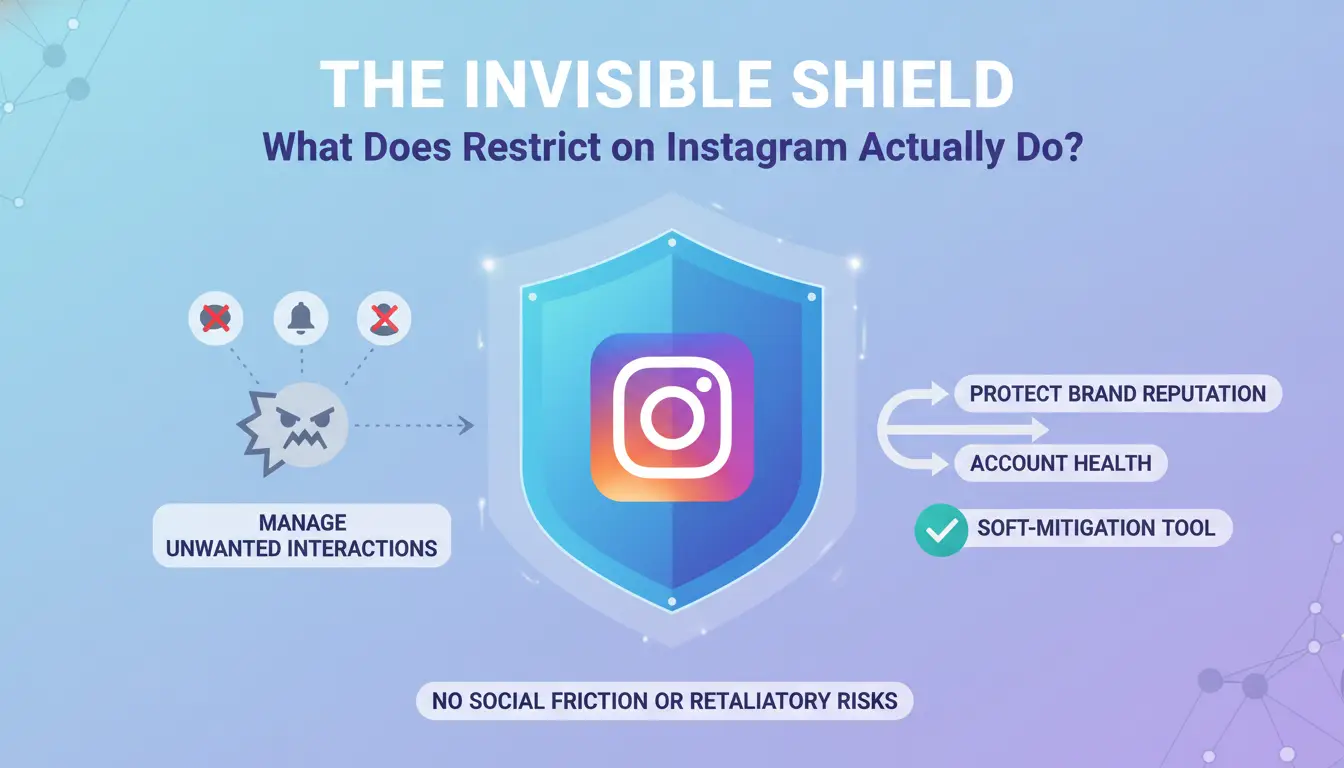
The "Restrict" feature functions as a sophisticated soft-mitigation tool. From a cybersecurity perspective, it allows account owners to manage unwanted interactions without the social friction or retaliatory risks often associated with an overt "Block."
The core mechanism of a restriction is the creation of a private "sandbox." When an account is restricted, the platform isolates their interactions into a secondary environment that is only visible to them. This provides a strategic middle ground for brands: it effectively silences disruptive voices while preventing the target from realizing their influence has been neutralized. Unlike blocking, which completely severs the connection and is easily detectable via profile search, a restriction is a subtle filtering layer designed to maintain account health without alerting the mitigated party.
How Restrict on Instagram Technology Affects User Engagement
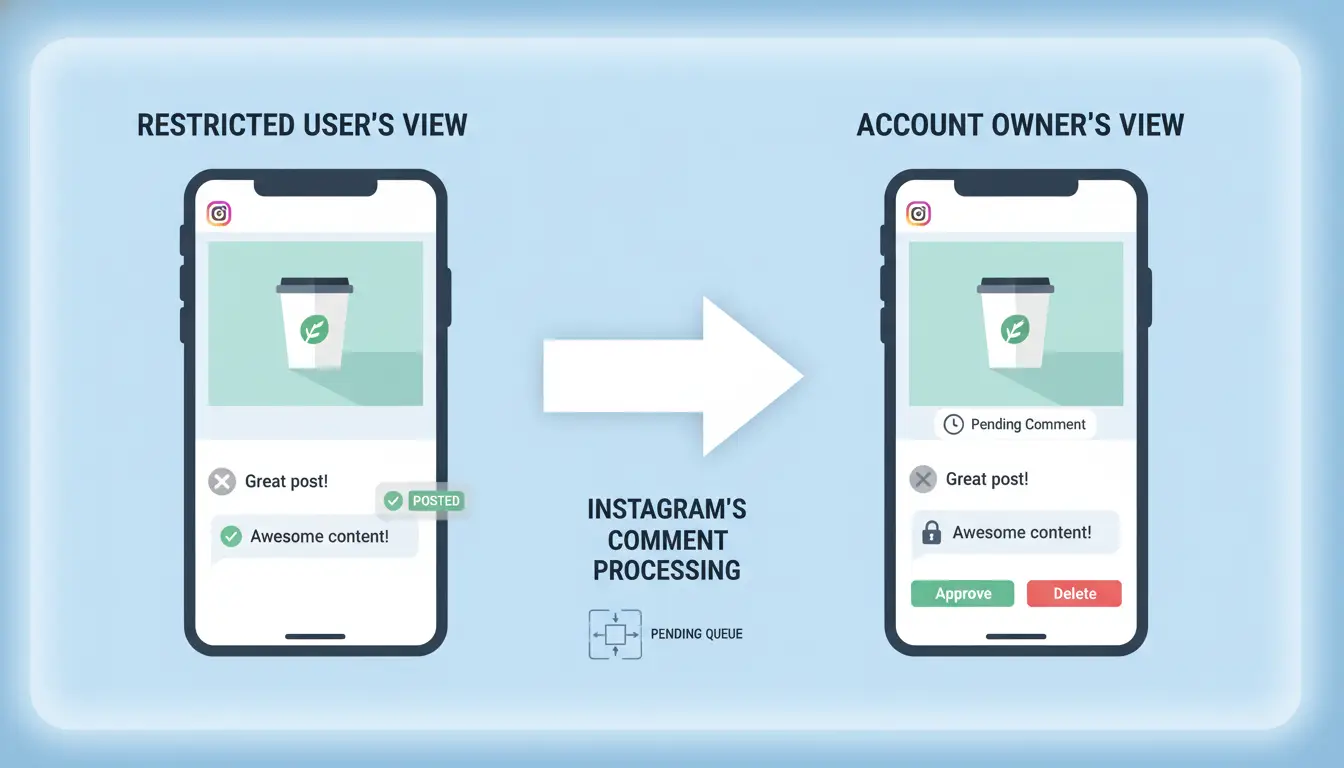
The Comment Approval and Pending Queue Mechanism
When an account is restricted, the platform alters the technical workflow of the comment section. Any comment posted by a restricted user enters a "pending" state. To the commenter, the interaction appears successful—they see their comment published as they normally would. However, to the general public and other followers, the comment is non-existent.
The account owner receives no standard notification for these comments. Instead, they must manually navigate to the "Restricted Comments" queue to review the input. From there, the owner can choose to approve the comment for public visibility, delete it, or simply leave it in its pending state indefinitely. This granular control allows for the suppression of toxicity without triggering the "streisand effect" of an obvious deletion.
Message Requests and the Suppression of Read Receipts
Restricting also reconfigures the Direct Message (DM) architecture. Messages from restricted accounts are diverted from the primary and general inboxes and placed into the "Message Requests" folder. This shift triggers two critical security and privacy protocols:
- Suppression of Read Receipts: The platform ensures that "Seen" indicators are never transmitted to the restricted party. Even if the account owner reads the message to assess a potential brand risk, the sender only sees a "Sent" status.
- Activity Status Masking: The "Active Now" indicator and the green status dot are completely hidden from the restricted user, preventing them from monitoring when the account owner is online.
Pro-Tip: While the suppressed read receipt is an excellent privacy tool, brand managers should be aware of the psychological aspect: if a message remains in a "Sent" but not "Seen" state for weeks despite active posting on the main feed, the restricted party may eventually deduce they have been mitigated.
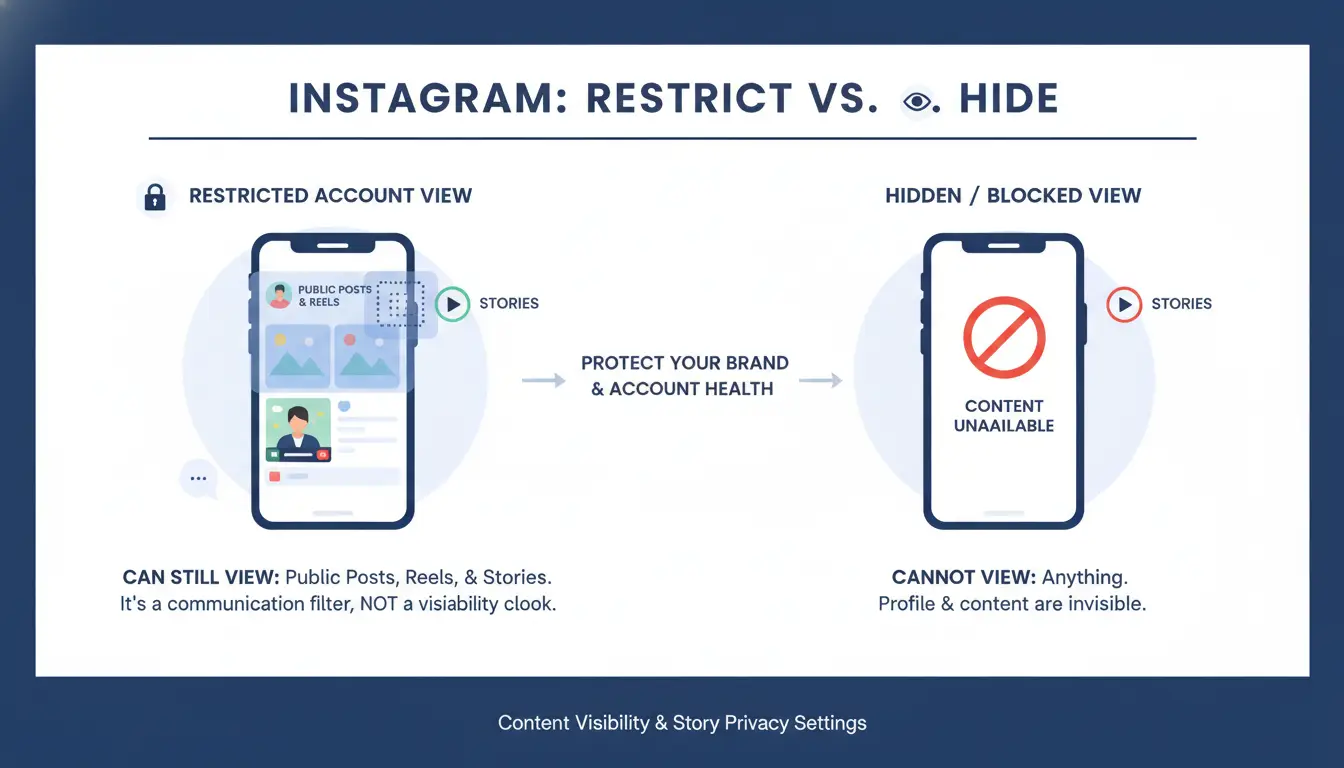
Content Visibility and Story Privacy Settings
Why Restricting Does Not Hide Your Content
It is an operational necessity to understand that "Restrict" is a communication filter, not a visibility cloak. A restricted account can still perform several high-visibility actions:
- Content Access: They can still view your public posts, Reels, and Stories.
- Tagging: Crucially, restricted users retain the ability to tag your account in their own content, which may still require active monitoring of your mentions.
- Profile Search: They can search for and find your profile with no restricted access to your bio or follower lists.
If a brand requires total content isolation—for instance, to hide proprietary strategies from a competitor or persistent harasser—"Restrict" is insufficient. In such scenarios, the "Hide story from" setting must be deployed as a distinct privacy layer, or a "Block" must be initiated to remove profile searchability.
Pro-Tip: Engagement signals are not fully isolated; "Likes" from restricted accounts remain visible to the general public on your posts.
Restrict on Instagram vs. Blocking: Which Strategy Minimizes Friction?
The following table outlines the technical distinctions between soft-mitigation (Restrict) and total isolation (Block).
| Feature |
Restrict (Soft Filter) |
Block (Total Isolation) |
| Notification to User |
No |
No |
| Profile Searchability |
Searchable |
Not Searchable |
| Comment Visibility |
Restricted/Pending Queue |
Completely Hidden/Deleted |
| DM Destination |
Message Requests |
Blocked (Cannot send) |
| Activity Status |
Hidden |
Hidden |
Diagnostic Signals: How to Tell if You Are Under a Restrict on Instagram
The Comment Visibility Test
The most reliable industry practice for diagnosing a restriction involves a multi-account verification. Because the restricted user's view is "sandboxed," their comments will appear normal to them. To verify a restriction, one must view the same post from a secondary, unrelated account. If the comment is visible to the sender but invisible to the secondary account, a restriction is almost certainly in place.
Activity Status Indicators
While less definitive, the sudden disappearance of an account's "Active Now" status can suggest a restriction. However, this is not a guaranteed diagnostic, as platform algorithms allow users to disable activity status globally. A disappearance of the green dot, combined with messages that remain "Sent" but never "Seen" over a long duration, may help mitigate the uncertainty of whether a restriction has been applied.
Operational Risks: Managing Multiple Social Media Profiles at Scale
Why Account Inter-linking Triggers Platform Bans
For organizations managing a portfolio of accounts, the primary threat is "cascade risk." Instagram's security infrastructure utilizes advanced device fingerprinting to identify clusters of related accounts. Standard "Account Switching" within the official app is insufficient for professional isolation because hardware-level identifiers—such as the Device ID (IMEI), GPU/Canvas fingerprints, and MAC addresses—remain constant.
If a single account in a cluster is flagged for aggressive behavior or repeated restrictions, the platform's security systems can synchronize reputation penalties across all linked profiles on that device. It is a critical distinction that while "Restrict" occurs at the account level, the risk of a "Shadowban" or permanent suspension often follows the device and IP address.
Using DICloak for Secure Multi-Account Infrastructure
To mitigate cascade risk and implement professional-grade isolation, agencies utilize DICloak. This infrastructure helps prevent platforms from linking accounts by supporting each profile to operate within a unique, isolated environment.
DICloak isolates browser profiles to help reduce the risk of platforms identifying account clusters via Canvas fingerprinting or device IDs. This supports the technical decoupling of the operational health of one client profile from others.
Specific DICloak Features for Account Integrity:
- Multi-account Browser: A centralized dashboard that allows for the management of hundreds of unique profiles, each with its own local storage and cache.
- Network Isolation: Through user-configured proxy integration, each profile can operate from a distinct IP address, which helps reduce the risk of network-level flags triggering a cluster-wide ban.
Pros & Cons of DICloak
- Pros: High-level scalability for global agencies; robust fingerprint isolation; helps significantly reduce the risk of account-linking issues.
- Cons: Requires a learning curve for teams implementing API-based automation; involves an operational shift as teams must move from traditional mobile devices to a centralized, dashboard-driven workflow.
Common Questions About Restrict on Instagram
Does restricting notify the person?
No. Instagram does not issue any notification. The experience remains ostensibly normal for the restricted user to prevent escalation.
Can I recover a deleted account?
According to platform policy, there is a 30-day window for recovery. If you log back into an account within 30 days of the deletion request, the process is automatically cancelled. After this period, data is purged permanently.
Can I manage multiple accounts without them getting linked?
Successful independent growth often benefits from isolated environments. Managing multiple accounts from the same physical device or IP address can lead to account linking by platform security. Utilizing tools like DICloak to provide isolated browser profiles and user-configured proxy integration can be a key strategy for maintaining account isolation at scale.
 Web Proxy Tools
 Free Tools
 Cookie Plugin
 UA Generator
 MAC Address Generator
 IP Generator
 IP Address List
 2FA Code Generator
 World Clock
 Anonymous Check
 WebRTC Leak Test
 UUID Generator
 Free Web Proxy Site
 Proxy Checker
 FB Ad Checker
 AI Web Scraping
 Free SMM Tools
 Twitter Shadowban Checker
 Instagram Name Checker
 UTM Generator
 Username Generator
 AI Hashtag Generator
 LinkedIn Headline Generator
 Social Media Image Resizer