What Are the YouTube Monetization Requirements in 2026?
The YouTube Monetization Requirements 2026 depend on how you want to earn money. YouTube does not use one single entry point for every monetization feature. In eligible countries, some creators can enter the expanded YouTube Partner Program with 500 subscribers. However, this level mainly gives access to features such as memberships, Super Chat, Super Thanks, and some Shopping tools.
To earn revenue from ads on regular videos and Shorts, creators still need to reach the higher 1,000-subscriber level and meet the required watch time or Shorts views. This difference is important because a channel can enter YPP before it qualifies for full advertising revenue.
Subscriber Requirements
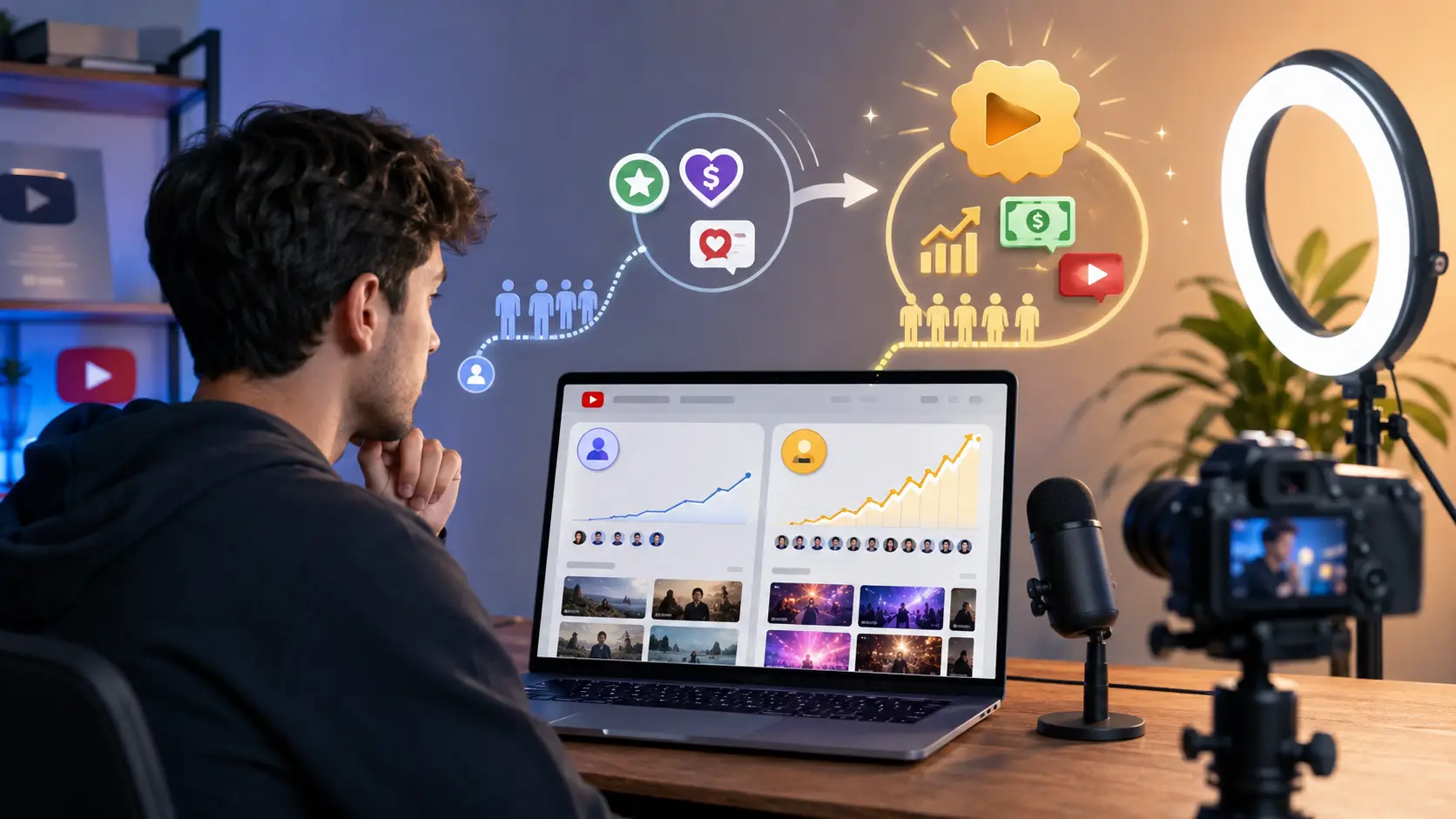
There are two subscriber levels creators should understand when reviewing the YouTube monetization requirements in 2026. For early access to the expanded YPP, a channel needs 500 subscribers, at least three public uploads in the last 90 days, and either 3,000 qualified public watch hours in the last 12 months or 3 million qualified Shorts views in the last 90 days.
This lower entry level can unlock fan-funding features such as channel memberships, Super Chat, Super Stickers, and Super Thanks. However, 500 subscribers do not automatically qualify a channel for ad revenue. To earn revenue from Watch Page ads, Shorts Feed ads, and YouTube Premium, a channel normally needs 1,000 subscribers plus either 4,000 qualified public watch hours in the last 12 months or 10 million qualified public Shorts views in the last 90 days.
For example, imagine a tutorial channel has 720 subscribers, 3,400 qualified watch hours, and four recent public videos. It may qualify for the expanded YPP if the program is available in its country. The creator could start using some fan-funding tools, but the channel would still need to reach 1,000 subscribers and 4,000 qualified watch hours before qualifying for full ad revenue.
This is why creators should not focus on subscriber count alone. Subscriber numbers are only one part of YouTube monetization eligibility.
Watch Time and Shorts Views Requirements
Creators can reach the full monetization threshold through either long-form videos or Shorts. For long-form content, YouTube requires 4,000 qualified public watch hours during the previous 12 months. These hours must come from eligible public long-form videos.
Not every hour shown in YouTube Analytics counts toward this requirement. Watch time from private, unlisted, or deleted videos does not count, and watch time generated through advertising campaigns is also excluded. Watch hours from Shorts viewed in the Shorts Feed cannot be added to the 4,000-hour long-form requirement.
For example, a channel may show 4,300 total watch hours in Analytics. If 600 of those hours came from videos that were later made private, its qualified YPP watch time could still be below 4,000 hours. The creator would need more public long-form viewing before meeting the requirement.
Shorts-focused channels follow a different path. To qualify for full ad revenue through Shorts, a creator needs 10 million qualified public Shorts views within 90 days, together with 1,000 subscribers. For the earlier YPP level, the requirement is 3 million qualified Shorts views within 90 days and 500 subscribers.
Only qualified views from public Shorts in the Shorts Feed count toward these thresholds. Views from private, unlisted, or deleted Shorts do not count, and views generated through ad campaigns are also excluded. For creators who publish both Shorts and long videos, this means the two paths should be tracked separately instead of combining the metrics.
YouTube Monetization Requirements for Early YPP Access vs. Ad Revenue
Meeting the first YouTube Monetization Requirements 2026 does not mean every revenue option becomes available at once. YouTube uses two main earning levels. The first gives smaller creators early access to fan funding and selected Shopping features. The second adds revenue from ads and YouTube Premium.
This difference is useful when planning a channel. A creator with a loyal small audience may be able to earn from fans before reaching the larger ad revenue threshold. A channel built around high video traffic, on the other hand, may get more value from reaching the full YouTube Partner Program requirements as quickly as possible.
Early YPP Requirements
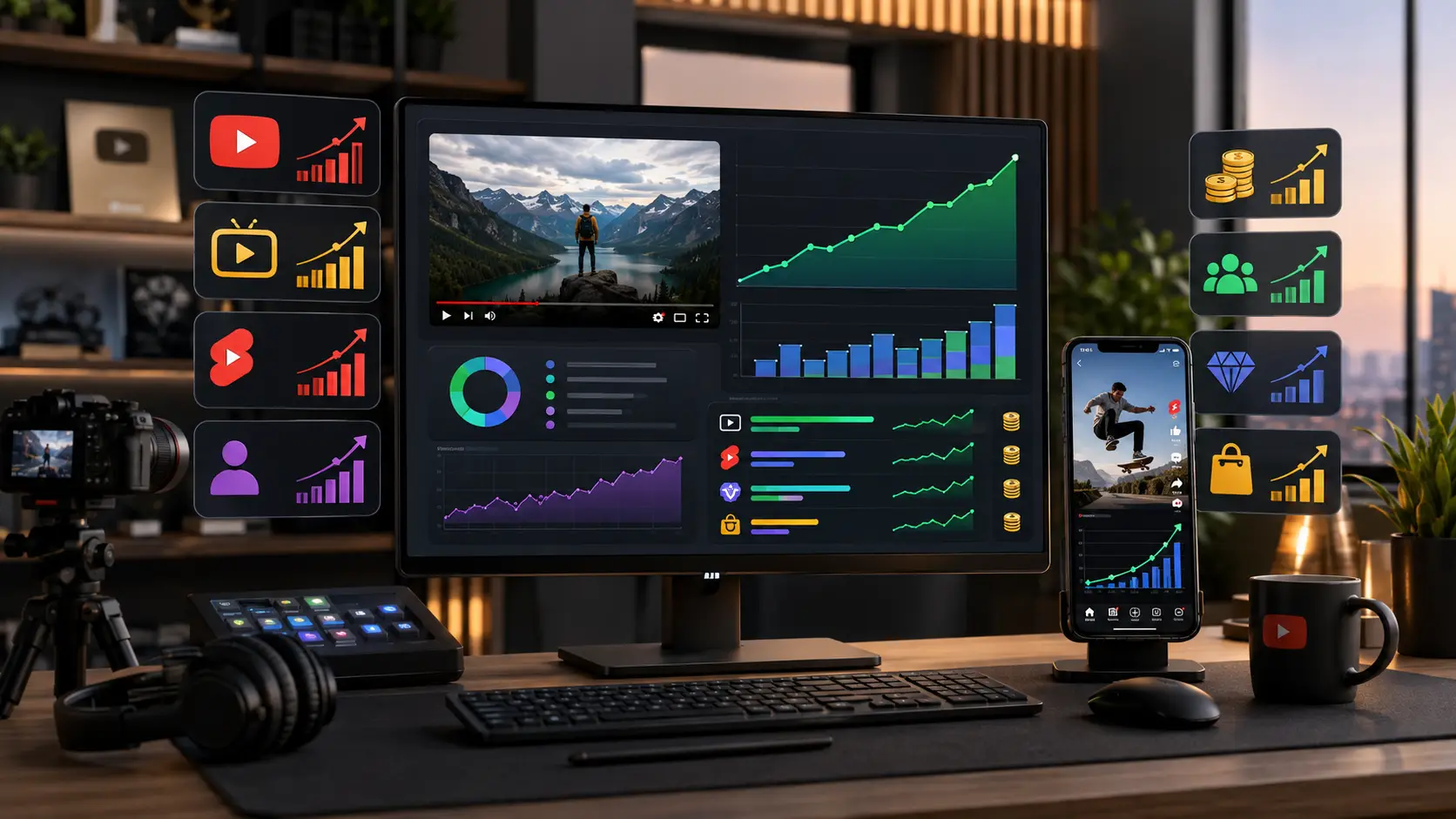
The expanded YouTube Partner Program gives eligible creators an earlier way to start earning. In countries where this version of YPP is available, a channel can apply with 500 subscribers, at least three valid public uploads in the last 90 days, and either 3,000 qualified public watch hours in the last 12 months or 3 million qualified public Shorts views in the last 90 days.
Reaching this level can give creators access to features such as channel memberships, Super Chat, Super Stickers, Super Thanks, and selected YouTube Shopping features. These tools are based more on direct support from viewers than on advertising. Each feature can also have its own extra eligibility rules, so entering YPP does not mean every tool will automatically appear on every channel.
For example, imagine a creator runs a small photography channel with 650 subscribers. The channel has a strong group of regular viewers who often join live streams and ask questions. If the channel meets the other early YPP requirements, Super Chat could allow viewers to pay to highlight messages during eligible live streams. Super Thanks could also let viewers support individual eligible videos. In this case, the creator does not need to wait for 1,000 subscribers before testing whether the audience is willing to pay for extra interaction.
There is real earning potential at this stage. Under YouTube's Commerce Product Module, YouTube says partners receive 70% of net revenue from channel memberships, Super Chat, Super Stickers, and Super Thanks. Actual income still depends on audience size, viewer interest, location, and how often people use these features.
This makes early YPP especially useful for channels with a small but active community. A niche teaching channel, gaming streamer, or creator with loyal live viewers may benefit more from 700 engaged subscribers than another channel with several thousand subscribers who rarely interact. The subscriber number opens access, but audience behavior often decides whether these tools produce meaningful income.
Full Ad Revenue Requirements
The next level of YouTube monetization eligibility adds the revenue sources most creators think of when they hear “YouTube monetization.” Under the current 2026 rules, creators need 1,000 subscribers and either 4,000 qualified public watch hours from long-form videos in the last 365 days or 10 million qualified public Shorts views in the last 90 days.
Once accepted and eligible for the relevant features, creators can earn from Watch Page ads, Shorts Feed ads, and YouTube Premium, in addition to the fan-funding features available at the earlier level. This is why the 1,000-subscriber threshold is still an important target. It marks the point where advertising can become part of the channel's revenue model.
The payment model is different for long-form videos and Shorts. For Watch Page ads, YouTube states that creators receive 55% of net ad revenue under the Watch Page Monetization Module. For Shorts Feed ads, creators receive 45% of the revenue allocated to them from the Creator Pool after YouTube applies its Shorts revenue-sharing system.
Consider a channel that publishes software tutorials. At 600 subscribers, the creator may qualify for early YPP and use Super Thanks. After reaching 1,000 subscribers and 4,000 qualified watch hours, the same videos can also become eligible for Watch Page ad revenue once the channel is approved and the required monetization module is accepted. The creator has not simply reached a bigger number. The channel now has another way to earn from the same public content.
This also explains why creators should choose their growth strategy based on their content format. A long-form education channel may reasonably target 4,000 watch hours through useful eight- or ten-minute videos. A Shorts-first entertainment channel may focus instead on the 10 million qualified Shorts views path. Trying to chase both targets at the same time is not always necessary.
One timing detail is also worth knowing. These are the YouTube Monetization Requirements for 2026, but YouTube has already announced a change for new creators starting February 1, 2027. The full ad-revenue threshold will rise to 8,000 qualified watch hours in 365 days or 20 million qualified Shorts views in 90 days, while the 1,000-subscriber requirement remains. YouTube says the earlier fan-funding threshold will stay at 500 subscribers with 3,000 watch hours or 3 million Shorts views. Creators working toward monetization near the end of 2026 should keep that date in mind when planning their growth targets.
How to Apply for YouTube Monetization in 2026
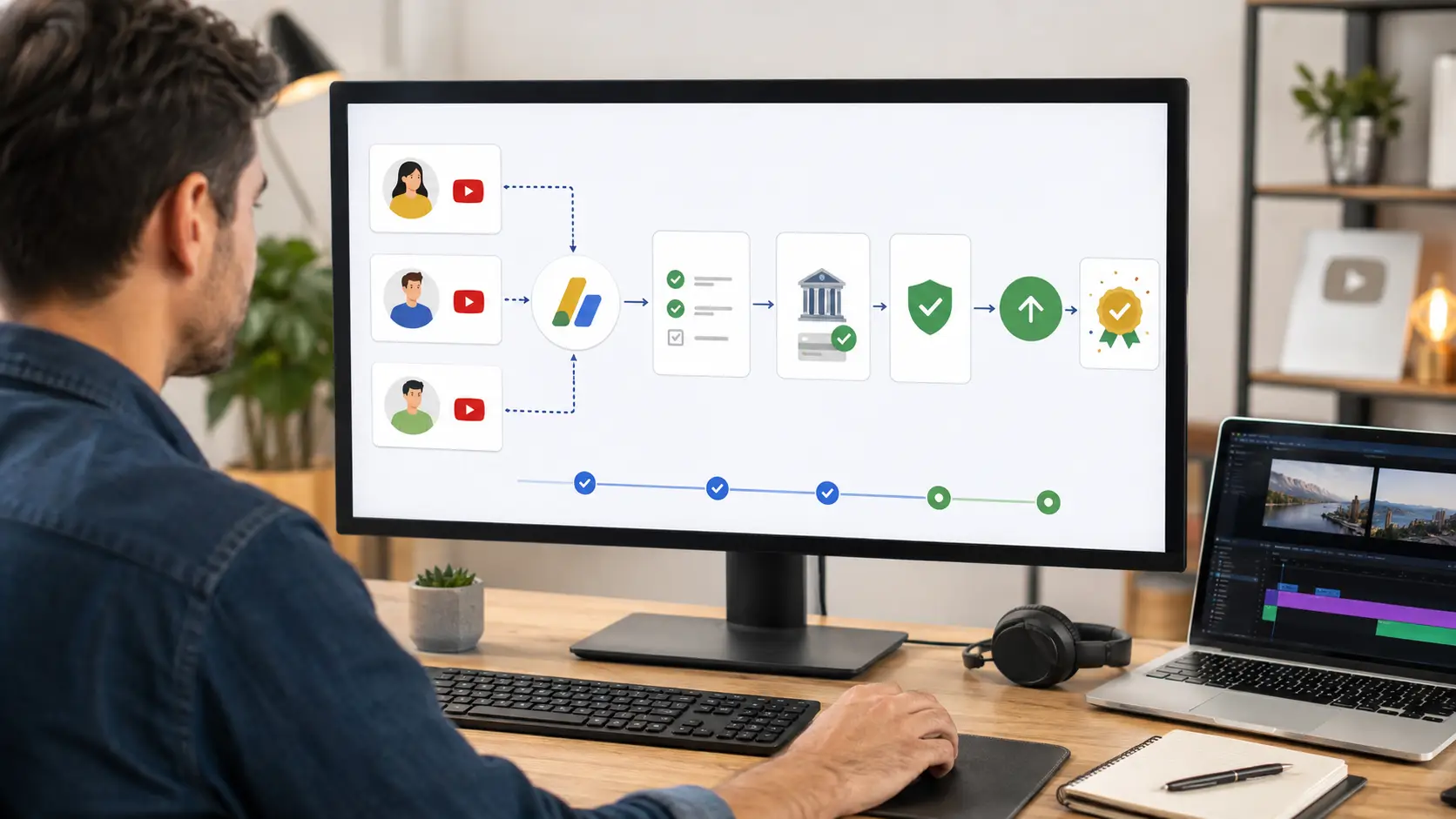
Once your channel meets the YouTube Monetization Requirements 2026, the next step is to apply through YouTube Studio. The process itself is not difficult, but a few details can cause delays if they are handled incorrectly. In most cases, you need to confirm your eligibility, accept the YPP terms, connect AdSense for YouTube, and then wait for YouTube to review the channel.
It is a good idea to check the channel before clicking Apply. Meeting the numbers only makes the channel eligible for review. YouTube will still look at the channel as a whole to decide whether it follows its monetization policies.
Check Eligibility in YouTube Studio
The easiest place to check your YouTube monetization eligibility is the Earn section in YouTube Studio. On desktop, sign in to YouTube Studio and select Earn from the left menu. If your channel has reached the required threshold, YouTube will show the option to apply. If it has not, you can select the option to be notified when the channel becomes eligible.
You can also start the application from the YouTube Studio mobile app. Open the app, tap Earn, and look for Apply Now. However, YouTube notes that the mobile app currently focuses mainly on the application process. Some monetization settings are still easier to manage through YouTube Studio in a web browser.
Before applying, check more than just subscribers and watch hours. Make sure the channel has no active Community Guidelines strikes, 2-Step Verification is turned on, and advanced features are available. These are part of the YouTube Partner Program requirements, so a channel can reach the traffic threshold but still be unable to apply if one of these conditions is missing.
For example, a creator may open YouTube Studio and see that the channel has 1,050 subscribers and enough qualified watch hours. The numbers look ready, but the Earn page may still show that another requirement needs attention. Checking the eligibility page first helps the creator solve that issue before starting the application.
What Happens During the Review
After you accept the YPP terms and connect an active AdSense for YouTube account, the channel enters YouTube's review queue. In the Earn section, the Get Reviewed step should show In Progress. At this point, there is no separate form to send manually. YouTube begins the review based on the application already submitted.
YouTube uses both automated systems and human reviewers during this process. Reviewers look at the channel as a whole rather than checking only one popular video. Their goal is to see whether the channel follows YouTube's channel monetization policies and other relevant guidelines.
This means creators should think about the full channel before applying. A channel may have ten strong original videos but also contain a large group of older uploads with reused, low-value, or policy-sensitive content. Those older videos can still matter because the review is not limited to the newest upload.
For example, imagine a channel reaches the YouTube monetization requirements after one tutorial suddenly becomes popular. The creator applies immediately, but the channel also contains dozens of older compilation videos with very little original input. Reaching the subscriber and watch-time target does not make those videos irrelevant. They can still affect how YouTube evaluates the channel during the YPP review.
YouTube says most YPP application decisions are made in about one month, although some reviews can take longer. Delays may happen because of application volume, system issues, or cases where several reviewers need to examine the same channel. You can check the current status at any time under YouTube Studio > Earn.
If the channel is approved, joining YPP does not automatically turn on every possible revenue source. Creators may still need to accept the relevant monetization modules, such as the Watch Page Monetization Module or Shorts Feed Ads Module, depending on how they plan to earn.
The application process is therefore more than a final button after reaching 1,000 subscribers or another YPP threshold. A clean AdSense setup, complete account requirements, and a channel that consistently follows YouTube's policies all play a part in whether monetization starts smoothly.
Why Channels Get Rejected After Meeting YouTube Monetization Requirements
Reaching the required subscribers, watch hours, or Shorts views does not guarantee approval. These numbers only make a channel eligible for review. YouTube then checks whether the channel follows its monetization policies and whether the content offers enough original value. If reviewers find major policy problems across the channel, the YouTube monetization application can still be rejected.
This is an important part of the YouTube Monetization Requirements 2026 that creators sometimes miss. A channel with strong growth can still fail YPP review because of the way its videos are created, the rights attached to the content, or the way views and subscribers were gained.
Reused or Repetitious Content
Two content problems are especially important during a YPP review: reused content and what YouTube now calls inauthentic content. In July 2025, YouTube renamed its “repetitious content” policy to “inauthentic content” to make it clearer that repetitive or mass-produced videos may not qualify for monetization. YouTube says this was a clarification of an existing rule, not a new ban on a specific production method.
Reused content is different. It usually involves taking material that already exists on YouTube or another source and publishing it without enough original commentary, editing, educational value, or entertainment value. This can include clips, compilations, reaction videos, and other formats when the creator's own contribution is too limited.
For example, imagine a movie commentary channel that uses short film clips but adds its own narration, analysis, editing, and clear opinions. That type of transformation can provide real value. Now compare it with a channel that uploads long collections of movie scenes with only new titles and thumbnails. Even if the second channel reaches 1,000 subscribers and enough watch hours, reviewers may have difficulty seeing what original value the creator added.
Inauthentic content creates a different problem. YouTube looks for channels where videos appear mass-produced or highly repetitive, especially when many uploads follow the same template with little meaningful difference between them. Using the same intro, outro, or general format is not automatically a problem. YouTube says similar formats can still monetize when the main content of each video is clearly different and provides real value.
A useful example is a product review channel. It may use the same opening animation and rating system in every video, but each review covers a different product, test, and conclusion. That is very different from producing hundreds of almost identical videos where only a product name, image, or a few lines of text change.
This is why creators should review the whole channel before applying. YouTube reviewers may look at videos as well as channel descriptions, titles, and video descriptions when deciding whether they can clearly understand how the content was created. A few strong original uploads may not solve a larger pattern of low-value reused or mass-produced content.
Copyright and Community Guidelines Issues
Originality is not the only requirement. A creator also needs the right to use and monetize the material that appears in a video. YouTube states that attempts to monetize videos a creator does not own can lead to monetization being disabled. Copyright strikes and videos containing third-party material can also affect the channel's monetization status.
Copyright permission and reused content should not be treated as the same issue. A creator may have legal permission to use a piece of content but still fail YouTube's reused content policy if the channel adds too little original value. In the other direction, adding commentary does not automatically remove every copyright issue. Creators need to think about both rights and YPP content standards.
Consider a sports channel that receives permission to repost match clips. The permission may address the copyright side of the upload. However, if most videos simply repost those clips with almost no analysis or transformation, the channel could still face a reused content problem during monetization review.
Community Guidelines also matter. To apply for YPP, a channel must have no active Community Guidelines strikes. YouTube also states that videos with Community Guidelines strikes or copyright strikes may contribute to monetization problems. Simply deleting a video does not automatically remove an existing strike, so creators need to resolve the underlying issue through the proper YouTube process.
For this reason, checking older uploads is useful before submitting a YPP application. A creator may focus on recent successful videos and forget about content published years earlier. Yet YouTube reviews the channel more broadly, so old copyright or policy problems can still matter.
Can AI-Generated and Other Content Be Monetized on YouTube?
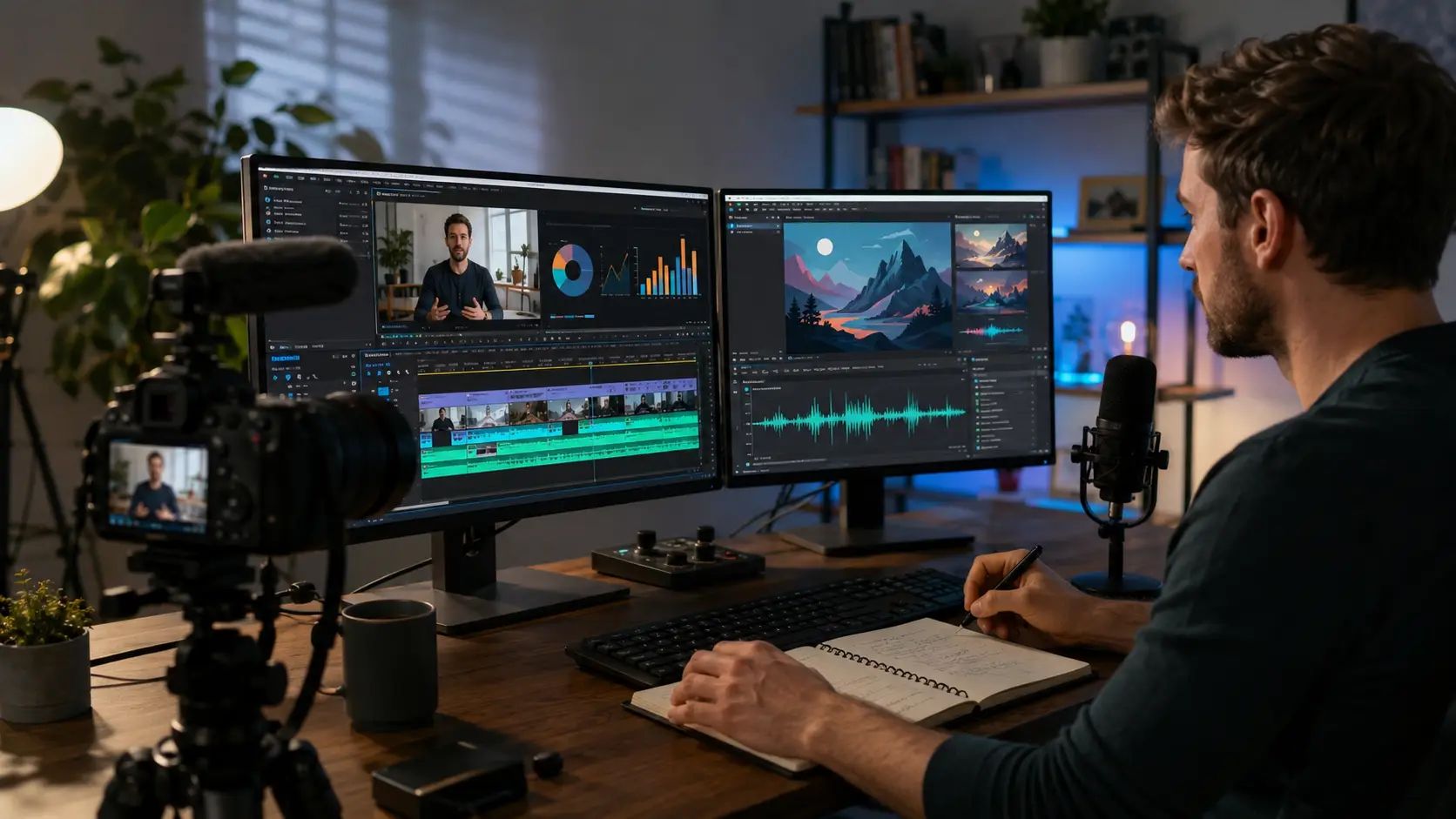
Yes, AI-generated content can be monetized on YouTube in 2026. Using AI by itself does not make a video ineligible for the YouTube Partner Program. What matters is how the content is made, how much original value it provides, whether the creator has the needed commercial rights, and whether the video follows YouTube's monetization policies.
This distinction has become more important as AI tools are now common in video production. A creator may use AI to help write a script, create graphics, improve audio, or generate parts of a video. That can still meet the YouTube Monetization Requirements 2026. Problems are more likely to appear when AI is used to produce large amounts of repetitive, low-value content with little meaningful input from the creator.
YouTube’s Original Content Requirements
YouTube says monetized videos and Shorts should be original and should not be repetitive or mass-produced in a way that offers little value. Creators also need the commercial rights to the visual and audio material used in their videos. This applies whether the content was made with a camera, editing software, stock assets, or AI tools.
Original content does not mean every part of a video must be created from zero. A creator can use licensed footage, clips, images, or other outside material when the rights allow it. However, the final video should still show meaningful creative work. Commentary, analysis, teaching, storytelling, editing, or a clear personal point of view can help show why the video offers something different.
For example, a personal finance creator may use stock charts and licensed graphics while explaining how an interest rate change affects a monthly mortgage payment. The value comes from the creator's research, explanation, examples, and conclusions. The graphics support the lesson rather than replace it.
The same idea applies to formats that use a repeated structure. A software review channel may use the same intro, rating table, and editing style in every upload. That is not automatically a problem if each video contains different testing, examples, opinions, and conclusions. What YouTube tries to prevent is content that can be produced again and again with only small changes.
Creators should therefore think beyond the question, “Did I make this video myself?” A better question is, “What useful or original value does this video give viewers?” That is much closer to how the YouTube Partner Program requirements work in practice.
AI-Generated Content and Monetization
YouTube allows creators to use generative AI, and its official guidance makes an important point: disclosing AI-generated or altered content does not by itself reduce a video's audience or its eligibility to earn money.
In many cases, creators do not even need an AI disclosure. YouTube lists production help such as generating a video outline, improving a script, creating a thumbnail, generating captions, repairing audio, or improving video quality as examples that normally do not require disclosure. Cloning your own voice for voice-overs or dubbing is also listed among examples that may not require disclosure.
The rules change when AI creates or meaningfully alters realistic content that viewers could mistake for a real event. For example, disclosure is required when a video makes a real person appear to say something they never said, changes footage of a real event, or creates a realistic scene that never happened. Creators can declare this in YouTube Studio under the AI use setting during upload.
Imagine two channels using AI.
The first channel publishes history explainers. The creator researches each topic, writes and checks the main arguments, adds original narration, and uses AI to create some supporting illustrations. Every video explores a different historical question and provides clear educational value. Using AI in this workflow does not automatically make the channel ineligible for monetization.
The second channel uses software to generate hundreds of nearly identical celebrity videos. The script follows the same template each time, the narration is automated, the visuals are automatically collected, and very little new information or analysis is added. The main issue is not simply the use of AI. The stronger concern is that the content may appear mass-produced or inauthentic under YouTube's channel monetization policies.
That is why creators should not treat “AI-generated” as a separate type of monetization. AI is a production tool. The final content still has to meet the same standards for originality, authenticity, rights, and viewer value that apply to other videos.
Creators also need to be careful with realistic AI versions of real people. YouTube now has systems for AI and likeness disclosures, and people can submit likeness claims when altered or AI-generated content uses their identifiable face or voice in certain situations.
The safest approach is to use AI to support real creative work rather than replace it. Add research, judgment, examples, editing, or commentary that makes it clear why the video exists and what viewers can learn from it.
How to Manage Multiple YouTube Channels with DICloak
Meeting the YouTube Monetization Requirements 2026 is only one part of running a successful channel. Once you manage several YouTube channels, the daily work becomes more complex. You may need to switch between different logins, keep channel sessions organized, give team members access to the right accounts, and repeat the same routine across several channels.
For creators, agencies, and marketing teams in this situation, you can use an antidetect browser such as DICloak to organize each YouTube channel in a separate browser Profile. This gives you a clearer way to manage different workspaces without mixing cookies, login sessions, browser settings, and other local data between them. DICloak also provides team permissions and automation tools for workflows that involve many browser Profiles.
Keep YouTube Channel Workspaces Separate
When you manage one YouTube channel, switching accounts in a normal browser may be enough. With five, ten, or more channels, it becomes much easier to open the wrong account, mix sessions, or lose track of which browser setup belongs to which channel.
You can create a separate browser Profile for each YouTube channel in DICloak. Each Profile can keep its own cookies, cache, browser configuration, and fingerprint settings. You can also name Profiles by channel, client, market, or project so they are easier to find later.
For example, an agency managing five client channels could create five browser Profiles instead of signing in and out of the same browser all day. The team could open the “Client A – YouTube” Profile and continue with the saved session for that account, then close it and move to the next client's Profile. This makes the working process easier to follow and reduces accidental account mix-ups.
You can also configure proxy settings inside each Profile when your workflow requires a specific network setup. DICloak supports custom proxies, saved proxies, and API-based proxy extraction. If separate network environments are needed, you should configure them carefully rather than leaving every Profile on the same local IP.
This setup does not change YouTube's monetization rules. Every channel still needs to meet the same YPP, content, copyright, and traffic policies discussed earlier. The benefit here is operational: you have a clearer workspace for each channel instead of managing everything inside one browser session.

Manage Team Access to Different Channels
Multi-channel management becomes harder when several people are involved. An editor may need access to two channels, while a channel manager may need five. Another team member may only need to open assigned Profiles without changing their settings.
You can organize these permissions through Member Groups and Profile Groups in DICloak. Profile Groups let you place related browser Profiles together and assign those groups to specific members. Member Groups can then control what those people are allowed to do, such as whether they can view, open, create, edit, or clone Profiles.
For example, a YouTube agency could create separate Profile Groups for Client A, Client B, and Client C. Editors working on Client A would only receive access to the Profiles they need, while a manager could receive access to several client groups. You can also set access times for assigned Profile Groups when a team member should only work with them during a certain period.
This approach is more practical than sharing account details across a large team. As the number of channels grows, you can update access by changing group assignments instead of reorganizing every browser setup from the beginning.

Automate Repetitive Multi-Channel Tasks
Running several YouTube channels also creates repetitive browser work. You may need to open the same pages across several Profiles, enter similar information, check channel pages, or perform the same internal workflow again and again.
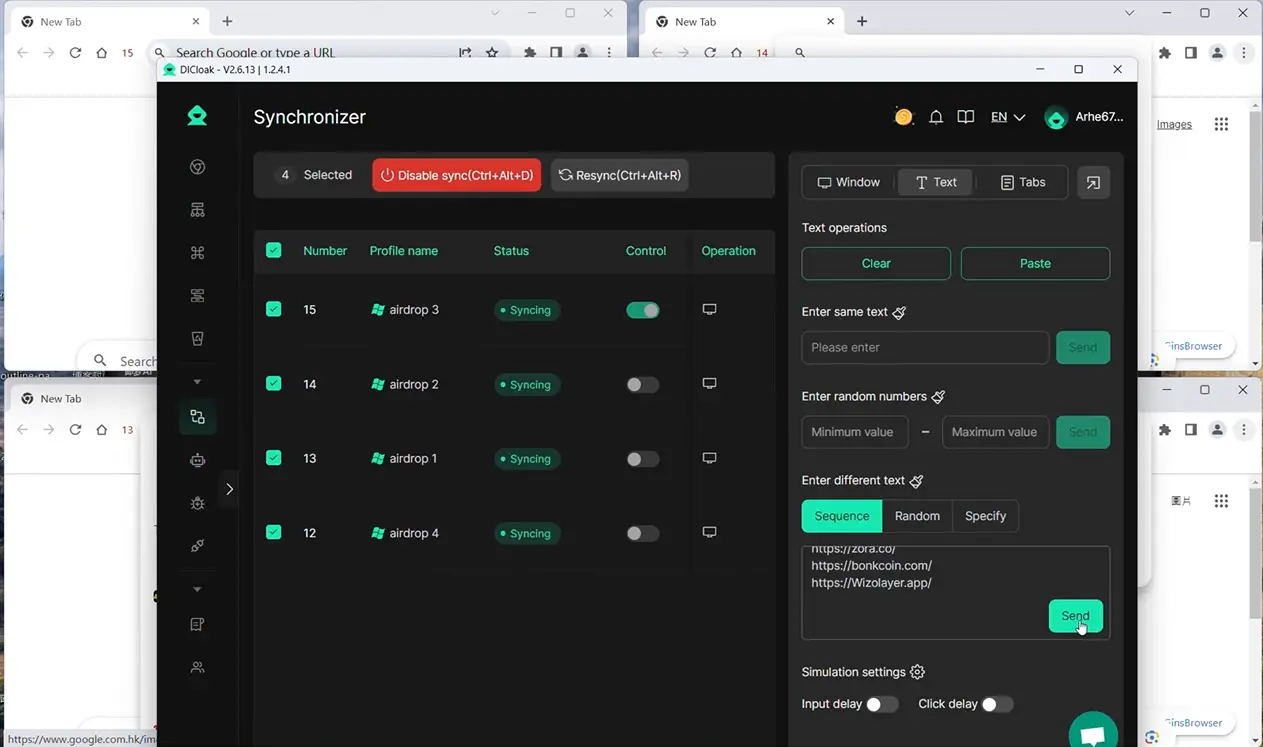
For tasks that follow the same browser steps, you can use DICloak's Synchronizer to control several open Profile windows from one main window. Mouse clicks, text input, scrolling, and some tab actions can be synchronized across selected Profiles. This can reduce manual work when the same action needs to be completed in several workspaces.
You can also create RPA workflows for more structured repetitive tasks. DICloak allows you to choose one or multiple browser Profiles for an RPA task, set task rules, and review the result through Live Status, Run Logs, and Task History. Custom RPA workflows can also be imported from Automa when a team needs a workflow designed around its own process.
For example, a team managing several channels may have a repeated browser-based checklist that needs to be completed for every workspace. Instead of opening each Profile and performing every step from the beginning, the team can automate suitable parts of that workflow and spend more time on work that needs human judgment, such as planning videos, checking content quality, and reviewing performance.
Automation should still support your YouTube workflow rather than replace responsible channel management. Actions related to engagement, traffic, and monetization must continue to follow YouTube's policies. Used this way, DICloak can help you manage multiple YouTube channels with clearer workspaces, more controlled team access, and less repetitive manual work.
Frequently Asked Questions About YouTube Monetization Requirements 2026
Q1: What are the YouTube Monetization Requirements 2026 for ad revenue?
Under the YouTube Monetization Requirements 2026, creators who want to earn from Watch Page ads, Shorts Feed ads, and YouTube Premium generally need 1,000 subscribers. They must also have either 4,000 qualified public watch hours from long-form videos in the last 365 days or 10 million qualified public Shorts views in the last 90 days. Meeting these numbers makes a channel eligible for review, but YouTube still checks whether the channel follows its monetization policies.
Q2: Can I meet the YouTube Monetization Requirements 2026 with only 500 subscribers?
Yes, but only for the earlier YPP level in eligible countries and regions. With 500 subscribers, at least three public uploads in the last 90 days, and either 3,000 qualified watch hours or 3 million qualified Shorts views, creators may gain access to features such as memberships, Super Chat, Super Thanks, and Shopping. The YouTube Monetization Requirements 2026 for full ad revenue are still higher.
Q3: Do Shorts watch hours count toward the YouTube Monetization Requirements 2026?
No. Watch time from Shorts viewed in the Shorts Feed does not count toward the 4,000 public watch hour requirement. If you mainly create Shorts, you can instead qualify through the Shorts path by reaching 10 million qualified public Shorts views within 90 days, together with 1,000 subscribers. This is why creators should track long-form watch hours and Shorts views separately when working toward the YouTube Monetization Requirements 2026.
Q4: Can AI-generated videos meet the YouTube Monetization Requirements 2026?
Yes. AI-generated or AI-assisted videos can meet the YouTube Monetization Requirements 2026 if the channel follows YouTube's monetization policies and the content provides enough original value. YouTube also requires creators to disclose realistic AI-generated or meaningfully altered content in certain cases. Making this disclosure does not by itself reduce a video's eligibility to earn money.
Q5: Why can a channel meet the YouTube Monetization Requirements 2026 and still get rejected?
The subscriber and viewing thresholds only qualify a channel for YPP review. YouTube also checks whether the channel follows its monetization policies, has no active Community Guidelines strikes, uses an active AdSense for YouTube account, and meets other eligibility rules. Problems such as reused or mass-produced content, copyright issues, fake engagement, or other policy violations can still lead to rejection even after the numerical YouTube Monetization Requirements 2026 have been reached.
 Web Proxy Tools
 Free Tools
 Cookie Plugin
 UA Generator
 MAC Address Generator
 IP Generator
 IP Address List
 2FA Code Generator
 World Clock
 Anonymous Check
 WebRTC Leak Test
 UUID Generator
 Free Web Proxy Site
 Proxy Checker
 FB Ad Checker
 AI Web Scraping
 Free SMM Tools
 Twitter Shadowban Checker
 Instagram Name Checker
 UTM Generator
 Username Generator
 AI Hashtag Generator
 LinkedIn Headline Generator
 Social Media Image Resizer