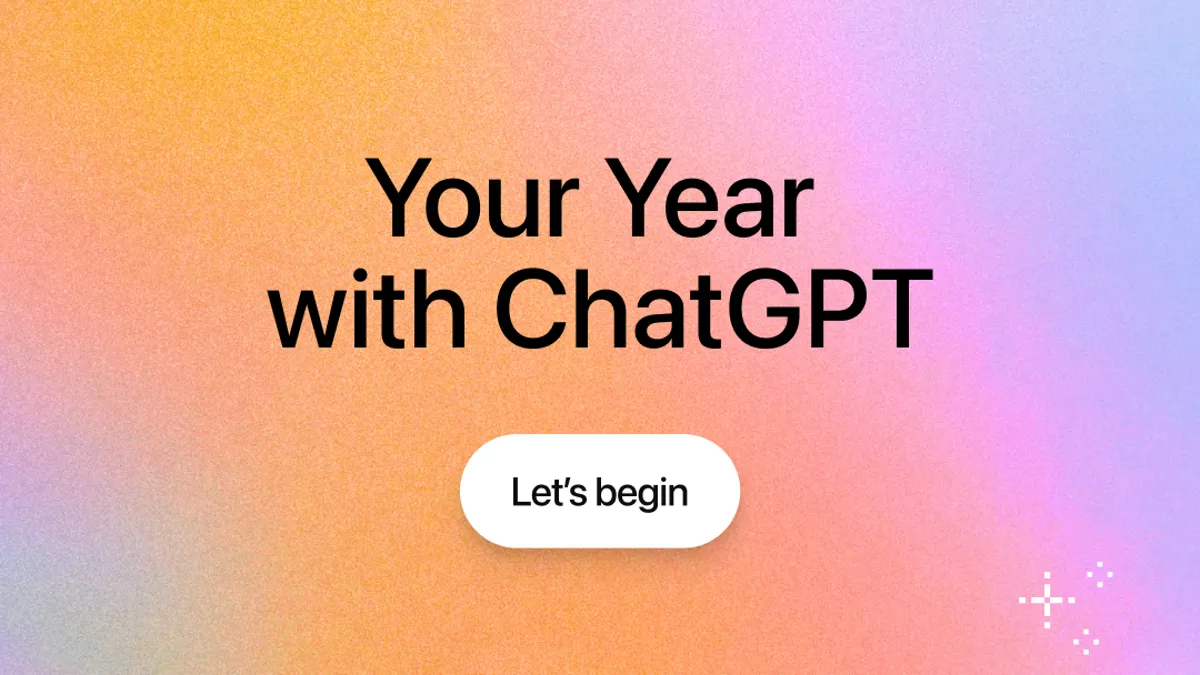
Every year, we love looking back at what we did and learned. Now, ChatGPT makes this easy with Your Year with ChatGPT. This feature shows you a personal recap of your AI chats over the past year. It highlights your top topics, favorite days, and even creates fun little AI-generated images and labels. Think of it as your own ChatGPT Wrapped. Whether you use AI for work, hobbies, or learning, this yearly summary helps you see your growth and patterns in a new way.
Introduction to Your Year with ChatGPT
What is “Your Year with ChatGPT”?
Your year with ChatGPT is a new feature from OpenAI. It gives you a yearly recap of how you used ChatGPT in 2025. This recap is very much like Spotify Wrapped, but for your AI chats. It looks at your chat history and saved memories to build a story about your year. You can see things like your top chat topics, total messages, busiest day, and even a fun label that describes your chat style. Some people also got a short poem and a little pixel art image based on what they talked about most.
For example, one user got pixel art showing an aquarium and an Instant Pot. These images came from the topics they asked about all year. That made the recap feel personal and fun.
Importance of Annual Recaps in AI Interaction
Annual recaps like your year with ChatGPT help you see how you used AI over time. Many services now offer similar summaries, including Spotify, YouTube, and LinkedIn. They help users reflect on habits, interests, and progress over the year.
For ChatGPT users, the yearly recap makes AI more personal. It shows how you talked with the tool, not just what you asked. It can remind you of projects you worked on, hobbies you explored, or questions you kept coming back to. Some people share their “ChatGPT Wrapped” with friends to compare how they used AI. Others find patterns they did not expect, like how often they asked about a hobby or learned a new skill.
This kind of recap is more than just a report. It can help you understand your own growth and how AI fits into your day‑to‑day life. It also makes AI feel more like a companion that remembers your journey through the year.
How to Access Your Year with ChatGPT
Step‑by‑Step Guide to Retrieve Your Recap
Now that you know what your year with ChatGPT is, let’s talk about how to find it. The yearly recap isn’t hidden deep in menus. It is easy to reach if your account is ready for it. First, open the ChatGPT app on your phone or go to chatgpt.com on your computer. Look for a special banner on the home screen that says Your Year with ChatGPT or “Year in Review.” Tap or click that banner to begin. This shows your recap slides with your stats, a poem, an AI‑created image, and a fun title based on your chat use.
If you don’t see a banner, you can still ask for your recap in your chat box. Try typing:
“Show me my year with ChatGPT.” ChatGPT will check your history and then start the recap for you. This manual prompt works well if the banner has not appeared yet.
For example, many users on social platforms shared screenshots of prompting ChatGPT in this way and getting a personalized chatgpt wrapped experience even when they could not find the banner at first.
Navigating the ChatGPT Interface for Your Yearly Summary
Once you open the Your Year with ChatGPT screen, the interface is simple and friendly. You will see a set of pages you can swipe through, just like stories on social media. Each page highlights a part of your year:
- Total number of chats you had
- Most talked‑about topics
- A creative label or “award”
- A small poem or narrative of your year
- A custom image based on your topics
On either the web or mobile app, you can scroll horizontally to move between slides. Some users like to save the slides to share on social media. Others enjoy seeing patterns, like how often they ask about health, study help, or coding. The experience feels personal because it uses your own messages and chat history to paint the story.
Account and Geographic Limitations for Access
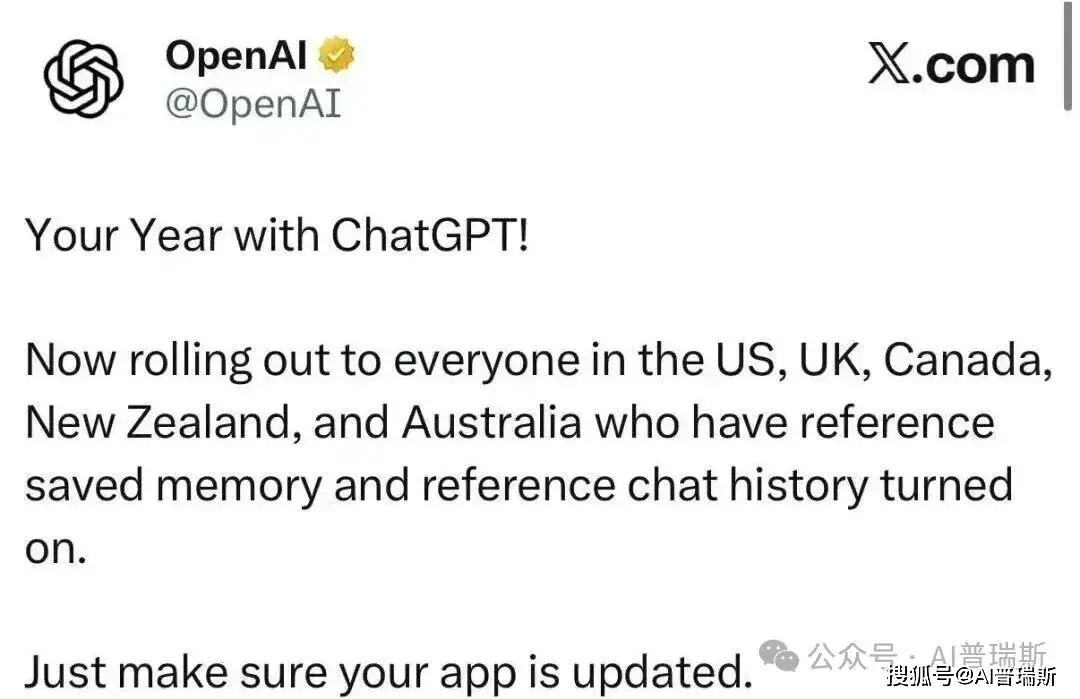
Not every ChatGPT user will see your year with ChatGPT right away. First, you must be signed in to a regular individual account — free, Plus, or Pro. Accounts for teams, schools, or businesses may not have this annual recap available this year. The feature is rolling out first in English‑speaking countries like the United States, United Kingdom, Canada, Australia, and New Zealand.
Also, the recap depends on your chat history and saved memory settings. If you turned off chat history or memory, ChatGPT won’t have enough data to build your recap. In that case you may need to turn those settings back on and wait until the next recap is available. Finally, the recap will show only after you have chatted with ChatGPT a certain number of times this year — low‑activity accounts may not meet the threshold.
By following these steps and checking your settings, you can make sure you get the best possible ChatGPT Wrapped experience and see your own personalized year in review.
Understanding the Data and Insights Provided
Types of Data Included in Your Year with ChatGPT
When you open your year with ChatGPT, you’ll see a summary of your activity. It shows how many chats you had, your top topics, and your busiest days. It groups your messages into themes, making it easy to spot patterns in how you used AI throughout the year. Some users shared their ChatGPT Wrapped on Reddit, showing stats like total messages and favorite topics, which made reflecting on their year fun and surprising.
Personalization of Your Recap: What to Expect
Every recap is unique. It uses your chat history to highlight your main interests. For example, if you chatted a lot about cooking, coding, or art, the recap may show themed badges, pixel art, or even a short poem about your year. One person’s recap focused on work and learning, while another’s highlighted creativity and hobbies. This personal touch makes the recap feel like your own story, not just a list of numbers.
Analyzing Your Interaction Patterns and Preferences
The recap also helps you see your habits. Some users noticed they spent more time on certain topics than they expected. Others saw how their chat style changed over the year—from studying early on to hobbies later. These insights help you understand your AI use and guide how you might interact with ChatGPT next year. In the end, your year with ChatGPT isn’t just fun—it’s a small reflection of your growth and curiosity.
User Engagement and Community Feedback
Reactions from Users: How the Feature is Received
The launch of your year with ChatGPT has sparked a lot of excitement online. Many users share screenshots of their ChatGPT Wrapped, showing stats like total chats, most popular topics, and even a short poem summarizing their year. Some users were surprised by the AI-generated images that reflected all their main interests. Others found fun quirks, like a label describing their chat style or topics they had forgotten they ever asked about. These small surprises make the recap feel personal and enjoyable, rather than just a list of numbers.
Comparisons with Other Annual Recap Features (e.g., Spotify Wrapped)
OpenAI’s ChatGPT Wrapped follows a trend set by other tech companies. The most famous is Spotify Wrapped, which shows music listeners their yearly habits. YouTube, Google, Apple Music, PlayStation, and Steam also offer similar year-end summaries. Many users enjoy sharing these recaps on social media, and some even create funny parody videos.
ChatGPT Wrapped is similar, but it focuses on your AI chats—learning, work, hobbies, and creativity. Compared to Spotify, it’s less flashy but more reflective. Users like seeing patterns in their AI use and comparing it with other recaps. The mix of surprises, shareable stats, and personal insights makes your year with ChatGPT both fun and meaningful.
Beyond exploring your ChatGPT Wrapped, some users want to share their ChatGPT accounts with family, friends, or teammates for collaborative use. However, sharing accounts directly can be risky, as it may lead to security issues, accidental data loss, or account restrictions.
This is where DICloak comes in. DICloak is an advanced antidetect browser that allows safe and efficient account sharing. With DICloak, you can log into the same ChatGPT account from multiple devices while keeping sessions separate and protected. Each user can interact with ChatGPT independently, without affecting others’ settings or histories. This makes it easier to collaborate, explore AI together, or manage multiple accounts securely.
Why Choose DICloak Antidetect Browsers For Sharing a ChatGPT Account?
⚡The DICloak Antidetect Browser has become a global favorite for its unparalleled ability to efficiently and securely manage multiple accounts. Designed for professionals in social media management, and more, DICloak offers powerful features like RPA automation, bulk operations, and a synchronizer. Additionally, it allows you to customize fingerprints and integrate proxies for each profile, ensuring top-level security and operational efficiency. It’s the ultimate tool for seamless, secure, and scalable operations.

What Makes DICloak Stand Out?
✅ Manage 1,000+ Accounts on One Device: Stop wasting money on extra hardware! DICloak allows you to manage multiple accounts on a single device, cutting costs and boosting efficiency.
✅ Guaranteed Account Safety, No Ban Risks: Every account gets its own isolated browser profile with custom fingerprints and IPs, drastically reducing the risk of bans. Your accounts, your control!
✅ Flexible Proxy Configuration for Maximum Performance: Seamlessly integrate with all major proxy protocols (HTTP/HTTPS, SOCKS5) and manage your proxy pool with bulk operations. No more struggling with IP management—DICloak has you covered.
✅ Streamlined Team Collaboration for Better Results: Easily manage your team with advanced tools like profile sharing, permission settings, data isolation, and operation logs. Your team works smarter, not harder.
✅ Automate the Grind with RPA: DICloak's built-in RPA saves you hours of manual work. Automate repetitive tasks, streamline workflows, and focus on what really matters—growing your business.
✅ Powerful Bulk Tools to Scale Your Operations: Create, import, and launch multiple browser profiles in one click. DICloak makes scaling your business as easy as it gets.
✅ Compatible with All Major Operating Systems: Based on the Chrome core, DICloak supports simulating Windows, Mac, iOS, Android, and Linux operating systems. No matter what platform you need, DICloak has you covered.
🔗 Ready to Get Started?
Visit the DICloak website to explore more details and choose the plan that’s right for you. Start for free today and experience the power of secure, efficient, and scalable multi-account management!
Future Developments of ChatGPT
Your Year with ChatGPT marks a milestone in a busy and sometimes challenging year for OpenAI. In 2025, the company released GPT‑5, which received mixed reactions from users. OpenAI also introduced its open-weight local model, GPT‑OSS, giving developers more control and flexibility. On the business side, OpenAI signed major infrastructure deals with Oracle, Nvidia, and AMD, boosting its valuation to $830 billion. The company transitioned from a public-benefit style organization to a privately held company, paving the way for a potential initial public offering.
At the same time, competition is heating up. Google launched Gemini 3, and investors are cautious about OpenAI’s cash burn amid concerns about a broader AI bubble. Despite these pressures, OpenAI continues to improve its AI tools, including ChatGPT Wrapped. The company is exploring ways to make future annual recaps smarter and more interactive, possibly incorporating insights from multiple apps or predicting trends in user behavior.
Looking ahead, future versions of your year with ChatGPT could offer deeper reflections on user interactions. Instead of just showing top topics or chat counts, they might suggest new goals, highlight meaningful patterns, or provide guidance based on your interests. As AI becomes more capable and widely used, these yearly recaps could become both fun and valuable tools for personal growth and learning.
Conclusion
Your year with ChatGPT gives you a fun and personal look at how you used AI over the past year. The recap, or ChatGPT Wrapped, shows your top topics, chat counts, creative AI-generated images, and even playful awards. Many users are surprised by their stats, like discovering hobbies they spent time on or seeing their unique chat style reflected. Exploring your recap can help you reflect on learning, work, and creativity, and even plan how to use ChatGPT next year. It’s a simple, engaging way to celebrate progress and get inspired for the year ahead.
 Web Proxy Tools
 Free Tools
 Cookie Plugin
 UA Generator
 MAC Address Generator
 IP Generator
 IP Address List
 2FA Code Generator
 World Clock
 Anonymous Check
 WebRTC Leak Test
 UUID Generator
 Free Web Proxy Site
 Proxy Checker
 FB Ad Checker
 AI Web Scraping
 Free SMM Tools
 Twitter Shadowban Checker
 Instagram Name Checker
 UTM Generator
 Username Generator
 AI Hashtag Generator
 LinkedIn Headline Generator
 Social Media Image Resizer