You leave a comment on a YouTube video, sometimes it shows up for everyone, sometimes it vanishes, and sometimes even you can't see it once you reload. If you've ever searched "youtube can't see my own comments" right after posting, you're not alone. Plenty of users hit this wall whether they're using a single account or juggling several for different channels, brands, or client work.
It's easy to think your comment broke a rule or got flagged, but the reality is messier. Sometimes comments disappear without warning, even when they follow YouTube's visible guidelines. Other times, you see your comment while logged in, but switch accounts or browse incognito and it's just gone. For people managing multiple YouTube accounts, whether for work, automation, or campaigns, these issues get even harder to untangle.
What most guides miss: YouTube uses a mix of filters, shadowbans, and account-level signals to decide if a comment appears. Using the wrong browser setup, proxy, or device fingerprint can trigger these filters, especially if you post from several accounts on the same machine. Skipping the basics, like clearing cookies, double-checking account status, or watching for signs of a shadowban, just means you'll keep running into "YouTube comments not showing" or "my comments disappeared on YouTube" with no real idea why.
Here's how to spot what's actually blocking your comments and what you can do to get them showing up again.
What Causes YouTube to Hide Your Own Comments?
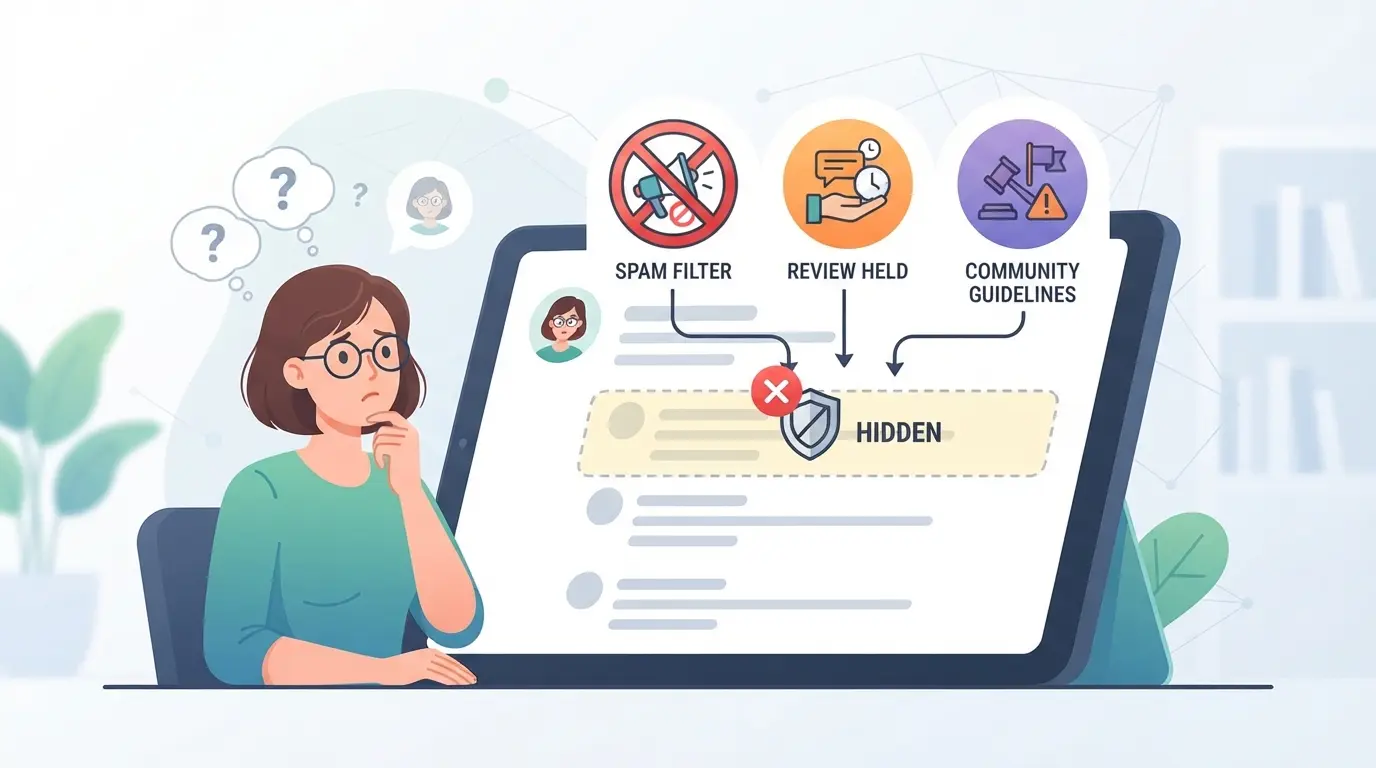
If you can’t see your own YouTube comments after posting, you’re dealing with more than a random glitch. The main reasons include automated filters, account-level restrictions, and technical issues, each with its own red flags. Skipping the right checks means you’ll keep wondering why your comments vanish, especially when juggling multiple accounts.
YouTube's Spam and Moderation Filters
YouTube uses machine learning to flag comments that look like spam or break community rules. Even simple phrases can get picked up if their pattern matches spam triggers. Most hidden comments never show any warning, YouTube just removes them from public view, leaving you with no clue unless you check from another account.
Account Restrictions and Shadowbans
The real trouble starts when your account gets flagged behind the scenes. If you post similar content from several accounts, or if your activity looks unnatural, like rapid commenting, copy-paste replies, or using profiles tied to flagged devices, YouTube can shadowban you. That means your comments seem to post fine, but nobody else sees them. For example, you log in, leave a comment, and see it under the video. Later, you check from another account or device and it’s gone. Sometimes it’s not even visible to you after refreshing.
This usually happens when your account has past violations, is linked to a device with multiple flagged accounts, or uses browser setups that leave a fingerprint YouTube doesn’t trust. The platform doesn’t send a warning or block you outright; instead, it quietly hides your comments. If you change devices or try posting from a fresh browser, the problem often follows your account, not your hardware. It’s easy to mistake this for a random bug, but the pattern is consistent: comments show up only when you’re logged into the posting account, disappear for everyone else, and sometimes even for you after a few hours.
Shadowbans aren’t limited to obvious spam. A single flagged session can cause all comments from that device or IP to vanish, especially if multiple accounts post similar messages. The risk is higher if you use automation tools or share login details across several profiles. Fixing this isn’t quick, you’ll need to check both account and device signals, and sometimes wait out a hidden restriction period. If your comments keep disappearing, look for signs like delayed posting, comments showing only when logged in, or feedback from others that your messages never appear.
Technical Glitches and Platform Bugs
Even if your account is fine, browser and app errors can cause comments to vanish. Here’s what to check:
- Outdated browser or app version, YouTube may fail to sync comments.
- Cookie or cache issues, stale data hides updates; clear and reload.
- Platform bugs, recent outages or backend changes sometimes drop comments for hours.
Regularly updating your browser and app, clearing cookies, and watching for official bug reports can help rule out these technical causes.
If you’ve run through these checks and your comments still don’t show, the next step is to confirm whether they’re truly hidden or just delayed. The following section explains how to tell if YouTube is blocking your comments from public view.
How to Check If Your YouTube Comments Are Actually Hidden
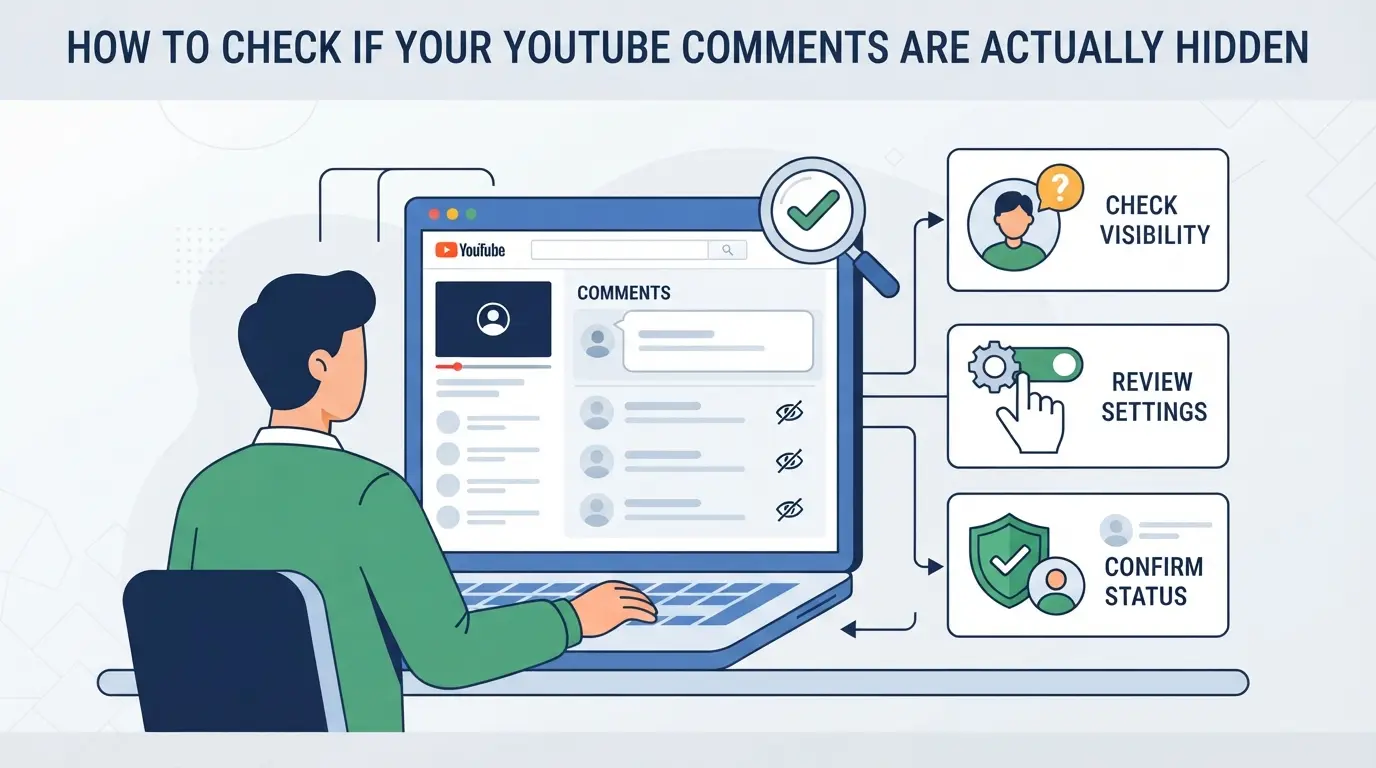
If you’re searching for “youtube can't see my own comments,” the fastest way to confirm comment visibility is to check from a second account or device. This section walks you through practical steps to test if your comments are visible to others or just hidden from you.
Viewing Comments from Another Account or Device
- Log out of your main YouTube account.
- Sign in on a separate account or ask a friend to look up your comment on the same video.
- Use a different device or browser, don’t just switch tabs. This helps catch issues tied to browser fingerprinting or cookies.
- If your comment shows up for them but not for you, your account likely triggered a filter. If neither of you can see it, YouTube probably flagged or shadowbanned the comment.
If you skip step three, you risk missing hidden issues tied to local browser data, YouTube sometimes hides comments only on the posting device.
- Open an incognito window in Chrome, Firefox, or Edge.
- Paste the video URL and scroll to the comment section. If your comment is gone, YouTube may be hiding it for all viewers.
- If your comment appears, but only in your normal browser, you’re likely dealing with a local cache or session bug.
- For regional visibility, connect through a proxy tied to another country. This step is vital if you’re running multiple accounts from the same IP, sometimes YouTube hides comments based on location signals.
Testing comment visibility from a fresh session is the quickest way to spot shadowbans that don’t show up in your own account.
Checking Comment History and Notifications
- Open YouTube Studio and check your comment history.
- If you see your comment listed, but it doesn’t appear under the video, it’s likely hidden or pending review.
- Check for notifications, if you get a like or reply, your comment is public. If nothing shows up, it may be invisible.
- Sometimes YouTube delays comment display for flagged accounts. If your history lists the comment but no public notification arrives after an hour, assume it’s hidden.
This is where most users get stuck: the history makes it look like your comment exists, but it’s just a local record. You won’t know for sure without a second account or device check.
That’s why the next section focuses on the small mistakes that cause these invisible comment traps, often triggered by browser, account, or device settings.
Common Mistakes That Make YouTube Comments Invisible
If you’re stuck asking “youtube can't see my own comments” after you’ve checked visibility, the real problem is often hidden in the way you post. Most people run into trouble for one of three reasons: posting links or spammy patterns, using flagged words, or tripping YouTube’s anti-spam by switching accounts or posting too fast. Fixing these mistakes is the fastest way to get your comments showing again.
Posting Links or Repetitive Content
Dropping links in comments, even if they’re not spam, almost always triggers YouTube’s auto-filter. The same goes for copying the same phrase, emoji, or promo text across several videos. YouTube’s system blocks or hides these without warning. Even a single repeated emoji pattern can get flagged. If you’re reusing text, mix it up or skip the link entirely.
Using Banned Words or Sensitive Topics
Some channels add custom word filters and YouTube has its own global triggers. You might not even realize a word is blocked.
- Check for words like “follow,” “subscribe,” or “giveaway.”
- Avoid political topics or controversial phrases.
- Scan the channel’s rules for custom bans.
Rapid Commenting or Account Switching
Posting too quickly or flipping accounts in one browser can make YouTube treat you like a bot. That means comments either vanish instantly or never show up on other devices.
- Wait at least 60 seconds between comments.
- Fully log out before switching accounts.
- Clear cookies and browser data between accounts.
If your comment still disappears, move on to direct fixes, don’t just repost.
Step-by-Step Fixes: How to Make Your YouTube Comments Visible Again
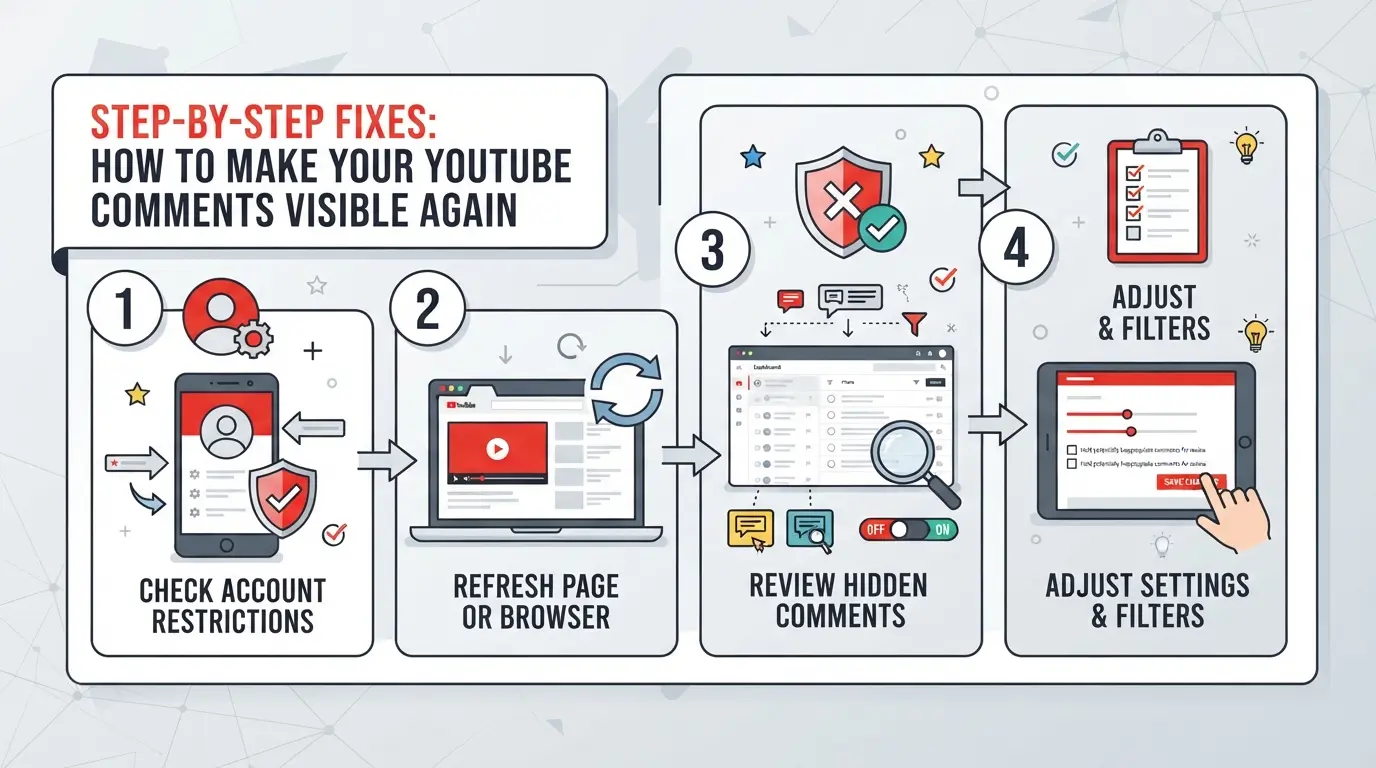
If you’re stuck thinking “youtube can't see my own comments,” you need steps that actually work, not just guesses. Start with these actions in order: fix the comment itself, clear browser issues, update your app or browser, and, if nothing else works, reach out for help. Each step below includes what to do and what can go wrong if you skip it.
Editing or Reposting Your Comment
- Edit your comment to remove links, repeated text, or flagged phrases, YouTube often hides comments with suspicious patterns or certain keywords.
- Repost your edited comment. Wait at least two minutes before checking, YouTube’s spam filter sometimes delays updates.
- If your comment still doesn’t show, try posting a shorter version or break it into two separate comments. Filters can block longer posts.
- Double-check on a different device or browser. If you still can’t see it, it’s likely filtered or shadowbanned.
Clearing Browser Cache and Cookies
- Open your browser settings (Chrome: Menu > More Tools > Clear browsing data; Firefox: Menu > Settings > Privacy & Security; Edge: Menu > Settings > Privacy).
- Select “Cookies and other site data” and “Cached images and files”, leave saved passwords unchecked unless you want to clear them too.
- Clear data, then close and reopen your browser. Cached scripts can keep showing a stale page where your comment doesn’t appear, even if it’s visible to others now.
- Re-log into YouTube and check your comment again.
Updating YouTube App or Browser
- On mobile, go to the App Store or Google Play, search “YouTube,” and tap “Update” if it’s available. Outdated apps can cause comment bugs that newer versions fix.
- On desktop, update your browser (Chrome: Menu > Help > About Google Chrome; Firefox: Menu > Help > About Firefox) and relaunch.
- Try commenting again after updating. If the bug was caused by a known version issue, this usually fixes it.
- If you’re still stuck, test posting from a different device. If you see your comment there, your main device’s app or browser is likely the problem.
Contacting Channel Owner or YouTube Support
- If your comment is missing only on one channel, use the channel’s “About” tab to send a polite message asking if your comment was blocked or sent to review.
- For persistent problems across channels, go to the YouTube Help Center and submit a request. Be specific: include your account, the video link, and the exact text of your comment.
- Avoid vague complaints, support can’t help unless they can reproduce the issue. Attach a screenshot if possible.
- If support replies with a generic answer or no fix, try posting from a fresh account as a test, if that works, your main account may be shadowbanned or restricted.
Safer Multi-Account YouTube Workflows: Using DICloak for Profile Isolation and Proxy Configuration
If you run more than one YouTube account, whether to manage campaigns, reply as a brand, or handle team tasks, using the same browser session or device often leads to confusing problems. Even after fixing comment visibility issues, mixing profiles can leave you stuck with "youtube can't see my own comments" or suddenly invisible replies. For teams that handle multiple logins or rotate between client accounts, browser isolation and network separation become practical steps, not just technical details. The risk isn't just about getting locked out, it's about comment history, account linkage, and losing track of which session posted what.
Isolating YouTube Accounts with Separate Browser Profiles and Fingerprint Settings
Operators can create a unique browser profile for each YouTube account in DICloak. Each profile stores its own cookies, login state, and configurable fingerprint signals, like user agent, time zone, or screen size, so platform sessions stay separate. For instance, a team managing agency or influencer accounts can set up one DICloak profile per account and adjust the fingerprint settings to reflect the account’s typical use environment. The scope is limited to browser-profile access; it does not change any YouTube or Google settings or manage the accounts themselves.

User-Provided Proxy Configuration for Assigned Profiles
Some workflows need each browser profile to connect through a specific proxy. Operators can assign their own proxy, HTTP, HTTPS, or SOCKS5, to any DICloak profile, test it for connection and see the exit IP and region before opening a session. For example, when a team needs to match the network region of an original account, they enter and test proxy details directly in the profile settings. DICloak does not sell proxies or enforce proxy rules; all proxy selection and compliance are on the user’s side.

When comment visibility issues keep returning, it's often a sign that bigger account risks are in play, like shadowbans or platform-level restrictions.
When Comment Visibility Issues Signal Bigger Account Risks
If you notice “youtube can't see my own comments” and it keeps happening, even after trying the usual fixes, you may be dealing with more than just a display glitch. This pattern often points to deeper account problems, not just a simple posting error.
Shadowbans and Account-Level Restrictions
Hidden comments can mean YouTube has flagged your account at a deeper level. If you keep posting and nobody (not even you, in incognito) sees your comments, you’re likely facing a shadowban or silent restriction, this goes beyond normal moderation filters.
Platform Policy Violations and Automated Actions
Repeated policy violations (spam, automation, or self-promotion) stack up in YouTube’s system. The risk: automated actions can quietly limit your account’s reach, not just hide comments, but also throttle uploads or restrict features.
- What can go wrong:
- Comments disappear even if you follow all visible rules.
- Your account may lose access to posting, live streams, or even search visibility, sometimes without a formal warning.
- Safer move:
- Monitor for comment invisibility after each post and pause activity at the first sign of issues, pushing forward with automation or multi-account posting after a flag can get more accounts hit or even trigger a broader restriction.
If you see patterns like this, treat it as a warning sign. Skipping this check and continuing to post can escalate a hidden filter into a full account penalty. The next section covers how to reduce these risks in daily YouTube commenting.
Best Practices for YouTube Commenting in 2026
Tired of “youtube can't see my own comments” problems? To keep your comments visible and your accounts healthy, you’ll need to comment like a real user and avoid easy triggers.
Avoiding Spam Triggers and Sensitive Topics
Write comments that sound natural, no copy-paste, no emojis spam, and skip mass-posting. Avoid links unless they’re truly needed. Touchy topics or trending controversies often get flagged, so think twice before weighing in. If your comment is even a little off-topic or looks like a promo, expect it to vanish.
Maintaining Consistent Account Activity
- Space out your comments instead of posting in bursts.
- Reply to others, not just your own uploads.
- Review your activity log for sudden spikes.
Using Separate Profiles for Multi-Account Operations
Keeping profiles isolated lowers cross-account risk, especially on shared devices.
- Assign each account its own browser profile and cookies.
- Change your proxy when switching accounts.
- Never log in to multiple accounts from the same setup in one session.
Frequently Asked Questions About youtube can't see my own comments
Why can't I see my own comments on YouTube even though they appear in my history?
Sometimes, youtube can't see my own comments because YouTube may shadowban or filter them. This means your comment appears in your own history, but is hidden from everyone else. It happens if your comment trips spam filters or violates guidelines. Even though you see it, others, including the channel owner, may not.
Will switching devices or browsers help me see my YouTube comments?
Switching devices or browsers can reveal whether your comments are truly visible. If you log out or use incognito mode, you may notice your comment isn’t there. This helps confirm if youtube can't see my own comments is a platform-level issue, but usually won’t fix hidden or filtered comments.
Can proxies help test if my YouTube comments are visible in other regions?
Using proxies lets you check your comment’s visibility from different countries. Sometimes, comments are blocked or hidden in certain regions. However, proxies only show what’s public in that location, they don’t guarantee your comment is visible to everyone or solve shadowbanning problems.
Is it safe to use multiple YouTube accounts in one browser?
Using several YouTube accounts in one browser can risk linking your accounts together. If accounts are connected, YouTube might flag them or limit actions. For safer use, create separate browser profiles or use private/incognito windows to keep accounts isolated and avoid accidental linkage.
What should I do if my comments are still hidden after following all fixes?
If my comments disappeared on YouTube after trying fixes, review your account for any restrictions or strikes. Contact YouTube support or the channel owner to ask about comment approval or moderation settings. Sometimes, wider account restrictions or channel rules cause comments to stay hidden.
Moving forward, consider testing your account on different devices or browsers to determine if the issue is localized or widespread. If standard troubleshooting steps are unsuccessful, exploring alternative platforms or privacy tools may offer a more reliable commenting experience. Try DICloak For Free
 Web Proxy Tools
 Free Tools
 Cookie Plugin
 UA Generator
 MAC Address Generator
 IP Generator
 IP Address List
 2FA Code Generator
 World Clock
 Anonymous Check
 WebRTC Leak Test
 UUID Generator
 Free Web Proxy Site
 Proxy Checker
 FB Ad Checker
 AI Web Scraping
 Free SMM Tools
 Twitter Shadowban Checker
 Instagram Name Checker
 UTM Generator
 Username Generator
 AI Hashtag Generator
 LinkedIn Headline Generator
 Social Media Image Resizer