You set up a proxy to manage multiple Instagram accounts or protect your privacy, then suddenly run into a wall: stories won’t load, DMs fail to send, or the “Add Post” button disappears. For a lot of operators, the headache starts with the message instagram feature is unavailable with proxy. Sometimes it’s just one or two functions that break. Other times, the whole app starts glitching until you switch back to your original IP.
But switching off the proxy isn’t always an option. You might depend on proxies to separate client accounts, avoid triggering Instagram’s risk systems, or just to keep personal and work sessions apart. Turning them off could mean risking bans, mixing data, or losing track of which account is doing what.
What’s really happening is Instagram’s backend is checking for more than just an IP address. If your proxy is shared by hundreds of users, on a blacklist, or doesn’t match your device fingerprint, Instagram can block features without warning. Even “high quality” residential proxies can trigger issues if your browser setup or activity patterns don’t look right. Skipping over these details is exactly how people get stuck in a loop of feature blocks, captchas, or unexplained errors.
So how do you spot what’s actually breaking, and what fixes work before you lose another account? Here’s what really causes Instagram features to disappear when using a proxy.
Which Instagram Features Usually Become Unavailable When Using a Proxy?
If you’re seeing “instagram feature is unavailable with proxy” errors, it usually means key tools like posting, messaging, or Explore have stopped working, often with little warning or explanation. These failures aren’t random; Instagram disables specific actions once it detects proxy-related risk.
Posting, Stories, and Direct Messaging Limits
The most obvious sign that Instagram is reacting to your proxy is when you can’t post new content, reply to DMs, or upload Stories. These blocks usually kick in if Instagram flags your session as suspicious based on sudden IP changes or mismatched device data.
Account Verification, Login Challenges, and Captcha Prompts
Proxies don’t just affect your ability to post, they often trigger extra security checks. For example, logging in from a proxy IP that’s been used by others can lead to immediate phone verification or a “suspicious login attempt” warning. If the device fingerprint doesn’t match recent history, you might get stuck in a loop of SMS codes or even lose access until you pass a manual challenge. This is especially common with datacenter or reused residential proxies, where dozens of unrelated accounts have already cycled through the same address. In the worst cases, Instagram might freeze the account until you submit fresh identity documents, locking you out of all features for days. What trips people up is the lag, sometimes you’ll be able to browse, but as soon as you try to change settings or message someone, the account demands a new verification step. If you ignore these warnings, repeated failures can lead to a temporary or permanent block on logins from that device.
Explore, Search, and Engagement Restrictions
- Explore page turns blank or shows “Try again later” if your proxy’s IP is already flagged.
- Search bar and hashtag lookup may stop returning results after rapid activity or location mismatch.
- Likes, follows, and comments can quietly fail to register, sometimes you see them on your screen, but they never go live for others.
Instagram’s backend is faster at catching proxy patterns than most people expect. Next, you’ll want to understand why these blocks happen, so you can avoid getting caught in the same loop again.
Why Does Instagram Block or Restrict Features When You Use a Proxy?
Instagram blocks or limits features when it thinks an account is acting suspiciously, and using a proxy is a strong signal for that. The platform’s backend doesn’t just see a new IP address; it cross-checks each login and action against a long list of risk factors tied to proxies.
How Instagram Detects Proxy Usage
Instagram tracks known proxy and datacenter IPs, pulling from public proxy lists and its own internal data. If your login comes from an address already linked to automated activity, or if your IP doesn’t match your device’s fingerprint or your account’s past history, the platform flags your session fast.
Common Triggers for Feature Restrictions
Frequent changes between different proxy IPs, especially across countries or cities, almost always draw attention. If you’re running several accounts through the same IP, or even just one, but that IP is also shared by dozens of others, Instagram’s system sees a clear pattern. For example, logging in from a Los Angeles IP at 9am and then a London IP at 10am sets off location mismatch alerts. Even if you pick “residential” proxies, you can still get blocked if your browser profile looks generic or your activity jumps in a way that doesn’t match a real person’s habits.
What really trips people up is reusing the same proxy for multiple accounts or switching proxies too often. Instagram expects some variance, but not the kind that matches bot farms or bulk automation. Once the risk score crosses a certain threshold, too many logins from flagged IPs, odd device changes, automated actions, features like stories, DMs, or posting get restricted. In some cases, you only see a vague “Try again later” without any obvious reason. The real cause is nearly always a pattern that’s impossible for a regular user to create by accident.
Instagram's Anti-Abuse and Security Policies
- Monitors for automated or bot-like activity, not just IP changes.
- Flags mismatches between device, location, and account history.
- Locks down features quickly when risk patterns emerge, even if you’re a real user.
Instagram doesn’t wait for proof, if your setup looks risky, features disappear fast. If the pattern doesn’t fix itself, restrictions can last days or even lead to account review. Next, you’ll need to check whether your proxy is actually the cause or just one piece of the problem.
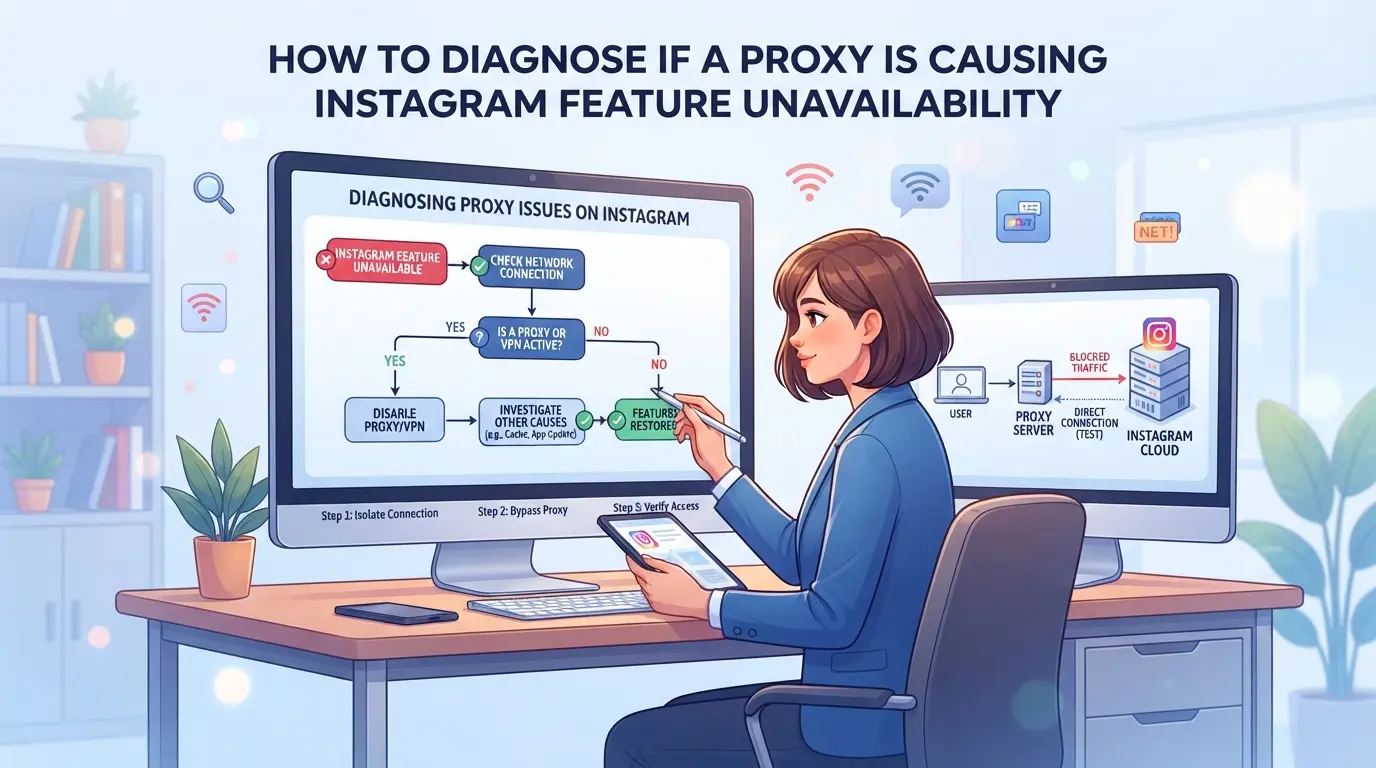
How to Diagnose If a Proxy Is Causing Instagram Feature Unavailability
If you notice certain Instagram features disappear or break while on a proxy, don’t just blame the app. The quickest way to tell if your proxy is the culprit is to check for patterns in errors, run a side-by-side test with and without the proxy, and look for account or device warnings tied to your connection.
Check for Common Proxy-Related Error Messages
Instagram rarely spells out “proxy problem” directly, but some errors are a giveaway. If you see “Open proxy” or “Action blocked” messages right after switching proxies, that’s a red flag. A “Challenge required” prompt, especially if it repeats after solving captchas, also points to your IP or session being flagged by Instagram.
Compare Behavior With and Without Proxy
- Log out, disconnect your proxy, and use your normal internet.
- Try the same Instagram feature that was missing or blocked.
- If features return, the proxy is likely the issue.
Review Proxy Type, IP Reputation, and Session Consistency
Datacenter proxies get blocked more often than residential ones. If your proxy changes IPs too often (“rotating” IPs) or shares an address with hundreds of users, you’ll hit restrictions fast. Sticky sessions (keeping the same IP) help, but don’t fix a bad reputation.
Check for Account or Device Flags
Sometimes, Instagram sends warnings instead of blocking outright. If you get “Unusual login attempt” emails or see new device alerts, your session is under review.
- Check for sudden logouts or forced password resets.
- Look for temporary action restrictions right after connecting through a proxy.
- Watch for Instagram security emails about suspicious activity.
If feature loss lines up with these checks, your proxy setup is likely the problem, switching proxies or changing session methods may be required before you face lasting account restrictions.
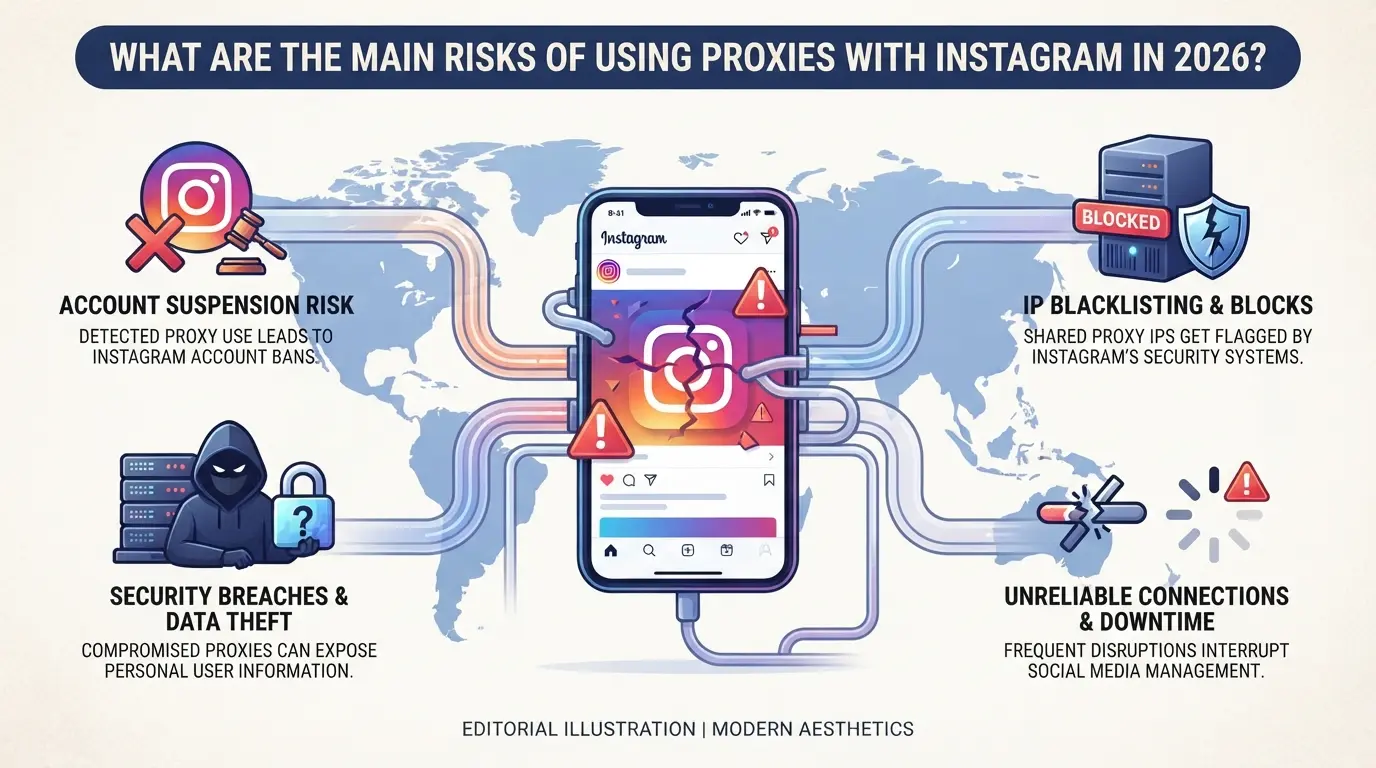
What Are the Main Risks of Using Proxies With Instagram in 2026?
Instagram feature is unavailable with proxy, this usually means the platform has flagged your account for unusual access, and you could lose access permanently if it keeps happening.
Permanent Account Bans and Shadowbans
Repeated proxy detection leads to account bans or shadowbans that block visibility and engagement. Once flagged, Instagram rarely restores full function, most shadowbans drag on for weeks, and appeals often go unanswered.
Linking Multiple Accounts Through Shared Proxies
Instagram connects accounts using the same IP, so agencies and teams sharing proxies risk having all their accounts flagged together.
- Account bans can spread across linked profiles, causing mass loss.
- Use dedicated proxies and separate browser profiles to reduce cross-link risk.
Data Leaks and Privacy Risks
Low-quality or open proxies expose your login data to third parties. Credential theft is common when proxy operators log traffic, and Instagram accounts can get hijacked overnight.
Running automation through proxies is riskier now, Instagram flags patterns like rapid likes, follows, or comments from the same IP. Even simple actions can trigger bot detection, leading to feature blocks or forced verification.
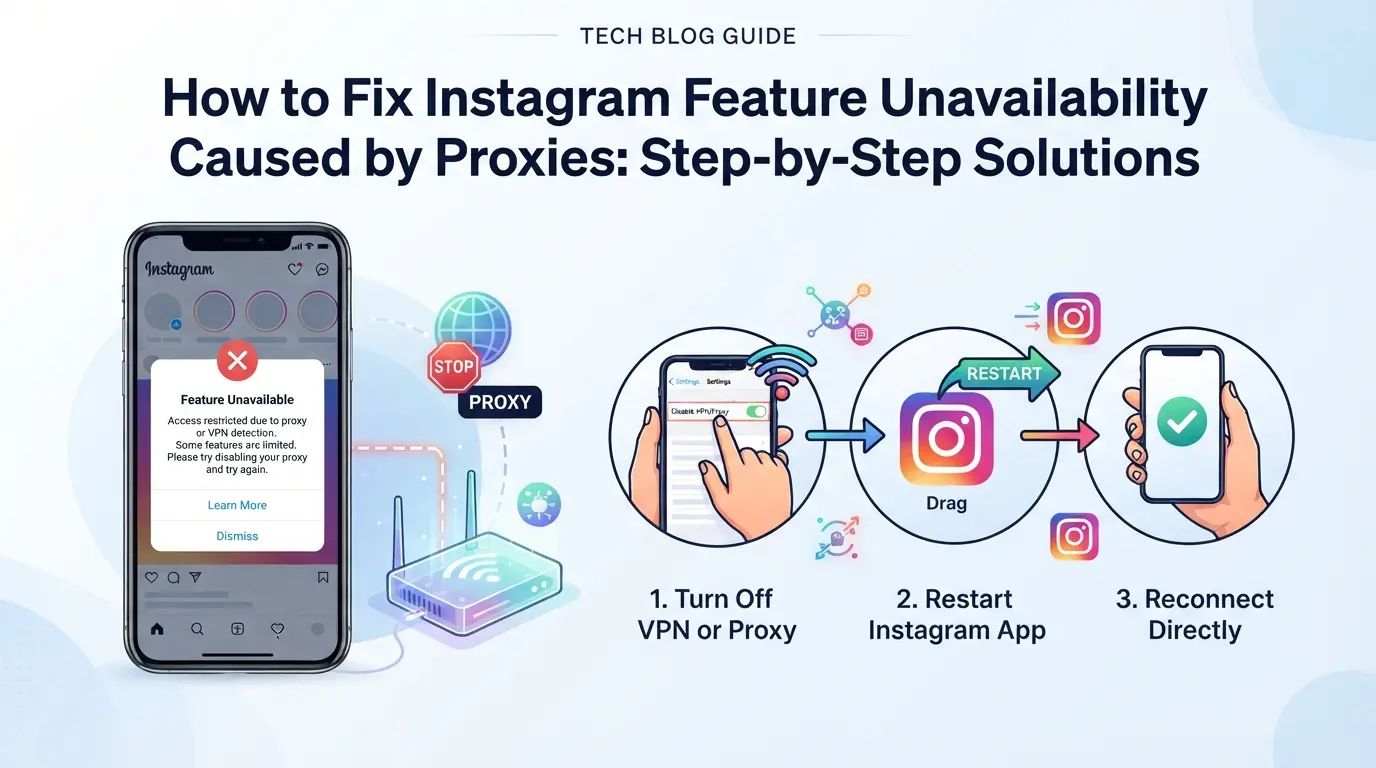
How to Fix Instagram Feature Unavailability Caused by Proxies: Step-by-Step Solutions
If Instagram features disappear when you use a proxy, the fastest way to check is to drop the proxy and see if the problem goes away. If so, the issue is almost always the proxy setup, not the app or your account health.
Step 1: Test Instagram Without a Proxy
- Disconnect your proxy and refresh Instagram.
- Try using the blocked feature (e.g., Stories, DMs, posting).
- Note which features return, if they work, your proxy’s the trigger.
- If features still don’t work, the block isn’t proxy-related. Move on to account troubleshooting.
Step 2: Switch to a Higher-Quality Proxy
- Swap out datacenter or free proxies for residential or mobile ones, these are less likely to trigger blocks.
- Check the proxy’s reputation using an IP lookup tool. Avoid proxies with blacklisted or recycled IPs.
- If you’re still flagged, your “premium” proxy might be overused. Try a new provider or a dedicated line.
Step 3: Match IP Location to Account History
- Use proxies from the same country or city as your account’s usual login location.
- Set your browser time zone and device language to match the proxy’s IP.
- Avoid connecting from new regions without warning, Instagram flags sudden jumps.
- If you see identity checks or “suspicious login” banners, roll back to a familiar location.
Step 4: Limit the Number of Accounts per Proxy
- Assign one Instagram account per proxy whenever possible.
- Never run more than three accounts from the same IP, mass logins look suspicious.
- Don’t share proxies across unrelated projects or clients.
- If you’re forced to share, stagger logins and avoid bulk actions.
Step 5: Clear Browser Fingerprints and Cookies
- Start each account session in a fresh browser profile.
- Clear all cookies and local storage before logging in, leftover data can link accounts.
- Use tools that randomize browser fingerprints. If you see repeated blocks, your setup is still leaking signals.
- A clean slate means Instagram has less to connect you with old flagged sessions.
Done right, you’ll get feature access back without risking a ban. If you still see issues, it’s time to review how your account and proxy setup interact, most bans come from mismatched signals, not just the proxy itself.
How Social Media Teams Use DICloak to Reduce Instagram Feature Blocks and Account Linkage
Teams running more than one Instagram account often find that simply swapping proxies isn’t enough, feature blocks or errors still appear, even after fixing proxy issues. What actually matters is keeping each account’s session fully separate and matching the browser profile to what Instagram expects. Without this, even a good proxy can trigger “instagram feature is unavailable with proxy” errors. DICloak fits in at the browser-profile and proxy-configuration layer, giving operators real control over session separation and network identity. The scope is limited to browser-profile access; it does not change Instagram’s platform decisions.
Create Separate Browser Profiles for Each Instagram Account
Operators managing multiple Instagram accounts can create a distinct browser profile for each one in DICloak. This keeps logins, cookies, and storage isolated, stopping cross-account contamination that Instagram’s backend often links together. In practice, operators set up fingerprint settings per profile, such as OS, User Agent, time zone, screen resolution, and WebRTC mode, so each session looks consistent with the account’s typical access history. Keeping separate browser profiles is the single most reliable way to prevent device-level linkage across Instagram accounts. The feature does not guarantee account acceptance or prevent bans; it only manages browser profile separation and fingerprint configuration.

User-Provided Proxy Configuration for Assigned Profiles
Every DICloak profile supports user-configured proxy settings, so operators can assign a unique proxy to each Instagram account’s session. The setup includes entering proxy details (host, port, username, password), picking between HTTP, HTTPS, or SOCKS5, and running a built-in connectivity check to see the exit IP and region before logging in. Operators must choose and test their own proxies, DICloak does not sell or supply them. Assigning a consistent proxy per profile can help match the account’s typical login location and reduce triggers for Instagram features blocked by proxy. The feature does not prescribe proxy rotation or guarantee platform access.

Missing these setup steps is how teams end up with blocked features, even after fixing basic proxy issues. The next section covers common mistakes that still trigger Instagram blocks despite using separate profiles and proxies.
Common Mistakes That Still Trigger Instagram Feature Blocks (Even With Proxies)
Even if you use a proxy, Instagram can still block features if your operational setup has obvious gaps, fixing "instagram feature is unavailable with proxy" means avoiding these mistakes that keep getting users stuck.
Reusing the Same Proxy Across Multiple Accounts
Instagram tracks accounts by shared IPs. If you run several accounts through the same proxy, they get linked, feature blocks or bulk restrictions often follow. Use a unique proxy for each profile to break this pattern.
Ignoring Browser Fingerprint Consistency
Mismatch between your device fingerprint and proxy location is a red flag.
- Instagram sees device details and network signals that don’t match, triggering suspicion.
- Align browser fingerprint and proxy location for each account, otherwise, even a "clean" proxy can cause blocks.
Switching Proxies or Devices Too Frequently
Rapid changes in proxies or devices look like a hacked account. Instagram flags this behavior, blocks features, and sometimes triggers security checks. Keep sessions stable; avoid switching more than necessary.
Using Low-Quality or Public Proxies
Public proxies and low-quality IPs are often blacklisted or shared by spammers. If you pick one without checking its reputation, your account can get restricted within days. Always test proxy quality before committing, look for fresh, private IPs with minimal abuse history.
Best Practices for Instagram Proxy Use and Multi-Account Safety in 2026
Most proxy-related Instagram errors come from setup flaws, not just bad luck. If you want to avoid “instagram feature is unavailable with proxy” problems, run through this checklist and check for weak spots before scaling up any multi-account workflow.
Checklist: Safe Proxy and Account Management Steps
- Assign a unique proxy to each Instagram account, never share proxies between accounts.
- Keep device details, IP address, and browser fingerprint stable for every login.
- Use separate, isolated browser profiles per account to avoid session mixing or data leaks.
Review proxy reputation monthly, watch for restriction alerts, and fix mismatches fast. These steps catch 90% of avoidable feature blocks when running multiple accounts.
Frequently Asked Questions About instagram feature is unavailable with proxy
Why do some Instagram features disappear when I use a proxy?
Instagram features can become unavailable with proxy use because the platform detects proxy traffic as risky. To protect accounts and prevent spam or abuse, Instagram may block actions like posting, messaging, or accessing stories. This restriction helps limit automated activity and keeps accounts safe from suspicious behavior linked to proxy IPs.
How can I tell if my proxy is causing Instagram problems?
Compare Instagram access with and without your proxy. If certain features, like commenting, uploading, or viewing reels, work without the proxy but fail with it, your proxy is likely the cause. Watch for error messages like “Action blocked” or “Try again later,” often triggered by proxy detection.
What type of proxy is safest for Instagram in 2026?
Residential and mobile proxies with unique, clean IP addresses are safest for Instagram. These mimic real user connections and lower the chance of detection. However, even the best proxies aren’t risk-free, Instagram’s security keeps evolving, so using proxies always carries some risk.
Managing several accounts through a single proxy is risky. Instagram can link accounts sharing the same IP and may block or ban them. For safer operation, use one proxy per account and separate browser profiles. This reduces the chance of detection and keeps accounts isolated.
Does using an antidetect browser guarantee Instagram won’t block features?
No tool, including antidetect browsers, can guarantee that Instagram features will stay available. While these browsers help mask fingerprints, proper setup and careful account management are still needed. Instagram can still detect suspicious activity and block features if patterns are flagged.
If you frequently encounter restrictions while managing your Instagram activities, exploring a more reliable privacy solution can help maintain access to essential features. Opting for a secure and tested tool designed for social media usage ensures a smoother experience without unexpected interruptions. Try DICloak For Free
 Web Proxy Tools
 Free Tools
 Cookie Plugin
 UA Generator
 MAC Address Generator
 IP Generator
 IP Address List
 2FA Code Generator
 World Clock
 Anonymous Check
 WebRTC Leak Test
 UUID Generator
 Free Web Proxy Site
 Proxy Checker
 FB Ad Checker
 AI Web Scraping
 Free SMM Tools
 Twitter Shadowban Checker
 Instagram Name Checker
 UTM Generator
 Username Generator
 AI Hashtag Generator
 LinkedIn Headline Generator
 Social Media Image Resizer