You’re running a campaign or checking results, and suddenly Facebook Ads logs you out, right in the middle of tweaking settings or reviewing spend. It’s not just a one-off. For a lot of operators, the “facebook ads keeps logging me out” problem drags on for days, killing workflow and sometimes even causing ad spend to stall if you can’t get back in quickly.
Getting logged out isn’t always a sign of hacking or a banned account. The real headache is how unpredictable it feels. Sometimes it’s a session timeout, sometimes a device mismatch, sometimes Facebook flags something odd and forces a logout for “security reasons.” Even if you clear cache or switch browsers, the facebook ad account logout issue can come right back without warning.
If you’re running multiple accounts, especially on the same device or browser, session conflict is often the hidden trigger. Facebook’s systems track login fingerprints and location data. Stack two or more business managers in one browser, or jump between personal and ad accounts too quickly, and you can hit a wall: forced logout, session expired, or even a temporary lock. Relying on quick fixes like cookie clearing or private windows rarely solves the root cause, and can actually make reauthentication slower.
So before you start another login attempt, it’s worth breaking down what actually makes Facebook Ads log you out, what you can do to fix it, and what habits to change if you want stable access. Here’s what to look for first.
What Triggers Facebook Ads to Log You Out Unexpectedly?
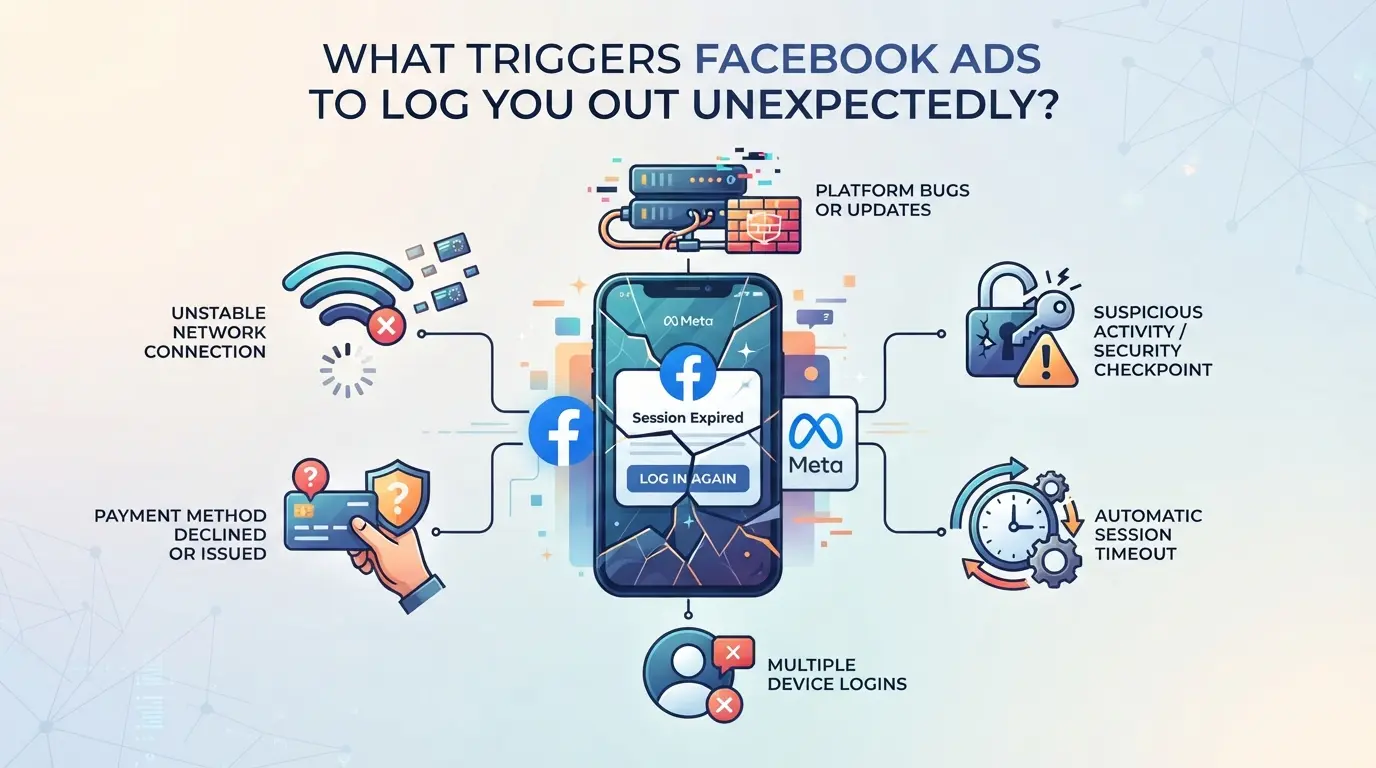
Unexpected logouts on Facebook Ads usually trace back to how Facebook tracks your session, device, and account activity. If you keep running into forced logouts, it’s almost always because Facebook spots something that looks risky or inconsistent, sometimes it’s a small detail, sometimes it’s a bigger pattern.
Security Checks and Account Protection
If Facebook sees a login from an unknown device or location, it often triggers a security check. A password reset, two-factor prompt, or even a simple browser update can flag your account for review. These checks kick you out fast, you’ll see a login screen before you even realize something changed.
Session Expiry and Device Conflicts
Session expiry is one of the most common reasons for a Facebook ad account logout issue. Facebook sessions can quietly expire in the background, especially if you log in on several devices at once. For example, logging into your business manager from a phone, then switching to a desktop browser, and later opening the Ads Manager in a second browser tab can confuse Facebook’s session tracking. The system tries to match device fingerprints, browser versions, and sometimes even your IP address. If Facebook spots a mismatch, say, you change devices or your IP jumps due to a proxy, it may see this as a possible account takeover. That triggers a forced logout or a “session expired” message. The real headache starts if you use shared devices or jump between accounts without clearing cookies. In these cases, you might find yourself logged out repeatedly, or stuck in a loop where every login triggers another check, making it hard to get back in without resetting something.
Browser, App, and Network Issues
- Outdated browser cache or broken cookies can cause instant logouts, clear your browser data and restart.
- Unstable internet (frequent disconnects or switching networks) often interrupts sessions.
- Changing your proxy mid-session usually triggers a logout, since Facebook flags rapid location shifts as suspicious.
If you’re still seeing Facebook Ads logouts after fixing these basics, your account settings could be forcing extra checks. The next step is to look closer at how your security settings interact with Facebook’s session rules.
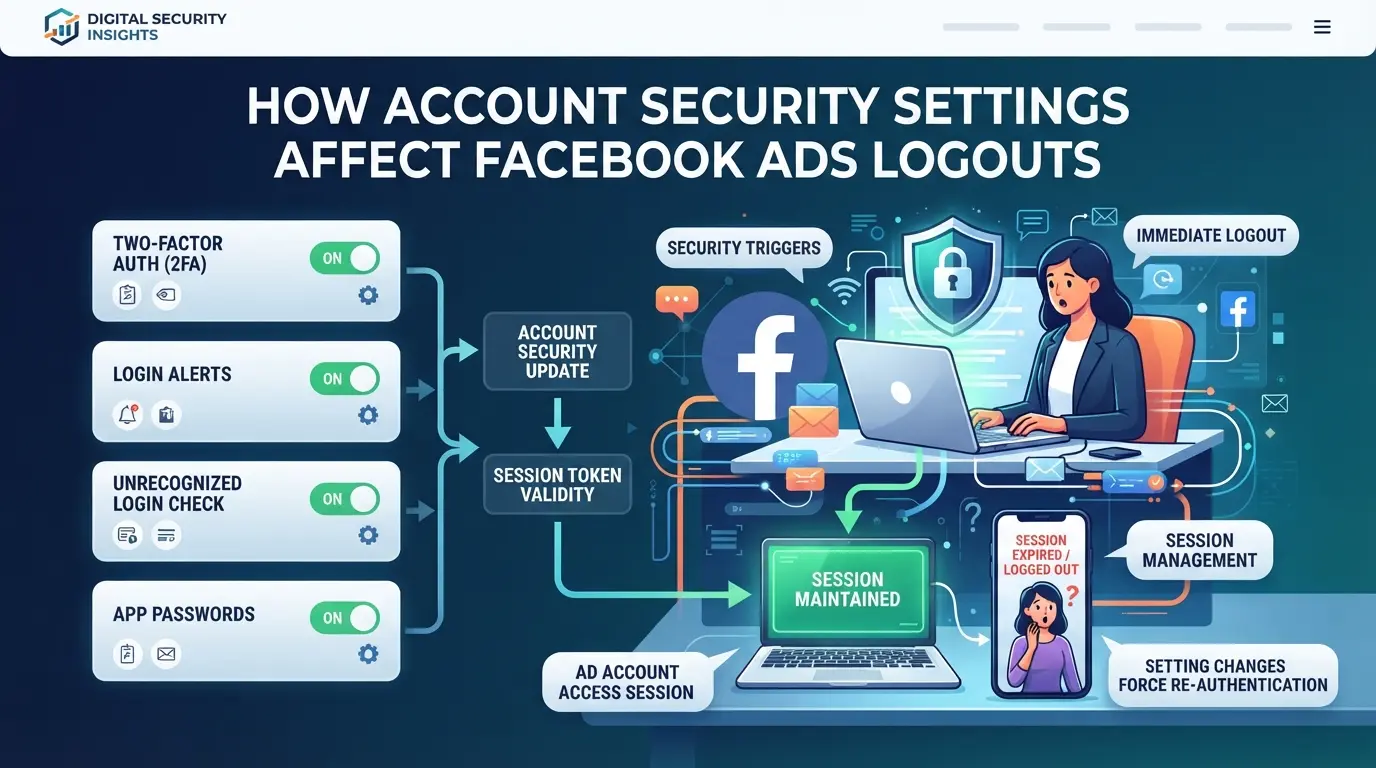
How Account Security Settings Affect Facebook Ads Logouts
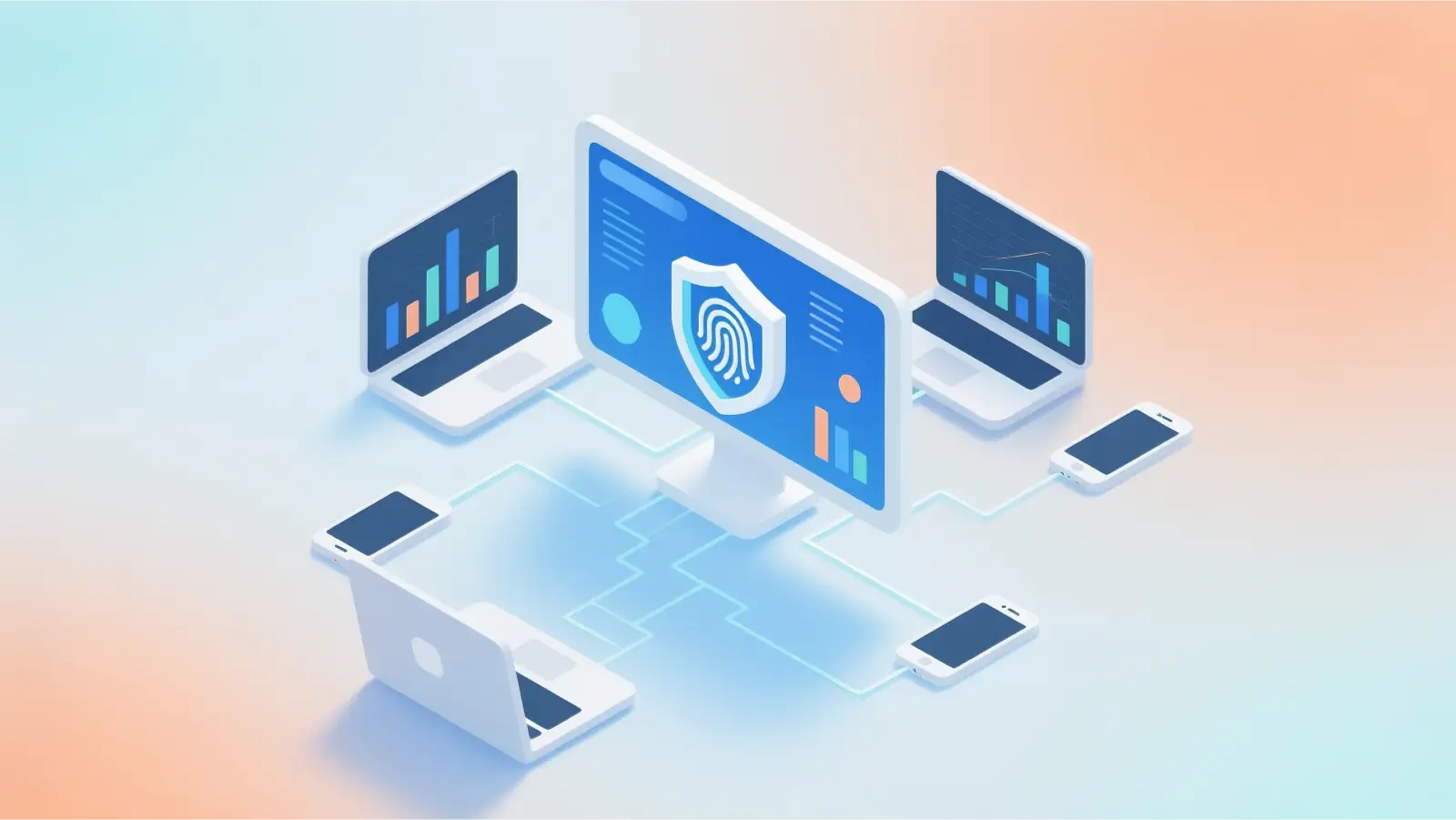
Security settings are the main reason Facebook ads log you out more often than you expect. When login alerts, two-factor authentication, or session controls kick in, your ad account session can expire or force a re-login, even if you didn’t change anything yourself.
Login Alerts and Two-Factor Authentication
Login alerts are triggered when Facebook sees a login from a new device or location. If you have two-factor authentication enabled, the system often forces a logout if it can’t verify your code or detects an unusual login attempt. This is common if you switch devices, use a new browser, or work from a different city.
Account Recovery and Password Changes
Changing your password or starting a recovery process will log you out of all active sessions, including Facebook Ads Manager. Even if you’re just updating a weak password, every browser and device gets kicked out instantly. For example, if you reset your password during a campaign and forget to re-login on your mobile, you’ll miss notifications until you reconnect. This step protects your account, but it also means every ad manager and team member must log back in after a recovery action.
Suspicious Activity Detection
Facebook logs you out for three main reasons tied to suspicious activity:
- IP/location mismatch: Logging in from a new city triggers a security check and session reset.
- Device fingerprint inconsistency: Switching browsers or using incognito mode can break the fingerprint, forcing a logout.
- Rapid account switching: Moving between business managers or personal accounts too fast signals risk, leading to forced logouts.
| Security Trigger |
Typical Logout Scenario |
| Login alert |
Forced re-login on new device |
| Two-factor authentication |
Session expired after failed code |
| Password change |
All sessions logged out immediately |
| IP/location mismatch |
Session reset, may require reauth |
| Device fingerprint inconsistency |
Logout, sometimes locked account |
If you’re seeing frequent logouts, check these settings before blaming browser issues. The next section gets into common mistakes users make, like skipping session reviews or ignoring device warnings, that keep the facebook ad account logout issue coming back.
Common Mistakes That Lead to Facebook Ad Account Logouts
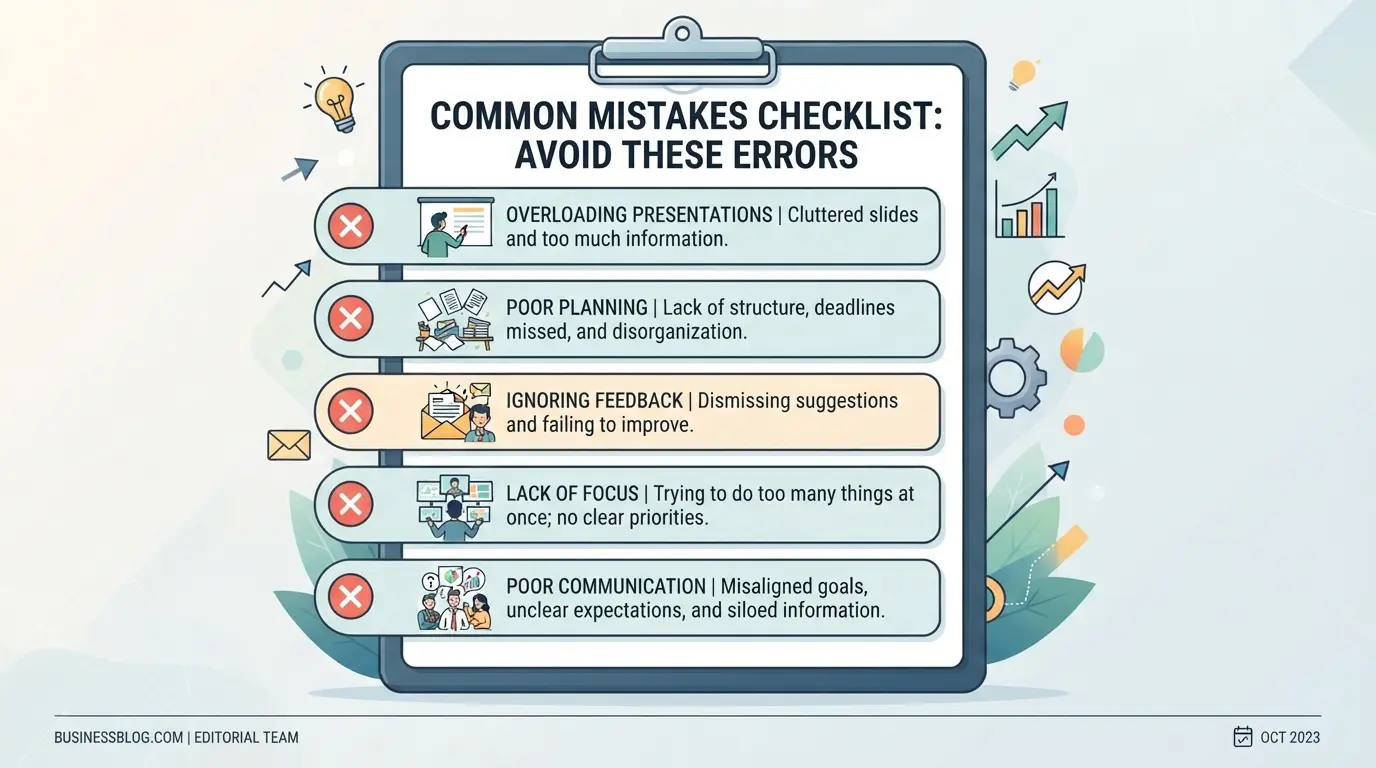
If you keep getting logged out of Facebook Ads, the real cause is often a small mistake in how you access or share accounts, not just a random glitch. Here’s where most people trip up.
Sharing Accounts Across Devices or Teams
Logging into the same ad account from different browsers, devices, or team members’ computers at the same time almost always raises a red flag. Facebook tracks device fingerprints, locations, and session overlap. If two people use the same account, even minutes apart, you’ll often see a forced logout or even a session expired message. Treat each login as if it’s being watched, avoid letting multiple people or devices connect at once.
Browser Fingerprint and Cookie Errors
- Repeatedly clear cookies or use private/incognito mode, this resets your session and can make Facebook think it’s a new login.
- Switch browsers without re-authenticating, this triggers fingerprint mismatch.
- Run multiple accounts in a single browser profile, mixing cookies often leads to forced logouts.
Proxy and Network Switching Mistakes
Even if your login habits seem safe, unstable proxies or frequent IP changes can trigger automated logouts. Facebook expects a consistent network pattern.
- Check if your proxy drops or changes IP mid-session, this can instantly expire your login.
- Avoid switching between mobile data and Wi-Fi during a session.
- Stick to one location per session, jumping cities or countries in minutes is a classic logout trigger.
Next, see how to fix these issues step by step without making things worse.
Step-by-Step Fixes for Facebook Ads Logout Issues in 2026
If you keep getting logged out of Facebook Ads, whether on desktop, mobile, or different browsers, the fix isn’t just another password reset. You need to tackle session stability, device setup, and account security in the right order. Here’s how to get back in and stop the cycle.
Check Account Security and Login History
- Open Facebook’s Security & Login page and review the “Where You’re Logged In” list. If you see unknown devices or locations, remove them immediately.
- Change your password if you spot any suspicious activity or if you haven’t updated it in the past year.
- Log out of all sessions, then log back in only from your main device. This clears active tokens and stops session overlap.
- If you get a login error after this, Facebook may have flagged your account, wait 24 hours and try again, or use a trusted device for reauthentication.
Clear Cache, Cookies, and Browser Data
- Go to your browser’s settings and clear cache, cookies, and site data for facebook.com. This removes stale session keys that can trigger logouts.
- For mobile apps, uninstall and reinstall the Facebook Ads app. App cache can linger through updates and cause session mismatches.
- If you switch browsers or devices often, clear cookies each time before logging in to avoid conflicting sessions.
- If clearing cache doesn’t fix the logout loop, check for browser extensions interfering with Facebook scripts.
Update Facebook App, Browser, and Device Software
- Update your browser to the latest version, Chrome, Firefox, or Edge all push security patches monthly. Outdated browsers often fail session checks.
- Update the Facebook Ads app directly from the App Store or Google Play. Buggy app versions can force session resets after major platform updates.
- Restart your device after updating. Some OS updates only apply after a fresh boot, and session stability improves when all patches are loaded.
- If your device still logs out, check for pending OS updates. Old firmware can block secure cookies and break reauthentication.
Test and Stabilize Your Network Connection
- If you’re using a proxy or custom IP, switch to your home Wi-Fi or a mobile hotspot. Unstable proxies often trigger “session expired” errors.
- Run a speed test, slow or dropping connections can force Facebook to terminate active sessions for security.
- Avoid switching networks mid-session. Facebook tracks IP changes, and rapid switches can flag suspicious activity.
- If you see repeated logouts on mobile data, try connecting over Wi-Fi, cellular networks may rotate IPs too quickly.
Adjust Facebook Security Settings
- Enable two-factor authentication (2FA) in your security settings. This adds a backup for session integrity and keeps forced logouts in check.
- Set up login alerts, Facebook will notify you if login attempts come from new locations or devices.
- Review trusted devices and remove any you don’t recognize. Too many trusted devices can confuse session checks.
- If you get locked out after enabling 2FA, reset your authentication method using Facebook’s recovery options.
Make these fixes in order, skipping steps can leave the root cause untouched, and the facebook ads account logout issue can resurface after your next login attempt. Next, you’ll want to look at safer ways to handle multiple ad accounts without running into session conflicts.
How to Manage Multiple Facebook Ad Accounts More Safely with DICloak
If you’re still hitting session conflicts or recurring logouts after following platform-side fixes, the next issue is usually browser profile overlap, especially for teams or marketers running multiple Facebook ad accounts on one device. Facebook’s detection systems don’t just watch for login location or device changes; they log browser fingerprints and network clues that tie sessions together. This means that even careful operators can trigger “facebook ads keeps logging me out” errors if they stack too many accounts in the same browser or use inconsistent network setups. For readers who manage more than one Facebook ad account, separating each workflow into its own browser profile and proxy setup is the next practical step beyond quick fixes.
Profile Isolation and Fingerprint Configuration for Each Account
Operators can create a separate browser profile in DICloak for each Facebook ad account they manage. Each profile acts as its own browser profile, with its own cache, cookies, and settings. What really matters here is the ability to configure the fingerprint signals, like user agent, operating system, screen size, and time zone, which Facebook uses to track and connect sessions. By setting up one profile per account, teams can keep session data and browser signals from overlapping, lowering the chance of triggering a forced logout, session expired, or temporary lock. Operators can adjust fingerprint details such as WebRTC, canvas, and geolocation to better fit how and where each account is normally accessed, but the scope stays on the browser profile layer; DICloak does not manage the Facebook ad accounts themselves or guarantee acceptance by the platform.

User-Provided Proxy Configuration for Assigned Profiles
When running several Facebook ad accounts, a stable network identity matters as much as browser separation. Operators can assign a user-provided proxy to each DICloak profile, which means each account runs through its own consistent IP address and location. After entering proxy details, host, port, protocol, username, and password, operators can use DICloak’s built-in proxy check to make sure the connection works and that the detected exit IP matches the expected region for that account. This setup helps keep Facebook from seeing rapid IP changes or mixed locations across accounts, reducing one common cause of “facebook ad account logout issue.” The proxy configuration is fully operator-controlled; DICloak does not sell or supply proxies, and it does not change how Facebook enforces its own platform policies.

Teams that need to coordinate multiple workflows can use these separate profiles and proxies to keep account actions clearly divided. Next, it’s worth asking when repeated logouts or session issues point to a bigger compliance or security warning, not just a technical misstep.
When Facebook Ads Logouts Signal a Bigger Security or Compliance Problem
If facebook ads keeps logging you out, not just once, but again after every new login, that’s usually not random. Repeated ad account logouts often point to a deeper problem: either someone else is trying to access your account, or Facebook’s systems have flagged you for breaking rules. Here’s how to spot the difference and what to do next.
Account Compromise and Unauthorized Access
If your login fails minutes after you just signed in, or you see new sessions in your account’s security settings, someone else may have your password. Change your password right away and review your recent login devices, if you skip this, the attacker can keep booting you off, even if you clear cookies or switch browsers.
Policy Violations and Platform Restrictions
Frequent logouts can mean Facebook has locked you out for breaking ad policies, not just a technical glitch.
- Account can get disabled or put under review, freezing your campaigns and spending.
- Safer move: Check your Business Manager notifications and support inbox for warnings or restrictions. Appeal as soon as possible, since delayed action often leads to a permanent ban.
If you’ve confirmed your account is secure and you still get forced out, stop trying random fixes, escalate to support and wait for a response before more attempts. This reduces the risk of full account loss.
Best Practices for Long-Term Facebook Ad Account Stability in 2026
Avoiding repeated facebook ads logout issues starts with steady, predictable account activity. Sudden device switches or odd login times are the fastest way to trigger forced logouts, Facebook’s security system flags anything out of the ordinary. If you keep session patterns consistent and only use trusted devices, you cut most accidental disruptions.
Maintain Consistent Activity and Device Usage
Stick to your usual login schedule and locations. If you travel or need to change devices, update your security settings first. Random jumps between browsers or networks can trigger session expired warnings or a full facebook ads keeps logging me out cycle.
Monitor Account Health and Security
- Check login history for unknown access weekly
- Change passwords every 90 days
- Turn on two-factor authentication
Use Reliable Proxy and Browser Management Tools
Using stable proxies and isolated browser profiles makes a difference, session conflicts often start when these aren’t set up right.
- Pick proxies with steady uptime and matching geolocation
- Separate browser profiles for each ad account
- Clear cookies only when troubleshooting, not as routine
Frequently Asked Questions About why facebook ads logged me out
Why does Facebook ads log me out every time I switch devices?
Facebook ads often log you out when switching devices because your session can conflict with the new device’s fingerprint. If your login appears from a different browser or location, Facebook may see it as suspicious activity and force a logout to protect your account. Using the same device and browser helps keep your session stable.
Can using a proxy cause Facebook ad account logouts?
Yes, using unstable or rotating proxies can cause Facebook ad account logout issues. Facebook tracks IP addresses and sudden changes may trigger security checks. If your proxy changes often or isn’t reliable, Facebook may log you out to prevent unauthorized access. Try using a consistent, trusted network to avoid this problem.
How do I know if my Facebook ad account was hacked?
To check if your Facebook ad account was hacked, look at your login history for unknown locations or devices. Review any security alerts sent by Facebook and check for unexpected changes in your ad campaigns or billing info. If you see suspicious activity, change your password and enable two-factor authentication immediately.
Is managing multiple Facebook ad accounts risky for logouts?
Managing multiple Facebook ad accounts on the same device can increase the risk of facebook ads keeps logging me out. Shared sessions and overlapping cookies may confuse Facebook’s security system, leading to forced logouts. Use separate browsers or clear cookies between accounts to keep each session secure and reduce logout issues.
What should I do if Facebook ads keep logging me out despite all fixes?
If facebook ads session expired problems persist after trying common solutions, contact Facebook support. Review your account for possible security or compliance issues that could cause repeated logouts. Facebook’s help team can check for deeper problems and guide you on steps to restore stable access.
Moving forward, taking steps such as updating your passwords, enabling two-factor authentication, and reviewing account activity can help prevent unexpected logouts and keep your advertising efforts on track. If you continue to face access issues or suspect your account is compromised, consider using reliable privacy tools to safeguard your information. Try DICloak For Free
 Web Proxy Tools
 Free Tools
 Cookie Plugin
 UA Generator
 MAC Address Generator
 IP Generator
 IP Address List
 2FA Code Generator
 World Clock
 Anonymous Check
 WebRTC Leak Test
 UUID Generator
 Free Web Proxy Site
 Proxy Checker
 FB Ad Checker
 AI Web Scraping
 Free SMM Tools
 Twitter Shadowban Checker
 Instagram Name Checker
 UTM Generator
 Username Generator
 AI Hashtag Generator
 LinkedIn Headline Generator
 Social Media Image Resizer