Most people searching how to buy eBay seller accounts aren’t just trying to save time, they’re stuck deciding which risks are worth taking. The biggest headache isn’t finding listings or comparing prices. It’s figuring out whether the account will actually work after you pay, or if you’ll hit a wall with verification, bans, or missing access. Anyone who’s tried to buy eBay accounts or purchase eBay seller accounts knows how easy it is to get burned by hidden limits, mismatched info, or sellers who vanish the moment things go wrong.
On the surface, listings for aged eBay accounts might seem straightforward, just check feedback, account age, maybe the price, and you’re set. But that’s the trap. The real trouble starts when you realize the seller’s promises don’t always match the platform’s detection rules, and “fully verified” can mean anything from clean history to a patched-together profile that’s flagged within days.
What actually matters before you buy isn’t just the price or the seller’s rating. You need to check the account’s history, see if access can be transferred without tripping security, and figure out what happens if you lock yourself out. If you skip these steps, you’re likely to waste money or lose the account fast, maybe even before your first sale.
Before you start comparing options, get clear on what makes an eBay seller account truly safe to buy.
What to Check Before You Buy an eBay Seller Account
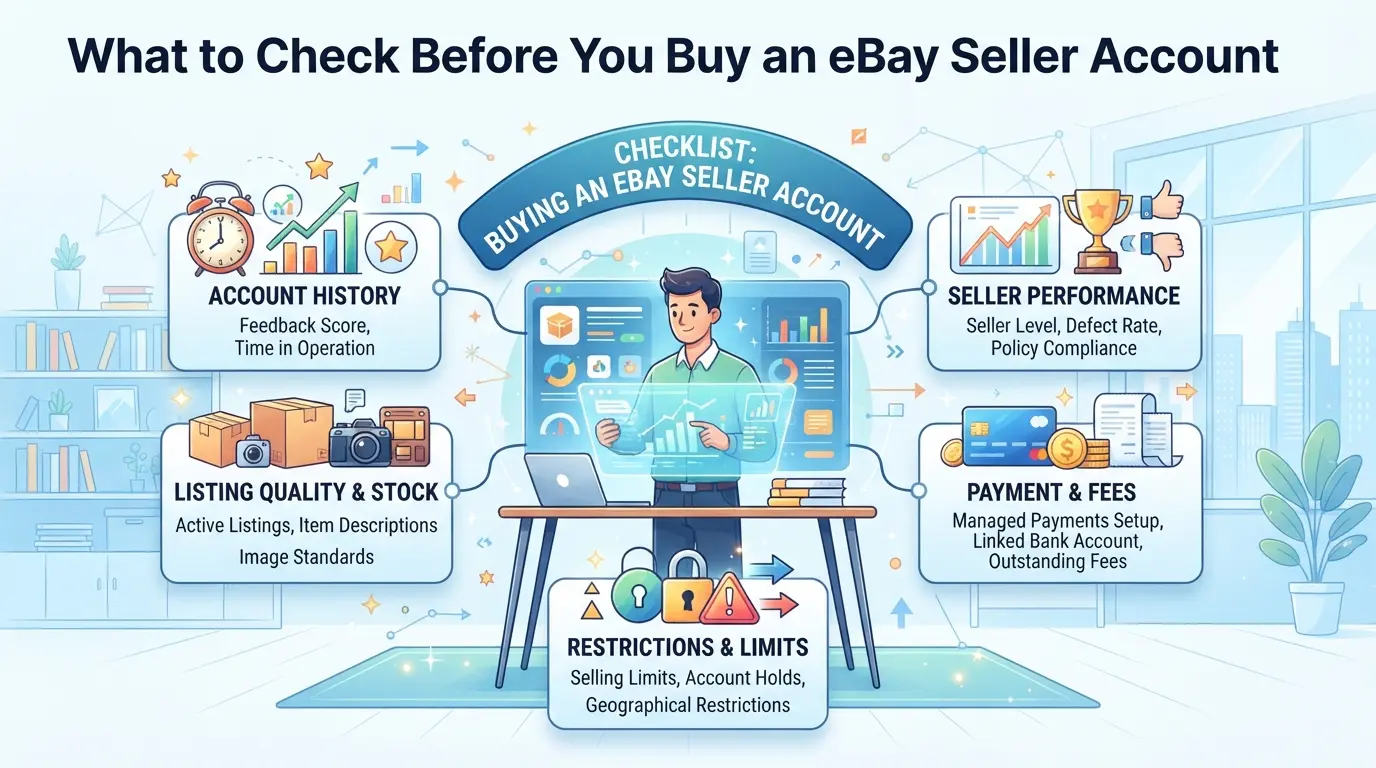
If you don’t get picky about the details, buying an eBay seller account often means throwing money at a problem you haven’t even spotted yet. The core test is simple: before paying, confirm you’re buying a history that won’t trip platform alarms, a profile that’s transferable, and access you can actually keep. Most wasted purchases happen because buyers skip these checks.
Aged vs Fresh Accounts: What Actually Matters
Older accounts aren’t always safer, what counts is a clean history and feedback that actually matches real transaction activity. High feedback with low sales often signals a pumped-up profile that’s already flagged. If you’re buying, ask for proof of past transactions, not just feedback points. The most reliable signal is a consistent sales record paired with steady, positive feedback from genuine buyers. If you see gaps or sudden jumps, that’s a red flag.
Feedback, Payment History, and Compliance Checks
Quick checklist for real quality:
- Check feedback: Is it from real buyers, or just simple trades and automated bots?
- Review payment history: Does the account have verified payout records and no missed payments?
- Confirm compliance: Are there any unresolved disputes or recent warnings in the account’s seller dashboard?
Seller Verification and Platform Restrictions
A transfer isn’t just about logging in, it’s about clearing old verification steps and avoiding hidden platform links. If the account uses phone or ID checks, you need to know whether those can be fully updated. Accounts still tied to previous phone numbers or IDs can lock you out or trigger instant bans.
Check these before you pay:
- Verify phone and ID: Can you change all verification info, not just passwords?
- Scan for active restrictions: Are there any current bans, limitations, or appeals pending?
- Check linked accounts: Has the seller used other accounts on the same device or IP? Overlapping logins can trigger platform action right after transfer.
If any box is unchecked, expect trouble, the platform catches most mismatches in the first week. Next, see why even clean accounts get flagged fast after purchase.
Why Some Bought eBay Accounts Get Suspended So Fast
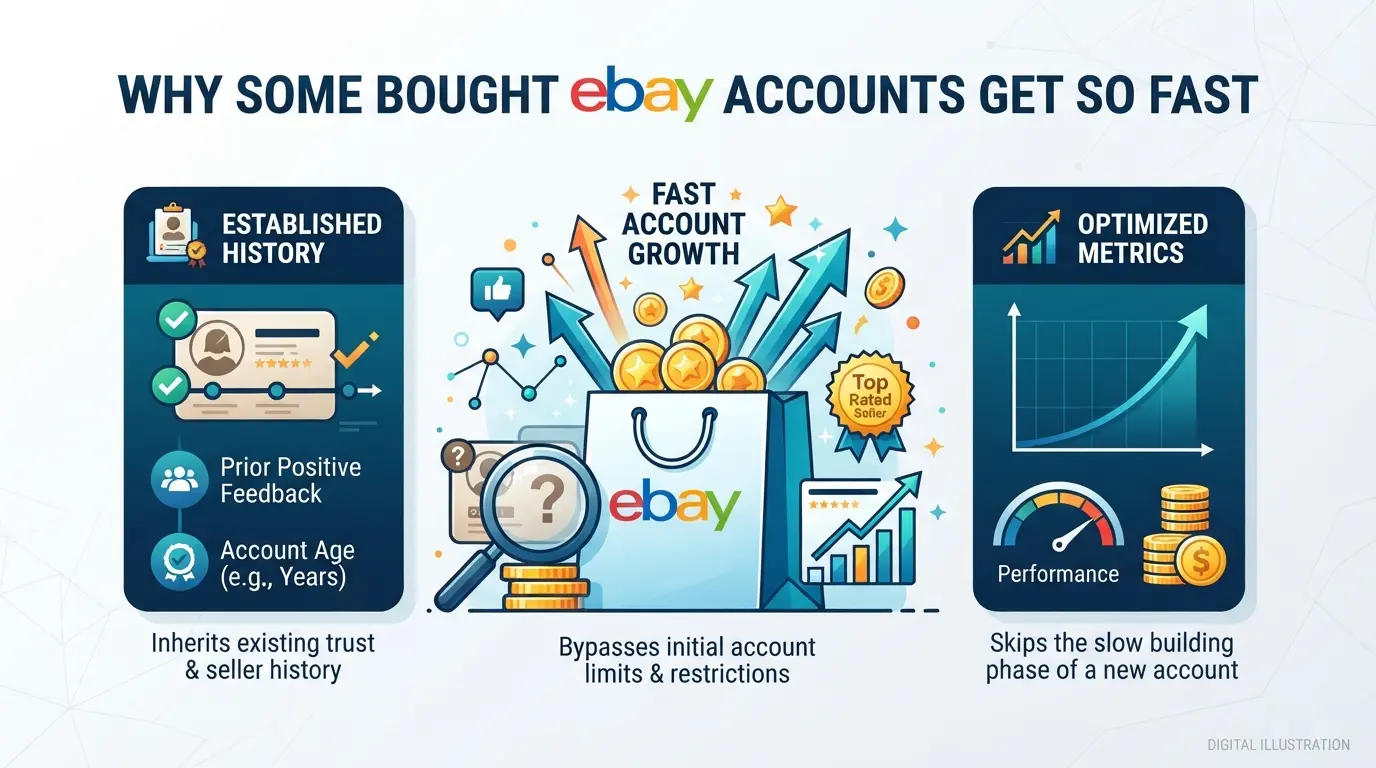
Even after you check an account’s feedback and age, instant bans can still hit right after handover. The main reason is simple, eBay tracks login patterns, seller activity, and linked accounts much closer than most sellers admit. If you skip the details below, you’re likely to see suspension before your first payout.
Login Consistency: IP, Device, and Location Signals
Most buyers get tripped up on day one. Logging in from a new location, using a device that’s never touched the account, or failing to match the previous IP can trigger eBay’s security checks within minutes. Even switching devices too quickly, say, jumping from a phone to a desktop, spikes the risk.
Seller Behavior Patterns and Verification Requests
The real danger comes when your actions don’t match the account’s history. If a dormant seller suddenly posts ten listings, changes payout details, or starts responding to messages at odd hours, eBay’s automated system flags this. That’s when you get hit with verification requests, payout holds, or outright bans. Here’s the thing, if the account’s previous owner sold only a few items a month and you ramp up overnight, it looks unnatural. Even a simple move like editing shipping info right after login can push the account into review.
That review isn’t random. eBay checks whether your activity fits the old patterns. If you ignore this, you’ll see the red banner: “Account Suspended, Please Provide Additional Information.” Sometimes the first warning is just a request for ID, but other times, your funds get locked and you lose access. Recovery isn’t quick either. If you submit documents, eBay often takes 3-5 business days to respond, but if the account’s linked data doesn’t match, appeals almost always fail. It’s not about how fast you act, it’s about how believable your actions look compared to past account usage.
Linked Account and Marketplace Tracking
- Reusing the same email or phone across multiple accounts can trigger network detection, leading to bans on all linked profiles.
- Buying accounts from bulk sellers who recycle payment details or addresses means marketplace bots often block those accounts within a week.
- Shared device fingerprints, like logging in from a machine used for other suspended or flagged accounts, usually leads to instant restriction.
If you skip these checks, you’ll waste money on accounts that are flagged almost immediately. The next section will show why “cheap” isn’t just about price, it often hides risks that cost more than the upfront savings.
How Pricing Really Works, and Why Cheap Accounts Are Often Risky
Buying an eBay seller account isn’t just about picking the lowest price or the oldest profile. The price tag is a signal, sometimes honest, often hiding shortcuts that can cost you more than you save. If you only compare by price, you’ll miss the warning signs that matter most.
Main Factors That Affect Account Pricing
Account age and transaction volume drive most prices. Older accounts with steady sales history cost more because they’re less likely to trigger new seller restrictions. Country and payment verification also matter, US or UK accounts with clean PayPal links usually sit at the top end. If a listing looks suspiciously cheap for its claimed history, that’s your first red flag.
Why Cheap Accounts Usually Fail: Common Pitfalls
Cheap accounts often come with fake feedback or recycled logins. Sellers may patch together profiles using old credentials or borrowed IPs, which means you inherit hidden risks. One common failure is instant suspension, after you log in, eBay’s system spots mismatched access patterns and locks the account before you list your first item. If you buy a $120 account that looks “aged,” but the activity is all from one week, you’ll almost always get flagged. Here’s how price and risk line up:
| Price (USD) |
Age (years) |
Feedback |
Risk Signals |
| 120 |
3 |
200+ |
All recent, recycled |
| 300 |
5 |
300+ |
Mixed, clean login |
| 700 |
7 |
500+ |
Steady, verified PayPal |
How to Evaluate Seller Promises vs Proven Value
- Don’t trust “fully verified” without proof of steady sales and withdrawal history.
- Ignore “limited time deal” language, real value comes from visible account history.
- If the seller won’t show login logs or payment linkage, you’re likely buying a patched or recycled profile.
That’s the main reason cheap accounts look tempting, until you’re left sorting through the next section’s scams.
Where Most Buyers Get Scammed or Waste Money
Most buyers lose money in two ways: falling for fake listings or paying for accounts that collapse after a few days. Scammers target buyers who focus on price or skip the real verification steps.
Fake Listings and Payment Tricks
Scam sellers often use recycled screenshots and promise “instant delivery” of accounts that don’t exist. If you only check seller feedback, you miss signs like vague answers or dodged verification. The fastest way to spot trouble is to look for missing proof of control, scammers rarely share live evidence or account session details.
Red Flags in Seller Communication
You’ll see urgent messages or sellers demanding off-platform payment.
- Payment sent outside official platforms disappears, scammers block you and vanish.
- Stick to escrow or platform payment tools. If you feel rushed, walk away.
How to Vet a Marketplace or Broker Safely
Marketplace or forum reviews help, but they aren’t always real. Verified sales mean the platform tracks delivery and confirms the buyer got access. Using third-party escrow lowers your risk, since payment only releases after you control the account, skip any marketplace that refuses this step.
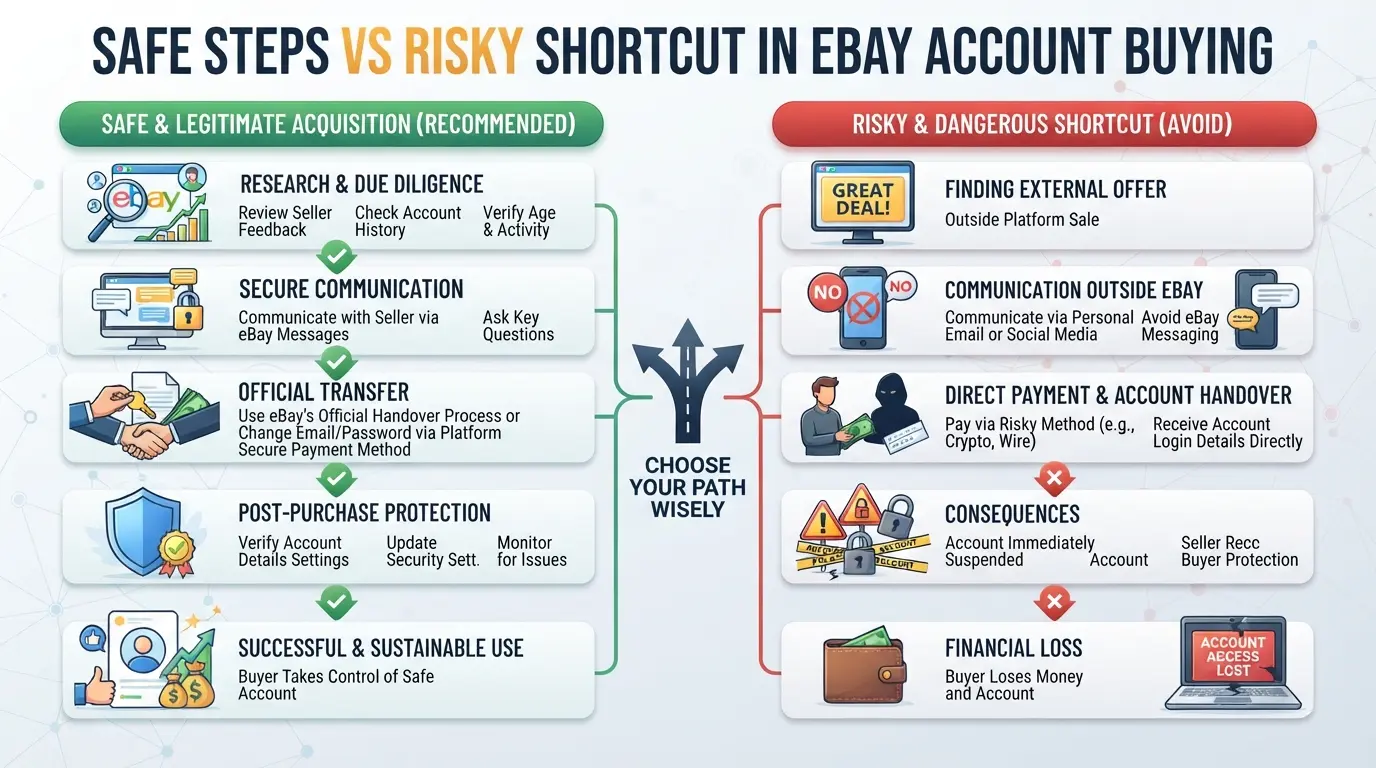
What to Change Right After You Take Over a Bought eBay Account
Scam traps aren’t the only risk, most eBay accounts get flagged because buyers skip routine changes right after takeover. If you want the new account to stick, start with these steps before listing anything.
Safe Environment Setup for Initial Login
- Match the seller’s original IP and device if possible. Using a new location or browser right away often triggers a security challenge or freeze.
- Use a profile manager or isolated browser setup. Any leftover cookies or fingerprint mismatch can mean instant review.
- Log in at a low-activity time (early morning UTC is common). Account access in busy windows sometimes lands you in “suspicious activity” queues.
Updating Passwords and Linked Information
- Change the account password. If you skip this, it’s easy for the old owner to regain access.
- Swap the linked email to one you own and check for any backup recovery settings left behind.
- Update payout info and check two-factor authentication. If you’re missing a financial detail, most payment issues hit right after your first sale.
- Scan contact and address details for old data, sometimes a seller leaves a phone number that isn’t yours, which will block future verification.
Warming Up the Account Before Real Selling
- Start with browsing and adding items to your watchlist. Jumping straight to listing products usually draws manual checks.
- Send a couple messages or questions to other sellers. These routines look normal to platform filters.
- Wait at least 24 hours before listing anything. Flagged activity right after takeover almost always ends with restriction.
- If you get a warning after these steps, stop and check your device and IP setup again, most bans come from new environments, not actual sales.
Miss a step here and you’ll notice your account locked or limited before money even hits your payout. That’s why advanced sellers focus on a tight login workflow, not just price or feedback.
How Teams and Advanced Sellers Manage Multiple eBay Accounts with DICloak
Once you’ve changed the basics after a takeover, the real challenge for advanced sellers is keeping every account separate—even as your team starts running multiple logins daily. The usual mistake is juggling accounts in the same browser or device, which almost always leaves traces that connect them. Teams that buy eBay seller accounts need a workflow where each account runs in its own environment, with managed fingerprints and network setups. DICloak covers the browser profile, fingerprint, proxy, and bulk setup layers; it never touches actual platform settings or account objects.
Creating Separate Browser Profiles with Fingerprint Configuration
Operators set up a unique browser profile for each eBay account, making sure no session shares storage or fingerprint signals. Team members can configure settings like time zone, user agent, language, and device details so that each profile matches the account’s expected login pattern. For example, if a team is onboarding 10 eBay seller accounts, each gets its own profile, with regional and device signals adjusted for that account’s history. This setup means account sessions stay isolated—later changes don’t cross over or leak between accounts. The scope is limited to browser-profile access; it does not change platform content or account settings.

Configuring User-Provisioned Proxies for Each Profile
Operators configure their own proxy settings per profile in DICloak, choosing from HTTP, HTTPS, or SOCKS5 based on what their proxy provider supports. Before logging into an account, it’s practical to test the proxy’s exit IP, region, and time zone, confirming they fit the account’s history. For instance, if a manager assigns a proxy to a profile, they check the connection and exit info right before the session starts. DICloak does not sell or bundle proxies—users must source and manage them externally. It’s up to the team to decide which proxy setup fits their workflow; DICloak only stores and applies what the operator configures.

Running Bulk Operations to Onboard and Edit Accounts Efficiently
When the team needs to scale fast, admins can select multiple profiles and apply batch edits—creating new profiles, assigning proxies, and changing remarks—in one go using DICloak’s Bulk Operations menu. Suppose a campaign requires onboarding 15 seller accounts; the manager can set up fingerprints and proxies for all profiles in bulk, saving hours compared to manual steps. A batch edit is quick but can affect many profiles if settings are wrong, so review carefully before confirming. Bulk Operations handle browser profile management only—they don’t change any platform-native data.

A controlled workflow here lets teams safely run separate accounts without crossing signals. Next, you’ll see why building from scratch sometimes beats buying—even for seasoned sellers.
When Buying Is Worse Than Building: Comparing Growth Options in 2026
If you’re weighing whether to buy eBay seller accounts or build your own, the real question is which path matches your goals and risk tolerance, not just how fast you want to start selling.
Pros and Cons of Buying vs Growing
| Option |
Speed |
Selling Limits |
Risk Level |
| Buying |
Fast |
Higher early |
Ban, ownership gaps |
| Growing |
Slow |
Lower early |
Platform trust |
Buying gives a quick start but often means you’re inheriting both seller history and hidden platform risks. Building your own account takes longer, but you control every step and can build trust with eBay.
When Buying Makes Sense, and When It Backfires
Experienced dropshippers sometimes buy aged accounts to bypass eBay’s new seller limits. For beginners, buying can backfire, one slip with logins or listing style, and the account gets suspended before you recover any costs.
Workflow Planning: Scaling Safely in 2026
If you want to scale up without tripping detection, warming up each account with low-risk listings and steady sales beats rushing in. Compliance isn’t just paperwork; it’s how you avoid getting flagged after a purchase or when growing your own accounts.
If you skip the warmup or rely on shortcuts, you’re more likely to lose time and money than gain a lasting seller presence.
Frequently Asked Questions About buy eBay seller accounts
Is it legal to buy eBay seller accounts in 2026?
Buying or selling eBay seller accounts goes against eBay’s platform policies. eBay may suspend or ban accounts found to be transferred. Depending on your country, there may also be legal risks related to fraud or identity misuse. Always check eBay’s terms and your local laws before you try to buy eBay seller accounts.
Can I pay with crypto or third-party wallets?
Some sellers take payments in crypto or wallets like PayPal and Skrill. Crypto can hide your identity but has no buyer protection if you get scammed. Third-party wallets may offer more safeguards, but be sure to use secure payment methods. Only deal with trusted sellers to reduce payment risks.
How many accounts should a new dropshipper start with?
Beginners should usually start with one seller account to learn how eBay works and avoid mistakes. As you gain experience, you can scale by adding more accounts. Most advanced dropshippers use two or three accounts at first, keeping operations simple and easier to manage.
What are safer ways to avoid detection when using bought accounts?
Keep each account fully separate. Use unique IP addresses, browsers, and computers for every profile. Never mix cookies, logins, or emails. Change the shipping and payment info to match the account holder's details. These steps can help lower the risk of eBay linking your accounts.
Can bought eBay accounts be used for multiple marketplaces?
A single eBay account is usually meant for one country’s marketplace. Some accounts may allow selling internationally, but using one to access multiple eBay sites can trigger suspensions. Always check platform rules before you buy aged eBay accounts for cross-market sales.
Carefully consider your specific selling needs and assess the reliability of account providers before making a purchase. Taking the time to verify authenticity and support options will help ensure a smooth transition and minimize potential risks.
Try DICloak For Free
 Web Proxy Tools
 Free Tools
 Cookie Plugin
 UA Generator
 MAC Address Generator
 IP Generator
 IP Address List
 2FA Code Generator
 World Clock
 Anonymous Check
 WebRTC Leak Test
 UUID Generator
 Free Web Proxy Site
 Proxy Checker
 FB Ad Checker
 AI Web Scraping
 Free SMM Tools
 Twitter Shadowban Checker
 Instagram Name Checker
 UTM Generator
 Username Generator
 AI Hashtag Generator
 LinkedIn Headline Generator
 Social Media Image Resizer