What Is a Device Identifier and How Does It Work?
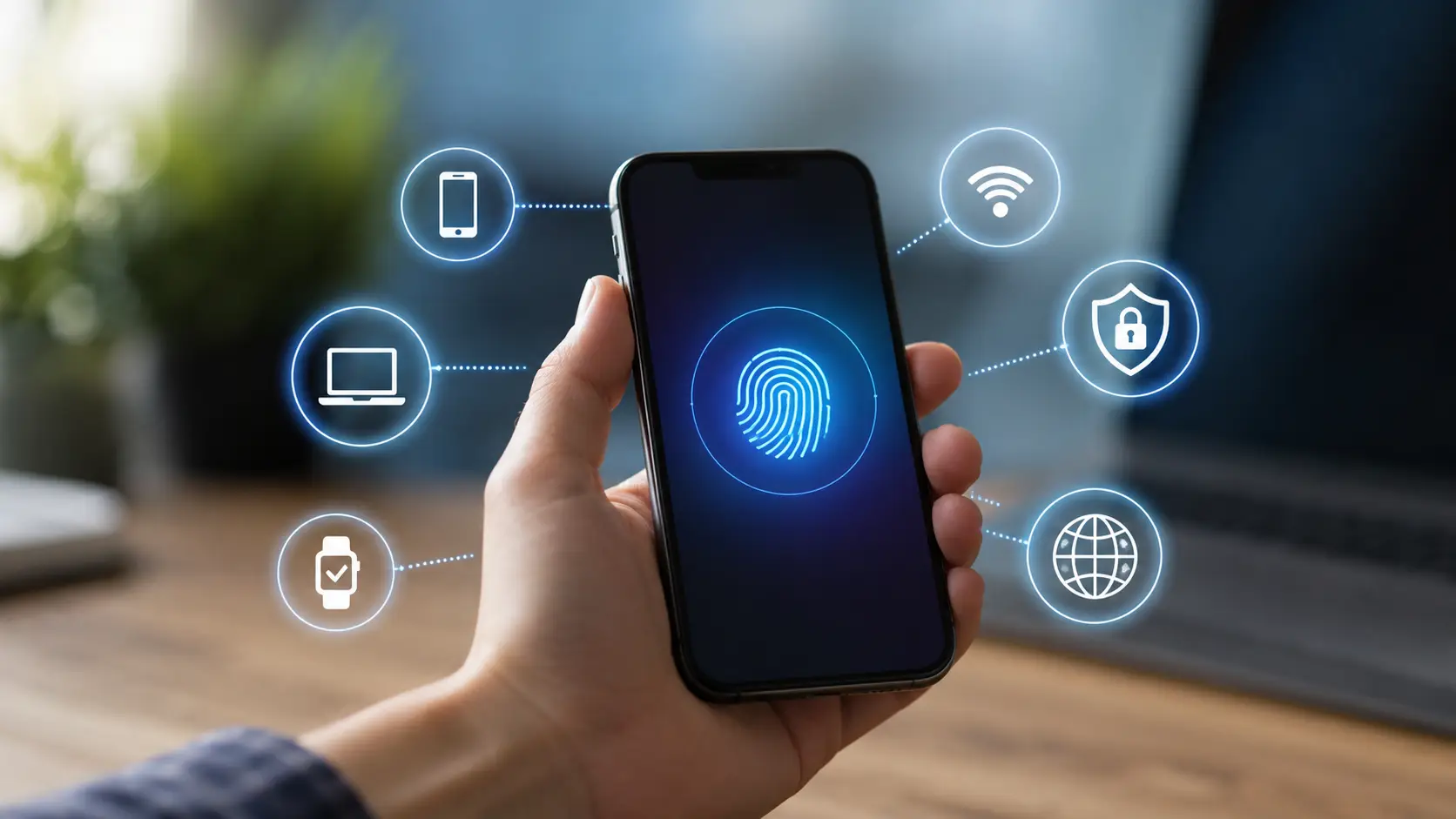
A device identifier is a value that helps a system tell one device, app install, or device-and-app pair from another. You may also see terms such as Device ID or unique device identifier. However, these terms do not always mean the same thing.
Some device identifiers belong to the physical device. A phone's IMEI is one example. Others belong only to an app or a group of apps. Android, for example, supports identifiers such as Firebase Installation ID and App Set ID. Apple also provides an Identifier for Vendor, or IDFV, that can identify a device across apps from the same vendor.
This difference matters. A device identifier is not always a permanent number built into your phone. Modern systems often use IDs with a limited scope because they give users more privacy. Google now recommends using resettable or app-level identifiers for most normal app functions instead of hardware IDs such as an IMEI.
What Information Does a Device Identifier Contain?
A common mistake is to think every device identifier stores a full set of details about your device. In many cases, it does not.
Some identifiers are simply random-looking strings. Their main job is to distinguish one app instance or device from another. For example, Android's App Set ID uses a UUID format. The number itself does not need to contain your name, phone number, or location to be useful. An app can store the ID in its database and use it to recognize that the same app group is being used on the same device.
Hardware identifiers can work differently. An IMEI is a 15-digit identifier used for devices on mobile networks. According to the GSMA, it contains three main parts: a Type Allocation Code, a serial number, and a check digit. The Type Allocation Code can be linked to information about the device maker and model.
So, the information connected to a Device ID depends on the type of identifier.
For example, imagine two people install the same shopping app. The app may create a different installation ID for each copy of the app. The ID itself may look like a random string. But the company's server can connect that ID with data such as app settings, crash reports, or activity inside that app. The meaning often comes from the data linked to the identifier, not from the characters inside the identifier.
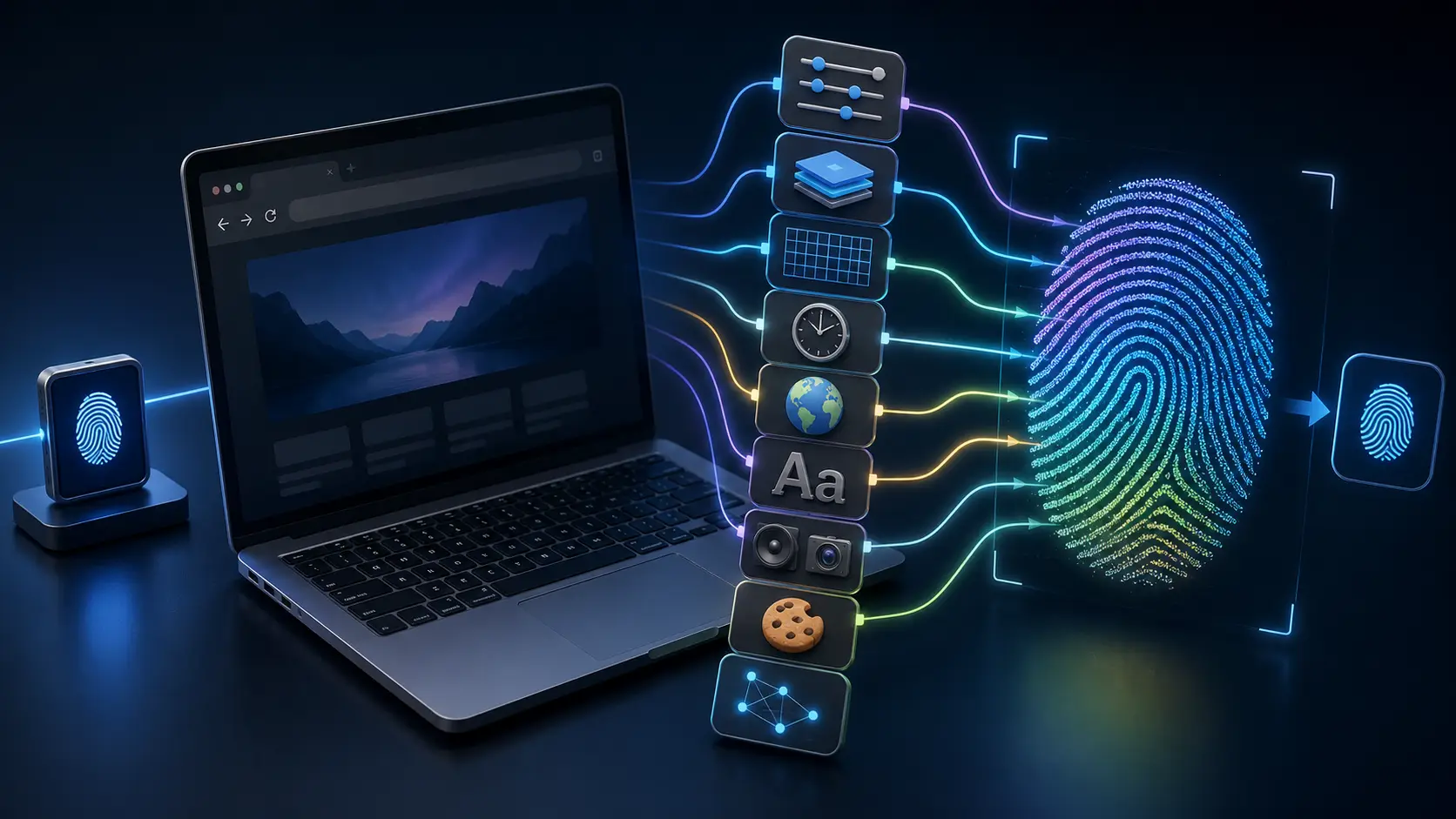
This is also why it is useful to separate a device identifier from a browser fingerprint. A normal website does not need access to a phone's IMEI to recognize a browser. It may instead look at signals such as browser version, time zone, language, fonts, screen size, and other browser settings. When these signals are combined, they can form a browser fingerprint.
Why Apps and Websites Use Device Identifiers
Apps use device identifiers because they often need to know whether two requests came from the same app install or device. This can support useful features without asking the user to sign in every time.
Analytics is one example. An app developer may want to know how many people return to an app after installation. Google says App Set ID can be used for non-advertising purposes such as analytics and fraud prevention across apps owned by the same developer.
Security is another common use. An online service may need to detect unusual activity, fake installations, or repeated abuse. Android recommends privacy-focused tools such as Play Integrity for some abuse detection tasks instead of relying on permanent hardware identifiers.
Advertising has its own type of Device ID. Android provides an Advertising ID that users can reset or delete. Apple provides an advertising identifier called IDFA. On iOS 14.5 and later, an app must receive tracking permission before it can access a usable advertising identifier. These IDs can support tasks such as ad measurement, attribution, frequency capping, and fraud detection.
For example, suppose you see the same ad inside a mobile game several times. An advertising identifier can help an ad system understand that those views came from the same device. This can help the system limit how often the same ad appears or measure whether an ad led to an installation or purchase.
Websites work a little differently. A website usually relies on cookies, account data, IP information, and browser signals rather than a hardware Device ID. Browser fingerprinting can combine details such as screen resolution, language, time zone, browser version, and installed fonts to help distinguish one browser profile from another.
This distinction becomes important when talking about privacy. Saying that a website "knows your Device ID" can be misleading. In many cases, the site may not have a traditional hardware identifier at all. It may simply have enough browser and session signals to recognize that the same browser profile has returned.
Common Types of Device Identifiers
Not every device identifier works in the same way. Some identify physical hardware. Some identify an app installation. Others exist mainly for advertising or analytics.
This is why the term Device ID can be confusing. Two apps may both say they use a Device ID, but they may be talking about very different identifiers. One may use an advertising ID. Another may create its own app-specific ID.
Knowing the difference helps you understand what an app or website can actually see.
An IMEI, or International Mobile Equipment Identity, is an identifier used for devices that connect to mobile networks. It is tied to cellular equipment rather than to one app.
For example, a mobile carrier may use an IMEI to identify a phone on its network. If a phone is reported stolen, the IMEI can also be used as part of systems that block that device from supported mobile networks.
Apps do not normally need an IMEI for everyday tasks. In fact, modern Android versions heavily restrict access to hardware identifiers such as IMEI and device serial numbers. Google recommends that developers use more limited and resettable identifiers whenever possible.
A MAC address is different. It identifies a network interface, such as Wi-Fi hardware, when devices communicate on a network.
Years ago, MAC addresses were easier for apps and networks to use as stable identifiers. That has changed. Modern operating systems add privacy protections around them. Android restricts third-party apps from accessing the device's real MAC address. It also supports MAC address randomization for Wi-Fi connections.
Imagine that you connect your phone to Wi-Fi at a hotel. The network does not always need to see the phone's permanent hardware MAC address. A randomized address can be used instead. This makes it harder to use the same hardware address to follow the device across different networks.
Then there is the general term Device ID.
There is no single universal Device ID used by every phone, app, or operating system. In one service, Device ID may mean an app-generated UUID. In another, it may refer to an identifier provided by the operating system.
This is an important detail when you see "Device ID" in an app's privacy policy. The term alone does not tell you what data the company collects.
For example, Android recommends Firebase Installation ID, or FID, for many non-advertising cases. An FID identifies a specific app installation. It is much more limited than using a permanent hardware ID. If the app is removed and installed again, that identifier can change.
So, an IMEI, MAC address, and app-level Device ID should not be treated as three names for the same thing. They identify different parts of a device or app environment.
Advertising IDs and App-Specific Identifiers
Advertising IDs are designed for a more specific job. They help apps and advertising systems measure and manage advertising activity.
On Android, the Advertising ID is a user-resettable identifier intended for advertising use. Google tells developers to respect a user's choice to reset it. Developers should not secretly connect the new Advertising ID to the old one without user consent.
Apple has a similar identifier called the IDFA, or Identifier for Advertisers.
On iOS and iPadOS 14.5 or later, an app must request tracking permission before it can access a usable advertising identifier. If permission is not granted, the advertising identifier returned to the app is a string of zeros instead of a usable unique ID.
A simple example is mobile ad measurement.
Suppose you see an ad for a game inside another app. You then install that game. An advertising system may use an advertising identifier, where permitted, to help measure whether the ad led to the installation. Advertising IDs can also support frequency limits, conversion measurement, and fraud detection.
But not every app needs to track advertising.
For normal app functions, developers can use identifiers with a smaller scope. Android, for example, offers App Set ID for uses such as analytics and fraud prevention across apps owned by the same developer. Google also recommends Firebase Installation ID for many cases that only need to recognize one app installation.
Apple provides identifierForVendor, often called IDFV. Apps from the same vendor on the same device can receive the same IDFV, while apps from another vendor receive a different value.
Think of it this way. A weather app does not need your phone's permanent hardware identity just to remember an app installation. A limited app-specific device identifier can often do the job with less privacy risk.
That is one reason modern platforms are moving away from giving normal apps easy access to permanent hardware identifiers.
Device Identifiers vs. Browser Fingerprints
A device identifier and a browser fingerprint can both help recognize a device or user environment, but they work in very different ways.
A device identifier is usually a specific value. It may be an IMEI, Advertising ID, App Set ID, IDFV, or another unique string.
A browser fingerprint is not usually one stored ID.
Instead, a website collects several browser and system signals and combines them. These signals may include:
- Browser version
- Operating system details
- Screen size and resolution
- Time zone
- Preferred language
- Installed fonts
- Audio or video support
- Browser settings
Together, these details can make one browser profile look different from another. MDN describes browser fingerprinting as the process of collecting and combining these features to identify a browser and potentially track a user.
For example, imagine you visit a website from a laptop. The site cannot normally ask your browser for your phone's IMEI. But it may still see that you use a certain browser version, screen resolution, language, time zone, and operating system.
One signal may tell the website very little. A combination of many signals can be much more distinctive.
This also explains why deleting cookies does not always make a browser look completely new. Cookies are only one source of information. A website may still receive many of the same browser signals after the cookies are removed.
The key difference is simple: a traditional Device ID gives a service a defined identifier, while a browser fingerprint creates a recognizable pattern from many data points.
This difference becomes especially important when using multiple accounts or browser profiles. Even when accounts use separate cookies, similar or inconsistent browser signals can still provide websites with information about the environment behind those accounts. That is why browser-level identification needs to be considered separately from hardware and app-based device identifiers.
How to Find Your Device Identifier
Now that you know the main types of device identifiers, the next question is often simple: where can you find yours?
The answer depends on which identifier you need. There is no single Device ID that works across Android, iPhone, Windows, and macOS. A support agent may ask for an IMEI. A software service may ask for a Windows Device ID. An app may use an internal identifier that you cannot even see in your phone settings.
So before copying a number, check exactly which device identifier the service is asking for.
Find a Device Identifier on Android and iPhone
On an Android phone, the IMEI is one of the easiest hardware identifiers to find. On many devices, you can open Settings > About phone and look for IMEI. Google also lets users view the IMEI of supported devices through Find Hub. Some devices, such as Wi-Fi-only tablets, may not have an IMEI because they do not connect to a cellular network.
For example, imagine your phone is lost and you call your mobile carrier. The carrier may ask for the IMEI so it can identify the cellular device. In this case, giving an advertising ID or an app installation ID would not help. They serve different purposes.
The process is also simple on an iPhone. Go to:
Settings > General > About
Apple lists information such as the serial number, EID, IMEI or MEID, ICCID, and Wi-Fi and Bluetooth addresses on this page. You can press and hold many of these numbers to copy them.
Again, the right number depends on the task.
If Apple Support asks for your serial number, do not assume it wants the IMEI. If your mobile carrier asks for the IMEI, the serial number may not be what it needs.
There is another important limit to remember. Some device identifiers used by apps are not shown in the About screen.
For example, an Android app may use a Firebase Installation ID. Another app may use an App Set ID. An iPhone app may use Apple's identifierForVendor. These identifiers are created or provided for specific software use cases. They are not meant to work like a serial number that a user reads from the back of a phone.
So if an app's privacy policy says it collects a "Device ID," that does not always mean it is collecting your IMEI.
Find Device Identifiers on Windows and macOS
A desktop computer also has several identifiers. Which one matters depends on what the software is asking for.
On Windows 11, start with:
Settings > System > About
This page shows key information about the PC. The Device specifications area can include details such as the device name, processor, RAM, system type, and Device ID. Microsoft has continued to update the About page in Windows 11 to make device information easier to find.
Windows also uses lower-level hardware IDs for individual parts such as network adapters, graphics devices, and USB hardware. These are different from the Device ID shown on the main About page.
If you need one of these hardware identifiers, open Device Manager, choose the device, open Properties, and check the Details tab. Microsoft explains that Windows hardware IDs help the operating system match hardware with the correct driver.
This distinction matters in real life.
Suppose a software company asks you for your "PC Device ID" during activation. It may mean the Device ID shown in Windows settings. But if you are troubleshooting a Wi-Fi driver, the support team may actually need the hardware ID of the network adapter. Those are not interchangeable.
On a Mac, the easiest identifier for most users to find is the serial number.
Choose:
Apple menu > About This Mac
The serial number appears with the basic Mac information. You can also go to System Settings > General > About. For more detailed hardware and network information, click System Report.
These examples show why "find my Device ID" can be a misleading search on its own. First decide whether you need an IMEI, serial number, Windows Device ID, hardware ID, advertising identifier, or another app-specific value. Then look for that exact identifier.
Can a Device Identifier Be Used to Track You?
A device identifier can be used as part of tracking, but the answer is more complex than "one ID follows you everywhere."
Some identifiers have a narrow purpose. Some can be reset. Some are limited to one app or developer. Others are much harder for normal apps to access.
The real privacy risk depends on how long the identifier lasts, who can access it, and what other data is connected to it.

How Device Identifiers Are Used for Tracking
Tracking becomes possible when the same identifier appears more than once and a service connects activity to it.
Consider a simple example.
You open an app on Monday. The app records an identifier as A123. You return on Friday, and the app sees A123 again. Even if you have not signed in, the app may be able to understand that the two sessions came from the same app installation or device environment.
That does not mean the identifier contains your browsing history. The service creates the history by linking activity to the same ID.
This is one reason long-lasting identifiers create more privacy concerns. Google notes that the longer an identifier survives, the greater the risk of long-term tracking. Android therefore recommends resettable or app-scoped identifiers for most common use cases instead of permanent hardware identifiers.
Advertising IDs provide a clear example.
An advertising system may use an ID to measure whether the same device saw an ad, installed an app, or completed another action. Android's Advertising ID is designed to be resettable, and Google requires developers to respect a user's decision to reset it rather than secretly reconnect the new ID with the old one without consent.
Apple also limits access to its advertising identifier, IDFA. On current versions of iOS, an app must receive tracking permission before it can access a usable advertising identifier. If permission is denied, the identifier returned to the app is all zeros. Users can review or change tracking permission under Settings > Privacy & Security > Tracking.
This does not mean all tracking disappears when one Device ID is unavailable.
A company may still have information that you choose to provide, such as an account login. Websites may also use cookies or browser fingerprinting. That is why privacy cannot be understood by looking at one identifier alone.
Privacy and Security Risks of Device Identifiers
A device identifier is usually not a password. Someone cannot normally take an IMEI or advertising ID and use it to unlock your phone.
Still, identifiers can become privacy-sensitive when they are combined with other information.
Suppose an analytics system stores the same identifier with hundreds of app events. Over time, it may associate that ID with when the app was opened, what features were used, or which ads were viewed.
Now imagine the same identifier is also connected with an account or another known data point. The identifier becomes more useful because there is more information attached to it.
This is why modern operating systems try to limit access to identifiers that remain stable for a long time.
Android restricts access to non-resettable identifiers such as IMEI and serial numbers for normal apps. Google recommends more limited alternatives such as Firebase Installation ID for many common app functions.
Apple takes a similar privacy-first approach to cross-app tracking. Apps must ask for permission before tracking a user across other companies' apps and websites for advertising or related purposes. If a user chooses Ask App Not to Track, the developer cannot access the system advertising identifier for that tracking use case.
The practical lesson is not that every Device ID is dangerous. The bigger question is what can be connected to it.
For example, sharing your iPhone serial number with Apple Support for a repair is very different from allowing the same persistent identifier to be used across unrelated apps for behavioral tracking.
Beyond Device Identifiers: Protecting Your Browser Identity with DICloak
A device identifier can help distinguish one physical device from another. But when you browse the web, websites do not always rely on a single Device ID. They can also look at browser fingerprints, cookies, login sessions, IP addresses, and other signals to recognize the environment behind an account.
This is where DICloak becomes relevant.
DICloak does not change hardware identifiers such as an IMEI, serial number. Instead, it helps create and maintain separate browser identities for different accounts. Each account can use its own browser Profile with isolated fingerprints, cookies, sessions, and network settings.
Create a Separate Browser Identity for Each Account
When several accounts are opened from the same browser profile, they may share many of the same browser-level signals.
DICloak helps separate these environments by giving each account its own browser Profile.
A Profile can contain its own cookies, login session, proxy settings, browser settings, and fingerprint configuration. Fingerprint settings can include signals such as the operating system, User Agent, WebRTC, screen or window size, Canvas, WebGL, language, timezone, and other browser characteristics.
For example, imagine a marketing agency manages social media and ecommerce accounts for several clients.
Instead of opening every account inside the same Chrome profile, the team could organize them like this:
Client A → DICloak Profile A Client B → DICloak Profile B Client C → DICloak Profile C
The cookies and browser profile used by Client A remain inside Profile A rather than being mixed with the session data used for Client B.
This does not create a new hardware Device ID. Instead, it gives each account a more clearly separated browser-level identity.

Keep Each Browser Identity Consistent
Protecting browser identity is not only about making Profiles different. Consistency also matters.
Websites can compare multiple signals over time. If an account suddenly appears with a very different browser fingerprint, IP address, timezone, or browser configuration, the environment may look unusual.
DICloak lets you save the fingerprint and network settings of each Profile and reuse that Profile in future sessions.
A proxy can also be assigned to a specific Profile. This means Account A can continue using Profile A with its existing browser configuration, cookies, and network setup instead of creating a completely new environment every time it is opened.
For browser-based account management, this is often more practical than trying to change a physical device identifier.

Protect Browser Identities Across a Team
Browser identity can become harder to manage when several people work on the same accounts.
One team member may use a different computer. Another may open the account with different browser settings. Someone else may use the wrong proxy or start a fresh session.
DICloak allows teams to share browser Profiles instead of rebuilding the same account environment on every device.
Shared Profiles can keep the browser configuration, fingerprint settings, proxy information, and stored session data associated with the account. Teams can also organize Profiles into groups and control which members can access them.
For example, an agency could create one Profile Group for U.S. social media accounts and another for ecommerce accounts. Team members only receive access to the Profiles required for their work.
The key point is that DICloak does not replace or modify a traditional Device ID. Its role is at the browser level. By separating browser fingerprints, cookies, sessions, proxies, and other identification signals, DICloak helps different accounts maintain distinct and more consistent online identities.

Frequently Asked Questions About Device Identifier
Q1: What is a device identifier?
A device identifier is a value used to recognize a device, app installation, or device-and-app pair. Examples include IMEI, Advertising ID, App Set ID, and app-specific Device IDs. Different identifiers serve different purposes, so there is no single Device ID used by every device or app.
Q2: How can I find my device identifier?
How you find a device identifier depends on the type you need. On Android and iPhone, you can usually find identifiers such as the IMEI and serial number in the device settings. On Windows and macOS, system settings also show device or hardware information. App-specific identifiers may not be visible to users.
Q3: Can a device identifier be used to track me?
Yes, a device identifier can be used as part of tracking when the same ID appears across multiple sessions. A service may connect activity, app events, or advertising data to that identifier. However, many modern identifiers are resettable or limited to one app or developer to reduce long-term tracking.
Q4: Can I reset or change a device identifier?
Some types of device identifier can be reset or replaced, while others cannot. Advertising IDs and some app-specific IDs are designed to change or reset. Hardware identifiers such as an IMEI or serial number are different and are not meant to be changed like an advertising ID.
Q5: Can websites see my device identifier?
Websites normally cannot access hardware device identifiers such as your phone's IMEI through a standard browser. Instead, they may use cookies, IP addresses, and browser fingerprint signals such as your operating system, language, time zone, screen size, and browser settings. This is why a browser fingerprint is different from a traditional Device ID.
 Web Proxy Tools
 Free Tools
 Cookie Plugin
 UA Generator
 MAC Address Generator
 IP Generator
 IP Address List
 2FA Code Generator
 World Clock
 Anonymous Check
 WebRTC Leak Test
 UUID Generator
 Free Web Proxy Site
 Proxy Checker
 FB Ad Checker
 AI Web Scraping
 Free SMM Tools
 Twitter Shadowban Checker
 Instagram Name Checker
 UTM Generator
 Username Generator
 AI Hashtag Generator
 LinkedIn Headline Generator
 Social Media Image Resizer