One day your Quora feed loads fine, the next, you see a red banner and can’t answer, comment, or even view your own profile. That sinking feeling? You’re dealing with a Quora Account Banned notice, often with no warning and no clear reason listed. Maybe you got an email about “policy violations,” or maybe the platform just locked you out. Either way, you’re left guessing what triggered the suspension and how much content or community standing you’ve really lost.
It’s easy to assume a Quora ban means you broke a rule on purpose. But plenty of active users get their Quora account suspended for things as small as repeated link sharing, using automation tools, or account behavior that triggers system filters, even when they’re following the site’s guidelines as they understand them.
The real issue isn’t just getting banned, it’s figuring out if you can recover a banned Quora account before it’s closed for good. The standard Quora ban appeal process is slow, often confusing, and rarely gives you a clear reason or timeline. Miss a hidden policy or submit the wrong info, and your account could be stuck in limbo for weeks, sometimes with no chance to restore your content or reputation.
To get back on track, you need to know what actually causes bans, what Quora looks for, and the exact steps that work when appealing or recovering access. Here’s what to check first.
Why Quora Accounts Get Banned So Often in 2026
Most bans on Quora in 2026 happen because the platform now relies on aggressive AI-driven moderation and tighter detection of “unusual” behavior. Even users who think they’re following the rules can lose access overnight, often with little warning.
AI Moderation and Automated Triggers
Quora’s AI reviews every action, flagging accounts that break patterns or match automation signals. Posts deleted in seconds, instant shadowbans after bulk actions, and accounts locked for “suspicious login” are now daily events. One odd login or link can set off the system and lock you out before a human ever checks.
Policy Violations and Community Standards
The rules look simple but get enforced far more strictly in 2026. Classic bans for spam, self-promotion, or link sharing remain, but now even borderline behavior can trigger a suspension. For example, posting answers with more than one external link, especially to the same domain, often triggers a spam filter, even if you’re not promoting anything. Quora’s BNBR (“Be Nice, Be Respectful”) policy is also interpreted more broadly by its AI: a comment that’s only slightly off-topic, or a reply that repeats a short phrase across threads, can lead to a ban without warning. Users who try to grow followers quickly or use templates to answer similar questions often find themselves flagged as bots. If you run a business or agency, even “normal” team coordination, like logging in from different locations or copying approved responses, gets flagged as coordinated manipulation. The real risk is that you rarely get specifics. “Violating community standards” is the usual ban notice, but the underlying trigger could be anything from a single flagged post to a months-old login from a new device.
Velocity, IP, and Device Fingerprinting Risks
- Logging in from new IPs or devices within a short time window almost always triggers a review.
- Rapid posting, mass upvoting, or answering dozens of questions per hour can freeze your account.
- Sharing devices or reusing browser setups across multiple accounts links them together, so one ban can spread to all.
Even small changes, like switching from mobile to desktop or connecting through a new proxy, now act as red flags. That’s why so many users wake up to find their Quora account suspended after what seems like a routine session.
Next up: how to tell the difference between a true ban, a shadowban, and a temporary suspension, because not every lockout looks the same from the outside.
How to Tell If Your Quora Account Is Banned, Suspended, or Shadowbanned
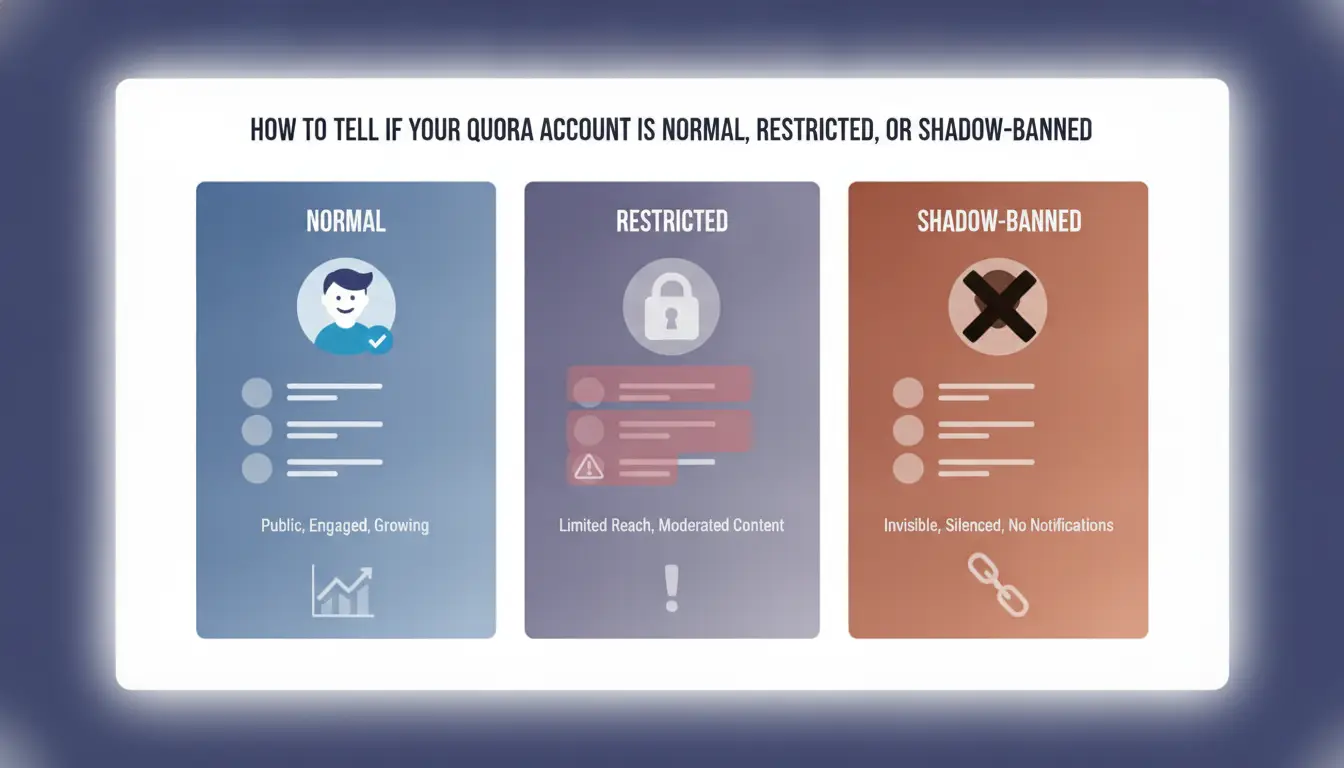
You can usually tell what happened to your Quora account by the way the site responds when you try to log in or post. Each type of restriction shows up differently, missing these early signs can waste days on the wrong fix.
Visible Suspension: What You See When Logging In
If your account is suspended, Quora shows a direct message when you log in, usually something like “Account suspended” or “Action required.” Sometimes you’ll see a banner on your profile saying your content was removed for policy violations. When this happens, you’ll lose the ability to post, comment, or answer questions right away.
Shadowban Symptoms: Hidden but Active
- Your recent answers or questions aren’t visible when logged out
- There’s a sudden stop in upvotes or comments, even on active threads
- DMs and notifications keep working, but nobody interacts with your posts
Quick Checks: How to Test for Shadowbans
Open an incognito window and search for your recent answers or questions by keyword. If they don’t show up, or you can’t find your profile from a logged-out browser, a shadowban is likely.
Permanent Ban: What It Looks Like
Permanent bans cut off all access, login attempts fail, and recovery links don’t work. Sometimes you’ll see a message saying the account was deleted for “serious violations.” If this hits, your content and username usually vanish from public search.
- Login always triggers a “no account found” or “deleted” error
- Password resets never arrive, or say “account does not exist”
- Your profile and past content can’t be found by others, even with direct links
The way Quora blocks you shapes what actions you can take next, missing these details is the fastest way to burn time on appeals that go nowhere.
What to Do Immediately After Your Quora Account Is Banned
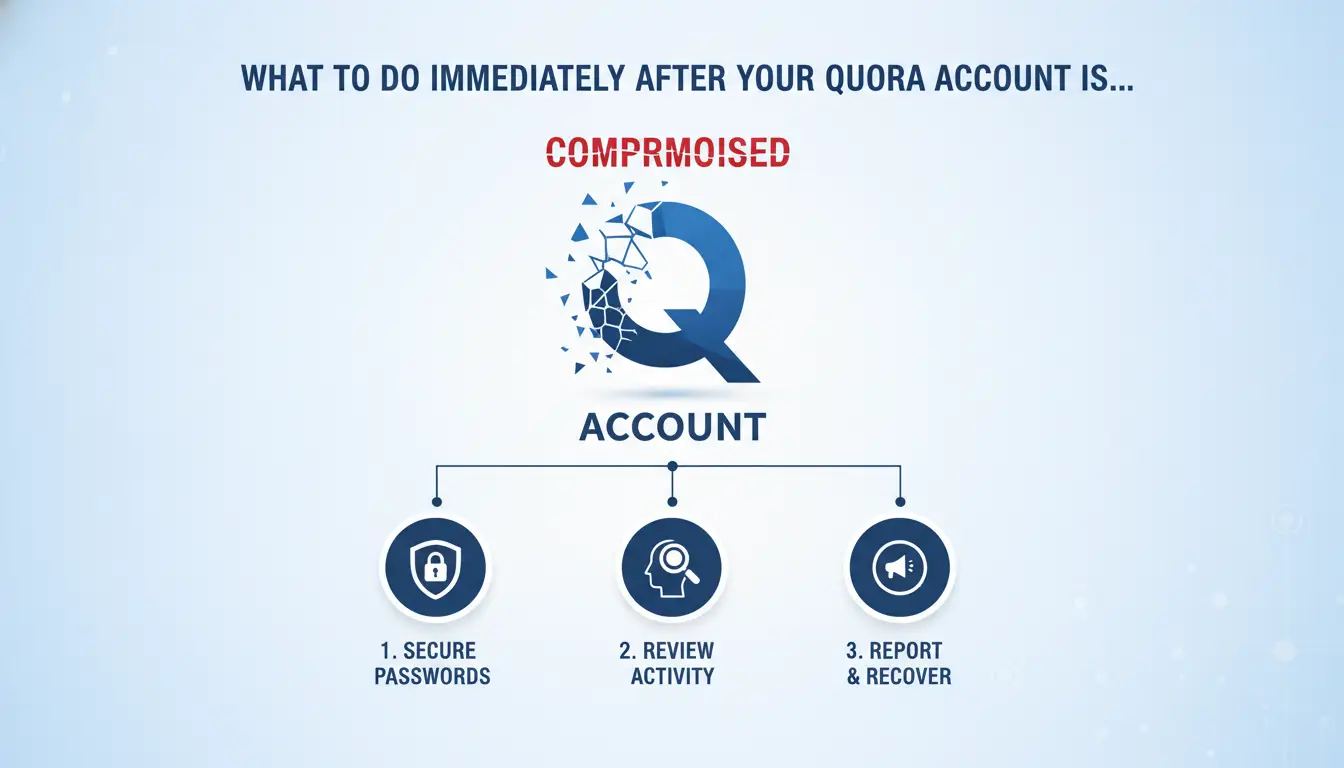
Getting banned isn’t just about losing access, it’s about what happens to your other accounts, your content, and your digital footprint. Here’s how to limit damage and avoid making things worse right after a ban.
Secure Your Other Quora Accounts and Devices
- Log out of all Quora accounts on devices tied to the banned account, using the same phone, browser, or IP can link accounts and trigger more bans.
- Change your IP address before logging into any other Quora accounts. Use a different browser profile, clear cookies, and restart your router if needed.
- Never reuse the same device or network for a new account until you’ve wiped browser data and set up a fresh environment. Overlapping device fingerprints are a common detection trigger.
- If you run multiple accounts, stagger logins across devices and locations for at least 48 hours after the ban. Rushing to check everything at once often leads to a chain ban.
Backup Important Content and Data
- If you still have partial access, export your answers, posts, and drafts right away, Quora can permanently wipe banned content within days.
- Use Quora’s data download tool if available, but don’t wait for an official response. Copy anything you need manually.
- Check for unpublished drafts in your browser or note-taking apps, sometimes local copies survive even after a ban.
- Save screenshots of high-value content, especially if you might need it for appeals or proof of authorship.
Check for Linked Services and Accounts
- Unlink any connected Google, Facebook, or Apple logins from other Quora accounts immediately, these can cross-link your profiles and spread the ban.
- Review which apps, extensions, or automation tools had access to your Quora data. Remove permissions and change passwords for any third-party integrations.
- Stop using any social login method for new Quora accounts if your main profile just got banned, reuse is a fast way to get flagged again.
Avoid Common Mistakes That Trigger More Bans
- Don’t appeal or contact support from the same device, IP, or browser profile you used for the banned account, Quora tracks these details.
- Avoid emotional or argumentative language in your first ban appeal. Stick to facts and avoid blaming platform errors unless you have proof.
- Never create or use a new account during the first 24 hours after a ban, immediate re-registration from the same environment almost always fails.
- If you see a second ban within minutes, stop all activity, the fastest way to lose everything is to panic and trigger more reviews with linked logins.
Ready to try a Quora ban appeal? The next section covers exactly what works (and what usually gets ignored).
How to Appeal a Quora Ban or Suspension in 2026 (and What Actually Works)
If you want to recover a banned or suspended Quora account in 2026, the only appeals that work are fast, specific, and match what Quora staff expect to see. Generic apologies or angry messages usually get you nowhere. Here’s exactly what to do, step by step.
Prepare Your Appeal: What Information to Gather
- Get your account details: Write down your Quora username, full name, the email linked to the account, and the exact ban notice text. Quora staff won’t check random usernames.
- Find evidence: Screenshots, original content links, or proof you followed guidelines help. Save timestamps if you have them, staff won’t search for you.
- Check for misunderstandings: Look for posts or actions that might have triggered the ban, even if they seem minor. If you shared links or used automation, note the details.
- List previous warnings: If you already had warnings, be ready to explain what changed since then. Hiding this almost always backfires.
Submitting the Appeal: Step-by-Step Guide
- Use Quora’s official contact form. Do not reply to the ban email, those rarely get a human review.
- Fill out all required fields. Missing info is the most common reason appeals are ignored.
- Write a short, direct message. State your username, mention when you were banned, and give a clear reason why you think the ban was a mistake or a misunderstanding.
- Attach your evidence. Don’t just say “I didn’t break the rules”, show proof if you have it.
Follow-Up: How to Track and Respond
- Mark the date you submitted the appeal. Quora’s usual response time is 3–7 business days, but weekends and holidays slow things down.
- If you don’t get a reply after 10 days, submit a second request. Copy your original message and note that this is a follow-up.
- Watch your email (including spam/junk). All communication will go to your account email.
- If you get a generic rejection, don’t send more appeals right away. Wait at least two weeks before trying again, or your messages may be auto-flagged as spam.
What Increases or Decreases Your Chances
- Sending a clear, honest explanation works better than long apologies or threats.
- Proof of a genuine mistake or clear misunderstanding is the only thing that consistently gets bans overturned.
- Appeals that ignore the original ban reason or argue about “free speech” get rejected almost every time.
- Multiple rapid-fire appeals usually get you blocked from further contact, stick to one appeal, then follow up after a week if needed.
If your request is ignored or denied, it’s not always about you, it’s often because Quora’s moderation is overloaded or automated. Next, you’ll need to know why multi-account setups and agency use get flagged faster, and what you can do to avoid repeat bans.
Why Multi-Account Users and Agencies Get Banned Faster (and How to Lower the Risk)
Agencies and power users lose Quora accounts much faster because system filters catch linked profiles, sometimes in hours, if there’s overlap in device, browser, or proxy setups. The real risk isn’t just the ban; it’s the chain reaction that wipes out every connected account.
How Quora Detects Linked Accounts
Most bans hit when Quora’s fingerprinting and behavioral checks spot more than one account sharing a device, browser profile, or proxy. If the system sees similar login patterns or IP clusters, it flags your accounts and triggers mass suspension. Even one overlap can link your whole stack and get every account banned.
Common Mistakes in Multi-Account Management
The biggest mistakes are ignoring device isolation and repeating activity patterns across accounts.
- If you reuse a phone, browser, or proxy for multiple Quora accounts, you risk getting all accounts banned at once.
- Safer move: keep each account on its own profile, device, and proxy, even if it’s slower.
Safer Practices for Teams and Agencies
The real fix is to treat every account as a separate entity. Stagger logins, use unique proxies, and never copy-paste content across accounts. This method cuts correlation risk and keeps your accounts alive longer. Agencies that skip these steps usually see bans within days.
How DICloak Helps Teams Manage Multiple Quora Accounts with Less Ban Risk
Teams running several Quora accounts can cut ban risk by isolating browser profiles and linking each to a unique proxy, DICloak supports this without touching Quora’s platform itself.
Setting Up Isolated Browser Profiles for Each Account
Operators use DICloak to create one browser profile per account, each with a different fingerprint and proxy, making cross-account detection less likely.
Team Collaboration and Permission Control
Admins can share specific profiles with team members while controlling who accesses what. Operation logs in DICloak show who did what, so it’s clear if someone made a risky move.
RPA Automation for Safer, Consistent Activity
- Run scheduled logins and tasks without manual errors
- Keep account activity consistent day-to-day
- Spot and stop risky patterns early
DICloak doesn’t guarantee you’ll avoid Quora bans, platform decisions stay out of team control.
What to Avoid If You Want to Keep Your Quora Account Safe Long-Term
Most Quora bans come from repeat mistakes, fast posting, technical overlap, or ignoring basic site rules. If you want to avoid a Quora Account Banned notice, focus on these high-risk points instead of just reacting after a ban.
Red Flags That Almost Always Lead to Bans
Mass posting, dropping the same link, or copy-pasting answers across accounts will almost always get flagged. Quora sees these as spam, and accounts often get locked before you even notice. If you’re managing more than one account or working with a team, never reuse the same answer or URL, Quora’s filters catch these patterns quickly.
Technical Traps: Device, IP, and Profile Overlaps
- Use a separate browser profile for each account.
- Never switch proxies or devices mid-session.
- Avoid logging into multiple accounts from the same device without a full browser reset.
Behavioral Patterns That Trigger Suspicion
Jumping from low to high activity overnight, or ignoring Quora’s Be Nice, Be Respectful (BNBR) policy, draws quick attention.
- Keep posting and engagement levels consistent.
- Double-check edits for tone and compliance with guidelines.
- If you get a warning, pause activity, most bans hit right after users ignore early flags.
When Creating a New Quora Account Is (and Isn’t) a Good Idea After a Ban
Jumping into a new Quora account right after a ban often backfires, timing and setup matter more than most people think.
Risks of Immediate Re-Registration
| Option |
Ban Detection Risk |
Typical Outcome |
| Register on same device/IP |
Very High |
New account often banned fast |
| Wait, then change device/IP |
Lower |
Ban less likely, but not zero |
| Appeal or pause |
Minimal |
No new footprint |
Trying to sign up again with the same browser or network is what usually gets people re-banned within days.
When Waiting or Appealing Makes More Sense
If your old Quora account was banned, waiting 2-4 weeks before trying again cuts link risk by giving their systems time to reset reputation signals. Appealing is better if you had strong content or unique value.
How to Start Over with Lower Risk (If You Must)
Start clean: use a new device, fresh browser profile, and a unique proxy. Warm up your new account slowly, no mass follows or posting sprees in the first week. Skipping these steps means you’ll probably get caught in Quora’s filters again.
Frequently Asked Questions About Quora Account Banned
Can I recover a permanently banned Quora account?
If your Quora Account Banned status is permanent, recovery is very unlikely. However, you can submit a ban appeal through Quora's support if you believe it was a mistake. Sometimes, accounts are restored if you show clear evidence that the ban was an error or due to a misunderstanding of the rules.
How long does a Quora suspension usually last?
Most suspensions on Quora last from a few days up to a couple of weeks. If the violation is serious or repeated, the suspension can become indefinite. Quora typically informs you by email about the duration, but sometimes the timeline is not specified and depends on their review process.
Is it safe to use proxies for Quora accounts?
Using proxies can help keep Quora accounts separate, especially if you manage more than one. Still, low-quality proxies or improper settings may trigger bans. Quora detects unusual access patterns, so always use reliable proxies and configure your browser carefully to avoid risking your accounts.
What’s the difference between a Quora suspension and a shadowban?
A suspension means you can’t log in or post on your account. With a shadowban, you can still access and post, but others can’t see your content. Shadowbans are harder to spot since you don’t get notified. Both actions are taken when Quora detects policy violations.
Can I use the same device for multiple Quora accounts?
Using the same device for several Quora accounts increases the risk of all accounts being linked and banned. If you must manage multiple accounts, use isolated browser profiles or virtual machines. This makes it harder for Quora to connect accounts through device or cookie data.
If your account has been suspended, consider reaching out to support or exploring alternative platforms that prioritize privacy and security. Taking proactive steps can help you regain access to valuable discussions or ensure your content is protected moving forward. Try DICloak For Free
 Web Proxy Tools
 Free Tools
 Cookie Plugin
 UA Generator
 MAC Address Generator
 IP Generator
 IP Address List
 2FA Code Generator
 World Clock
 Anonymous Check
 WebRTC Leak Test
 UUID Generator
 Free Web Proxy Site
 Proxy Checker
 FB Ad Checker
 AI Web Scraping
 Free SMM Tools
 Twitter Shadowban Checker
 Instagram Name Checker
 UTM Generator
 Username Generator
 AI Hashtag Generator
 LinkedIn Headline Generator
 Social Media Image Resizer