A seller can lose a same-day buyer in under 10 minutes when a listing fails and the app only shows a generic error. If you keep seeing facebook marketplace something went wrong, you are usually dealing with one of four causes: a local app issue, an account or policy flag, a listing-level problem, or a platform outage. Facebook’s own Marketplace help pages and Commerce Policies show that access and listing visibility can change based on account status and item rules, while real-time outage trackers like Downdetector help confirm if the fault is on Meta’s side.
The key point to remember is simple: this error is fixable faster when you test in the right order instead of trying random resets. You will learn a clean troubleshooting path: how to confirm whether Marketplace is down, how to check account restrictions, what to change in app and browser settings, how to test listing content that triggers silent rejection, and when to escalate with evidence. Start with the quick checks that rule out platform issues before you touch device settings.
Why does “facebook marketplace something went wrong” happen in the first place?
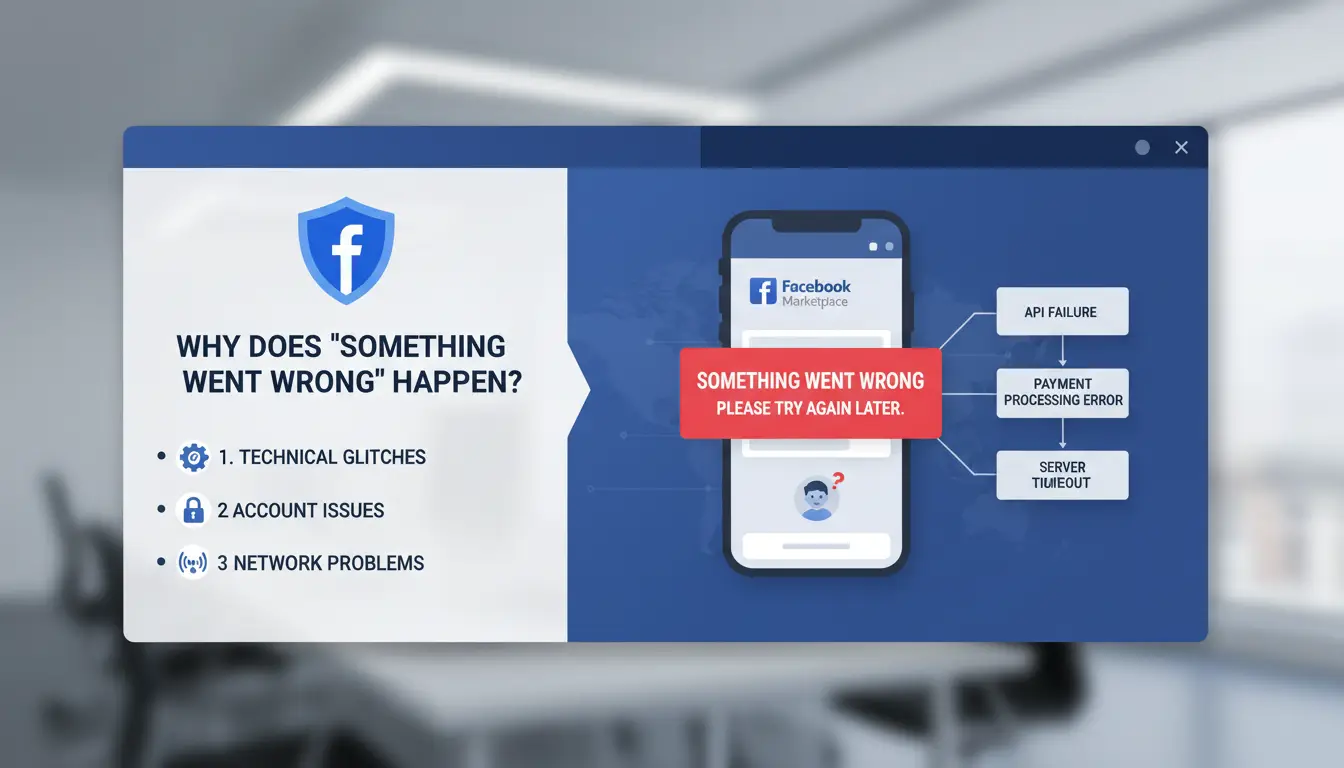
This error usually comes from two buckets: Meta-side outages or local account/device problems. If you identify the bucket early, you cut troubleshooting time and avoid random resets.
Temporary platform issues vs. account-specific issues
| Check |
Global platform issue |
Account or device issue |
| What you see |
Marketplace fails for users in different regions |
Error appears only on your account, app, or browser |
| Quick proof |
Spike on Downdetector Facebook status |
Other accounts work on the same phone or PC |
| What to do next |
Wait, then retry later |
Review account status, app data, and network setup |
You can also check Facebook Community Standards and Commerce Policies. Listing access can change if account trust or item rules are flagged.
Most common triggers: app bugs, cache conflicts, policy flags, and unstable IP behavior
Corrupted app cache can break Marketplace loading, especially after app updates. Logging out and back in may fail if old session files stay stuck. Policy flags can also block actions without a clear warning. A listing can look normal but still hit restricted categories or wording rules. Unstable IP behavior is another trigger. Rapid IP or device fingerprint changes can look risky, then facebook marketplace something went wrong appears during browse, post, or edit steps.
What should you check first before trying advanced fixes?
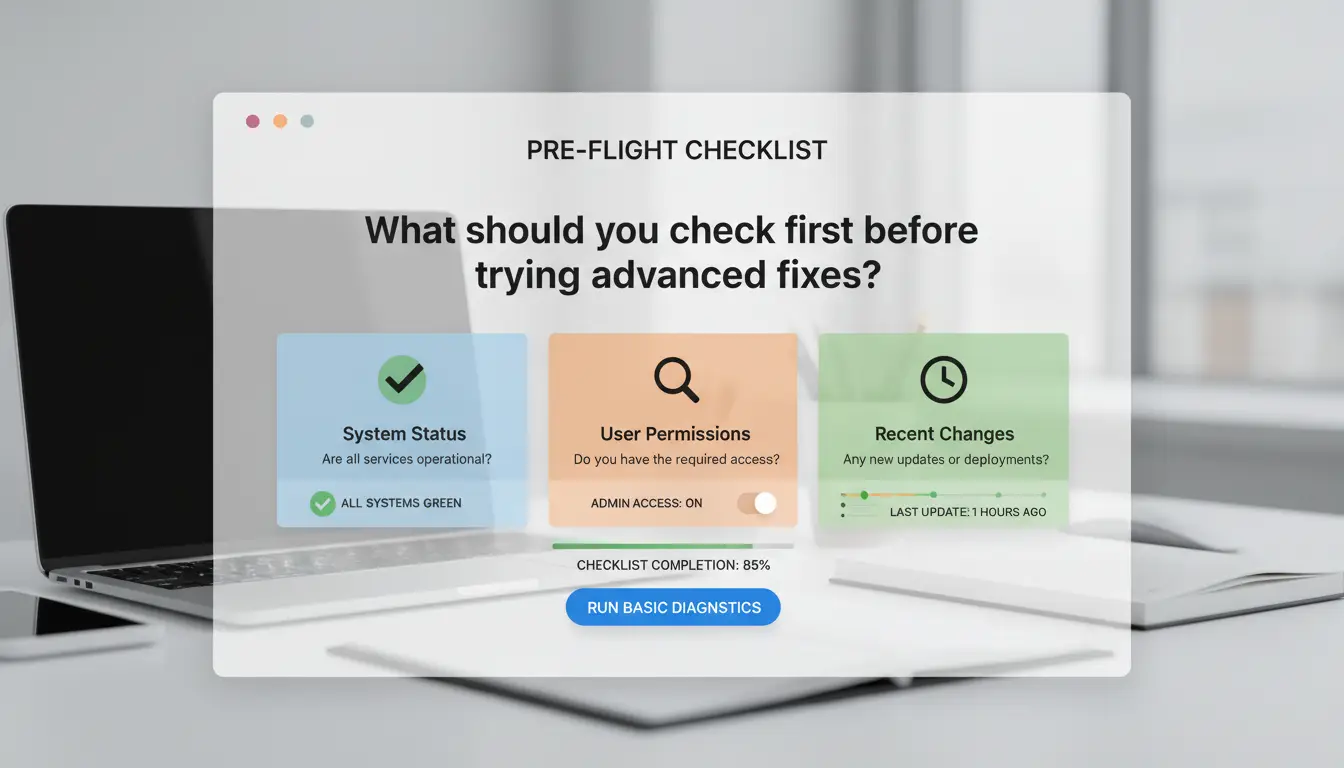
If you see facebook marketplace something went wrong, do two short checks before cache clears or reinstalls. This catches account limits and basic app issues in about 5 minutes.
Confirm Marketplace eligibility and account status
Open Marketplace, then check if the Buy/Sell tabs load or show an access notice. Confirm your account meets Meta’s basic access rules for age, region, and account standing in Facebook Help Center. Then review Account Status for recent policy actions. A warning on listings, payment, or identity can hide Marketplace or block posting, even if your profile login still works. If you posted an item that may break Commerce Policies, edit or remove it, then test again.
Run a 5-minute quick check on app version, permissions, and connection
Update the Facebook app from your app store. In phone settings, allow network, storage, photos, and notifications for Facebook, then fully close and reopen the app. Switch connection: test Wi-Fi, then mobile data. If one works and the other fails, the issue is local network routing, not your account. Log out, wait 30 seconds, log in again, and retry one draft listing. If the same facebook marketplace something went wrong message remains, move to deeper fixes next.
How to fix the error on mobile (Android and iPhone) step by step
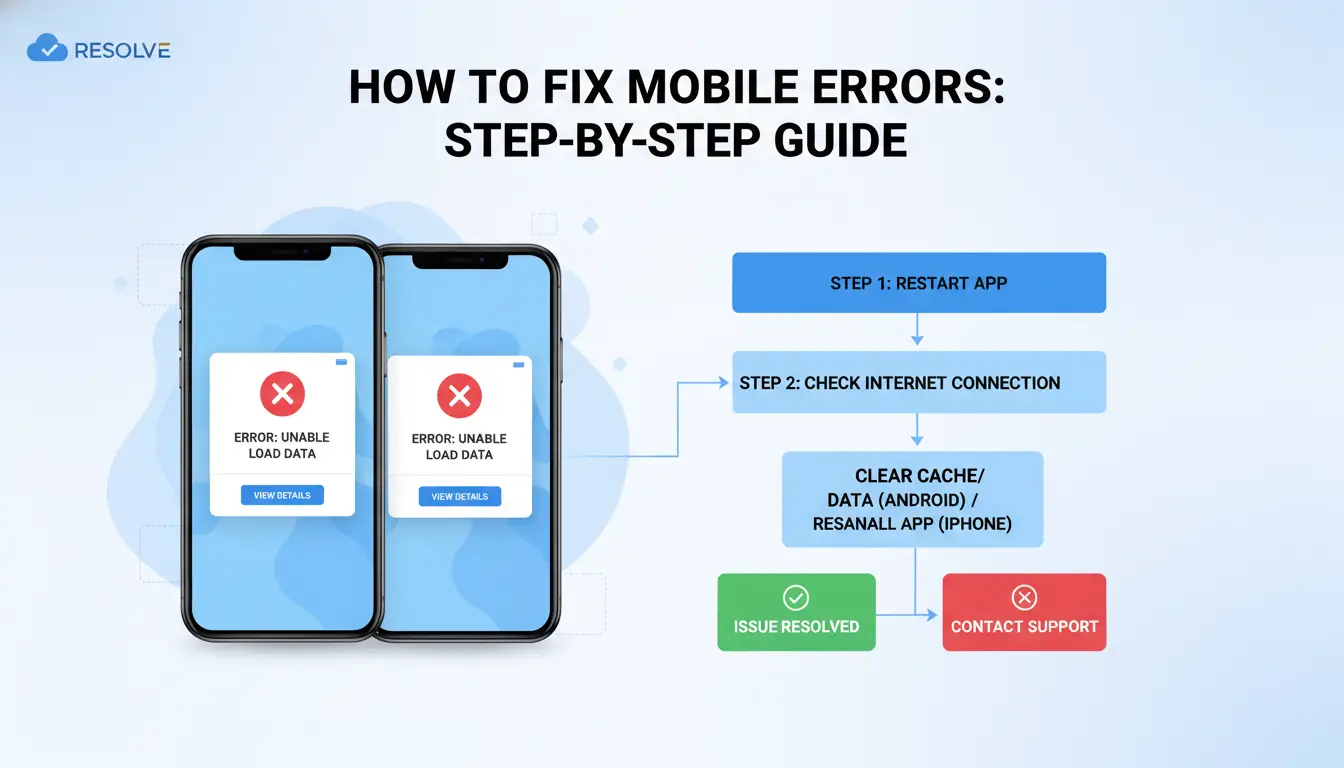
If you see facebook marketplace something went wrong, run checks in order. This saves time and avoids resets you do not need.
Basic fixes: force close, relogin, and clear cache/data safely
Force close Facebook, wait 10 seconds, then open it again. Log out and log back in to refresh your session token.
On Android: Settings → Apps → Facebook → Storage. Tap Clear cache. Test Marketplace. If the error stays, tap Clear data. This removes app login and local settings, but not your Facebook account, posts, or listings on Meta servers.
On iPhone: there is no cache button for Facebook. Go to Settings → General → iPhone Storage → Facebook → Offload App, then reinstall. If offload fails, delete and reinstall the app for a full session reset.
Advanced mobile fixes when the error keeps coming back
Reset network settings if the app fails on mobile data and Wi-Fi. Android path varies by brand, usually Settings → System → Reset options → Reset Wi-Fi, mobile, and Bluetooth. iPhone: Settings → General → Transfer or Reset iPhone → Reset → Reset Network Settings.
Check Background App Refresh is on for Facebook (iPhone) and unrestricted battery/background activity (Android). If facebook marketplace something went wrong still appears, reinstall again, then test with a secondary account to isolate account-level restrictions.
How to fix “something went wrong” on desktop browser
If you keep seeing facebook marketplace something went wrong on desktop, test one variable at a time. Random resets hide the root cause.
Eliminate browser conflicts: cookies, extensions, and ad blockers
Clear only Facebook cookies so you keep other site logins. In Chrome, open chrome://settings/siteData, search facebook.com, and remove those entries. Reload Marketplace and sign in again. You can also follow Google’s cookie controls.
Next, run an Incognito window with all extensions off. If Marketplace works there, one extension is breaking scripts or session storage. Re-enable extensions one by one, then reload after each change. Pay close attention to ad blockers, privacy filters, and script blockers.
Cross-browser and profile tests to pinpoint the real source
Test the same account in Chrome, Edge, and Firefox using a clean profile in each browser. If only one browser fails, the issue is local to that browser profile. If all three fail on one device, check OS-level filters, security tools, or stale DNS cache.
Then test on a second device with the same account. If the error follows the account, open Meta Help Center and review account state. If it stays on one device, fix that device environment, not the account.
This isolates facebook marketplace something went wrong faster than reinstalling everything.
How can you tell if your Marketplace access is restricted or under review?
If you see facebook marketplace something went wrong on one device, then on another, this often points to account review, not a local app bug. Check account-level signals before clearing cache again.
Restriction signals in Account Status and Support Inbox
Open Account Status and your Support Inbox. Temporary limits usually mention a review window or action block. Hard restrictions usually say selling access was removed, policy violations were found, or appeal options are limited.
Watch behavior, not just pop-ups. Common signals: listings publish then disappear, edit/save fails on compliant items, or checkout and payout tools are missing. These can happen after repeated duplicate listings, risky item categories, or unusual payment profile changes under Commerce Policies. If Downdetector shows no spike, policy review is more likely.
What to do next: appeal process, timelines, and safer retry behavior
Submit one clean appeal in Support Inbox with listing IDs, timestamps, screenshots, and policy references. Keep it short and factual. Ask what rule triggered the block and what fix is needed.
While waiting, avoid rapid reposts, mass edits, and creating replacement accounts. Those actions can extend review time. If you keep getting facebook marketplace something went wrong after a denied appeal, remove flagged listings, wait 24-48 hours, then retry one compliant listing before scaling back up.
How to reduce recurring Marketplace errors when multiple people manage accounts
If your team keeps seeing facebook marketplace something went wrong, the issue is often workflow, not just app cache. Random logins from different devices can trigger risk checks on Facebook Marketplace, then the same error returns after each retry.
Why shared logins and inconsistent environments trigger risk signals
When one account moves across laptops, browsers, and IP locations in short cycles, Meta can read that as suspicious access. The result is login challenges, blocked listing edits, or a loop where publish fails with no clear reason.
Shared credentials also create silent mistakes. One teammate edits a listing title, another changes category, a third relists too fast. That pattern can collide with Meta Commerce Policies, and the account gets temporary limits even if each action looked small.
Using DICloak for safer team operations on social media accounts
You can use DICloak to give each Marketplace account its own browser profile, fingerprint, and fixed proxy route. This cuts account linkage across team members and reduces repeated “facebook marketplace something went wrong” sessions.
You can also set role permissions, share only required profiles, and keep operation logs for audit checks. For repeat tasks like opening listing drafts or status checks, use bulk actions or RPA to reduce manual misclicks. A practical setup guide is on DICloak.
What mistakes make the error worse (and how to avoid them)?
High-risk behaviors during troubleshooting
If you keep seeing “facebook marketplace something went wrong,” do not spam retries. Rapid logins, switching devices, and posting the same draft again can look like risky behavior. Deleting and reposting right after a warning can also lower listing trust and delay recovery. Check Account Status and Commerce Policies, then pause edits for a few hours before the next clean test.
Safer recovery practices that protect account trust
Use one stable setup during recovery. Tools like DICloak let you create one isolated browser profile per Facebook account and bind a stable proxy to that profile, so your environment stays consistent and cross-account linkage risk drops. Stable signals recover faster than constant changes.
If a team handles listings, Tools like DICloak let you use role-based permissions, shared profiles, and operation logs. That means no password sharing, fewer accidental changes, and a clear record for support if “facebook marketplace something went wrong” keeps returning.
When should you contact Facebook support, and what should you send?
If you still see facebook marketplace something went wrong after basic checks (re-login, app update, cache clear, browser test, policy review), stop repeating the same fixes. At that point, a support case saves time.
Escalation criteria: how long to wait before contacting support
Wait about 24 hours if the issue started during a known service spike on Downdetector. Contact support sooner if any of these happen:
- Marketplace tab is missing on both app and desktop
- Listing fails with no clear policy reason after edits
- Account shows restriction notices in Account Status
- You can browse, but every publish attempt returns the same error path
Use Meta Help Center to file the case. If no reply in 48 hours, send one follow-up in the same thread. Avoid opening duplicate tickets, since that can delay review.
Support ticket checklist for faster resolution
Send one clear package of evidence:
- Exact error text: “facebook marketplace something went wrong”
- Timestamp with timezone
- Device model, OS version, Facebook app version, browser version
- Steps to reproduce (tap path from Home to failed action)
- Screenshot of error and listing draft
- Screenshot of Account Status and any warning banner
Write short, direct sentences. Example: “Error appears after tapping Publish on iPhone 13, iOS 18.4, Facebook app 512.0. No policy warning shown.”
Frequently Asked Questions
Can “facebook marketplace something went wrong” be caused by a new account?
Yes. New or low-trust profiles can trigger the facebook marketplace something went wrong message. Facebook often limits Marketplace access until your account shows normal activity over time. Add a real profile photo, confirm your email and phone, and avoid rapid posting. Trust signals usually improve after steady, rule-following use.
Why does “facebook marketplace something went wrong” appear only on one device?
If the error shows on only one phone or browser, the issue is often local data, not your account. Corrupted cache, old app files, or blocked cookies can break Marketplace loading. Test another device: if Marketplace works there, clear cache, update the app, disable extensions, or reset browser/site data on the problem device.
How long does a Marketplace review usually take after the something went wrong error?
A Marketplace review often finishes within 24–72 hours after you request it. Some accounts clear faster when ID and profile details are complete. Complex cases, like repeated policy hits or location mismatches, can take longer. Check Support Inbox for updates, and avoid submitting repeated requests while one review is still open.
Will reinstalling Facebook always fix the something went wrong Marketplace error?
No. Reinstalling helps when the app is broken, outdated, or using damaged local files. It can fix loading bugs tied to your device. But if facebook marketplace something went wrong is caused by account limits, policy flags, or review holds, reinstalling alone will not restore access. You must complete review or policy steps.
Can proxies affect the “facebook marketplace something went wrong” message?
Yes. Proxies can cause the facebook marketplace something went wrong error, especially when IP addresses change often or jump between locations. That pattern can look risky to Facebook systems. Use a stable home or mobile network when posting, and avoid rotating proxy services for buying or selling to reduce trust checks and temporary blocks.
When Facebook Marketplace shows a “something went wrong” error, the fastest path is to work through the basics first: check your connection, app/browser updates, cache, account status, and any temporary platform outages. If the issue keeps returning, using a more stable and privacy-focused browsing setup can reduce interruptions and help you manage Marketplace activity more reliably. Try DICloak For Free
 Web Proxy Tools
 Free Tools
 Cookie Plugin
 UA Generator
 MAC Address Generator
 IP Generator
 IP Address List
 2FA Code Generator
 World Clock
 Anonymous Check
 WebRTC Leak Test
 UUID Generator
 Free Web Proxy Site
 Proxy Checker
 FB Ad Checker
 AI Web Scraping
 Free SMM Tools
 Twitter Shadowban Checker
 Instagram Name Checker
 UTM Generator
 Username Generator
 AI Hashtag Generator
 LinkedIn Headline Generator
 Social Media Image Resizer