What Is Digital Marketing and What Should Beginners Know First?
Before learning how to start digital marketing, it helps to understand what digital marketing actually includes. Many beginners think it only means running ads on Google or posting on social media. In practice, it is much broader.
Digital marketing covers the online methods a business uses to attract people, build trust, generate leads, and make sales. These methods can include search engines, social media, email, websites, online ads, and useful content. In 2026, many platforms also use automation to help marketers reach the right audience and measure results. Still, the basic idea has not changed. You need to reach the right people with the right message and track what happens next.
What Digital Marketing Means in 2026
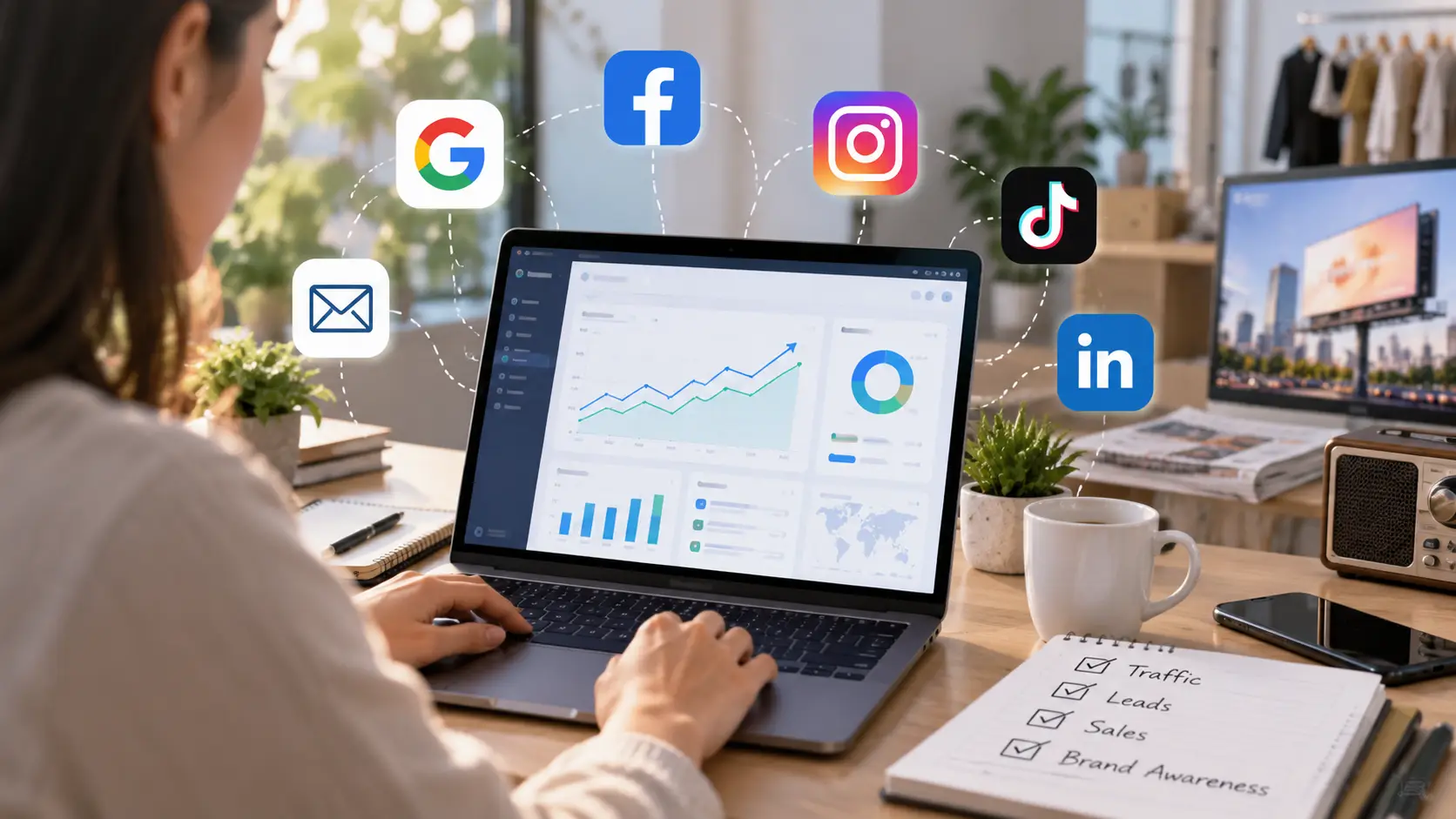
Digital marketing is the use of online channels to promote a product, service, or brand. The goal is not always to make a sale right away. A campaign may also try to bring more people to a website, collect leads, get app installs, build brand awareness, or bring past customers back.
For example, imagine a small local dental clinic. It may create helpful pages about teeth cleaning and dental implants so people can find the clinic through Google. It may also run Google Search ads when someone searches for "dentist near me." Google says Search campaigns are designed to reach people while they are actively searching for products or services, which makes this channel useful for sales, leads, and website traffic.
A clothing brand may take a different path. It could post short videos on Instagram, work with creators, send email offers, and run social ads. Meta allows advertisers to build audiences based on factors such as location, interests, and other user signals. This makes social advertising useful when a brand wants to reach people who may not already be searching for the product.
The key point is simple. Digital marketing is not one tool or one platform. It is a group of channels that work together to move people from discovery to action.
Main Digital Marketing Channels for Beginners
Beginners do not need to use every digital marketing channel at once. It is usually better to understand the main options first and choose the ones that fit the business.
SEO and content marketing help people find your website through search engines. A software company, for example, might write a guide that answers a common customer question. If the page ranks well, it can keep bringing visitors long after it is published.
Search advertising reaches people who are already looking for something. Google Search ads can appear when a user's search matches the products or services being promoted. Google also offers other campaign types, including Display, Shopping, and Video, for different goals and placements.
Social media marketing uses platforms such as Facebook, Instagram, TikTok, LinkedIn, and X to reach and engage an audience. A B2B software company may focus more on LinkedIn, while a fashion or beauty brand may get more value from visual platforms.
Email marketing helps businesses stay in contact with people who have already shown interest. A store can send product updates, welcome emails, or special offers to subscribers. Email can also support longer customer journeys where people need more time before they buy. Platforms such as Mailchimp are built around sending and measuring these marketing campaigns.
For someone learning digital marketing for beginners, the best first channel depends on the customer. A local repair service may start with Google Search. A new clothing brand may start with social media. A B2B company may combine SEO, LinkedIn, and email.
Digital Marketing vs Traditional Marketing
Traditional marketing uses offline channels such as TV, radio, newspapers, magazines, printed flyers, and billboards. These methods can still work well, especially for local awareness or large consumer brands.
The biggest difference is how easily results can be tracked.
Imagine a restaurant puts an ad on a roadside billboard. The owner may notice more customers that month, but it can be hard to know exactly how many people came because of that billboard.
Now imagine the same restaurant runs a Google ad. The business can track how many people clicked the ad, visited the website, called the restaurant, or completed another important action. Google Analytics allows businesses to mark important actions as "key events," such as submitting a lead form or completing another action that matters to the business.
Digital marketing also makes testing easier. A business can try two ad messages, change a landing page, adjust a budget, or test a different audience. The results can then guide the next decision.
This does not mean digital marketing is always better than traditional marketing. A local event may still benefit from posters, radio, or outdoor ads. The main advantage of digital channels is that they often give marketers more control over targeting, tracking, and testing.
How to Set Clear Digital Marketing Goals and KPIs
A common beginner mistake is starting with a channel instead of a goal.
For example, saying "we need Instagram" is not a marketing goal. A better goal would be "get 200 qualified website visits from Instagram this month" or "generate 30 demo requests from paid search."
Start by choosing one main result you want. It might be:
- More website traffic
- More leads
- More online sales
- More app installs
- More email subscribers
- More brand awareness
Then choose a small number of KPIs that show whether the campaign is working.
For a lead generation campaign, useful KPIs may include the number of leads, conversion rate, and cost per lead. For an ecommerce campaign, you may watch sales, conversion rate, cost per acquisition, and return on ad spend. If the goal is awareness, reach, impressions, video views, or branded search growth may matter more.
Google Ads also asks advertisers to choose an objective, such as sales, leads, or website traffic, when setting up many campaigns. This is useful because the campaign type and measurement plan should match the business goal from the start.
A simple example makes this clear. Suppose an online course business spends $1,000 on ads. Getting 5,000 clicks may look impressive, but clicks are not the final goal. If only two people buy the course, the campaign may still be weak. A better KPI would be cost per sale or return on ad spend.
That is why beginners should define success before launching a campaign. Clear goals make it much easier to choose the right channel, create the right content, and decide what to improve next.
How to Find Your Target Audience and Choose the Right Channels
Once you know your marketing goals, the next step is finding the people most likely to care about your offer. You also need to know where they spend time online and how they look for solutions. This helps you avoid wasting time and money on channels that do not match your audience.
A person searching on Google often has a different goal from someone scrolling through Instagram or TikTok. One may already want to buy, while the other may only be learning about a product. Understanding this difference makes it easier to choose the right digital marketing channels.

How to Research Your Market and Competitors
You do not need expensive research tools to understand your market. Start with Google searches, customer reviews, social media comments, forums, and competitor websites. Look for common questions, complaints, prices, offers, and topics that appear again and again.
For example, imagine you want to sell healthy meal plans. Search for terms such as “healthy meal delivery” and “high protein meal prep.” Check which brands appear, what they offer, and what customers say in reviews. If many people complain about small portions or slow delivery, that may show a problem your business can solve.
Competitor research should also include their marketing channels. Check whether they get attention through Google, Instagram, TikTok, YouTube, or email. For social media, this guide to social media marketing tips that actually work gives useful examples of how businesses choose platforms, plan content, and improve engagement instead of posting everywhere at once.
The goal is not to copy competitors. You want to understand what customers already respond to and where competitors may be leaving gaps. This gives you a stronger base for your own marketing message.
How to Create a Simple Buyer Persona
A buyer persona is a simple picture of the type of customer you want to reach. It should focus on useful details such as the customer’s problem, goal, buying habits, and how they search for information.
For example, a project management tool may target small marketing agencies with 5 to 20 employees. These teams may struggle with missed deadlines and too many tools. They may search Google for software, read reviews, compare prices, and watch product demos before making a choice.
This information is much more useful than giving the persona a fake name or listing random hobbies. A good buyer persona should help you answer three questions: What does the customer need? What message will matter to them? Where can you reach them?
You can also create more than one persona if your product serves different groups. A software company may have one persona for small business owners and another for agency teams. The offer may be the same, but the message and marketing channel can be different.
SEO, Social Media, Google Ads, and Email Marketing
The main digital marketing channels do different jobs. SEO helps people find your website when they search for answers, products, or services. It can take time to build traffic, but useful pages can keep bringing visitors after they are published.
Social media works well for discovery, visual content, and audience engagement. A fashion brand may use Instagram or TikTok to show products in short videos, while a B2B company may use LinkedIn to reach business owners. The platform should match the people you want to reach, not just what is popular at the moment.
Google Ads works differently because it can reach people while they are actively searching. Someone searching “emergency plumber near me” is likely closer to taking action than someone who sees a plumbing post while scrolling through social media. This is one reason paid search often works well for local services, B2B offers, and products with clear search demand.
Meta Ads can be useful earlier in the buying process because they help brands reach people based on audience signals and interests. If you are deciding between paid search and social advertising, this detailed comparison of Meta Ads vs Google Ads in 2026 explains how the two platforms reach customers at different stages of the buying journey.
Email marketing becomes more useful after someone already knows your business. A visitor may join a newsletter, download a guide, create an account, or make a purchase. Email can then help you share useful content, offers, and product updates without relying on the customer to find your brand again.
How to Build and Launch Your First Digital Marketing Strategy
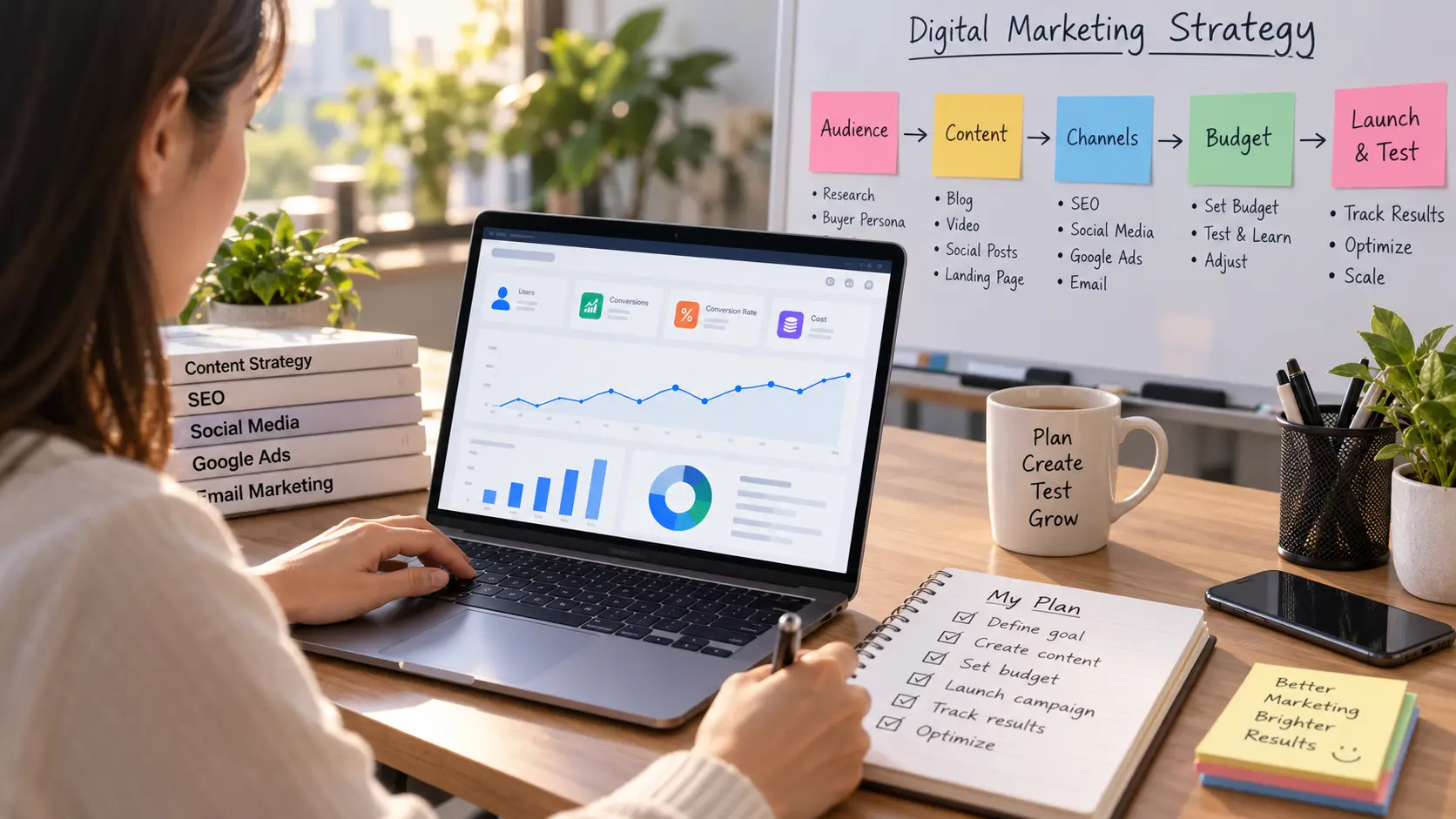
After you know your audience and channels, the next step is to turn that research into a simple plan. A good digital marketing strategy does not need to be complex. It needs a clear message, useful content, a realistic budget, and a way to measure what happens.
Beginners often try to do too much at once. They create content for every platform, run several ads, and change the plan after a few days. A better approach is to start with one main goal, one or two channels, and one clear offer. If you are still deciding between paid search and social ads, this guide on Meta Ads vs Google Ads for advertisers in 2026 can help explain how the two channels reach users at different stages of the buying process.
Create Content Based on Customer Needs and Search Intent
Good content should answer a real need. Before you write a blog post, make a video, or create an ad, ask what the customer is trying to do. They may want to learn, compare options, solve a problem, or buy something now.
For example, someone searching “how to choose running shoes” is still learning. A useful guide, video, or comparison page may work well. Someone searching “buy trail running shoes size 10” is much closer to a purchase, so a product page or search ad may be a better fit.
This is where search intent becomes useful. You can group content into simple types such as informational, comparison, and purchase-focused content. The goal is to match the content to the customer’s stage instead of pushing the same sales message to everyone.
Social content follows the same idea. A business should not post only because a platform is popular. It should create posts that match what its audience wants to see, and beginners who need practical ideas can use this guide on what to post on social media for business in 2026 to understand how different post types can support awareness, trust, and sales.
A small accounting firm could use this idea in a simple way. It may publish a guide called “How Much Does a Small Business Accountant Cost?” for people doing research. It could also create a service page for “Small Business Tax Help” for people who are ready to contact a firm. Both pages support the same business, but they serve different needs.
Build a Simple Content and Campaign Plan
Once you know what content people need, decide what you will publish and when. You do not need a large content calendar at the start. A simple monthly plan is often enough for a beginner.
For example, a new fitness studio may choose one main topic each week. Week one could focus on beginner workouts. Week two could explain pricing and class types. Week three could share a customer story. Week four could promote a free trial class. The same topic can often be reused across a blog post, short video, email, and social post.
Paid campaigns should also connect to this plan. If the studio is running Google Ads for “fitness classes near me,” the landing page should clearly show the class schedule, location, price, and how to book. The ad, landing page, and offer should feel like one campaign, not separate pieces.
Competitor ads can also give you useful ideas before launch. Instead of copying them, look at what offers, formats, and messages appear again and again. The guide to using the Meta Ad Library for ad research in 2026 explains how marketers can study active ads and spot patterns in creative and messaging.
It also helps to define one main action for each campaign. That action may be buying a product, booking a call, joining an email list, or requesting a quote. If a page asks users to do five different things, it can make the next step less clear.
Set a Realistic Digital Marketing Budget
There is no single budget that works for every business. A local service company, an ecommerce store, and a SaaS business may all need very different spending levels. Your budget should match your goal, profit margin, channel, and how much testing you can afford.
For paid ads, start with an amount you can run long enough to collect useful data. Spending $10 for one day and stopping because there are no sales usually tells you very little. A smaller test over a longer period is often more useful than spending a large amount too quickly.
Suppose a local cleaning company can spend $900 in one month. It may use $600 for Google Search ads and keep $300 for testing new keywords, landing pages, or retargeting. The exact split is not a rule. The point is to leave some room for learning instead of putting the full budget into one idea.
Google Ads allows advertisers to set an average daily budget for campaigns, so beginners should understand how daily spending can change during the month before setting a fixed budget.
Launch and Test Your First Digital Marketing Campaign
Before launching, make sure the basics are ready. Your ad or content should match the landing page, the main action should be clear, and conversion tracking should be working. If you cannot track leads or sales, it will be hard to know whether the campaign is helping the business.
Start with one clear version instead of testing everything at the same time. For example, a software company may run one Google Search campaign for “project management software for agencies.” It can send traffic to one landing page and track demo requests as the main conversion.
After the campaign has enough data, test one change at a time. You could try a new headline, a different landing page, or a different offer. If you change the audience, budget, copy, and page at the same time, you may not know which change caused the result.
If a business later grows into an agency or starts managing several client ad accounts, campaign work can become more complex. This guide on managing multiple Google Ads accounts in 2026 explains how teams can organize separate accounts, access, and browser workspaces as the number of campaigns grows.
Your first campaign does not need to be perfect. Its job is to give you useful information. Start with a clear goal, watch the data, and make small changes based on what customers actually do.
How to Track and Improve Your Digital Marketing Results
Launching a campaign is only the start. The next step is learning what is working, what is wasting money, and what should change. This is where digital marketing metrics become useful.
Beginners often focus on easy numbers such as views, likes, or clicks. Those numbers can help, but they do not always show business value. A campaign with fewer clicks can still be better if those visitors are more likely to buy, book a call, or become a lead.

Track Traffic, Leads, Conversion Rate, CPA, and ROAS
Start with a small set of metrics that connect to your goal. You do not need to track every number in your analytics dashboard. Focus on the numbers that show how people move from seeing your marketing to taking action.
Traffic shows how many people visit your website or landing page. It can help you see whether SEO, ads, social media, or email is bringing people in. Google Analytics 4 has a Traffic acquisition report that shows where new and returning visitors come from across organic, paid, and third-party sources.
Leads are people who show real interest. A lead may submit a form, request a quote, book a demo, or sign up for a free trial. In Google Analytics, important actions can be marked as key events, which makes it easier to see whether visitors are completing the actions that matter to the business.
Conversion rate shows how often visitors complete your main action. For example, if 1,000 people visit a landing page and 50 request a demo, the conversion rate is 5%. A high number of visitors means little if almost nobody takes the next step.
CPA, or cost per acquisition, tells you how much you spend to get one conversion. If you spend $1,000 on ads and get 20 new customers, your CPA is $50. This number becomes much more useful when you compare it with the profit you make from each customer.
ROAS, or return on ad spend, looks at the revenue created by advertising. If you spend $1,000 and track $4,000 in sales from those ads, your ROAS is 4, or 400%. Google Ads uses conversion value data in bidding systems such as Target ROAS, so accurate conversion tracking becomes important once you begin using more advanced campaign optimization.
Do not judge these metrics alone. A $30 CPA may be great for a product that makes $200 in profit, but terrible for one that makes $20. The goal is to connect marketing numbers with real business value.
Find Which Digital Marketing Channels Bring the Best Results
Different channels can produce very different results. SEO may bring steady traffic over time, while Google Ads may bring faster leads from people who are already searching. Social media may introduce the brand to new people, while email can bring past visitors back.
Google Analytics can help you compare these channels in one place. The Traffic acquisition report can show sessions, engagement, key events, and revenue by source and medium. This makes it easier to see whether visitors from Google Search, paid ads, social media, or email are actually taking useful actions.
For example, imagine an online course business gets 5,000 visitors from Instagram and 1,000 visitors from Google Search. At first, Instagram may look like the stronger channel. But if Google Search creates 60 sales and Instagram creates only 20, the smaller traffic source may be more valuable.
This is also why advertisers should not compare Meta Ads and Google Ads only by CPC. The two platforms often reach people at different stages. This detailed guide on Meta Ads vs Google Ads in 2026 explains why search traffic often has stronger buying intent, while social ads can play a larger role in product discovery and awareness.
You should also match the metric to the channel. A new TikTok campaign may first be useful for reach and product discovery. A Google Search campaign for “emergency roof repair” should usually be judged more heavily on leads, CPA, and sales because the user already has a strong need.
The best channel is not always the one with the most traffic. It is the one that moves the right customers closer to your business goal at a cost you can support.
Use Marketing Data to Improve Future Campaigns
Tracking data is useful only if it changes what you do next. Once you have enough campaign data, look for clear patterns instead of making random changes.
For example, suppose a Google Ads campaign has a good click-through rate but very few leads. The ad may be doing its job, but the landing page could be the problem. The next test might focus on the page headline, form length, offer, or call to action instead of changing the ad keywords right away.
Another campaign may have a high CPA but strong revenue from each customer. In that case, cutting the campaign only because the CPA looks high could be a mistake. Looking at both CPA and ROAS gives you a better picture of whether the campaign is profitable.
Try to change one important thing at a time. If you change the audience, landing page, ad copy, budget, and offer on the same day, it becomes hard to understand what caused the result. A cleaner test helps you learn faster.
Google Ads also uses conversion data to guide automated bidding. In 2026, Google continues to support Smart Bidding options such as Target CPA, Target ROAS, Maximize conversions, and Maximize conversion value. These systems rely on the conversion goals and values you report, which means weak tracking can lead to weak optimization decisions.
Suppose an ecommerce store tracks every add-to-cart as its main conversion instead of completed purchases. The campaign may begin finding more people who add products but never buy. This is a good example of why marketers should track actions that match the real business goal.
How DICloak Helps Manage Multiple Digital Marketing Accounts
As your digital marketing work grows, account management can become harder. You may need to handle several social media accounts, ad accounts, client logins, and team members at the same time. At this stage, keeping each account in a clear and separate workspace can make daily work much easier.
Keep Client and Marketing Accounts in Separate Browser Profiles
You can use DICloak to create a separate browser Profile for each client or marketing account. Each Profile can keep its own browser settings, cache, cookies, and fingerprint. This helps you avoid mixing login data between different accounts and makes it easier to return to the same working environment later. DICloak’s current help center also states that each Profile uses its own browser configuration and fingerprint.
You can also set different fingerprint options for each Profile and configure a proxy based on the needs of the account. DICloak supports custom proxy settings and saved proxies, so you can keep network settings separate when needed. This can be useful for agencies that manage accounts for clients in different markets or teams that need a stable setup for each account.
For example, a small marketing agency may manage Meta Ads, Google Ads, Instagram, and TikTok accounts for several clients. Instead of opening all accounts in the same browser, the team can create one Profile for each client. The login session, browser data, proxy, and account details can stay inside that Profile, which makes daily switching much cleaner.

Manage Team Access and Account Permissions More Easily
When more people join the marketing team, account access becomes another problem. Not every team member needs access to every client account. Giving everyone the same login details can also make it harder to control who can view or change important settings.
You can organize members into groups in DICloak and decide which Profiles they can use. You can also set different operation permissions for each member group. For example, one team member may only need permission to open Profiles, while a manager may need access to more settings and account groups. DICloak also supports Profile Groups, member roles, login verification, and access controls for team work.
This is useful for an agency with separate SEO, paid ads, and social media teams. The paid ads team can work with the Profiles for ad accounts, while the social team can use the Profiles for Instagram or TikTok. If a team member changes roles or leaves the company, the admin can change or remove that access without rebuilding every browser setup.
You can also review operation logs to see how team members use the workspace. DICloak records more types of team activity, including RPA task use and extension actions, which can help admins review daily work and spot unusual changes.

Use RPA and Automation for Repetitive Marketing Tasks
Many digital marketing tasks are simple but repetitive. Teams may need to open the same pages, publish routine content, manage several Profiles, or repeat the same browser steps across many accounts. Doing all of this by hand can take a lot of time.
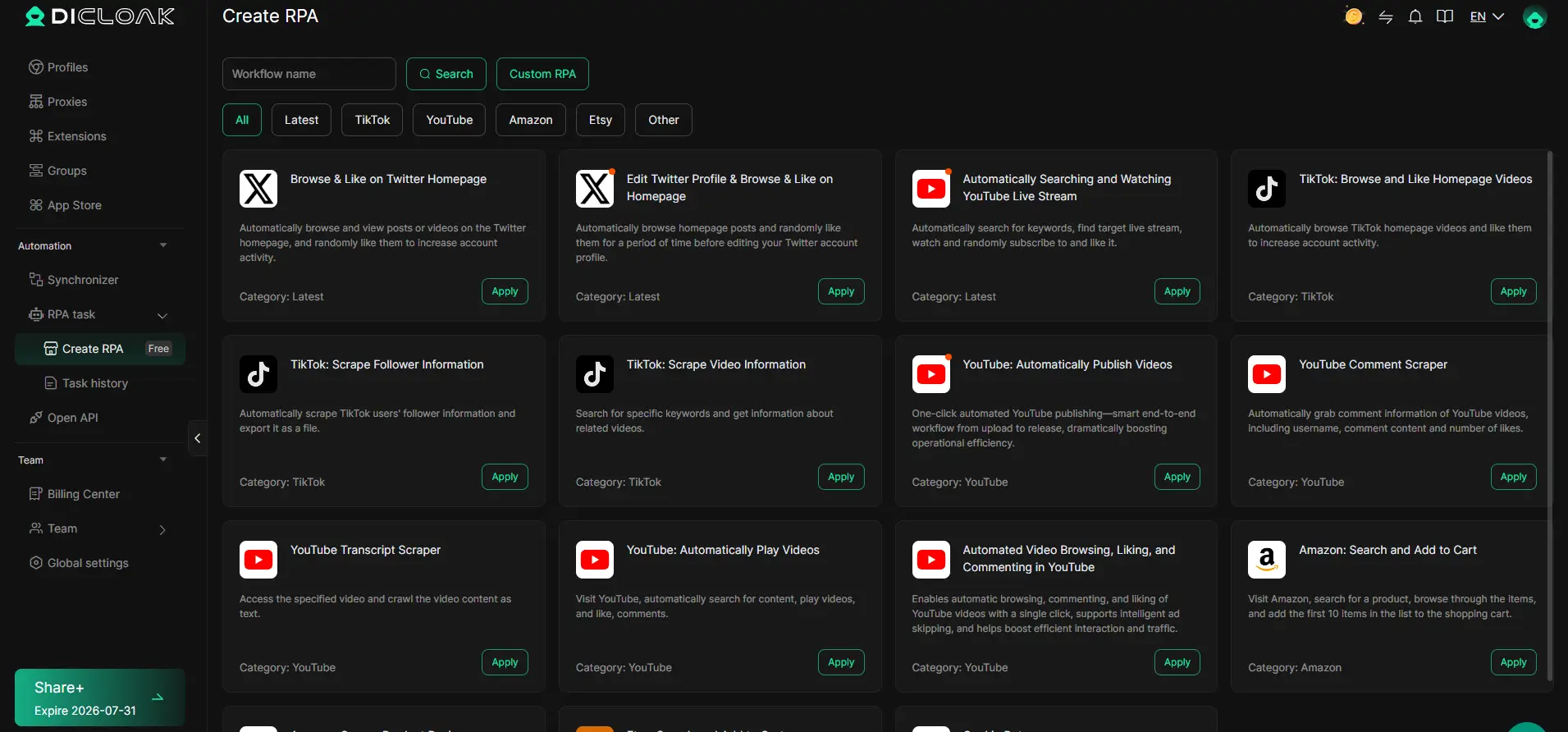
You can use the RPA tools in DICloak to automate some repeated browser tasks. The platform supports pre-built RPA workflows, custom task settings, run history, and scheduled or repeated tasks. Its documentation also lists examples such as scheduled social media actions and automatic Facebook posting.
For example, a social media team may need to run the same basic workflow across several account Profiles. Instead of repeating every step by hand, the team can create an RPA task and run it across selected Profiles. Technical teams can also use Open API options for deeper automation and connect browser workflows with their own tools.
This does not replace the need for a good digital marketing strategy. Content quality, audience research, campaign tracking, and platform rules still matter. But once you start managing more accounts and more team members, using separate browser Profiles, clear permissions, and simple automation can reduce routine work and keep your marketing workflow easier to manage.
FAQs About How to Start Digital Marketing
Q1: How do I start digital marketing as a beginner?
To start digital marketing, first choose one clear goal, such as getting more leads, sales, or website traffic. Then learn about your target audience and pick one or two channels that match their habits. Beginners can often start with SEO, social media, Google Ads, or email marketing. It is better to start small, track the results, and improve over time.
Q2: What skills do I need to start digital marketing?
You do not need to master every skill before you start digital marketing. Basic skills in content writing, audience research, SEO, social media, paid ads, and data tracking are enough to begin. It also helps to understand tools such as Google Analytics and ad dashboards. You can build more advanced skills as you gain real campaign experience.
Q3: How much money do I need to start digital marketing?
There is no fixed budget for how to start digital marketing. Some channels, such as SEO, social media content, and email marketing, can start with a small budget. Paid ads need more testing money, but beginners should avoid spending too much at once. Start with an amount you can afford to test and use the results to decide where to spend more.
Q4: Which channel is best when you start digital marketing?
The best channel depends on your goal and audience. Google Ads can work well when people are already searching for your product or service. Social media is useful for brand awareness and product discovery, while SEO can build long-term traffic. Email marketing is a strong choice when you already have leads or customers you want to reach again.
Q5: How long does it take to see results after you start digital marketing?
The time needed to see results depends on the channel. Paid ads can bring traffic soon after a campaign starts, while SEO often needs more time to build rankings and organic traffic. Social media and email results also depend on your audience size and content quality. When you start digital marketing, focus on steady improvement instead of expecting every channel to produce fast results.
 Web Proxy Tools
 Free Tools
 Cookie Plugin
 UA Generator
 MAC Address Generator
 IP Generator
 IP Address List
 2FA Code Generator
 World Clock
 Anonymous Check
 WebRTC Leak Test
 UUID Generator
 Free Web Proxy Site
 Proxy Checker
 FB Ad Checker
 AI Web Scraping
 Free SMM Tools
 Twitter Shadowban Checker
 Instagram Name Checker
 UTM Generator
 Username Generator
 AI Hashtag Generator
 LinkedIn Headline Generator
 Social Media Image Resizer