Pinterest is more than a place to collect recipes, outfits, travel plans, and home ideas. People also use it to discover products, compare options, plan purchases, and find solutions to everyday problems. That gives creators, bloggers, online sellers, and freelancers several ways to turn Pinterest traffic into income.
If you want to understand how to make money with Pinterest in 2026, start with one simple idea: Pinterest usually helps people discover your offer, while the actual money comes from somewhere else. That could be an affiliate program, online store, digital product, blog, sponsored partnership, or client service. A free Pinterest business account also gives you access to Pinterest Analytics, so you can see which Pins actually generate clicks and engagement.
This guide covers seven practical ways to make money on Pinterest, along with the traffic, SEO, and conversion strategies behind them. It also explains how agencies and marketing teams can organize multiple legitimate client accounts when Pinterest becomes part of a larger business workflow.
Why Can You Make Money on Pinterest in 2026?
Pinterest works differently from many social platforms because users often arrive with a goal already in mind. Someone may be planning a wedding, decorating an apartment, preparing meals for the week, or researching products for a future purchase. A useful Pin can meet that person while they are still deciding what they need.
Pinterest content can also keep getting discovered after publication. Pinterest states that Pins have no fixed engagement window, so a Pin may gain engagement hours, days, months, or even years later. Seasonal content can also become relevant again when interest returns. This gives useful evergreen content more opportunities to generate traffic over time.
How Pinterest users discover products and ideas
Pinterest is built around visual discovery. Users search for topics, browse related Pins, save ideas to boards, and return to them when they are ready to act. Pinterest Trends provides historical data for search, save, and shopping trends for up to the past two years in supported regions, which can help marketers understand when interest in a topic rises or falls.
Imagine someone searches for "small bedroom storage ideas." They find a Pin showing a smart storage setup and click it. The destination could be a blog explaining the setup, an ecommerce store selling the products, or an article containing relevant affiliate recommendations. The user did not start by searching for a particular brand, but useful content introduced a product while they were researching a problem.
This is an important part of understanding how to make money with Pinterest. A Pin does not always need to produce an immediate purchase. It can introduce an idea, answer a question, or send a potential customer to a website. The purchase may happen later, after that person compares options or returns to a Pin they previously saved.
Do you need a large following to make money?
A large following can help, but it is not the only way people discover content on Pinterest. Pinterest uses search, saves, engagement, language, location, seasonal interest, and other signals when distributing Pins. This means useful content can reach people who have never followed your account.
For example, a small creator could publish a Pin called "10 Printable Wedding Planning Checklists." Someone planning a wedding may discover the Pin through search, visit the creator's website, and purchase a wedding planner. That customer can generate revenue without ever becoming a follower.
Instead of focusing only on "How do I get 10,000 Pinterest followers?", think about what your target customer searches for and what happens after they see your content. Followers can help create a returning audience, but outbound clicks, conversions, and sales often give you a better picture of whether your Pinterest monetization strategy is actually working.
How much can you realistically make on Pinterest?
There is no fixed amount you can earn from Pinterest because Pinterest itself is usually not the source of the payment. It works more like a discovery and traffic channel. Your money may come from an affiliate network, ecommerce store, digital product, advertising platform, client contract, or brand partnership. This is why two Pinterest accounts with similar monthly views can produce very different income.
The revenue model also changes what you should measure. With Pinterest affiliate marketing, commission rate, outbound clicks, and conversion rate matter. If you sell digital products, product price and profit margin become more important. A blogger may focus on website traffic and ad revenue, while a Pinterest manager may earn a fixed monthly fee from each client.
For example, imagine Pinterest sends 5,000 visitors to a $25 digital product. If 2% of those visitors purchase it, that equals 100 sales and $2,500 in gross revenue before payment fees, refunds, advertising costs, taxes, and other expenses. Change the conversion rate to 0.5%, and the same traffic produces only 25 sales. This simple example shows why traffic quality and conversion matter more than Pinterest views alone.
A useful way to measure the full process is Pin → Outbound Click → Landing Page → Conversion → Revenue. Pinterest Analytics provides metrics such as impressions, saves, Pin clicks, outbound clicks, and outbound click rate. Your website analytics or ecommerce platform can then show what those visitors do after leaving Pinterest.
7 Proven Ways to Make Money with Pinterest
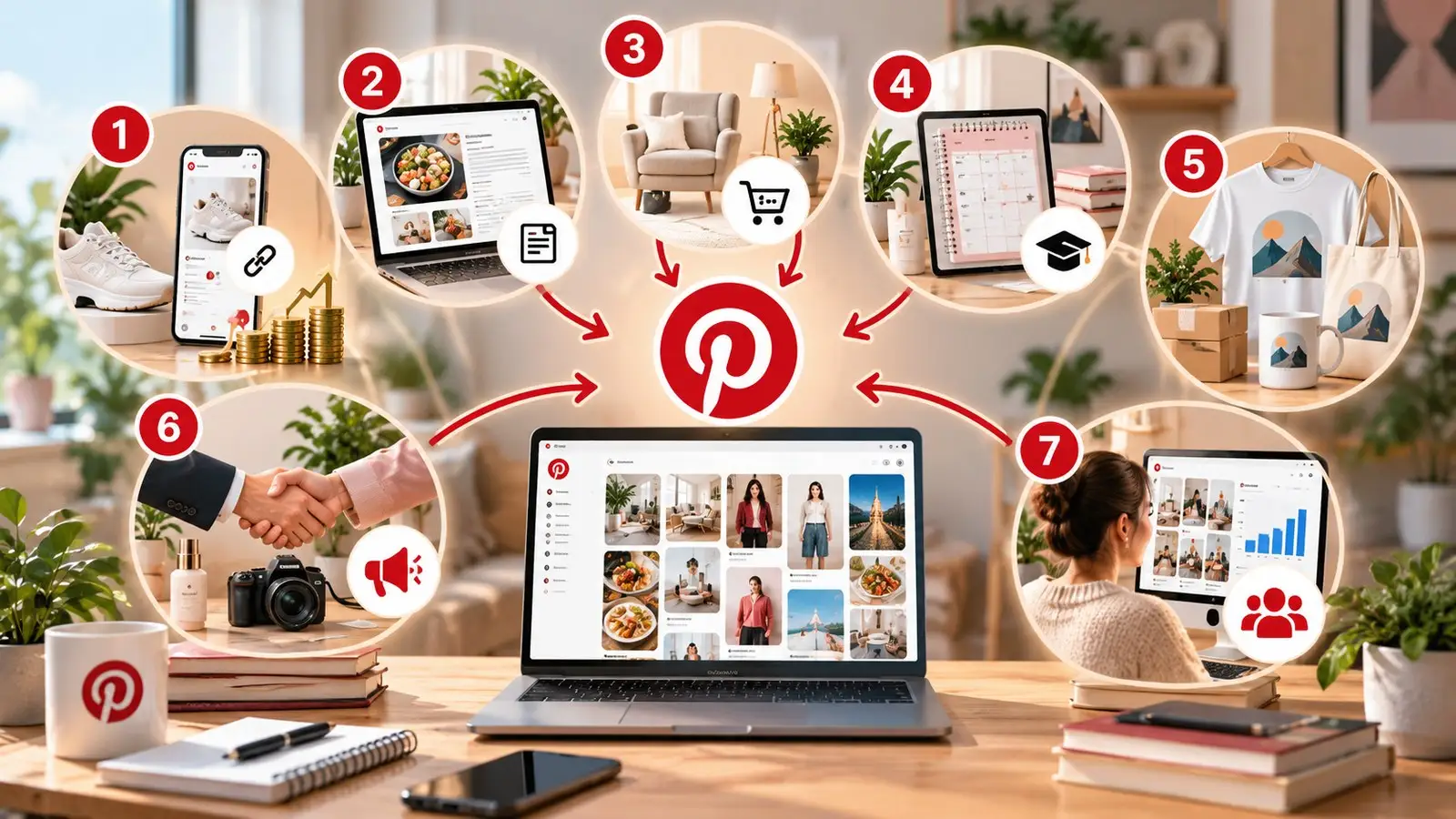
There is no single answer to how to make money with Pinterest. A blogger may want website traffic, while an ecommerce seller wants product sales. A designer may sell templates, while a freelancer may turn Pinterest skills into a monthly client service.
The seven strategies below use Pinterest in different ways. You do not need to try all of them at once. Choose a model that fits your existing skills, products, or audience, learn which content generates useful traffic, and expand from there.
1. Use affiliate marketing on Pinterest
Pinterest affiliate marketing is one of the most direct ways to earn from Pinterest content. You recommend a relevant product through an affiliate link, and you may receive a commission when someone completes a qualifying purchase. The important part is that the Pin still needs to offer a useful idea instead of existing only to push a link.
Suppose you create content about making coffee at home. Instead of publishing a Pin that simply says "Buy This Coffee Maker," create something useful such as "French Press vs. Pour Over for Beginners." You could send visitors to an eligible affiliate destination when the affiliate program and Pinterest rules allow it, or send them to your own comparison article first. The second approach gives you more space to explain the products, compare options, answer common questions, and recommend different choices for different users.
Sending traffic to your own content can also give you more control. If an affiliate program changes its commission or removes a product, you can update your article without replacing every Pin pointing to it. The website can also introduce related content, collect email subscribers, or recommend other products, giving one Pinterest visitor more than one opportunity to create value.
Pinterest allows affiliate content, but its guidelines require it to be original, transparent, and useful. Pinterest says affiliate links should be used in moderation and warns against repetitive, high-volume affiliate Pins, fake accounts, and artificial traffic manipulation. A sustainable affiliate strategy therefore focuses on real search intent rather than publishing as many affiliate links as possible.
2. Drive traffic to your blog or website
Another way to make money on Pinterest is to treat it as a traffic source. The income happens after people leave Pinterest and reach your website, where you may earn through display advertising, affiliate links, memberships, sponsored content, email marketing, or your own products.
A food blogger, for example, could publish an article called "15 Easy High-Protein Breakfast Ideas." Instead of creating one general Pin, the blogger could make several Pins around different breakfast ideas. Each Pin targets a slightly different interest but leads readers to the full article, where they can explore recipes and related recommendations.
The connection between the Pin and destination is important. Pinterest specifically recommends linking to landing pages that provide content clearly related to the Pin and making sure the image, text, and keywords match the destination. If your Pin promises "10 Small Kitchen Storage Ideas," users should not land on a general furniture homepage.
This also means website quality matters. A Pin may do its job and generate the click, but a slow, confusing, or weak landing page can still lose the visitor. Pinterest recommends checking site speed and avoiding broken links as part of its Pin performance guidance.
3. Sell your own products
Pinterest can be useful for ecommerce because users often discover products while searching for ideas. A person searching for "minimalist home office ideas" may not know which desk, lamp, or chair they want yet. A useful Pin can introduce the product before they have chosen a brand.
The product does not need to fill the entire Pin. A furniture seller could create "Small Balcony Ideas for Apartments" and show an outdoor table as part of the setup. A lighting store could create content around "cozy bedroom lighting ideas" instead of relying only on people who already know the exact lamp model.
Think about the situation around the product. A backpack can appear in content about weekend travel, carry-on packing, hiking, or remote work. A planner can appear in content about budgeting, studying, meal planning, or wedding preparation. These angles help you reach people searching for the problem or use case rather than the product name itself.
Merchants can also use Pinterest's commerce tools. Pinterest notes that merchants can upload catalogs and create product groups, while verified merchants may become eligible for additional organic shopping discovery surfaces.
4. Sell digital products and online courses
Digital products can work especially well on Pinterest because many users are already searching for something that helps them plan, learn, organize, or complete a project. Examples include planners, templates, worksheets, ebooks, checklists, design resources, presets, and online courses.
The key is to build Pins around the problem rather than the file itself. Someone may not search for "wedding spreadsheet template," but they may search for "how to plan a wedding under $10,000." A Pin about "Wedding Budget Categories People Forget" can answer part of that question and lead to a page where a complete budget spreadsheet becomes a logical next step.
The same idea applies to courses. A photography teacher could create Pins about beginner camera settings, portrait poses, lighting, or simple editing techniques. Those Pins can lead to free educational content and then introduce a paid photography course. Someone selling a social media course could use Pins around content calendars, post ideas, or planning templates.
Digital products also have a different cost structure from physical goods. There is usually no physical inventory to ship for every order, but creators still need to consider payment fees, software, advertising, refunds, customer support, and the time needed to create and update the product. Because of this, improving landing-page conversion can sometimes create more revenue than simply chasing more Pinterest impressions.
5. Make money with print-on-demand
Print-on-demand lets sellers offer items such as shirts, posters, mugs, notebooks, and tote bags without keeping large amounts of inventory. A third-party provider normally produces and ships the product after a customer places an order.
Pinterest can help with the discovery side of this model. A designer selling hiking-themed wall prints could create Pins around "Mountain Cabin Wall Decor Ideas." Instead of publishing the same product image repeatedly, the seller could show the print in different rooms, styles, and seasonal settings. Each Pin targets a different reason someone may want the product.
This matters because people often search for the style, occasion, hobby, or room rather than the exact product. A person may never search for your specific poster name, but they may search for "rustic cabin wall decor." The Pin connects that broader interest with your product.
Print-on-demand should not automatically be treated as passive income. Sellers still need to research demand, create designs, improve product pages, and handle customer issues. Production costs, shipping, marketplace fees, returns, and conversion rates can all reduce the profit left from each sale.
6. Partner with brands for sponsored content
Creators can also earn money by partnering directly with brands. A creator who regularly publishes home organization ideas, for example, could work with a storage company and show how one of its products solves a real organization problem.
A clear niche can be more useful than a broad audience. A smaller creator focused on apartment organization may have a highly relevant audience for a storage brand. When approaching a potential partner, useful information can include audience interests, top-performing Pins, saves, outbound clicks, website traffic, and results from previous campaigns.
Sponsored content should still fit naturally with what the audience expects. If people follow your Pinterest content for budget meal planning, a relevant kitchen product may make more sense than an unrelated software promotion. A partnership works better when the product is part of the useful content rather than interrupting it.
Pinterest defines sponsored or incentivized brand content as a paid partnership and requires users to disclose the commercial nature of that relationship. Its guidelines also require paid partnership content to follow Pinterest's advertising and commercial content rules.
7. Offer Pinterest management services
You do not need to monetize your own Pinterest audience. If you understand Pin creation, keyword research, analytics, and content planning, you can sell those skills to businesses that do not have the time or experience to manage Pinterest themselves.
For example, a freelancer might manage Pinterest for three home decor stores. Each month, they research topics, plan Pins, prepare content, review performance, and report which Pins send useful traffic to each client's website. The service can later expand into Pinterest SEO, account audits, design, content strategy, analytics reporting, or ecommerce support.
This model has a different income structure from affiliate marketing. Instead of waiting for commissions, the freelancer may charge a project fee or monthly service fee. Adding more clients can increase revenue, although it also increases the number of accounts, logins, content plans, and team workflows that need to stay organized.
That last point becomes important when a freelancer grows into an agency. Managing three separate client accounts is not the same as switching between three personal accounts. Each client environment should remain clearly separated so the team knows exactly which brand it is working on.
How to Get More Traffic and Sales from Pinterest
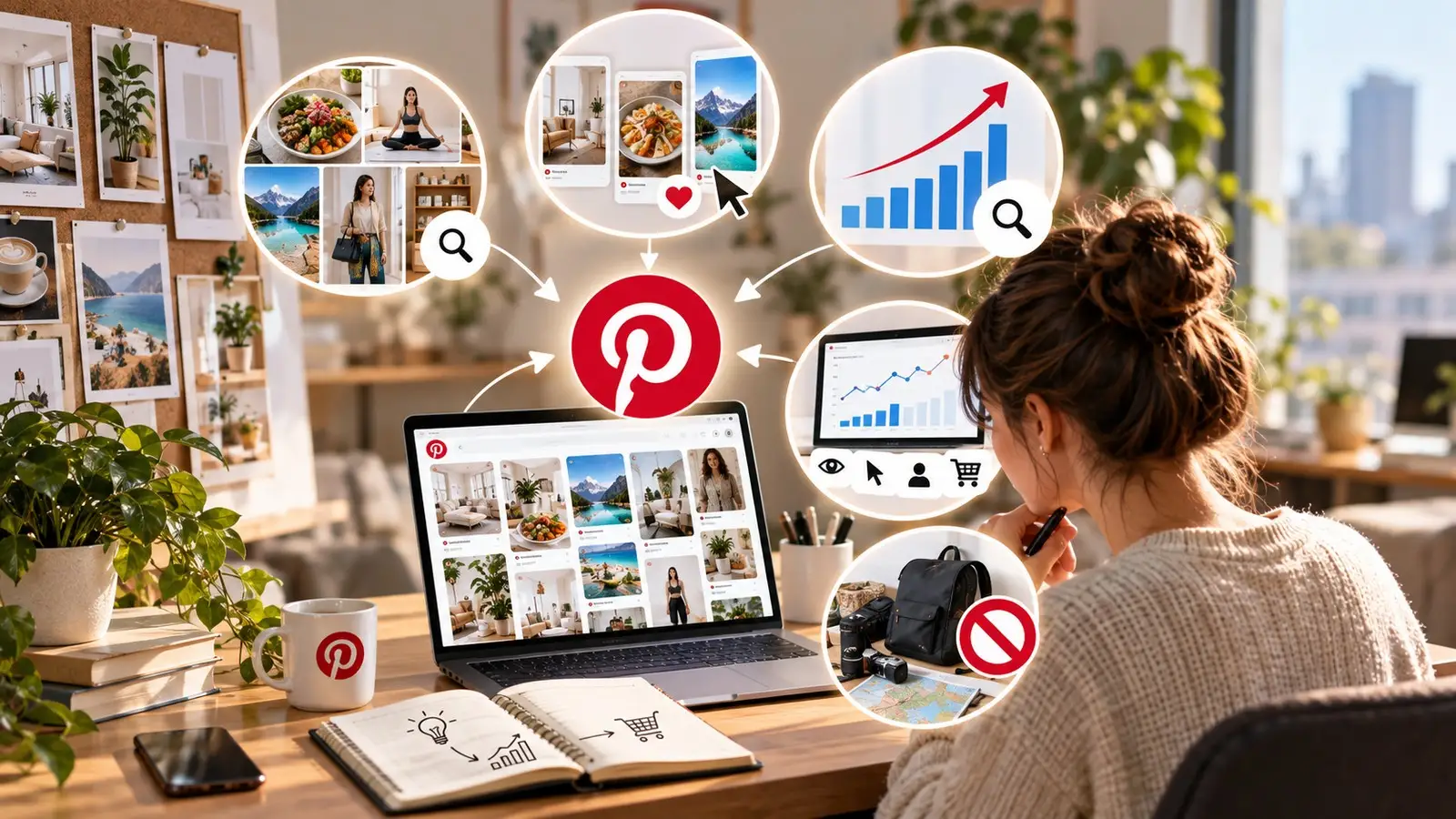
Choosing a monetization method is only half of the process. You still need the right people to discover your content and take a useful action. A Pin with 50,000 impressions but almost no outbound clicks may look successful, but it may contribute very little to a business that depends on website sales.
This is where niche selection, Pin quality, Pinterest SEO, and conversion tracking work together. Instead of trying to maximize every metric, decide what action matters for your business and optimize around it.
Choose a profitable niche
A useful Pinterest niche sits between user demand and something you can monetize. Broad categories such as food, fashion, travel, fitness, home decor, and business contain many smaller opportunities. Instead of covering all fitness topics, you could focus on home workouts for beginners. Instead of general home decor, you could focus on storage ideas for small apartments.
A focused niche makes it easier to understand what users search for and what products or services fit naturally. It also helps you build related content around the same audience. Someone interested in small apartment storage may also want renter-friendly organization ideas, small bedroom layouts, compact furniture, or tiny kitchen storage.
Do not choose a niche only because someone online calls it profitable. Pinterest Trends can show historical search, save, and shopping trends, whether a keyword is seasonal, and weekly, monthly, and yearly changes in interest. Users can also compare up to four keywords at once. This can help you check demand before spending months creating content.
Create Pins that get clicks and saves
A strong Pin should make its topic easy to understand. The visual catches attention, while the title tells the user what they will get. Specific titles usually give people a clearer reason to click than broad ones.
Compare "Kitchen Tips" with "7 Ways to Add Storage to a Tiny Kitchen." The second title tells users exactly what problem the content addresses. The image or video should support the same promise, and the landing page should continue the same topic.
Pinterest recommends high-quality visuals and currently suggests a 2:3 aspect ratio for Pins. It also recommends creating fresh content and reviewing Analytics and Pin stats to see what audiences save and engage with most.
Do not judge every Pin in the same way. Saves can show that people want to return to an idea, while outbound clicks show that people are moving to your website. Pinterest's Pin stats include impressions, saves, Pin clicks, and outbound clicks as core metrics. Which metric matters most depends on what the Pin is supposed to achieve.
Use Pinterest SEO to increase visibility
Pinterest SEO starts with understanding how your audience describes a problem. Begin with a broad topic and move toward more specific search intent. If your niche is meal planning, for example, related topics could include "weekly meal planner," "cheap meal planning," "family meal plan," or "high-protein meal prep."
Pinterest Trends can help you compare keyword interest and identify seasonal changes. Pinterest's own performance guidance also recommends using relevant keywords in Pin titles, Pin descriptions, board titles, board descriptions, and website URLs. The goal is not to repeat the same phrase everywhere. Each keyword should help Pinterest and the reader understand what the content is about.
Once you choose a topic, keep the entire content path consistent. A Pin titled "7 High-Protein Breakfast Ideas" should lead to a page about high-protein breakfasts, not a general fitness homepage. The title, description, visual, board, and destination should all support the same search intent.
You should also think beyond one successful Pin. If "small apartment storage" consistently sends useful traffic, create related content around bedroom storage, kitchen storage, renter-friendly organization, and entryway storage. This gives you a group of closely related content rather than depending on one Pin to carry the entire topic.
Track clicks, traffic, and conversions
Impressions tell you how often a Pin appeared on screen, but they do not tell you whether the Pin produced business results. If your goal is website traffic, outbound clicks are more useful. If your goal is revenue, you need to go one step further and connect those clicks with leads, purchases, or another conversion.
Suppose Pin A receives 40,000 impressions and 200 outbound clicks, while Pin B receives 15,000 impressions and 600 outbound clicks. If your goal is website traffic, Pin B may be more useful even though it has fewer impressions. Pinterest defines outbound clicks as actions that take people to a destination outside Pinterest.
You can then use your website analytics to see what those visitors do next. For example, you could use UTM parameters to separate Pinterest campaigns, topics, or creative variations. One Pin may bring many visitors who leave quickly, while another brings fewer visitors but more email signups or purchases. That difference matters when deciding what content to create next.
Do not expect every Pin to produce an immediate sale. An educational Pin may introduce someone to your brand, another may bring them back to your website, and a later visit may produce the purchase. Look at the full path from Pinterest discovery to conversion rather than judging every Pin only by immediate revenue.
Avoid spammy and overly promotional content
Posting more does not automatically mean earning more. If every Pin looks like the same advertisement, people have less reason to save or explore your content. Pinterest itself recommends fresh, high-quality content and relevant landing pages rather than relying on repeated Pins.
This is especially important with Pinterest affiliate marketing. Pinterest says affiliate content should be original and add unique value. It also prohibits artificial traffic manipulation and warns against creating affiliate Pins repetitively or in large volumes.
Instead of publishing the same travel backpack repeatedly, create useful content around different needs, such as carry-on packing, weekend travel, lightweight travel, or digital nomad gear. The same product may appear naturally in several pieces of content, but each Pin should give the user a separate reason to view, save, or click it.
How DICloak Helps Manage Multiple Pinterest Accounts
Managing one Pinterest account is usually simple. The workflow becomes more complicated when an agency or marketing team manages separate accounts belonging to several clients or brands. Each account may have its own login, cookies, content plan, network setup, and team members.
An antidetect browser such as DICloak can help organize these legitimate multi-client workflows through separate browser profiles. This does not mean creating fake Pinterest accounts or using multiple accounts to manipulate distribution. Pinterest's affiliate guidelines say users should generally operate one authentic account and specifically prohibit fake accounts used to create or save affiliate links.
Keep each Pinterest account in a separate Profile
Instead of repeatedly signing one client out before working on another, DICloak lets a team create a separate browser Profile for each authorized Pinterest account. Each Profile keeps its own browser profile, which makes it easier to separate cookies, sessions, settings, and other account data.
For example, imagine an agency manages Pinterest for five ecommerce clients. It can create one Profile for each client and name the Profiles according to the brand or project. When an employee starts work on Client B, they open Client B's Profile rather than checking which Pinterest account is currently signed into a shared browser.
This matters when the same employee moves between several clients during one workday. Separate Profiles reduce accidental session mixing and give each account a recognizable workspace. Profiles can also be organized into groups, making a larger client list easier to manage as the agency grows.
The value becomes even clearer when responsibilities change. If another employee takes over a client project, the team does not need to rebuild the browser profile from the beginning. The existing Profile can remain part of the managed workflow and be handed to the appropriate team member.

Keep cookies, sessions, and proxy settings isolated
Cookies and login sessions become harder to organize when several client accounts are opened in one normal browser. A separate Profile keeps browser data connected to the correct workspace, so Client A's stored session does not need to share the same browser profile with Client B.
Teams can also configure a proxy for an individual Profile when a legitimate business setup requires a dedicated network connection. This can be useful when a client already has an established network requirement or when a team needs to keep a specific network setup connected to the same workspace.
A proxy does not make a Pinterest account immune to security checks or platform rules. It should not be treated as a way to hide spam or fake activity. For legitimate agency work, the practical benefit is keeping browser sessions and network settings organized around the correct client environment.
Teams should also avoid unnecessary changes to an account's normal working environment. If a client account is normally managed from one stable setup, constantly changing its IP address, region, or device environment adds complexity without improving the content or business strategy.

Automate repetitive Pinterest workflows with RPA
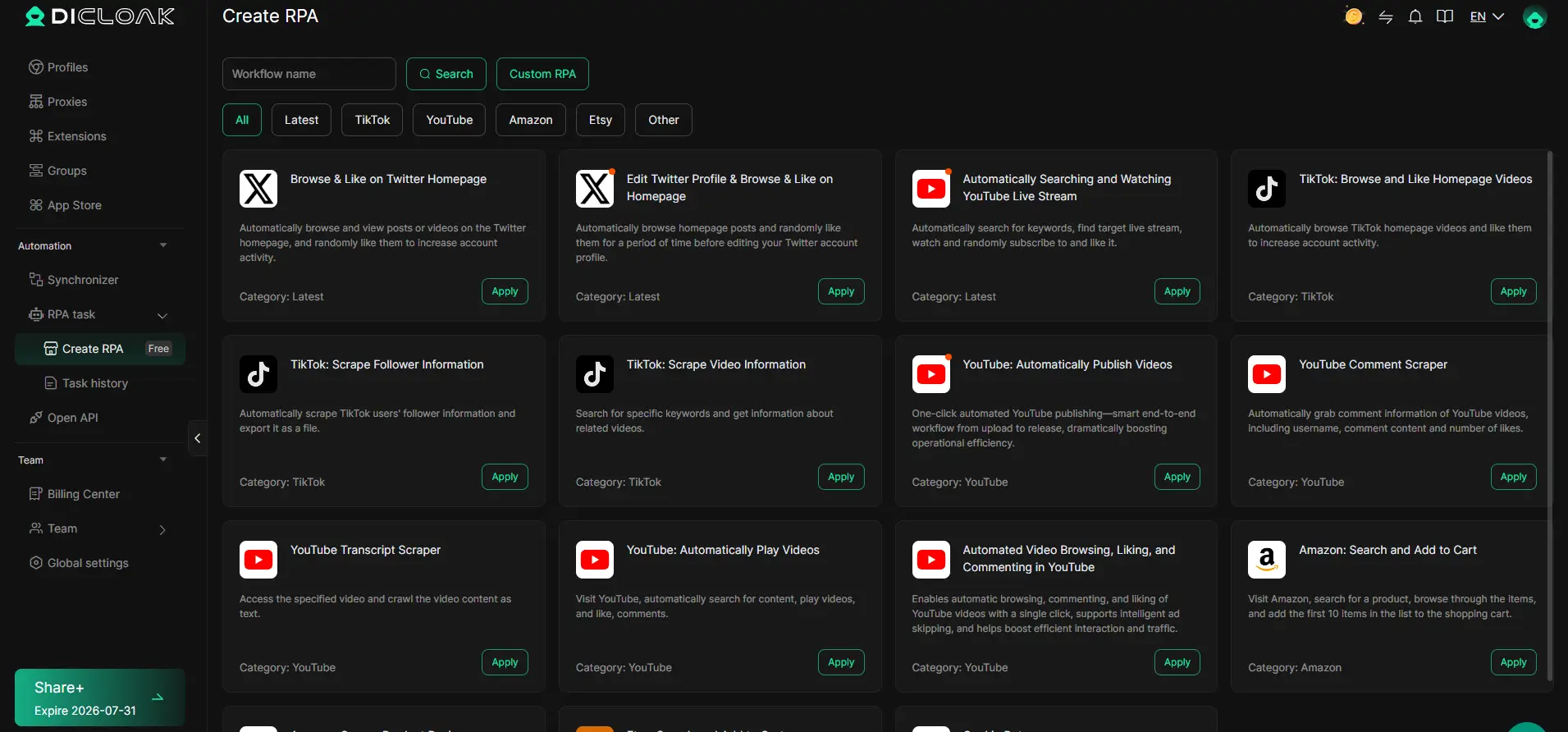
Pinterest management can include repetitive browser work, especially when an agency manages content for several clients. DICloak supports browser automation through RPA workflows, which can help reduce some repeated manual browser actions.
For example, a team may follow the same internal process when opening approved pages, preparing a client workspace, or completing routine browser tasks before a marketer reviews the content. An RPA workflow can handle parts of that repeated process while the employee still controls the content decisions and final publishing.
Automation is most useful when it removes repetitive work, not when it tries to replace a real Pinterest strategy. Pinterest prohibits artificial traffic manipulation and warns against repetitive, high-volume affiliate activity. Mass posting, fake engagement, or automated behavior designed to manipulate distribution should therefore not be part of the workflow.
Human review remains important. A marketer still needs to check whether a Pin matches the client's brand, whether the landing page is correct, whether commercial content is properly disclosed, and whether the content actually provides something useful to the audience.
Manage multiple Pinterest accounts across a team
Multiple Pinterest accounts become harder to manage when several employees or freelancers work on the same client projects. Sharing passwords through messages or asking every employee to rebuild the same environment creates unnecessary work and makes access harder to organize.
For example, a content specialist may prepare Pins for three clients, while a team lead reviews performance and another employee handles client communication. These people do not necessarily need the same level of access. DICloak's Profile sharing, Profile Groups, Member Groups, roles, and operation logs can help teams organize which workspaces different members can use.
When responsibilities change, the Profile can be reassigned or shared with the next team member instead of sending the account credentials again. This becomes especially useful for agencies managing a growing number of Pinterest clients because account access becomes part of a structured team workflow rather than a collection of passwords stored in different places.
This is where DICloak fits into Pinterest monetization for agencies and larger teams. It does not create Pinterest income by itself, and it does not replace useful Pins, Pinterest SEO, strong products, or a clear monetization strategy. Its role is to keep legitimate client environments separate and make multi-account work easier to organize as the business grows.

Frequently Asked Questions About How to Make Money with Pinterest
Q1: How do beginners make money with Pinterest?
Beginners can make money with Pinterest through affiliate marketing, blog traffic, digital products, ecommerce, sponsored content, or Pinterest management services. You do not need to use every method at once. Start with one monetization model and create Pins around topics your target audience already searches for.
Q2: Can you make money with Pinterest without a large following?
Yes. You can make money with Pinterest without a large following because users can discover Pins through Pinterest search and recommendations. Relevant keywords, useful content, strong visuals, and a clear destination can help your Pins reach people who do not follow your account.
Q3: How does Pinterest affiliate marketing make money?
With Pinterest affiliate marketing, you create useful Pins that connect users with relevant products or services. You may earn a commission when someone clicks your affiliate link and completes a qualifying purchase. Affiliate content should be original, useful, transparent, and compliant with Pinterest and affiliate program rules.
Q4: How much money can you make on Pinterest?
There is no fixed amount you can make on Pinterest. Earnings depend on your monetization method, traffic quality, niche, product price, commission rate, and conversion rate. Instead of focusing only on Pinterest views, track outbound clicks, conversions, revenue, and profit.
Q5: Can you make money with Pinterest by managing multiple client accounts?
Yes. Pinterest managers and agencies can make money with Pinterest by providing account management, content creation, Pinterest SEO, analytics, and related services to clients. When managing several authorized client accounts, an antidetect browser like DICloak can keep each account in a separate browser Profile and help teams organize sessions, proxy settings, and access.
 Web Proxy Tools
 Free Tools
 Cookie Plugin
 UA Generator
 MAC Address Generator
 IP Generator
 IP Address List
 2FA Code Generator
 World Clock
 Anonymous Check
 WebRTC Leak Test
 UUID Generator
 Free Web Proxy Site
 Proxy Checker
 FB Ad Checker
 AI Web Scraping
 Free SMM Tools
 Twitter Shadowban Checker
 Instagram Name Checker
 UTM Generator
 Username Generator
 AI Hashtag Generator
 LinkedIn Headline Generator
 Social Media Image Resizer