You set up a proxy, refresh Facebook, and suddenly basic features, like posting comments, viewing notifications, or accessing Messenger, just stop working. The error is vague: “facebook feature is unavailable with proxy.” Sometimes, you notice other facebook features not working with proxy setups you’ve used before with no problem. It’s not just slow loading, functions you rely on every day are greyed out or missing.
What catches people off guard is how fast this can happen. You might only be running two or three Facebook accounts, using a proxy to avoid triggering security alerts, and still see facebook proxy issues even though you set everything up carefully. Facebook’s detection isn’t only about IP addresses; there are deeper checks, browser fingerprints, cookie patterns, and signs of automation can all tip off the system.
Missing this detail means you keep swapping proxies or tweaking your settings, chasing a fix that doesn’t stick. The real problem isn’t always the proxy itself, it’s how your browser, cookies, and Facebook’s checks interact. If you don’t address the full workflow, “facebook function unavailable proxy” errors will keep coming back, no matter how many new proxies you try.
If you want Facebook features to work reliably while using proxies, you’ll need to rethink how you handle browser profiles and account separation. Here’s what actually causes these failures and how to solve them for good.
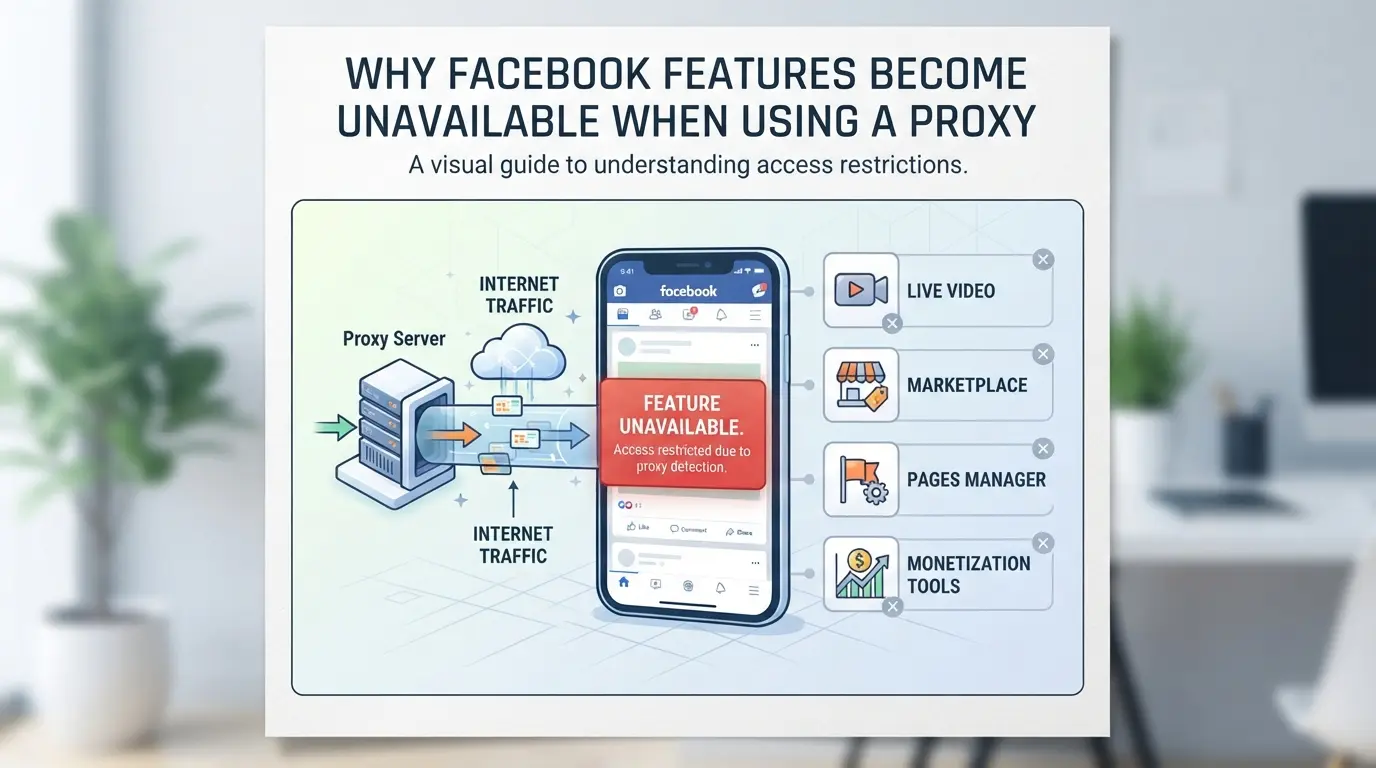
Why Do Facebook Features Become Unavailable When Using a Proxy?
If you’ve ever run into “facebook feature is unavailable with proxy” errors, the core reason is Facebook’s detection layers flag something about your connection or behavior as suspicious. It’s rarely just about the IP, Facebook combines IP risk, browser fingerprint signals, and account activity patterns to decide whether to block, limit, or allow features. Missing one of these checks means you can log in but still lose access to posting, messaging, or business tools.
How Facebook Detects Proxy Use
Facebook doesn’t just watch IP addresses. Their detection covers:
- IP reputation: If your proxy IP is on a public blocklist or linked to mass automation, Facebook will restrict features fast.
- Browser fingerprint: If your browser looks too similar to others or matches known bot profiles, you’ll trigger risk checks.
- Behavioral signals: Sudden location changes, login spikes, or mismatched device data can flag accounts for review.
Common Features That Get Blocked or Limited
The biggest pain comes when you try to use core features like posting, commenting, or messaging and find them suddenly disabled. Advanced tools, Marketplace, Ads Manager, or Business Suite, are even more sensitive. For example, if you access Ads Manager from a proxy IP that Facebook sees as risky, you might see a “feature unavailable” banner, and your campaigns can freeze. Posting to groups or pages often gets blocked if the system spots unusual activity or sees you logging in from different countries within minutes.
It’s easy to blame the proxy, but the real issue is how Facebook reads the entire session. If your cookies are stale, browser fingerprint is mismatched, or you switch proxies without setting up a stable profile, you’ll hit limits even if your IP seems clean. Teams managing multiple accounts often see Marketplace vanish or comment features break, not because they did something unusual, but because Facebook’s backend links everything from IP to device to session history. If you skip proper separation, one bad login can trigger feature restrictions across several accounts.
Some users try swapping proxies or clearing cookies, chasing quick fixes. That only works until Facebook’s risk systems adapt. The most reliable way to keep features working is to handle browser profiles, cookies, and proxy rotation as a single workflow, not as separate tools.
Next up: the exact triggers Facebook uses to restrict features when you’re on a proxy, so you can spot the warning signs before losing access.
What Triggers Facebook to Restrict Features When Using a Proxy?
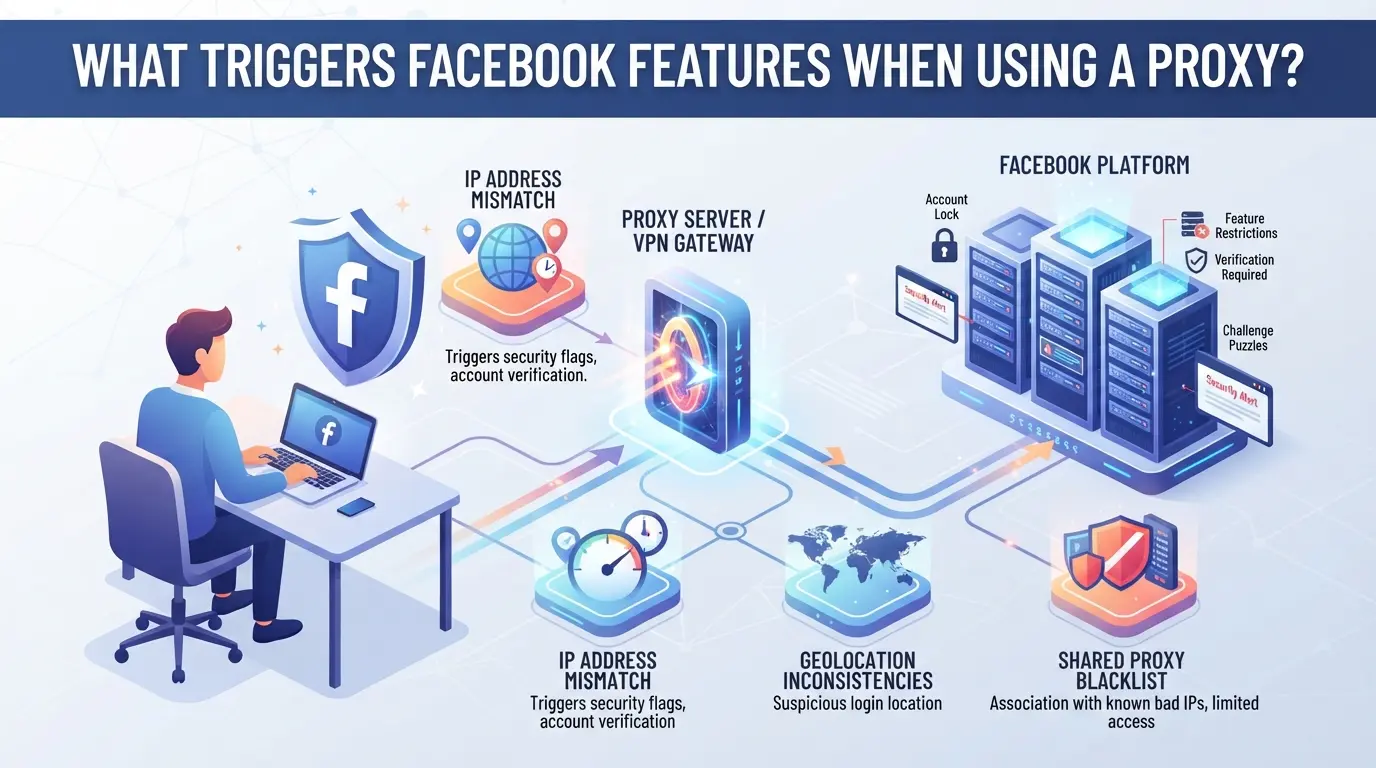
Most Facebook feature blocks under proxy use come from signals that don’t add up, like logging in from a new country, mixing browser setups, or acting in ways that trip automation alarms. Knowing the real triggers keeps you from endless trial and error.
IP Address Mismatches and Suspicious Locations
Sudden jumps between countries or regions set off Facebook’s risk systems fast. Even if you stay in one country but keep switching IPs every few hours, that’s enough to trigger a review. Reliable access depends on keeping location changes rare and patterns steady.
Browser Fingerprint and Device Inconsistencies
A proxy alone isn’t what gets you flagged, Facebook cross-checks your IP with your browser fingerprint, device type, and recent login history. If you log in from a Paris proxy using a Windows PC today, then tomorrow from a Singapore IP with a mobile browser fingerprint and fresh cookies, Facebook will see that as suspicious. Even swapping proxies in the same country can cause trouble if your user agent, screen resolution, or font lists suddenly change. The system expects a consistent "story" matching past sessions. If your device signature doesn’t match your IP region, or your profile acts like a different machine, you’ll often see features like posting, messaging, or ad account actions get blocked. For example, if you restore a Facebook session on a new proxy but forget to sync cookies and browser details, Facebook may force extra verification or limit key functions, sometimes without clear warning. The harder you try to cover your tracks with random setups, the more likely you are to hit the wall.
Behavioral Patterns Facebook Flags
- Bulk friend requests, rapid posting, or using scripts look like bot activity and invite instant restrictions.
- Logging in and out of many accounts from the same IP or device fingerprint stacks up risk fast, especially if done in short bursts.
- Making changes to profile info, ad settings, or group memberships right after a proxy switch often gets flagged for review.
If you see “feature unavailable” errors right after these changes, that’s a strong clue the system saw your actions as out of character or unsafe.
Knowing what triggers Facebook’s feature restrictions means you can adjust your setup before things break. If you’re already running into blocks, the next section shows step-by-step fixes and what to check first when features go missing.
How to Troubleshoot When a Facebook Feature Is Unavailable with a Proxy
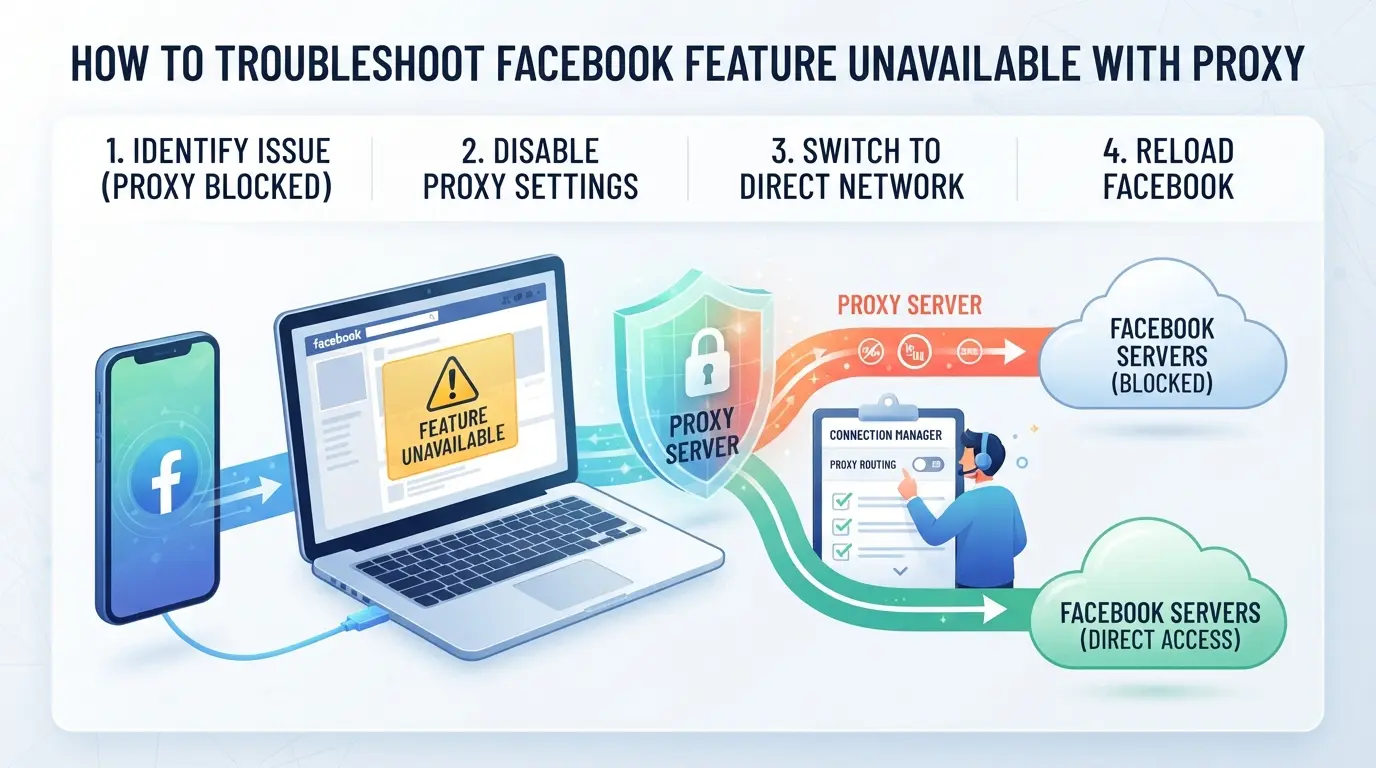
If you run into missing buttons, locked menus, or random errors while connected through a proxy, the issue usually goes deeper than just your IP, browser signals and usage patterns matter. Fixing facebook feature blocks means checking each layer where Facebook expects consistency.
Step 1: Confirm the Proxy Quality and Location
Start with the basics. If your proxy IP is on a Facebook blocklist or the location doesn’t match your account’s usual country, features can disappear or break. Here’s how to check:
- Run a quick IP lookup, if the proxy is flagged as a datacenter or shows up on public blocklists, switch to a residential IP.
- Compare the proxy’s geo-location to your account’s prior login countries. If there’s a big mismatch, Facebook will often disable actions or pop extra security checks.
- Test the proxy for speed and stability. Slow or dropped connections can trigger timeout errors and missing features.
Step 2: Review Browser and Device Consistency
Facebook links your device, browser, and IP as a behavioral fingerprint. Sudden changes can trigger “feature unavailable” errors.
- Clear all cookies and cache, then restart the browser, stale or mismatched tokens are a common cause.
- Make sure your device type and browser version match the country of your proxy. If your device says “US” but your proxy is “France”, Facebook often flags the session.
Step 3: Adjust Account Behavior
Rapid or automated actions get flagged fast. If you notice features missing after bulk liking, posting, or logging in from different IPs, slow down.
- Pause all automation tools and scripts.
- Space out actions, wait at least 1 minute between major changes.
- Avoid logging in with the same account from multiple proxies in a short window.
Step 4: Test Feature Availability Without Proxy
Switch off your proxy and connect directly. If features return, the proxy is the main culprit.
- Log in from your home connection.
- Compare which features are available, if they come back, your proxy setup needs fixing.
If direct access restores functions, the next section covers risks tied to proxy use in 2026.
What Are the Risks of Using Proxies with Facebook in 2026?
Trying to fix “facebook feature is unavailable with proxy” errors without understanding the risks can get your account locked or your data stolen. The real threat isn’t just losing access, wrong proxy use can leave you exposed even before Facebook blocks a single feature.
Account Restrictions and Suspensions
Using proxies, especially when switching locations or mixing device fingerprints, often triggers Facebook’s security checks. You can get temporary feature blocks that stop you from posting or messaging, or worse, a permanent ban that wipes out your entire account history. If you’re running multiple accounts this way, expect some to get flagged and removed without warning.
Privacy and Data Security Concerns
Public or cheap proxies put your login credentials and session data at risk. If the proxy provider logs traffic or injects ads, someone else could read your private messages or harvest your cookies.
- Attackers may intercept your Facebook credentials and take over your account.
- Safer move: use only private, trusted proxies and avoid proxy lists you find on forums or social media.
Trying to save on proxy costs usually backfires, one leaked password can cost you every account tied to that session. For anyone managing sensitive data or business pages, proxy choice isn’t just a speed question, it’s a direct risk to your reputation and client trust.
Next, see how to safely run multiple Facebook accounts without tripping these hazards.
How Teams and Marketers Can Safely Manage Multiple Facebook Accounts with Proxies in DICloak
Teams that handle more than one Facebook account often run into “feature unavailable” alerts when connecting through proxies. The real pitfall isn’t just which proxy you pick, it’s how browser profiles and signals overlap across accounts. If you want to avoid constant blocks and keep workflows under control, each account needs a truly separate setup: one browser profile, one set of signals, one network path. Here’s how operators can use DICloak to build a safer structure for team-based Facebook management.
Isolate Each Facebook Account with a Separate Browser Profile
The fastest way to trigger Facebook function issues is letting account sessions mix browser data or share device signals. In DICloak, operators can create a new browser profile for every Facebook account. Each profile stores its own cookies, cache, and session data, so one account’s fingerprint won’t leak into another’s session. The key detail is that operators can configure the browser’s identity signals, like User Agent, language, time zone, and screen size, for each profile. Matching these to the proxy’s region and typical device type keeps the environment consistent. For example, if an account uses a proxy with a Paris exit, you might set the profile’s language and time zone to French and Central European Time. This setup reduces cross-account contamination, which is a common reason for Facebook flagging “feature unavailable” after proxy changes. The scope is limited to browser-profile isolation, DICloak does not manage or change your Facebook account itself.

User-Provided Proxy Configuration for Assigned Profiles
After isolating browser profiles, the next step is getting each profile onto a steady, appropriate network route. Operators use DICloak’s proxy configuration screen to assign their own HTTP, HTTPS, or SOCKS5 proxy to each profile. When you edit a profile, you can enter the proxy details or select one from a saved list. The built-in proxy check runs a quick test and shows you the exit IP and its region, helpful for spotting mismatches before you log in. For example, if you assign a UK proxy to a profile but see a US IP on test, don’t proceed; such mismatches can lead to “facebook feature is unavailable with proxy” errors that are tricky to trace later. DICloak does not provide proxies or dictate which IPs you use, the responsibility for quality, rotation rules, and compliance sits with the operator. The tool covers browser-profile and proxy setup only, not Facebook’s decision to allow or block features.

Building this separation is what gives teams a fighting chance when managing multiple Facebook accounts with proxies. If you skip profile isolation or proxy testing, you’ll see inconsistent errors and lose more time chasing “fixes” that don’t address the real cause. In some cases, though, using a proxy at all isn’t the right move, next, see when skipping the proxy can actually help.
When Is It Better Not to Use a Proxy for Facebook?
Sometimes, skipping a proxy keeps your Facebook account safer and lets you use all features without extra risk. If you only manage one personal account, or don’t need to hide your location, using a direct connection is usually the smarter move. Many new restrictions, like the “facebook feature is unavailable with proxy” error, start when Facebook notices you’re connecting from a suspicious or changing IP.
Single-Account and Personal Use Cases
It’s easy to think a proxy adds privacy for every Facebook user, but in single-account or personal scenarios, it often does the opposite. Facebook expects personal accounts to log in from a regular, consistent IP, usually your normal home or mobile network. Using a proxy here can trip location or device mismatch checks, locking you out of features or triggering security reviews. Here’s a quick comparison:
| Scenario |
Safer Without Proxy |
Proxy Increases Risk |
| Personal, single device |
✔ |
, |
| Sensitive business/multi-account |
, |
✔ |
| Public WiFi or travel |
✔\* |
Sometimes |
*If you’re on public WiFi, a proxy may help, but most users are better off just waiting to log in from a trusted network.
Direct connections keep things simple and reduce the chance of random “feature unavailable” popups.
When Proxies Cause More Problems Than They Solve
If you notice new captchas, constant logouts, or missing tools right after switching to a proxy, the proxy itself may be the problem. For privacy, switching to a more secure home network or using mobile data is usually safer than layering on a proxy for everyday Facebook use.
If your Facebook access is getting worse, not better, after adding a proxy, that’s a clear sign to stop and review your setup.
Common Mistakes That Lead to Facebook Feature Blocks with Proxies
If you want to avoid “facebook feature is unavailable with proxy” errors, focus on what actually triggers blocks, not just the proxy itself, but how Facebook links your session to risky behavior.
Using Overused or Public Proxies
When you connect through a proxy that hundreds of others have used, Facebook can spot the shared IP pattern in seconds. Accounts using these IPs often get lumped together, so one bad actor can drag everyone down. If you rely on public proxies, expect feature blocks to hit even clean accounts.
Mixing Devices, Browsers, and Locations
Switching devices or changing your browser fingerprints between logins makes Facebook think your account was stolen. Even a single mismatch can freeze features for days.
- Always use the same device and browser profile per account.
- Set proxies in your browser, not just at the system level.
- Check that your time zone and system language match your proxy location.
Frequently Asked Questions About facebook feature is unavailable with proxy
Why does Facebook say a feature is unavailable when I use a proxy?
Facebook might show "facebook feature is unavailable with proxy" if it detects your IP address as suspicious or from a blocked region. Proxies can cause mismatched login locations or unusual activity signals. This triggers Facebook’s security checks, which limit or block some features to protect user accounts from possible abuse.
Can using a proxy get my Facebook account banned?
Yes, using a proxy can increase ban risk, especially if the proxy is low-quality, public, or used by many people. Facebook may see unusual patterns, like frequent location changes or many logins from the same IP. If they suspect automated or fake activity, your account could face a temporary or permanent ban.
How do I know if my proxy is causing Facebook feature blocks?
To check if your proxy is blocking Facebook features, try logging in without the proxy. If features work, the proxy is likely the problem. You can also check your proxy’s IP reputation online and review recent account security alerts or login notifications from Facebook.
Is it safe to use free proxies with Facebook?
Free proxies are risky with Facebook. Many free or public proxies are flagged for abuse or spam, leading to higher chances of getting "facebook feature is unavailable with proxy" errors. They may also log your data, exposing your personal information and account details to third parties.
What is the safest way to manage multiple Facebook accounts in 2026?
Use separate browser profiles for each account. Pair each profile with a unique, high-quality proxy and keep device fingerprints consistent. Avoid logging into more than one account per browser profile or device to reduce the risk of account links and bans.
If accessing social media features is important for your workflow, consider trying alternative solutions that are designed to bypass these restrictions more reliably. Looking into specialized tools can help you regain access without the common limitations imposed by basic proxies. Try DICloak For Free
 Web Proxy Tools
 Free Tools
 Cookie Plugin
 UA Generator
 MAC Address Generator
 IP Generator
 IP Address List
 2FA Code Generator
 World Clock
 Anonymous Check
 WebRTC Leak Test
 UUID Generator
 Free Web Proxy Site
 Proxy Checker
 FB Ad Checker
 AI Web Scraping
 Free SMM Tools
 Twitter Shadowban Checker
 Instagram Name Checker
 UTM Generator
 Username Generator
 AI Hashtag Generator
 LinkedIn Headline Generator
 Social Media Image Resizer