A single Amazon store page can bring in thousands of views overnight if built right, as seen with top sellers featured on the Amazon Storefronts portal. But for most new sellers, figuring out how to make amazon storefront is a maze of hidden requirements, confusing menus, and missed branding opportunities. One wrong image size, or skipping a “Store Builder” step, and your storefront will either fail review or look unfinished to buyers. The frustration is real, especially when you see competitors with polished storefronts dominating search results and running sponsored ads that point directly to their create amazon storefront pages.
Many guides gloss over the steps that trip up new sellers, like linking the right ASINs, passing Amazon’s content policies, or pacing the page layout for mobile shoppers. Sellers also worry that building an amazon store setup is only for big brands, when any registered brand owner can do it if they follow the right process. This guide breaks down every step you need, from brand registry to design, product linking, and submitting for review, so you can build amazon storefront that actually converts visitors into buyers. Here’s what to check before you start.
What Should You Know Before Making an Amazon Storefront?
Building an Amazon storefront can look simple on the surface, but jumping in without understanding the rules gets new sellers blocked before they start. Before you search for “how to make amazon storefront” guides, check these core requirements and prep steps, missing any one can stall your launch for days.
Who Can Create an Amazon Storefront?
Amazon only lets brand owners set up a storefront. You must have an active Amazon Seller Central account in good standing, and your brand needs to be enrolled in Amazon Brand Registry. That means you need a trademark (pending or registered) in each country you plan to sell. Amazon checks this before you even begin the amazon store setup, if your registration is still under review or your account has policy violations, the “create amazon storefront” button will not appear.
For resellers or wholesalers, this path is closed. Only sellers with brand registry can build amazon storefront pages with a custom URL, drag-and-drop builder, and extra branding features. If you’re still working on your trademark, you’ll have to wait until it’s accepted.
What Information and Assets Do You Need?
Amazon’s system won’t let you submit a blank shell and fill it in later. You need a high-quality brand logo, JPG or PNG, at least 400x400 pixels, and a hero image that fits Amazon’s size rules (typically 3000x600 pixels). Prepare 3-5 lifestyle or product images for your homepage and each category page. Each product you add must already exist in your catalog, with clean titles and bullet points. If your ASINs aren’t linked to your brand registry, Amazon will block you from adding them to your storefront.
Here’s a quick checklist:
| Requirement |
Details |
| Seller Central account |
Active, no serious violations |
| Brand Registry |
Trademarked brand, registered to you |
| Logo |
400x400px+, transparent or solid |
| Hero image |
3000x600px+, clear branding |
| Product images |
Multiple, high resolution |
| ASINs linked to brand |
Products must be in your registered brand |
Amazon’s review team rejects stores with low-res images, missing branding, or broken links. Prep your assets now so the review step doesn’t drag out your launch.
How to Make an Amazon Storefront: Step-by-Step Instructions
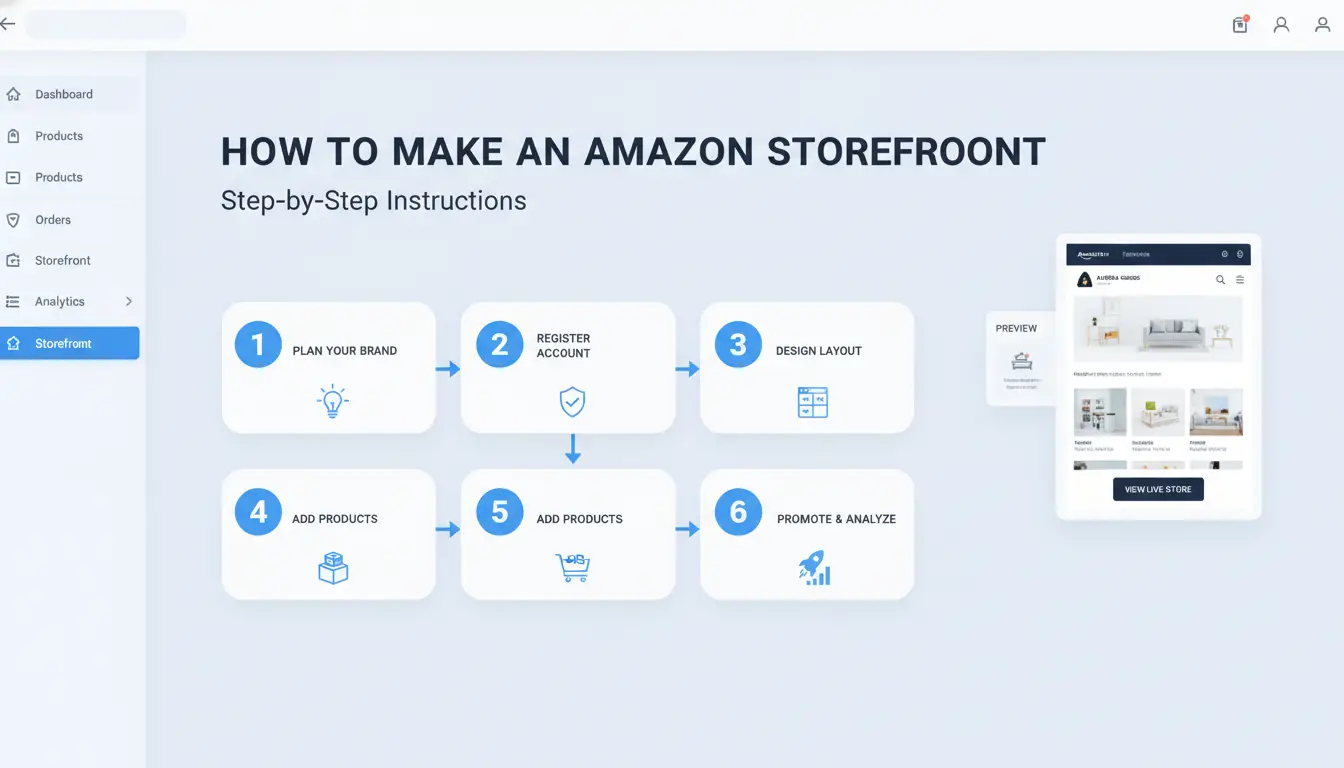
Setting up your Amazon Storefront starts inside Seller Central, but the process isn’t always obvious. If you want to know how to make amazon storefront that stands out, you need to follow each step with care, rushing here often leads to product display errors or a rejected submission. Here’s how to move from idea to launch without missing critical details.
Step 1: Access the Storefront Builder
After you log into Amazon Seller Central, go to “Stores” in the main navigation. Only sellers who finished Brand Registry will see the “Manage Stores” option. Click “Create Store.” Pick your brand, then hit the “Create Store” button. If you don’t see your brand, check that your trademark matches your Seller Central account details, this mismatch is a common blocker.
Step 2: Design Your Store Homepage
Amazon gives you layout templates so you don’t have to start from scratch. Choose a homepage style that fits your product range, single-page for a focused brand, or multi-page if you sell across categories. Add your logo and a hero banner (wide image at the top). Use high-res images and keep mobile shoppers in mind: Amazon previews how your store looks on phones, so click through that view and fix any images or text that get cut off. 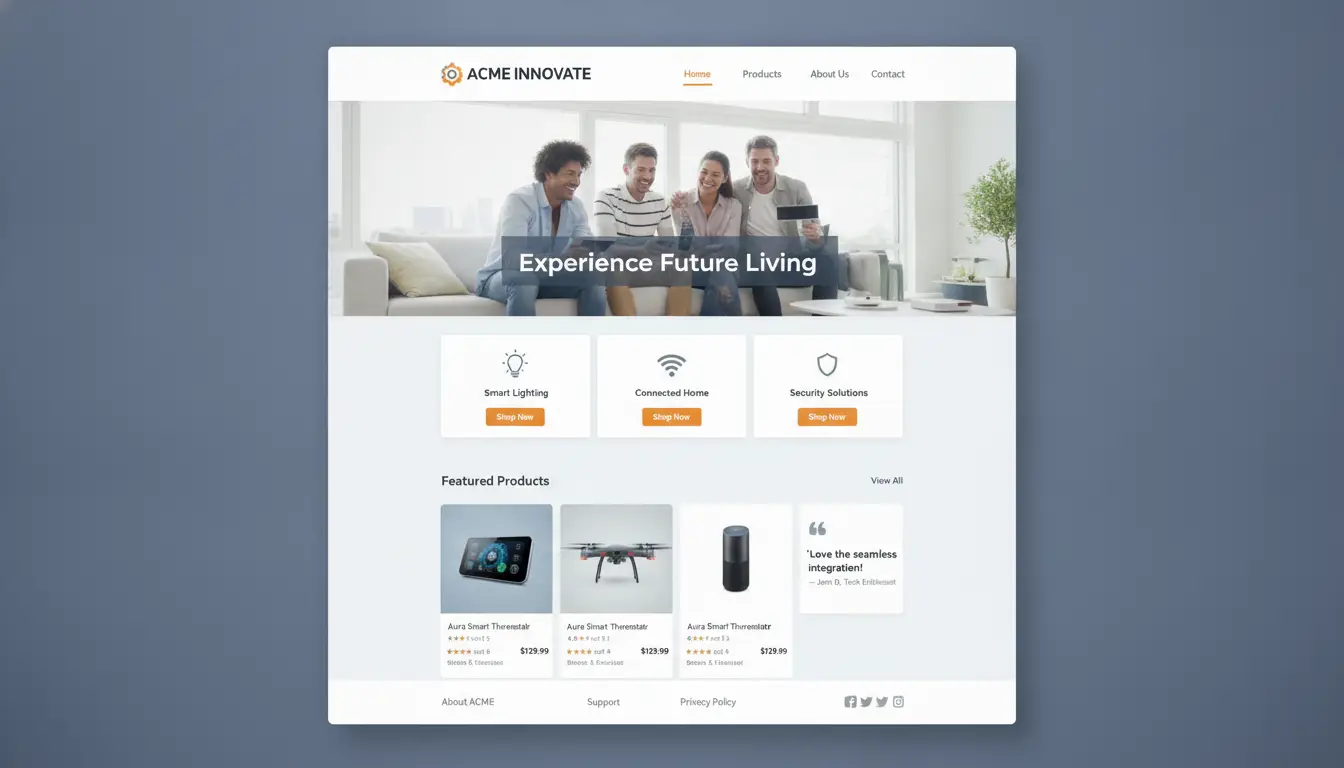
Step 3: Add Products and Content
Group your products into “collections”, these are like digital shelves. You can pull in ASINs by search or upload a list. Write clear, short product descriptions, and avoid copying your main listing text word-for-word; unique copy helps you pass the review. For each product, check that the images are sharp and match the brand theme you set on the homepage. Mislinked or missing ASINs are the top reason for store rejections, double-check every product tile before you submit.
When your amazon store setup feels ready, click “Submit for Publishing.” Amazon reviews new stores in about 72 hours. If you want to build amazon storefront that supports ads, wait for approval before launching any Sponsored Brands campaigns.
What Makes an Amazon Storefront Stand Out?
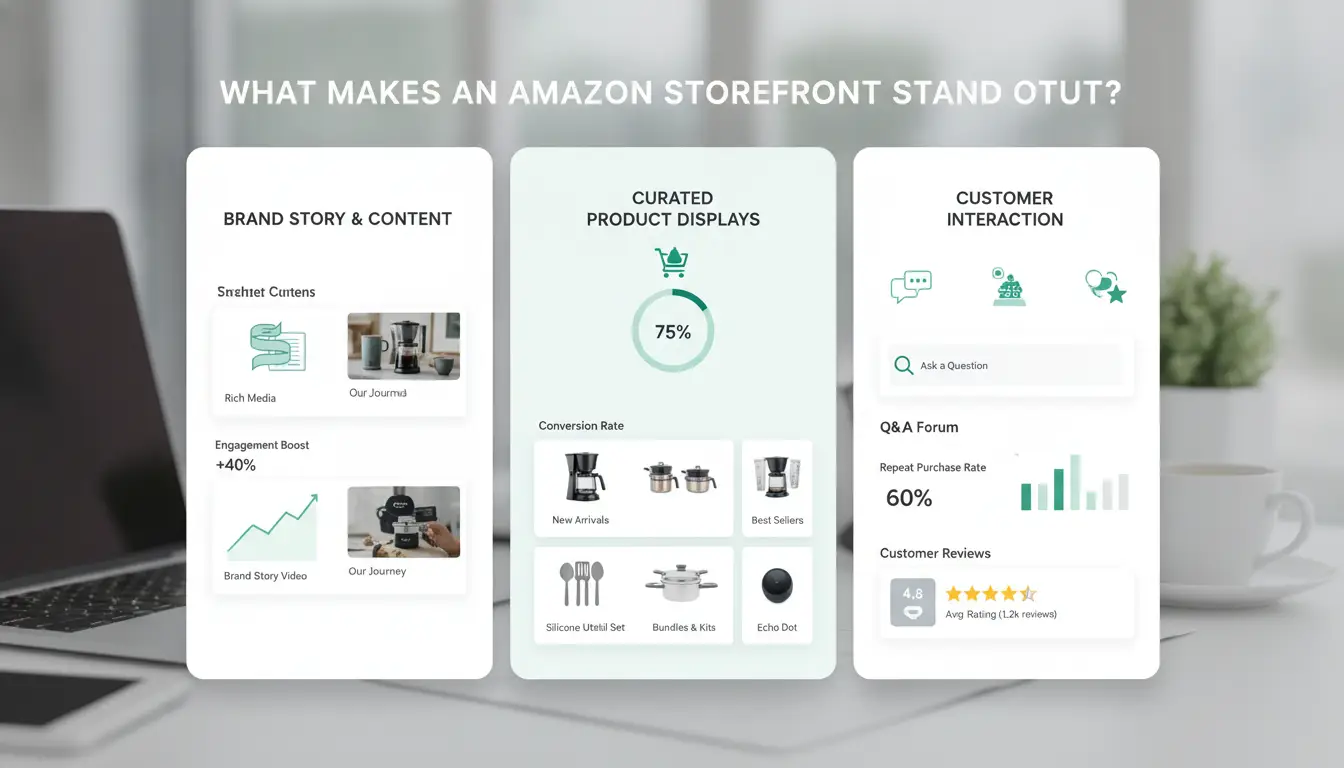
Standing out on Amazon starts before you even publish your store. The storefronts that win attention do three things well: they show clear branding, use content that matches how shoppers search, and make navigation frictionless. Sellers searching how to make amazon storefront usually want practical steps, not vague advice. Here’s what matters most if you want your amazon store setup to convert.
Branding and Visual Appeal
A generic storefront disappears in the crowd. Consistent brand colors and a clear logo set a strong first impression, shoppers should know whose store they’re in from the second the page loads. Use high-resolution images for each product, and add short videos that show items in use or highlight features. This isn’t just about looking good; it helps build trust and keeps visitors from bouncing. If your logo and palette match your packaging and social media, buyers feel like they’re in the right place. For inspiration, check Amazon’s own Storefront examples.
Optimizing Titles, Descriptions, and Keywords
Most sellers miss traffic by guessing at keywords or copying what competitors write. Real growth comes from researching what your buyers actually search. Tools like Amazon’s Search Terms report or a simple look at auto-suggest help you find terms to weave into your titles and descriptions naturally. Write for people, not just the algorithm, clear, easy-to-read copy beats keyword stuffing every time. Focus on what the product does for the buyer, not just specs. This is where the difference between a store that ranks and one that doesn’t shows up fast.
Improving Store Navigation and Calls to Action
Shoppers leave fast if they can’t find what they want. Break products into logical categories, don’t hide best-sellers deep in the menus. Use banners or featured sections for new arrivals or bundles. Good amazon store setup always includes clear calls to action, like “Shop Now” or “See Best Deals,” on every page. These prompts guide visitors toward buying instead of clicking away. If you’re building your store from scratch, keep navigation simple on both desktop and mobile.
The biggest wins come when branding, content, and navigation work together, making your build amazon storefront project actually drive sales.
What Common Mistakes Should You Avoid When Making an Amazon Storefront?
Rushing through how to make amazon storefront can create costly setbacks, missed sales, low rankings, or even Amazon warnings. Many new sellers think it’s just about uploading products, but ignoring key rules or skipping details often leads to problems that are hard to fix later. Here’s where most slip-ups happen, with specific examples and what to watch for.
Ignoring Amazon’s Content Guidelines
Amazon is strict about what you can say and show. Using restricted words like “the best” or making health claims can get your storefront rejected. Sellers often fail to check image and video rules, blurry product shots, watermarks, or any hint of contact info will cause delays. Amazon’s content policy covers all the details, but most mistakes come from missing small print or trying to push the limits with claims and visuals. Missing these details is the fastest way to stall your amazon store setup.
Poor Product Organization and Navigation
It’s tempting to put every product front and center, but overcrowded pages make shoppers leave. Pages packed with similar items, no clear categories, or confusing menus cause buyers to give up before adding to cart. For example, if you build amazon storefront with 50 products but skip grouping by type, shoppers can’t find what they want. Missing categories also mean your storefront won’t surface in Amazon’s own search filters. Keep the layout simple, and always check your page on mobile, over 60% of Amazon traffic comes from phones according to Statista.
Neglecting Storefront Updates and Analytics
Leaving old products up or not tracking how shoppers use your page hurts results. Outdated listings confuse buyers and can trigger negative reviews. Beginners often forget to check analytics in Seller Central, without tracking which sections convert or which items are ignored, you can’t improve. If you want to create amazon storefront that actually grows, set a reminder to review analytics and update products every month. Even small tweaks, like switching out a low-performing hero image, can boost click-through rates.
How to Manage Multiple Amazon Storefronts Safely and Efficiently
Juggling more than one Amazon storefront sounds smart for brand growth, but it comes with real risks. Sellers often search for "how to make amazon storefront" thinking it’s a simple process. The reality is, running several storefronts on the same device can quickly get accounts flagged or restricted. Here’s how to avoid common traps and set up a workflow that keeps each store safe and running smoothly.
Risks of Handling Multiple Storefronts
Amazon tracks device fingerprints, browser data, and IP addresses across all sellers. If two storefronts get linked, say, by logging in from the same browser session or IP, both accounts could face review or suspension. Even something as small as sharing a browser cache or cookies can connect your amazon store setup efforts in ways you didn’t intend. Using public Wi-Fi or switching networks without care makes this risk even higher. Many sellers have lost access to storefronts just because of a simple fingerprint overlap or repeated login from a flagged location.
Best Practices for Multi-Store Workflow
To keep each account separated, treat every storefront as if it’s a totally different person. Use isolated browser profiles so cookies and login sessions never mix. Assign a unique proxy, meaning a dedicated IP address, for each storefront. This stops Amazon from seeing two logins from the same network. Avoid using browser autofill or password managers that might cross-link data. For sellers managing an amazon store setup for several brands, setting a clear routine for logging in and out makes mistakes less likely. A physical checklist or a simple spreadsheet can help keep track.
How DICloak Makes Multi-Store Management Safer
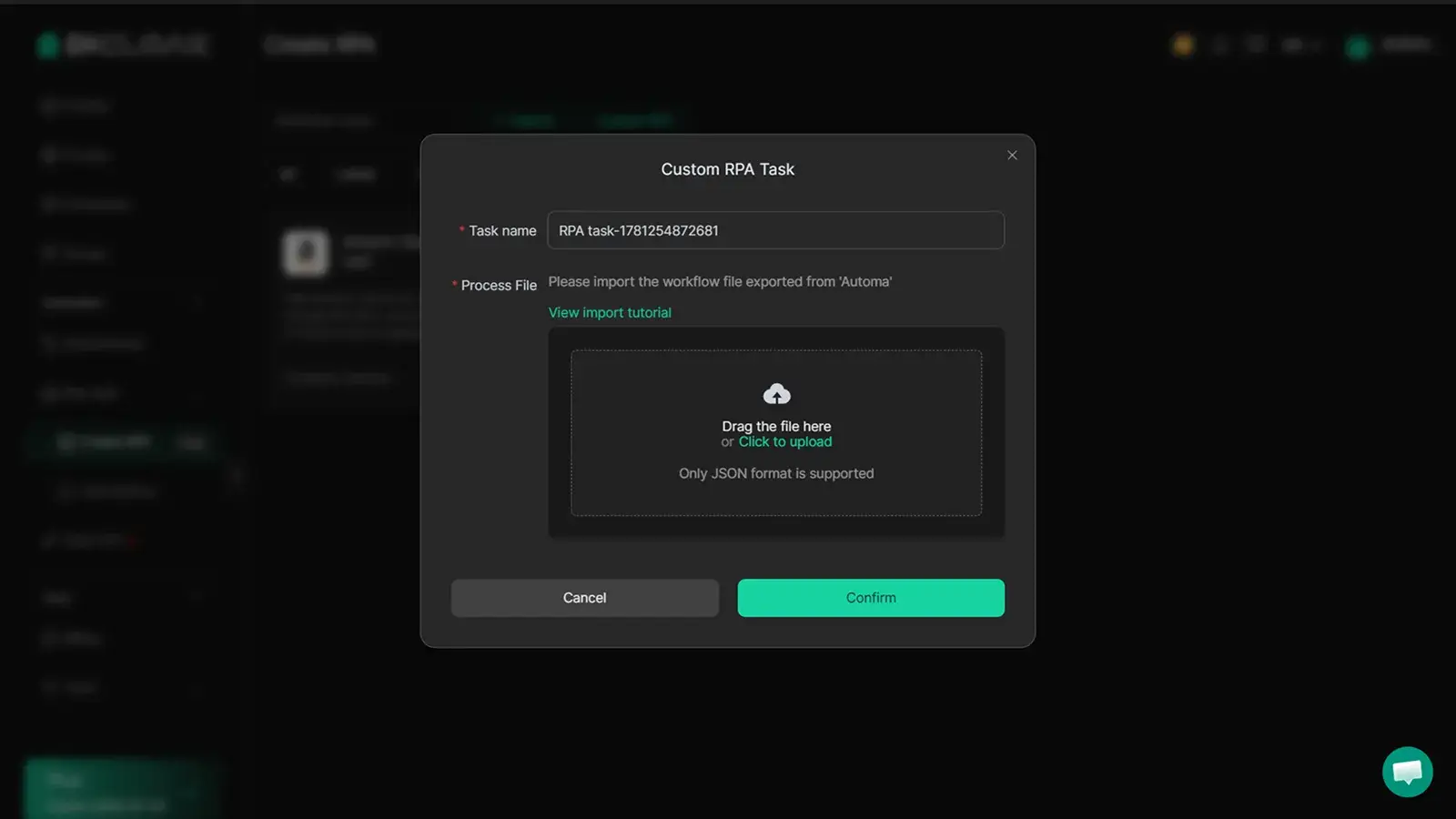
You can use DICloak to create a unique browser profile for every Amazon store you manage. Each profile keeps cookies, cache, and fingerprints separate, reducing the risk of unwanted account links. DICloak also lets teams share access safely, no need to hand out main passwords. Built-in RPA automation can handle daily tasks like listing updates or ad management across stores without manual mistakes. The real advantage: DICloak’s proxy support and isolation make it much harder for Amazon to connect your storefronts, even if you operate several on a single computer.
What Should You Do After Launching Your Amazon Storefront?
Review and Test Storefront Functionality
Right after you finish your amazon store setup, check every link and menu. Broken links or missing product pages drive away shoppers fast. Tap through your storefront on both desktop and mobile, Amazon’s mobile shoppers make up more than half of site visits, so a page that loads slowly or looks off on a phone will cost you sales. If you’re helping a client or team member build amazon storefront, ask someone else to test it and spot issues you missed.
Monitor Analytics and Customer Feedback
Amazon Store Insights is where you see real numbers: page views, sales, and which products get clicks. Don’t just check it once, watch trends and compare changes after you update banners or collections. Respond to customer reviews and questions quickly. Fast replies build trust and can turn a browser into a buyer. For more details on using analytics, see Amazon’s Store Insights guide.
Troubleshooting Common Storefront Issues
If your storefront gets rejected, Amazon usually lists the problem, policy issues or image size errors are most common. Fix the flagged part and resubmit. Technical errors often come from browser conflicts, especially if you manage more than one store.
You can use tools like DICloak to run each storefront in its own isolated browser profile with separate proxies and fingerprints. This stops Amazon from linking your accounts and reduces ban risk. Team collaboration, RPA automation, and bulk profile management also help when you’re handling multiple stores or working with a group.
How to Promote Your Amazon Storefront for Maximum Visibility
Getting traffic to your Amazon storefront takes more than just setting it up. Sellers who want to stand out need to use both Amazon’s built-in tools and channels outside Amazon. If you want real growth, the focus should be on showing up where shoppers already spend time, inside Amazon search and off-site. Here’s how to drive views, boost sales, and build your brand after you build amazon storefront that works.
Leveraging Amazon Advertising Tools
Amazon advertising is the fastest way to get your storefront in front of shoppers. Sponsored Brands lets you run banner ads that link straight to your store. These show up on search pages, so even buyers who don’t know your brand can click through. Sponsored Brands Video can grab attention quickly, especially on mobile.
For sellers ready to scale, Amazon DSP (Demand-Side Platform) runs display ads on and off Amazon. You can retarget shoppers who viewed your products or target lookalike audiences across the web. Sponsored Brands and Amazon DSP are both managed from your Seller Central dashboard, making it simple to start if you already have an amazon store setup.
Driving External Traffic with Social Media and Influencers
Don’t wait for buyers to find you. Share your create amazon storefront link on Instagram, Facebook, or TikTok. A short post or story with a direct link can bring new traffic fast. Influencer partnerships, where you send products to creators for review or unboxing, can put your storefront in front of a built-in audience.
Working with micro-influencers often costs less but sometimes performs better because their followers trust them. Make sure to use Amazon’s attribution tags so you can see which posts or creators actually drive sales.
Email Marketing and Retargeting Strategies
Building your own customer list means you don’t have to rely only on Amazon’s traffic. Collect emails through product inserts or follow-up messages (as allowed by Amazon’s policies). A simple newsletter with deals or new product announcements keeps buyers coming back.
For retargeting, use Amazon’s “Manage Your Customer Engagement” tool to send campaigns to past buyers. Following up with buyers who already trust you is one of the most reliable ways to increase repeat sales, especially after you create amazon storefront and want to build a loyal brand audience.
Frequently Asked Questions
Can anyone make an Amazon storefront?
Not everyone can create an Amazon storefront. You must have an active Professional Seller account and be enrolled in the Amazon Brand Registry. This means you need to own a registered trademark. If you just want to sell products but don’t have a brand, you can still sell on Amazon, but you can’t build an Amazon storefront.
How long does it take to set up an Amazon storefront?
Amazon store setup usually takes a few hours to a few days. If you have all your images, brand assets, and product info ready, you can build your storefront faster. Amazon reviews each new store and usually approves it within 72 hours if your content meets their guidelines.
Do I need to be brand registered to make a storefront?
Yes, you must be enrolled in Amazon Brand Registry to make an Amazon storefront. This protects your brand and lets you use advanced features. Sellers who are not brand registered can’t start the storefront creation process. Only trademarks registered with approved government offices are eligible.
How can I update my Amazon storefront after launch?
To update your storefront, log in to Seller Central, go to “Stores,” and choose your store. You can edit pages, add new products, change images, and refresh content. After you submit changes, Amazon reviews and publishes the updates, usually within 24 to 72 hours.
Is it safe to manage multiple Amazon storefronts from one device?
Managing several Amazon storefronts from one device can trigger Amazon’s security checks. To reduce risks, use different browser profiles or user accounts, and never share login details. Amazon may suspend accounts if they detect unusual activity, so always follow their policies for safe amazon store setup.
Building your own Amazon storefront can boost your brand’s visibility and help you connect directly with customers by showcasing your unique products. By following these steps, you can create a professional storefront that stands out and drives sales. Try DICloak For Free
 Web Proxy Tools
 Free Tools
 Cookie Plugin
 UA Generator
 MAC Address Generator
 IP Generator
 IP Address List
 2FA Code Generator
 World Clock
 Anonymous Check
 WebRTC Leak Test
 UUID Generator
 Free Web Proxy Site
 Proxy Checker
 FB Ad Checker
 AI Web Scraping
 Free SMM Tools
 Twitter Shadowban Checker
 Instagram Name Checker
 UTM Generator
 Username Generator
 AI Hashtag Generator
 LinkedIn Headline Generator
 Social Media Image Resizer