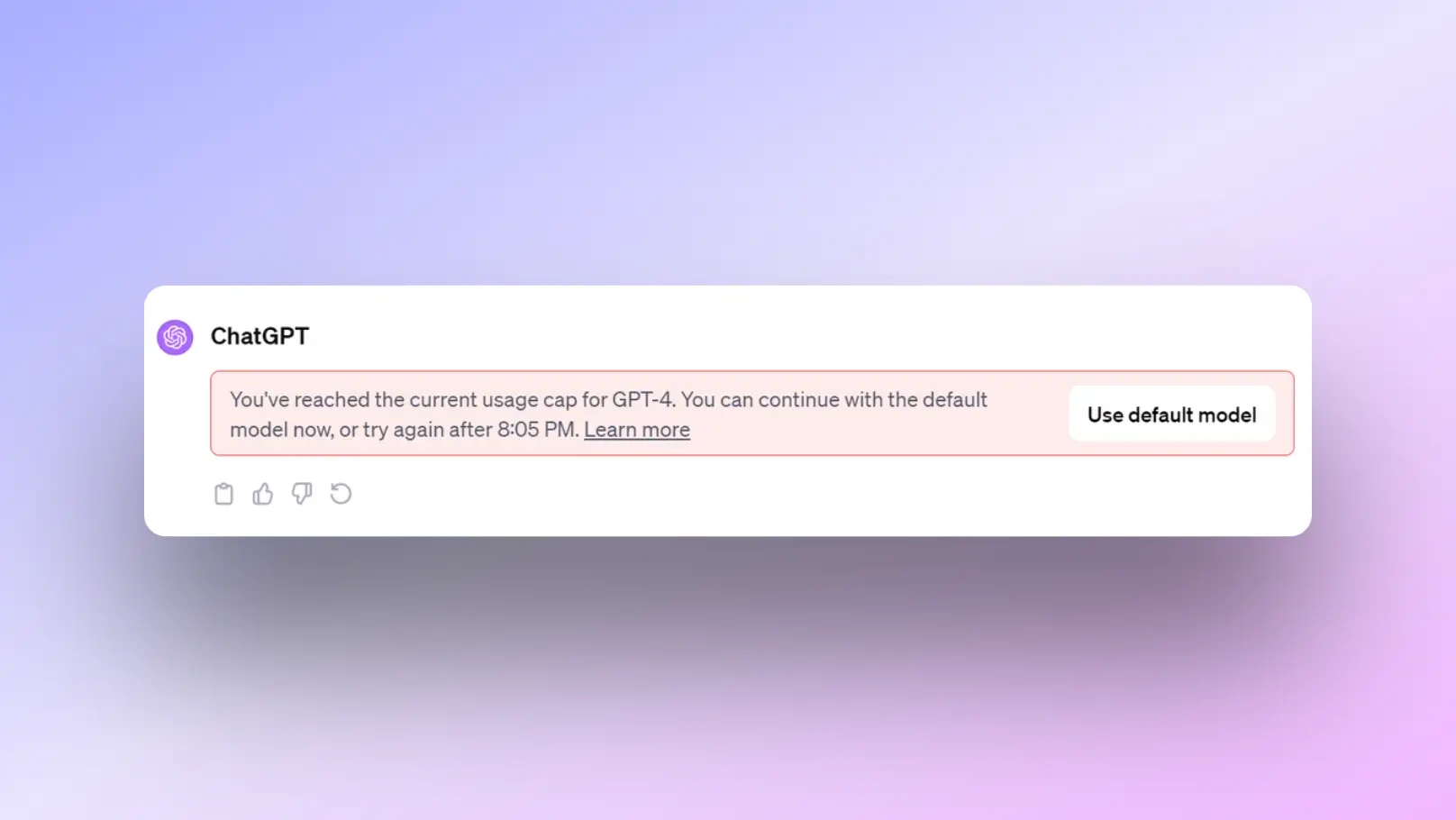
If you're an avid ChatGPT user, the alert message “You’ve reached your GPT-4o limit” is a familiar frustration. OpenAI’s most sophisticated models come with strict message caps that can bring your workflow to a grinding halt, right when you need it most.
Fortunately, there is a simple and free method to bypass these restrictions and regain uninterrupted access without violating OpenAI’s terms of service. This guide will show you how to use DICloak, a powerful antidetect browser, to overcome ChatGPT's limitations, multiply your productivity, and maintain your creative momentum.
Understanding ChatGPT's Usage Limitions
Why ChatGPT Has Usage Limitations
To smoothly connect with the usage caps discussed above, it’s important to understand why ChatGPT enforces these limits. Below are the key reasons, explained clearly and logically.
1.Infrastructure and Computing Costs
Advanced models like GPT-4o require massive computing resources to run. Each request consumes GPU power, memory, and energy. Usage limits help OpenAI control operational costs and keep subscription prices reasonable. Without these caps, the system would be difficult to sustain at scale—especially for high-demand users trying to bypass ChatGPT limitations to increase output.
2.Fair Access for All Users
ChatGPT serves millions of users worldwide. Usage limits prevent a small group of heavy users from consuming excessive resources, ensuring that everyone receives stable response times and consistent performance. This fairness model is a core reason why unrestricted access is not offered by default.
3.System Stability and Performance
Uncontrolled usage can cause server overloads, slow response times, or outages. Message caps help distribute demand evenly, keeping the platform reliable during peak hours. From a technical standpoint, limits protect the overall user experience.
4.Abuse Prevention and Policy Compliance
Limits also reduce automated abuse, bot activity, mass content scraping, and other behaviors that violate platform policies. By setting usage thresholds, OpenAI can better detect and prevent misuse while maintaining responsible AI deployment.
5.Tiered Pricing Strategy
Different plans are designed for different user needs. Free and Plus plans include caps to distinguish casual users from professional or enterprise users. As a result, many creators and professionals explore ways to bypass ChatGPT limitations, often meaning they are seeking more efficient or scalable solutions, not policy violations.
Different Models and Subscription Limits
OpenAI offers different models and subscription tiers, each with specific capabilities and access limits. To understand the solution, it's helpful to know the exact caps you're facing. While these numbers are subject to change, here is a general breakdown based on current information (pricing and limits subject to change).
Free user:
- Limited access to GPT-3.5 mini
- Limited access to GPT-4o mini
- Limited access to GPT-4o (current numbers are not provided, but are fewer than the Plus plan)
- No access to OpenAI’s latest models (like O1)
Plus plan user ($20/mo):
- Unlimited access to GPT-4o mini
- 80 messages every 3 hours for GPT-4o
- 40 messages every 3 hours for GPT-4
- 50 messages/week with OpenAI O1-preview
- 50 messages/day with O1-mini
Pro plan user ($200/mo):
- Unlimited access to all models
OpenAI implements these caps to ensure fair usage, but for professionals, students, and creators who rely on the platform for time-sensitive tasks, these restrictions can become a significant bottleneck.
Understanding these factors helps users move toward legitimate optimization strategies rather than unsafe or rule-breaking methods.
How You Can Bypass ChatGPT Limitations with DICloak
DICloak is a powerful antidetect browser engineered to give you complete control over your digital identity. It allows you to securely manage thousands of accounts from a single device, offering Protected Fingerprint, Shielded Teamwork, and Private Data Privacy.
The mechanism for bypassing ChatGPT limits is brilliantly simple. DICloak creates isolated browser profiles, each shielded with a unique digital fingerprint. This makes each of your OpenAI accounts appear to be operating on a completely separate device. By creating multiple accounts and accessing each through a separate DICloak profile, you multiply your available message quota by the number of accounts you have, guaranteeing you always have access.
WhyChoose DICloak Antidetect Browsers to Bypass ChatGPT Limitations?
⚡The DICloak Antidetect Browser has become a global favorite for its unparalleled ability to efficiently and securely manage multiple accounts. Designed for professionals in social media management, and more, DICloak offers powerful features like RPA automation, bulk operations, and a synchronizer. Additionally, it allows you to customize fingerprints and integrate proxies for each profile, ensuring top-level security and operational efficiency. It’s the ultimate tool for seamless, secure, and scalable operations.

What Makes DICloak Stand Out?
✅ Manage 1,000+ Accounts on One Device: Stop wasting money on extra hardware! DICloak allows you to manage multiple accounts on a single device, cutting costs and boosting efficiency.
✅ Guaranteed Account Safety, No Ban Risks: Every account gets its own isolated browser profile with custom fingerprints and IPs, drastically reducing the risk of bans. Your accounts, your control!
✅ Flexible Proxy Configuration for Maximum Performance: Seamlessly integrate with all major proxy protocols (HTTP/HTTPS, SOCKS5) and manage your proxy pool with bulk operations. No more struggling with IP management—DICloak has you covered.
✅ Streamlined Team Collaboration for Better Results: Easily manage your team with advanced tools like profile sharing, permission settings, data isolation, and operation logs. Your team works smarter, not harder.
✅ Automate the Grind with RPA: DICloak's built-in RPA saves you hours of manual work. Automate repetitive tasks, streamline workflows, and focus on what really matters—growing your business.
✅ Powerful Bulk Tools to Scale Your Operations: Create, import, and launch multiple browser profiles in one click. DICloak makes scaling your business as easy as it gets.
✅ Compatible with All Major Operating Systems: Based on the Chrome core, DICloak supports simulating Windows, Mac, iOS, Android, and Linux operating systems. No matter what platform you need, DICloak has you covered.
🔗 Ready to Get Started?
Visit the DICloak website to explore more details and choose the plan that’s right for you. Start for free today and experience the power of secure, efficient, and scalable multi-account management!
Step-by-Step Guide to Bypass ChatGPT Limitations
Before you begin, ensure you have multiple Gmail accounts ready to create your separate OpenAI accounts. Then, follow these simple steps to get started.
- Step 1: Download and Install DICloak Visit the official DICloak website to download the browser. If you are a new user, sign up for an account to get started with their generous free plan.
- Step 2: Create Separate Profiles Open DICloak and create a new browser profile for each Gmail account. DICloak automatically shields each profile with a unique, authentic digital fingerprint, guaranteeing they appear as distinct devices with unrivaled security configuration.
- Step 3: Log Into Your Accounts Use each DICloak profile to sign into a different Gmail account. Once logged into Gmail, navigate to the OpenAI website and create a new ChatGPT account with that email.
- Step 4: Access ChatGPT Without Restrictions Within each DICloak profile, open ChatGPT and log in using the corresponding account. You can now use the full message limit available to each individual free account.
- Step 5: Switch Profiles as Needed When you hit the usage limit on one profile, simply close it and open another DICloak profile with a fresh ChatGPT account to continue your work seamlessly.
Why This Method is a Smart Way to Bypass ChatGPT Limitations
You Don’t Need a Proxy
While many methods for bypassing platform restrictions rely on proxies to change your IP address, they are often unnecessary for this purpose. Modern platforms like ChatGPT rely more on a device's unique browser fingerprint for user tracking. This fingerprint consists of hundreds of data points that create a unique digital identity.
DICloak's core strength is its ability to spoof key fingerprint elements like IP address, geo-location, cookies, WebGL, WebGPU, and canvas. It can simulate unique devices across all major operating systems, including Windows, Mac, iOS, Android, and Linux. By generating a completely unique and authentic browser fingerprint for every profile, you effectively make each account appear as a new user on a new device, which is the key to this method's success.
Tips for Maximizing Effectiveness
Using DICloak is a definitive solution on its own, but these tips will help you make the process even more efficient.
- Share Your Conversation: Don't lose your progress. Instead of starting over, click the 'share' button in your ChatGPT conversation to get a unique link. When you hit your limit, open that link in a new DICloak profile to pick up right where you left off.
- Rotate Profiles Strategically: Plan your usage to avoid exhausting the limits on all your accounts at once. By switching between accounts in a structured manner, you can ensure continuous, uninterrupted access.
- Keep Accounts Organized: Assign meaningful names to your DICloak profiles (e.g., "ChatGPT Account 1," "ChatGPT Account 2") to easily track usage. Avoid logging into multiple OpenAI accounts from the same profile, as this can link them.
- Respect OpenAI’s Terms of Service: This method is for enhancing personal productivity and should always be used responsibly and ethically. Adhere to OpenAI's terms and avoid automation or misuse that could overload their servers.
- Automate the Grind with RPA: For power users, DICloak's built-in RPA (Robotic Process Automation) can automate repetitive tasks across your profiles, saving you hours of manual work and streamlining your entire workflow.
Conclusion
By leveraging DICloak and multiple accounts, students, content creators, and professionals can guarantee uninterrupted access to ChatGPT’s powerful features. This straightforward approach provides guaranteed account safety, eliminates workflow disruptions, and maximizes your efficiency when it matters most.
Stop letting message caps dictate your workflow. Download DICloak's free plan today, create your first few profiles in minutes, and experience truly uninterrupted access to ChatGPT.
FAQs about Bypassing ChatGPT Limitations
1.How many accounts do I need to effectively bypass ChatGPT limitations?
The number of accounts depends on your usage. For frequent users, starting with 3-5 accounts is typically sufficient. Since each account's message limit resets independently, having multiple accounts ensures you almost always have one ready to use.
2.Do I need to pay for DICloak to use this method?
No. DICloak offers a generous free version upon registration that is perfectly suited for this method. It allows you to create the multiple profiles you need to ensure continuous access to ChatGPT. Premium plans are available for users who require advanced features like team collaboration or large-scale automation.
3.How often does the ChatGPT message limit reset?
The message limits for models like GPT-4o typically reset every 3-4 hours. By rotating through your different accounts in DICloak, you can maintain continuous access while waiting for the limits on your other accounts to reset.
4.Is there an official unlimited version of ChatGPT?
Yes, OpenAI offers a Pro plan for $200/month that provides unlimited access to all of its models. However, for users seeking a powerful free alternative, the method outlined in this guide remains a highly effective solution.
5.Is using an antidetect browser like DICloak to manage multiple accounts against OpenAI's terms of service?
This method aligns with ethical and responsible use. It relies on creating legitimate, separate accounts and accessing them from distinct browsing environments, which is fundamentally different from automated spam or malicious activity that violates terms of service. The goal is to manage personal workflow and overcome frustrating usage caps, not to abuse the service.
 Web Proxy Tools
 Free Tools
 Cookie Plugin
 UA Generator
 MAC Address Generator
 IP Generator
 IP Address List
 2FA Code Generator
 World Clock
 Anonymous Check
 WebRTC Leak Test
 UUID Generator
 Free Web Proxy Site
 Proxy Checker
 FB Ad Checker
 AI Web Scraping
 Free SMM Tools
 Twitter Shadowban Checker
 Instagram Name Checker
 UTM Generator
 Username Generator
 AI Hashtag Generator
 LinkedIn Headline Generator
 Social Media Image Resizer