Seeing Fiverr account suspended on your dashboard can stop your income cold. Maybe you logged in to see a warning or found your gigs offline without a clear reason. Sellers often get stuck between generic emails and a frozen balance, not knowing if this is a short restriction, a full Fiverr account ban, or something they can fix.
What catches people off guard is how fast these actions happen, and how little warning you get. Even accounts with years of sales and good ratings can face sudden restrictions. Appeals sometimes feel like they go into a black hole, with support replies that don’t explain what actually triggered the ban.
The bigger problem isn’t just losing access, but not knowing what actions make things worse. Some try to open new accounts right away, only to see them banned within hours. Others wait for weeks, hoping for a reversal, and miss the short window to submit the right documents. The key is knowing what Fiverr actually flags, what you can do during a suspension, and when an account is truly lost.
Start by figuring out why the suspension happened, most mistakes here come from guessing wrong.
Why Fiverr Accounts Get Suspended in 2026: The Real Triggers
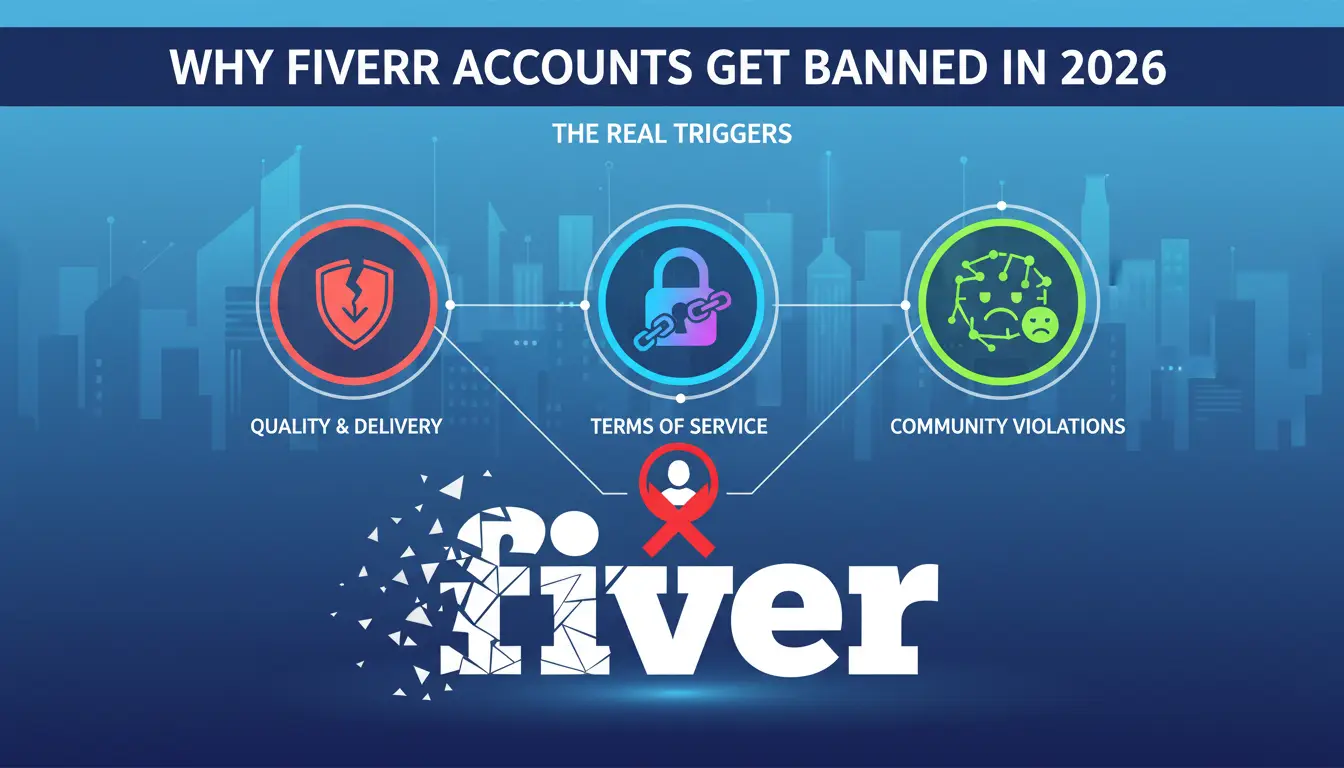
The main reasons for losing access are location/IP changes, policy violations, and account linking mistakes. In 2026, Fiverr’s detection systems now act faster and flag more edge cases, missing one detail can trigger a ban even if you’ve followed most rules.
Location and IP Inconsistency
Accounts that log in from shifting countries or use unstable IPs get flagged much faster. Fiverr tracks login patterns; if you switch locations or proxies too often, the risk jumps. Even moving cities within the same country can trigger a review if the change doesn’t match your account history.
Policy Violations and Content Flags
Content rules have tightened. Fiverr’s scanners now use AI to check gig titles, descriptions, and attachments for banned services or risky keywords. Selling anything labeled as “academic writing,” “fake reviews,” “bot traffic,” or “account unlocking” gets flagged instantly. The system also picks up on subtler cues, if your gig mentions “guaranteed ranking” or “untraceable traffic,” it might get auto-disabled before a human ever sees it.
What’s changed is how strict the automatic review has become. In 2026, even a small edit can trigger a full gig takedown, sometimes without warning. If your gig was fine last year, updating the description with new keywords can still cause a ban. The review queue is shorter now, but appeals for content bans often stall, leaving sellers stuck for days. The hardest edge case is when gigs get flagged for “misleading claims”, the support team rarely explains what wording caused the problem, so you’re left guessing which phrase crossed the line.
If you’re trying to offer services in a gray area (like “consulting” on banned topics), the system often disables the gig before you get a chance to clarify. Trying to relist the same service under a new gig title almost always gets caught. The failure mode looks like a gig disappearing from search and your account entering review status, sometimes with no email alert at all.
Account Linking and Fingerprint Issues
- Logging into multiple Fiverr accounts on the same phone or browser often triggers an instant restriction.
- Browser fingerprint mismatches, like using incognito mode, switching devices, or clearing cookies, can cause Fiverr to flag accounts as “connected.”
- Using the same payment method or withdrawal details across profiles nearly always gets both accounts banned.
Suspensions for fingerprint issues are usually permanent and appeal replies rarely give specifics. If you only notice after both accounts are down, recovery is nearly impossible.
Next, you need to know whether your account is truly suspended or just restricted, these look similar but require different actions.
How to Tell If Your Fiverr Account Is Suspended, Restricted, or Shadowbanned
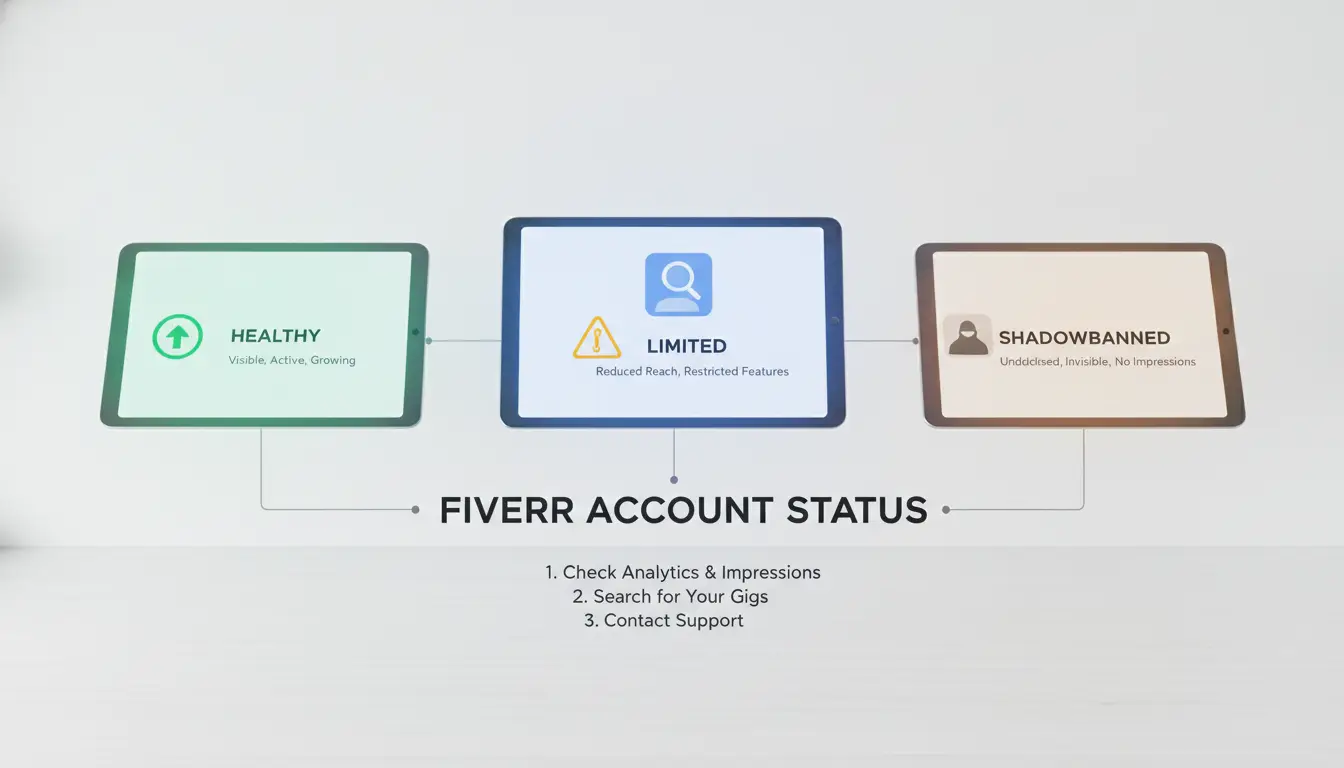
You can usually spot the difference between a suspended, restricted, or shadowbanned Fiverr account by watching how your access changes and what messages you receive. If your Fiverr account suspended notification actually shows up, you know you’re locked out, but restriction and shadowban cases are trickier. Here’s how to tell which problem you’re facing.
Permanent Suspension vs Temporary Restriction
Permanent suspension means you’re locked out for good, Fiverr sends a clear email, and your login stops working. Temporary restriction still lets you log in, but you’ll get a warning banner or email saying your account is under review. You can’t withdraw funds or reply to buyers during this period.
Shadowban Signs: When You’re Invisible
Shadowbans don’t come with a warning. Your account still lets you log in, but your gigs vanish from search, new buyers stop messaging you, and your order flow drops to almost zero. It feels like the site is working, but you’re effectively invisible. If you see normal site activity but no new buyer contact for days, and your gig views are flatlined, that’s a strong sign you’ve been shadowbanned. In practice, the biggest mistake is thinking it’s just a slow week, people waste weeks waiting for recovery that never comes.
Access and Feature Limitations
Check your account status with these three quick tests:
- If you can’t log in and get a “permanently suspended” notice, your account is closed.
- If you can log in, but see a banner or email saying “account under review,” you’re restricted.
- If you can log in and see your gigs, but gig views and buyer messages have stopped, suspect a shadowban.
Knowing which problem you’re facing tells you what steps are possible next. If you’re locked out, skip waiting and move straight to appeal. If you’re restricted or shadowbanned, document any site behavior changes, this evidence helps if you need to prove your case in the next step.
What to Do Right After Your Fiverr Account Is Suspended: Immediate Steps
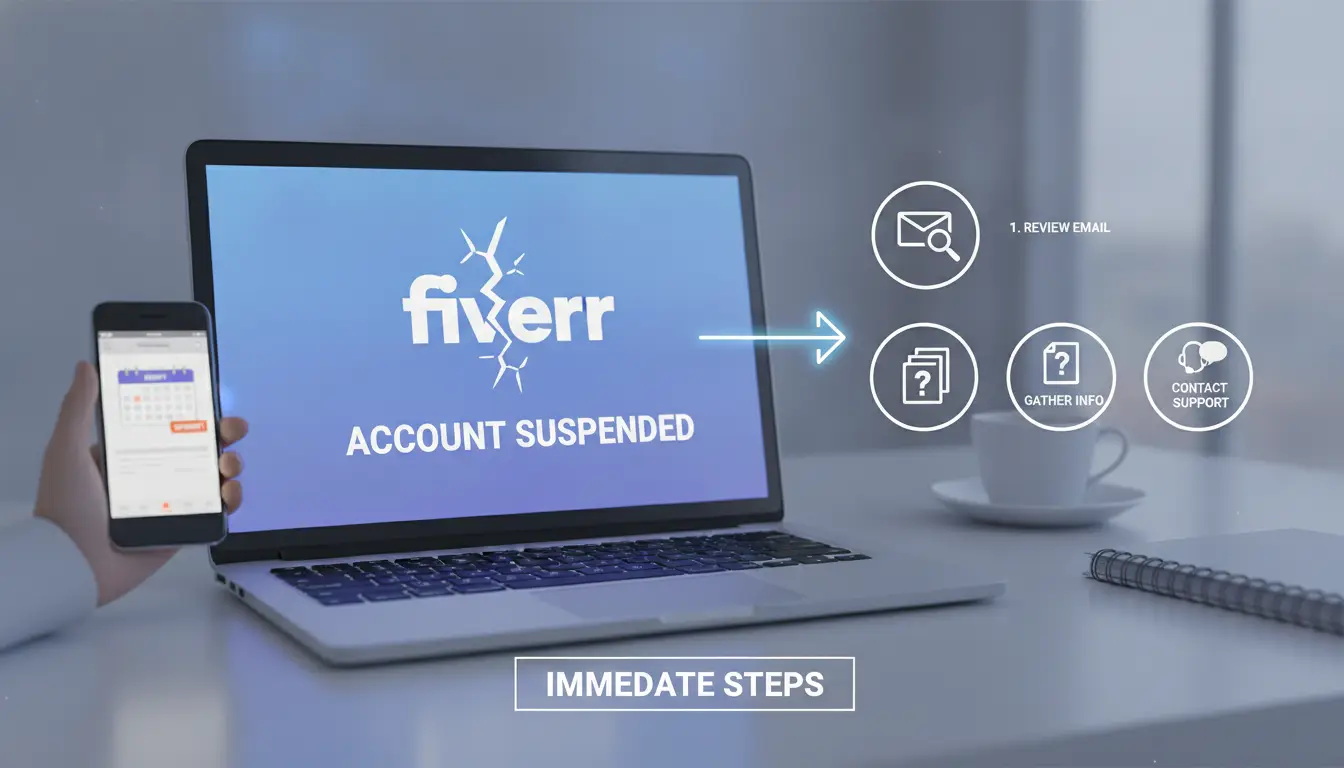
If your Fiverr account gets suspended, your next actions decide whether you can recover funds, save important data, and set up a real appeal. Rushing or guessing here often makes things worse, the fastest way to lose everything is to panic and take the wrong steps in the first hour.
Secure Your Data and Withdraw Funds
You usually lose account access fast, but in some cases, Fiverr gives a short window (sometimes 7 days) to withdraw available funds. Log in right away, if withdrawals are open, move your balance to PayPal or bank before the option disappears. Copy all important client conversations, order details, and gig descriptions. Screenshots matter if you need to reference specific messages or deliverables later. Don’t assume you’ll get another chance to access this data.
Review Fiverr’s Notification and Gather Evidence
Missing details in the suspension notice is a common mistake. Here’s what to check:
- Read the exact reason Fiverr listed for your suspension.
- Save the full notification email and any in-dashboard message.
- Collect identity documents, recent order evidence, and screenshots of client chats you might need for an appeal.
Avoid Common Mistakes That Make Appeals Harder
Most failed recoveries start with knee-jerk reactions. Before you do anything else:
- Do NOT open a new Fiverr account from the same device, IP, or browser, linked bans are almost instant.
- Don’t send multiple emails or tickets in a row; Fiverr often flags repeated requests as spam.
- Avoid venting in public forums or direct messages to Fiverr staff. Screenshots can be used as evidence against you.
Now that you’ve locked down your data and avoided early mistakes, you’re ready to build a proper appeal. The next section covers step-by-step instructions on how to submit an appeal that actually gets reviewed.
How to Appeal a Fiverr Suspension in 2026: Step-by-Step Guide
If your Fiverr account is suspended, you have one real shot at getting it back, a clear, well-supported appeal. Fiverr’s process is slow and strict, so what you say and send matters more than how fast you reply. Skip the guesswork and use the checklist below to avoid the usual traps.
Preparing Your Appeal: What Fiverr Wants to See
- Write a short, factual timeline of events, stick to dates, actions, and details. Guessing or blaming the system usually backfires.
- Admit any mistakes if you know them, but never confess to something you didn’t do. Fiverr looks for honesty, but a false admission will lock your account for good.
- Attach clear evidence: screenshots, order IDs, or chat logs that show you followed Fiverr’s rules. If you’re missing proof, explain why, don’t leave the gap unaddressed.
- Keep your message polite and direct. Automated replies get scanned for rants or copy-paste text, avoid both.
If your appeal sounds defensive, or you leave out key facts, expect a rejection with no second chance.
Submitting Your Appeal: Channels and Timing
- Use Fiverr’s official support ticket system for all appeals. Email or chat requests without a ticket ID are ignored.
- Submit your appeal within 72 hours. After this, support responses slow down and your case drops in priority.
- Wait for a reply, most get a first response in 3-5 business days. If you don’t hear back after 7 days, reply to your open ticket (not a new one), referencing your original ticket number.
- Don’t spam tickets. Multiple submissions for the same issue often lead to delays or even an automatic denial.
The fastest way to lose your shot is to open a new ticket before the old one is closed.
Handling Follow-Up Requests and Rejections
- If support requests more information, respond within 24 hours with exactly what they ask, missing this window can freeze your case.
- If your appeal is rejected, read the response carefully. Some rejections are final, but others will mention “further review” or “additional info needed.” Only reply if new facts or documents are available.
- For hard rejections, escalation is possible, but only if you have new, concrete evidence. If you try to argue or ask for exceptions without proof, you’ll get a template denial.
- If you wait more than two weeks with no update, send a single follow-up citing your full ticket history. Avoid emotional language, these messages are reviewed by a different team.
Most successful recoveries happen in the first appeal. Next, see how teams handle multiple Fiverr accounts without risking instant bans.
How Teams and Agencies Can Safely Manage Multiple Fiverr Accounts with DICloak
Managing more than one Fiverr account in a team brings real risk, linked profiles, IP overlap, and permission mistakes are what actually trigger bans. Agencies need a workflow that keeps accounts isolated, fingerprints unique, and logs clear.
Isolated Browser Profiles and Fingerprint Configuration
Keeping each account in a separate browser profile is the only way to prevent linking. Set up unique fingerprints for every profile, if two accounts share a browser fingerprint, Fiverr can connect them within hours.
Proxy Setup for Regional Stability
Assign a dedicated proxy to each account, not just each device. If two profiles ever share an IP, even for five minutes, Fiverr logs the overlap and flags both. Teams should track which proxies are active, as region mismatches often lead to account restrictions.
Team Collaboration and Permission Control
- Share access only through controlled profile links
- Use permission settings to restrict who can edit or log in
- Check operation logs weekly to spot risky actions before they trigger a Fiverr account suspension
The next thing to watch is how small mistakes, like reusing devices or missing a proxy change, cause bans even when the main setup looks safe.
Common Mistakes That Lead to Fiverr Account Suspension: What to Avoid
Most bans happen because users slip up on device, location, or message rules, often without realizing it until their Fiverr account is suspended. The main traps aren’t hidden; they just get missed in daily workflows.
Using the Same Device or Browser for Multiple Accounts
Fiverr tracks browser fingerprints and device IDs to spot linked accounts. If you log into two accounts from the same machine or browser profile, even once, Fiverr’s system flags both for review. Teams can use DICloak to create isolated browser profiles and assign a unique proxy per account, lowering fingerprint collision risk. Always double-check you’re not reusing a browser profile or device between accounts. DICloak supports workflow-level isolation but does not guarantee passing platform checks.
Ignoring Regional Consistency
- Use a stable proxy for each account
- Avoid sudden IP changes or country swaps
- Match account region with payment details
Violating Fiverr’s Communication Rules
Even one off-platform contact message or banned keyword can trigger an account restriction. AI scans flag phrases and links.
- Don’t share emails or phone numbers
- Skip all off-platform links in chats
- Avoid banned keywords (list in Fiverr’s help center)
The 2026 Fiverr Survival Checklist: Best Practices for Staying Safe
Stay off the radar by making these actions your routine, skipping even one can put your Fiverr account at risk, even if you’ve never had issues before.
Account Hygiene and Communication
Reply to clients in clear language, never send links you haven’t checked, and ignore any request that looks like phishing. One careless file or message can trip Fiverr’s auto-ban filters.
Profile and Device Management
- Use a dedicated browser profile for each Fiverr account.
- Stick with a single, stable proxy, IP changes flag risk.
- Keep devices and browsers updated; mismatches can trigger suspicion.
Withdrawal and Backup Routine
Withdraw funds after orders clear, not just at month’s end. If an account is frozen, recovery is slow and balances are at risk.
- Set a weekly funds withdrawal reminder.
- Export client and gig details monthly.
- Keep contact info for key clients outside Fiverr.
FAQ: Fiverr Account Suspension and Recovery
Getting hit with a suspension rarely comes with clear instructions, users end up scrambling for any clue on what to do next. Here’s what people still ask after reading guides.
Can I create a new Fiverr account after suspension?
Fiverr’s system links accounts by phone, email, device, and payment info. Trying to open a new account using anything tied to the banned profile almost always triggers another restriction. If you must start over, wipe browser data and use new credentials, but expect a short shelf life.
How long does the appeal process really take?
Appeals can take 2-7 days, but weekends and holidays stretch this timeline. If you don’t get a reply within a week, check your spam folder, sometimes the answer lands there and the appeal window quietly closes.
What documents are needed for recovery?
- Government ID (matching profile name)
- Bank statement or payment screenshot
- Recent login IP logs (if asked)
Missing any item stalls the review, Fiverr rarely grants extra time.
Frequently Asked Questions About Fiverr account suspended
Is it legal to operate multiple Fiverr accounts in my country?
The legality of running more than one Fiverr account depends on your local laws and Fiverr’s user agreement. Fiverr’s policy clearly states that each person can only have one account. Some countries may have rules about online business operations. Always check Fiverr’s terms and your local regulations before creating another account.
Can I pay for Fiverr gigs or withdrawals with crypto after suspension?
Fiverr does not accept cryptocurrency as a payment or withdrawal method, even if your account is suspended. Recovery of a Fiverr account suspended status cannot be done with crypto payments. Stick to Fiverr’s approved payment methods like PayPal, credit card, or bank transfer. Check Fiverr’s help center for up-to-date options.
How many Fiverr accounts can a team safely manage?
A team can safely manage several Fiverr accounts if each account uses a separate device, browser profile, and unique IP address. Mixing accounts on the same device or network risks getting all accounts banned. Specialized tools and proper workflow planning help teams avoid accidental cross-linking or restriction.
Is it better to create a new Fiverr account or appeal a suspension?
Always appeal a Fiverr account suspended status first. If you make a new account linked to the old one, Fiverr will likely ban it too. Appeals give you a chance to explain and maybe recover your original account. Creating new accounts without fixing the issue often leads to repeated suspensions.
Can I use the same device for multiple Fiverr accounts if profiles are isolated?
Yes, you can use the same device for more than one Fiverr account only if each account runs in a fully isolated browser profile with its own proxy and cookies. Without this, Fiverr can detect connections between accounts, which may lead to account restriction or bans. Isolation helps prevent unwanted linking.
If your freelance platform access has been restricted, carefully review the terms and reach out to support for clarification or reinstatement. Meanwhile, consider diversifying your online presence to safeguard your income and explore alternative platforms that suit your skills. Try DICloak For Free
 Web Proxy Tools
 Free Tools
 Cookie Plugin
 UA Generator
 MAC Address Generator
 IP Generator
 IP Address List
 2FA Code Generator
 World Clock
 Anonymous Check
 WebRTC Leak Test
 UUID Generator
 Free Web Proxy Site
 Proxy Checker
 FB Ad Checker
 AI Web Scraping
 Free SMM Tools
 Twitter Shadowban Checker
 Instagram Name Checker
 UTM Generator
 Username Generator
 AI Hashtag Generator
 LinkedIn Headline Generator
 Social Media Image Resizer