Choosing between two automation platforms can feel like a minefield when you’re responsible for browser security and uptime. The pressure is real: a single missed detail in your browserbase vs browserless decision can leave your stack open to session leaks, inconsistent headless runs, or surprise pricing jumps after you’ve built out your jobs. Teams often find themselves stuck comparing browserbase and browserless differences while deadlines get closer and security reviews get tighter.
But picking a platform is rarely as simple as checking off features on a list. Some APIs advertise “session isolation,” but still share underlying containers unless you pay for a dedicated tier. Others look cheaper up front, then hit you with concurrency throttling or hidden costs once you scale past a handful of parallel jobs. If you’ve been burned by flaky WebDriver sessions or unexpected rate limits, you know that small edge cases turn into real blockers once your automation is tied to customer-facing workflows.
What makes the choice tricky is that both platforms claim secure automation, but they handle browser profiles, container resets, and proxy handoffs differently. The real gap often shows up only under load or when you push for stricter compliance. You need more than a product comparison, you need to see where each one actually holds up and where cracks appear when you try to automate real-world logins or sensitive actions.
Here’s how the technical differences actually impact secure browser automation in 2026.
What Should You Check First Before Choosing Between Browserbase and Browserless?
Choosing between these two browser automation platforms comes down to one thing: how each handles secure sessions, account safety, and workflow fit when pushed beyond basic tasks. If you skip checking session isolation, fingerprint leakage, or team compatibility, you risk finding out the hard way, after your automation breaks or accounts get flagged.
Security and Account Safety Risks
Browser automation exposes accounts in ways that aren’t obvious until you run real logins or sensitive actions. Here’s what to check first:
- Are sessions isolated per job, or can profiles bleed between runs? Shared sessions can leave traces that platforms like Facebook or TikTok detect.
- Do browser fingerprints change enough between runs, or does the platform reuse device IDs? Stale fingerprints make it easier for sites to spot bot activity.
- Can you reset cookies and local storage fully, or does leftover data stick around after a job? Partial resets often cause login loops or unexpected bans.
Workflow Compatibility and Team Needs
The workflow fit is where most operators stumble. If you’re running solo, both platforms handle basic automation well. But as soon as you add teammates or need cloud-based orchestration, the cracks start to show. With Browserbase, cloud operations are smoother for parallel jobs, but you may hit limits on browser customization or see higher costs when scaling. Browserless offers more flexibility for local setups, but managing session resets and proxy handoffs gets tricky when several operators share the same environment. The real tradeoff isn’t just about features, it’s about how you handle concurrency, session cleanup, and error recovery under pressure. For example, if your team tries to run 20 jobs at once, and Browserless starts recycling session containers, you’ll see failures like login loops or cross-account contamination. That’s the kind of edge case that doesn’t show up in marketing docs but wrecks real operations.
The main risk is assuming your workflow is “standard”, most issues happen when you scale up or add team members, not during simple tests.
If you’re choosing between Browserbase and Browserless, look past the surface features. Dig into how each handles session isolation, fingerprint changes, and team workflows. Skipping these checks means you’ll face the same mistakes that trip up operators every year: flagged accounts, broken automation, and wasted hours chasing subtle bugs.
Knowing exactly what can go wrong sets up the next section, where common setup mistakes reveal why even experienced teams end up with unreliable automation.
Why Some Browser Automation Setups Fail: Common Mistakes with Browserbase and Browserless
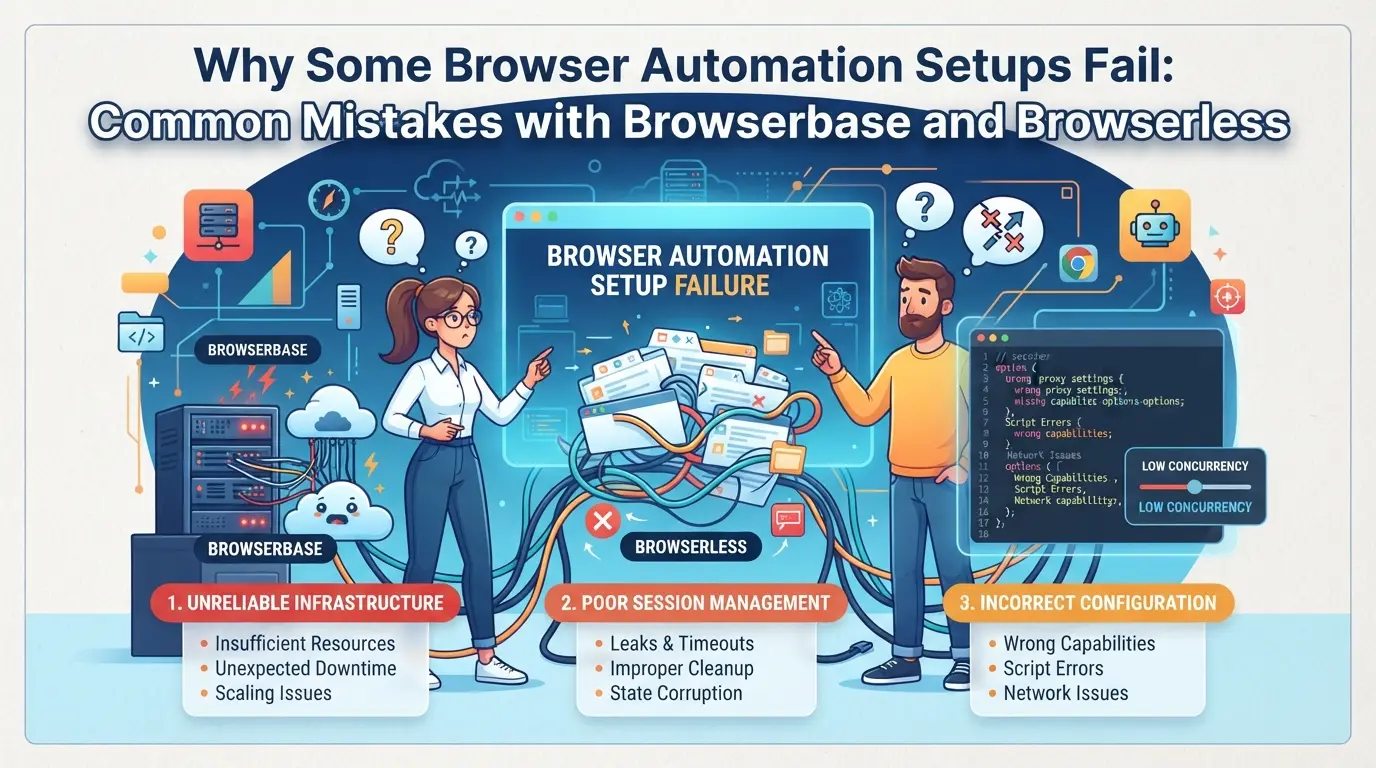
Account bans and workflow failures don’t just happen by accident, most cases trace back to basic mistakes with browser fingerprints, proxies, or ignoring platform policies. If your automation breaks or gets flagged, you’re usually missing one of these technical details.
Fingerprint Inconsistency and Detection
Mismatch between your browser profile and chosen proxy is the fastest way to trigger platform checks. If you use the same browser fingerprint across different IPs or accounts, detection systems often flag your sessions as suspicious.
Proxy Misconfiguration and IP Leaks
Relying on cheap or unstable proxies is a common weak point. Even if you script everything right, a single IP leak or failed rotation can link your accounts and get them restricted. For example, many users pair headless browser sessions with residential proxies, but forget to double-check WebRTC or DNS leak settings. This leaves gaps, platforms can pick up your real IP or see your proxy change mid-session.
The real trouble starts when you run parallel sessions at scale. Both Browserbase and Browserless have container isolation, but the defaults may not block all traffic types. If your automation script doesn’t set up per-session proxy rules, browser metadata can leak outside the intended tunnel. One missed setting and you might see two accounts flagged within minutes, even if the actual user actions are different. The risk climbs if you rotate proxies too fast or reuse an IP that was already flagged in a previous run. Once a service detects repeated links between accounts, the next batch of logins can get blocked before your script even completes.
Automation Overuse and Platform Rules
- Running actions too fast (like posting, liking, or scraping in bulk) raises instant suspicion.
- Ignoring cooldowns or running all jobs at the same minute makes session timing look fake.
- Skipping platform-specific anti-bot checks (like invisible captchas or behavioral delays) almost always leads to restrictions.
Trying to squeeze extra speed out of your automation setup without adjusting for platform limits usually backfires. Once a pattern is marked as “bot-like,” even a perfect proxy stack can’t save the session.
Understanding where setups fail with Browserbase and Browserless makes it clear: the biggest risks come from tiny leaks and shortcuts, not just platform limits or feature gaps. The next section looks at how the actual features and defaults compare between these two platforms in 2026.
How Browserbase and Browserless Actually Differ: Key Features Compared for 2026
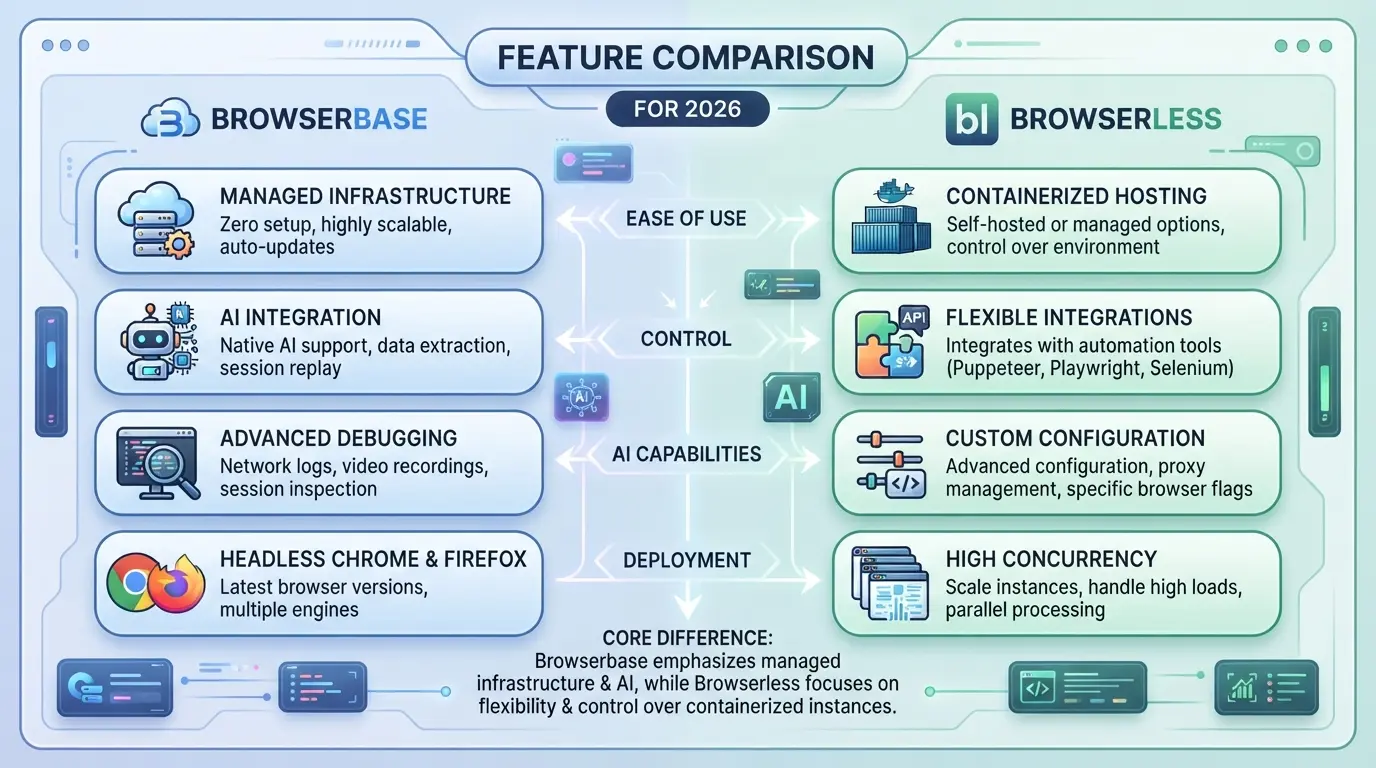
The real difference between these two tools comes down to how they handle browser profiles at scale, especially when secure automation and account safety are at stake. If you need to know where Browserbase and Browserless actually diverge, skip the marketing pages and look at how they isolate sessions, assign proxies, and support team workflows.
Browser Profile Isolation and Fingerprint Handling
| Feature |
Browserbase |
Browserless |
| Profile Isolation |
Dedicated, persistent containers |
Ephemeral, stateless sessions |
| Fingerprint Customization |
Built-in, with some API control |
Limited, mainly via extensions |
Persistent containers mean Browserbase keeps browser state stable between runs, while Browserless sessions reset fully each time, this affects login flows and multi-step automations.
Proxy Integration and IP Management
Browserbase supports direct proxy assignment at the profile level, letting you keep IPs sticky across jobs. Browserless handles proxies per session, so IPs often rotate, this can break chained logins or trigger account checks.
Automation and API Access
Browserless is built for high-volume API-driven tasks, with advanced WebDriver and REST endpoints. Browserbase covers core scripting but can lag on custom automation hooks. If you rely on RPA frameworks, Browserless usually fits better.
Team Collaboration and Profile Sharing
Browserbase offers basic team controls and profile sharing, supporting small groups with shared access. Browserless keeps things single-user by design, so team workflows are harder unless you build your own access layer.
If your workflow needs persistent environments and team sharing, Browserbase is the safer pick. For fast, stateless API jobs, Browserless wins on scale and scripting. Now that the key differences are clear, the next step is matching these traits to real-world use cases.
When to Choose Browserbase, When to Choose Browserless: Workflow Scenarios and Use Cases
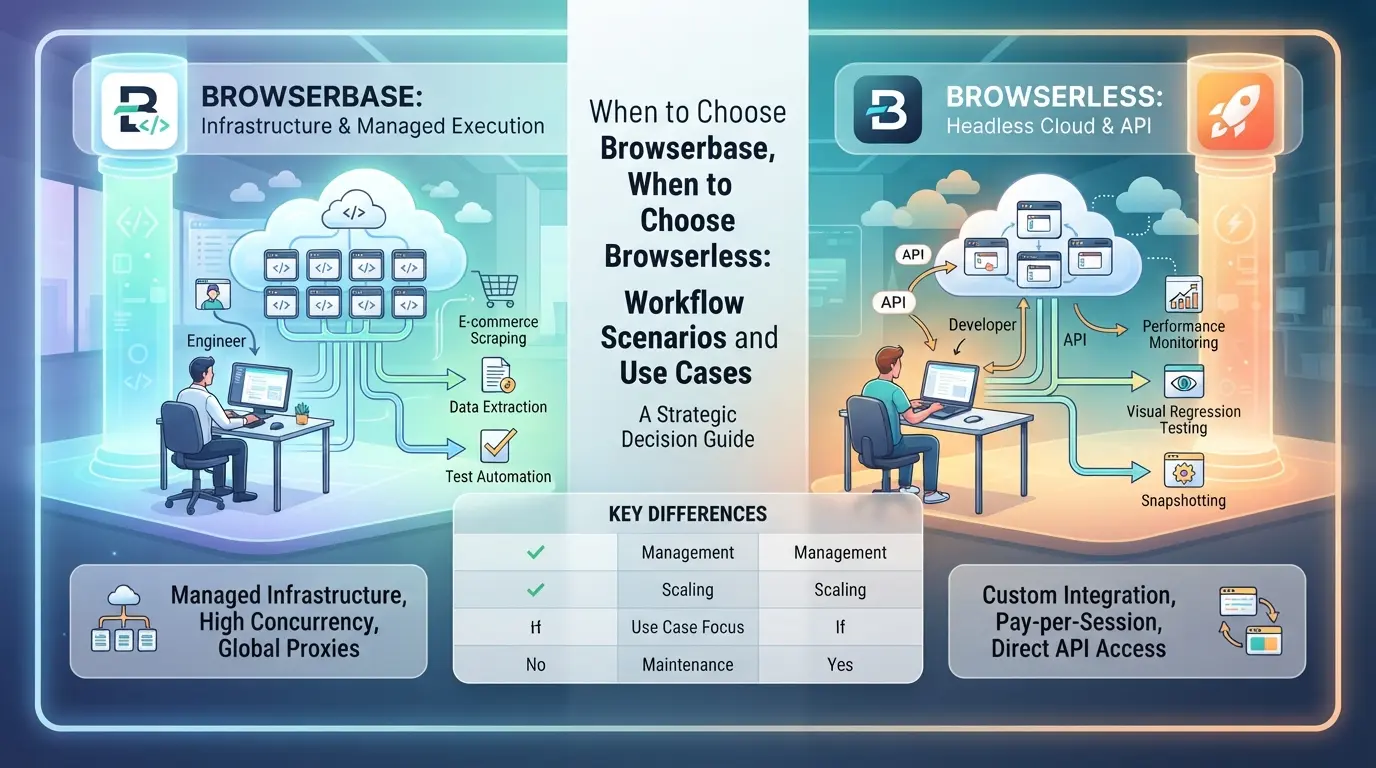
The choice comes down to how you handle browser sessions and team work. If you need simple, one-off automation, both tools can work. If your workflow involves teams, shared profiles, or handling dozens of accounts, the platform design starts to matter, especially when you want to avoid session leaks or account mixing.
Solo Automation and Small Projects
For single-user scripts or lightweight scraping, either tool is fine. Browserless often feels quicker to set up for local or cloud runs. If you mostly need to automate login or capture data from a few sites, you won’t notice much difference.
Team Collaboration and Multi-Account Management
Things change fast once you add a second operator or manage multiple logins. Imagine a team running 30+ seller accounts on a marketplace, separate profiles, cookies, and proxy settings for each. Here’s how the choice plays out:
- With Browserbase, each profile sits in its own container, and you can share access links with teammates. No one overwrites another’s session by mistake.
- On Browserless, you’ll need to build your own session management layer to prevent profile mix-ups. If your script crashes or someone reuses a profile ID, you risk cross-contamination. That’s not just a technical headache, it can trigger platform bans if cookies bleed across accounts.
- The big gap: Built-in profile isolation on Browserbase means less chance of a teammate accidentally burning an account, while Browserless gives you more raw control but puts the risk on your setup.
| Scenario |
Browserbase Strength |
Browserless Strength |
| Solo test scripts |
Simple sharing optional |
Quick setup local/cloud |
| Team, many accounts |
Safer profile isolation |
Full custom control |
Table: Key workflow fit for team and solo use (based on platform docs 2026)
Advanced Automation and API-Driven Workflows
If you’re chaining scripts, monitoring job states, or integrating with other automation platforms, Browserless exposes lower-level APIs and more event hooks. That flexibility helps if you have a developer-heavy stack and tight integration needs. For most routine cases, though, you won’t hit this ceiling.
How Operators Can Manage Multiple Platform Accounts More Safely with DICloak Antidetect Browser
If you’re scaling up from basic browser automation and want to keep multiple platform accounts from overlapping, you need more than just API access or container resets. Teams who handle social media, affiliate, or e-commerce accounts often hit workflow limits, shared browser storage, tangled sessions, or network leaks can lead to real headaches. DICloak doesn’t replace browserbase vs browserless tools, but it fills the gap for operators who need to manage separate account environments, controlled proxies, and repeatable browser tasks without risking cross-session confusion.
Creating Isolated Browser Profiles and Configuring Fingerprints
Operators can create a new browser profile in DICloak for each platform account, making sure login sessions and browser storage never mix. For each profile, it's possible to set operating system, User Agent, timezone, interface language, and fingerprint signals like canvas, WebGL, and hardware concurrency. This level of control means you can keep workflows consistent across accounts, especially when you need to match proxy or account requirements. The scope is limited to browser-profile access; it does not change the connected SaaS tool.

Assigning User-Owned Proxies for Each Profile
To reduce risk when running multiple accounts, operators may assign a separate proxy to each DICloak profile. By entering proxy host, port, username, and password, then testing the connectivity and exit IP, you can confirm network separation before login. Proxy selection, quality, and compliance stay in your hands, DICloak never sells proxies or mandates unique IPs per profile. If a proxy fails the connection test, you’ll see a warning and should swap to a known working option.

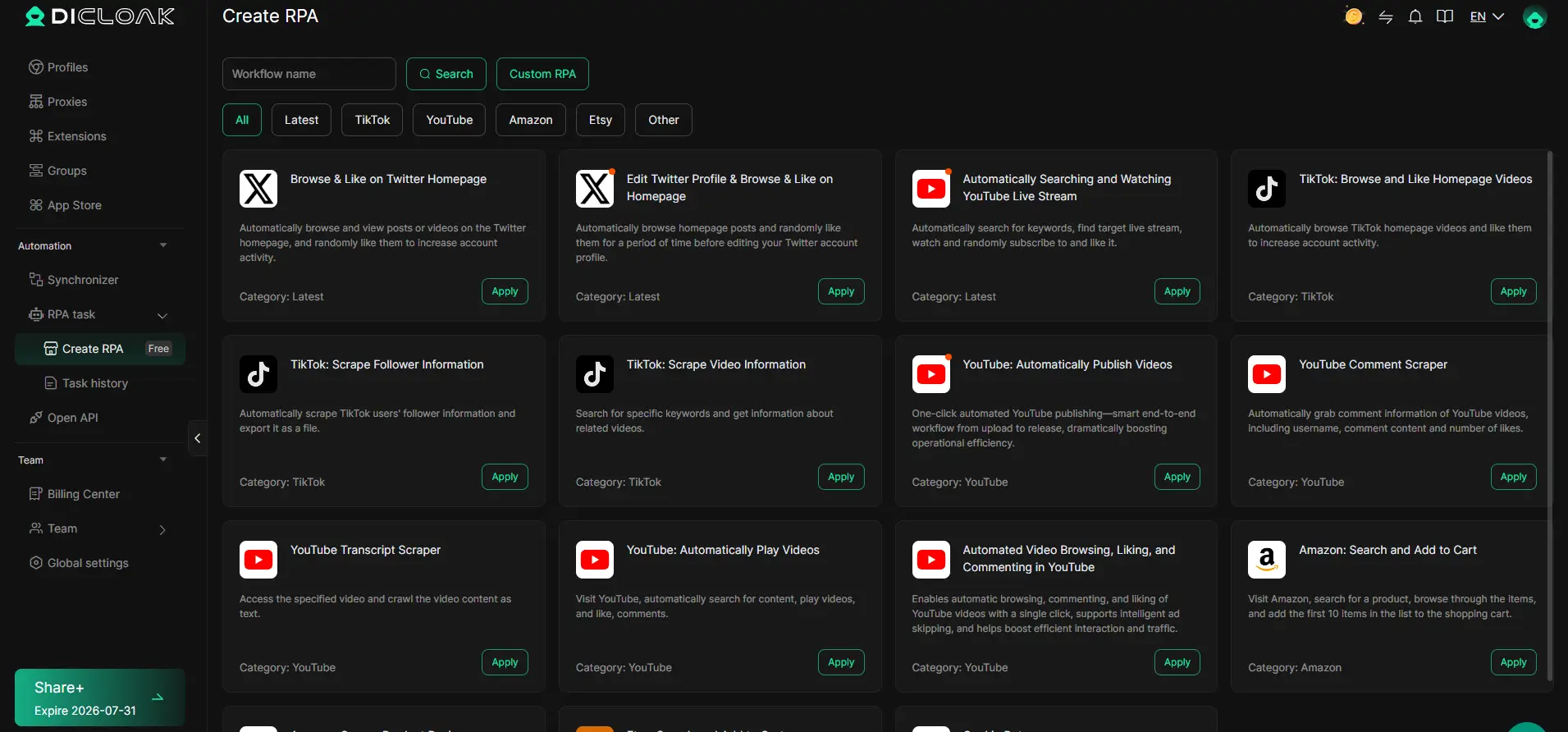
Automating Routine Browser Tasks with RPA
Manual repetition wastes time and leads to mistakes, especially as account counts grow. Operators can configure an RPA task in DICloak, select the relevant profiles, set parameters, and monitor live status plus run logs. Scheduling tasks or running them in batches lets you handle onboarding, routine checks, or profile setup faster. The team remains responsible for compliance and reviewing results, automation never replaces error handling.
If you’re pushing workflow boundaries, the next step is knowing where platform risk or technical limits might catch you off guard.
What to Watch Out for: Risks and Limitations When Using Browserbase, Browserless, or DICloak
Browser automation tools let teams move faster, but each platform brings its own risks, miss one, and you can lose access or trigger bans that are hard to reverse.
Account Linking and Detection Risks
Browserbase and Browserless both promise isolation, but platforms still detect linked sessions through shared fingerprints, reused proxies, or cookie leaks. Even a single overlap in session data can flag related accounts. If you skip profile separation or reuse device fingerprints, expect detection spikes, one account flagged often leads to a batch review.
Proxy Quality and Legal Compliance
- Use only high-reputation proxies to avoid blacklisted IPs.
- Check if the proxy source is compliant with platform rules.
- Always verify regional law before running large-scale automation.
Automation Limits and Platform Policies
Pushing browser automation past platform limits triggers bans faster than most expect. Sites now measure login frequency, click timing, and navigation patterns.
- Monitor API rate limits, exceeding them can cause blocks.
- Randomize automation timing to mimic human use.
- Review each site’s automation policy before launching scripts.
Ready to build a safer workflow? Next: see the practical setup steps for multi-account browser operations in 2026.
Step-by-Step: Setting Up a Safer Multi-Account Browser Workflow in 2026
If you want stable browser automation for multiple accounts, the setup details matter more than the tool. Here’s a workflow that keeps your sessions cleaner and reduces risk, no matter which platform you pick.
Preparation: Gathering Account, Proxy, and Profile Data
- Make a spreadsheet with all account logins, platform URLs, and assigned proxies. This keeps you from reusing credentials or proxies by accident.
- For each account, assign a unique browser profile and a fresh proxy. Never let two accounts share the same proxy or fingerprint set, this triggers linkages.
- Label each profile with an alias (not the real account name) to avoid leaking sensitive info in logs.
Configuration: Setting Up Profiles, Fingerprints, and Proxies
- Create a new browser context for every account. Even with browserless or browserbase, don’t recycle containers.
- Set up device fingerprints to match your proxy’s geo and timezone. If you miss this, you’ll see more failed logins or extra verification screens.
- Configure browser launch options to disable WebRTC leaks and set the correct language header, platforms flag mismatches here fast.
Automation: Scheduling and Monitoring Tasks
- Build your automation to run in staggered time slots, never launch all accounts at once. This avoids traffic spikes that raise flags.
- Add error logging for every session. If you see three or more platform warnings in a row, stop that profile and review its setup.
- Schedule a daily review of logs for unknown pop-ups or captchas, these are early warnings that your setup is drifting.
The move that keeps you ahead isn’t fancy code, it’s strict separation and constant monitoring. Skipping any of these steps usually means you’ll miss the warning signs until accounts start dropping.
Frequently Asked Questions About browserbase vs browserless
Is Browserbase or Browserless safer for managing multiple accounts?
Both Browserbase and Browserless let you isolate sessions to help protect your accounts. However, risks still exist if you reuse browser profiles, share cookies, or use weak proxies. The safety of browserbase vs browserless depends on careful setup, including unique profiles, strong proxies, and proper workflow separation for each account.
Can I use my own proxies with Browserbase and Browserless?
Yes, you can use your own proxies with both tools. Browserbase supports proxy integration through its dashboard and API, while Browserless users often configure proxies via environment variables or session settings. Each platform has different proxy management steps, so check the docs to set up rotating or static proxies correctly.
How does DICloak compare to Browserbase and Browserless for team workflows?
DICloak focuses on multi-account isolation, making it easy for teams to manage many accounts. It offers built-in tools for assigning proxies, separating browser sessions, and setting up user roles. This helps teams avoid cross-account issues and improves collaboration, which can be harder to manage using just Browserbase or Browserless.
What are the main risks when automating browser tasks?
Key risks include leaking browser fingerprints, using unreliable proxies, or automating too many actions too quickly. Platforms like Instagram or Google may detect non-human behavior, triggering bans or checkpoints. Using outdated browser versions or not rotating user agents can also increase the chance of detection during automation.
Do Browserbase or Browserless guarantee account safety?
No tool, including Browserbase or Browserless, can fully guarantee account safety. Proper setup, like unique browser profiles, high-quality proxies, and compliance with site rules, is essential. Even with strong isolation, mistakes in workflow or proxy leaks can still put your accounts at risk. Always follow best practices for automation security.
Once you have weighed your requirements around scalability, API flexibility, and developer experience, testing each service in your own workflow will reveal which best aligns with your project goals. Consider starting with a trial or proof-of-concept to evaluate performance and integration before committing. Try DICloak For Free
 Web Proxy Tools
 Free Tools
 Cookie Plugin
 UA Generator
 MAC Address Generator
 IP Generator
 IP Address List
 2FA Code Generator
 World Clock
 Anonymous Check
 WebRTC Leak Test
 UUID Generator
 Free Web Proxy Site
 Proxy Checker
 FB Ad Checker
 AI Web Scraping
 Free SMM Tools
 Twitter Shadowban Checker
 Instagram Name Checker
 UTM Generator
 Username Generator
 AI Hashtag Generator
 LinkedIn Headline Generator
 Social Media Image Resizer