As online tracking becomes more advanced, protecting your digital identity is essential. Antidetect browsers offer a way to create separate profiles, ensuring your privacy while browsing. In this guide, we’ll explore the best free antidetect browsers for 2026, providing options that combine security and ease of use for both personal and business needs.
Navigating Digital Privacy in 2026
The digital world of 2026 is a difficult place to stay hidden. Websites now use advanced tracking to link your accounts and block your access. While many professional tools cost a lot of money, some high-quality free options still exist for those who know where to look. However, as a privacy expert, I must warn you about "company credit." This is the trust a brand earns over time. Many unknown vendors offer free tools only to steal and sell your data. Consequently, choosing a browser from a reputable company is the only way to stay safe while growing your business. This guide explores the most reliable tools for both professional and personal privacy.

Core Use Cases for the Best FREE Antidetect Browsers
Professionals use these tools to bypass the strict rules of modern websites. Consequently, these browsers have become essential for several industries.
Scaling Businesses Through Multi-Account Management
Social media managers and affiliate marketers use these tools to run many accounts at once. For instance, an e-commerce seller on Amazon or Shopify can run ten different stores from one computer. Without an antidetect browser, the platform would link these stores and ban them all. These tools create a wall between each account, making them look like they belong to different people on different devices.
Remote Collaboration and Technical Operations
Modern teams use these browsers to share account access without sending passwords. This is vital for agencies managing client accounts on LinkedIn or Reddit. Furthermore, these tools are perfect for web scraping. They help automated systems bypass Cloudflare blocks and "I am human" captchas. On the other hand, privacy enthusiasts use them simply to stop big tech companies from collecting their personal data while they browse.
DICloak: The Leading Choice for Best FREE Antidetect Browsers
DICloak is the top recommendation for 2026. It has the highest "company credit" in the industry, with years of positive reviews on sites like Trustpilot. It provides a level of security that newer brands simply cannot match.

Unrivaled Security and Professional Features
DICloak acts like a "Virtual Machine" for your internet sessions. While a traditional Virtual Machine is slow and expensive, DICloak is 12x cheaper and just as fast as your regular computer. The "Forever Free" plan is packed with expert-level features:
✅ Manage 1,000+ Accounts on One Device: Save money by managing multiple accounts on a single device.
✅ Guaranteed Account Safety: Isolated browser profiles with custom fingerprints and IPs reduce ban risks.
✅ Flexible Proxy Integration: Seamlessly manage proxy pools with support for HTTP/HTTPS and SOCKS5.
✅ Streamlined Team Collaboration: Advanced tools for profile sharing, permissions, and data isolation.
✅ RPA Automation: Automate repetitive tasks, saving time and boosting efficiency.
✅ Powerful Bulk Tools: Easily create, import, and manage multiple profiles in one click.
✅ Cross-Platform Compatibility: Supports Windows, Mac, iOS, Android, and Linux for full flexibility.
Reasons for Recommendation
- Efficient Account Management: Manage up to 1,000+ accounts on a single device, cutting hardware costs and boosting efficiency.
- Scalable Operations: Easily scale your business with bulk profile creation, import, and management tools.
- Enhanced Privacy: With isolated profiles and strong fingerprint protection, your accounts remain secure and protected from bans.
- Seamless Proxy Integration: Integrates smoothly with your existing proxy pool and supports all major proxy protocols.
- Streamlined Team Collaboration: Simplified permission management and data isolation tools allow for more efficient and secure teamwork.
1Browser: Efficient Multi-Accounting with Chrome-Style Design
1Browser is a newer contender that focuses on speed and a familiar look. It is designed to feel exactly like the Google Chrome browser you already use.
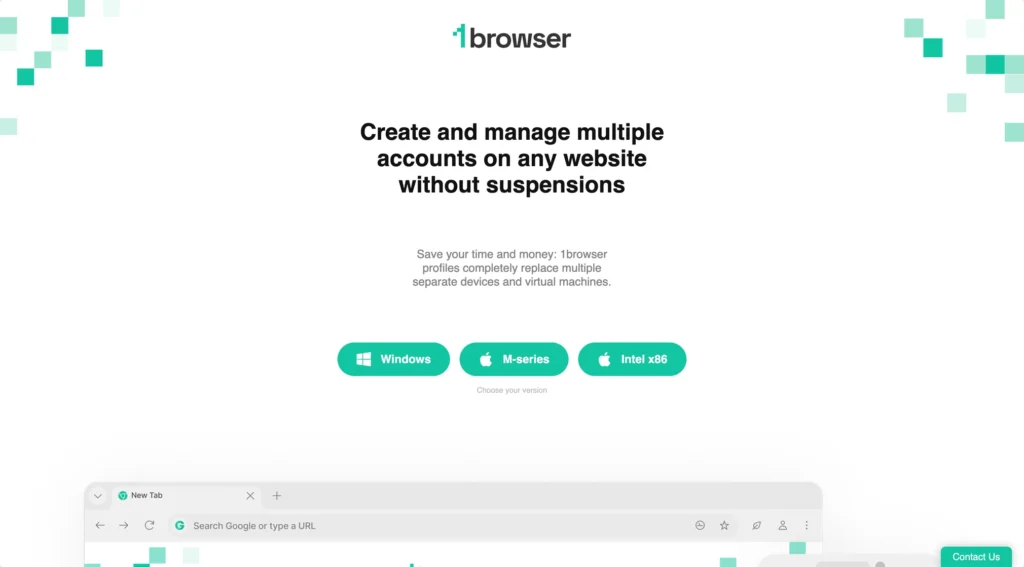
Familiar Interface and Large Profile Limits
This tool is impressive because of its generous free tier. It offers 20 free profiles and built-in proxies for users who are just starting out. Consequently, it is a great choice for those who need more than three identities but are not ready to pay.
Pros and Cons of 1Browser
- Pros: Very high profile count (20) for a free plan; very easy to learn.
- Cons: Because it is a newer brand, its "company credit" is not as high as DICloak. You must trust a newer company with your data.
Dolphin Anty: High-Volume Option for Affiliate Marketing
Dolphin Anty is very popular among affiliate marketers who run ads on Facebook and TikTok.
Balancing Profile Quantity with Reliability
The free plan includes 10 browser profiles. This makes it a mid-range choice between DICloak and 1Browser. However, as an expert, I must mention its history. On the other hand, Dolphin Anty has suffered from data leaks and system crashes in the past.
Pros and Cons of Dolphin Anty
- Pros: Offers 10 free profiles and a user-friendly interface for ad managers.
- Cons: Weaker reliability and a spotty reputation regarding user data safety.
Incogniton: Technical Controls for Expert Users
Incogniton is a tool made for people who want to control every tiny detail of their digital identity. It is more complex than other options on this list.
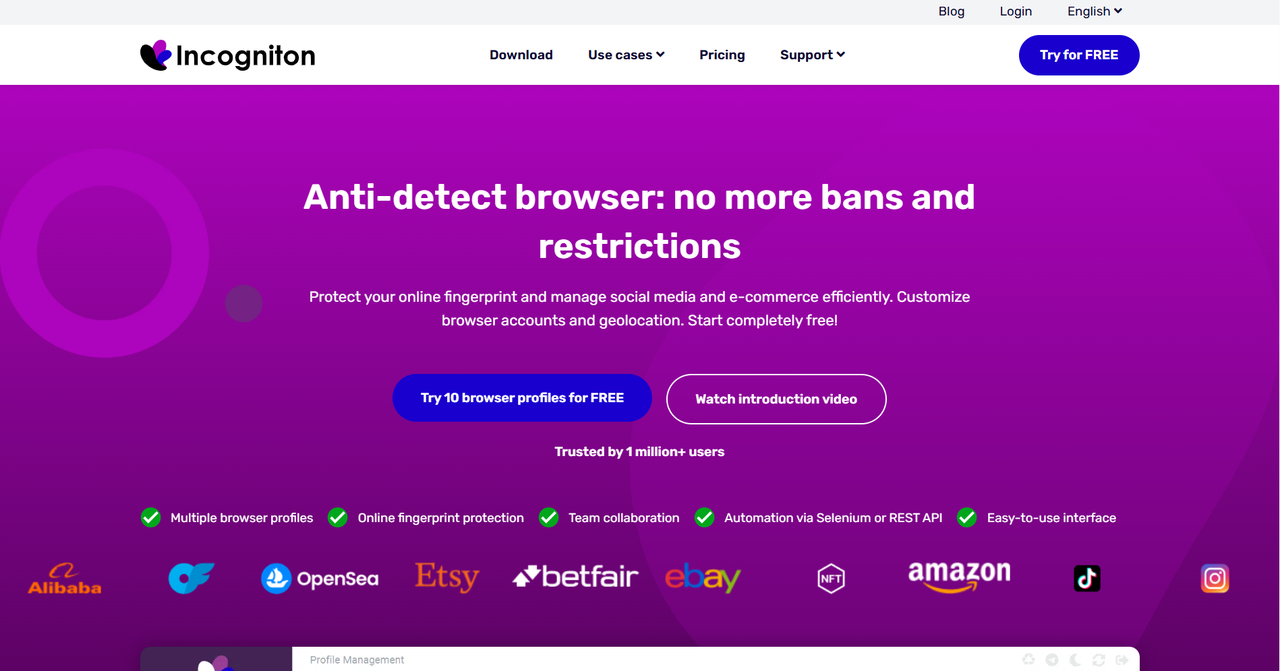
Manual Precision and Profile Synchronization
The "Starter" plan gives you 10 profiles. It features a special synchronizer for Windows that helps keep your data the same across different sessions. For instance, if you change a setting in one profile, you can sync it to others easily.
Pros and Cons of Incogniton
- Pros: Large profile count and deep manual settings for tech-savvy users.
- Cons: It has a "raw" and difficult interface.
Ghost Browser: Simple Identity and Session Management
Ghost Browser takes a unique approach. Instead of opening new windows for every profile, it uses "Identities" within one window using different colored tabs.
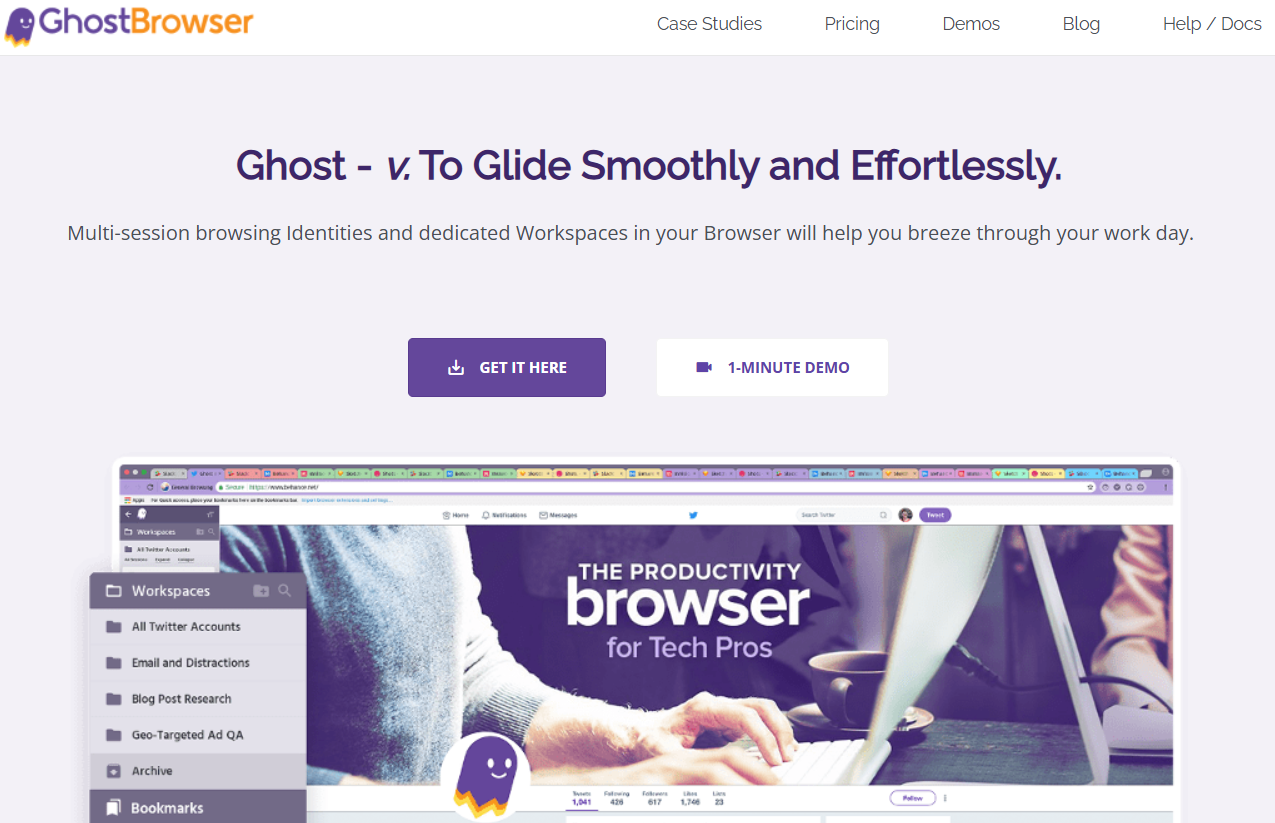
The Multi-Colored Tab Experience
This browser looks almost exactly like Chrome, which makes it very easy to use. It is perfect for people who need to stay organized without learning complex software.
Pros and Cons of Ghost Browser
- Pros: Lowest learning curve; great for basic sites like Gmail or X (formerly Twitter).
- Cons: The free plan only allows three Identities. Furthermore, its fingerprint protection is not as advanced as DICloak, and it has strict limits on using proxies for free.
MoreLogin: Team-Focused Features in a Free Tier
MoreLogin is a specific choice for small partnerships. Most free browsers only allow one user, but MoreLogin tries to help small teams.

Team Seats and Asian-Market Interface
The free plan includes two "team seats." This means two people can log in and work on the same profiles together. For instance, you and a partner can manage a social media account without sharing your personal passwords.
Pros and Cons of MoreLogin
- Pros: Supports collaboration for two people in the free tier.
- Cons: The interface can feel strange to Western users. It also has a mixed reputation due to many AI-generated reviews found online.
Getting Started with Your Best FREE Antidetect Browsers
Setting up your first profile is a simple process. If you use DICloak as your starting point, you can be safe in just a few minutes.
From Profile Creation to Safe Browsing
- Create a Profile: Open the app and click "New Profile." DICloak will automatically create a unique "face" for you.
- Add a Proxy: Pick one of the 5 free proxies or add your own. This changes your "address."
- Run the Profile: Click start. A browser window will open. To the website you visit, you now look like a brand-new person on a different computer.
- Bulk Management: If you have many profiles, use bulk tools to update them all with one click.
Conclusion: Picking the Right Tool for Your Workflow
In 2026, you cannot afford to ignore your digital fingerprint. While there are many options, the right choice depends on your goals. If you need the highest level of safety and "company credit," DICloak is the clear winner. Its professional features like the 2FA generator and 24/7 support make it the most reliable tool. If you strictly need a high number of profiles and are willing to take a small risk, 1Browser or Dolphin Anty are alternative options. Always remember to check your setup on a site like Iphey.com before you start working.
Frequently Asked Questions about Free Antidetect Browsers
1.What is an antidetect browser?
It is a specialized tool that creates separate browser profiles. Each profile has a unique digital fingerprint, including its own device type, fonts, and timezone. This makes websites believe each profile is a different person.
2.Is using these tools legal?
2.Yes. Antidetect browsers are legal software. They are used by researchers, privacy advocates, and business owners. However, you must always follow the law and the rules of the websites you visit.
3.Do I still need a proxy if I use an antidetect browser?
Yes. An antidetect browser masks your "face" (fingerprint), but a proxy masks your "address" (IP). You need both to be truly hidden from advanced tracking.
4.Why do some websites still detect me?
This usually happens because of an "abstract" fingerprint. For instance, if your IP address says you are in New York but your browser timezone says you are in Paris, the website will know something is wrong. Consistency is the key to staying hidden.
 Web Proxy Tools
 Free Tools
 Cookie Plugin
 UA Generator
 MAC Address Generator
 IP Generator
 IP Address List
 2FA Code Generator
 World Clock
 Anonymous Check
 WebRTC Leak Test
 UUID Generator
 Free Web Proxy Site
 Proxy Checker
 FB Ad Checker
 AI Web Scraping
 Free SMM Tools
 Twitter Shadowban Checker
 Instagram Name Checker
 UTM Generator
 Username Generator
 AI Hashtag Generator
 LinkedIn Headline Generator
 Social Media Image Resizer