If you're searching for "Blockaway," chances are you've hit a digital wall. Whether it's a school firewall blocking YouTube, an office network restricting social media, or a streaming service geo-blocking content, you need a way around it. Blockaway presents itself as a simple, zero-cost solution. However, as with most "free" online tools, there's a hidden price to be paid—often with your privacy and security. While Blockaway can provide quick access in a pinch, its underlying technology comes with significant drawbacks that are critical to understand. This report delivers a comprehensive review of Blockaway, a detailed analysis of its inherent risks, and a practical guide to safer, more effective alternatives for 2026 that align with modern security standards.
What is Blockaway and How Does It Work?
Understanding the fundamental technology behind Blockaway is crucial for recognizing its limitations and potential risks. While it appears simple on the surface, its mechanics have direct implications for your data, speed, and online anonymity.
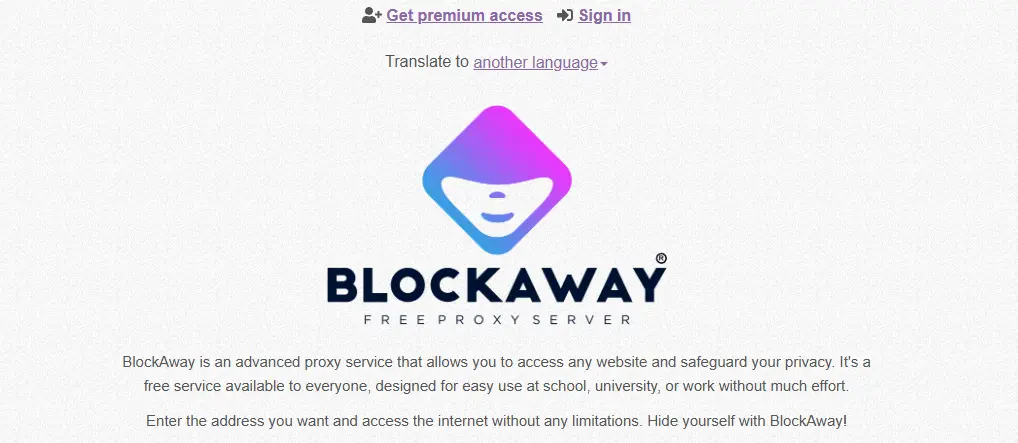
Defining Blockaway: The Free Web Proxy
In simple terms, Blockaway is a free, browser-based web proxy. Its purpose is to act as a middleman between you and the website you want to visit. When a network filter at a school or workplace blocks a direct connection to a site, Blockaway allows you to bypass that block. For example, a student who needs to watch a specific educational YouTube video for a school project but finds the site blocked by the university's firewall can use Blockaway. By entering the video's URL into Blockaway's website, they can access the content because the network only sees a connection to the proxy, not to YouTube.
The Technical Mechanics
Blockaway and similar services function as a reverse proxy combined with a URL rewriting engine. When you enter a web address, the request is sent to Blockaway's server, not the destination website. Blockaway's server then fetches the content on your behalf and sends it back to you. To ensure that subsequent clicks on the page also go through the proxy, its engine rewrites every link, image, and script on the page to point back to the Blockaway server. This is how it keeps your entire session within its tunnel. While technology is straightforward, a closer look at its features reveals important implications for users.
Analyzing the Key Features Claimed by Blockaway
To provide a fair and balanced evaluation, it is necessary to first analyze the features that Blockaway advertises to its users. These features represent its core value proposition and are the primary reasons individuals turn to the service for unblocking content.
Zero Configuration and High Compatibility
Blockaway's primary appeal is its simplicity. It requires no software installation or changes to your computer's system settings, making it accessible even on locked-down devices. It also claims high compatibility, asserting that it can handle complex, JavaScript-heavy websites like YouTube and Facebook without breaking their layout or functionality—a common failure point for older, more basic web proxies.
Basic Anonymity and IP Masking
The core privacy feature offered by Blockaway is hiding the user's IP address from the destination website. When you access a site through a proxy, the site sees the IP address of Blockaway's server, not your own. This provides a fundamental layer of anonymity for a single browsing session.
Server Location Choice
Blockaway offers a practical feature that allows users to switch between servers in different regions, which helps bypass geo-restricted content. For example, when a video is limited to viewers from a specific region, users can select a corresponding server location to make their traffic appear as if it originates there. While this flexibility improves accessibility, it also comes with notable trade-offs that may affect user security and privacy.
The Hidden Dangers of Using a Free Blockaway Proxy
For any user concerned about their digital safety, it is essential to understand the significant risks associated with free proxy services like Blockaway. The convenience they offer is often overshadowed by critical vulnerabilities that can expose your data and compromise your device.
Critical Risk 1: The "Black Box" Logging Policy
The most significant red flag for any free proxy service is an unclear data logging policy. Free services must generate revenue, and a common method is by collecting and selling user browsing data. Some free proxies exist as honeypots; entities deliberately offer them for free to collect your browsing data and sell it to marketers and, in the worst cases, governments and hackers. Blockaway does not provide a transparent policy on what data is logged, how long it is stored, or with whom it is shared. Users must assume that everything—every site visited, every form filled out—is being recorded. This poses a massive risk, especially when accessing sensitive accounts like email, banking, or primary social media profiles.
Critical Risk 2: Adware and Malware Exposure
Free proxies are notorious for being infested with aggressive and intrusive advertisements, including banners and pop-ups. This is more than just an annoyance; it's a security threat. These ads often originate from low-quality networks that do not adequately screen their content, making them common vectors for malware, spyware, or sophisticated phishing attacks. In some cases, the proxy service itself may inject malicious code into the websites you visit.
Critical Risk 3: Unreliable and Slow Performance
Because services like Blockaway are free, their servers are shared by thousands of users simultaneously. This heavy congestion leads to significant performance issues. Users should expect slow page load times, constant video buffering, and an overall sluggish browsing experience. The service is not built for performance but for basic access, making it unsuitable for high-bandwidth activities like streaming or downloading files.
Critical Risk 4: Fingerprint Leakage and Trackability
Hiding your IP address is only one part of online anonymity. Modern websites utilize a technique called browser fingerprinting, where they collect dozens of data points about your device—such as screen resolution, operating system, installed fonts, and browser version—to create a unique digital signature. While Blockaway masks your IP, it does nothing to alter this fingerprint. This means sophisticated trackers can still identify and link your activity across different websites, giving you a false sense of security.
Critical Risk 5: Useless for Professional and Business Tasks
Blockaway is fundamentally unsuitable for any serious professional or business-related work. The shared, frequently flagged IP addresses and lack of security make it a liability for any task that requires stability, trust, and control. Specifically, it cannot be used for:
- Managing multiple social media or e-commerce accounts. Attempting to log into platforms like Amazon or Facebook from a known proxy IP is a fast track to getting your accounts flagged or banned.
- Running automated tasks like web scraping. The service lacks the infrastructure, speed, and reliability required for any form of automation.
- Conducting high-value or sensitive business transactions. The unclear logging policies and malware risks make it far too dangerous for handling confidential or financial information.
These dangers collectively illustrate why free proxies are a poor choice for anything beyond the most casual, low-stakes browsing, which leads to a direct verdict on its safety and legality.
Is Using Blockaway Safe and Legal in 2026?
After learning about the inherent risks, two key questions remain: is Blockaway safe to use, and is it legal? This section provides a clear, practical verdict on both its safety and its legality in the current digital landscape.
The Verdict on Safety
Synthesizing the risks, the verdict is clear: Blockaway is relatively safe for occasional, low-stakes, and non-sensitive browsing only. This includes activities like accessing a blocked news article or watching a non-critical YouTube video. However, it should never be used for any activity that involves logging in with a password, entering personal information, or handling confidential data. This includes online banking, logging into your primary social media or email accounts, or conducting any business-related work. For these tasks, the risks of data logging and malware exposure are unacceptably high.
Understanding the Legality
In most countries, using a proxy service like Blockaway is perfectly legal for lawful purposes. Common legal uses include protecting your privacy on public Wi-Fi or accessing publicly available, geo-blocked content. However, its use can become illegal under certain circumstances, such as:
- Conducting illegal activities like fraud, hacking, or data theft.
- Violating a website's terms of service, such as bypassing a subscription paywall or accessing restricted accounts without permission.
Ultimately, the legality of using Blockaway depends entirely on how you use it. Transitioning from the limitations of Blockaway, it becomes clear that users with serious needs require superior, professional alternatives.
Why DICloak Antidetect Browser is a Secure Solution for Bypassing Restrictions Compared to Blockaway
For users who require true privacy, security, and control, the solution is not a slightly better web proxy but a fundamentally different and more powerful tool. DICloak is a professional-grade antidetect browser designed to provide robust and scalable solutions for managing online identities.
Why DICloak is More Than Just a Blockaway Alternative
Where Blockaway fails, DICloak excels. While Blockaway only masks your IP for a single, disposable session, DICloak creates persistent, isolated browser profiles. This means you can manage the same account over weeks without detection, a task for which Blockaway is completely unsuited. An antidetect browser manages not just the IP address but every trackable parameter of your digital fingerprint. Each profile you create within DICloak functions like a separate device, making it appear as a unique, real user to websites—a capability far beyond the scope of a simple web proxy.

Core DICloak Features for Ultimate Privacy and Security
DICloak is engineered for users who cannot afford the risks associated with shared, free services. Its features provide granular control over your digital identity.
- Guaranteed Account Safety: Each account operates in its own isolated browser profile with a custom fingerprint and a dedicated IP address. This drastically reduces the risk of accounts being linked, flagged, or banned.
- Profile Isolation & Fingerprint Simulation: DICloak spoofs dozens of parameters to make each profile appear authentic and unique. It creates a distinct digital identity by managing everything from common elements like cookies and fonts to advanced technical parameters like WebGL, WebGPU, and canvas fingerprints, preventing websites from identifying you through browser fingerprinting.
- Flexible Proxy Configuration: The browser seamlessly integrates with all major proxy protocols, including HTTP/HTTPS and SOCKS5. This gives you full control over your IP management, allowing you to assign a different clean IP to each profile.
- Streamlined Team Collaboration: For agencies and businesses, DICloak offers features to securely share profiles, set granular permissions for team members, and review operation logs, ensuring efficient and controlled teamwork.
- RPA Automation and Bulk Operations: Users can automate repetitive tasks such as account creation or data entry and manage hundreds of profiles at once. This allows professional operations to be scaled efficiently without manual effort.
Getting Started with DICloak
DICloak offers a Free Plan that allows users to create a limited number of profiles. This provides an opportunity to experience its core functionality and understand the vast difference between a professional tool and a basic web proxy. While DICloak is the top recommendation for serious multi-account management, other professional tools serve different specific needs.
Other Professional-Grade Blockaway Alternatives
While DICloak is the premier solution for managing multiple online identities, other professional tools are available that cater to different specific needs. Understanding these options provides a complete picture of the market for secure internet access.
Premium Proxy Providers
Services like Floppydata, Oxylabs, Decodo, and NodeMaven are not browser tools but providers that sell access to large networks of reliable, high-speed IP addresses (e.g., residential or mobile IPs). These providers supply the high-quality IP addresses that are then managed within a tool like DICloak to ensure each browser profile has a unique, clean IP. They are ideal for consistent business use cases like large-scale web scraping or market research, but require some technical knowledge to configure and are overkill for casual unblocking.
| Pros |
Cons |
| Reliable, high-speed connections |
Can be expensive |
| Huge IP pools with global locations |
Requires technical knowledge for setup |
| Suitable for professional work and scraping |
Overkill for basic access needs |
| Better privacy than free alternatives |
Does not protect against fingerprinting |
While these professional tools offer significant upgrades over Blockaway, some users may still prefer a simple, free solution for less demanding tasks.
Popular Free Blockaway Alternatives for Casual Use
For users who understand the risks and still prefer a free, browser-based solution for quick, non-sensitive tasks, several competitors to Blockaway exist. This section serves as a quick-reference guide to some of the most popular options.
Competitor Overview
- CroxyProxy: A widely used free web proxy known for its ability to support video streaming from platforms like YouTube. It requires no installation and offers basic SSL encryption.
- ProxySite.com: This service offers a familiar user experience with multiple server locations across different regions. It is optimized for use with popular social media platforms.
- GenMirror: A simple proxy focused on providing fast access to blocked content, particularly video streaming platforms, without requiring any technical setup.
These services share the same fundamental risks as Blockaway but may offer slightly different features or performance. To make a definitive choice, a final comparison is needed.
A Comparative Analysis: Choosing the Right Blockaway Alternative
To help you match your specific needs to the best solution, this section provides a clear, at-a-glance comparison of the different types of tools discussed.
Feature and Risk Comparison
This table breaks down the capabilities and limitations of each category, from basic free proxies to advanced antidetect browsers.
| Feature / Risk |
Blockaway (Free Web Proxy) |
Paid Proxy Provider |
DICloak (Antidetect Browser) |
| IP Control / Geo-Targeting |
Limited (USA/EU only) |
City/country + rotation options |
Custom proxy per profile |
| Profile Isolation |
❌ |
❌ (Depends on browser) |
✅ Separate browser profiles |
| Fingerprint Protection |
❌ |
❌ |
✅ Built-in anti-fingerprinting |
| Logging Transparency |
Often unclear |
Business-grade SLAs available |
Depends on proxy; browser doesn't log |
| Multi-Account Safety |
❌ |
✅ (with antidetect browser) |
✅ Completely safe |
| Ease of Use |
Easy |
Difficult |
Moderate (one-time setup) |
| Cost |
Free |
Medium |
Free to Medium |
As you search for solutions, you will encounter other "tricks" that claim to unblock websites. Most of these are ineffective or dangerous.
Methods and Tricks to Avoid: Ineffective Blockaway Proxies
While searching for ways to unblock websites, users will inevitably encounter many supposed "tricks" and shortcuts that are outdated, inefficient, or outright dangerous. This section debunks these common methods to prevent you from wasting time or compromising your security.
Debunked Unblocking Methods
- Changing DNS / Smart DNS: This only works against the most basic DNS-level filtering used by some ISPs. Modern, sophisticated firewalls at schools and workplaces are not fooled by simply changing your DNS to a public one like Google's (8.8.8.8).
- Video Downloader Websites: These sites claim to download blocked content for you to view offline. This is not real-time browsing, is highly inconvenient, and poses a significant security risk, as these sites are often riddled with malicious ads and trackers.
- Google Translate Trick: There was once a loophole where pasting a URL into Google Translate would allow you to view a cached, translated version of the site. This trick was patched long ago and no longer works.
- Tor Browser: While Tor provides strong anonymity by routing traffic through a volunteer network, it is painfully slow for general browsing and video streaming. Furthermore, its heavy encryption can make many websites suspicious, triggering frequent CAPTCHA challenges or outright bans.
- Browser Extensions: Free proxies have a poor reputation for harvesting user data, injecting their own ads into pages, and offering unreliable connections. They often compromise privacy more than they protect it.
Final Verdict: The Right Tool for the Right Job in 2026
Blockaway is a functional tool that serves a very narrow purpose: casual, non-sensitive, one-off unblocking of a website. It is the digital equivalent of a disposable key—it might open one door, one time, but you wouldn't trust it with your home. For any activity that involves your security, privacy, professional work, or the management of multiple online accounts, the risks of using a free proxy like Blockaway far outweigh the benefits.
For serious tasks that require stability, security, and anonymity, the choice is clear: an antidetect browser like DICloak is the definitive solution, providing the control and security that free tools fundamentally lack. Ultimately, in 2026, choosing the right tool is not just about access—it's about making a conscious decision to protect your digital identity. For any serious online activity, investing in a professional-grade solution is no longer an option, but a necessity.
Frequently Asked Questions about Blockaway
Is Blockaway safe to use for sensitive tasks like banking?
No. Blockaway has an unclear logging policy and is supported by ads that can be malicious. You should never use it for any sensitive activities like online banking, logging into primary social media accounts, or handling confidential information. It should only be used for low-stakes, non-sensitive browsing.
What is the best professional alternative to Blockaway?
For professional work, DICloak is the best alternative. It is an antidetect browser that provides true profile isolation, comprehensive fingerprint management, and robust proxy support. This makes it ideal for safely managing multiple accounts, conducting business research, and performing other sensitive online tasks without risk of detection or bans.
Can a paid proxy completely replace a tool like Blockaway?
For basic content access and unblocking, a paid proxy can be a faster and more reliable alternative to a standard web proxy. However, it cannot replace an antidetect browser for tasks like multi-account management. This is because a paid proxy does not isolate browser fingerprints or allow you to manage multiple IPs simultaneously on a single device, which is essential for secure and efficient multi-account operations.
Why are free proxies like Blockaway so slow?
Free services use shared servers that are often overloaded with traffic from thousands of users at any given time. This server congestion is the primary cause of poor speeds, leading to slow page loading, video buffering, and an unreliable connection.
What is the difference between a web proxy like Blockaway and an antidetect browser like DICloak?
The difference is fundamental. Blockaway is a simple tool that only hides your IP address for a single browser session. DICloak, on the other hand, creates entirely separate, persistent browsing environments. Each environment has its own unique digital fingerprint (IP, browser settings, OS, fonts, etc.), making it possible to safely manage hundreds of accounts as if each one were operating from a different physical device.
 Web Proxy Tools
 Free Tools
 Cookie Plugin
 UA Generator
 MAC Address Generator
 IP Generator
 IP Address List
 2FA Code Generator
 World Clock
 Anonymous Check
 WebRTC Leak Test
 UUID Generator
 Free Web Proxy Site
 Proxy Checker
 FB Ad Checker
 AI Web Scraping
 Free SMM Tools
 Twitter Shadowban Checker
 Instagram Name Checker
 UTM Generator
 Username Generator
 AI Hashtag Generator
 LinkedIn Headline Generator
 Social Media Image Resizer