You open Pinterest to save a pin, and the app stalls on a white screen while search and boards stop loading. If you came here asking why is pinterest not working, you need a fast way to separate a platform outage from a phone, browser, or account issue. The check order matters: if you clear data too early, you can lose drafts and still keep the same error.
This guide gives you a practical path you can run in minutes. You will verify live service health on Downdetector’s Pinterest status page, confirm known fixes in the Pinterest Help Center, and apply device-level checks from Google Play app troubleshooting or Apple App Store app troubleshooting. You will also learn how to spot account-specific limits versus network or app cache problems, so you do not waste time reinstalling when the real cause is elsewhere.
By the end, you should know exactly where the failure starts and what to do next on iPhone, Android, and desktop. Start with the quickest check: is Pinterest failing for everyone, or only for you?
How can you tell if Pinterest is down for everyone or just not working for you?
Image generation pending: Illustration for section "How can you tell if Pinterest is down for everyone or just not working for you?" Reason: AI image generation returned no usable image and no stock fallback was available
If you are asking “why is pinterest not working,” check scope before you reset anything. Match outage reports to your error time, then test one clean path (new device + different connection). That tells you if the fault is global, regional, or local in under 10 minutes.
Check real-time Pinterest status before changing anything
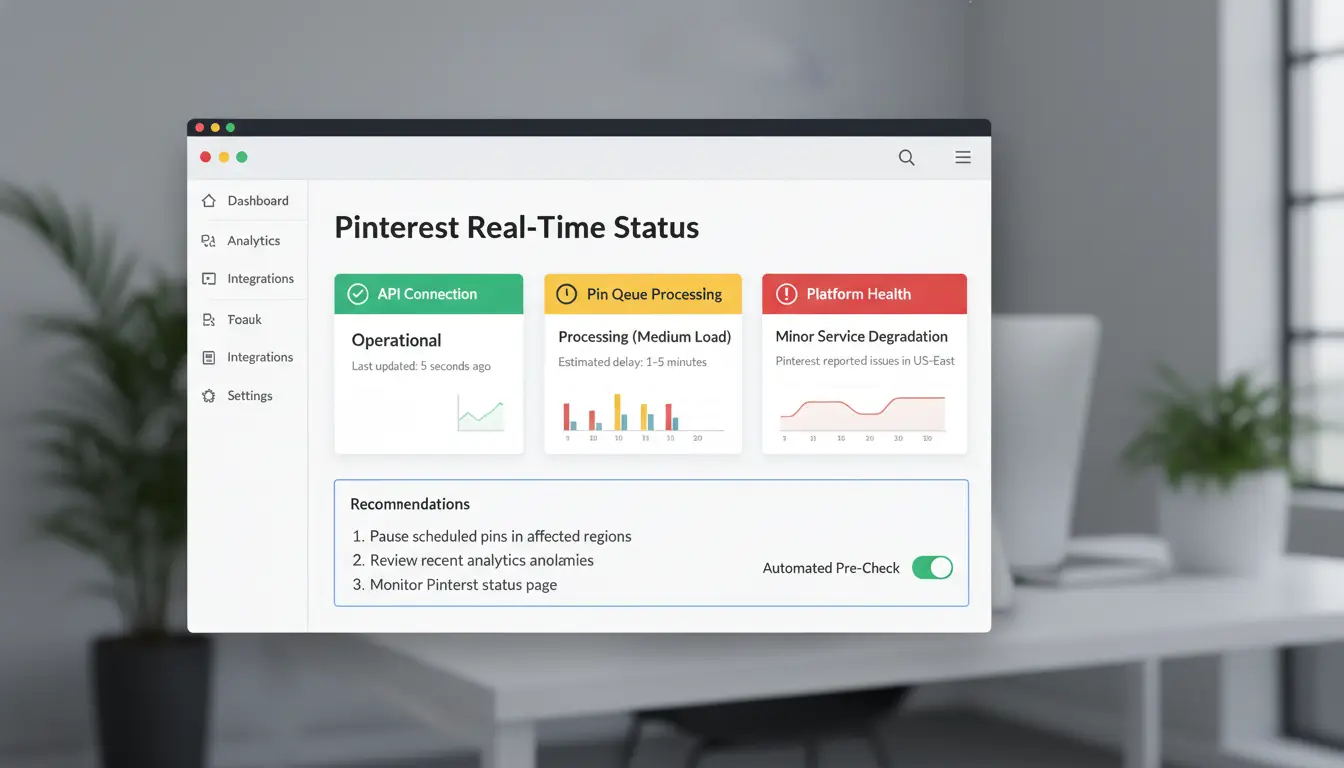
Open Downdetector’s Pinterest status page and look at report spikes in the last 24 hours. Then check the Pinterest Help Center for active incident notes or login issue updates.
Write down your failure time to the minute (for example, 09:42). If reports spike at the same time, the issue is likely platform-side. If reports stay flat, keep testing your own setup.
Test Pinterest on another device, browser, and connection
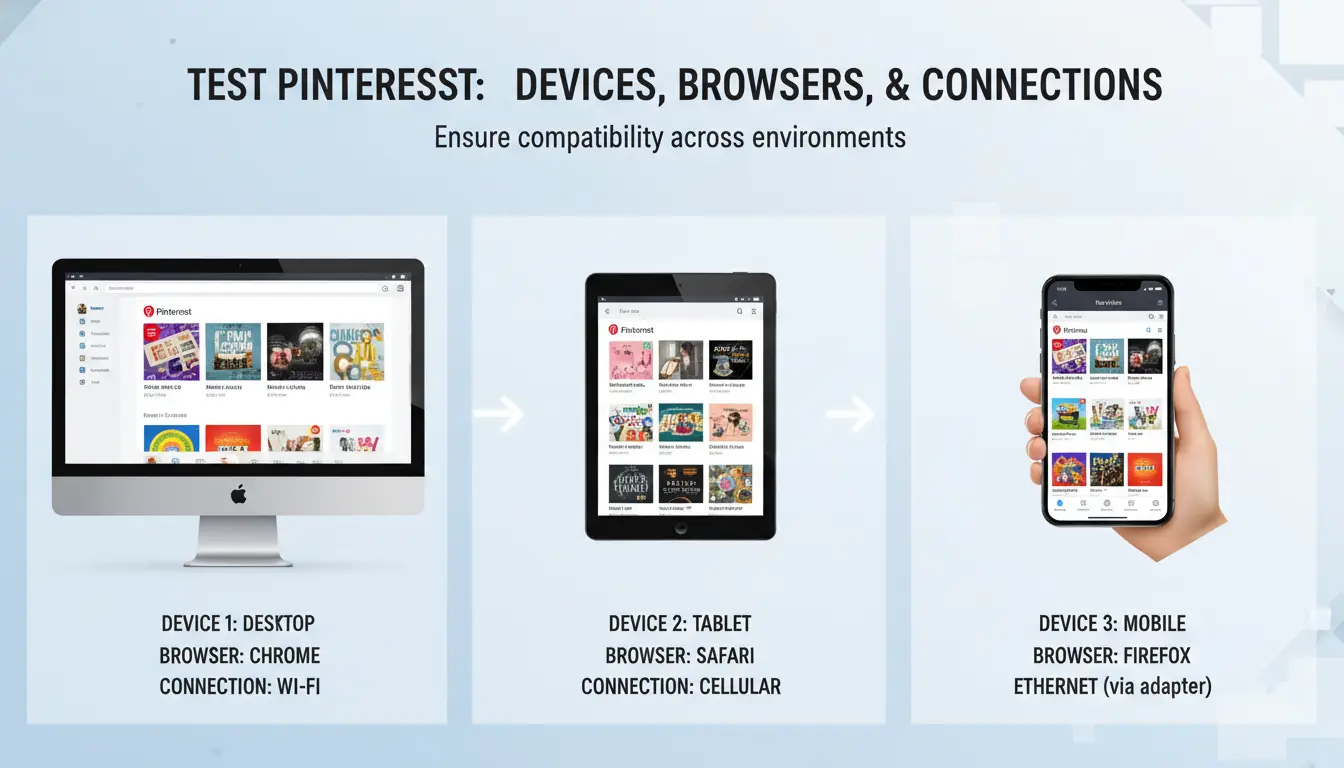
Try Pinterest in three paths: phone app, mobile browser, and desktop browser. If only one path fails, you found the failure layer (app, browser profile, or account session).
Switch from Wi-Fi to mobile data. If mobile data works but Wi-Fi fails, your local network or DNS route is the likely cause. If both fail on one account but another account signs in, treat it as account-specific.
For app issues, use official fix steps from Google Play app troubleshooting or Apple App Store app troubleshooting.
Read error clues to classify the issue in minutes
“Timeout” or “Something went wrong” across all devices points to outage or routing issues. “Blank home feed” often points to app cache or session problems. “Login loop” usually means cookie/session conflicts. “Access denied” can point to account security checks or IP reputation flags.
Copy exact error text and screenshot it before contacting support. This cuts back-and-forth and speeds triage.
What should you check first when Pinterest is not loading on the app or website?
If you are asking why is pinterest not working, run the checks in this order so you can isolate the cause fast. Do not reinstall yet. Start by confirming if the issue is global on Downdetector’s Pinterest status page and by checking active outage notes in the Pinterest Help Center.
Run a 5-minute quick reset routine
Force close Pinterest, wait 10 seconds, and reopen it. If posts still fail to load, restart your phone or computer. Then verify date and time are set to automatic. Wrong clock settings can break login tokens and secure connections. Retest on Wi-Fi and mobile data if available. If only one network fails, skip app reinstall and move to network checks.
Fix common app and browser blockers
Update Pinterest and your browser to the latest version. Old builds often fail after backend changes. Clear cache only, not full app data, so you keep saved login state where possible. On Android, follow Google Play app troubleshooting. On iPhone, use Apple’s app troubleshooting steps. On desktop, disable ad blockers or script filters for pinterest.com, then reload with Ctrl/Cmd + Shift + R.
Confirm network and DNS health
Open a few other image-heavy sites. If they also stall, test your connection stability, not just speed. Switch DNS to a trusted public resolver, then retry Pinterest. Check router parental controls, firewall rules, or enterprise filters that may block Pinterest domains. If Pinterest fails on one account but works in a private window, the issue is session or account-level, not network-level.
Why does Pinterest keep showing login errors, verification loops, or suspicious activity prompts?
If you are asking “why is pinterest not working” right at login, the issue is usually risk checks, not a full outage. Confirm service health on Downdetector’s Pinterest status page. If reports are low, focus on your account, browser, app, and network path.
Common triggers behind repeated login failures
- Too many attempts, stale sessions, and cookie conflicts Repeated wrong passwords can trigger temporary blocks. Old browser cookies can also trap you in a verify loop. Sign out on all tabs, clear Pinterest cookies only, then try one clean login in an incognito window. On mobile, force close the app, reopen, and try once.
- IP/location jumps and unusual device fingerprints Fast location changes or switching between multiple networks in minutes can trigger suspicious activity prompts. Keep one stable connection and one device during recovery. If you use browser privacy tools, pause nonessential changes until login is stable.
How to recover access safely without making it worse
- Password reset and trusted-device confirmation order Reset your password from the Pinterest Help Center, then log in on a device you used before. Complete email verification before trying another device. If the app fails, test desktop login once to isolate app issues.
- When to pause retries to avoid temporary lock escalation If you fail several times in a row, stop retrying for 30–60 minutes. Continuous retries can extend lock time. You can use Google Play app troubleshooting or Apple App Store app troubleshooting if only the app fails.
How to tell a hacked account from a false alarm
- Signs of unauthorized changes in email, boards, or pins Check for changed email, unknown boards, new pins you did not save, or login alerts from new locations.
- Immediate account security actions and evidence collection Change password, sign out other sessions, save screenshots of alerts, and keep timestamps. If “why is pinterest not working” follows these signs, report account compromise through Pinterest support with that evidence.
How do you fix Pinterest features that fail individually (pins, search, comments, or image upload)?
If you keep asking, “why is pinterest not working,” stop doing full app resets right away. Match the fix to the broken feature. One failing feature usually points to one local cause, not a full outage. Check live outages on Downdetector before changing anything.
If pins or boards won’t load
Lazy loading can break if scripts, cookies, or content blockers fail. On desktop, disable ad/script blockers for Pinterest, allow third-party cookies for the session, then hard refresh (Ctrl/Cmd + Shift + R). On mobile, force-close the app, reopen on stable Wi-Fi, then test one board in Pinterest Help Center guidance flow. If only some boards fail, check account visibility: private boards, age-restricted content, or limited distribution can hide items even when login works.
If search, comments, or saves are not working
Search and comments often fail after rapid actions. Slow down for 10–15 minutes if you did bulk saves or repeated comments. If buttons tap but do nothing, sign out and sign back in to refresh the app session. On iPhone or Android, confirm app permissions (storage, network access), then clear app cache on Android. For browser issues, remove Pinterest site cookies only, not all browsing data.
If image or video upload keeps failing
Check file basics before retrying: supported format, file size, clean filename, and no unusual metadata from heavy editing exports. Try one file upload, wait, then batch small groups instead of uploading everything at once. If uploads fail on Wi-Fi, test mobile data, then reverse the test. That isolates network path issues. If this is still unresolved and you wonder why is pinterest not working, report it through Pinterest Help Center.
When is Pinterest not working because of account restrictions instead of a technical bug?
If you are asking “why is pinterest not working” but the app opens and only some actions fail, suspect account limits before you reinstall. A platform outage usually breaks login, feed loading, or pin publishing for almost everyone. Account enforcement is usually selective and tied to your profile history in the Pinterest Help Center and Community Guidelines.
Warning signs your account is limited or flagged
Typical signs include “action blocked” messages, sudden drop in impressions, missing features (like comments or outbound links), or pins that publish but do not distribute. If one account fails on multiple devices while other accounts work on the same device, treat it as an account issue.
| Signal |
Temporary review |
Enforcement action |
| Duration |
Hours to a few days |
Can stay until appeal is approved |
| Access |
Partial limits |
Feature removal or suspension |
| Notice |
Sometimes no clear notice |
Often email/in-app notice |
| Recovery path |
Wait + reduce risky activity |
Submit appeal with proof |
Content and behavior patterns that trigger restrictions
Repeated posting patterns, duplicate destination links, and aggressive automation often trigger spam checks. Sudden activity spikes from mismatched devices or locations can also trigger trust checks. Pinterest documents spam and manipulation rules in its platform policies.
How to submit an effective Pinterest appeal
Use the Pinterest appeal/contact path and keep it short. Include your username, exact error text, date/time, affected feature, and screenshots. State what changed before the issue started, like bulk scheduling or device change. If you ask “why is pinterest not working,” add proof that your internet and app are working, so reviewers can focus on policy review instead of device troubleshooting.
How can teams managing multiple Pinterest accounts prevent repeated login and security failures?
If your team keeps asking “why is pinterest not working,” the root cause is often session conflict, not app bugs. A shared browser mixes cookies, saved tokens, and device signals across accounts. That pattern can trigger extra verification, forced logouts, or temporary blocks. Treat each Pinterest account as its own environment, with one owner and one fixed access path.
Why shared devices and mixed sessions cause account instability
Cross-account cookie overlap makes Pinterest read unrelated actions as one blended identity. You then see random login prompts, broken saves, or sudden security checks. Fingerprint similarity adds risk when every teammate uses the same browser setup.
Frequent IP changes make this worse. If one account logs in from different cities within hours, trust drops fast. Keep a stable profile-to-proxy mapping, and avoid jumping between profiles on one default browser session.
How DICloak solves multi-account risk for social media teams
You can use DICloak to isolate browser fingerprints and create one profile per Pinterest account. Each profile keeps separate cookies, local storage, and login state, so sessions do not collide.
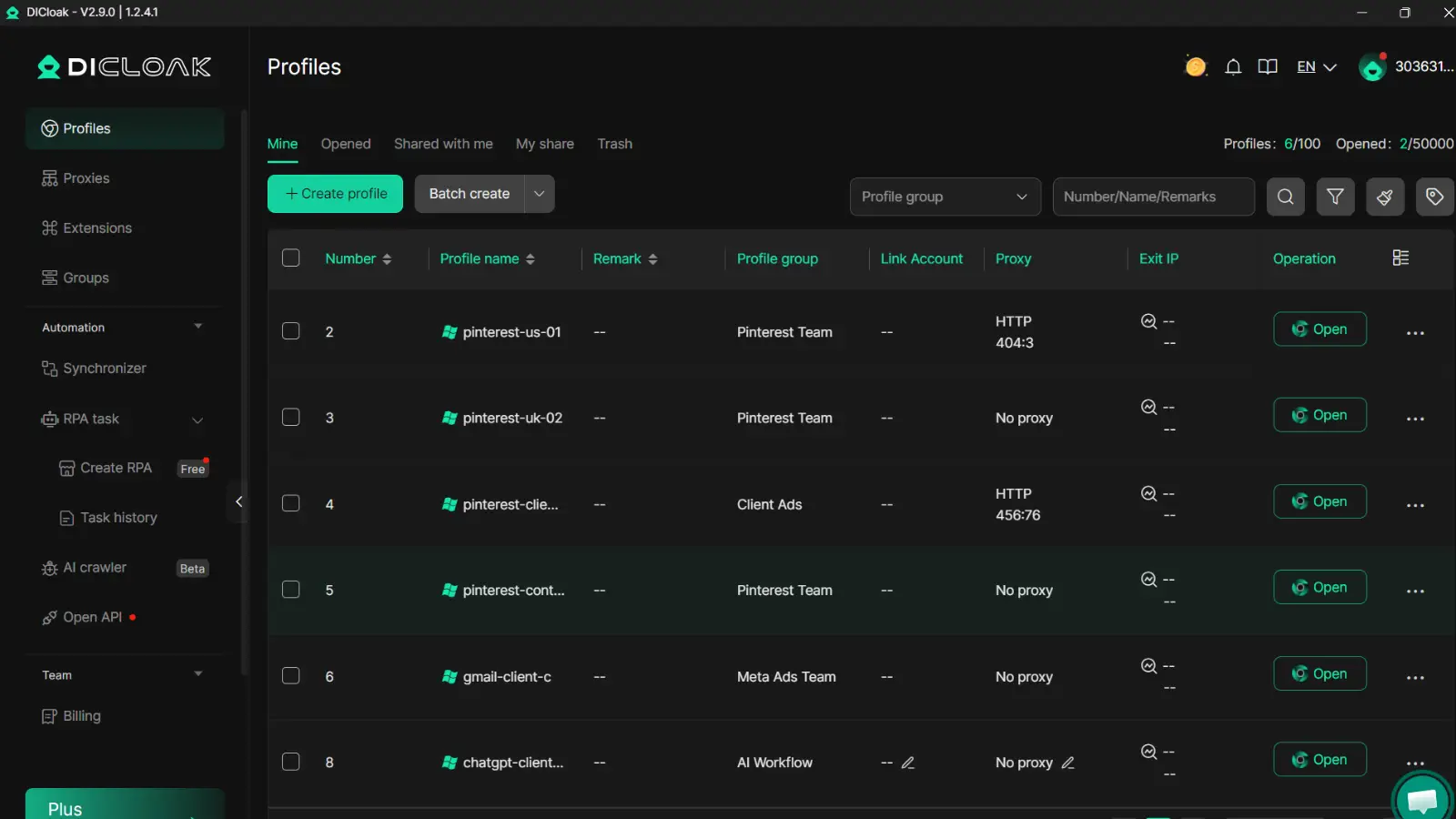
You can bind an independent proxy to each profile, assign role-based permissions for editors and admins, and review operation logs for accountability. This aligns with access-control practices in OWASP authentication guidance and device-trust checks described by Google Account security.
Practical setup steps for stable day-to-day operations
Create profile naming rules like PINTEREST-US-01, assign one owner, and lock password, email, and recovery edits to admins only. Use batch actions for safe repeats, and use RPA only for fixed, low-risk steps. Keep delays human-like and rotate tasks by schedule, not by sudden bursts.
What should you do if Pinterest is still not working after all standard fixes?
If you still ask “why is pinterest not working,” stop random retries and move to escalation. A clean case record gets faster support replies and fewer repeat checks.
Build a clean troubleshooting record before contacting support
Save screenshots of each error, exact time, device model, OS version, app version, and failing URL. Write what you already tested from the Pinterest Help Center and what changed after each step.
Contact Pinterest support with the right structure
Open one ticket per issue type: account access, billing, or technical errors. Keep your message short: issue, start time, affected accounts, tested fixes, and attachments. If your team manages several accounts, include account IDs so support can trace logs quickly.
Use temporary workarounds while waiting for resolution
Tools like DICloak let you map one Pinterest account to one isolated browser profile plus one stable proxy path, which cuts cross-account risk signals. You can use team permissions, profile sharing, and operation logs so staff can post without sharing passwords. This keeps work moving while you track why is pinterest not working.
How can you stop Pinterest problems from happening again?
If you keep asking “why is pinterest not working,” treat prevention like routine maintenance, not emergency repair. A short monthly check cuts repeat outages, login loops, and sudden account limits.
Create a monthly Pinterest health checklist
Set a calendar reminder every 30 days. Update the Pinterest app, your mobile OS, and your browser on desktop. Clear old cache and temporary files so sessions do not break after updates. Check connected tools and remove any integration you no longer use. Review active logins in account settings, then sign out devices you do not recognize. Keep two recovery methods active (email + phone) so you can regain access fast if one fails. Keep this rule: if a login fails twice, verify account access paths before reinstalling anything.
Use the Pinterest Help Center as your reference list for current account and login steps.
Set safer posting and engagement habits
Avoid sharp activity jumps. If you usually post 5 Pins a day, do not jump to 50 in one session. Spread actions across the day. Keep normal device and location patterns when possible, since rapid changes can trigger extra checks. Do not run repeated follow, save, or comment bursts that look scripted. If your team works on one account, assign clear time windows to avoid overlapping actions.
Prepare a fast incident response playbook
Write a one-page response doc. Name one person to check live outages on Downdetector, one to contact support, and one to pause paid campaigns. Save two templates: error report and appeal request. Include screenshots, timestamp, device type, app version, and network type in every report. This turns “why is pinterest not working” from guesswork into a 10-minute triage flow.
Frequently Asked Questions
Why is Pinterest not working only on Wi-Fi but works on mobile data?
If Pinterest works on cellular but not Wi-Fi, your local network is the problem. Common causes are DNS filters, strict router firewall rules, or unstable ISP routing. Some home networks also block Pinterest scripts through ad-block DNS services. Restart the router, switch to public DNS (like 8.8.8.8), and test again.
Why is Pinterest not working after I updated my phone?
After an OS update, app settings can reset. If you’re asking why is pinterest not working, check that the app version supports your new OS, then re-enable permissions for photos, storage, and notifications. Clear app cache, force close, and reopen. Also confirm background data is allowed, since updates may silently restrict it.
Why is Pinterest not working in one browser but fine in another?
When Pinterest fails in one browser only, the issue is usually local to that browser. Disable extensions first, especially ad blockers, script blockers, and privacy tools. Then clear cookies and site data for Pinterest to fix broken sessions. If the browser is old, update it so modern Pinterest scripts and media features load correctly.
Why is Pinterest not working for uploads even when my internet is fast?
Fast download speed does not guarantee stable uploads. Pinterest uploads can fail with very large image/video files, unsupported codecs, or broken metadata from editing apps. Re-export the file in a standard format (JPG, PNG, MP4), reduce size, and retry. Temporary upload endpoint throttling can also cause delays, so wait and test later.
Why is Pinterest not working for my business account but personal account is fine?
Business profiles follow different checks than personal profiles. If why is pinterest not working affects only your business account, review policy notices, publishing limits, and account quality alerts in settings. Connected tools (schedulers, catalogs, analytics apps) can also lose permissions. Reconnect integrations, refresh tokens, and verify account email to restore normal posting.
If Pinterest is not working, the issue is usually tied to a weak connection, outdated app or browser data, server outages, or account-related restrictions, and most problems can be fixed with a few quick checks. Start with the basics like refreshing, clearing cache, updating the app, and checking Pinterest’s status page so you can identify whether the problem is on your side or Pinterest’s.Try DICloak For Free
 Web Proxy Tools
 Free Tools
 Cookie Plugin
 UA Generator
 MAC Address Generator
 IP Generator
 IP Address List
 2FA Code Generator
 World Clock
 Anonymous Check
 WebRTC Leak Test
 UUID Generator
 Free Web Proxy Site
 Proxy Checker
 FB Ad Checker
 AI Web Scraping
 Free SMM Tools
 Twitter Shadowban Checker
 Instagram Name Checker
 UTM Generator
 Username Generator
 AI Hashtag Generator
 LinkedIn Headline Generator
 Social Media Image Resizer