Developers scraping Perplexity have seen their IPs blocked or accounts restricted after just a few hundred requests, especially since scraping detection rules got stricter in early 2026. One coder shared on Stack Overflow how their perplexity scraper worked for a day, only to get hit with endless CAPTCHAs and access denials the next morning. This isn’t just about volume: scraping Perplexity AI, whether for research, training, or business intelligence, now triggers layered defenses that flag repeated fingerprints, shared proxies, and even patterns in browser behavior.
Many users try to sidestep these blocks by rotating proxies or tweaking their perplexity AI scraper scripts, but that rarely holds up for long. Perplexity web scraping now needs more than changing IP addresses. Sites track browser fingerprints, cookie trails, and session handoffs, so even small mistakes can get you shadow banned or locked out. Worse, some accounts get flagged across multiple devices if scripts aren’t isolated, leading to lasting damage.
If you want to extract data without burning accounts or getting blacklisted, you’ll need a clear workflow: know the common traps, prep your scraper setup before running any jobs, and rethink how you manage browser sessions and proxies. Here’s what to check before you run your next perplexity data extraction, and what safer teams are doing to keep access stable.
What Makes a Perplexity Scraper Different from Other Web Scraping Tools?
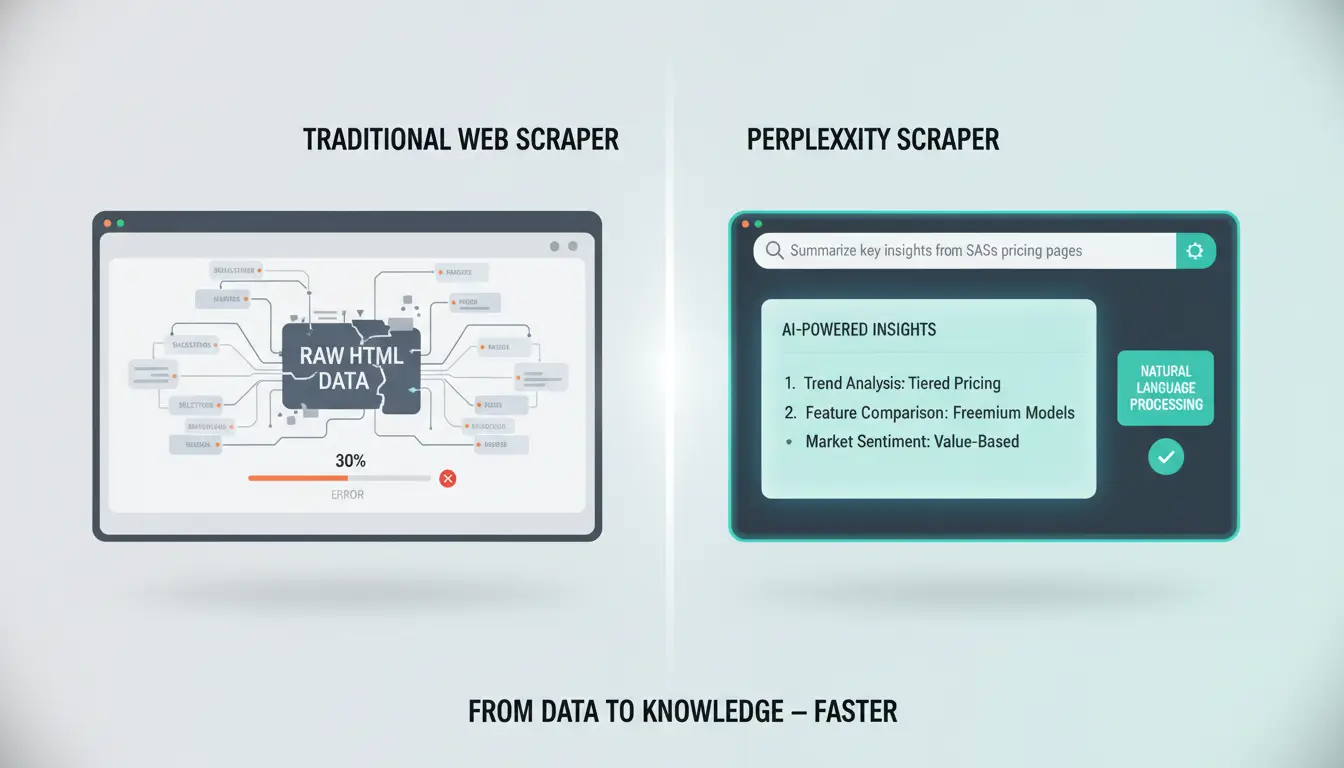
A perplexity scraper stands out from traditional web scraping tools because it uses AI to interpret and extract data more like a human would. Instead of following rigid scripts, it can read pages, understand context, and pull out answers or summaries. This changes how you approach perplexity web scraping, giving you new strengths, but also new risks.
How Perplexity AI Changes Web Scraping
Classic scraping depends on rule-based scripts. These scripts look for patterns in HTML and grab data by following set instructions. If a website changes its structure, your scraper breaks until you adjust the code. With a perplexity AI scraper, you feed a prompt (a question or instruction) and the AI figures out where and how to get the answer. This means you can handle messy or dynamic sites that standard scripts struggle with.
AI-powered scrapers can return results in a structured format. Instead of raw text or scattered data, you get tables, summaries, or direct answers. For example, you can ask, “List all product prices on this page,” and the AI will try to pull just those details, even if the page layout is complex. This makes perplexity data extraction feel more like talking to an assistant than writing code.
Where Perplexity Scraper Outperforms and Falls Short
AI scrapers are faster to set up and more adaptable. You don’t need to rewrite code every time a site changes. They can handle different layouts and languages with fewer tweaks. This speed is especially helpful when you’re tracking topics across many websites.
But there are trade-offs. AI sometimes misunderstands a page or pulls in the wrong details. If you want 100% precise, repeatable output, like for price monitoring, rule-based tools such as Beautiful Soup or Scrapy may still be better. Also, some websites block AI traffic or limit rapid queries, so account bans remain a risk. The main edge of a perplexity scraper is flexibility, but you trade off some control and certainty.
What Risks Should You Know Before Running a Perplexity Scraper?
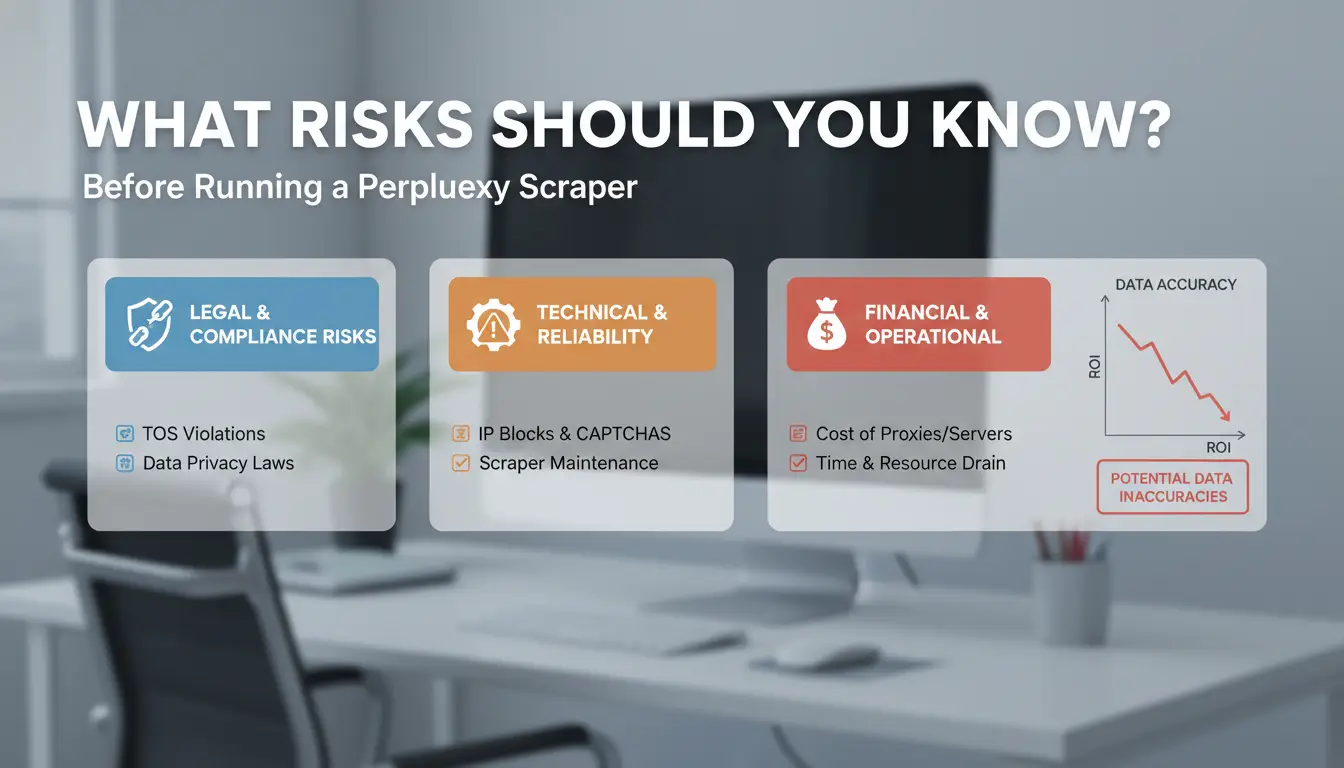
Scraping with a perplexity scraper isn’t just about grabbing data, most sites now defend against automated extraction far more aggressively. If you run a perplexity AI scraper without prepping for detection, you risk bans, account lockouts, and sometimes legal trouble. Teams doing perplexity web scraping need to know how sites track activity, flag unusual patterns, and enforce limits. The biggest risk: sloppy setup can get your entire operation flagged, not just a single account.
Why Scraping Perplexity or Target Sites Can Get You Blocked
Sites use anti-bot systems to spot and block automated traffic. Common triggers include too many requests in a short time, repeated access from one IP, or browser sessions that don’t look like real users. Some platforms set rate limits, hit them, and your perplexity data extraction will stall or get blacklisted. Others deploy fingerprinting, tracking things like browser settings and device IDs. Even changing proxies isn’t enough if your browser fingerprint stays the same.
If your perplexity scraper behaves too predictably, like sending requests at exact intervals or skipping normal user actions, detection systems flag you fast. That often leads to shadow bans, CAPTCHAs, or permanent blocks. For more on anti-bot detection, see Cloudflare’s bot management docs and ScraperAPI’s guide.
Common Mistakes That Lead to Account Restrictions
One frequent mistake: ignoring proxy setup. Using free or low-quality proxies means your traffic looks suspicious, especially if many accounts share the same IP. Another trap is reusing browser fingerprints. Sites can spot if dozens of scraping sessions have identical browser settings, this breaks any illusion of being a real user.
If your perplexity AI scraper runs across multiple devices but keeps the same fingerprint or session ID, platforms link and restrict all related accounts. To avoid this, set up unique browser profiles and use fresh proxies for each job. Tools like DICloak Antidetect Browser help isolate sessions and rotate fingerprints, lowering ban risk for teams running large-scale perplexity web scraping.
How to Set Up a Perplexity Scraper: Step-by-Step for Beginners
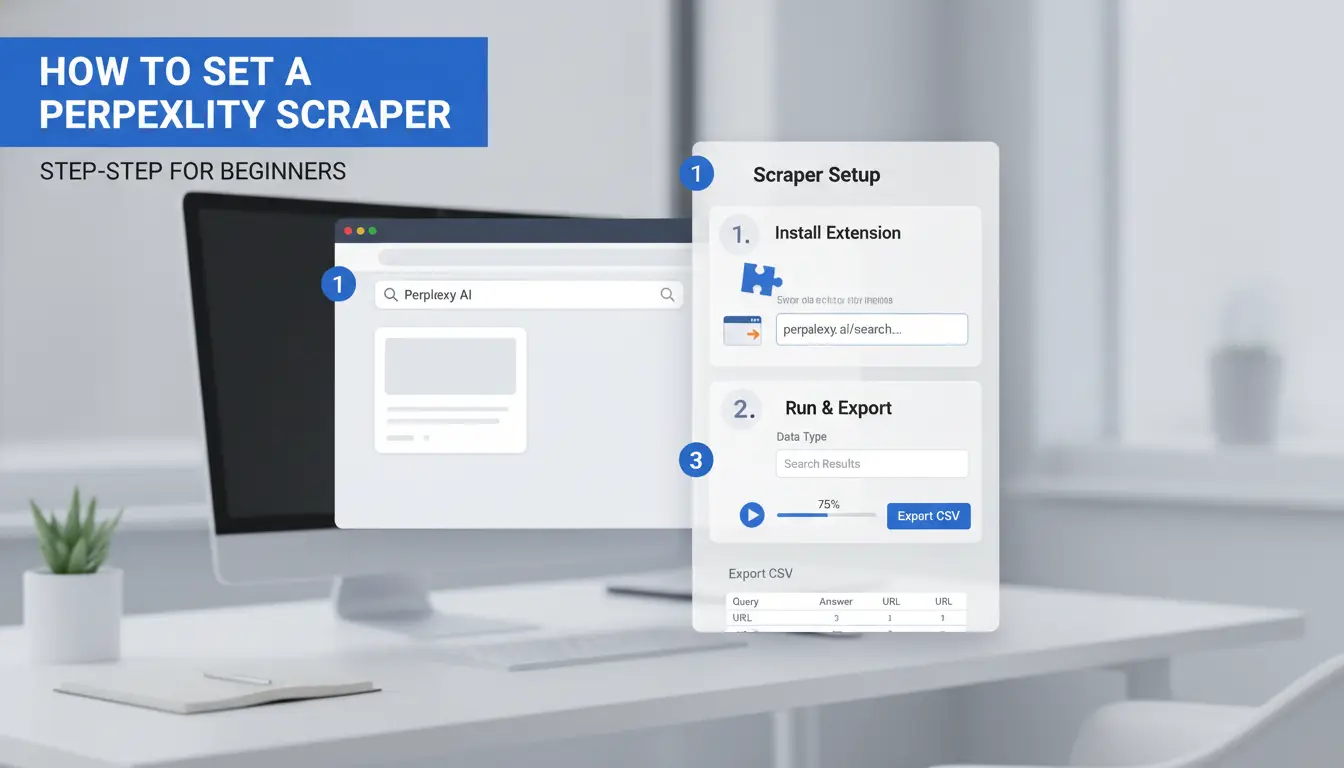
Getting a perplexity scraper running safely means handling both setup and prompt design the right way. Miss a detail, and you risk bans or broken data. Here’s a clear walkthrough that works for most beginners.
Preparing Your Environment and Tools
Start with a basic Python setup. Install requests or httpx for HTTP calls. If you’re using Perplexity’s API, get your API key from the official site. For browser-based scraping, tools like Playwright or Selenium help you simulate real user actions.
Proxy setup is next. Free proxies are risky and unreliable, choose a paid proxy provider like Bright Data or Smartproxy for stable access. Rotate proxies between requests to avoid blocks. If you’re running multiple perplexity web scraping jobs, make sure each session uses a separate proxy and user agent.
Keep your API keys secure. Never share them in code snippets or public repos. For team projects, store keys in environment variables or a secrets manager.
Designing Prompts and Parsing Structured Output
A good perplexity AI scraper starts with clear prompts. Write questions or tasks that are specific, open-ended prompts often return messy or incomplete results. For example, “Extract the main product features and output as JSON” will work better than “Tell me about this product.”
When you get data back, look for the format: JSON is easier to parse in Python, while CSV might need extra cleaning. Use Python’s json module to handle structured output. If you plan to scale perplexity data extraction, set up scripts that check for missing fields or format errors in every response.
Test your prompts and parsing logic on small jobs before you hit larger targets. This catches issues early and keeps your accounts safe.
Why Proxy Use Matters for Perplexity Scraping: Safer IP Management
Running a perplexity scraper without the right proxy setup almost always leads to bans or broken sessions. Sites like Perplexity AI detect repeated requests, shared IPs, and even browser fingerprints. That’s why teams doing perplexity web scraping rely on proxies to spread requests and hide real device details. Getting this part wrong means you risk losing access, sometimes for good.
How Proxies Help Avoid Detection and Rate Limits
Proxies act as traffic middlemen. For perplexity data extraction, they let you rotate IP addresses, so your scraper doesn’t flood Perplexity from a single source. This rotation dodges rate limits and keeps each session looking like a regular user. For bulk jobs, using residential proxies, real devices from home users, makes your requests harder to spot compared to datacenter proxies, which are often flagged as bot traffic.
| Proxy Type |
Typical Use Case |
Detection Risk |
Price Range (per GB) |
| Residential |
Bulk, stealth scraping |
Low |
$5–$15 (Oxylabs, Smartproxy) |
| Datacenter |
Fast, cheap scraping |
High |
$1–$3 (ProxyRack) |
Table: Proxy features and price ranges for perplexity web scraping. Prices from provider sites, May 2026.
The right mix depends on your project size and risk tolerance. For sensitive accounts, residential is safer, but for high-volume, low-value scraping, datacenter proxies can work if you accept more bans.
What to Watch Out for When Configuring Proxies
Even with the best proxies, basic setup mistakes can leave you exposed. Proxy authentication errors, like wrong logins or expired credentials, block your scraper or leak your real IP. Misconfigured proxy types (HTTP vs SOCKS) can let requests bypass the proxy, exposing your actual location. Some tools, especially browser-based ones, may accidentally leak DNS or WebRTC details if settings aren’t strict.
The most common mistake is assuming proxy rotation alone is enough, sites now cross-check IP, cookies, and browser fingerprints. If you want to keep your perplexity AI scraper running, test your setup for leaks and always check logs for failed sessions. For teams, using tools like DICloak helps by isolating browser fingerprints and binding each session to the correct proxy, cutting the risk of account-wide bans.
How to Manage Multiple Perplexity Scraper Accounts with Less Risk (DICloak Integration)
Running several perplexity scraper accounts isn’t just about juggling logins. Each scrape job leaves digital traces, browser fingerprints, cookies, device IDs, that sites use to spot patterns. If two scraper sessions share a fingerprint or proxy, detection gets easier and bans come faster. Teams often rush setups, sharing browser sessions or running accounts on the same device. That shortcut flips into a risk: accounts linked by mistake, flagged together, and sometimes locked out for days.
Why Multi-Account Scraping Gets Risky Fast
Most teams start by rotating proxies and tweaking their perplexity AI scraper scripts. But the real problem is fingerprint overlap. When different accounts run in the same browser profile, even with separate proxies, sites can link sessions through shared fonts, hardware details, and cookie trails. Teams also trip up by moving accounts between devices without cleaning sessions. One mistake, like using the same browser profile for two accounts, can get both flagged. In practice, fingerprint collision is the fastest way to lose access.
How DICloak Antidetect Browser Solves Multi-Account Challenges
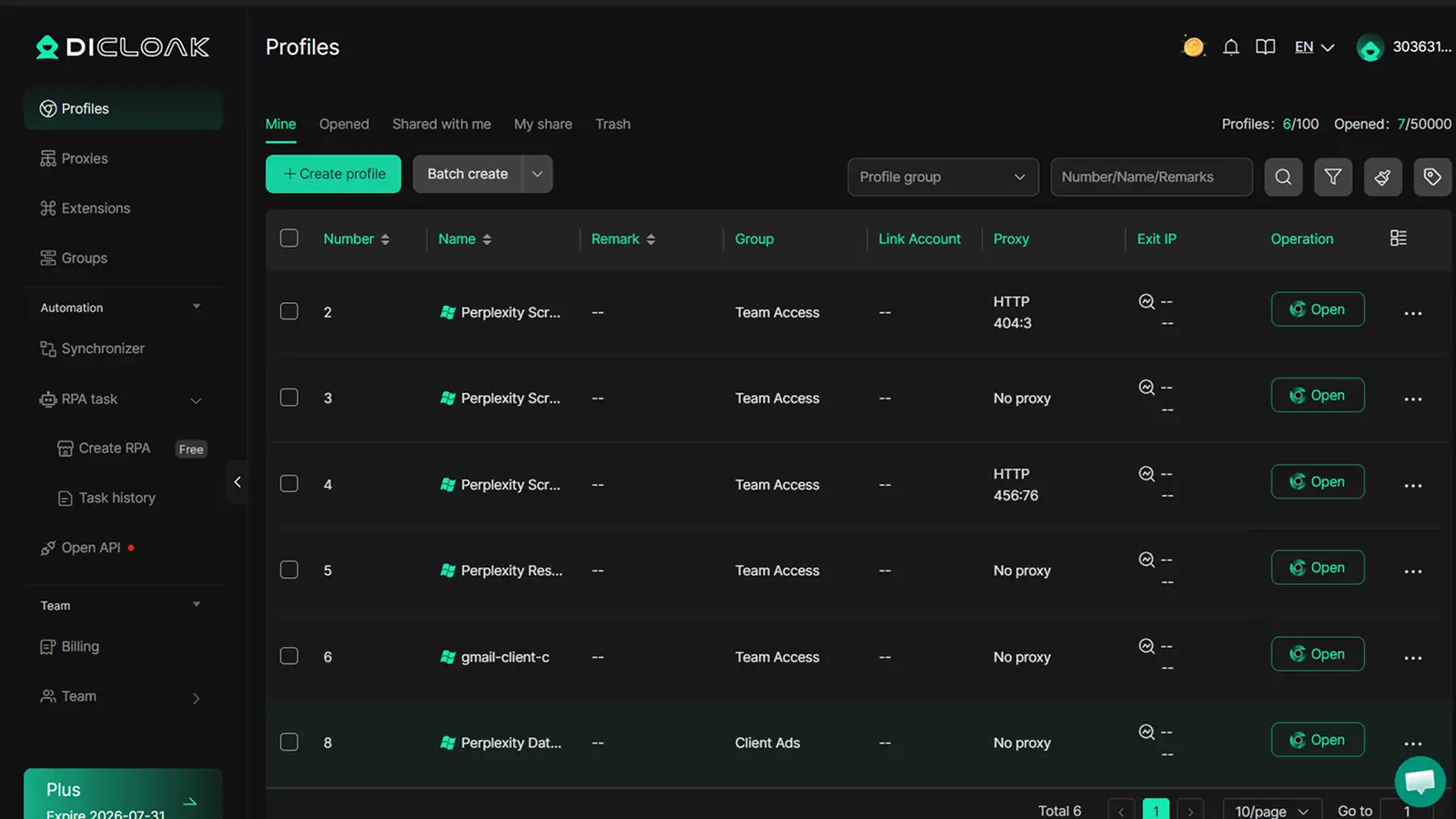
You can use DICloak antidetect browser to build isolated browser profiles for each perplexity scraper account. Each profile gets a custom fingerprint, so even if you run ten accounts on one device, sites see ten different setups. For perplexity web scraping, proxy integration is simple: assign a unique proxy to each browser profile. This keeps IPs and fingerprints separate. Teams get control over who accesses each profile, permissions, sharing, and operation logs make group work safer. If you need to hand off an account, just share the browser profile, not the credentials. Operation logs track who did what, so mistakes are easier to catch before they spread. That’s how teams keep their perplexity data extraction stable and avoid mass bans.
What to Do When Your Perplexity Scraper Fails: Troubleshooting and Recovery
Diagnosing Errors: API, Proxy, and Parsing Issues
Most perplexity scraper failures come from API timeouts, unstable proxies, or broken parsing logic. If you see blank pages or malformed output, check if your proxy is dropping the connection. Timeout errors often mean your requests are too frequent or the target site is blocking your IP. Parsing errors happen when sites change layouts or add anti-scraping tricks, update your scripts if the data isn’t where you expect.
How to Recover from Account Bans or IP Blocks
When a perplexity AI scraper gets banned or blocked, swapping proxies alone won’t fix the root problem. Sites now link accounts by browser fingerprint and session patterns, so repeating the same mistakes leads to more bans. Isolating each scraper account in a unique browser profile is the safest step, this prevents detection and account linkage.
You can use tools like DICloak antidetect browser to create separate browser profiles for each account. DICloak lets you bind proxies, run multiple profiles, and avoid fingerprint collisions. For teams, features like permission control, profile sharing, and operation logs make multi-user perplexity web scraping safer and easier. This setup helps you recover from bans and keep your perplexity data extraction stable.
When Scaling Perplexity Scraping Makes Sense, and When It Doesn’t
Scaling up a perplexity scraper isn’t just about running more scripts or adding servers. The risks and the technical challenges rise fast. Some teams try to boost output by spinning up dozens of browser sessions, using big proxy pools, or automating every step. But at a certain point, the chance of detection, bans, and wasted time can outweigh the benefits. Before going bigger, it pays to know what changes when you ramp up, and where safer, smarter limits actually help.
What Changes When You Scale Up Scraping
Moving from a few manual runs to bulk perplexity web scraping means you’ll handle far more requests per minute. Most sites track traffic spikes, so if your perplexity AI scraper suddenly sends hundreds of hits, you risk tripping rate limits or getting your proxies blocked. Even with a large proxy pool, browser fingerprinting and session leaks can link your activity back to a single origin. This gets worse if you reuse cookies, skip unique profiles, or automate without checks.
Running automation at scale also means more points of failure. Manual workflows let you spot problems as they happen. When everything is scripted, a small bug or a misconfigured proxy can ruin a whole batch, sometimes flagging dozens of accounts at once.
| Scaling Factor |
Manual Scraping |
Automated at Scale |
| Request Volume |
Low |
High |
| Proxy Needs |
Few |
Large rotating pool |
| Ban Risk |
Lower |
Much higher |
| Error Detection |
Immediate (human) |
Delayed (logs/scripts) |
Table: What changes as you scale perplexity data extraction (see scrapinghub.com, datadome.co)
Safer Alternatives and Limits to Scaling
Sometimes, scaling your own perplexity scraper isn’t worth it. Managed scraping services like ScraperAPI or Oxylabs can handle proxy rotation, CAPTCHA solving, and legal compliance for large jobs. For sensitive targets, legal and ethical rules matter, scraping some sites can get you blocked or even face legal action (wikipedia.org: Web scraping). For teams that need to run many accounts safely, you can use a browser isolation tool like DICloak to keep sessions separated and reduce risk. Scaling only makes sense when you can control detection and keep your workflow stable, otherwise, switching to managed services or limiting your run size is safer.
Practical Use Cases for Perplexity Scraper: What Actually Works
E-commerce Product Data Extraction
Perplexity scraper tools see the most reliable results on public retail sites. Teams scrape Amazon, eBay, and Walmart for product prices, reviews, and inventory tracking. The key is parsing structured product info, like titles, pricing, and ratings, without tripping anti-bot rules. For bulk jobs, perplexity AI scraper setups rotate proxies and browser fingerprints to avoid bans. Still, you need to monitor for layout changes or hidden data fields, since sites update formats often.
Research, Content Aggregation, and Monitoring
Academic and news scraping is another strong fit. Perplexity web scraping handles journal abstracts, headlines, and article metadata for market research or competitor tracking. It works best when you automate content checks or updates, so you get new data as soon as it’s published. The real win is targeting sites with predictable layouts and open access, complex logins or heavy JavaScript often break scripts. For more sensitive jobs or when accounts are needed, pairing with a browser isolation tool like DICloak helps keep access stable.
Frequently Asked Questions
Is it legal to use a perplexity scraper on any website?
Before running a perplexity scraper or any perplexity AI scraper, always read the website’s terms of service. Many sites forbid web scraping or limit automated access. Local laws also matter, some regions have strict data rules. Ignoring these rules can lead to legal trouble or blocked access. Always scrape responsibly and with permission.
Can I use a perplexity scraper without proxies?
You can use a perplexity scraper without proxies, but your IP address will be exposed. This makes detection and IP bans much more likely, especially during bulk perplexity web scraping. Proxies help you avoid blocks by rotating IPs and spreading requests. For large-scale scraping, proxies are strongly recommended for safety and reliability.
How many accounts can I safely run for perplexity scraping?
The number of accounts you can safely use for perplexity data extraction depends on your proxy setup, workflow, and browser isolation. Tools like DICloak allow users to manage and scale multiple accounts safely by using unique browser profiles and distinct IP addresses for each session. This helps prevent bans and detection.
What output formats does a perplexity scraper support?
Most perplexity scrapers support output formats like JSON and CSV. The actual format depends on how you design the prompt and parsing method. JSON is useful for structured data, while CSV works well for spreadsheets. Choose the format that fits your analysis or reporting needs when extracting data.
Can I automate perplexity scraping for bulk data extraction?
Yes, you can automate perplexity scraping for bulk data extraction using scripting tools and automation frameworks. However, you’ll need to manage risks like account bans, CAPTCHAs, and detection. Use proxies, random delays, and browser isolation to reduce risks. Following best practices can help you collect data efficiently and safely.
Perplexity scraper tools offer a powerful solution for efficiently extracting and organizing complex web data, making them an essential asset for researchers and businesses alike. By leveraging these tools, users can gain valuable insights while saving time and resources. Try DICloak For Free
 Web Proxy Tools
 Free Tools
 Cookie Plugin
 UA Generator
 MAC Address Generator
 IP Generator
 IP Address List
 2FA Code Generator
 World Clock
 Anonymous Check
 WebRTC Leak Test
 UUID Generator
 Free Web Proxy Site
 Proxy Checker
 FB Ad Checker
 AI Web Scraping
 Free SMM Tools
 Twitter Shadowban Checker
 Instagram Name Checker
 UTM Generator
 Username Generator
 AI Hashtag Generator
 LinkedIn Headline Generator
 Social Media Image Resizer