What Does Feedback Required Mean On Instagram?
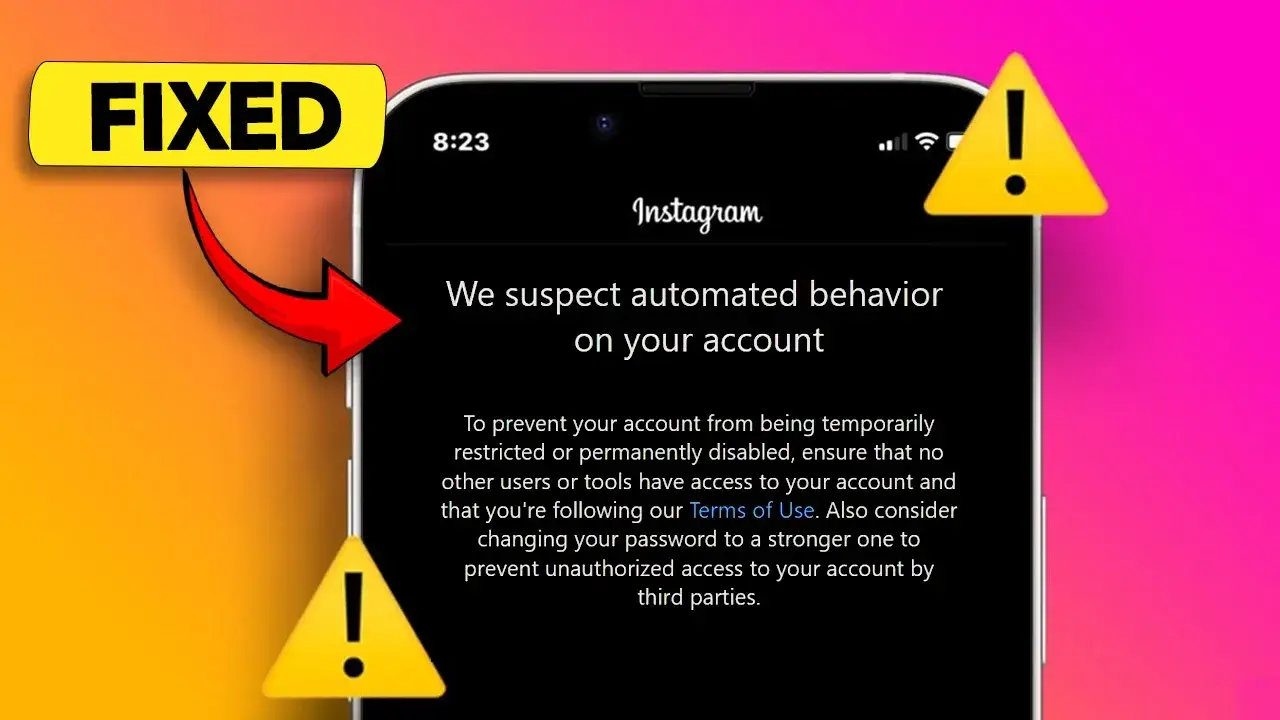
Have you ever tried to log into Instagram only to be met with a message saying 'Feedback Required'? This can be frustrating, especially if you want to check your messages or post a new photo. Understanding what this message means and how to troubleshoot it can help you get back to using your favorite app quickly.
Common Causes
The 'Feedback Required' message typically appears due to issues with Instagram's servers or problems with the app itself. Sometimes, the servers may be down, causing a temporary disruption. Other times, there might be a bug in the app that prevents you from logging in. It's essential to identify the root cause to resolve the issue effectively.
How to Identify Server Issues
To check if Instagram is experiencing server issues, you can use websites like DownDetector. Simply search for 'Is Instagram down?' and look for any spikes in reported problems. If many users are facing issues, it’s likely a server problem, and you may need to wait until Instagram resolves it.
If the servers are not the issue, you can troubleshoot the app itself. Go to your device settings, find Instagram in the app list, and consider offloading the app. This process removes the app but keeps its data, allowing you to reinstall it fresh. After reinstalling, check if the 'Feedback Required' message still appears.
| Cause |
Description |
Solution |
| Server Issues |
Instagram servers are down |
Wait for Instagram to fix the issue |
| App Bugs |
Problems with the Instagram app |
Offload and reinstall the app |
By following these steps, you should be able to troubleshoot the 'Feedback Required' message on Instagram. If the problem persists, consider reaching out to Instagram support for further assistance. Don't let this error keep you from enjoying your Instagram experience!
How to Fix the Feedback Required Error
Have you ever encountered the frustrating 'Feedback Required' message on Instagram? This error can prevent you from logging into your account, leaving you puzzled about what to do next. Fortunately, there are a few steps you can take to troubleshoot Instagram and get back to browsing your favorite posts.
Check Instagram Server Status
The first step in resolving the Instagram feedback required issue is to check if there are any Instagram server issues. Sometimes, the problem lies not with your app but with Instagram's servers. You can easily check this by searching for 'Is Instagram down?' on Google. Websites like DownDetector can show you if there’s a spike in reported issues. If you see a lot of users experiencing problems, it’s likely that you’ll need to wait until Instagram resolves the issue.
Reinstall the Instagram App
If the servers are functioning properly, the next step is to troubleshoot Instagram by reinstalling the app. Start by going to your device's settings. Navigate to General and then iPhone Storage (or the equivalent on your device). Look for Instagram in the list of apps. Once you find it, select the option to offload the app. This will remove the app but keep its data. After offloading, reinstall the app. This fresh installation can fix any bugs that might be causing the 'Feedback Required' error.
| Step |
Action |
| 1 |
Check Instagram server status using DownDetector. |
| 2 |
Go to device settings. |
| 3 |
Select General and then iPhone Storage. |
| 4 |
Find Instagram and offload the app. |
| 5 |
Reinstall the app. |
After reinstalling, open Instagram again. You should now be able to log in without encountering the feedback required message. If you still face issues, consider reaching out to Instagram support for further assistance.
When to Seek Further Help
If you're facing the Instagram feedback required message, it can be quite frustrating. This message often indicates that there is an issue with your account or the app itself. But don't worry! There are steps you can take to troubleshoot Instagram and get back to using it.
Contacting Instagram Support
If you've tried the basic troubleshooting steps and still see the feedback required message, it might be time to reach out to Instagram Support. You can do this through the app or their website. Make sure to provide them with as much detail as possible about the issue you're facing.
Community Solutions
Sometimes, other users may have experienced the same issue. Checking online forums or community pages can provide you with helpful tips and solutions. Websites like Reddit or Instagram's own help community can be great resources.
| Issue |
Possible Solution |
| Feedback Required |
Check Instagram server status |
| App Crashing |
Reinstall the app |
| Login Issues |
Reset your password |
In conclusion, if you encounter the Instagram feedback required message, start by checking if there are any server issues. If everything seems fine, try reinstalling the app. If the problem persists, don't hesitate to contact Instagram Support or look for solutions in community forums.
 Web Proxy Tools
 Free Tools
 Cookie Plugin
 UA Generator
 MAC Address Generator
 IP Generator
 IP Address List
 2FA Code Generator
 World Clock
 Anonymous Check
 WebRTC Leak Test
 UUID Generator
 Free Web Proxy Site
 Proxy Checker
 FB Ad Checker
 AI Web Scraping
 Free SMM Tools
 Twitter Shadowban Checker
 Instagram Name Checker
 UTM Generator
 Username Generator
 AI Hashtag Generator
 LinkedIn Headline Generator
 Social Media Image Resizer