Switching your system’s timezone might look harmless, but every platform leaves a trail. Anyone juggling multiple accounts or managing distributed teams hits the same wall: sites and apps now compare your browser timezone, IP location, and system clock, flagging even small mismatches as a sign of automation or risk. That’s where Timezone Spoofing comes in, it’s the most common way people try to avoid instant blocks when their real and virtual locations don’t line up.
But timezone masking isn’t bulletproof. Most detection scripts don’t just check the displayed timezone, they cross-check timestamps, measure response lags, and even look for hidden clues left by browser timezone spoofing plugins. If you only change your timezone setting but leave your system clock or fingerprint unchanged, you still stand out and may trip automated reviews or force manual checks.
A lot of guides skip the messy part: timezone fingerprinting isn’t just about what your browser claims. It’s about how every part of your stack, system, browser, proxy, and automation tools, work together. Miss one detail, and you risk bans, locked accounts, or failed logins that waste hours. The right approach means understanding where checks happen and how to blend in without raising new red flags.
Start by seeing how platforms actually detect timezone mismatches and why simple tricks often backfire.
What Does Timezone Spoofing Actually Mean in 2026?
Timezone spoofing means you change how your browser or system reports its timezone so websites see a fake location or timestamp. In 2026, it’s not just a trick for hiding your country, it’s a must-have for anyone managing multiple accounts, avoiding platform restrictions, or running automation that needs to blend in. If your timezone fingerprint doesn’t match your claimed location or account activity, you risk bans, friction, or failed logins.
How Timezone Spoofing Works in Browsers
Most people think they can just set their browser timezone and call it done. But platforms pull timezone info from several spots:
- Browser setting: The timezone your browser claims in JavaScript or HTTP headers.
- System clock: The actual time and timezone your operating system keeps. Sites can reach this through plugins or browser APIs.
- Web detection: Websites compare your timezone, IP location, and cookie history, if they don’t line up, you stand out.
Missing one layer is the fastest way to trip advanced detection.
Why Timezone Spoofing Became More Important in 2026
In 2026, platforms use deeper checks than before. Account restrictions now often trigger when your login timezone doesn’t match your account’s history or your proxy’s IP location. For example, logging in from a Paris IP but showing a US timezone can flag you for review. Teams running multi-account workflows see this problem daily: simple browser plugins only change the surface, but platform logs catch mismatches between timezone, device fingerprint, and activity patterns.
The real tradeoff is speed versus safety. You can switch timezone settings in seconds, but that shortcut leaves traces, like a system clock showing a different region or cookies with conflicting timestamps. This mistake usually means failed logins or account locks that waste hours. The hardest part is syncing browser, system, and automation tools so every timestamp fits together, if you miss one, platforms notice. Many guides skip this, but in 2026, the risk is real: platforms log every session, check for rapid timezone jumps, and use cross-account tracking to catch managed profiles. If your workflow doesn’t spoof timezone at every layer, you’re not really masking anything.
Multi-account operators now face stricter reviews, so timezone fingerprinting isn’t just about privacy, it’s about basic account survival. If your workflow leaves even one mismatch, you’re stuck fixing bans or rebuilding profiles. That’s why timezone spoofing isn’t a fringe tactic anymore; it’s a core part of account management, automation, and platform compliance.
The next step is seeing why this matters for privacy, account safety, and workflow efficiency in real-world use.
Why Timezone Spoofing Matters for Privacy, Account Safety, and Workflow Efficiency

If you run multiple accounts or manage remote operations, skipping timezone controls means leaving a clear fingerprint trail. Platforms do more than just check your IP, they combine every timing clue you give them. Ignore this, and your accounts become easy targets for tracking, bans, or workflow mistakes.
Privacy Risks Linked to Timezone Fingerprinting
Websites log your timezone to help tie sessions together. When combined with device fingerprints, a stable timezone makes you easier to track, even with IP rotation or cookie clearing.
Account Safety: When Timezone Mismatches Trigger Platform Restrictions
A mismatched timezone is one of the easiest red flags for automated bans. Say you connect to a UK proxy, but your browser reports a Pacific time, some platforms read that as a stolen session or automation. This is how sellers lose fresh accounts within a day: the dashboard shows a login from London, but the timezone says California. Some sites will restrict access instantly or prompt for multi-factor verification, often blocking you out before you can respond.
It gets trickier for teams using automation or rotating proxies. If your timezone changes with every login, that looks even less human than a static mismatch. The worst case? You fixate on matching timezone and proxy, but forget the system clock or browser language, platforms catch the gap and freeze the account anyway. The real risk is that a small mismatch can undo hours of prep, burning resources and forcing you back to square one.
Workflow Efficiency: Managing Multiple Accounts Without Timezone Conflicts
- Keep timezone, system clock, and proxy region in sync for each profile.
- Avoid running dozens of accounts from the same timezone, or platforms may link them.
- Build a workflow for updating timezone settings whenever you rotate proxies or devices.
Miss one of these, and you’ll run into accounts failing login checks, getting locked mid-operation, or triggering manual reviews that slow the whole team.
The hard part isn’t just picking a timezone, it’s keeping every part of your stack lined up as you scale. Next, see how detection works in practice and where simple timezone masking can backfire.
How Platforms Detect Timezone Spoofing and Common Mistakes That Trigger Flags
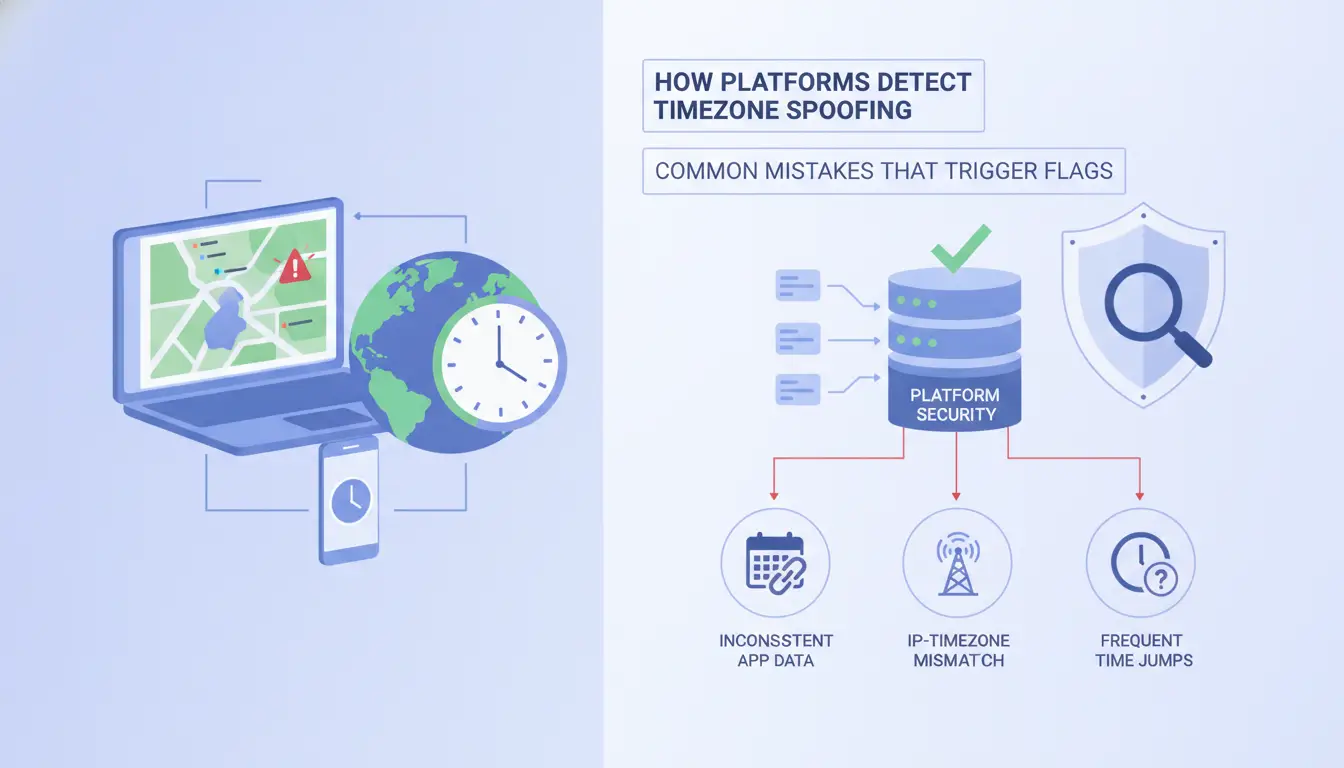
Platforms don’t just look at your browser’s timezone setting, they cross-check it against your IP geolocation and system fingerprint. If these pieces don’t match, you stand out. Detection isn’t limited to obvious mismatches; even small mistakes can trigger extra reviews or restrictions before you notice.
Detection Methods Used by Websites and Platforms
Most sites compare your browser timezone to your IP address location. If you use a proxy from Europe but your browser reports a timezone from Asia, automated scripts pick up the gap. JavaScript APIs make this easy, platforms grab real-time timezone, offset, and even system clock settings, then match them against your login IP. If two signals conflict, you’re flagged for manual review or automated restriction.
Common Mistakes That Lead to Account Restrictions
Trying to mask your timezone can easily backfire if you miss small details. One common error is using a proxy from a region but forgetting to match your browser’s timezone. Platforms notice when your login IP comes from France but your browser is set to New York time, this mismatch often leads to instant restrictions or “challenge” screens. Another mistake is changing your timezone mid-session. If your device jumps from UTC+1 to UTC+8 while logged in, platforms treat it as a real-time risk, sometimes locking the account until you verify identity. Inconsistent timezone settings across devices also raise flags. For example, if you use the same account on your laptop set to Berlin time and your phone set to Tokyo, platforms see this as suspicious and may shadowban or block further logins.
| Detection Trigger |
Typical Mistake |
Restriction Risk |
| IP-timezone mismatch |
Proxy region not matching |
Login blocks, review |
| Mid-session timezone swap |
Changing offset during use |
Forced verification |
| Cross-device inconsistency |
Different timezones per device |
Silent shadowban |
How to Spot Early Warning Signs of Detection
- Unusual login prompts, like “verify your location” or extra captchas, often mean your timezone masking isn’t working.
- Sudden drop in account reach or engagement, if you notice posts aren’t seen, it points to silent restrictions.
- If multi-factor prompts appear every login, especially after timezone changes, your account is likely under review.
Once you see these signs, stop and check your timezone and proxy setup before risking a full block.
Step-by-Step: Safely Spoof Your Timezone for Multi-Account Management
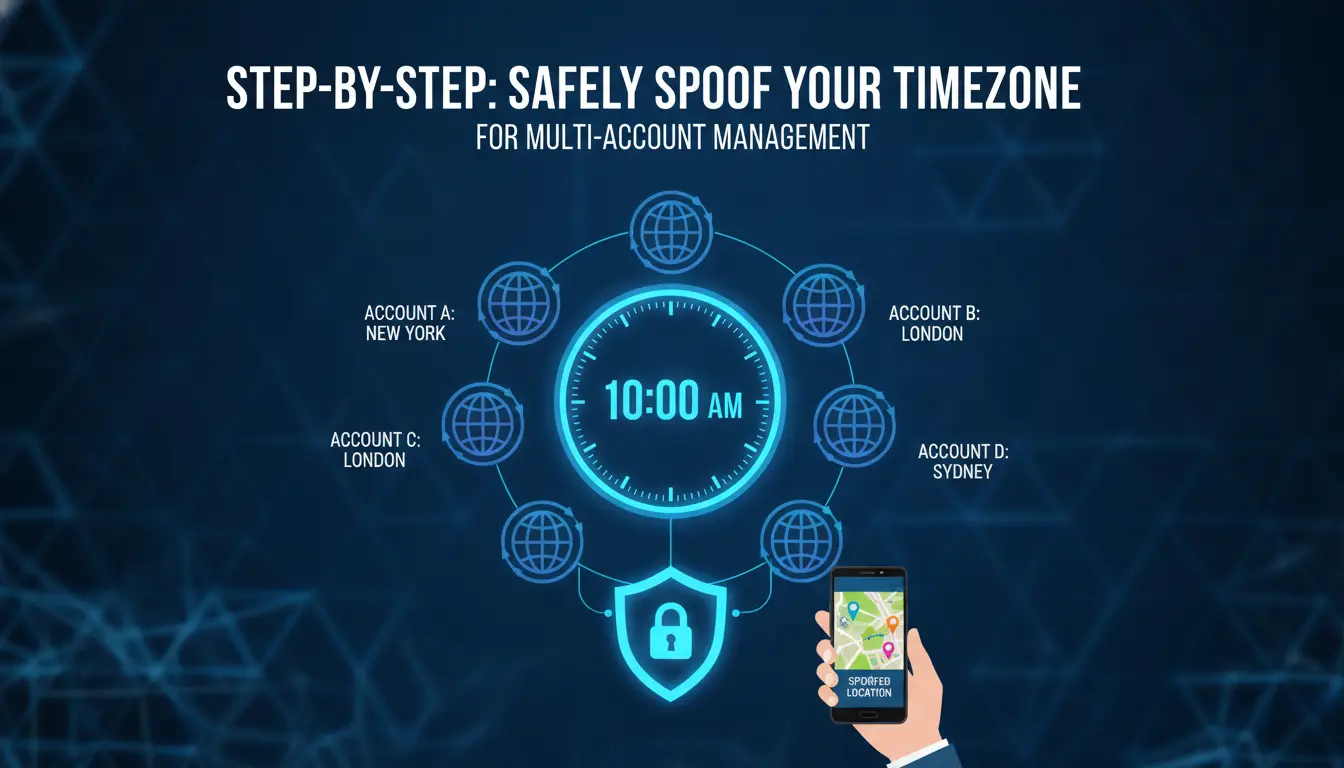
You can spoof your timezone without raising flags if you treat browser, proxy, and system settings as a single stack. The steps below cover the practical workflow, skip them and you risk instant login blocks or slow bans that eat your time.
Preparing Your Browser and Proxy Settings
- Pick a browser profile tool that allows custom timezone and fingerprint control (not just browser plugins).
- Set up a proxy whose IP location matches your target timezone, running mismatched proxies and browser clocks is a fast way to trigger platform checks.
- Disable system-wide time sync tools during testing. If your OS auto-corrects time, you’ll undo your spoofing before you notice.
Configuring Timezone Spoofing Without Raising Flags
- Match your browser timezone to the proxy’s local time. If your proxy shows Paris but your browser claims Tokyo, platforms will spot the mismatch.
- Avoid changing timezone mid-session. Switching while logged in almost always triggers review or session lock.
- Check if your automation or scripting tools support timezone masking. Some tools ignore browser settings, leaving real OS or script time exposed.
The real risk is forgetting to align both proxy and browser, platforms now cross-check these layers, not just your browser claim.
Testing Your Setup for Consistency and Detection Risk
- Visit a fingerprint checker site like BrowserLeaks. Confirm that IP, timezone, and browser metadata all match your intended location.
- Log in to your target platform using a test account. If you see extra login steps or “unusual activity” warnings, review your stack.
- Try a full workflow (post, edit, logout). If anything breaks or flags, trace which layer was inconsistent, most issues start with clock or proxy mismatches.
How Teams and Operators Use DICloak to Manage Timezone Spoofing Safely at Scale
Teams managing dozens or hundreds of accounts can't rely on browser plugins or manual timezone settings, those approaches break down fast when you need consistency, accountability, and bulk control. The real test is whether your stack lets you assign, audit, and automate timezone and proxy configuration so every operator can avoid detection triggers, even as workflows get more complex.
Isolated Browser Profiles with Custom Timezone and Proxy Settings
Every account runs in its own isolated browser profile, with timezone and proxy settings matched to the account's native region. Operators set up new accounts by cloning a base profile, then updating timezone and proxy together before the first login.
Team Collaboration and Permission Control for Safer Operations
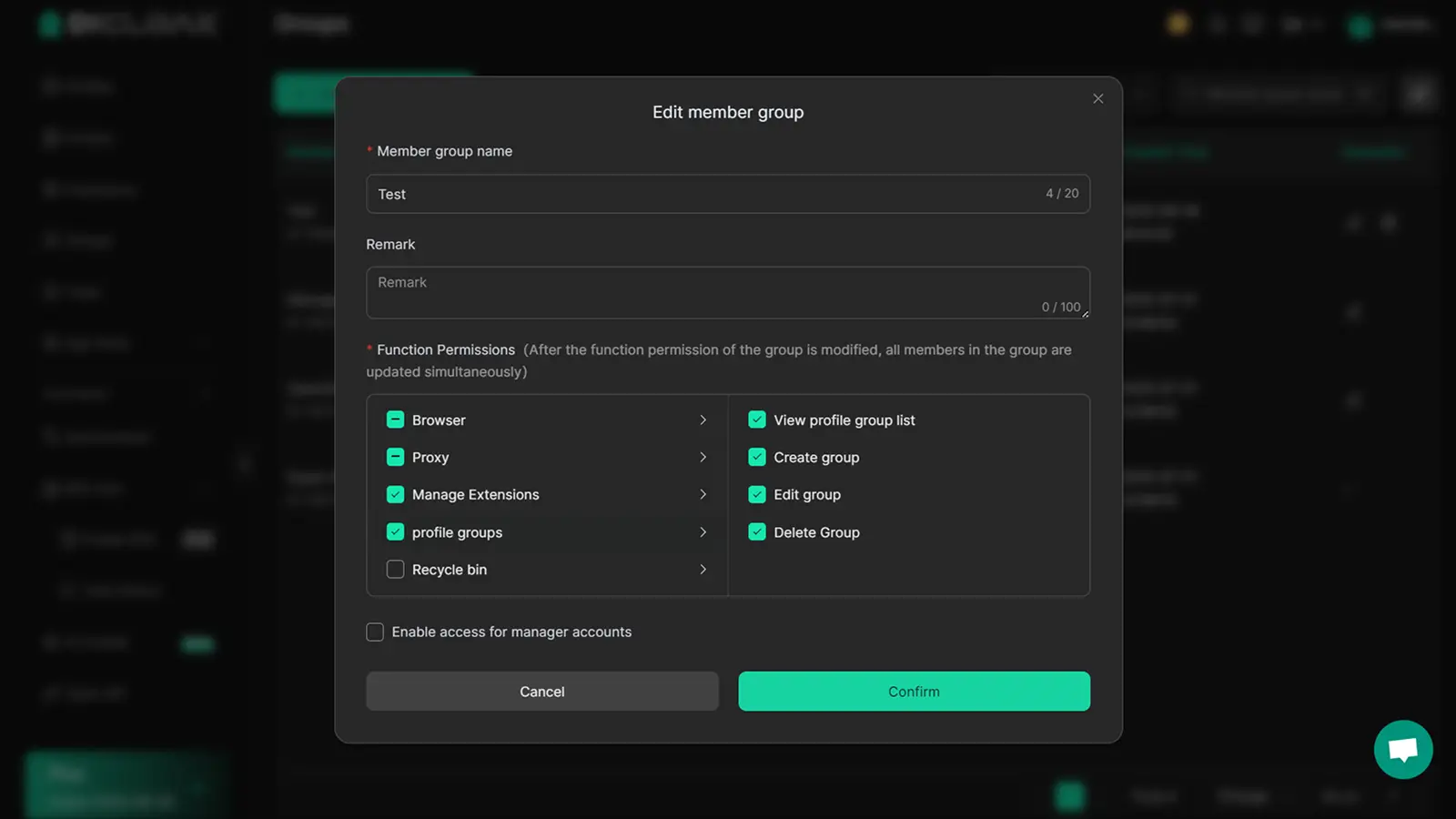
Without strict profile access rules, shared logins and accidental timezone mismatches become a real risk. Teams use permission controls to assign who can access which profiles, often restricting edit rights to senior operators. When someone opens or changes a profile, a log entry records the action, if a profile gets flagged, managers can trace back exactly who, when, and from where. The main tradeoff: tighter controls slow down onboarding, but skipping them leads to mistakes that lock out accounts or trigger mass reviews. The strongest protection comes from combining profile isolation with clear audit trails.
Automating Repetitive Tasks and Maintaining Consistency
- Trigger automation to set timezone and proxy as part of each new profile setup.
- Use scripts to check all running sessions for timezone drift or proxy leaks weekly.
- Run bulk updates so every profile gets patched if the base timezone logic changes.
A manual approach might work for five accounts, but at scale, only automated routines keep things consistent and minimize risk. If missed, one mismatch can leave a clear fingerprint that platforms spot almost immediately. Next, see why handling timezone alone isn’t enough, other fingerprint signals can still expose your operation.
When Timezone Spoofing Is Not Enough: Other Fingerprint Signals to Watch
Other Key Fingerprint Parameters Platforms Use
Changing only your timezone won’t hide mismatches between your browser, system, and proxy. Platforms track geolocation, cookies, WebGL, and user agent details. If these signals conflict, you stand out, flagging risk goes up fast.
Common Scenarios Where Timezone Spoofing Fails
Platforms cross-check device fingerprints, one mismatch can trigger a review.
- If you log in from two devices with different timezone, IP, or WebGL, accounts may be flagged or locked.
- Safer move: keep each account on a separate, isolated profile and proxy.
Safer Workflow Tips for Minimizing Fingerprinting Risk
Operators can use DICloak to build isolated browser profiles, each tied to a unique proxy and fingerprint configuration. Review detection signals often, missing a mismatch means wasted hours fixing bans. DICloak does not guarantee avoidance of platform reviews.
Comparison Table: Manual vs. Automated Timezone Spoofing Workflows
Manual timezone spoofing gives you direct control but is easy to mess up. Automated workflows reduce mistakes and scale better, but require setup and trust in the tool’s logic.
Manual Timezone Spoofing: Pros and Cons
| Workflow Type |
Flexibility |
Risk of Mistakes |
Volume Handling |
| Manual |
High |
High (human error) |
Low |
| Automated |
Low |
Low (tool logic) |
High |
Even a small slip, like forgetting to sync your system clock, can leave a fingerprint that gets flagged and wastes hours fixing locked accounts.
Automated Tool-Assisted Workflows: Pros and Cons
Automated tools handle the messy parts and keep settings consistent. Operators can run dozens of accounts without chasing timezone mismatches or manual errors.
Which Workflow Fits Your Use Case?
Solo operators with few accounts may prefer manual control, but anyone running bulk or team workflows usually needs automation to avoid repeat mistakes and save time.
FAQ: Timezone Spoofing in 2026 , Practical Answers for Real-World Scenarios
Timezone spoofing gets messy fast, most questions come from real-world mistakes, not theory.
Can platforms detect timezone mismatches if I only change browser settings?
Yes. If your system clock, browser fingerprint, and proxy location don’t match, platforms often flag the session. Synchronizing all layers is the only way to avoid obvious detection.
Is timezone masking legal?
Most countries allow changing timezone settings, but using it to hide real identity or bypass platform rules can violate terms. Check local laws and platform policies before you risk account loss.
What’s the quickest way to spot a timezone fingerprinting failure?
- Login fails or triggers extra verification
- Platform logs show “unusual login location”
- Session ends after a few minutes without warning
Frequently Asked Questions About Timezone Spoofing
Is timezone spoofing legal in most countries in 2026?
Timezone Spoofing is not illegal in most countries. The law usually focuses on your intent. Using spoofing to break platform rules or commit fraud can lead to penalties. Most platforms include restrictions in their terms of service, so violating these may get your account banned, even if the act itself isn’t criminal.
Can timezone spoofing alone prevent account bans?
No, spoofing only your timezone won’t protect you fully. Platforms check many signals like IP address, device type, and language settings. If your timezone doesn’t match other fingerprints, this mismatch can trigger suspicion. To avoid bans, your digital profile must stay consistent across all key parameters.
How do I match my proxy location to my spoofed timezone?
First, find your proxy’s IP geolocation using tools like ipinfo.io. Then, set your browser’s timezone to the same city or region. For example, if your proxy is in Paris, set your browser timezone to Central European Time. This helps your device’s fingerprints line up and reduces risk.
Will changing timezone during a session trigger detection?
Yes, changing your timezone while logged in can alert security systems. Platforms track your session for consistency. Sudden timezone changes look suspicious and may flag your account. Always keep your timezone steady from login to logout to avoid detection.
Can I spoof timezone on mobile devices as easily as on desktop?
Spoofing timezone on mobile is harder than on desktop. Mobile devices often use GPS, mobile networks, and system settings that update automatically. Desktop browsers allow easier control through extensions or manual settings. On mobile, you may need extra apps or root access to mask your timezone.
If you’re considering protecting your online privacy or accessing region-specific content, evaluating secure and user-friendly tools is an important next step. Take a moment to explore reliable solutions that can simplify the process and keep your browsing experience smooth. Try DICloak For Free
 Web Proxy Tools
 Free Tools
 Cookie Plugin
 UA Generator
 MAC Address Generator
 IP Generator
 IP Address List
 2FA Code Generator
 World Clock
 Anonymous Check
 WebRTC Leak Test
 UUID Generator
 Free Web Proxy Site
 Proxy Checker
 FB Ad Checker
 AI Web Scraping
 Free SMM Tools
 Twitter Shadowban Checker
 Instagram Name Checker
 UTM Generator
 Username Generator
 AI Hashtag Generator
 LinkedIn Headline Generator
 Social Media Image Resizer