Discord now serves more than 200 million monthly active users, and many people need separate accounts for gaming, client communities, moderation, support, or testing. Discord’s desktop Account Switcher supports up to five accounts, but easier switching does not mean each account has a separate browser or network setup. Once cookies, login sessions, changing locations, and team access start to overlap, managing several accounts becomes much harder. This guide explains how to manage multiple Discord accounts without getting them linked, when Discord’s built-in tools are enough, and how separate browser Profiles can keep each account tied to a stable workspace.
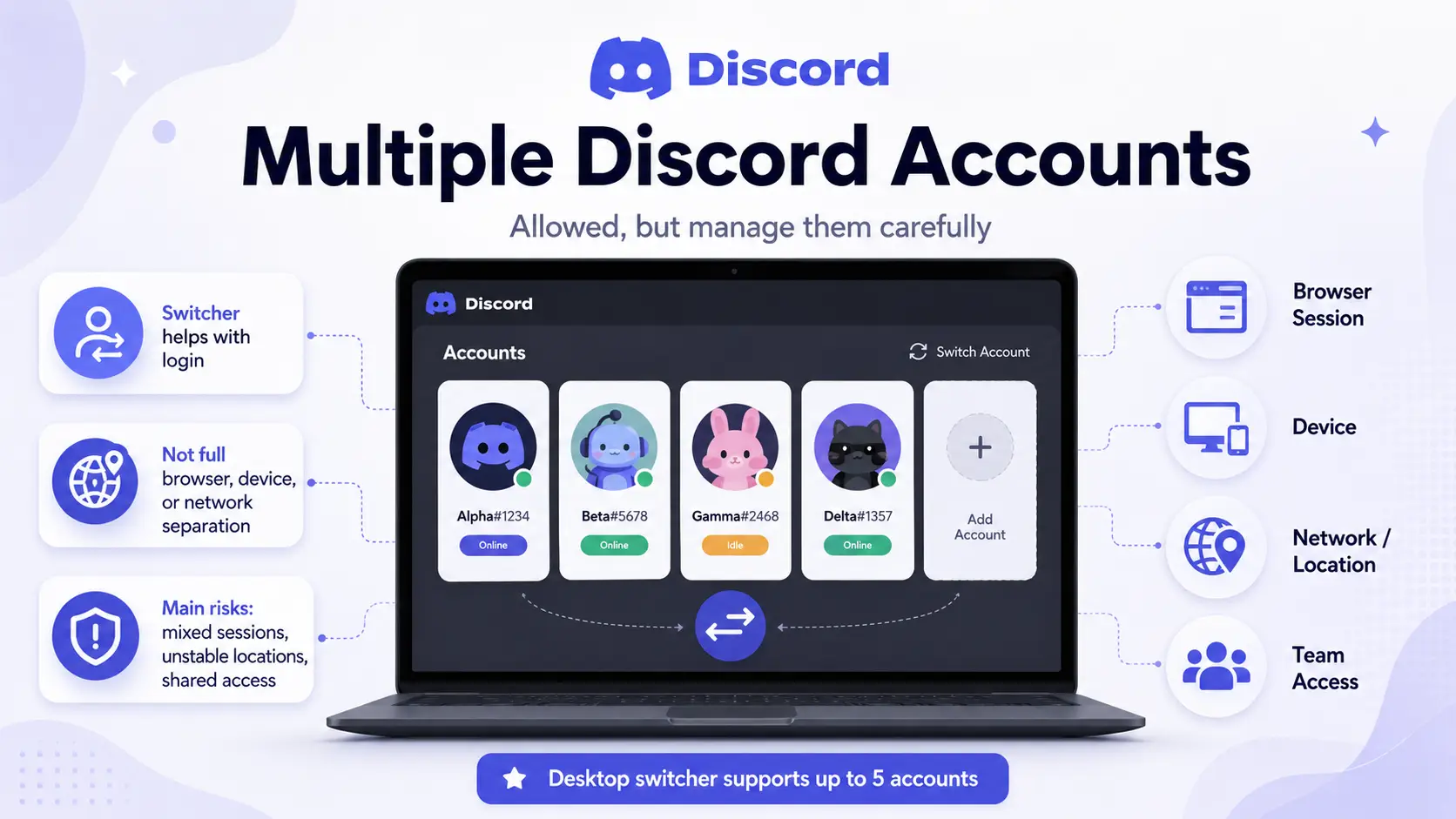
Yes. Discord does not ban people simply for having more than one account. Its desktop Account Switcher supports up to five accounts, which is useful for keeping personal chats, client communities, moderation work, or testing separate. Other users cannot see which accounts you have added. However, the switcher only makes it easier to move between accounts. It does not create a separate browser, device, or network setup for each one.
What matters more is how the accounts are used and managed. Spam, self-bots, fake engagement, account selling, and using another account to get around enforcement can still lead to restrictions. Discord also does not publish its full account-linking process, so no setup can promise that several accounts will always look unrelated. For legitimate users, the more common problems are mixed sessions, unstable login locations, and several people opening the same account from different places. Multiple Discord accounts are not automatically risky. Problems usually start when the activity or the setup becomes inconsistent.
How to Manage Multiple Discord Accounts on One Device
You can manage multiple Discord accounts on one device, but the setup should match how those accounts are used. Native switching is enough for a few personal accounts, while client, team, or always-on accounts need separate sessions and a clearly assigned workspace.
Use Discord’s Account Switcher for a Few Accounts
Discord’s Account Switcher is the simplest choice when one person manages a small number of accounts. It supports up to five accounts on desktop and lets you move between them without entering the login details each time. Other users cannot see which accounts you have added to the switcher.
This setup works well for a personal account, a work account, or a separate moderation account. It becomes less useful when several accounts must stay open at once or when fast replies matter across different communities.
The Account Switcher solves login convenience. It does not create a separate browser, device, or network setup for each account. It also does not help a team track who owns an account, which region it normally uses, or who should handle its recovery details.
Use Separate Apps or Browser Profiles for More Active Accounts
When accounts need to stay logged in at the same time, separate sessions are easier to manage than repeated switching. The right method depends less on the number of accounts and more on their value, purpose, and operators. Two client accounts may need more control than five personal accounts.
| Method |
Best for |
Main limitation |
| Discord Account Switcher |
A few accounts managed by one person |
Designed for switching, not separate workspaces |
| Desktop app plus browser |
Two accounts used at the same time |
Easy to mix up windows and links |
| Separate Chrome profiles |
Several accounts with separate browser sessions |
Naming, network settings, and account records must be managed manually |
| Discord PTB or Canary |
Testing or keeping an extra account open |
Test clients may contain more bugs |
| App cloning on mobile |
An extra mobile login where the device supports it |
Support and security depend on the device or cloning app |
| Multiple physical devices |
A few important accounts that need physical separation |
Expensive and difficult to scale |
| Dedicated browser workspaces |
Client accounts, remote teams, or larger account sets |
Requires initial setup and clear operating rules |
Chrome profiles keep browser data such as history, passwords, bookmarks, and settings separate. This makes them more useful than opening several windows inside the same Chrome profile, where the windows still use the same stored browser data.
Discord PTB and Canary can also run beside the stable client. They are official testing versions, not dedicated account management tools. Discord describes PTB as a beta version with more bugs than Stable, while Canary is its most unstable desktop version. They can be useful for testing or one extra login, but they are a weak foundation for an important client workflow.
Why Should Use an Antidetect Browser for Multiple Discord Accounts?
An antidetect browser is useful when several Discord accounts need separate, long-term workspaces. It keeps each account’s browser data, login session, and proxy settings in its own Profile instead of mixing them in one browser.
What Can Make Discord Accounts Look Related?
Discord does not publish its full account-linking process. However, it can receive information such as IP addresses, browser and device details, cookies, login history, and account activity. Accounts may create more overlap when they repeatedly share:
- Cookies and local storage
- Saved login sessions
- Browser settings and extensions
- Unstable proxy connections
- Recovery details or operators
- Similar actions at the same time
A shared IP alone does not prove that accounts belong to one person. Homes and offices often share a public IP. The bigger concern is when several signals change or overlap at once, such as a new device, a new country, a new browser, and a new operator.
Different usernames do not create different browser profiles. A proxy also changes only the network connection, not the cookies, sessions, or browser data stored around the account.
What Are the Advantages of an Antidetect Browser?
An antidetect browser gives each Discord account a separate browser Profile. That Profile can keep its own:
- Cookies and login session
- Browser settings
- Extensions
- Proxy configuration
- Name, notes, and account status
This makes daily management clearer. A moderator can reopen the correct account without logging in again or searching through similar browser windows. Teams can also keep the right proxy and operator assigned to the right account.
Two personal accounts may only need Discord’s Account Switcher. An antidetect browser becomes more useful for client accounts, remote teams, fixed regional setups, or accounts that must stay logged in for daily work.
How to Manage Multiple Discord Accounts With DICloak
When several Discord accounts belong to different clients, communities, or team members, each account should stay in one clear and stable workspace. With DICloak, you can keep the browser Profile, proxy, login session, and team access tied to the correct Discord account.
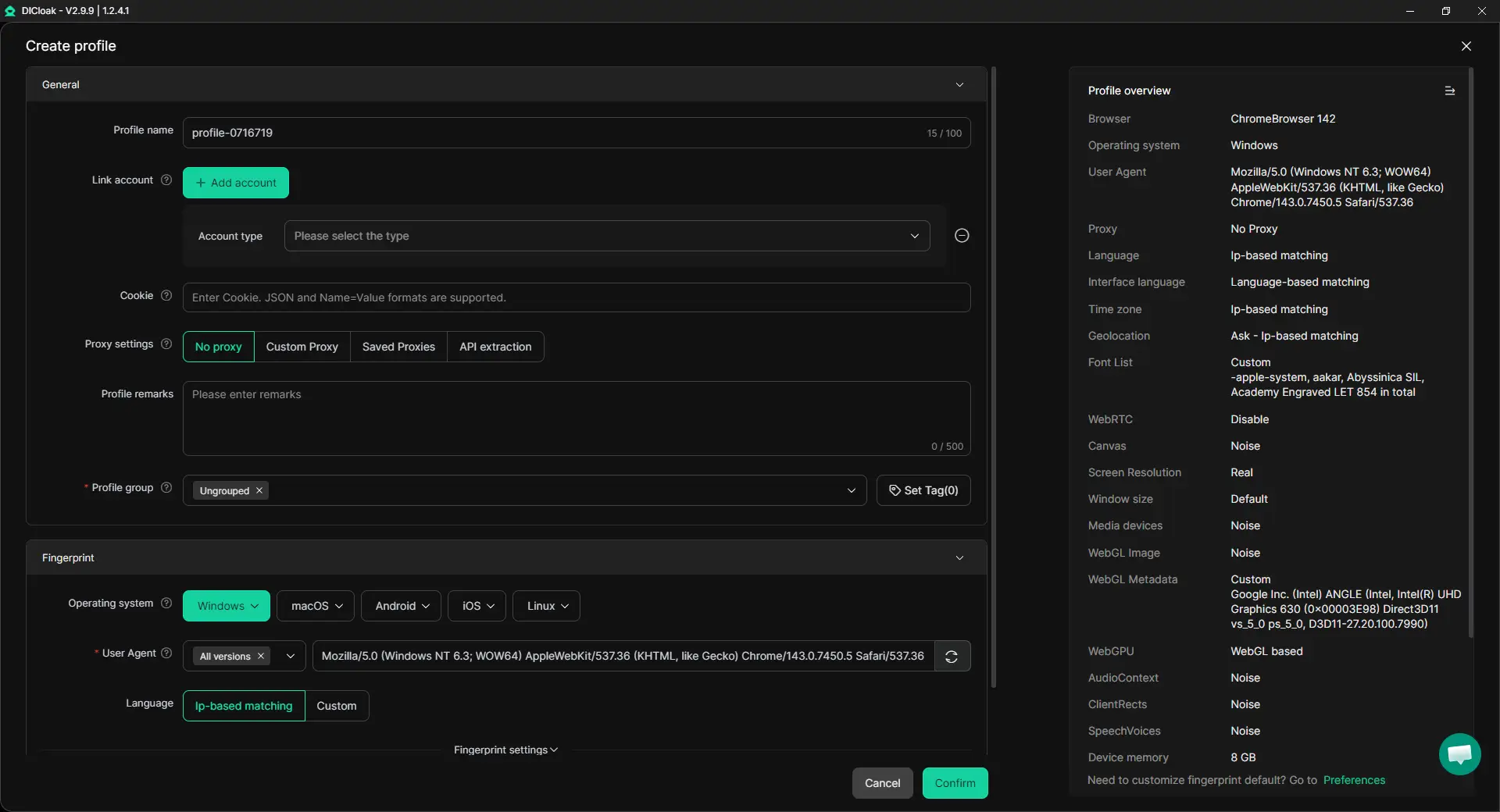
1. Create One Profile for Each Account
Create a separate browser Profile for every Discord account. Use a clear name such as:
NovaGaming / Moderator / USSaaS Community / Support / UK
Keep the fingerprint settings stable instead of changing them before each login.
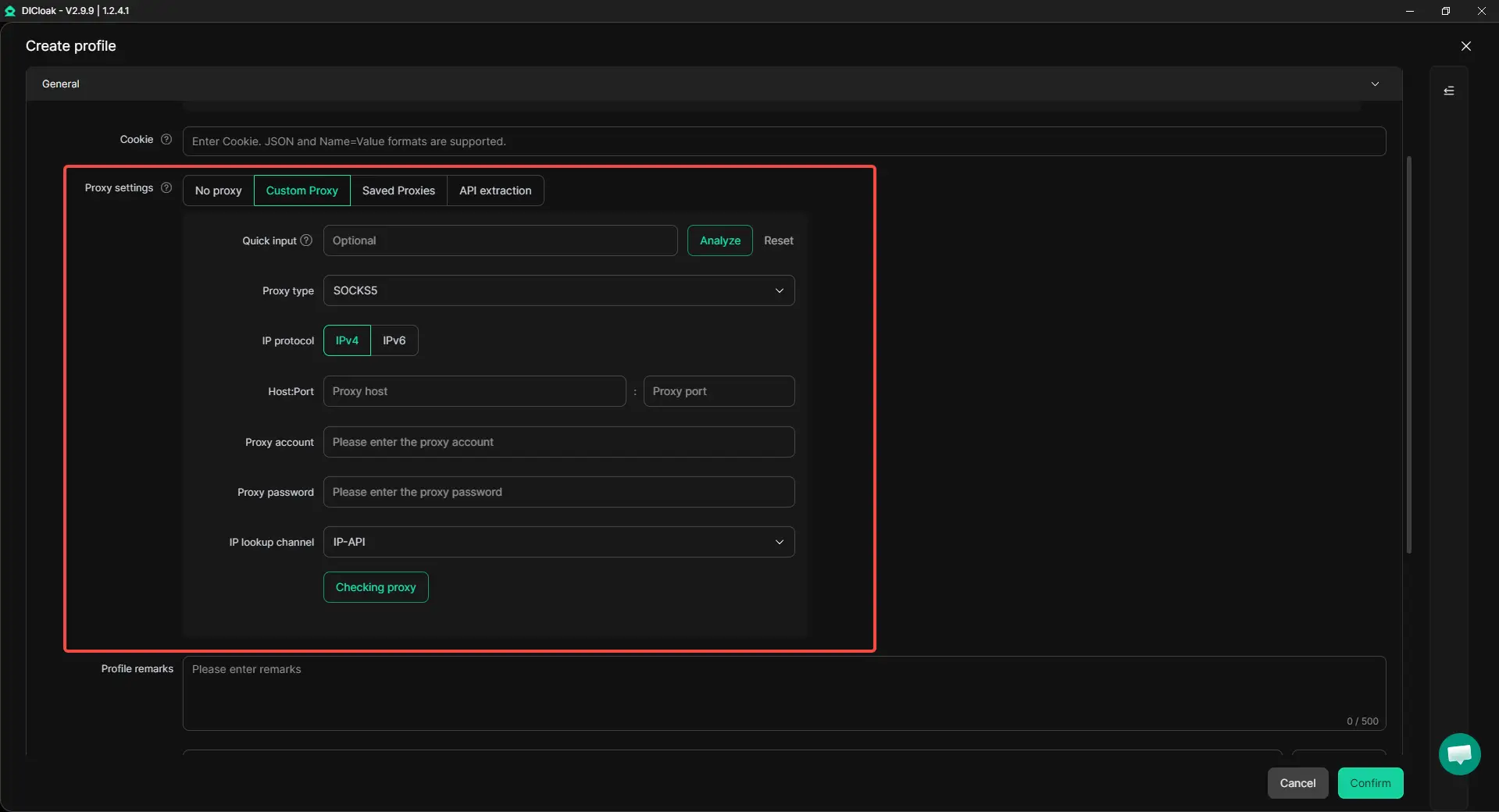
2. Configure the Correct Proxy
Add the proxy assigned to that account and keep the normal region consistent. DICloak does not provide its own proxy service, so you need to use a proxy from your chosen provider. Frequent country or proxy changes can make the login history less stable.
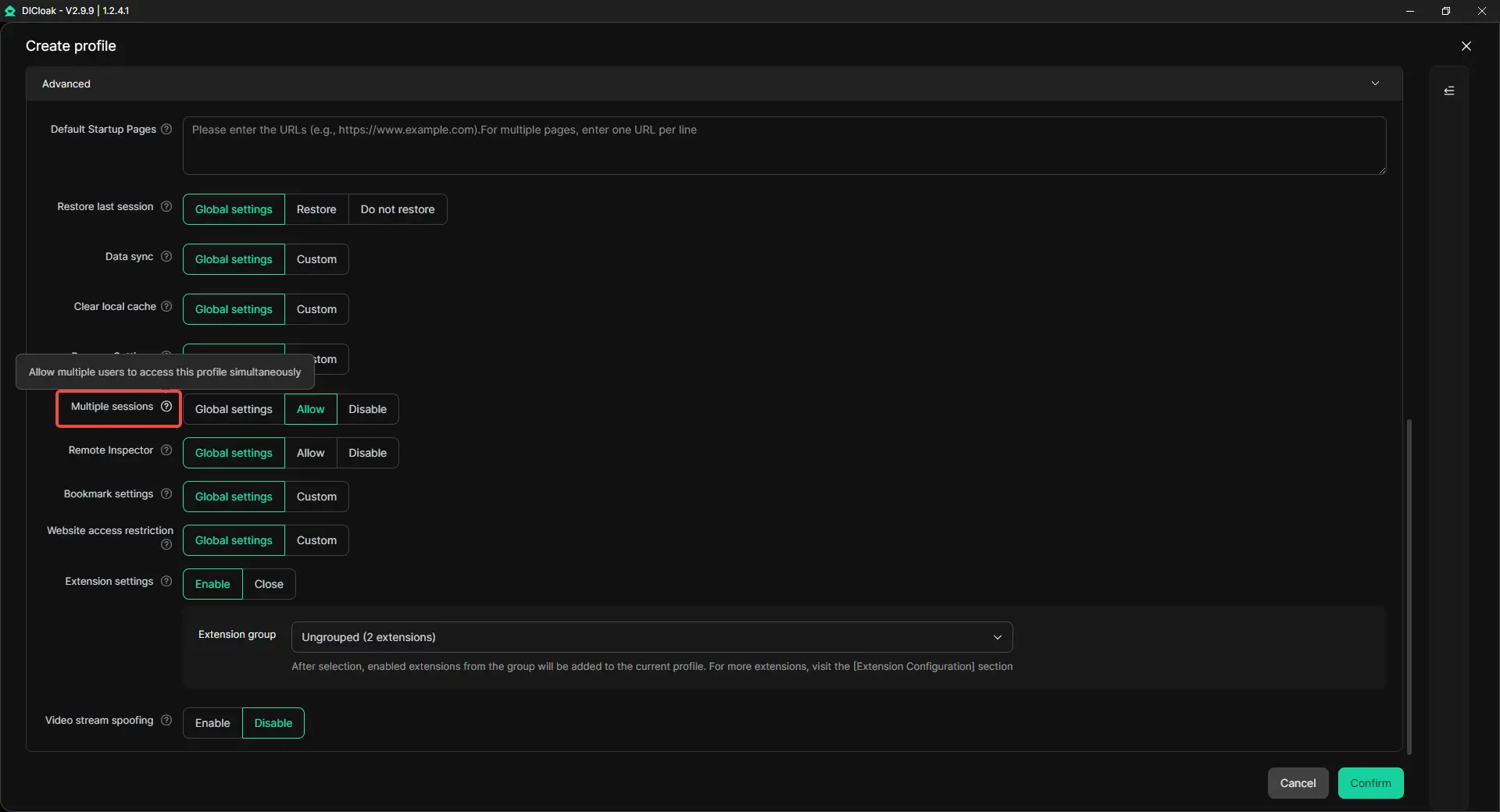
3. Open Multiple Sessions When Needed
Enable Multiple sessions when several team members need to access the same Discord Profile at the same time. This is useful for support, moderation, or shared community management workflows.
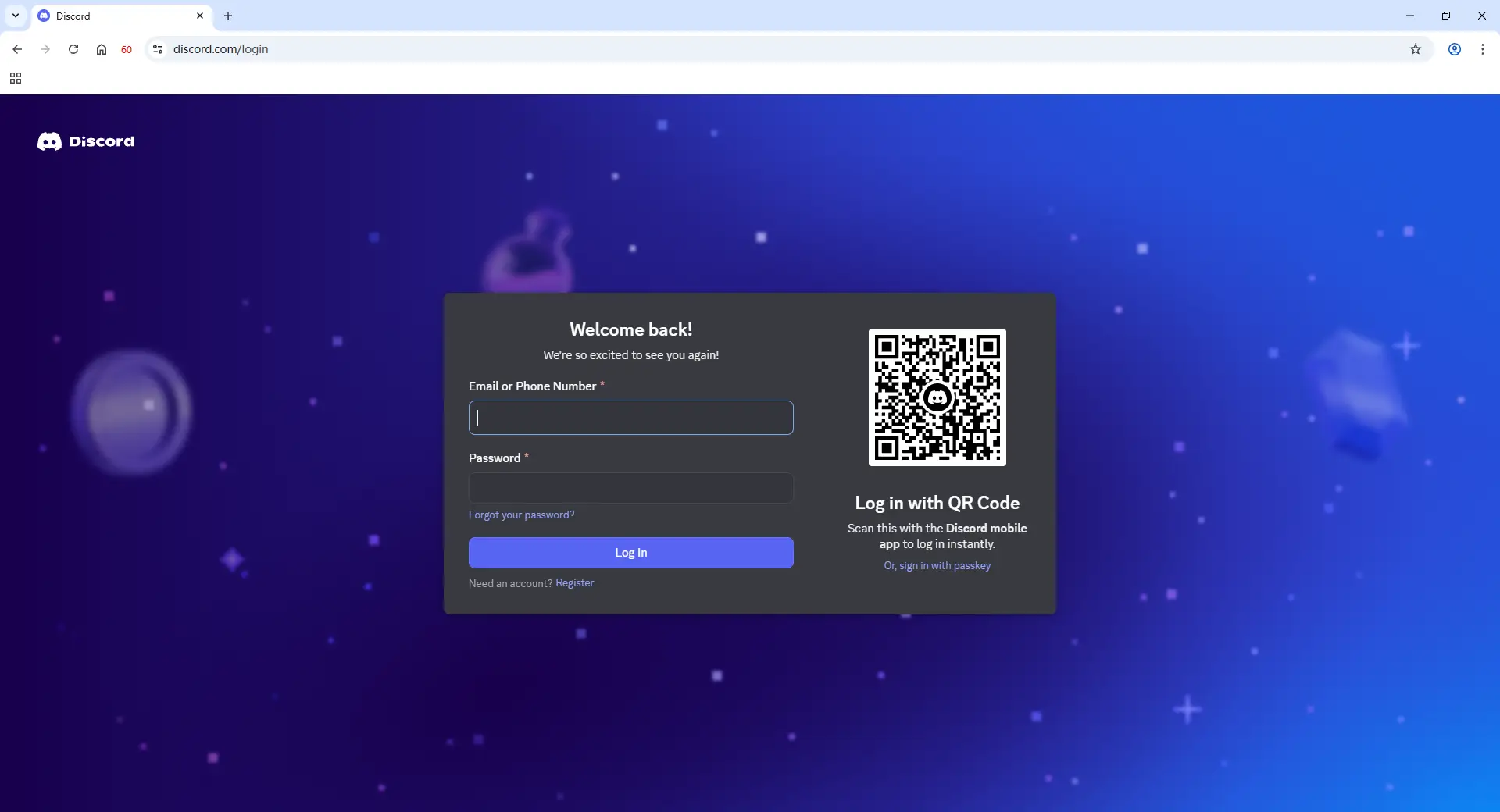
4. Log In and Save the Session
Open the Profile and log in to the matching Discord account. Its cookies, local storage, and login session will remain inside that Profile. Do not use one Profile for several Discord accounts.
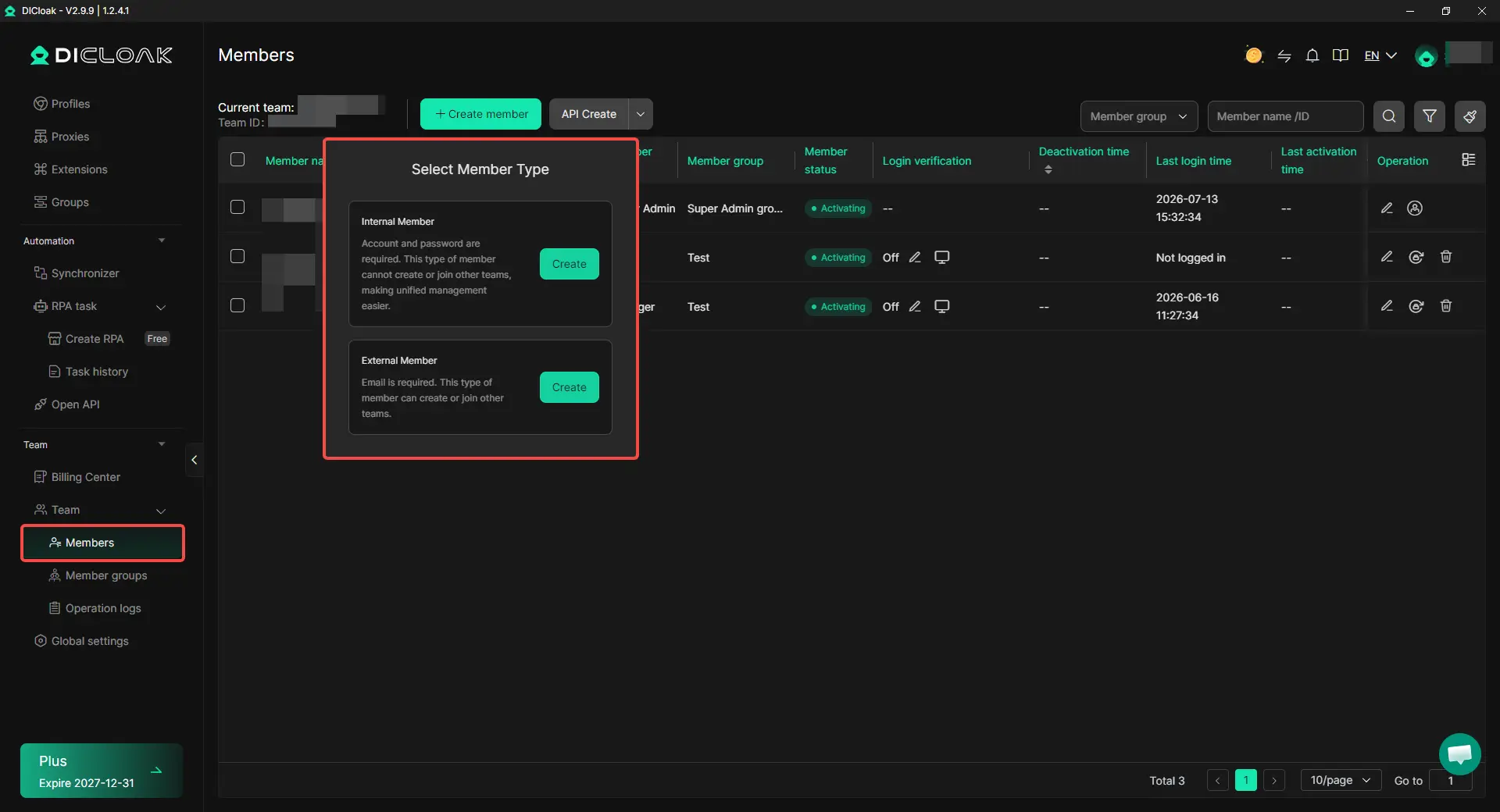
5. Share Profiles With Team Members
Share only the Profile a moderator or support agent needs. Team permissions help limit access to the correct client or community account. The saved session stays inside the Profile, so teams do not need to keep sending passwords and 2FA codes.
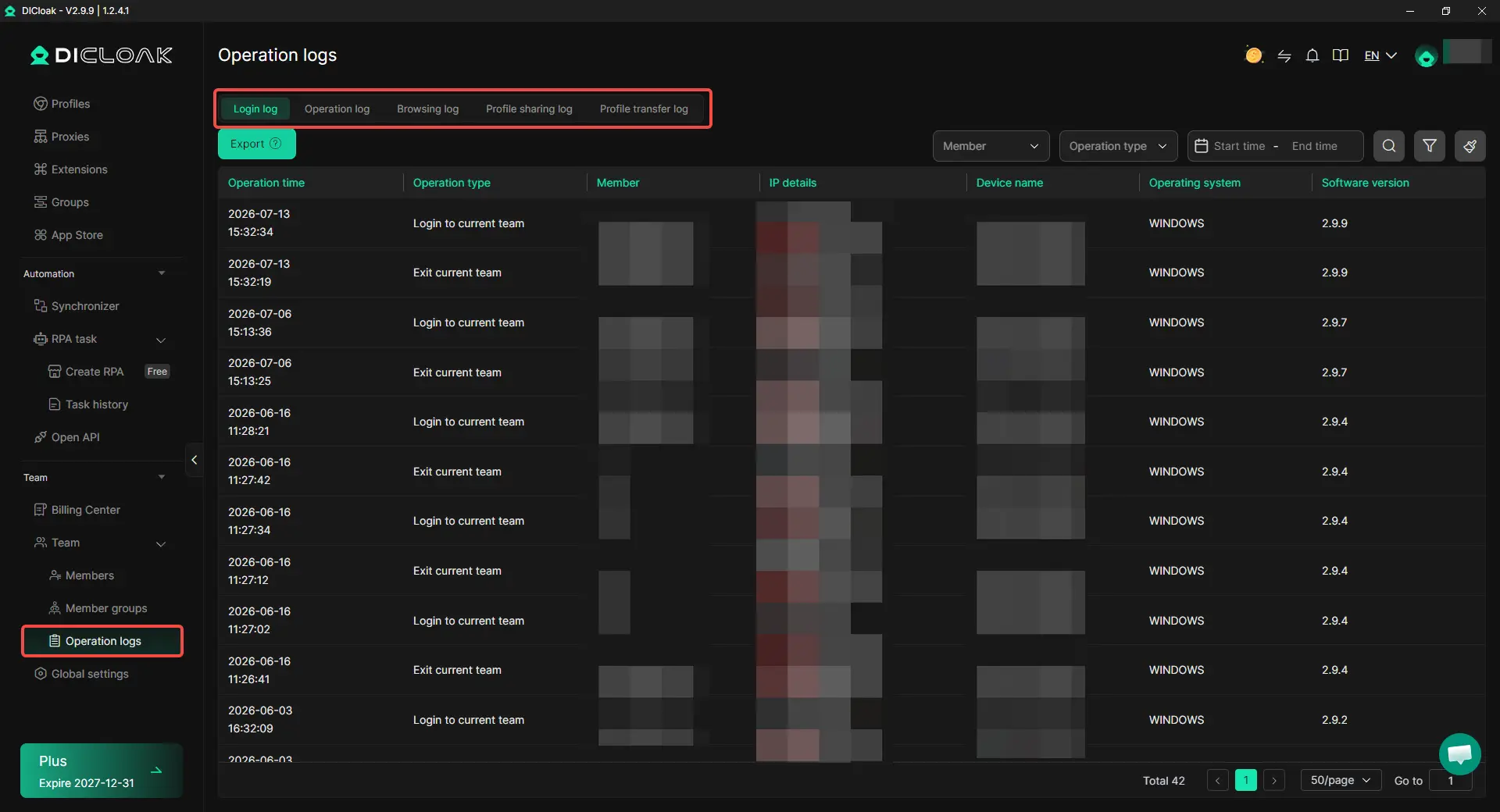
6. Review Operation Logs
Operation logs show who opened or changed a profile. This helps trace problems such as the wrong proxy, or unexpected edits.
Security Considerations When Managing Multiple Discord Accounts
Security problems usually come from weak access control and inconsistent account handling, not simply from owning several Discord accounts. Each account should have clear login details, a stable workspace, and one person responsible for recovery.
- Use unique login details: Give every account its own email and strong password. Store them in a trusted password manager instead of sharing them through team chats.
- Assign 2FA and recovery ownership: Record who controls the phone number, authenticator, recovery email, and backup codes. This matters when a team member leaves or an account needs to be recovered.
- Keep accounts in separate workspaces: Do not move accounts between random browsers, devices, and networks. Use the same assigned browser Profile and normal region whenever possible.
- Avoid simultaneous access: Two team members opening the same account from different places can cause logouts, missed messages, or account confusion. Assign one operator at a time.
- Be careful with cloning apps: Some mobile cloning tools request broad device permissions or store account data in ways that are hard to review. Use them only when you trust the provider and understand the risks.
- Follow Discord’s rules: Multiple accounts should not be used for spam, self-bots, fake engagement, account selling, or getting around platform enforcement.
The safest workflow is usually the clearest one: each Discord account has its own credentials, workspace, recovery owner, and approved operator.
Frequently Asked Questions About Managing Multiple Discord Accounts Without Getting Them Linked
Can Discord link accounts that use the same IP address?
Using the same IP address does not automatically prove that several Discord accounts belong to one person. Families, offices, schools, and shared networks often use one public IP. More concern may arise when the shared IP appears together with overlapping browser sessions, repeated device changes, unstable locations, or similar account activity. Keeping each account in a stable workspace is usually more useful than changing IP addresses without a clear reason.
Do I need a separate proxy for every Discord account?
Not every Discord account needs its own proxy. Two personal accounts managed from the same normal location may work well with Discord’s Account Switcher or separate browser profiles. A separate proxy is more useful when accounts belong to different clients, normally operate in different regions, or need a fixed network setup. An antidetect browser like DICloak can keep a custom proxy assigned to the correct Profile, reducing manual setup mistakes.
Can one restricted Discord account affect my other accounts?
A restriction on one Discord account does not always mean that every other account will be restricted. The result may depend on why the account was limited and whether the other accounts are involved in the same activity. Do not create or use another account to get around Discord-level enforcement. If one account faces verification or login problems, review that account first instead of immediately changing the passwords, proxies, and browser settings of every account.
Is Discord’s Account Switcher enough for multiple accounts?
Discord’s Account Switcher is usually enough for a few personal accounts managed by one person. It makes login switching easier, but it does not create a separate browser workspace, proxy setup, or team access policy for each account. Client accounts, remote teams, and accounts that must stay logged in may need separate browser Profiles to keep cookies, sessions, and operators clearly assigned.
How can a team manage Discord accounts without sharing passwords repeatedly?
A team should first use Discord Server Roles when members only need moderation or support permissions. When someone must operate an existing account, sharing a dedicated browser Profile is clearer than sending the password and 2FA code through chat. With DICloak Antidetect Browser, the saved Discord session can remain inside the assigned Profile, while team permissions limit members to the accounts they need. Access can then be removed when a member leaves or a project ends.
Conclusion
Managing multiple Discord accounts without getting them linked is less about changing settings often and more about keeping each account in one stable workspace. Use Discord’s Account Switcher for a few personal accounts, and move to separate browser Profiles when accounts belong to different clients, regions, or team members. Keep login sessions, proxy settings, recovery details, and operator access clearly assigned to the correct account. With DICloak, teams can manage separate Profiles, custom proxies, and shared access in one place. Stable account environments and controlled team access matter more than random changes or constant IP rotation.
 Web Proxy Tools
 Free Tools
 Cookie Plugin
 UA Generator
 MAC Address Generator
 IP Generator
 IP Address List
 2FA Code Generator
 World Clock
 Anonymous Check
 WebRTC Leak Test
 UUID Generator
 Free Web Proxy Site
 Proxy Checker
 FB Ad Checker
 AI Web Scraping
 Free SMM Tools
 Twitter Shadowban Checker
 Instagram Name Checker
 UTM Generator
 Username Generator
 AI Hashtag Generator
 LinkedIn Headline Generator
 Social Media Image Resizer