Trying to manage multiple Bybit accounts gets tricky fast, between platform restrictions, overlapping fingerprints, and the real risk of getting all your accounts flagged, even experienced traders run into problems they didn’t expect. The usual workarounds, manual logins, swapping browsers, or sharing devices, leave obvious traces. One slip and every linked account can face review, withdrawal blocks, or outright bans.
Some people see Bybit sub-accounts as a simple fix. But sub-accounts don’t separate device fingerprints or cookies, and they all tie back to your main account, so one mistake can still affect your entire setup. Others try to mix in proxies and new emails, only to find that account history, reused device data, or a missed browser setting gives them away. The danger isn’t just getting caught, but losing funds or access across all your profiles at once.
The real difference comes down to how you separate your Bybit account workflows. Safe multi-account trading on Bybit isn’t about hiding better, it’s about building strong walls between sessions, browser profiles, and login histories. That means understanding which steps actually break account links, how browser fingerprints work, and why basic operational mistakes (like reusing sessions or missing a cookie wipe) cause problems that tools alone can’t solve.
Here’s what you need to check before you risk your stack.
Why Managing Multiple Bybit Accounts Gets Risky in 2026
Bybit’s defenses in 2026 catch more than just obvious copy-paste setups. The real risk comes from small mistakes, one reused IP, a single shared fingerprint, or a device slip, and those details now trigger bans or tie accounts together faster than before. Anyone trying to manage multiple Bybit accounts needs to know exactly where the platform draws the line.
Account Linking and Platform Detection
Even if you split emails and proxies, Bybit’s systems look for patterns that connect accounts. Missing just one of these signals can undo all your separation work.
Key detection signals:
- IP addresses: Logging in from overlapping or rotating proxies.
- Device fingerprints: Shared browser profiles, hardware IDs, or browser quirks.
- Cookies and session data: Failing to isolate or wipe between logins.
Ban Triggers and Restriction Scenarios
The most common way users get blocked is a chain reaction, one flagged withdrawal or airdrop claim leads Bybit to backtrack every related login, then freeze every account that shares a device or IP. For example, if you trade on two accounts from the same laptop, even weeks apart, device fingerprints can match. Bybit’s backend doesn’t just look at the last login; it tracks patterns over months.
Withdrawals and airdrop claims are high-risk actions. If you withdraw funds from several accounts to one wallet, or use similar trade timing across accounts, it’s a clear red flag. Once the platform spots overlap, it locks all connected accounts, sometimes instantly, sometimes days later after a manual review. At that point, appeals rarely work because their logs show technical proof of connection.
What makes this tougher is that changes in Bybit’s detection logic aren’t always announced. Sometimes, an update quietly expands their fingerprint database, so a method that was safe last month suddenly links your setups. The real danger isn’t just a single account loss, but a wipeout of every profile tied to your device history.
What This Means for Your Workflow
If you rely on quick browser swaps, basic proxy rotation, or “just change the email,” you’re taking a big risk in 2026. Bybit’s detection now looks deeper, reaching past surface-level changes to find any technical overlap. Even a forgotten browser extension or old cookie can tie accounts together.
Many people only realize the risk after a mass ban, not during daily use. That’s why every step, browser, device, IP, session, cookies, needs strict separation. Anything less, and your stack is exposed.
Moving forward, before you create or use more Bybit accounts, you need to double-check how each layer is isolated. The next section covers exactly what to check before you even start a new setup.
What to Check Before Creating or Using Multiple Bybit Accounts
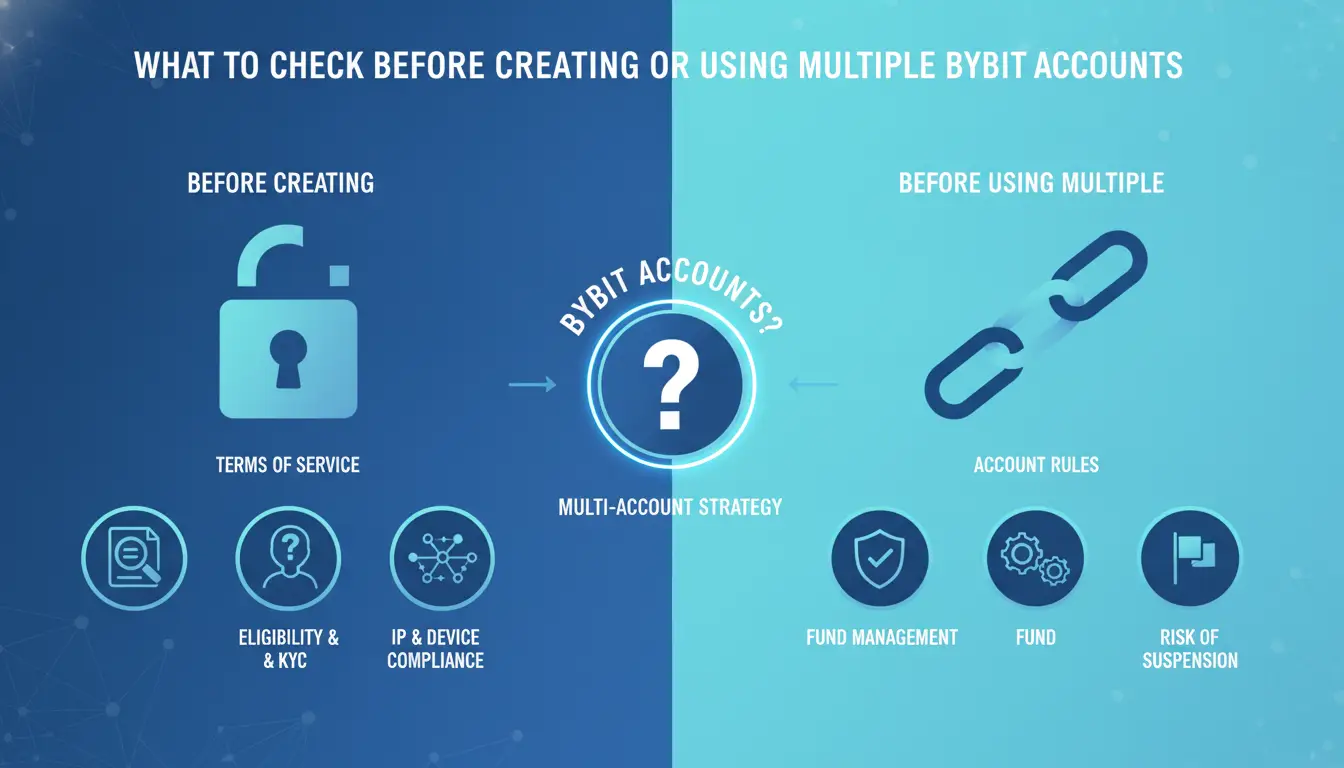
You can avoid most account bans and restriction risks by checking three things before you start: what Bybit actually allows, how you separate devices and IPs, and whether your browser setup leaks fingerprints or cookies. Mess up any of these, and you’ll see warnings or lockouts well before you reach your second trade.
Bybit Policy and KYC Limits
Bybit does not allow multiple accounts per person using the same identity or KYC documents. Each account must have a unique name, email, and phone number, reusing any of these is a red flag. If you try to register more than one account with the same government ID or selfie, Bybit’s system will block the new account or freeze both. For teams or families, only one account per real user is permitted. This also means referral bonuses or airdrop campaigns can get wiped if you’re caught stacking accounts under one identity. Skipping this check means risking full account lock and loss of funds.
Device, IP, and Proxy Preparation
Bybit tracks device fingerprints and IP addresses across all logins. If you plan to manage multiple Bybit accounts, separating devices and IPs is not optional, it’s the baseline. Most failures happen when people overlook a single reused device, or use a weak proxy rotation. Here’s what to check:
- Use one device per account, or set up browser profiles that never overlap.
- Assign a unique proxy to each account, never share IPs between accounts.
- Test each proxy for leaks before logging in; run a quick IP check to confirm separation.
Fingerprint and Cookie Management
Browser fingerprints are how Bybit connects accounts behind the scenes. If your browser setup isn’t clean, Bybit can link accounts in a single session, even if you swap proxies. Cookie mistakes are just as risky: logging out isn’t enough if session cookies stick around, and “private mode” won’t reset all fingerprint traces.
- Clear all browser cookies after each session, use built-in tools, not manual deletion.
- Block or randomize common fingerprint signals like timezone, screen size, and language.
- Never reuse browser profiles; every account needs a fresh browser profile with isolated storage.
Most bans happen when people miss one of these steps. If you try to shortcut fingerprint or cookie isolation, Bybit’s backend will build a connection graph and flag your accounts. Even a single overlap, like logging into two accounts on the same browser profile, can trigger restrictions without warning.
Getting these checks right sets up your multi-account workflow for cleaner separation. The next step is building a repeatable process for account setup, so you don’t miss a detail or lose track of what’s already linked.
How to Set Up Multiple Bybit Accounts: Step-by-Step Workflow
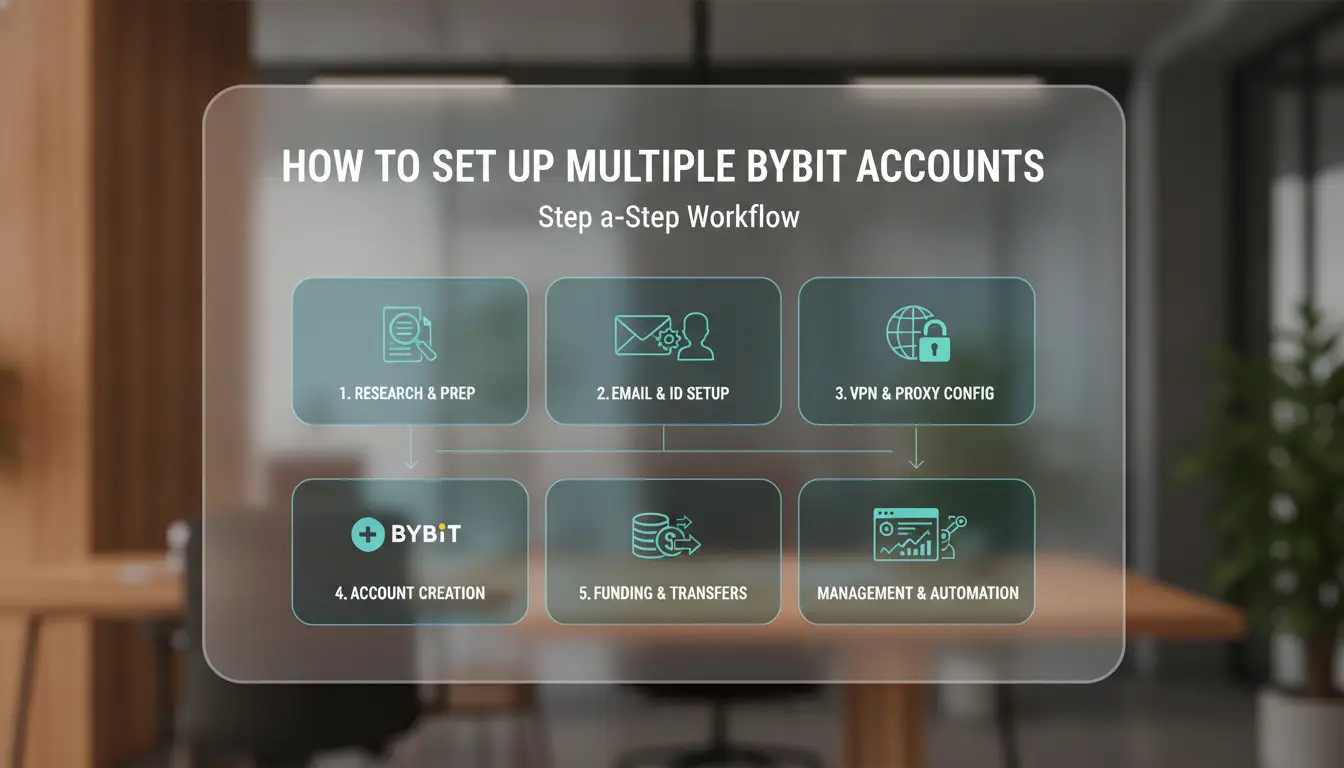
If you’re ready to run more than one Bybit account, you need a setup that keeps each profile separated from the others. The difference between safe and risky multi-account management comes down to strict workflow discipline, missing just one step can link accounts and trigger bans. Here’s a practical workflow for minimizing detection and avoiding common mistakes.
Account Creation and Sub-Account Setup
- Register each main account with a unique email and phone number. Never reuse credentials, Bybit can spot overlaps.
- Decide whether you need sub-accounts or separate main accounts. Sub-accounts are easier for basic asset separation, but don’t solve fingerprint or device linking risks.
- Complete KYC only if required for the workflow. If you skip KYC, expect withdrawal limits and higher restriction risk.
- Check that every account has a clean registration history, using recycled numbers or emails can backfire when Bybit audits your linked data.
Profile Isolation and Proxy Assignment
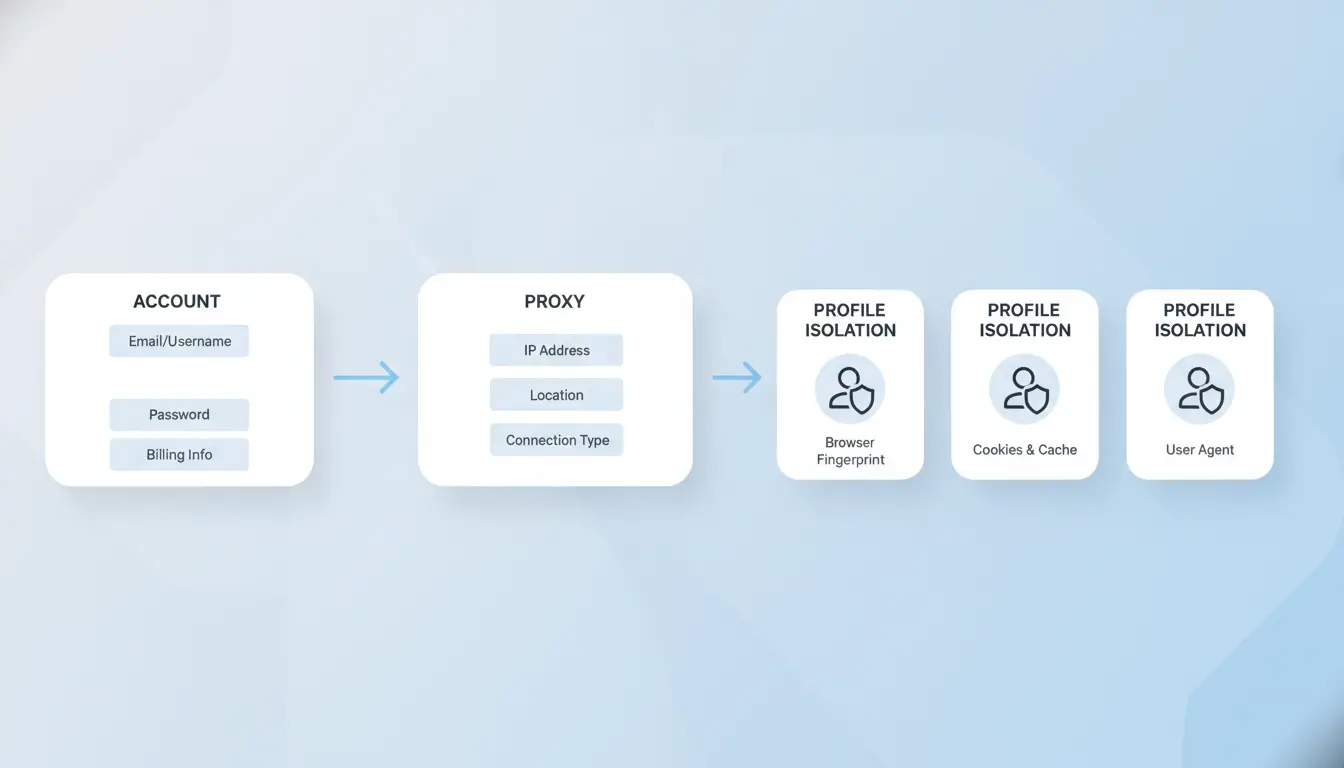
- Create a dedicated browser profile for each account. If you use Chrome, set up separate profiles, not just new windows.
- Assign a unique proxy to each browser profile. If two accounts share the same IP, Bybit can flag them.
- Make sure the proxy is stable and doesn’t leak your real IP. If a proxy drops mid-session, Bybit may connect your profiles.
- Delete all cookies and local storage before logging in with a new account. Skipping this step means leftover sessions can cross-link accounts.
Initial Login and Session Handling
- Log in to each account inside its isolated browser profile and assigned proxy. Avoid switching profiles mid-session.
- Check for device fingerprint prompts, if Bybit asks for extra verification, your browser setup isn’t unique enough.
- After logging in, never reuse sessions between accounts. If you accidentally open two accounts in one browser profile, log out, wipe cookies, and restart both profiles.
- The most common failure is forgetting to reset session data, this causes account links and can trigger restrictions.
Mistakes in any of these steps, especially skipping proxy setup or session isolation, often get flagged by Bybit’s system. Next, you’ll want to know what errors traders make that lead to bans and restrictions.
Common Mistakes That Trigger Bybit Restrictions or Bans
Most bans and restrictions happen when people cut corners on session separation or reuse the wrong details. If you skip isolation steps, Bybit’s system spots the overlap, even if you change emails or proxies. The real risk with multiple Bybit account management isn’t just losing one profile, but having every connected account frozen at once.
IP and Device Overlap
Using the same IP address or device for more than one account almost always links them together. Bybit logs login locations and device IDs, one match is enough to flag your whole stack.
Fingerprint and Cookie Reuse
Sharing browser fingerprints or missing a clean cookie wipe lets Bybit’s backend connect accounts within minutes.
- Old session cookies, autofill data, or browser extensions can leak account links.
- Start each new account with a fresh browser profile and clear cookies; never log out and swap in the same window.
Trading, Withdrawal, and Airdrop Patterns
Synchronized actions, like running the same trade or withdrawal across several accounts in a short window, stand out in audits. Batch claiming airdrops or farming rewards on a schedule often gets flagged as automation, not human use.
| Risky Action |
Safer Alternative |
| Same withdrawal IP |
Unique proxy per account |
| Batch airdrop claims |
Randomized timing, unique workflow |
| Identical trade patterns |
Vary order size and timing |
Fixing these mistakes means fewer cross-links. The next step is building repeatable workflows that don’t leave traces between accounts.
Using DICloak to simplify Multi-Account Workflows and Reduce Risk
Trading with multiple Bybit accounts gets easier, and less risky, when you split each login into its own browser profile, use separate proxies, and automate routine steps. The right setup breaks hidden links that trigger bans, so you can manage multiple Bybit accounts without risking a chain reaction.
Isolated Browser Profiles for Account Separation
Create a unique browser profile for every Bybit account. That means fingerprint, cookies, and local storage stay isolated, if one account gets flagged, the others remain untouched.
Proxy Configuration for IP Management
Assign a dedicated proxy to each profile. Rotating proxies from a managed pool keeps your IPs clean and prevents Bybit from linking accounts through shared addresses. If you skip this, even one reused IP can lead to multiple accounts getting restricted at once.
Automation for Routine Tasks
- Use RPA bots to handle logins and airdrop claims for each account.
- Schedule bulk farming actions to avoid manual mistakes.
- Set up scripts to wipe cookies between sessions, missing this step often gets users flagged.
This setup turns multi-account management from a manual headache into a controlled, repeatable workflow. Next, you’ll see why permission control matters, especially if you share accounts with a team.
When Team Collaboration and Permission Control Matter for Multi-Account Management
Teams running dozens of Bybit accounts hit trouble fast if everyone uses the same browser or skips permission settings. One person’s mistake can expose all accounts, so real isolation and access controls matter.
Shared Profiles and Access Control
Operators should never share login details or browser sessions directly. Assign separate browser profiles and set clear permissions, only trusted team members get access to high-value accounts.
Operation Logs and Workflow Auditing
Tracking what each user does with each browser profile is the only way to catch risky actions before they become disasters. If a session is reused or a proxy is accidentally shared, logs make it clear who acted and when.
Scaling Up: Bulk Operations and Profile Management
- Assign unique proxies to each profile, never reuse.
- Rotate team members’ access based on task, not convenience.
- Review automation steps before running batch tasks to avoid mass lockouts.
How to improve Multi-Account Workflows for Crypto, Airdrop, and Farming Success
If you want to manage multiple Bybit accounts for crypto farming or airdrop stacking, the main difference comes from your workflow setup, not just which tools you use. Strong separation between accounts, careful timing, and avoiding obvious patterns matter more than any one detail. Here’s how experienced operators get higher success rates while reducing the risk of bans.
Workflow Comparison: Manual vs Automated
Manual workflows let you control every login and action, but you spend more time and risk making mistakes. Automated setups can handle dozens of accounts faster, yet a single error, like reusing a browser fingerprint, can link your stack and trigger reviews.
| Workflow Type |
Pros |
Cons |
| Manual |
Full control, easy to fix mistakes |
Slow, more human error |
| Automated |
Fast scaling, repeatable actions |
One misstep can link all accounts |
The best operators mix manual oversight with automation, reviewing each account before bulk actions, so they catch problems early.
Timing and Action Patterns for Airdrop/Farming
Staggering account actions by a few minutes, instead of running all at once, lowers the chance of batch detection. If you trigger airdrop claims or farm tasks in rapid succession, Bybit’s anti-abuse checks often spot the pattern and flag your accounts.
Scaling Participation Without Raising Flags
Scaling up safely means tweaking small details: change device fingerprints between logins, rotate proxies, and never use identical action scripts across accounts. Copy-paste routines get noticed fast. The real win comes from mixing automation with breaks, so your accounts look like real users, not bots.
If your stack starts failing reviews, check your timing, browser setup, and action scripts before adding more accounts. It’s easier to fix a workflow with ten accounts than to recover dozens after a linked ban.
Frequently Asked Questions About manage multiple Bybit accounts
Can I use proxies to safely manage multiple Bybit accounts?
Proxies help separate IP addresses, so each Bybit account looks like it’s from a different location. This can reduce the risk of linking accounts. However, Bybit uses advanced detection methods, like browser fingerprinting and device checks. Proxies alone do not guarantee safety, and linked activity could still trigger reviews or bans.
How many Bybit accounts can one person legally operate?
Bybit’s official policy allows only one account per person. Each account must pass Know Your Customer (KYC) verification. Creating or using multiple accounts with the same identity violates their terms. If you try to manage multiple Bybit accounts beyond this rule, you risk account suspension or permanent ban.
Do sub-accounts count as separate accounts for airdrop or farming?
Sub-accounts are linked to the main account and share the same KYC status. Bybit does not treat sub-accounts as separate for rewards like airdrops or farming events. Only the main account is eligible for these benefits. Using sub-accounts to increase rewards is not allowed and may result in disqualification.
What happens if Bybit detects linked accounts?
If Bybit finds accounts are linked by IP, device, or personal information, they may restrict withdrawals or freeze assets. Sometimes, accounts are flagged for review, and you may need to provide extra documents. Serious violations can lead to permanent bans and loss of funds.
Is it possible to automate routine tasks across multiple Bybit accounts?
Automation tools like robotic process automation (RPA) or scripts can help with routine tasks, such as trade execution or reporting. However, automating actions on multiple Bybit accounts carries risks. Bybit’s system may detect unusual activity, leading to account reviews. Always follow platform rules when using automation.
Evaluate your workflow and decide which tools or strategies can best simplify your account management. Taking a proactive step toward organization ensures greater efficiency and security as you scale your trading activities. Try DICloak For Free
 Web Proxy Tools
 Free Tools
 Cookie Plugin
 UA Generator
 MAC Address Generator
 IP Generator
 IP Address List
 2FA Code Generator
 World Clock
 Anonymous Check
 WebRTC Leak Test
 UUID Generator
 Free Web Proxy Site
 Proxy Checker
 FB Ad Checker
 AI Web Scraping
 Free SMM Tools
 Twitter Shadowban Checker
 Instagram Name Checker
 UTM Generator
 Username Generator
 AI Hashtag Generator
 LinkedIn Headline Generator
 Social Media Image Resizer