When a single misconfigured request can trigger a lockout or crash a workflow, developers look for tools that give more control and less risk. One real case: a user running automation with evomi had their session blocked after an unexpected fingerprint collision, costing hours and forcing a rebuild each time. Stuff like this isn’t rare. Many teams now use browser profile management platforms to avoid these hits, but most don’t check how evomi handles session isolation, proxy settings, or permission tweaks until a problem happens.
Evomi claims to support bulk browser profile creation, quick switching, and proxy assignment, features that sound simple but can get tricky fast. If you miss a step, you might leak cookies, mix fingerprints, or expose your team to account bans. Even seasoned users miss hidden risks because evomi’s workflow isn’t always obvious. Knowing how to spot weak points and fix missteps early can save days of cleanup or costly account recovery.
This guide explains what evomi actually does, how its session and proxy settings work, and what users need to check before scaling up. You’ll see real-world pitfalls, setup sequences, and what safer teams do differently. Here’s what matters most before you trust evomi in a production environment.
What is Evomi, and when do people actually use it?
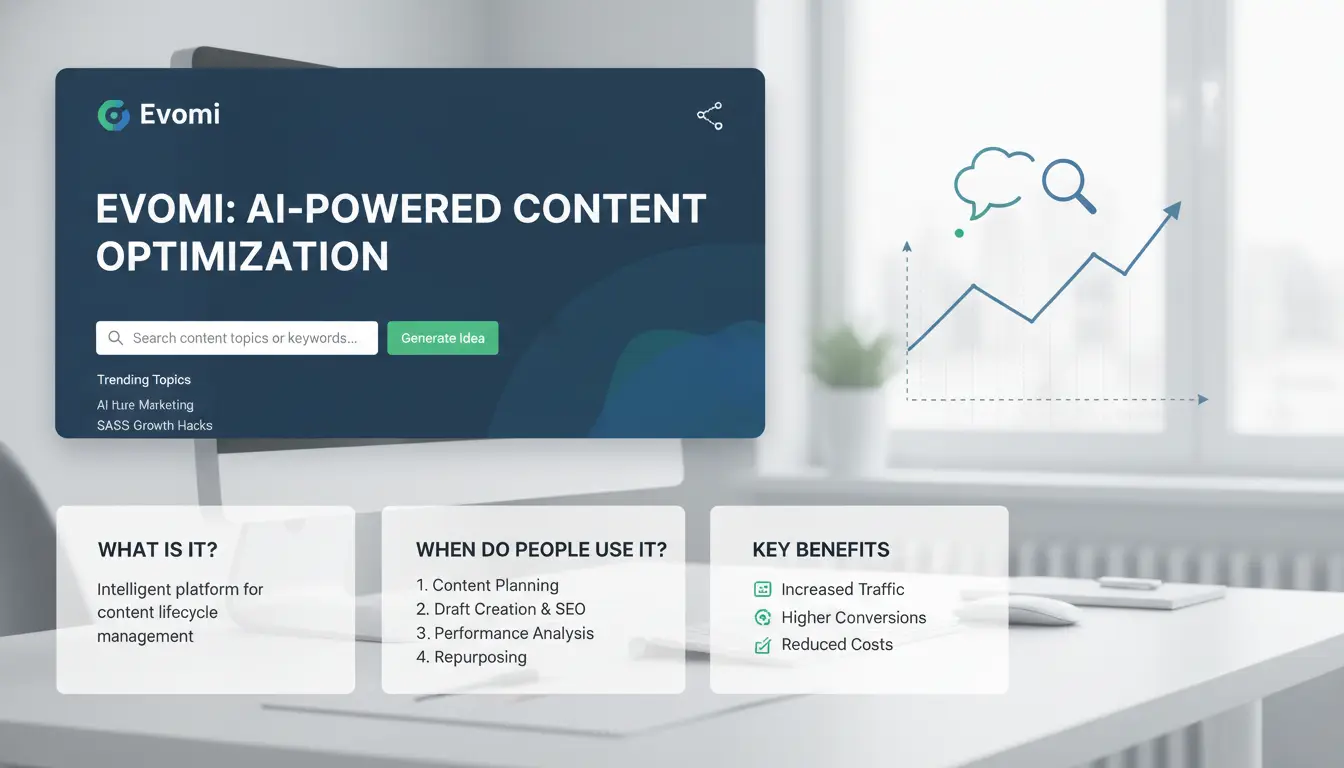
What Evomi is in simple terms
Evomi is a proxy service built for bulk browser operations. It acts as a middleman, routing your browser traffic through different residential or datacenter IP addresses, so websites see each session as coming from a separate user. Unlike proxy “providers” who just sell access to IP pools, Evomi is built as an end-user tool. This means you get a dashboard or app to manage browser profiles, assign proxies, and switch identities quickly. The system is designed to help users avoid bans, automate repetitive tasks, and keep cookies, fingerprints, and locations separate. If you only need a raw list of proxies, basic providers like Oxylabs or Smartproxy do the job; for browser session control, Evomi’s toolkit is the main difference.
Which tasks Evomi is commonly used for
Most people use Evomi when they need to run lots of browser sessions in parallel, think scraping prices, monitoring marketplaces, or checking how ads appear in other countries. Agencies rely on it for market research, ad verification, and to test localization by simulating real users from multiple regions. Automation teams use evomi to script account creation, run bots for data collection, or test web apps from different locations. For example, a business tracking search results in 10 cities can spin up 10 browser profiles with unique proxies, each showing local content. The main value is handling scale, doing what would take hours by hand in just a few clicks.
Who should and should not start with Evomi
Evomi is easy enough for beginners who want to manage a few browser profiles, but its real strength appears when you need to scale up, say, 20+ sessions at once. Solo users doing basic research may not need all its features. If you only need to mask an IP for occasional browsing, a simple proxy setup is cheaper and easier. On the other hand, teams needing account farming, mass posting, or regional QA get more control here than with raw proxy lists. Still, if you’re handling sensitive compliance tasks, tools with audit logs and team permissions like DICloak may be safer for production use.
How do Evomi residential proxies work in practice?
Evomi’s residential proxies let users route traffic through real household IPs, so websites see each request as coming from a normal person, not a bot or scraper. But the real-world setup has more moving parts than most people expect. If you don’t match session handling, rotation, and targeting to your use case, sites can still flag or block you. Here’s how the mechanics break down.
How residential IP routing works
Residential proxies use IPs borrowed from actual devices, think home routers and smartphones, unlike datacenter proxies, which rely on IPs from cloud or server farms. Sites like Cloudflare and Wikipedia often treat datacenter IPs as riskier, because they’re widely used by bots. Residential IPs, in contrast, blend in with normal traffic. Some platforms check not just the IP address, but also session cookies, browser fingerprints, and request timing. If your session jumps between IPs or mixes device signals, anti-bot systems like PerimeterX may flag you.
Rotating vs sticky sessions in Evomi
Evomi offers both rotating and sticky proxy sessions. Rotation means your IP changes for each request or after a set period. This helps when you need to look less predictable, such as scraping product listings or bulk checking search results. Sticky sessions lock your connection to the same IP for a longer time, which is safer for logins and actions that require a stable identity. If you rotate too often while logged in, some sites will force a re-authentication or block the session. Matching your session type to your workflow is the single most important step for avoiding bans.
Geo-targeting and protocol basics to configure first
Evomi lets you target proxies by country or city. For example, you might pick US-based IPs for US accounts, or city-level targeting to mimic a local user. Set this up before launching new browser profiles. Evomi supports HTTP, HTTPS, and SOCKS5, with username/password authentication. Always confirm these settings match your tool or browser before scaling up, since a mismatch can break automation or leak your real IP.
What should you check before choosing an Evomi plan?
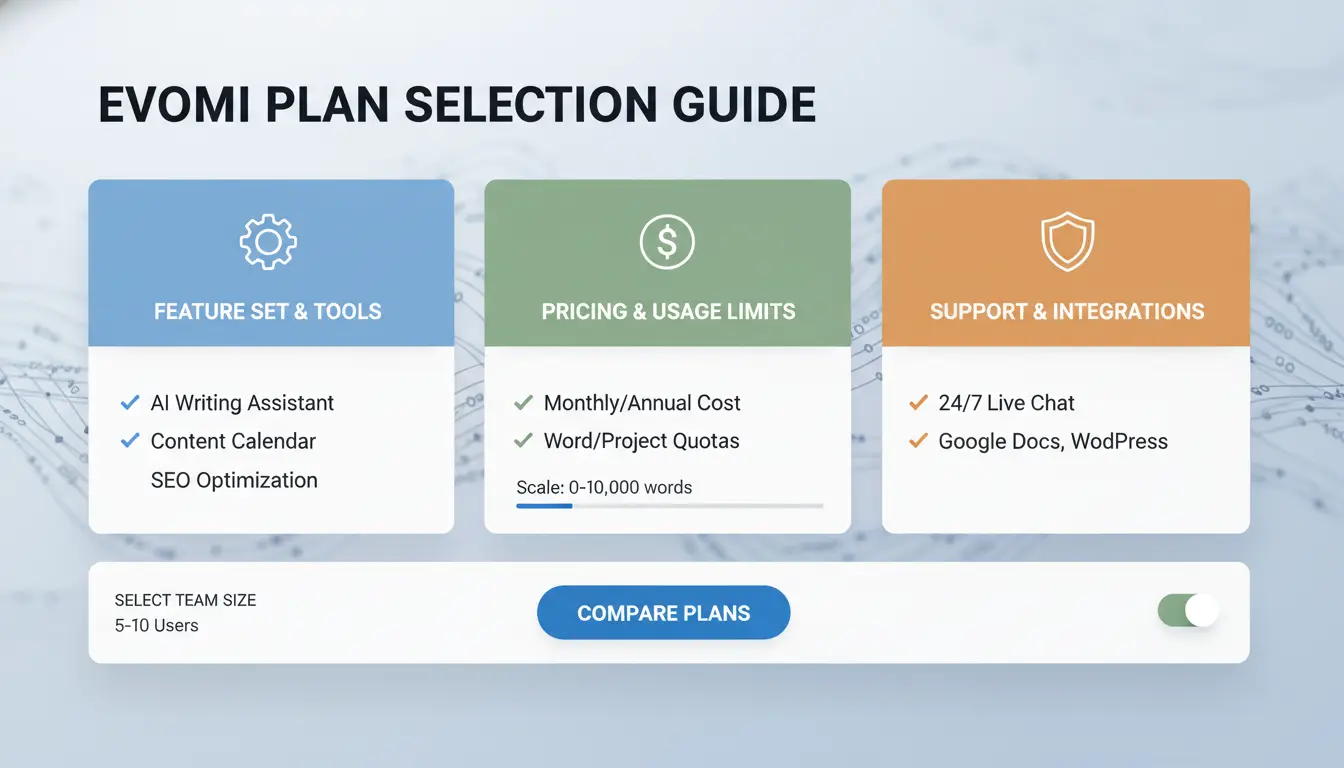
Choosing the right evomi plan isn’t just about the headline features. Skipping a checklist can lead to wasted money, failed tasks, or blocked sessions. Before you pay, map your real needs to evomi’s limits. Here’s what teams and solo users often miss, and how to avoid easy mistakes.
How to estimate traffic needs before paying
Guessing bandwidth or concurrency is risky. Instead, run a pilot task that matches your real workflow. If you plan to pull 10,000 profiles or run 50 sessions at once, set up a small test first. Track the actual GB used and the number of successful requests. This gives you a solid base to choose a plan that fits.
Workflow type matters too. For example, scraping static pages uses less data than streaming or automating full browser actions. Write down the steps for your most common task, run it, and check usage in your evomi dashboard. Underestimating traffic leads to throttling, failed tasks, or surprise charges.
Which Evomi specs matter most for your use case
Not all plans are equal on location pool or session handling. Some evomi plans limit which countries or cities you can use, and cap how many sessions run together. If your work needs switching locations fast, double-check pool depth and rotation speed. Teams should watch for per-user concurrency and speed caps. A plan that allows only 10 connections at once will choke a 20-person team.
Session controls also count. Can you reset fingerprints or cookies? If not, you risk getting flagged by sites that spot reused data. Check if your plan includes these controls.
What pricing details people often miss
Evomi pricing seems simple, but the real cost comes from failed or blocked requests. Focus on the cost per successful action, not just the monthly rate. Refunds may only cover total outages, not smaller bugs or blocks. Read the trial and refund rules, many plans give limited trial bandwidth or strict refund windows.
| Plan Feature |
Your Workload Need |
Checkpoint |
| Session limit |
Max tasks at once |
Will it block you? |
| Location pool size |
Country/city needs |
Enough variety? |
| Traffic quota (GB) |
Pilot task usage |
Fits estimate? |
| Failure handling |
Error rate tolerance |
Refund/trial rules? |
Evomi vs other proxy providers: what differences matter most?
Evomi stands out, or falls short, based on real pool quality, reliability under load, and how its support works in daily operations. The flashy feature list means little if your sessions break, or if “millions of proxies” turn out to be recycled addresses or unreliable endpoints. Here’s how to judge what actually matters when comparing evomi with other proxy services.
How to compare pool quality instead of marketing claims
Anyone can advertise “over 100 countries” or “dedicated IPs,” but these numbers hide the details. What matters most is IP freshness and true diversity, not just how many countries are listed. If most IPs come from a small set of data centers or get reused often, bans and blocks rise fast. You want to check real subnet spread, how often IPs rotate, and if you’re getting unique addresses per session. For example, Bright Data and Oxylabs publish details on how their pools are sourced and refreshed. Compare this to evomi’s actual performance, not just their country count.
| Provider |
Claimed Countries |
Real IP Spread |
Rotation Method |
| Evomi |
100+ |
Variable |
On session/new request |
| Bright Data |
100+ |
High |
On session/new request |
| Oxylabs |
100+ |
High |
On session/new request |
How to evaluate reliability and request success
A pool can look big but fall apart on tough sites. Success rates change when you hit login pages, e-commerce carts, or social platforms with strict blocks. Try evomi and a competitor on the same targets, log how many requests pass, and track timeouts. Watch how the service handles errors, does it retry, or just drop the connection? ScraperAPI shares their pass rates on real-world targets, which is a good benchmark.
What support and tooling quality looks like day to day
Support only matters when things break. Fast, clear help during downtime is a dealbreaker. Evomi’s documentation should show working code examples, not just generic API calls. When you need help, check if a real person answers in time, compare this with Bright Data’s live chat or Oxylabs’ developer hub. Teams that fix problems fastest usually win, not just those with the longest feature list.
How do you set up Evomi correctly and fix common errors fast?
Getting evomi running without headaches means checking every detail in the setup. Most problems come from simple oversights, wrong credentials, protocol mismatch, or pushing bulk requests too soon. The key is to start with a small, controlled test, then watch for errors before scaling up. Skipping these steps can lead to wasted hours or blocked accounts.
Step-by-step Evomi setup for first-time users
Start by creating and saving your evomi credentials in a secure location. Next, enter your endpoint URL and test a single connection. If the endpoint responds, run a validation batch with 3–5 real requests, not just dummy data. This exposes hidden issues like missing permissions or proxy misconfigurations early.
Only after you see clean results should you add more profiles or sessions. Avoid importing large lists before each account can connect and sync at least once. Simple mistakes, like copying a wrong API key or pasting a typo in the endpoint, cause most failed logins. For team setups, make sure each member has the right permissions and does not overwrite shared settings.
Why requests fail: top causes and quick fixes
Most failures trace back to three root causes: authentication errors, wrong endpoints, or protocol mismatches. Double-check that your API key is valid, the endpoint matches the docs, and protocols (HTTP vs HTTPS) are set correctly. If you see rate limits or random timeouts, slow down your request pace and check for retry logic in your script.
Timeouts often happen when proxies lag, so try a different proxy or lower concurrency. For persistent auth errors, reset your key and verify each field, one character off can break everything. Fixing the source of errors early prevents account bans and wasted bandwidth.
How to reduce blocks without wasting bandwidth
Session management makes the difference. Use one session per browser profile to avoid cross-account leaks. Space out requests with random delays to mimic human behavior. Keep cookies and headers consistent per target, changing them too often triggers blocks on platforms like LinkedIn or Twitter.
Tune request settings based on your target: some services flag bursts above 10 requests per minute, others block on repeated IPs. Adjust your proxy rotation to fit the platform. If blocks keep happening, review your session and header logic before scaling up.
How can teams use Evomi for multi-account work with lower risk?
Managing multiple accounts with evomi gets risky once you add more people or start switching profiles fast. Teams often trip up on hidden issues, fingerprint overlap, unstable IPs, and shared access mistakes. If you don’t lock down workflows and isolate each account, even small errors can trigger bans or create headaches during recovery. The real difference between safe and unsafe teams isn’t just tool choice but how you set up profiles, permissions, and logs.
Why multi-person account handling creates risk
When several people touch the same account, you can’t assume every login is safe. Fingerprint overlap happens if you reuse browser profiles or let cookies mix across sessions. That opens the door to platforms recognizing linked accounts and flagging all of them. Unstable IP behavior is another problem, switching proxies at random or failing to bind each account to a consistent proxy makes activity look suspicious to platforms like Telegram and Facebook. Shared credentials mean anyone can change settings or recovery info, so you lose control over who did what and when.
How DICloak + Evomi improves account isolation
Evomi lets you create bulk browser profiles, but the key is pairing each profile with a dedicated proxy and unique fingerprint. DICloak steps in to prevent cross-account linkage, its profile isolation means each team member’s session stays separate. By binding proxies at the profile level, you keep IP histories clean and avoid accidental overlaps. This combo reduces the risk of platforms detecting patterns that link your accounts together. Teams using DICloak with evomi see fewer bans and easier troubleshooting.
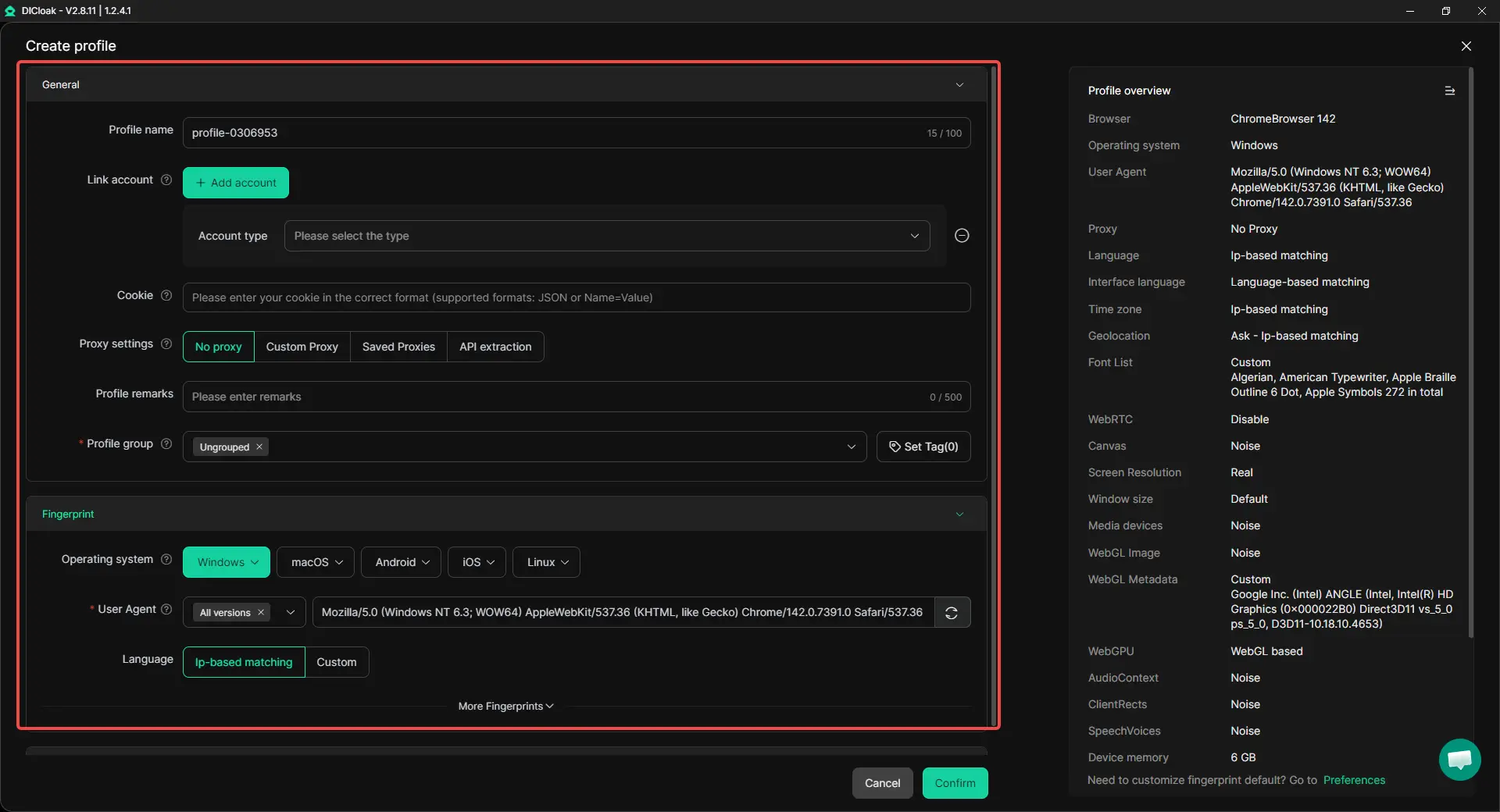
How to run team workflows with fewer mistakes
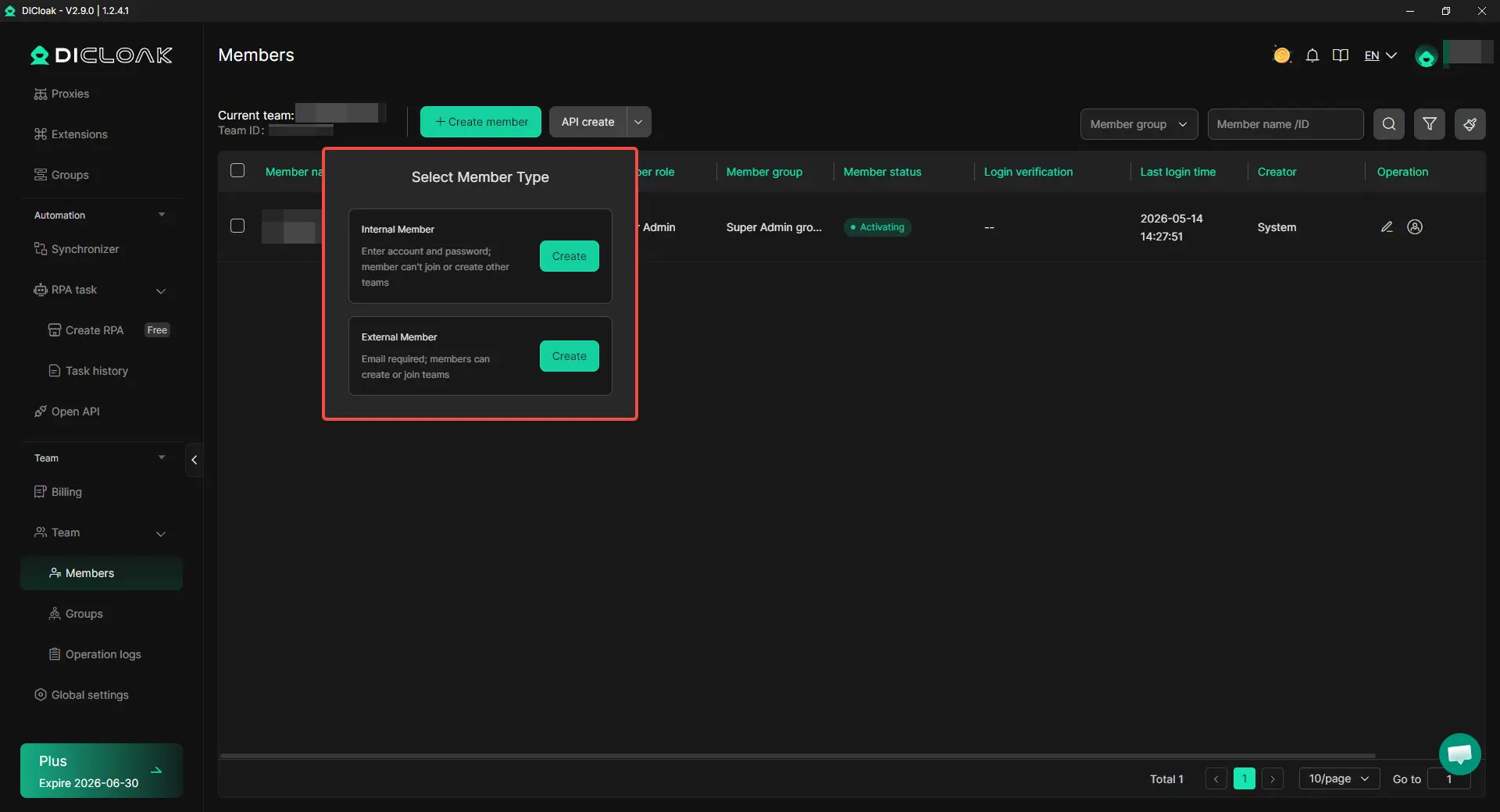
Permissions matter more than most teams realize. Set up profile sharing so only authorized members can access specific accounts. Operation logs show who changed settings or moved recovery info, without these, you’re flying blind. Bulk actions and RPA help standardize tasks like cookie cleanup or proxy switching, cutting down manual mistakes. The most stable teams use DICloak’s browser profile sharing, permission controls, and logs to keep every step trackable and safe.
What legal, compliance, and ethical rules should you know before using Evomi?
What is usually allowed vs high-risk behavior
Most platforms let you use proxies for research, troubleshooting, or ad verification, if you stay within their terms. Crossing the line happens fast: scraping private data, bypassing paywalls, or automating logins without permission can trigger account bans or even legal action. Abusive automation and unauthorized access put you at real risk, not just of losing accounts but of facing formal complaints.
How privacy and data rules affect proxy usage
Privacy laws and platform rules don’t match in every country. Collecting personal info, even for testing, may break rules in places like the EU or California. Some sites ban automated scraping outright. Know each platform’s policy and stick to the strictest data handling standard your team faces.
How to build an internal compliance checklist
Rely on written checklists: require approval for new proxy projects, keep logs of who does what, and review tool vendors like evomi or DICloak regularly. You can use DICloak to isolate each browser profile, bind proxies, control team permissions, and automate repetitive tasks, lowering the risk of accidental policy violations.
Is Evomi the right choice for your workflow, or should you pick another option?
Evomi isn’t a one-size-fits-all tool. The right fit depends on how you work, what you need from proxies, and your team’s daily routine. Use this section to spot whether evomi matches your environment, or if another setup makes more sense.
When Evomi is a strong fit
Evomi works best for teams running geo-diverse tasks that demand residential-quality proxies. If you need to switch browser profiles quickly and keep traffic predictable, evomi’s bulk profile and proxy assignment features help. Teams managing multiple accounts across regions see fewer bans when they control session isolation and proxy rotation. It’s a good match for scaling traffic while keeping workflows clean.
When another setup may be better
Evomi isn’t ideal for ultra-low-budget testing. If your use cases need datacenter IPs, mobile proxies, or advanced automation, you’ll want tools with deeper integration, like DICloak. Specialized setups sometimes give tighter controls for compliance-heavy projects.
A simple 5-point final decision checklist
| Factor |
Evomi |
Alternatives |
| Performance |
Stable |
Varies |
| Cost |
Mid |
Low/High |
| Support |
Direct |
Varies |
| Compliance |
Standard |
Custom |
| Workflow Fit |
Bulk, fast |
Custom |
Pilot-test with your team before scaling, hidden workflow gaps cost more than upfront pricing.
Frequently Asked Questions
Is Evomi beginner-friendly if I have never used residential proxies before?
Evomi is beginner-friendly if you start small. Set up a simple workflow, like checking basic endpoints. Run a few tests and check the real success rate. Make sure your requests are working before you scale up. Evomi’s dashboard helps track usage and results, so you can learn as you go without getting overwhelmed.
Does Evomi work better with rotating or sticky sessions?
Evomi supports both rotating and sticky sessions. Use rotating sessions for scraping large lists or public data, as they switch IPs and avoid blocks. For login tasks or actions needing session continuity, sticky sessions keep the same IP. Choose the session type based on your target site and workflow needs.
Can I use Evomi proxies on multiple devices and team members?
Yes, you can use Evomi proxies across several devices and with team members. For safety, set up clear access controls and separate profiles for each user. Enable activity logs to track who is using which proxy. This prevents overlap and reduces security risks when working with a group.
How long should I test Evomi before committing to a larger plan?
Run a 7–14 day pilot with Evomi using real target sites. Monitor your success rate and check how much bandwidth you use. Compare the cost and performance to your needs. If your tests show reliable results and efficient data use, you’ll have a solid base for scaling up.
What is the safest way to scale Evomi for high-volume operations?
To scale Evomi safely, increase your volume step by step. Pace your requests to avoid bans. Use segmented sessions and monitor proxy quality daily. Set up standardized workflows for your team. This keeps your operation stable and helps catch issues early before they affect your main tasks.
Evomi stands out as a powerful solution for streamlining digital collaboration and enhancing productivity within teams. By integrating intuitive tools and solid features, it empowers organizations to communicate more efficiently and manage projects with greater clarity. Try DICloak For Free
 Web Proxy Tools
 Free Tools
 Cookie Plugin
 UA Generator
 MAC Address Generator
 IP Generator
 IP Address List
 2FA Code Generator
 World Clock
 Anonymous Check
 WebRTC Leak Test
 UUID Generator
 Free Web Proxy Site
 Proxy Checker
 FB Ad Checker
 AI Web Scraping
 Free SMM Tools
 Twitter Shadowban Checker
 Instagram Name Checker
 UTM Generator
 Username Generator
 AI Hashtag Generator
 LinkedIn Headline Generator
 Social Media Image Resizer