Routine checks can become time-consuming when teams manage multiple accounts, devices, and video upload tasks. This update makes it easier to log out outdated member devices in batch and confirm the current uploaded video file before making changes.
Key Takeaways
- Batch logout for member login devices: Select multiple devices in the Log in device list and log them out together with Logout selected.
- Current uploaded video file details: View the uploaded video's file path, size, resolution, and conversion details before making changes.
Batch Logout for Member Login Devices
Login device records can pile up when members switch devices or temporary operators leave. With batch logout, selected devices can be logged out together instead of being handled one by one.
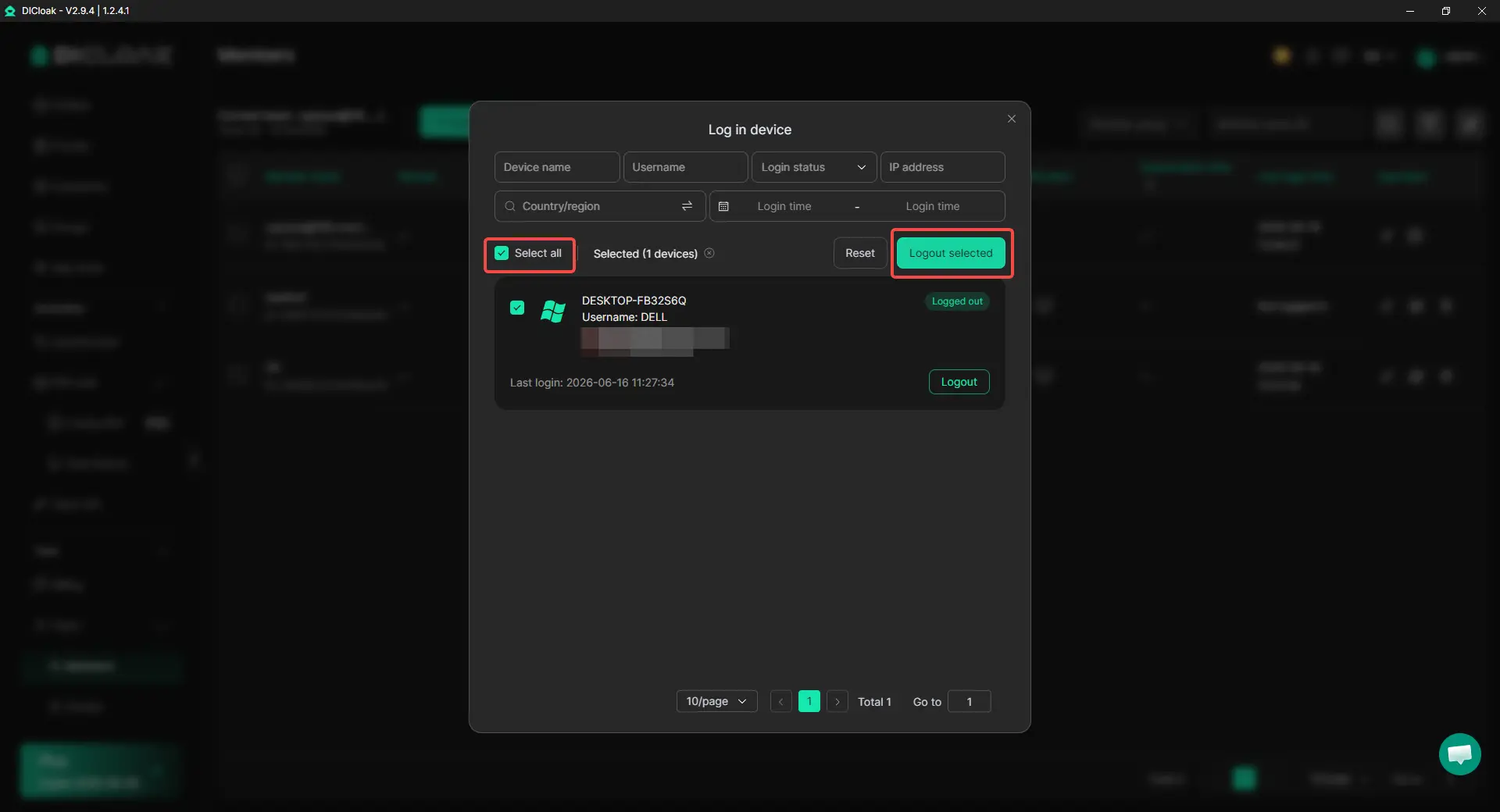
How to use it:
- Go to the member login device list.
- Select the devices that need to be logged out.
- Click Logout selected to log them out in batch.
How it helps:
- Removes outdated or unused login devices more efficiently.
- Saves time when multiple devices need to be logged out at once.
- Makes member device management easier when devices change often.
View Current Uploaded Video File Details
For video replacement tasks, it is useful to confirm which file is currently uploaded before making changes. Once video replacement is enabled, the browser upload page shows key video file details, such as the original MP4 path, file size, resolution, conversion time, and converted size.
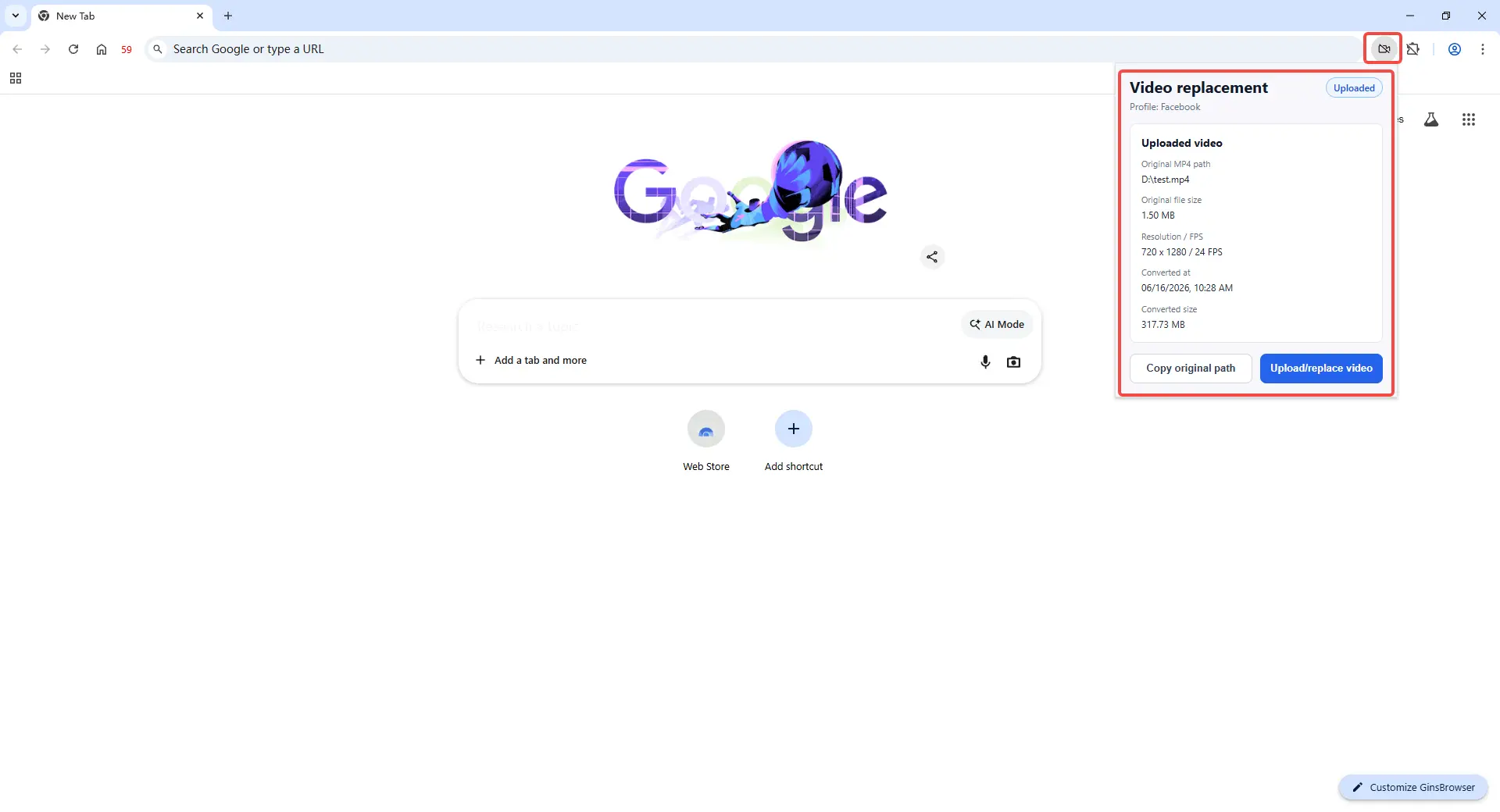
How to use it:
- Enable video replacement for the Profile.
- Open the browser webpage where the video upload is needed.
- Check the current uploaded video details before uploading or replacing the file.
How it helps:
- Confirms which video file is currently uploaded.
- Shows key file specs before any upload change is made.
- Helps avoid mixing up video files across different Profiles.
Get Started with the New Update
These updates make small but frequent team tasks easier to handle. Device cleanup becomes faster, and video upload changes become easier to verify. Try the latest version of DICloak today and manage your team workflows with better visibility and control.
 Web Proxy Tools
 Free Tools
 Cookie Plugin
 UA Generator
 MAC Address Generator
 IP Generator
 IP Address List
 2FA Code Generator
 World Clock
 Anonymous Check
 WebRTC Leak Test
 UUID Generator
 Free Web Proxy Site
 Proxy Checker
 FB Ad Checker
 AI Web Scraping
 Free SMM Tools
 Twitter Shadowban Checker
 Instagram Name Checker
 UTM Generator
 Username Generator
 AI Hashtag Generator
 LinkedIn Headline Generator
 Social Media Image Resizer